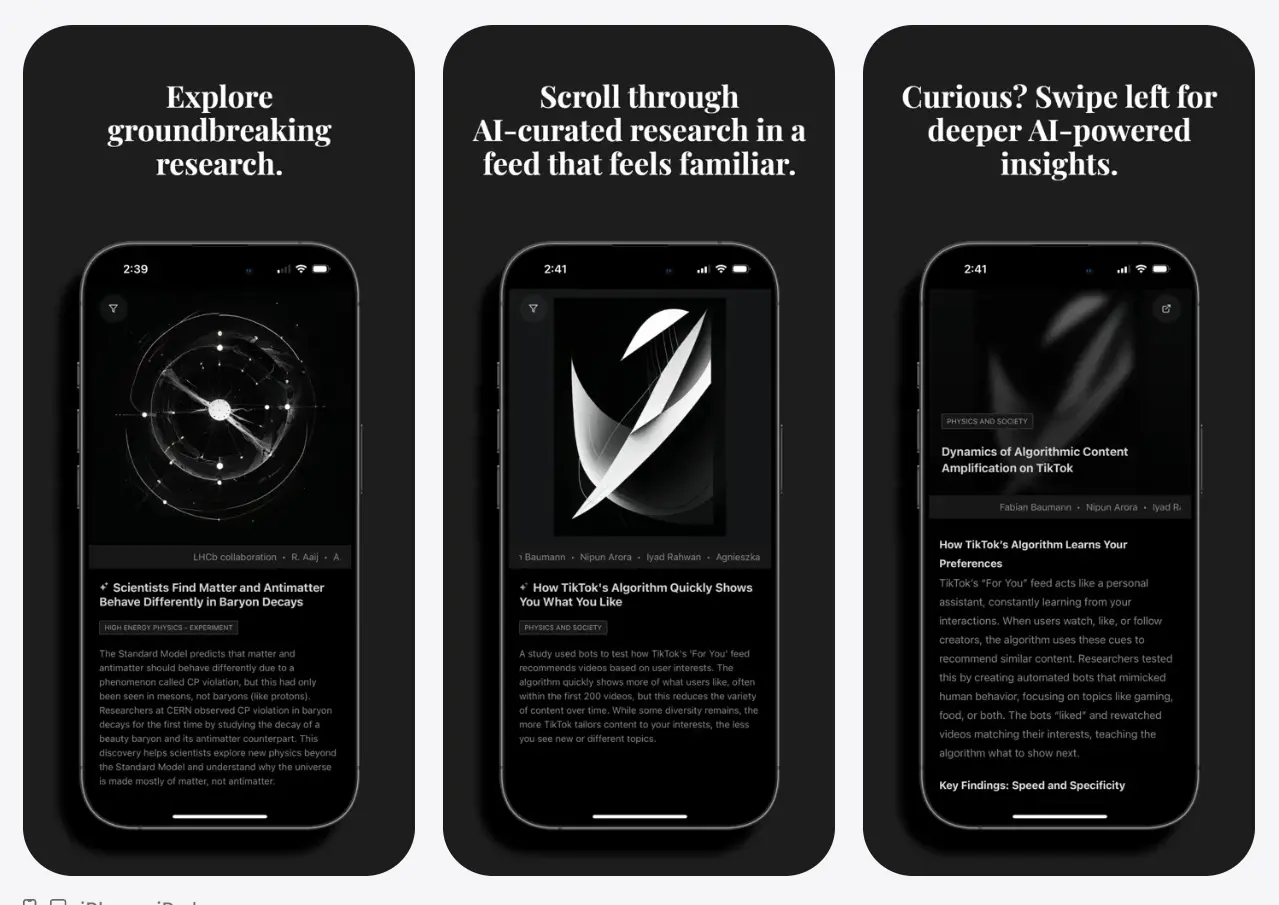
Soch is a free iOS app that replaces your social media scroll with an AI-curated feed of research articles, each paired with a plain-language summary and an AI-generated image.
It pulls every article from arXiv and organizes content across 165 topic categories. You swipe through article cards the same way you would on Instagram or TikTok, but every card leads to a simplified research summary instead of an engagement-optimized post.
Most learning apps ask you to pick a course, commit to a schedule, and push through structured lessons. Social media apps ask for none of that and win your attention by default.
Soch keeps the swipe-and-scroll mechanics you already know but fills the feed with academic papers distilled into a curiosity-driving headline, a short visual summary, and a path to the full paper when a topic grabs you.
Features
- Curates research articles into an endless mobile feed.
- Creates short summaries in plain language.
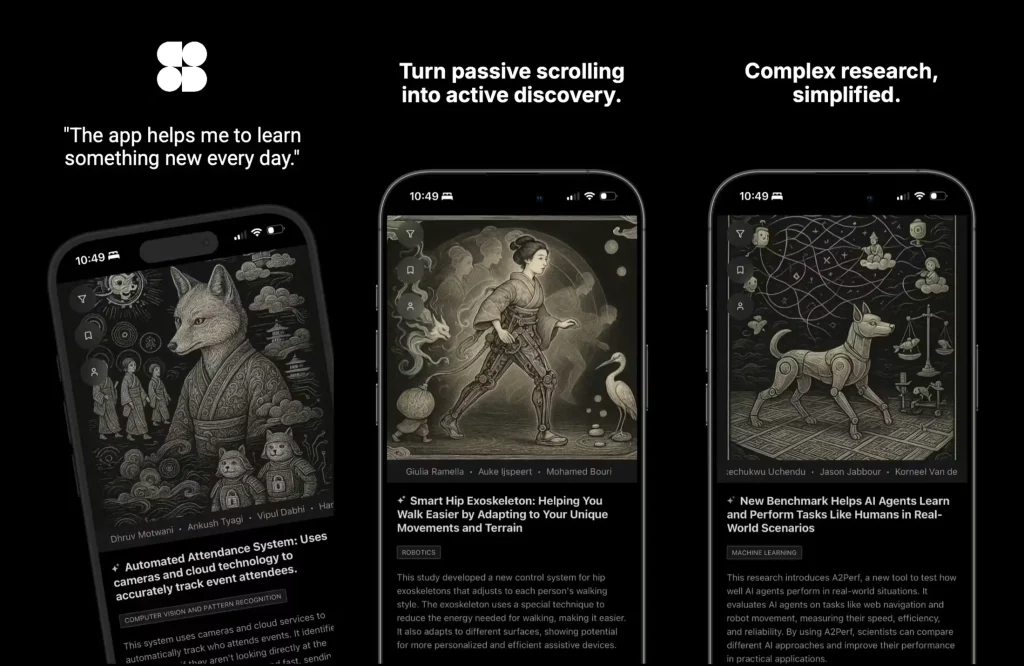
- Generates an AI-generated visual to each article.
- Lets you choose topics and subtopics for feed relevance.
- Includes more than 165 categories for interest selection.
- Opens longer summaries for a 4 to 5 minute read.
- Links to the original article for deeper reading.
- Saves articles through bookmarks.
- Shares research articles with friends or colleagues.
Use Cases
- Replace short idle scrolling sessions with research-backed article summaries.
- Browse unfamiliar research topics before committing to a full paper.
- Save science, technology, economics, biology, or space articles for later reading.
- Share a readable research summary with a study group or work chat.
- Build a light daily habit around learning new ideas from published research.
How to Use Soch
Get Started
1. Download Soch from the iOS App Store.
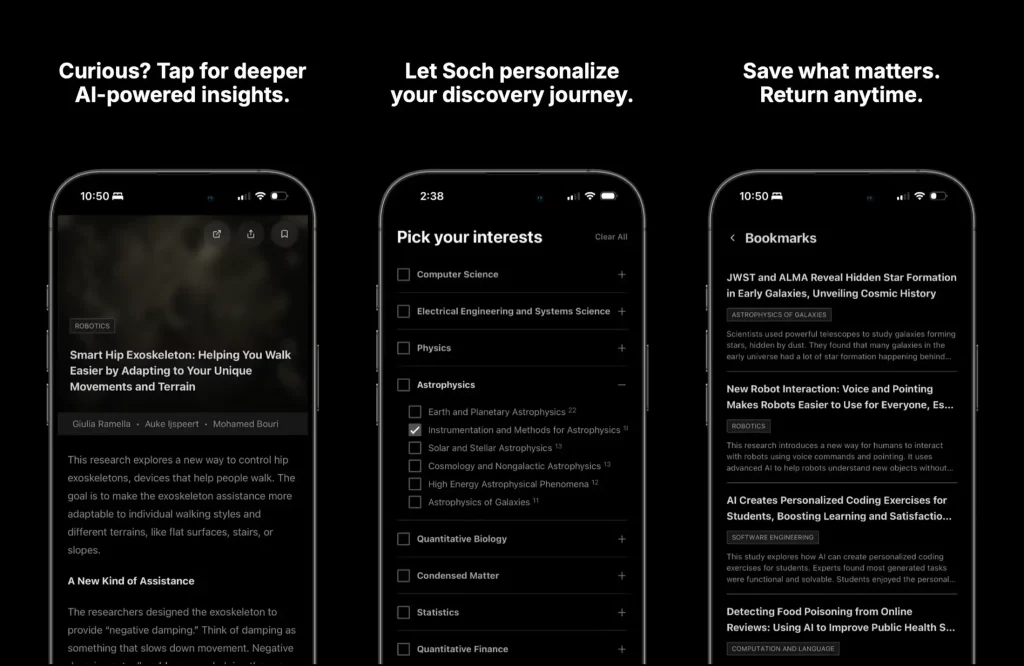
2. Open the app and tap through the interest picker. You see a grid of 165 topic categories across fields such as computer science, physics, biology, economics, mathematics, and more. Select at least a few topics to seed your For You feed.
3. Start scrolling. The main feed presents one article card at a time with an AI-generated image, a headline written to spark curiosity, and a one-sentence summary. Swipe up to move to the next card, or tap to open the detail view.
4. Tap any card to see the full summary. The detail page expands into a 4-to-5-minute read that explains the research in plain language. A link at the bottom opens the original paper on arXiv in your browser.
5. Swipe right to return to the feed from the detail page. Swipe left on a feed card to skip directly to the next article.
6. Tap the bookmark icon on any detail page to save the article. Bookmarks sync across your iPhone, iPad, and Mac through iCloud so your saved library follows you across devices.
7. Pull down on the feed to refresh and load newly published papers that match your selected topics.
Managing Your Feed
1. Return to the interest picker from the settings or profile area to add or remove topics. Your feed adjusts immediately to reflect the new selection.
2. The feed does not track your scrolling behavior to reshape what you see. Changing your topic selection is the only way to change what appears.
3. Articles you bookmark do not influence the algorithm because there is no behavioral algorithm. Your saved articles live in a separate library, not in a feedback loop.
Sharing and Saving
1. Tap the share icon on any detail page to send the article summary through iMessage, WhatsApp, Mail, or any app that appears in the iOS share sheet.
2. The share sends the summary text and a link to the full paper, not just a screenshot or app link.
3. Bookmarked articles stay available in your library even if the same paper falls out of your main feed rotation.
Alternatives and Related Tools
- Free & Fast AI Article Summarizer That Actually Works – iBrief
- Free AI Tool for In-Depth Research – Hika AI
- 10 Best Free AI Tools to Chat With PDFs in 2026
- DeepTutor: Open-Source, Multi-agent AI Learning Assistant
- Free Self-Hosted AI Research Assistant – Dr. Claw
Pros
- iPhone-native learning feed.
- Plain-language summaries.
- AI-generated article visuals.
- More than 165 categories.
- Original article links.
- Bookmark and share options.
Cons
- iPhone only.
- No export details.
- No public API.
FAQs
Q: Does the app track my reading behavior?
A: No. Soch does not use a behavioral algorithm to track what you read, how fast you scroll, or what you share and then feed that data back into your recommendations. Your feed changes only when you update your selected topic categories. Anonymous client-side metrics for saves and revisits stay on-device and do not drive a recommendation engine.
Q: Can I read articles offline?
A: No. The app requires an active internet connection to load article summaries, AI-generated images, and full paper links. Bookmarked articles do not cache for offline access.
Q: Can Soch replace reading full research papers?
A: Soch should not replace full-paper reading when accuracy, citations, methods, or publication details matter. It is better as a discovery layer before you decide which papers deserve deeper reading.