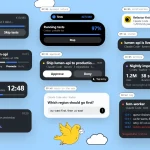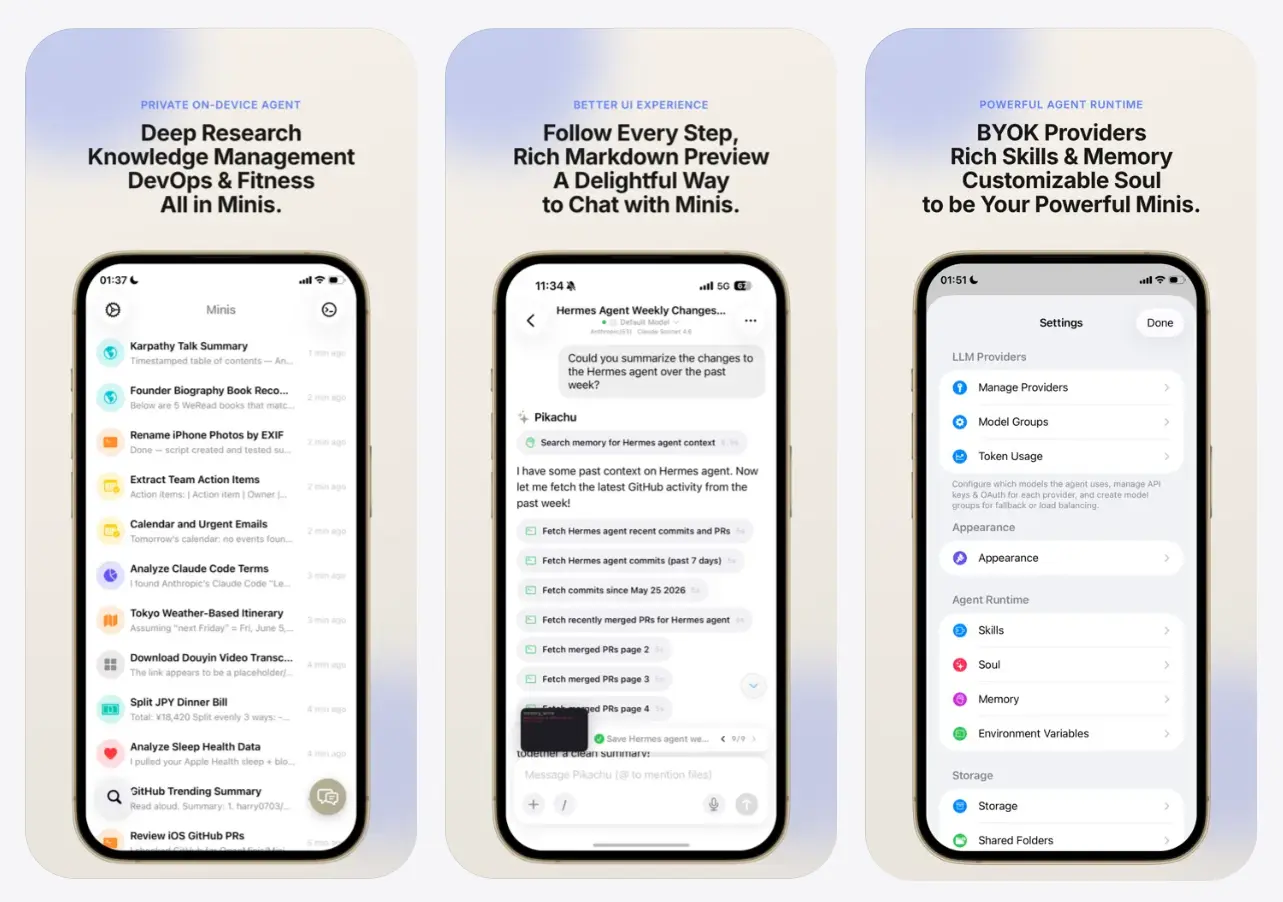
OpenMinis is a free, open-source, local-first AI agent for iPhone, iPad, Apple silicon Macs, Vision Pro, and Android. It’s designed as a mobile-first alternative to Claude Cowork and OpenClaw.
The agent runs a sandboxed Alpine Linux environment on the device, connects to Claude, GPT, Gemini, OpenRouter, or another compatible model provider, and exposes files, browser actions, and supported system services as agent tools.
The model handles reasoning, and OpenMinis handles execution. A request can launch shell commands, browse pages, update a workspace, create calendar events, manage reminders, or work with device data after you grant the required permissions.
What Makes OpenMinis Different
Most mobile AI apps route a prompt to a hosted model and return text. OpenMinis adds an execution layer on the device. Its Alpine Linux sandbox installs packages, runs scripts, processes files, and gives the agent a persistent workspace.
Native tools extend that environment into the operating system. On Apple devices, supported integrations include Calendar, Reminders, Contacts, HealthKit, HomeKit, Photos, Maps, Vision, speech, Bluetooth, NFC, and Shortcuts. Android adds its own system surfaces, including Accessibility Service and Shizuku-based operations.
This architecture separates the agent runtime from the model. OpenMinis does not bundle a frontier model or inference credits. You select the provider and model, while the app manages tools, permissions, memory, workspaces, browser actions, and local execution.
Key Features
- Runs a sandboxed Alpine Linux environment directly on the device.
- Connects Claude, GPT, Gemini, OpenRouter, DeepSeek, Kimi, and OpenAI-compatible endpoints.
- Switches model providers between conversations.
- Exposes supported device services through permission-controlled tools.
- Browses websites, fills forms, extracts content, and captures screenshots.
- Stores persistent memory and separate workspaces across sessions.
- Loads reusable
SKILL.mdskills with instructions, scripts, references, and assets. - Connects MCP servers through HTTP and STDIO transports.
- Imports Claude Desktop-compatible MCP configuration files.
- Triggers agent tasks through Siri Shortcuts and the iOS Share Sheet.
OpenMinis vs OpenWorker vs Claude Cowork
OpenMinis has the clearest advantage when a task starts on a phone or needs Health, HomeKit, Reminders, Bluetooth, NFC, the Share Sheet, or other mobile system surfaces.
OpenWorker centers local desktop files and business connectors while Claude Cowork focuses on managed remote execution and finished office deliverables that persist across desktop, web, and mobile.
| Product | Primary Emphasis | Execution Model | Model Choice | Access and Cost |
|---|---|---|---|---|
| OpenMinis | Mobile agent with native device tools | Linux sandbox and native tools run on the device | Multiple providers, account sign-in, API keys, or compatible endpoints | Free app and GPLv3 source; provider charges apply |
| OpenWorker | Local desktop coworker for files and connected work apps | Agent loop runs on the Mac, with consequential actions gated for approval | Multiple cloud providers or local Ollama models | Free and open source; currently available for Mac |
| Claude Cowork | Managed knowledge-work agent for polished deliverables | Cowork sessions run remotely and follow the Claude account across devices | Claude models | Paid Claude plan required |
Use Cases
A photo of a meal, taken and sent to Open Minis, comes back as an estimated calorie and macro count, written directly into Apple Health.
A Shortcuts automation triggers Open Minis each morning to pull a social media timeline, summarize it, and read the summary aloud as an alarm, so the first thing you hear is a briefing instead of a ringtone.
Messages pile up in a project group chat over the course of a week. Open Minis reads the thread, pulls out bugs and action items, removes duplicates, and files the rest into Apple Reminders.
An Obsidian vault mounted as a workspace turns into a research surface: the agent reads existing notes, drafts new ones, and writes Markdown straight back into the vault.
A page shared through the iOS Share Sheet becomes a calendar event, time and location included, without opening the Calendar app at all.
How to Use OpenMinis
1. Install Open Minis from the App Store or download the Android APK from GitHub Releases.
2. Open the provider setup screen and add an API key, supported account sign-in, or compatible endpoint.
3. Select a model for the first conversation.
4. Create a workspace when the task needs persistent files or project context.
5. Grant only the system permissions required for the task.
6. Start with a clear instruction such as: “Read this shared event page, extract the date, time, location, and title, then add it to my calendar.”
7. Add skills or MCP servers after the basic provider and permission setup works.
Pros
- Free GPLv3 source code
- On-device Linux execution
- Deep mobile system integrations
- Multi-provider model support
- Persistent skills and memory
- Granular permission controls
Cons
- External model access required
- Provider costs apply
- Platform features differ
- Powerful permissions require careful review
Alternatives & Related Resources
- OpenWorker: Free Local AI Coworker with 25+ App Connectors
- AionUi: Free Open-source Cowork App (Claude Cowork Alternative)
- Hermes Agent: Free, Open-source, Self-Improving AI Agent
- Hermex: Control Your Self-Hosted Hermes Agent From iPhone
- 7 Best OpenClaw Alternatives for Safe & Local AI Agents
- 7 Best & Open-source Claude Cowork Alternatives
FAQs
Q: Does OpenMinis run AI models entirely on the phone?
A: The agent runtime, Linux sandbox, memory, workspaces, and device tools run locally. Cloud providers process requests sent to their models. A compatible local endpoint keeps model inference on hardware that you control.
Q: Can I use OpenMinis without an API key?
A: No. You need at least one API key from a supported provider to use the app.
Q: Does OpenMinis replace Siri?
A: OpenMinis does not replace the operating system assistant. It uses supported APIs, permissions, Shortcuts, and native tools to perform a wider set of agent workflows inside its own app environment.
Q: Do Claude Code or OpenClaw skills work in OpenMinis?
A: OpenMinis loads the SKILL.md format used by several agent ecosystems. Compatibility depends on each skill’s tool calls and platform assumptions.