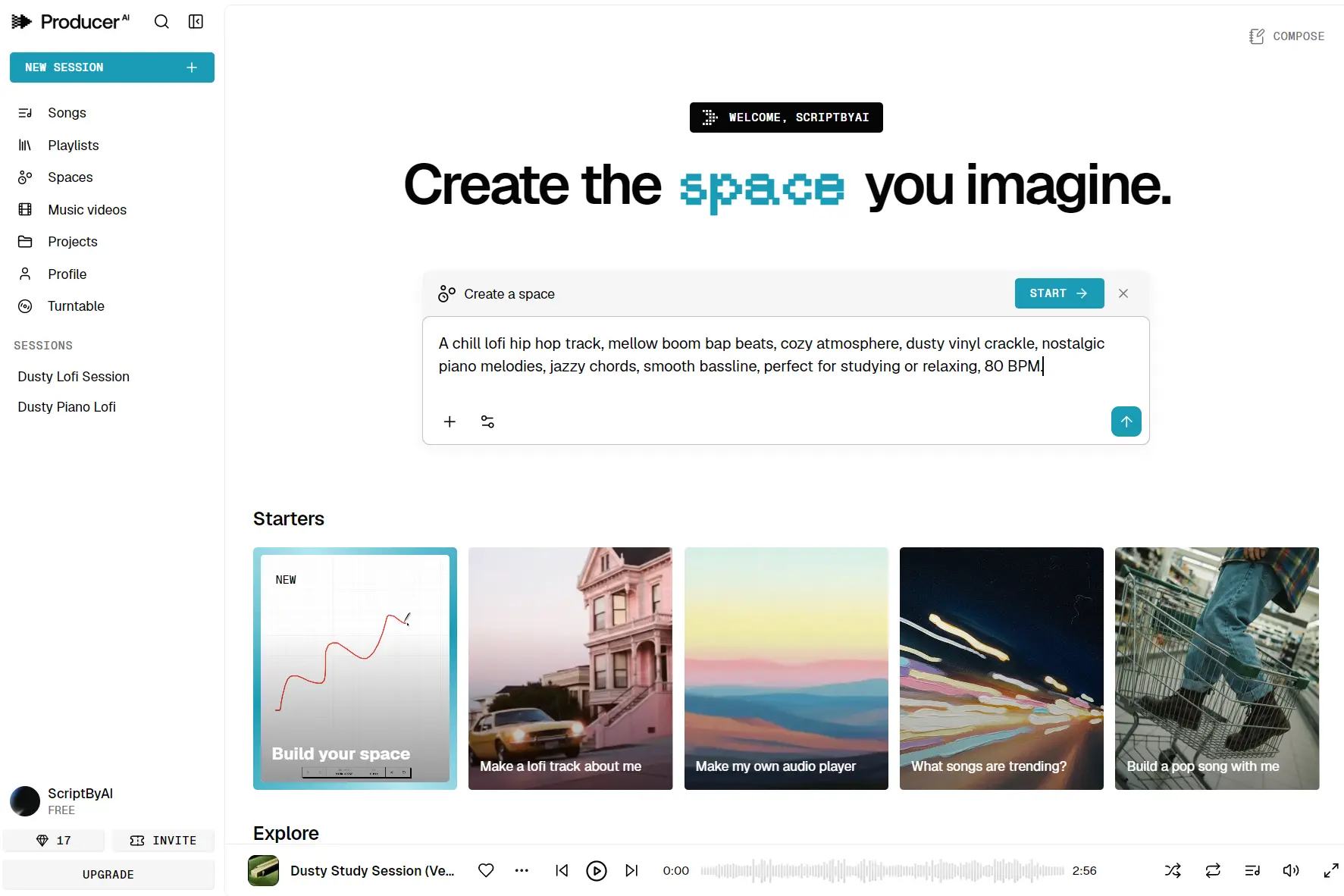
Google Flow Music, formerly ProducerAI, is Google Labs’ free-to-start AI music studio for making complete songs in a browser. You can begin with a written idea, your own lyrics, an image, a microphone recording, or an audio file, then keep working on the same song after the first generation.
Each project runs as a conversation inside Flow Music. You describe the song, listen, and make one musical decision about the next version. Ask for a shorter intro, a rewritten lyric, a different vocal delivery, or a replacement for one weak section. Flow Music keeps the context of the session. Each revision builds on the last result.
Lyria 3.5 is the core model that generates and revises the music. It follows lyric structure and creative directions more closely, produces more expressive vocals, and keeps full-length arrangements more coherent. Direct tempo and duration controls set the pace and length before export. Separated stems let you continue in a DAW.
Features
- Lyria 3.5 generates full-length songs with improved vocals, lyric structure, pronunciation, and musical coherence.
- Text, images, microphone recordings, and audio files can all start a new song.
- Flow Music keeps musical instructions and revisions together in a single chat session.
- You can revise a chorus, verse, bridge, beat drop, or other passage without rebuilding the full track.
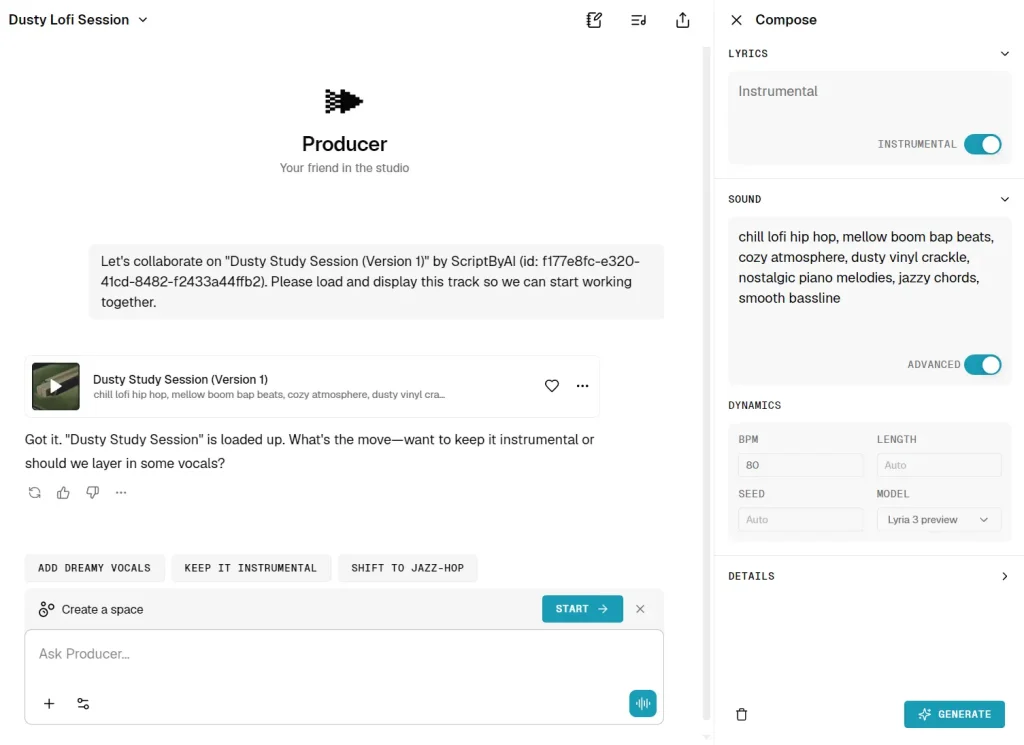
- Compose edits lyrics, sound, cover art, and song details from a dedicated control panel.
- Remix can Extend, Cover, or Replace a selected section of a song.
- Tempo, BPM, and duration controls give the song a defined pace and length.
- Downloads include MP3, WAV, M4A, ZIP batches, and separated stems.
- The music video tool uses the song and your visual direction to create a shareable video with Gemini Omni and Veo.
- Spaces create instruments, sequencers, audio plugins, music games, and custom DAW-style interfaces from a prompt.
- Published songs can join playlists, accept or block community remixes, and appear on a public profile.
- The built-in assistant can follow saved instructions, slash commands, and optional conversation memories.
Demos
Use Cases
- Draft a complete song: Describe the genre, mood, tempo, instruments, vocal character, and subject, then shape the first result through conversation.
- Develop unfinished lyrics: Bring a theme or partial verse to Ghostwriter, refine the structure, and direct how the words should be sung.
- Repair one weak section: Select a flat chorus, rushed intro, or awkward bridge and replace that passage while keeping the surrounding arrangement.
- Prepare tracks for a DAW: Export the full mix and separated stems, then continue arranging, mixing, or mastering in your production software.
- Create music-led social video: Generate the song, direct a matching music video, and download or publish both from one project.
- Build interactive music ideas: Describe a sequencer, instrument, effect, game, or small production environment and develop it as a shareable Space.
How to Use It
1. Open Google Flow Music. You need a verified Google Account, must be at least 18, and must be in a supported region. Review the authorization screen before granting account access.
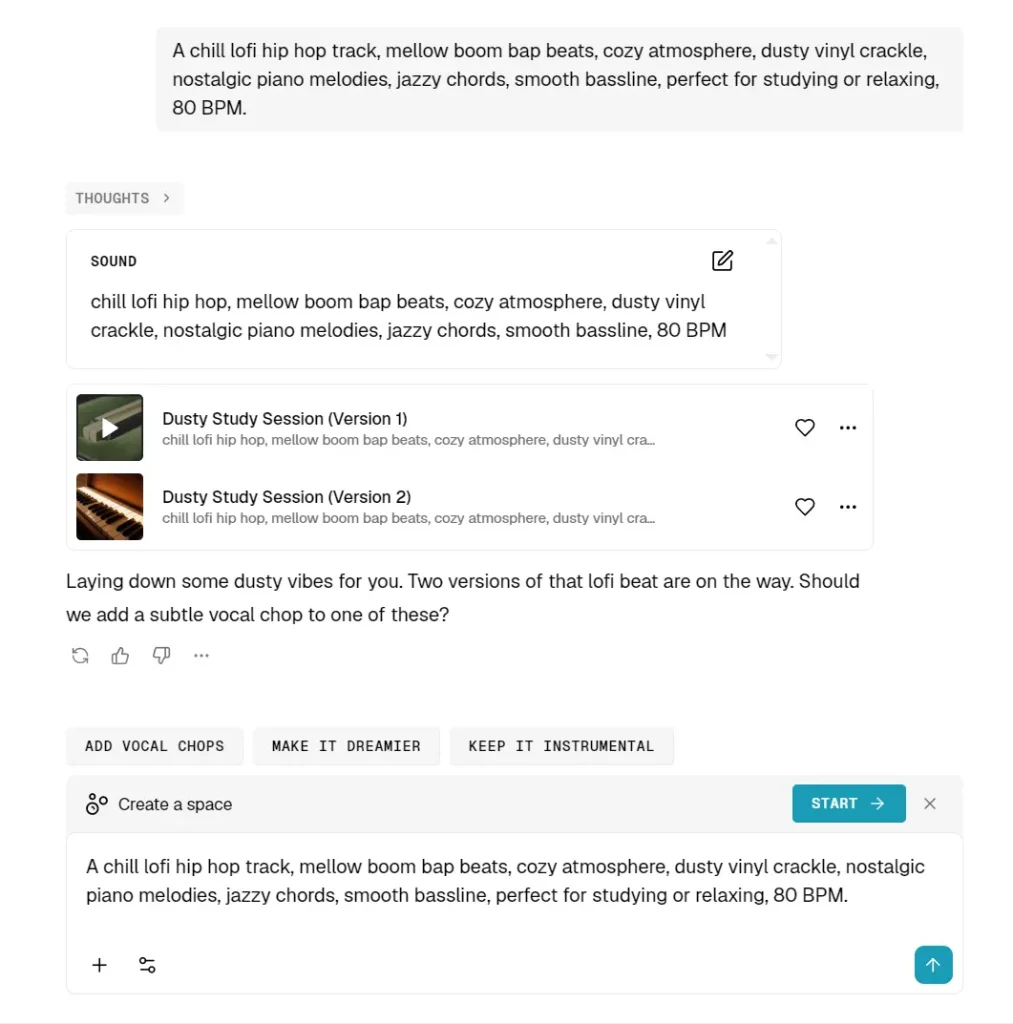
2. Select New session. Describe the song with concrete musical details such as genre, mood, tempo, instrumentation, vocal type, language, and song subject. Add a recording, audio file, or image when the idea starts from reference material.
3. Open Settings to change the model or music role. Flow Music groups its choices by instrument generation, lyric writing, and general song production.
4. Send the prompt and audition the generated songs. Treat the first result as a draft. Ask for a shorter intro, a stronger kick, different instruments, rewritten lyrics, a new vocal direction, or another genre.
5. Open Compose for direct changes to Lyrics, Sound, or Details. Use Remix when you need Extend, Cover, or Replace. Select the exact passage before describing the change.
6. Download the finished track in MP3, WAV, or M4A format. Download stems when you plan to continue the production in a DAW. You can select several songs and receive them together in a ZIP file.
7. Publish the song, copy a private or public link, or add it to a playlist. Turn off community remix access if you do not want other people to remix, extend, or download the published song.
Free Plan, Pricing, and Account Requirements
The free account includes every core feature, daily credit top-ups, and two concurrent generations. Paid subscriptions add fixed monthly credits, more simultaneous generations, and access tied to Google AI membership benefits.
Your prompts, recordings, uploaded audio, and images go to a Google-hosted service. Conversation memories can be disabled in Settings, and Google Flow Music account access can be revoked from the third-party apps area of your Google Account. Use those controls before adding private demos, client material, or unreleased songs.
| Plan or requirement | Current terms |
|---|---|
| Account | Verified Google Account, age 18 or older, supported region |
| Free | $0 per month, daily top-up credits, 2 concurrent generations, all core features |
| Starter | 3,000 monthly credits, about 600 songs, 8 concurrent generations |
| Plus | 10,000 monthly credits, about 2,000 songs, 12 concurrent generations |
| Member | 30,000 monthly credits, about 6,000 songs, 16 concurrent generations, early feature access |
| Annual option shown | $6, $18, or $48 per month for Starter, Plus, or Member with a 25% annual-billing discount |
Google Flow Music vs Suno
Both services generate complete songs and accept creative direction after generation.
Flow Music has the sharper project workflow: it carries context through a session, section edits sit beside Compose and Remix, and the same account handles stems, music videos, Spaces, publishing, and playlists.
Suno presents a simpler prompt-and-editor experience and publishes unusually clear rules for commercial licensing.
| Decision point | Google Flow Music | Suno |
|---|---|---|
| Starting material | Text, image, recording, or uploaded audio | Prompt, lyrics, recording, or uploaded audio |
| Editing model | Conversational session, Compose, and Extend, Cover, or Replace | Prompt creation plus dedicated editing controls |
| Free access | Daily top-up credits and 2 concurrent generations | 50 credits renewed daily |
Pros
- Strong section-level song editing
- Lyria 3.5 improves vocals and structure
- Free plan includes core features
- Stem and lossless audio downloads
- Music video and Spaces integration
Cons
- Google Account and age verification required
- Free credits cap sustained experimentation
- Commercial rights need an eligible plan
Alternatives and Related Resources
- 10 Best AI Music Generators: Create Songs from Text
- Get started with Google Flow Music
- Create & manage songs in Google Flow Music
- Lyria 3.5
More Free AI Tools from Google
- Code Wiki: Google’s AI-Powered Solution for Code Understanding.
- NotebookLM: AI Research Assistant for Students and Professionals.
- Pomelli: Google’s Free AI Tool for SMB Marketing Campaigns.
- Mixboard: Free AI Moodboard Tool from Google Labs.
- Google Stitch: Free AI Vibe Design Tool with Agent and Web Export.
- Google Antigravity 2: Agent-First Dev Platform with Gemini 3.5.
- Dreambeans: Google Apps Turned Into Daily AI Stories.
FAQs
Q: Can I use Google Flow Music songs commercially?
A: Google AI Pro and Ultra include Flow Music Plus and Member benefits with commercial use rights. Google does not claim ownership of original content generated with Flow Music. That license does not settle copyright eligibility or third-party rights. Confirm the license shown for your account and clear any lyrics, samples, references, or likenesses before monetizing a track.
Q: What is a Space in Google Flow Music?
A: A Space is a custom musical experience built from a description. It can be an instrument, step sequencer, game, audio plugin, effect, or DAW-style interface. Spaces currently require a web or PC experience. You can keep one private, publish it, share a link, or permit community remixes.
Q: Does Google Flow Music have a mobile app?
A: Google Flow Music has an official iOS app. The web version is the full-featured experience and should be your default for Spaces and the complete editing interface. A Google Account and age verification are required on both.
Last Updated: July 29, 2026