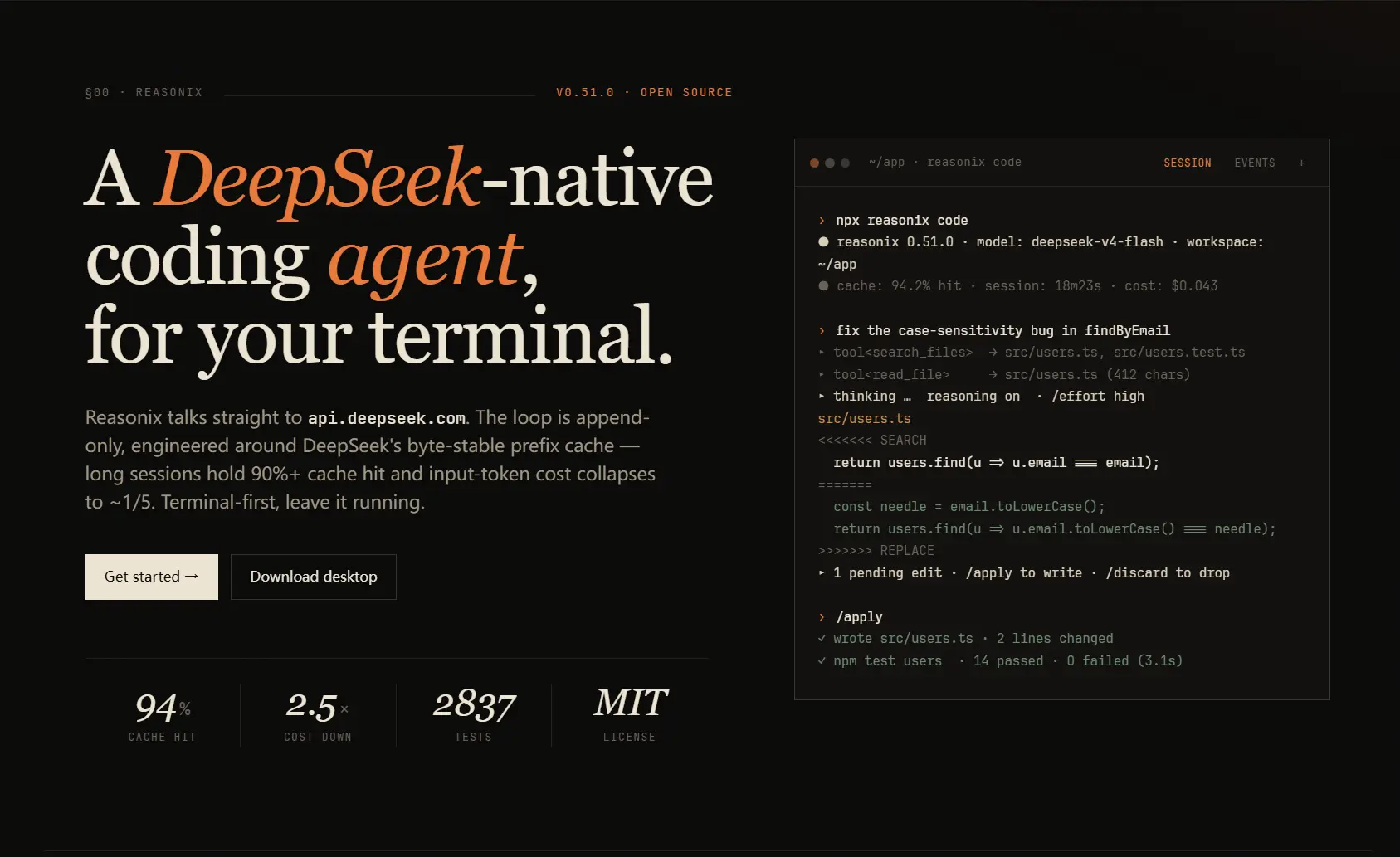
Reasonix is a free, open-source AI coding agent that runs locally from your terminal, desktop app, browser, or an ACP-compatible editor.
It can inspect project files, edit code, run commands and tests, call MCP servers, and continue working from tool results.
The coding agent includes DeepSeek model presets and works with OpenRouter, OpenCode Go, OpenAI-compatible APIs, Anthropic-compatible services, and local model endpoints.
During long coding sessions, Reasonix keeps provider-visible instructions and tool schemas stable where possible, bounds large tool results, and compacts older context as the session grows.
In a historical cache case study, a Reasonix workload recorded 435 million cache-hit input tokens over one day with a 99.82% hit rate. At the prices used in that test, the reported cost was $1.38, compared with an estimated $61.06 without cache hits.
Features
- Works from Reasonix Studio, the terminal, a browser, or ACP-compatible editors.
- Reads and edits files, runs commands and tests, and manages background tasks.
- Accepts images when the selected model and provider can process them.
- Connects to OpenRouter, OpenCode Go, OpenAI-compatible APIs, Anthropic-compatible providers, and local endpoints.
- Delegates bounded work to subagents with controlled tools and write scopes.
- Maintains cache-aware context for long DeepSeek repository sessions.
- Controls file writes and commands through permission rules, workspace boundaries, and sandbox settings.
- Extends coding work through MCP servers, skills, hooks, commands, and community packages.
- Restores edited files through checkpoints and rewind controls.
- Runs extended coding tasks with configurable limits and task tracking.
Reasonix CLI, Desktop App, Browser, and VS Code
| What It Handles | |
|---|---|
| Reasonix CLI / TUI | Interactive repository work, approvals, Plan mode, diffs, image attachments, queued follow-ups, and long terminal sessions. |
reasonix run | One-shot tasks, piped input, automation, model selection, permissions, and text or structured output. |
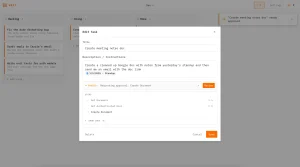
| Reasonix Studio | Desktop workspace for coding sessions, files, approvals, task tracking, and MCP configuration. Open local web pages and manage extensions from the app. |
reasonix web | Starts the local browser UI, opens it automatically, and uses generated token authentication by default. |
reasonix serve | Runs the local agent service for remote connections, supervised deployments, and authenticated clients. |
| VS Code extension | Runs Reasonix sessions inside VS Code or VSCodium through the locally installed CLI. |
reasonix acp | Exposes Reasonix as an ACP agent for Zed, Eclipse Theia, and other ACP-compatible hosts. |
| Web Studio | Connects from a phone or another browser to the running Studio desktop workspace and its existing sessions after account authentication. |
DeepSeek Reasonix vs Claude Code
Both coding agents inspect repositories, edit files, run commands, plan work, call MCP servers, and resume sessions. Reasonix is an MIT-licensed local agent with configurable model providers, several local clients, and DeepSeek cache-aware context controls. Claude Code is Anthropic’s coding agent and centers its model access, accounts, billing, and product integrations on Anthropic.
| Reasonix | Claude Code |
|---|---|
| Source: MIT-licensed Go project. | Source: Proprietary Anthropic product. |
| Models: DeepSeek presets plus configurable compatible providers. | Models: Claude models through Anthropic accounts, API billing, and enterprise access. |
| Payment: Free project; model inference is billed by the configured provider. | Payment: Claude plans, API billing, or enterprise access. |
| Ways to use: TUI, desktop app, browser, VS Code, and ACP hosts. | Ways to use: Terminal, IDE integrations, web, desktop, and Anthropic services. |
| Long sessions: Cache-aware context maintenance for DeepSeek provider prefixes. | Long sessions: Claude Code context management through Anthropic’s product stack. |
| Operating tradeoff: More provider choice and local control, with more configuration to manage. | Operating tradeoff: Tighter Anthropic integration with commercial pricing and support. |
How to Install and Use Reasonix
1. Install Reasonix Studio or the CLI
For the desktop app, download Reasonix Studio and open a project folder. The terminal CLI is available through npm, Homebrew, or release archives.
npm i -g reasonix
brew install esengine/reasonix/reasonix
2. Configure a provider and API key
In Reasonix Studio, connect a model provider from the app settings. For terminal sessions, run the provider manager, choose a model, and save your API key. Provider credentials are stored in the global <Reasonix home>/.env file.
reasonix setup3. Start inside a repository
Change into the project directory and start the terminal UI. Give the agent a bounded task with a concrete result, such as a failing test to fix or a function to implement. Run /init when you want Reasonix to create project instructions, then review the generated REASONIX.md or use an existing AGENTS.md for build commands, tests, code conventions, repository boundaries, and other persistent rules.
cd /path/to/your-project
reasonix
4. Choose a permission mode
Use Shift+Tab in the terminal to switch permission modes. Ask requests approval for changes, Plan lets you inspect the intended work, and Auto runs operations permitted by your settings. YOLO is a more permissive option. A project also prompts you to trust its folder before the agent writes files or runs shell commands.
5. Run a one-shot task
Use reasonix run for a specific task that should finish and exit, including use from a script. Model, permission, and output options are available. In an untrusted folder, unattended runs can refuse file writes until you explicitly authorize the workspace.
reasonix run "implement the TODOs in main.go"
reasonix -p "summarize this repository" --output-format json
6. Open Reasonix in a browser, desktop app, or editor
Reasonix Studio provides a desktop workspace on macOS, Windows, and Linux. Open project files, inspect changes, review approvals, and watch agent tasks from the app. Studio can also open and interact with websites after site approval, display HTML and Markdown previews, and use computer controls where the operating system permits them.
For a local browser session, run reasonix web. The separate Web Studio experience connects to a Studio session on your computer from another browser or phone after account authentication. The desktop app can show connected devices and disconnect remote access. For development hosts, reasonix serve starts an agent service. The VS Code extension launches the locally installed CLI, and ACP-compatible editors can connect through reasonix acp.
reasonix web
reasonix serve
7. Configure Skills, MCP servers, and extensions
Project skills can live under .reasonix/skills/ and appear in /skills. Configure MCP servers through Reasonix settings or a project configuration file. In Studio, the community marketplace lets you find skills, plugins, MCP servers, and themes. Plugin packages can extend the agent with commands, hooks, providers, and tools.
8. Diagnose the loaded environment
Run the capability check when a project instruction, skill, command, hook, package, or MCP server fails to appear. Use --live only when the diagnostic process should start configured third-party MCP servers.
reasonix doctor capabilities
reasonix doctor capabilities --json
9. Update Reasonix
Reasonix Studio handles desktop updates through the app when its installation format permits. The CLI has separate update commands.
reasonix upgrade --check
reasonix upgrade
Models and Provider Setup
Set up a model in Studio settings or run reasonix setup in the CLI. Reasonix can call DeepSeek presets, other hosted providers, and compatible local endpoints. The selected model determines tool calling, vision, reasoning controls, and context capacity.
| Provider | How Reasonix Uses It |
|---|---|
| DeepSeek | Built-in presets for coding tasks, with context management and cache-aware requests. |
| OpenRouter | Connect through an OpenAI-compatible endpoint and select an available model. |
| OpenCode Go | Use the configured provider preset and its compatible API endpoints. |
| Kimi, GLM / Z.AI, and MiniMax | Use compatible endpoints with provider-specific reasoning controls where available. |
| Other cloud or local models | Configure a compatible OpenAI or Anthropic API endpoint. Tool calling and image input depend on the model server. |
Use Cases
- Inspect an unfamiliar repository and trace the files involved in a change.
- Edit several files, run tests, diagnose failures, and revise the patch.
- Automate a defined coding task with
reasonix runfrom a script. - Keep a DeepSeek coding session running across a large repository task.
- Review sessions, checkpoints, approvals, and tasks from the desktop app.
- Manage development tasks across local projects and configured remote hosts.
- Operate websites from the Studio browser after approving access to each site.
- Extend repository tasks through MCP servers, hooks, and reusable skills.
Skills, Plugins, MCP, and Project Instructions
Skills and subagent profiles
A Reasonix skill is a Markdown playbook stored in a project or user skills directory. Skills can guide the active session or delegate work to a subagent with its own tool permissions and write scope. You can manage skills directly or install packages through Studio’s community marketplace. Use /skills to inspect the skills available in a terminal session.
Read More: Most Popular Agent Skills on GitHub for Coding Agents
Plugin packages and Extension Protocol v1
Plugin packages can contain skills, commands, agents, hooks, MCP declarations, and themes. Studio lets you browse and install these packages from its marketplace. Extension Protocol sidecars can contribute providers, tools, and interceptors. In a CLI session, /reload refreshes loaded capabilities after configuration changes.
MCP servers
Reasonix connects to local and remote MCP servers. Project declarations can use .mcp.json or Reasonix configuration. Studio can load selected servers when a session opens. It asks for approval before executing a server declared by a project and checks approved MCP tool definitions for unexpected changes.
Read More: 10 Best MCP Servers for Web Developers
REASONIX.md, AGENTS.md, commands, and hooks
REASONIX.md and AGENTS.md carry project instructions into coding sessions. Reusable slash commands and lifecycle hooks handle repeated actions or inspect tool execution. Run reasonix doctor capabilities when an expected skill, command, hook, package, or MCP server does not load.
Read More: AGENTS.md Guide: Format, Examples & Coding Agent Support
Permissions and Sandbox Boundaries
Reasonix checks the active permission rules before making file changes or running commands. You can review planned work, approve individual operations, and restrict access to a project folder. Noninteractive runs refuse actions that require an unavailable approval. Studio also asks you to authorize executable integrations declared by a project.
Read More: AI LLM API Pricing: GPT, Gemini, Claude, DeekSeek & More
The file sandbox resolves symlinks and .. segments before accepting a path. File-writing tools stay inside [sandbox] workspace_root unless another destination appears in allow_write. Private paths such as ${HOME}/.ssh can be placed in forbid_read.
Shell isolation differs across operating systems and installed distributions. The original CLI uses Seatbelt on macOS and bubblewrap on Linux for enforced Bash isolation. Windows and Studio permission behavior should be assessed separately. For sensitive repositories, use a container, VM, or another isolated development environment.
Free Access, Privacy, and Limits
Reasonix is released under the MIT License and can be downloaded, modified, and built from source. Model inference is billed by the provider you configure. DeepSeek usage depends on the selected model, session length, cache behavior, and current DeepSeek pricing.
The agent, session files, approvals, and file operations run locally. Prompts and code placed in model context go to the provider endpoint you configure. Optional CLI telemetry uses a once-per-day anonymous install ping and bounded reliability counters after the telemetry preference is saved. It excludes prompts, responses, credentials, repository paths, exact token counts, provider names, and model names. Use reasonix config telemetry off to disable reporting and delete pending counters.
Offline inference requires a compatible model endpoint running locally. Tool calling, context limits, reasoning controls, and image input depend on that model server. Remote access through Web Studio connects to the engine running on your computer and does not move model processing away from your configured endpoint.
Quick Reference
Core Commands
| Command | Purpose |
|---|---|
npm i -g reasonix | Install the Reasonix CLI distributed through npm. |
reasonix setup | Configure providers, models, and credentials. |
reasonix | Open the interactive terminal UI in a repository. |
reasonix --permission-mode plan | Start with the plan-first permission mode. |
reasonix run "task" | Run a one-shot repository task. |
reasonix -p "task" | Print the final result for one-shot use or automation. |
reasonix web | Open the local browser UI with generated token authentication. |
reasonix serve | Start the Web server for remote or supervised use. |
reasonix acp | Expose the ACP editor agent over stdio. |
reasonix doctor capabilities | Audit loaded instructions, skills, hooks, packages, and MCP servers. |
reasonix subagent list | List available subagent profiles. |
reasonix remote | Manage configured Remote SSH hosts and connections. |
reasonix upgrade | Check and install CLI updates on the configured channel. |
Slash Commands
| Command | Purpose |
|---|---|
/status | Show model, effort, cache, Git, task, and balance details. |
/compact | Compact older session context manually. |
/rewind | Restore code, conversation, or both from a checkpoint. |
/tree | Show saved conversation branches. |
/branch | Fork the active conversation. |
/switch | Load another saved branch. |
/model | Change the configured model. |
/provider | Choose a provider and one of its configured models. |
/mcp | Inspect and manage connected MCP servers. |
/skills | Inspect and manage loaded skills. |
/memory | Inspect project and global memory. |
/sandbox | Show sandbox status. |
/goal | Start or inspect a long-running objective. |
/reload | Reload runtime capabilities while keeping the session. |
/docs | Search the embedded Reasonix documentation. |
/paste-image | Attach a clipboard image. |
/help | Open the complete in-session command reference. |
Configuration and Memory
| Path or File | Purpose |
|---|---|
./reasonix.toml | Project configuration. |
~/.reasonix/config.toml | User configuration on macOS and Linux. |
%APPDATA%\reasonix\config.toml | User configuration on Windows. |
<Reasonix home>/.env | Provider API keys shared by CLI and desktop. |
.mcp.json | Project MCP server declarations. |
REASONIX.md | Reasonix project instructions. |
AGENTS.md | Cross-agent project instructions. |
.reasonix/commands/ | Project custom slash commands. |
~/.reasonix/commands/ | User custom slash commands. |
.reasonix/skills/ | Project skills. |
~/.reasonix/skills/ | User skills. |
Pros
- DeepSeek cache-aware context handling
- CLI, desktop, browser, and editor access
- Cloud APIs and local model endpoints
- MCP, skills, hooks, and extensions
Cons
- Sandbox protections depend on the operating system
- Model costs depend on provider
Alternatives and Related Resources
- DSH Desktop: Run DeepSeek Harness as an Open-source Desktop App
- 100 Best DeepSeek Harness Plugins for DSH
- DeepSeek Harness: Open-Source Plugin-Based AI Agent Harness
- CodeWhale (DeepSeek TUI): Free, Open-source Claude Code Alternative
- Aperant (Auto Claude): Open-Source AI Coding Agent Harness
- 10 Best CLI AI Coding Agents: Open-Source & Commercial
- How to Use DeepSeek in Claude Code With an API Key
- How to Use DeepSeek in Codex and Cut API Costs
FAQs
Should I use npx reasonix code?
No. Install Reasonix Studio or the CLI. Start the terminal agent with reasonix, or run a defined task with reasonix run. The npx reasonix code form comes from older integration instructions.
Can Reasonix use OpenRouter?
Yes. Configure OpenRouter as a compatible model provider and select a model that handles coding-agent tool calls. Available reasoning and image features depend on that model and endpoint.
Can Reasonix run with a local model?
Yes. Connect Reasonix to a compatible local model server. Tool calling, image input, and context capacity depend on the model you run.
Do I need the CLI to use Reasonix Studio?
No. Reasonix Studio installs with the local agent engine. Install the separate CLI for terminal scripts or editor integrations that launch reasonix acp.
Last Updated: Oct 10, 2026