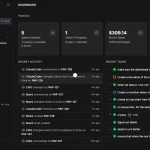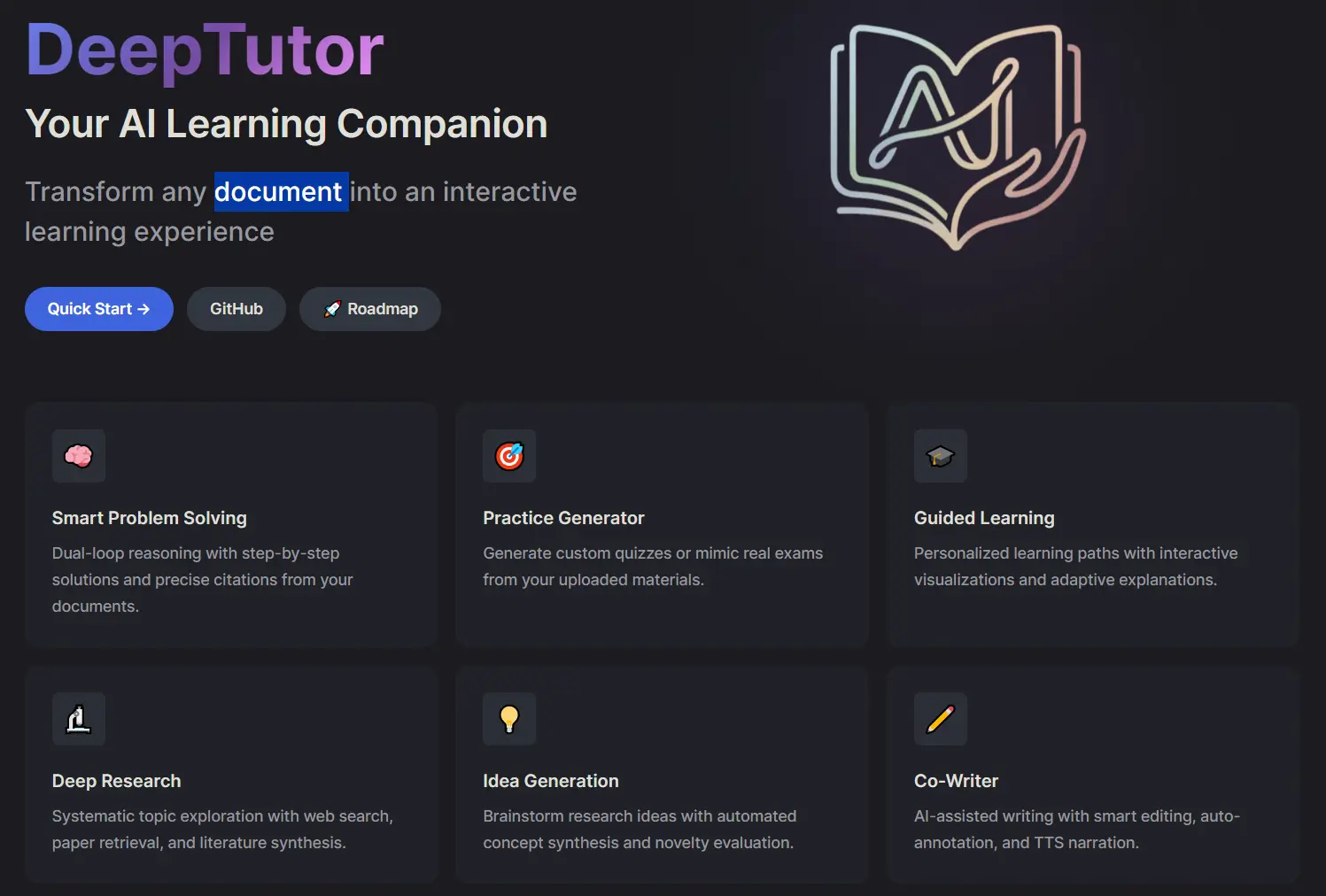
DeepTutor is a free, open-source AI learning assistant for studying course materials, research papers, technical documentation, and other sources you collect. It can answer questions grounded in your material, explain difficult passages, and generate practice questions.
Build a knowledge base from your files, a GitHub repository, or a documentation website, and return to that material across conversations, Courses, and research sessions. You can also read PDFs and EPUBs beside the tutor, open a Little Tutor thread for a selected passage, and review what you have learned through practice sessions.
Features
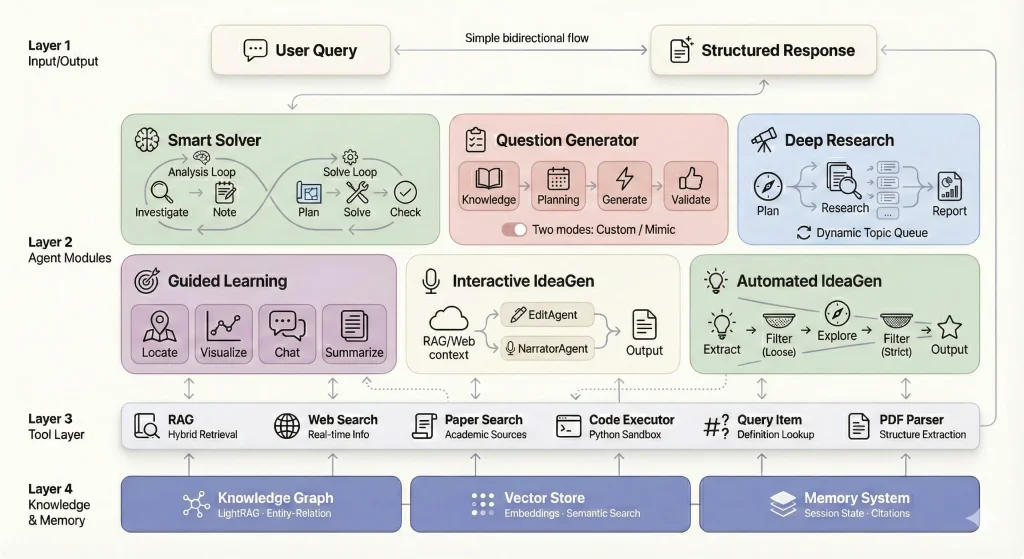
- Ask source-grounded questions and run research sessions using your own learning materials.
- Build knowledge bases from uploaded files, GitHub repositories, and documentation websites, with configurable indexing and document parsing.
- Read PDFs and EPUBs beside the tutor, highlight passages, save annotations, and use configured text-to-speech for read-aloud.
- Organize conversations into Courses and open Little Tutor threads for focused explanations of selected text.
- Study YouTube videos with synchronized captions, timestamp-linked explanations, saved markers, and resumable playback.
- Generate quizzes, practice saved Question Bank items, and schedule reviews through Mastery Path.
- Write and collect learning materials in Books, Notebooks, and Co-Writer, with source context available during supported edits.
- Consult connected coding agents and personal Partners during tutoring sessions.
- Create diagrams, charts, and interactive explanations with the Visualize tools.
- Extend the tutor with MCP services, skills, CLI apps, plugins, and inspectable Memory.
Use Cases
Prepare for an Exam: Study from lecture notes or textbooks, generate questions on a course topic, and revisit objectives that need more practice through Mastery Path.
Work Through a Research Paper: Open a PDF beside the tutor, highlight a difficult section, request an explanation tied to the passage, and save an annotation for a later session.
Learn an Unfamiliar Codebase: Register a repository or its documentation as a knowledge source, ask about a particular module, and consult a connected coding agent for implementation details.
Analyze Research Literature: Build a collection from academic papers and use Deep Research to investigate a topic, compare material across sources, and produce a structured report with references.
Study a Course Over Time: Keep topic discussions within a Course, revisit earlier explanations, and use scheduled review sessions to work on mastered objectives.
Review a Recorded Lecture: Follow a YouTube lesson with synchronized captions, save a timestamp at a difficult explanation, and return to that point during review.
Run a Multi-User Learning Server: Administrators can manage shared resources and Book access while each user keeps an isolated learning workspace, personal progress, private Partner conversations, and account-bound model credentials where supported.
How to Install and Use DeepTutor
Installation Options
HKUDS at the University of Hong Kong develops DeepTutor under the Apache 2.0 license. You can run the full web app from PyPI or Docker, use a source checkout, or install only its CLI. Open the web UI at http://localhost:3782 after startup.
Option 1: PyPI (recommended for most users)
deeptutor init prompts you for ports, your LLM provider, and optional embedding settings. deeptutor start launches the backend and frontend together. You need Python 3.11–3.14 and Node.js 20+ on your PATH. The frontend opens at http://localhost:3782.
mkdir -p my-deeptutor && cd my-deeptutor
pip install -U deeptutor
deeptutor init
deeptutor start
Option 2: Docker (single container, single port)
Publish frontend port 3782 for the web UI. Next.js forwards /api/* and /ws/* to the backend inside the container. On Linux, use --add-host=host.docker.internal:host-gateway if the container needs to contact an Ollama or LM Studio server running on the host.
docker run --rm --name deeptutor \
  -p 127.0.0.1:3782:3782 \
  -v deeptutor-data:/app/data \
  ghcr.io/hkuds/deeptutor:latest
Option 3: From Source (for development or customization)
Optional source-install extras include .[rag-lightrag] for first-party LightRAG, .[graphrag] for Microsoft GraphRAG, .[partners] for Partner channel SDKs, .[video-learning] for public-caption YouTube tutoring, and .[math-animator] for Manim support.
git clone https://github.com/HKUDS/DeepTutor.git
cd DeepTutor
python3 -m venv .venv && source .venv/bin/activate
pip install -e .
( cd web && npm ci --legacy-peer-deps )
deeptutor init
deeptutor start
Option 4: CLI Only (no web UI)
The CLI supports single-turn commands (deeptutor run <capability> <message>), interactive chat, knowledge base management, skill installation, partner management, and session inspection, using the standalone CLI.
git clone https://github.com/HKUDS/DeepTutor.git
cd DeepTutor
python3 -m venv .venv-cli && source .venv-cli/bin/activate
pip install -e ./packaging/deeptutor-cli
deeptutor init --cli
deeptutor chat
Configuration
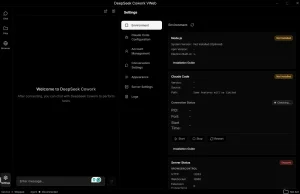
Configure language models, embeddings, and web search in Settings → Models & services. Cloud LLMs use provider API credentials. Local models can connect through Ollama, LM Studio, vLLM, or llama.cpp. Knowledge bases that use vector retrieval need a compatible embedding model. If no search provider is configured, web search uses DuckDuckGo.
Runtime settings live in data/user/settings/, including the model catalog in model_catalog.json. Manage these connections in Settings or edit the configuration files. The legacy LLM_* and EMBEDDING_* environment settings no longer configure model profiles.
Use deeptutor doctor to check workspace settings, dependencies, ports, and provider configuration. For a live model-provider test, use deeptutor doctor --online. The --format json flag returns structured results, and deeptutor config show displays the resolved configuration.
deeptutor doctorYour First Study Session
After launching the web app, configure an LLM in Settings → Models & services. To ask questions about a document, configure an embedding model if the selected knowledge-base engine requires one.
- Open Learning Space → Knowledge Center and select New knowledge base.
- Choose Create new, select a retrieval engine, and upload a PDF or another accepted document. Let indexing finish.
- Open Home, attach the knowledge base as context, and ask a question about the uploaded material. Review the answer and its source references when shown.
Using the Workspace
Home is the main chat UI for questions and tutoring sessions. Learning Space holds your Knowledge Center, Courses, Books, and saved learning materials. You can open the relevant study tool from the sidebar when you need reading, practice, or video playback.
Knowledge Base Management: Choose LlamaIndex, the default local RAG engine, or an optional engine such as LightRAG, GraphRAG, PageIndex, or a linked server. Document parsing options include MinerU, Docling, PyMuPDF4LLM, Apache Tika, and other extractors. Register GitHub or documentation sources when you need to track and synchronize updated material.
Immersive Reading: Open a PDF or EPUB beside the tutor. Your position, highlights, annotations, and linked conversations can persist with the material, while questions can stay grounded in the visible text or your current selection.
Courses and Little Tutor: Organize related conversations inside a Course. When a passage needs extra explanation, select it and open a Little Tutor thread under the parent conversation. Ask Questions can collect clarification before the tutor completes a request.
YouTube Learning: Paste a YouTube URL to open synchronized playback beside the tutor. Transcript-grounded explanations use the optional public-caption adapter, while playback itself can work through the supported YouTube or configured Invidious setup.
My Agents and Partners: Connect a local coding agent such as Claude Code or Codex and consult it during a tutoring conversation. You can also create personal Partners with their own personas, models, memory, tools, and supported chat channels.
Deep Research: Start a research session, select the desired research depth, and let the agent gather and synthesize material with citations. Search support depends on the provider configured in Settings.
Questions and Mastery: Save generated questions in the Question Bank, practice selected questions, and track learning objectives through Mastery Path. Completed objectives can enter a review schedule.
Books, Notebooks, and Co-Writer: Save useful session output to notebooks, compile longer material as a Book, or edit Markdown in Co-Writer against a selected passage. Multi-user administrators can grant access to shared Books while each learner keeps private progress.
Visualize and Memory: Generate SVG, Mermaid, Chart.js, interactive HTML, Manim, or optional GeoGebra explanations. DeepTutor also records learning context in layered Memory. Its Memory Graph lets you inspect evidence behind saved facts.
Remote Access and Multi-User Setup
The Docker command above binds the web UI to 127.0.0.1:3782 for local access. For access from another computer, configure a reverse proxy with HTTPS and appropriate authentication. The web frontend communicates with the backend internally. Direct access to the Server API is optional and documented in the DeepTutor Server API reference.
Multi-user mode can isolate account workspaces and learning progress while administrators manage access to shared resources and Books. Codex OAuth connections are account-bound, and each user signs in separately when that integration is enabled.
Pros
- Open Source: Apache 2.0 licensing supports self-hosting and code inspection.
- Source-Grounded Study: Knowledge bases, reading, research, and quizzes can work from your own material.
- Multiple Study Modes: Courses, reading, mastery work, research, video study, and question generation share one workspace.
- Local Model Support: DeepTutor works with local model servers as well as cloud providers.
- Extensible Runtime: MCP servers, skills, plugins, CLI apps, and connected agents expand the available tools.
Cons
- Technical Setup: Local installation expects basic terminal, Python, provider, or Docker knowledge.
- Provider Costs: Cloud models, hosted search, parsing services, and media APIs can create usage charges.
- Local Hardware Needs: Local models and larger indexing jobs can require substantial RAM, VRAM, and CPU capacity.
FAQs
Q: Is DeepTutor free, and does it need an API key?
A: The Apache 2.0-licensed app is free to install and self-host. Cloud model, hosted search, and other paid-provider integrations require your own credentials and can incur charges. A local model server can handle AI requests on your computer.
Q: How do I check whether DeepTutor is configured correctly?
A: Run deeptutor doctor to check settings, dependencies, ports, and provider configuration. deeptutor doctor --online sends a test request to a configured provider.
Q: Can DeepTutor work offline?
A: DeepTutor can run locally with a configured local language model and the required dependencies installed. Web search, GitHub or documentation synchronization, YouTube, and remote model or parsing services require network access.
Q: Where does DeepTutor store my study data?
A: Account settings, knowledge bases, and learning records are stored in the deployment’s local data/ tree. User-selected content workspaces can point to other local folders. Cloud model APIs, hosted parsers, and web services receive data when those integrations are used.
Q: How do I update DeepTutor?
A: For PyPI installations, run pip install -U deeptutor. For Docker, pull the current ghcr.io/hkuds/deeptutor:latest image and recreate the container while retaining the data volume. Settings → About includes update controls for eligible installations.
Last Updated: Oct 7, 2026
Alternatives & Related Resources
- OpenMAIC: Free AI Multi-Agent Interactive Classroom Generator
- Open Notebook: Private, Self-Hosted Gemini Notebook (NotebookLM) Alternative
- 7 Best Free AI Quiz Generators from Notes and PDFs
- 7 Best AI Flashcard Generators for Students
- DeepTutor Documentation: Official installation, provider configuration, and feature guides.
- LightRAG: Optional graph-based retrieval engine for DeepTutor, also available as a standalone server.
- AI-Researcher: Research automation tool from HKUDS that inspired DeepTutor’s deep research module.
- RAG-Anything: Multimodal RAG system for handling diverse content types beyond text documents, from HKUDS.