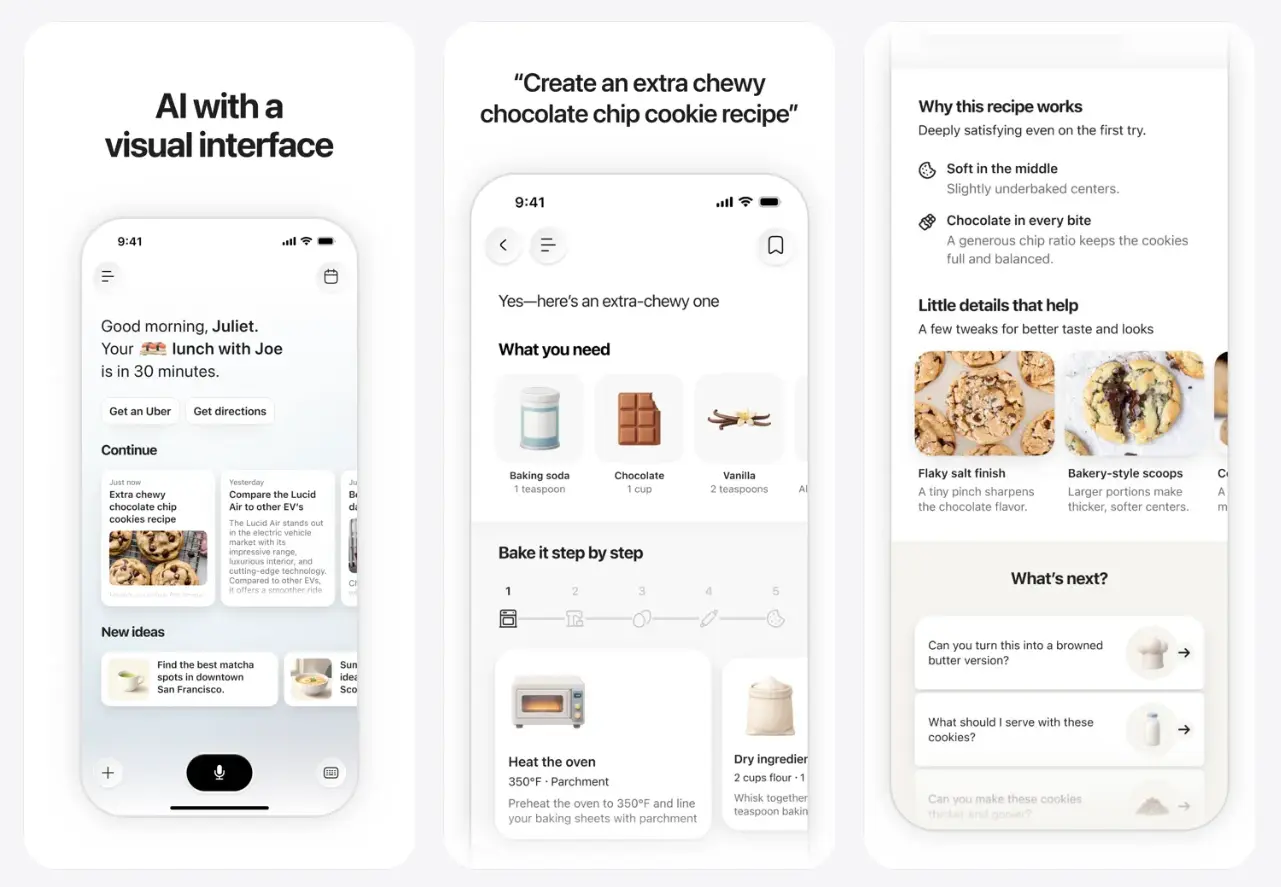
Monogram AI is a free iPhone app that answers every question you type with a generated visual interface, an interactive layout built fresh for that question in a few seconds.
You already ask ChatGPT or Claude questions like this on your phone. You type “plan a birthday dinner for six people” and get four paragraphs back that you have to reread and mentally break into a checklist, then tab over to Notes to actually write the checklist down. Monogram skips that translation step and hands you the checklist already built.
Features
- Generates a task-specific interface from a natural-language request.
- Changes the visual layout across different types of tasks.
- Handles recipes, movie discovery, event planning, restaurant searches, and product comparisons.
- Accepts details such as budget, location, dates, ingredients, preferences, and comparison criteria.
- Runs as a native iPhone app.
- Presents responses through visual and interactive UI elements.
What Makes Monogram Different
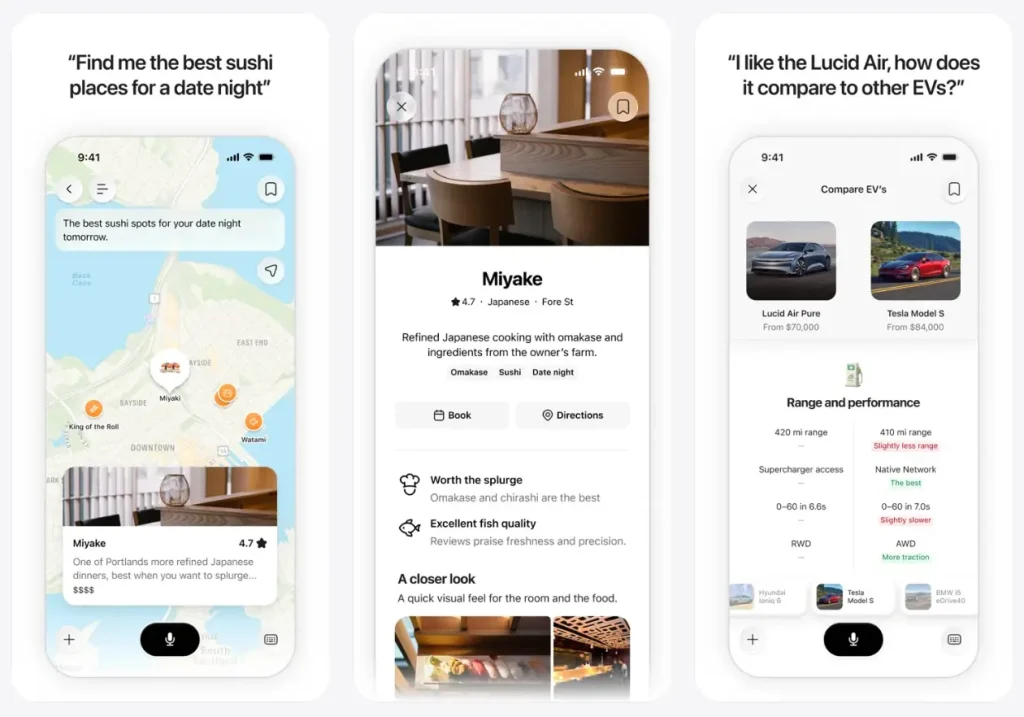
A conventional AI chat keeps the same conversation layout across nearly every request. Monogram can generate a different screen for a recipe, a movie search, or a vehicle comparison. The structure of the response changes with the job being done.
This concept is often described as generative UI. The AI produces the answer and the interface used to explore it.
A recipe can appear in a cooking-oriented layout. A comparison request can arrange several products around the requested criteria. A planning task can group dates, places, activities, and other details within one screen.
Monogram launched its iPhone app alongside a $40 million seed round led by DST Global Partners and Lux Capital.
How to Use Monogram AI
1. Download Monogram AI from the App Store.
2. Write the question or task you want Monogram to handle. Include relevant details such as location, budget, dates, ingredients, preferences, or the specific items you want compared.
For example:
Compare the Hyundai Ioniq 5, Tesla Model Y, and Kia EV6 by range,
charging speed, cargo space, and price.
Create a dinner recipe using chicken, mushrooms, and spinach
for four people.3. Monogram builds the response as a visual interface tied to the request. A recipe, comparison, recommendation, and planning task can each use a different layout.
Alternatives & Related Resources
- JustVibe: Free AI Search Engine That Builds Interactive Apps
- Free AI Tool for In-Depth Research – Hika AI
- AI-Powered Map & Search Tool for Local Discovery – Wanderboat
Pros
- Generates task-specific interfaces
- Covers varied everyday tasks
- Native iPhone app
- Free App Store download
- Visual layouts for comparisons
Cons
- iPhone only
- Requires iOS 26
- English only
FAQs
Q: How is Monogram different from ChatGPT’s charts or Canvas feature?
A: ChatGPT can render a chart or open a Canvas document inside an ongoing chat thread, but you’re still reading it as a document nested in a conversation. Monogram treats the generated interface as the whole response. There’s no scrolling chat log underneath it.
Q: Is Monogram AI a chatbot?
A: Monogram accepts questions and requests through natural language, but its interface does not stay fixed across every task. The app can generate a different visual layout for recipes, planning, recommendations, and comparisons.
Q: Does a visual interface improve answer accuracy?
A: No. The interface changes how the information is organized and explored. Prices, travel details, health information, financial information, and other consequential facts still need independent verification.
Q: What happens if I ask something that doesn’t fit a visual layout?
A: Monogram falls back to a simplified card with the key information in text. Not every query triggers a full interactive interface.