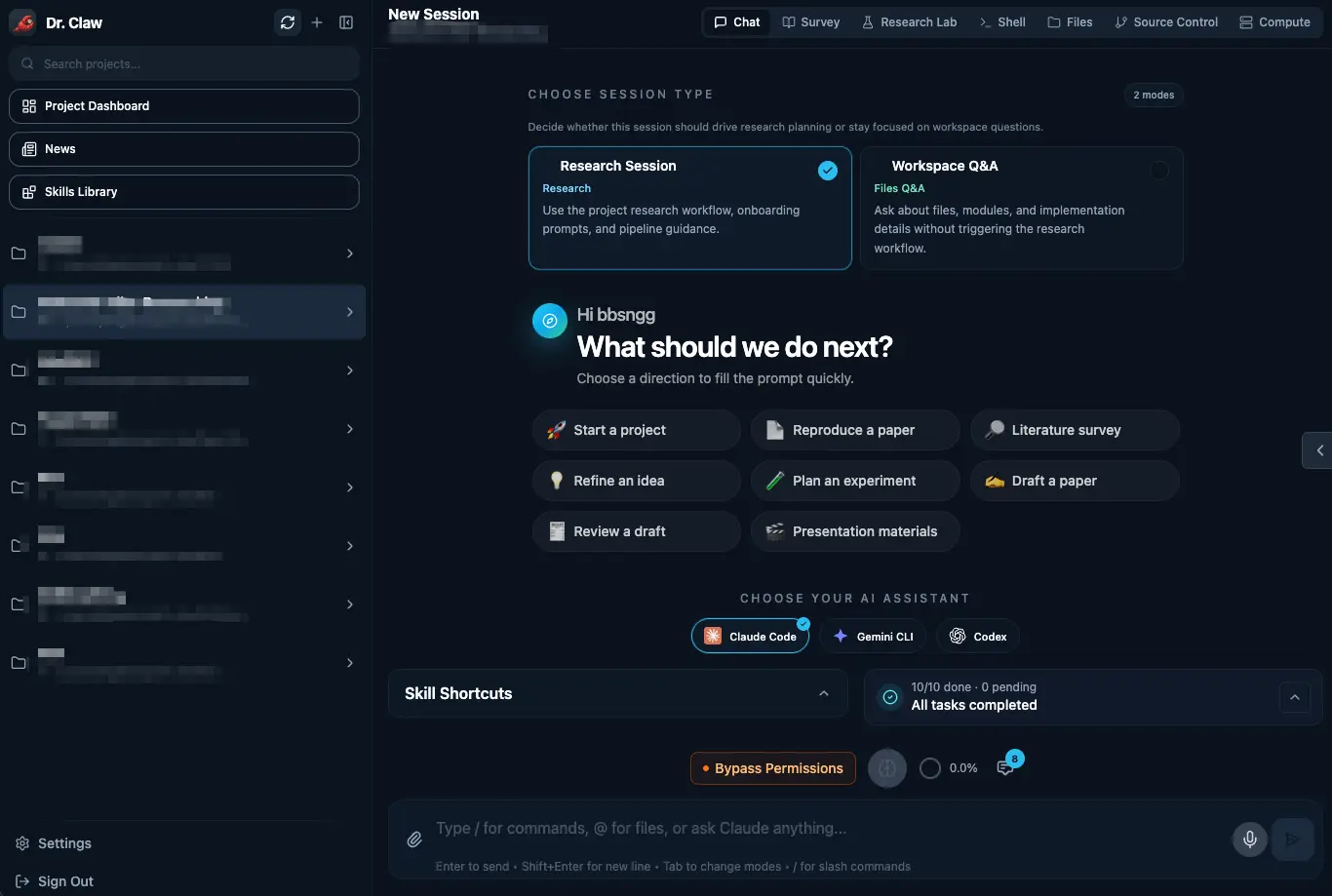
Dr. Claw is a free, self-hosted AI research workspace that turns a research idea into a structured pipeline for survey work, ideation, experiment code, analysis, paper drafting, and presentation assets.
Research work breaks down when papers, code, analysis, Git, drafts, and agent sessions live in separate tools. Dr. Claw puts those stages into one local workspace and lets Claude Code, Gemini CLI, Codex, or OpenRouter models handle task execution across the project.
It’s helpful when you want an agent-driven research environment for literature review, experiment planning, code work, academic writing, and project tracking.
The project is open source on GitHub under a combined GPL-3.0 and AGPL-3.0 license.
Features
- Creates a structured research pipeline from a chat prompt.
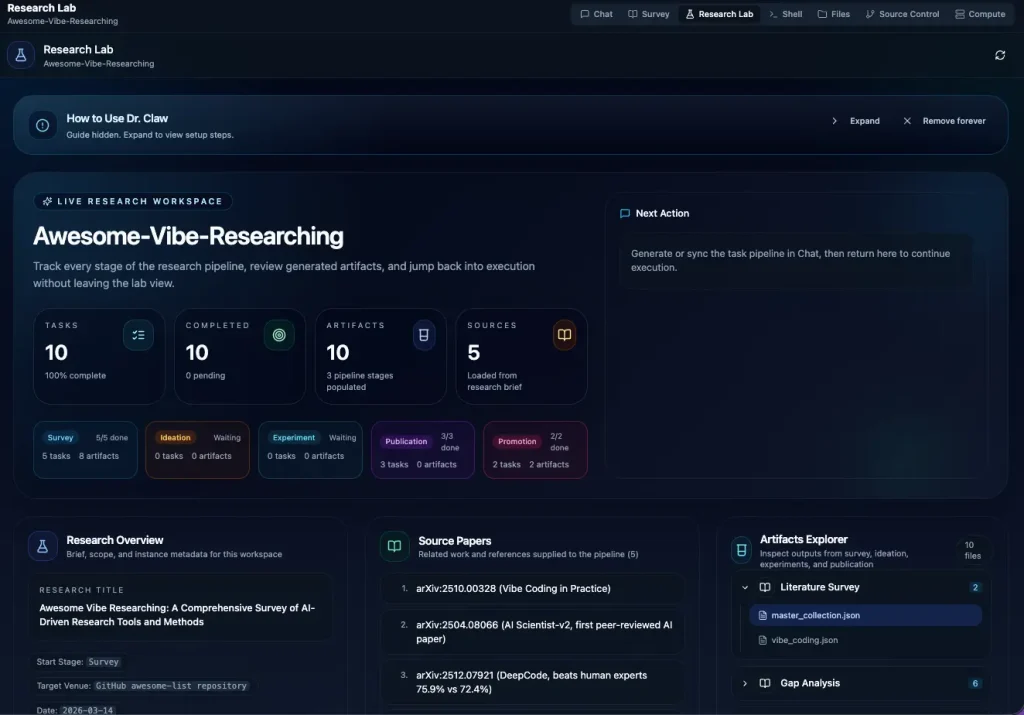
- Tracks research stages across Survey, Ideation, Experiment, Publication, and Promotion.
- Runs agent tasks through Claude Code, Gemini CLI, or Codex.
- Includes 100+ research skills for literature survey, code survey, experiment analysis, paper writing, review response, and delivery.
- Stores survey reports, research ideas, experiment code, analysis outputs, paper drafts, and slide assets in project folders.
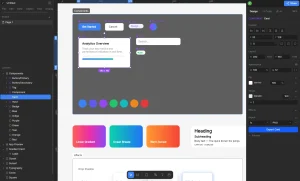
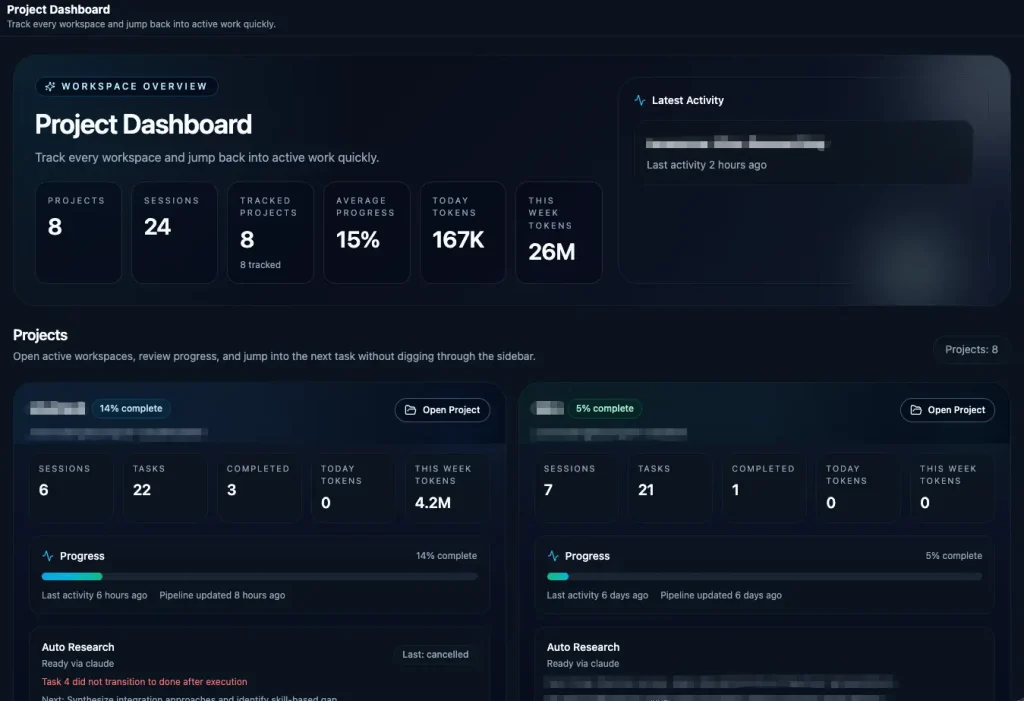
- Opens a browser workspace with Chat, Survey, Research Lab, Skills, Compute, Shell, Files, and Git tabs.
- Lets you inspect files, edit code, stage changes, commit work, and switch branches inside the UI.
- Runs in terminal mode when you prefer a lighter workflow.
- Supports OpenRouter chat sessions with file I/O, shell, grep, glob, web search, web fetch, and todo tools.
- Connects with OpenClaw for mobile-friendly project summaries, replies, and notifications.
- Desktop app for macOS and Windows.
- Includes a Claude Code plugin with research slash commands.
Use Cases
- Build a research project from a rough idea into a brief, task list, and staged project workspace.
- Run literature discovery, paper analysis, code survey, and resource preparation in the Survey stage.
- Generate research ideas with structured evaluation before committing to experiments.
- Produce experiment code, run analysis, and organize paper-ready figures and tables.
- Draft academic manuscripts with LaTeX math and citation-aware project folders.
- Create presentation assets such as slides, narration audio, demo video, and a project homepage.
- Manage multiple agent sessions across research projects from one local workspace.
Example Research Workflow and Outputs
Dr. Claw’s research pipeline centers on a five-stage flow: Survey, Ideation, Experiment, Publication, and Promotion.
The practical value comes from the file structure behind that flow. Each stage has expected artifacts, so the agent does not leave research notes, code, drafts, and presentation files scattered across random folders.
| Pipeline Stage | Output | Default Location | Practical Use |
|---|---|---|---|
| Survey | Survey reports | Survey/reports/ | Literature reviews with citations from arXiv, Semantic Scholar, and web sources. |
| Ideation | Research ideas | Ideation/ideas/ | Brainstorming outputs with multi-persona evaluation scores. |
| Experiment | Experiment code | Experiment/core_code/ | Implementation from the plan, implement, and judge loop. |
| Analysis | Analysis results | Experiment/analysis/ | Statistical analysis, tables, charts, and paper-ready figures. |
| Publication | Paper draft | Publication/paper/ | Academic manuscript in IEEE or ACM format with citations and LaTeX math. |
| Promotion | Presentation suite | Promotion/slides/ | Slide deck, TTS narration audio, demo video, and project homepage. |
The main decision point is control versus setup time. Dr. Claw gives technical researchers a local project structure, agent backend choice, file access, Git controls, and repeatable research stages.
The trade-off is a heavier setup than a browser-based AI writing tool. Use it when your research work needs code, files, experiments, and paper assets in the same workspace.
How to Use It
System Requirements
| Requirement | Details |
|---|---|
| Node.js | v20 or higher. v22 LTS is recommended. |
| Agent backend | Claude Code CLI, Gemini CLI, Codex CLI, or OpenRouter. |
| Native modules | Some systems need build tools for node-pty and better-sqlite3. |
| Local account | The browser UI asks you to create a local account after startup. |
| Default browser port | http://localhost:3001 for the npx flow. |
| Development browser port | http://localhost:5173 for source install. |
| Desktop app | macOS .dmg and Windows .exe builds are beta. |
Run Dr. Claw with npx
Run Dr. Claw directly.
npx dr-clawOpen the browser UI.
http://localhost:3001Install it globally for repeated use.
npm install -g dr-claw
dr-claw
Install Dr. Claw from Source
Clone the repository.
git clone https://github.com/OpenLAIR/dr-claw.git
cd dr-claw
Install dependencies.
npm installCreate the environment file.
cp .env.example .envStart the development server.
npm run devOpen the browser UI.
http://localhost:5173Frontend and Terminal Modes
| Mode | Use It When |
|---|---|
| Frontend UI | You need project visualization, Research Lab, file browsing, Git controls, and staged workflow tracking. |
| Terminal only | You prefer a lighter workflow and already work through Claude Code, Gemini CLI, or Codex. |
| Desktop app | You want a standalone macOS or Windows app and accept beta status. |
Agent Backend Setup
Install Claude Code.
npm install -g @anthropic-ai/claude-code
claude
Install Gemini CLI.
npm install -g @google/gemini-cli
gemini
Install Codex CLI.
npm install -g @openai/codex
codex login
Use an OpenAI API key for Codex.
export OPENAI_API_KEY=your_api_keyUse a Google API key for Gemini.
export GOOGLE_API_KEY=your_api_keyUse OpenRouter.
export OPENROUTER_API_KEY=sk-or-your-keyLaunch an agent inside a project folder.
cd /path/to/your/project
claude
Use Gemini or Codex in the same pattern.
geminicodexDr. Claw CLI Harness
Install the CLI harness from the source checkout.
pip install -e ./agent-harnessCheck CLI help.
drclaw --helpUse the Python module fallback when drclaw is not on your PATH.
PYTHONPATH=agent-harness python3 -m cli_anything.drclaw.drclaw_cli --helpLog in with the local account credentials.
drclaw auth login --username YOUR_USERNAME --password YOUR_PASSWORDList projects as JSON.
drclaw --json projects listOpenRouter Terminal Chat
Set the OpenRouter API key.
export OPENROUTER_API_KEY=sk-or-your-keyLaunch a terminal chat session with a model slug.
node server/cli.js chat --model moonshotai/kimi-k2.5Pass an API key inline when needed.
node server/cli.js chat --model anthropic/claude-sonnet-4 --key sk-or-your-key| Flag | Purpose |
|---|---|
--model <slug> | Selects the OpenRouter model slug. |
--key <key> | Passes an OpenRouter API key directly. |
Environment Settings
| Setting | Purpose |
|---|---|
PORT | Sets the backend server port. |
VITE_PORT | Sets the frontend development port. |
HOST | Sets the bind address for frontend and backend services. |
JWT_SECRET | Secures authentication before exposing the app beyond localhost. |
WORKSPACES_ROOT | Sets the default root folder for new workspaces. |
OPENROUTER_API_KEY | Stores the OpenRouter API key. |
OPENROUTER_MODEL | Sets the default OpenRouter model. |
DRCLAW_URL | Sets the preferred Dr. Claw server URL for CLI use. |
DRCLAW_TOKEN | Sets the preferred Dr. Claw auth token for CLI use. |
VIBELAB_URL | Legacy fallback server URL. |
VIBELAB_TOKEN | Legacy fallback auth token. |
Desktop App
Run the Electron app in development mode.
npm run desktop:devBuild a distributable installer.
npm run desktop:distOpenClaw Connection
Start the server and verify reachability.
npm install && npm run dev
drclaw --json auth status
Check daemon status when you use the daemon mode.
drclaw server statusStart the daemon mode.
drclaw server onInstall the CLI harness.
pip install -e ./agent-harness
drclaw --help
Authenticate.
drclaw auth login --username <user> --password <pass>
drclaw --json projects list
Link OpenClaw to the local Dr. Claw server.
drclaw install --server-url http://localhost:3001Add a push channel during setup.
drclaw install --server-url http://localhost:3001 --push-channel feishu:<chat_id>Verify the core command loop.
drclaw --json projects list
drclaw --json chat waiting
drclaw --json digest portfolio
drclaw --json workflow status --project <project>
Reply into a waiting session.
drclaw --json chat waiting
drclaw --json chat reply --project <proj> --session <sid> -m "Continue with option B."
drclaw --json chat waiting --project <proj>
Continue a multi-turn discussion inside a project session.
drclaw --json chat project --project <proj> --session <sid> -m "Summarize blockers."Configure watcher delivery.
drclaw openclaw configure --push-channel feishu:<chat_id>Turn the watcher on.
drclaw --json openclaw-watch on --to feishu:<chat_id>Check watcher status.
drclaw --json openclaw-watch statusTurn the watcher off.
drclaw --json openclaw-watch offRun a serialized OpenClaw local turn.
agent-harness/skills/dr-claw/scripts/openclaw_drclaw_turn.sh \
--json -m "Use your exec tool to run `drclaw --json digest portfolio`. Return only raw stdout."| OpenClaw Schema | Purpose |
|---|---|
openclaw.turn.v1 | Single chat turn summary. |
openclaw.project.v1 | Project digest with status, counts, and next actions. |
openclaw.portfolio.v1 | Cross-project overview with recommendations. |
openclaw.daily.v1 | Daily digest. |
openclaw.report.v1 | Mobile-ready report payload. |
openclaw.event.v1 | Watcher event with derived signals. |
| Signal | Meaning |
|---|---|
human_decision_needed | The agent requests permission for a tool call. |
waiting_for_human | The session is blocked on human input. |
blocker_detected | A task moved into blocked status. |
blocker_cleared | A blocked task became unblocked. |
task_completed | One or more tasks finished. |
next_task_changed | The recommended next task changed. |
attention_needed | The project needs review. |
session_aborted | A session execution stopped. |
| Watcher File | Purpose |
|---|---|
~/.drclaw/openclaw-watcher-state.json | Stores watcher state. |
~/.drclaw/logs/openclaw-watcher.log | Stores watcher logs. |
Claude Code Plugin
Install the Dr. Claw plugin inside Claude Code.
/plugin marketplace add OpenLAIR/dr-claw-plugin-cc
/plugin install dr-claw@dr-claw
/reload-plugins
Use the available slash commands.
| Command | Purpose |
|---|---|
/drclaw:setup | Initializes a research project. |
/drclaw:status | Shows pipeline progress. |
/drclaw:run | Executes pipeline tasks. |
/drclaw:reset | Resets the Dr. Claw project state. |
| Plugin Item | Details |
|---|---|
| Skills | 60+ bundled research skills. |
| Templates | Method or Model, Dataset or Benchmark, and Position Paper. |
| Auto-detection | Detects existing pipeline projects on session start. |
| Data format | Uses the same research_brief.json and tasks.json schemas as the full workspace. |
| Scope options | User, project, or local scope. |
Troubleshooting Commands
Rebuild node-pty when the shell tab fails with posix_spawnp failed.
npm rebuild node-pty --build-from-sourceSwitch to Node 22 when better-sqlite3 fails under Node 25.
nvm install 22
nvm use 22
node -v
npm install
Install the missing Rollup optional dependency on Apple Silicon when Vite cannot find it.
npm install @rollup/rollup-darwin-arm64
npm run dev
Check whether Codex network access is blocked by an environment variable.
echo "${CODEX_SANDBOX_NETWORK_DISABLED:-0}"Alternatives and Related Resources
- 7 Best CLI AI Coding Agents
- Discover More Free AI Coding Agents
- Free AI Tools for Developers
- Run Multiple AI Coding Agents in Parallel – Manaflow
- Multi-Model AI Coding Agent CLI – OpenClaude
- Dr. Claw Releases: Download desktop builds and review version changes.
Pros
- Open-source project.
- Clear research pipeline.
- Multiple agent backends.
- Browser and terminal modes.
- Built-in Git tools.
- Structured project folders.
- OpenRouter model access.
- OpenClaw mobile connection.
Cons
- Technical setup required.
- Desktop app still beta.
- Native modules can fail.
- Provider permissions need review.
- External model costs vary.
FAQs
Q: Is Dr. Claw free?
A: Dr. Claw is free and open source. Model usage depends on the backend you choose, such as Claude Code, Gemini CLI, Codex, or OpenRouter.
Q: Does Dr. Claw require a sign-up?
A: Dr. Claw creates a local account inside the browser UI after startup. The agent backends require their own OAuth login or API key setup.
Q: Can Dr. Claw run locally?
A: Dr. Claw runs on your own machine through Node.js, a local server, and a browser UI. You can also use a terminal-only workflow through the CLI harness.
Q: Is Dr. Claw mainly for academic research or coding?
A: Dr. Claw focuses on research workflows from idea to paper. It also uses coding agents for experiment implementation, file work, shell commands, and Git tasks.
Q: What is the difference between the browser UI and terminal-only mode?
A: Both modes share the same skills and project directory structure. The browser UI adds visualization, file browsing, Git integration, and the news dashboard. The terminal approach is more stable for unattended or long-running tasks. The Claude Code plugin provides a terminal-only path without running the full web server.
Q: Does Dr. Claw send my research data to external servers?
A: The workspace runs locally and does not send data to external servers on its own. When you run a task, the active agent backend sends prompts and project context to its respective model API (Anthropic, Google, OpenAI, or OpenRouter). Use a local model via OpenRouter or a compatible endpoint to keep all data on your own machine.