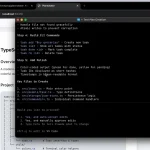
SmallCode is an open-source, terminal-native AI coding agent and agent harness built for local language models in the 8B-35B parameter range.
It runs on consumer hardware through LM Studio, Ollama, OpenRouter, OpenAI-compatible endpoints, or other configured providers.
This coding agent is useful when you want a private coding workflow on consumer hardware but still need agent-style file edits, terminal commands, project memory, tool calls, tests, and recovery from small-model failure modes.
Note that SmallCode depends on the quality of your local LLMs and endpoint setup. Weaker models need more guardrails and simpler tasks.
Features
- Optimized for 8B to 35B local models on consumer hardware.
- Manages context budgets actively: tool results cap at 4,000 characters, mid-turn eviction drops old results when the window fills, and semantic compression summarizes history before dropping it.
- Parses tool calls from JSON, YAML, XML, Hermes format, or plain text, and auto-repairs common parameter errors.
- Supports Liquid AI’s tool-call marker format and can recover visible answers from split reasoning channels when compatible reasoning models return empty content.
- Edits files through search-and-replace patches rather than full rewrites, which reduces truncation and hallucination errors common in small models.
- Decomposes complex tasks into a TODO file and validates each step through lint or compile before advancing.
- Detects repetition loops, patch spirals, and greeting regression (when the model loses task context) and intervenes before wasted tokens accumulate.
- Maintains a persistent shell session so
cd, environment variables and shell variables survive across tool calls. - Injects a compact project summary on startup covering runtime, package manager, framework, entry point, and build and test commands. This saves the 3-5 tool calls small models typically spend on discovery.
- Adds a hybrid code search tool that combines exact regex or keyword matching with semantic ranking over a local, symbol-aware index.
- Includes an opt-in TDD harness with Red, Green, and Refactor phases, structured test results, and phase-aware write guidance.
- Provides a provider wizard for LM Studio, Ollama, OpenRouter, OpenAI, Anthropic, DeepSeek, and custom OpenAI-compatible endpoints.
- Supports project, user, and global plugins with lifecycle hooks, provider extensions, prompt injections, permissions, and MCP server declarations.
- Stores a per-session evidence log of what was tried, what worked, and what failed, searchable across future sessions.
- Caps thinking budgets for reasoning models (Qwen3, DeepSeek R1, GPT-5 reasoning variants) to prevent token waste on trivial tasks.
- Supports optional cloud escalation to Claude, OpenAI, or DeepSeek when a local model hard-fails after retry and decomposition.
- Includes a programmatic API so you can embed SmallCode in CI pipelines or custom tooling.
- Ships a benchmark harness with three suites (smoke, polyglot-mini, and tool-use) that you can run against any local model.
Use Cases
- Run an AI coding agent against a local model from LM Studio or Ollama.
- Edit files in a project through patch-based changes.
- Create small scripts, backend files, configuration files, and tests.
- Let a smaller model follow multi-step refactors through a persistent task plan.
- Use local coding workflows where privacy and offline execution matter.
- Benchmark local models across coding, tool-use, and polyglot task suites.
- Build custom coding tools around the SmallCode JavaScript API.
- Use a local hybrid search workflow when you need to find code by behavior, not only by exact words in the file.
- Run test-first coding tasks with an explicit Red, Green, and Refactor cycle.
- Configure local, cloud, or fallback providers from the terminal without hand-editing every environment file.
- Use contracts to define testable completion criteria before an agent reports that a task is done.
How to Get Started
You can install SmallCode via npm or prebuilt binaries for Windows, macOS, and Linux. The prebuilt option bundles Node.js and all native dependencies, so you skip node-gyp and C++ build tools entirely.
Install globally via npm:
npm install -g smallcodeOr run without installing:
npx smallcodeLinux and macOS one-line install (prebuilt binary):
bash <(curl -fsSL https://raw.githubusercontent.com/Doorman11991/smallcode/main/install.sh)Windows one-line install (prebuilt binary):
iwr -Uri https://raw.githubusercontent.com/Doorman11991/smallcode/main/install.ps1 -UseBasicParsing | iexThe install script downloads the correct binary for your platform, extracts it to ~/.smallcode, and adds it to your PATH.
Requirements:
- Node.js 18 or later (LTS versions 20.x and 22.x have prebuilt SQLite binaries)
- A running local LLM server: LM Studio, Ollama, or any OpenAI-compatible endpoint
On non-LTS Node versions (23+, 25+), better-sqlite3 requires native compilation. Linux needs python3, make, and gcc. macOS needs Xcode Command Line Tools. Windows needs Visual Studio Build Tools with the “Desktop development with C++” workload.
If the build fails, SmallCode falls back to JSON-based memory automatically.
Configuration:
Create a .env file in your project root:
# Required
SMALLCODE_MODEL=your-model-name
SMALLCODE_BASE_URL=http://localhost:1234/v1
# Optional: cloud fallback on hard fail
# ANTHROPIC_API_KEY=sk-ant-...
# OPENAI_API_KEY=sk-...
# DEEPSEEK_API_KEY=sk-...
# Optional: per-tier routing
# SMALLCODE_MODEL_STRONG=gpt-4o
# SMALLCODE_BASE_URL_STRONG=https://openrouter.ai/api/v1
Start SmallCode from your project directory:
cd my-project
smallcode
Environment Variables
| Variable | Default | Description |
|---|---|---|
SMALLCODE_MODEL | None | Required. Local model name. |
SMALLCODE_BASE_URL | None | Required. OpenAI-compatible endpoint URL. |
SMALLCODE_MODEL_FAST, SMALLCODE_MODEL_MEDIUM, SMALLCODE_MODEL_STRONG | None | Optional fallback models for per-tier routing. |
SMALLCODE_BASE_URL_FAST, SMALLCODE_BASE_URL_MEDIUM, SMALLCODE_BASE_URL_STRONG | None | Optional endpoint URLs for per-tier routing. |
SMALLCODE_THINKING_BUDGET | 2000 | Token cap for reasoning model thinking blocks. |
SMALLCODE_THINKING_DISABLE | false | Set true to disable thinking entirely. |
SMALLCODE_SHOW_THINKING | false | Set true to show compatible model thinking blocks in the TUI. |
SMALLCODE_KNOWLEDGE_MAX_TOKENS | 1500 | Token budget for knowledge/ directory injection. |
SMALLCODE_WEB_BROWSE | false | Set true to enable web search and fetch tools. |
SMALLCODE_WRITE_GUARD | true | Blocks first write to an unread existing file. |
SMALLCODE_READ_GUARD | true | Returns smaller, clearer file excerpts when a read would consume too much context. |
SMALLCODE_READ_GUARD_HEAD_LINES | 30 | Controls the initial line count used by the read guard. |
SMALLCODE_QUALITY_MONITOR | true | Detects empty turns, blank tool names, hallucinated tool names, and repeated tool calls. |
SMALLCODE_DEDUP | true | Short-circuits identical read-only tool calls. |
SMALLCODE_IDEMPOTENT_WRITE_DEDUP | true | Short-circuits duplicate idempotent memory writes in the same turn. |
SMALLCODE_EVIDENCE_DISABLE | false | Set true to disable the evidence store. |
SMALLCODE_PLAN | None | Set true or false to force plan-then-execute mode. |
SMALLCODE_CONTRACT | true | Set false to disable the Definition-of-Done contract guard. |
SMALLCODE_SNAPSHOT_AUTO_ROLLBACK | false | Set true for automatic rollback on hard validation fail. |
SMALLCODE_SNAPSHOT | true | Set false to disable snapshots entirely. |
SMALLCODE_TEST_RUNNER | None | Override auto-detected test command. |
SMALLCODE_TEST_DISABLE | false | Set true to disable test runner detection. |
SMALLCODE_BOOTSTRAP | true | Set false to disable project summary injection. |
SMALLCODE_TEMP_ADAPT | true | Set false to disable adaptive retry temperature. |
SMALLCODE_TRUST_DECAY | true | Set false to disable per-tool failure tracking. |
SMALLCODE_SHELL_PERSIST | true | Set false to use a fresh shell per bash call. |
SmallCode Commands
| Command | Description |
|---|---|
/quit, /q | Exit SmallCode. |
/clear | Reset the conversation. |
/stats | Show session statistics. |
/tokens | Detailed token usage report. |
/budget | Context window usage with a visual bar. |
/trace | List, view, or export execution traces. You can also generate regression tests from traces. |
/eval | Run prompt evaluation suites. |
/memory | Show working memory. |
/contract | List, activate, or abort Definition-of-Done contracts. |
/plan | Show the current task plan. |
/model | Show or switch the active model. |
/profile | Show detected model profile and routing mode. |
/cognition | Show MarrowScript cognition layer status. |
/mcp | Show connected external MCP servers. |
/skill | Manage reusable skills. |
/plugin | Install or manage plugins for project, user, and global scopes. |
/provider | Configure or inspect the active LLM provider. |
/sessions | List and resume saved sessions. |
/version, /v | Show the SmallCode version, Node.js version, and platform. |
/help | Show all commands. |
Available SmallCode Tools
| Tool | Description |
|---|---|
read_file | Read file contents. |
write_file | Create or overwrite files. |
patch | Search-and-replace edit. |
bash | Run shell commands. |
search | Regex search via ripgrep. |
hybrid_search | Search with exact matching and local semantic ranking over a symbol-aware index. |
find_files | Glob file search. |
graph_search | Code graph symbol search. |
explain_symbol | Full symbol explanation with callers and callees. |
run_tests | Run a detected test suite and return structured pass or fail results. |
tdd_loop, tdd_begin_cycle, tdd_status, tdd_advance | Control the opt-in TDD harness. |
contract_create, contract_status | Create or inspect a Definition-of-Done contract. |
contract_assert_pass, contract_assert_fail, contract_assert_skip | Record contract assertion results with command-line evidence. |
configure_provider, provider_status | Configure and inspect LLM providers from the agent workflow. |
memory_load | Load relevant project memory. |
memory_remember | Save knowledge to memory. |
bone_compile | Compile a .bone file to a full backend project. |
bone_check | Validate a .bone file for type errors and constraints. |
list_projects | List all indexed projects with stats. |
web_search | Search via DuckDuckGo (requires SMALLCODE_WEB_BROWSE=true). |
web_fetch | Fetch and extract text from a URL (requires SMALLCODE_WEB_BROWSE=true). |
Programmatic API
The RunResult object contains: response text, tool call records, files created and edited, token usage, duration, and success status.
const { SmallCode } = require('smallcode');
const agent = new SmallCode({
  model: 'gemma-4-e4b',
  baseUrl: 'http://localhost:1234/v1',
});
const result = await agent.run("create hello.py that prints hello world");
console.log(result.filesCreated);   // ['hello.py']
console.log(result.toolCalls.length);
console.log(result.success);        // true
agent.on('tool_start', ({ name, args }) => console.log(`Using: ${name}`));
agent.on('tool_end', ({ name, ms }) => console.log(`Done: ${name} (${ms}ms)`));
agent.on('error', (err) => console.error(err));
SmallCode vs OpenCode
| SmallCode | OpenCode | |
|---|---|---|
| Best for | Local small-model coding. | Frontier-model coding. |
| Model type | 8B to 35B local models. | Claude, GPT, and stronger models. |
| Setup | Local endpoint required. | Cloud model access required. |
| Privacy | Local-first. | Cloud-first. |
| Context | Budget-managed. | Large-context oriented. |
| Tool calls | Forgiving parser. | Cleaner model output expected. |
| Editing | Patch-first. | Full-file edits. |
| Planning | TODO-based steps. | Model-driven flow. |
| Choose it when | You need local control. | You need stronger models. |
SmallCode vs Claude Code
| SmallCode | Claude Code | |
|---|---|---|
| Best for | Local small-model coding. | Claude-powered coding. |
| Model type | 8B to 35B local models. | Claude models. |
| Setup | Local endpoint required. | Claude access required. |
| Privacy | Local-first. | Cloud-first. |
| Context | Budget-managed. | Claude-managed. |
| Tool calls | Forgiving parser. | Native agent tools. |
| Editing | Patch-first. | Broader file edits. |
| Planning | TODO-based steps. | Agentic task flow. |
| Choose it when | You need local control. | You need stronger output. |
Alternatives and Related Resources
- Best CLI AI Coding Agents: Compare CLI AI coding agents before choosing a local workflow.
- Free AI Tools for Developers: Find developer-focused AI tools beyond terminal coding agents.
- Pi Coding Agent: Compare SmallCode with another AI coding agent.
- DeepSeek TUI: Explore a DeepSeek-focused open-source coding agent.
- Claude Code Resource List: Find Claude Code agents, skills, plugins, and related developer resources.
- Claude Code Commands Cheat Sheet: Review command-focused workflows for Claude Code users.
- Aperant (Auto Claude): Open-Source AI Coding Agent Harness.
Pros
- Fully local, no data leaves your machine by default.
- Free and open-source under MIT license.
- Prebuilt binaries need no Node.js or build tools.
- Works with any OpenAI-compatible endpoint.
- Context budgeting prevents window overflow on small models.
- Patch-first editing reduces hallucination risk.
- Evidence store learns from past session failures.
- Snapshot and rollback protect against failed edits.
- Hybrid code search helps smaller models inspect a codebase without relying only on exact keyword matches.
- The provider wizard reduces setup friction for local endpoints, cloud endpoints, and fallback routing.
- Contracts and the TDD harness give you stricter controls for tasks that need testable completion.
Cons
- Models under 4B parameters are not supported.
- Web browsing tools recommend 20B+ models for reliable synthesis.
- Cloud escalation requires a paid API key from Anthropic, OpenAI, or DeepSeek.
- Web browsing remains disabled by default and needs extra browser packages when you want the Playwright-based workflow.
- The provider wizard can validate many OpenAI-compatible endpoints, but you still need a working provider, model name, and authentication details.
- No GUI. Terminal only.
FAQs
Q: Is SmallCode free?
A: SmallCode is free and open-source under the MIT license. You need your own local model server or optional API keys for cloud escalation.
Q: Can SmallCode run fully locally?
A: SmallCode can run locally when the model endpoint runs on the same machine or local network. Cloud escalation and web browsing are optional features that change the local-only workflow.
Q: What makes SmallCode different from other AI coding agents?
A: SmallCode focuses on smaller local models through budget-managed context, forgiving tool parsing, TODO-driven planning, search-and-replace patches, working memory, and loop detection.
Q: Can SmallCode browse the web during coding tasks?
A: SmallCode can use web search and web fetch tools after SMALLCODE_WEB_BROWSE=true is enabled. The feature stays disabled by default.
Q: What is hybrid search in SmallCode?
A: Hybrid search combines exact keyword or regex matching with local semantic ranking. It helps the agent find code that matches the intent of a query even when the file does not use the same words.
Q: Does SmallCode support test-driven development?
A: SmallCode includes an opt-in TDD harness with Red, Green, and Refactor phases. It also includes a run_tests tool that returns structured test results instead of raw terminal output.
Q: Can SmallCode use multiple model providers?
A: SmallCode includes a provider wizard for LM Studio, Ollama, OpenRouter, OpenAI, Anthropic, DeepSeek, and custom endpoints. You can also configure separate fast, medium, and strong model tiers when you want fallback routing.
Q: How does SmallCode handle a model that keeps failing on the same task?
A: SmallCode tracks consecutive failures per tool in a session. A tool that fails three times in a row gets demoted in the schema list. A tool that fails five times gets removed from the schema for the session. The early-stop detector also catches repetition loops and patch spirals and intervenes before the token cost grows further.
Changelog
05/31/2026
- Updated to reflect recent SmallCode changes, including hybrid code search, the TDD harness, provider configuration, plugin support, Definition-of-Done contracts, and expanded command and tool references.