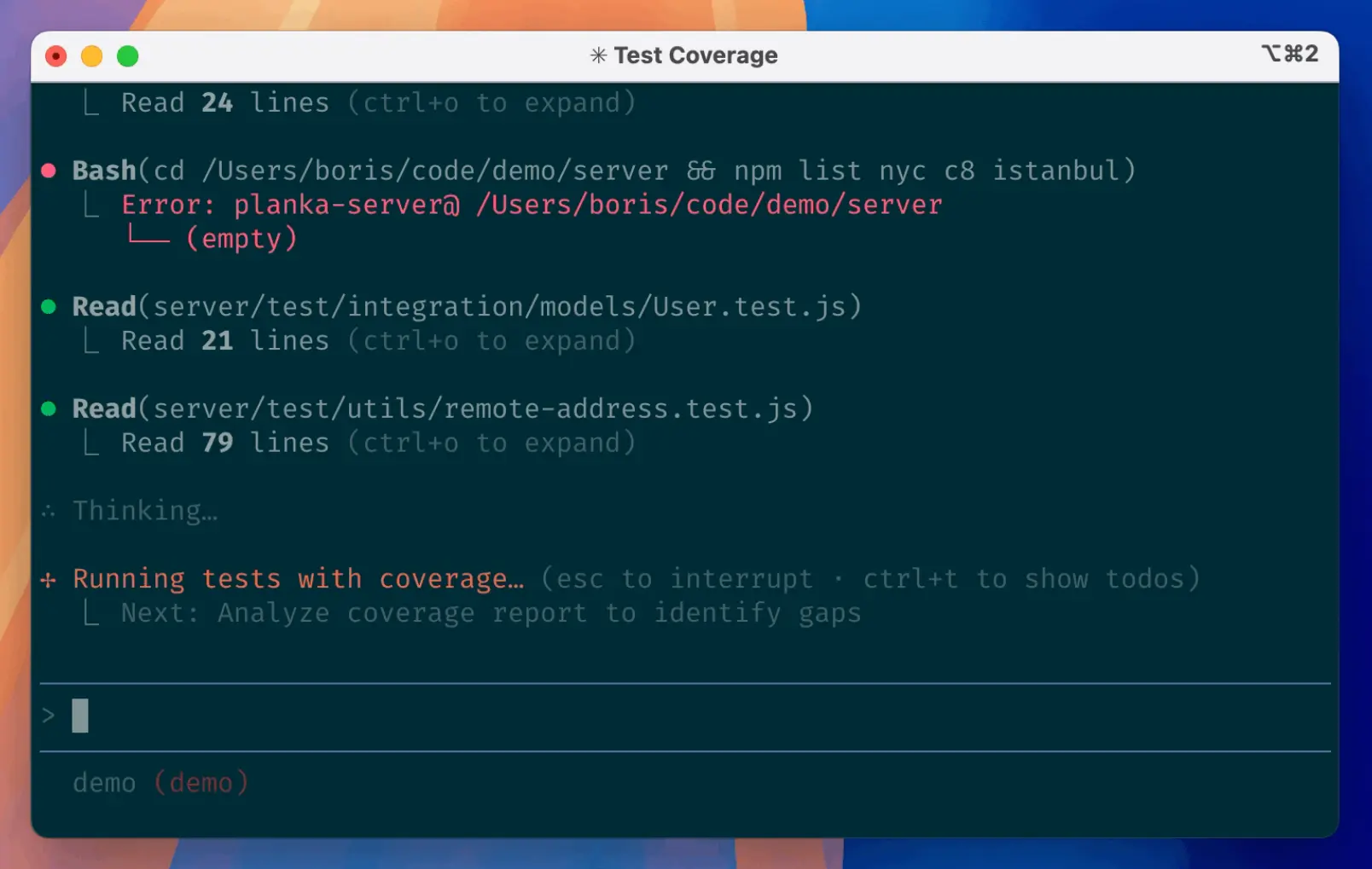
Claude Code commands control a running coding session, while CLI commands and flags control how Claude Code starts, resumes, automates, and connects from the terminal.
This cheat sheet keeps the current slash commands, CLI commands, flags, settings, keyboard shortcuts, MCP command patterns, environment variables, and common workflows in one reference.
Last Updated: Sep 18, 2026
Type / inside Claude Code to see the commands available in your installation. Availability can vary by platform, plan, provider, enabled features, and organization policy. The in-session menu is the final check for your own setup.
Download the Claude Code Commands Cheat Sheet
Save or print the PDF version for a compact offline reference. The web version below is the fuller reference and is updated as Claude Code changes.
Common Claude Code Commands
| Command | What it does |
|---|---|
| /help | Show help and commands available in your installation. |
| /init | Create project instructions; Claude Code also recognizes AGENTS.md when no CLAUDE.md exists. |
| /model [model] | Switch the active model. |
| /plan [description] | Enter Plan Mode for a task. |
| /context [all] | Inspect current context usage. |
| /compact [instructions] | Free context by summarizing the conversation. |
| /clear [name] | Start a fresh conversation. |
| /resume [session] | Return to an earlier conversation. |
| /diff | Review working-tree changes. |
| /code-review [level] [target] | Review a diff, branch, path, or pull request. |
| /permissions | Manage tool permission rules. |
| /mcp [subcommand] | Manage MCP servers and authentication. |
| /skills | Browse available skills. |
| /tasks | View background work in the current session. |
| /doctor | Diagnose setup and configuration issues. |
Slash Commands vs. CLI Commands
Slash commands run inside an active Claude Code session. CLI commands and flags run in your shell before or while starting Claude Code.
| Where you run it | Examples |
|---|---|
| Inside Claude Code | /compact, /model, /mcp, /doctor |
| In your terminal | claude -p “prompt”, claude -c, claude update, claude –model sonnet |
All Claude Code Commands A-Z
| Command | What it does |
|---|---|
| /add-dir <path> | Add another working directory to the current session. |
| /advisor [model|off] | Turn the advisor tool on or off, optionally choosing its model. |
| /agents | Point you to Claude-managed subagent creation or the agent files in .claude/agents/ and ~/.claude/agents/. |
| /artifacts | List, attach, open, or copy links to available artifacts. |
| /auto-mode-setup | Draft auto-mode environment rules from the project and recent sessions. |
| /autocompact [auto|<tokens>] | Set the auto-compact window with auto or a token value such as 500k; the choice is saved to settings. |
| /autofix-pr [prompt] | Start a Claude Code web session that watches the current branch’s PR and pushes fixes for CI failures or review comments; an optional prompt can narrow the work. |
| /background [prompt] | Detach the current session and keep it running as a background agent. Alias: /bg. |
| /batch <instruction> | Break a large codebase change into parallel worktree tasks. |
| /branch [name] | Branch the current conversation so you can try a different direction. |
| /btw [question] | Ask a side question about the current session without adding it to the main conversation history; run it with no question to revisit recent side questions. |
| /bug [report] | Report a bug or share selected session context. Alias: /share. |
| /cd <path> | Move the current session to another working directory without losing the conversation. |
| /chrome | Configure Claude in Chrome integration. |
| /claude-api [subcommand] | Load Claude API and Managed Agents guidance, including migration and audit workflows. |
| /clear [name] | Start a new conversation with empty conversational context while keeping project memory; an optional name labels the previous conversation for later resume. |
| /code-review [level] [–fix] [–comment] [target] | Review the current diff or a path, branch, or PR. Use –fix to apply findings, –comment for PR comments, or ultra for the cloud review flow. |
| /color [color|default] | Change the prompt bar color for the current session. |
| /compact [instructions] | Summarize the conversation to free context while keeping the current task. |
| /config [key=value …] | Open the Settings interface, or pass supported key=value pairs to change settings directly. |
| /context [all] | Show context usage, capacity warnings, and optimization suggestions; pass all to expand the per-item breakdown. |
| /copy [N] | Copy the latest response or the Nth-latest response; when code blocks exist, the picker can copy an individual block or the full response. |
| /cost | Open the Usage view. Alias of /usage. |
| /dataviz [request] | Load bundled chart, graph, and dashboard design guidance. |
| /debug [description] | Enable session debug logging and investigate a runtime problem. |
| /deep-research <question> | Run a multi-source research workflow and synthesize a cited report. |
| /design [brief] | Create UI or graphic design artboards and publish them as an artifact where available. |
| /design-login | Authorize access used by design-system synchronization. |
| /design-sync [hint] | Sync a React design system for use with Claude Design. |
| /desktop | Continue the current session in the Claude Code Desktop app. Alias: /app. |
| /diff | Review working-tree changes, including edits made by Claude. |
| /doctor | Run a setup checkup for installation, settings, hooks, skills, plugins, MCP servers, and context overhead, with fixes offered where available. |
| /effort [level|auto|status] | Set or inspect reasoning effort with model-appropriate levels, auto, or status. |
| /exit | Exit Claude Code; in an attached background session, detach without stopping it. Alias: /quit. |
| /export [filename] | Export the current conversation as plain text. |
| /fast [on|off] | Turn fast mode on or off. |
| /feedback [report] | Send product feedback or review queued feedback drafts. |
| /fewer-permission-prompts | Find common read-only tool calls and propose permission allowlist entries. |
| /focus | Toggle the compact Focus view in fullscreen mode. |
| /fork [prompt] | Copy the current conversation into a separate background session while you keep working in the original session. |
| /goal [condition|clear] | Set a completion condition that keeps Claude working across turns until the condition is met, or clear the active goal. |
| /heapdump | Write heap diagnostics for investigating high memory use. |
| /help | Show help and the commands available in the current installation. |
| /hooks | View configured hook events and commands. |
| /ide | Manage IDE integrations and connection status. |
| /import [codex|gemini] [–dry-run] [–yes] | Import supported configuration from Codex or Gemini CLI. |
| /init | Create or initialize project instructions. Claude Code uses CLAUDE.md, or AGENTS.md when a project has no CLAUDE.md. |
| /insights | Generate an HTML report from recent local Claude Code usage. |
| /install-github-app | Set up the Claude GitHub App and optional GitHub Actions workflow. |
| /install-slack-app | Open the Slack app installation flow. |
| /keybindings | Open the custom keyboard-shortcuts configuration file. |
| /list-agents | List subagents, agent-team teammates, and other messageable Claude Code sessions. Alias: /peers. |
| /login | Sign in to an Anthropic account. |
| /logout | Sign out from the current Anthropic account. |
| /loop [interval] [prompt] | Repeat a prompt while the session stays open. Alias: /proactive. |
| /mcp [subcommand] | Open MCP management, authenticate servers, reconnect a server, or enable and disable individual servers or all servers. |
| /memory | Edit CLAUDE.md files and manage auto memory. |
| /mobile | Show a QR code for the Claude mobile app. Aliases: /ios, /android. |
| /model [model] | Switch the active model; the picker can save a default for new sessions or apply a model only to the current session. |
| /output-style [name] | List available output styles or switch to a named style. |
| /passes | Share a free week of Claude Code with friends when the account is eligible. |
| /permissions | Manage allow, ask, and deny rules, working directories, recent denials, and auto-mode classifier rules. |
| /plan [description] | Enter Plan Mode, optionally starting with a task description. |
| /plugin [subcommand] | Open plugin management or run plugin subcommands such as list, install, enable, and disable. |
| /powerup | Open interactive lessons for Claude Code features. |
| /privacy-settings | View and update privacy settings on eligible plans. |
| /radio | Open Claude FM lo-fi radio. |
| /rate-limit-options | Show options for continuing when a Claude.ai usage limit blocks a request. |
| /recap | Generate a one-line summary of the current session. |
| /release-notes | Open the interactive Claude Code changelog. |
| /reload-plugins [–force] | Reload active plugin components without restarting Claude Code; –force permits reloads that would change MCP tools and invalidate prompt cache. |
| /reload-skills | Re-scan skill and command directories during the current session and report which skills were added or removed. |
| /remote-control | Make the local session available from claude.ai or the Claude app through Remote Control. Alias: /rc. |
| /remote-env | Choose the default environment for cloud agents. |
| /rename [name] | Rename the current session. |
| /resume [session] | Resume a previous conversation by ID or name, or open the session picker. Alias: /continue. |
| /review [level] [–fix] [–comment] [target] | Alias of /code-review. |
| /rewind | Restore or summarize an earlier checkpoint. Aliases: /checkpoint, /undo. |
| /run | Build and run the project so Claude can observe a change working. |
| /run-skill-generator | Create project guidance that teaches /run and /verify how to launch the app. |
| /sandbox | Toggle sandbox mode on supported platforms. |
| /schedule [description] | Create, update, list, or run cloud routines. Alias: /routines. |
| /scroll-speed | Adjust mouse-wheel speed in fullscreen mode. |
| /security-review | Review the current branch against the origin default branch for security issues such as injection, authentication flaws, and data exposure. |
| /setup-bedrock | Open the Amazon Bedrock setup wizard. |
| /setup-vertex | Open the Google Cloud Agent Platform setup wizard. |
| /simplify [target] | Review changed code for reuse, simplicity, efficiency, and abstraction issues, then apply cleanup fixes; use code review when you want correctness bugs checked too. |
| /skill-doctor | Show each skill’s context cost and usage frequency to identify skills that consume context without being used. |
| /skills | List skills, filter by name, description, or source, sort by token count, and manage visibility where the skill can be toggled. |
| /stats | Open the Stats tab in /usage. |
| /status | Show version, model, account, connectivity, and session status. |
| /statusline | Configure the custom status line. |
| /stickers | Open the Claude Code sticker-ordering flow. |
| /stop | Stop the current attached background session while keeping its transcript and worktree. |
| /subtask <task> | Start a forked subagent that inherits the current conversation, works in the background, and reports its result back to this session. |
| /tasks | View and manage background work in the current session. Alias: /bashes. |
| /team-onboarding | Generate a team onboarding guide from recent Claude Code usage. |
| /teleport | Pull a Claude Code web session and its conversation into the local terminal. Alias: /tp. |
| /terminal-setup | Configure supported terminals for multiline input and related integration settings. |
| /theme | Choose or create a terminal color theme. |
| /tui [default|fullscreen] | Switch between the standard and fullscreen terminal renderers. |
| /ultrareview [PR or branch] | Run the deep cloud review flow. /code-review ultra is the preferred form. |
| /upgrade | Open the plan upgrade flow. |
| /usage | Show session cost, plan usage limits, and activity statistics; /cost and /stats open views within the same usage surface. |
| /usage-credits | Open or request usage-credit settings when a limit is reached. |
| /verify | Build and run the project to confirm a code change works in the actual app. |
| /voice [hold|tap|off] | Turn voice dictation on, choose hold/tap behavior, or turn it off. |
| /web-setup | Connect GitHub credentials for Claude Code on the web. |
| /workflow-authoring | Load the reference for creating or editing dynamic workflow scripts. |
| /workflows | Open the workflow progress view to watch and manage workflow runs. |
Start and Configure Claude Code
Use these commands for initial project setup, model and permission choices, terminal configuration, memory, providers, and session-wide settings.
| Command | What it does |
|---|---|
| /add-dir <path> | Add another working directory to the current session. |
| /auto-mode-setup | Draft auto-mode environment rules from the project and recent sessions. |
| /autocompact [auto|<tokens>] | Set the auto-compact window with auto or a token value such as 500k; the choice is saved to settings. |
| /cd <path> | Move the current session to another working directory without losing the conversation. |
| /color [color|default] | Change the prompt bar color for the current session. |
| /config [key=value …] | Open the Settings interface, or pass supported key=value pairs to change settings directly. |
| /doctor | Run a setup checkup for installation, settings, hooks, skills, plugins, MCP servers, and context overhead, with fixes offered where available. |
| /effort [level|auto|status] | Set or inspect reasoning effort with model-appropriate levels, auto, or status. |
| /fast [on|off] | Turn fast mode on or off. |
| /help | Show help and the commands available in the current installation. |
| /hooks | View configured hook events and commands. |
| /ide | Manage IDE integrations and connection status. |
| /import [codex|gemini] [–dry-run] [–yes] | Import supported configuration from Codex or Gemini CLI. |
| /init | Create or initialize project instructions. Claude Code uses CLAUDE.md, or AGENTS.md when a project has no CLAUDE.md. |
| /keybindings | Open the custom keyboard-shortcuts configuration file. |
| /login | Sign in to an Anthropic account. |
| /logout | Sign out from the current Anthropic account. |
| /memory | Edit CLAUDE.md files and manage auto memory. |
| /model [model] | Switch the active model; the picker can save a default for new sessions or apply a model only to the current session. |
| /permissions | Manage allow, ask, and deny rules, working directories, recent denials, and auto-mode classifier rules. |
| /privacy-settings | View and update privacy settings on eligible plans. |
| /sandbox | Toggle sandbox mode on supported platforms. |
| /setup-bedrock | Open the Amazon Bedrock setup wizard. |
| /setup-vertex | Open the Google Cloud Agent Platform setup wizard. |
| /statusline | Configure the custom status line. |
| /terminal-setup | Configure supported terminals for multiline input and related integration settings. |
| /theme | Choose or create a terminal color theme. |
| /tui [default|fullscreen] | Switch between the standard and fullscreen terminal renderers. |
| /upgrade | Open the plan upgrade flow. |
Manage Context and Sessions
These commands manage context size, conversation state, checkpoints, background work, session naming, and session history.
| Command | What it does |
|---|---|
| /background [prompt] | Detach the current session and keep it running as a background agent. Alias: /bg. |
| /branch [name] | Branch the current conversation so you can try a different direction. |
| /btw [question] | Ask a side question about the current session without adding it to the main conversation history; run it with no question to revisit recent side questions. |
| /clear [name] | Start a new conversation with empty conversational context while keeping project memory; an optional name labels the previous conversation for later resume. |
| /compact [instructions] | Summarize the conversation to free context while keeping the current task. |
| /context [all] | Show context usage, capacity warnings, and optimization suggestions; pass all to expand the per-item breakdown. |
| /copy [N] | Copy the latest response or the Nth-latest response; when code blocks exist, the picker can copy an individual block or the full response. |
| /cost | Open the Usage view. Alias of /usage. |
| /export [filename] | Export the current conversation as plain text. |
| /focus | Toggle the compact Focus view in fullscreen mode. |
| /fork [prompt] | Copy the current conversation into a separate background session while you keep working in the original session. |
| /goal [condition|clear] | Set a completion condition that keeps Claude working across turns until the condition is met, or clear the active goal. |
| /recap | Generate a one-line summary of the current session. |
| /rename [name] | Rename the current session. |
| /resume [session] | Resume a previous conversation by ID or name, or open the session picker. Alias: /continue. |
| /rewind | Restore or summarize an earlier checkpoint. Aliases: /checkpoint, /undo. |
| /stats | Open the Stats tab in /usage. |
| /status | Show version, model, account, connectivity, and session status. |
| /stop | Stop the current attached background session while keeping its transcript and worktree. |
| /subtask <task> | Start a forked subagent that inherits the current conversation, works in the background, and reports its result back to this session. |
| /tasks | View and manage background work in the current session. Alias: /bashes. |
| /usage | Show session cost, plan usage limits, and activity statistics; /cost and /stats open views within the same usage surface. |
Use MCP, Plugins, Skills, and Agents
Use these commands to extend Claude Code with MCP servers, plugins, skills, subagents, background work, and dynamic workflows.
| Command | What it does |
|---|---|
| /agents | Point you to Claude-managed subagent creation or the agent files in .claude/agents/ and ~/.claude/agents/. |
| /batch <instruction> | Break a large codebase change into parallel worktree tasks. |
| /claude-api [subcommand] | Load Claude API and Managed Agents guidance, including migration and audit workflows. |
| /dataviz [request] | Load bundled chart, graph, and dashboard design guidance. |
| /deep-research <question> | Run a multi-source research workflow and synthesize a cited report. |
| /fewer-permission-prompts | Find common read-only tool calls and propose permission allowlist entries. |
| /list-agents | List subagents, agent-team teammates, and other messageable Claude Code sessions. Alias: /peers. |
| /loop [interval] [prompt] | Repeat a prompt while the session stays open. Alias: /proactive. |
| /mcp [subcommand] | Open MCP management, authenticate servers, reconnect a server, or enable and disable individual servers or all servers. |
| /plugin [subcommand] | Open plugin management or run plugin subcommands such as list, install, enable, and disable. |
| /reload-plugins [–force] | Reload active plugin components without restarting Claude Code; –force permits reloads that would change MCP tools and invalidate prompt cache. |
| /reload-skills | Re-scan skill and command directories during the current session and report which skills were added or removed. |
| /run-skill-generator | Create project guidance that teaches /run and /verify how to launch the app. |
| /skill-doctor | Show each skill’s context cost and usage frequency to identify skills that consume context without being used. |
| /skills | List skills, filter by name, description, or source, sort by token count, and manage visibility where the skill can be toggled. |
| /subtask <task> | Start a forked subagent that inherits the current conversation, works in the background, and reports its result back to this session. |
| /workflow-authoring | Load the reference for creating or editing dynamic workflow scripts. |
| /workflows | Open the workflow progress view to watch and manage workflow runs. |
Review, Debug, and Change Code
These commands help you plan changes, inspect diffs, review code, debug failures, verify behavior, and run larger changes in parallel.
| Command | What it does |
|---|---|
| /advisor [model|off] | Turn the advisor tool on or off, optionally choosing its model. |
| /autofix-pr [prompt] | Start a Claude Code web session that watches the current branch’s PR and pushes fixes for CI failures or review comments; an optional prompt can narrow the work. |
| /batch <instruction> | Break a large codebase change into parallel worktree tasks. |
| /code-review [level] [–fix] [–comment] [target] | Review the current diff or a path, branch, or PR. Use –fix to apply findings, –comment for PR comments, or ultra for the cloud review flow. |
| /debug [description] | Enable session debug logging and investigate a runtime problem. |
| /diff | Review working-tree changes, including edits made by Claude. |
| /plan [description] | Enter Plan Mode, optionally starting with a task description. |
| /review [level] [–fix] [–comment] [target] | Alias of /code-review. |
| /run | Build and run the project so Claude can observe a change working. |
| /security-review | Review the current branch against the origin default branch for security issues such as injection, authentication flaws, and data exposure. |
| /simplify [target] | Review changed code for reuse, simplicity, efficiency, and abstraction issues, then apply cleanup fixes; use code review when you want correctness bugs checked too. |
| /ultrareview [PR or branch] | Run the deep cloud review flow. /code-review ultra is the preferred form. |
| /verify | Build and run the project to confirm a code change works in the actual app. |
Use GitHub, PR, and Release Workflows
These commands handle pull request review, GitHub integration, cloud autofix work, release notes, and web session setup.
| Command | What it does |
|---|---|
| /autofix-pr [prompt] | Start a Claude Code web session that watches the current branch’s PR and pushes fixes for CI failures or review comments; an optional prompt can narrow the work. |
| /code-review [level] [–fix] [–comment] [target] | Review the current diff or a path, branch, or PR. Use –fix to apply findings, –comment for PR comments, or ultra for the cloud review flow. |
| /install-github-app | Set up the Claude GitHub App and optional GitHub Actions workflow. |
| /release-notes | Open the interactive Claude Code changelog. |
| /review [level] [–fix] [–comment] [target] | Alias of /code-review. |
| /security-review | Review the current branch against the origin default branch for security issues such as injection, authentication flaws, and data exposure. |
| /ultrareview [PR or branch] | Run the deep cloud review flow. /code-review ultra is the preferred form. |
| /web-setup | Connect GitHub credentials for Claude Code on the web. |
Work Remotely or Across Devices
Use these commands for desktop, browser, mobile, Remote Control, cloud environments, artifacts, voice, and web-session handoff.
| Command | What it does |
|---|---|
| /artifacts | List, attach, open, or copy links to available artifacts. |
| /background [prompt] | Detach the current session and keep it running as a background agent. Alias: /bg. |
| /chrome | Configure Claude in Chrome integration. |
| /desktop | Continue the current session in the Claude Code Desktop app. Alias: /app. |
| /design [brief] | Create UI or graphic design artboards and publish them as an artifact where available. |
| /design-login | Authorize access used by design-system synchronization. |
| /design-sync [hint] | Sync a React design system for use with Claude Design. |
| /install-slack-app | Open the Slack app installation flow. |
| /mobile | Show a QR code for the Claude mobile app. Aliases: /ios, /android. |
| /remote-control | Make the local session available from claude.ai or the Claude app through Remote Control. Alias: /rc. |
| /remote-env | Choose the default environment for cloud agents. |
| /schedule [description] | Create, update, list, or run cloud routines. Alias: /routines. |
| /teleport | Pull a Claude Code web session and its conversation into the local terminal. Alias: /tp. |
| /voice [hold|tap|off] | Turn voice dictation on, choose hold/tap behavior, or turn it off. |
| /web-setup | Connect GitHub credentials for Claude Code on the web. |
Usage, Diagnostics, and Account Commands
Use these commands to inspect usage, diagnose problems, report issues, review activity, and manage plan or credit options.
| Command | What it does |
|---|---|
| /bug [report] | Report a bug or share selected session context. Alias: /share. |
| /cost | Open the Usage view. Alias of /usage. |
| /debug [description] | Enable session debug logging and investigate a runtime problem. |
| /doctor | Run a setup checkup for installation, settings, hooks, skills, plugins, MCP servers, and context overhead, with fixes offered where available. |
| /feedback [report] | Send product feedback or review queued feedback drafts. |
| /heapdump | Write heap diagnostics for investigating high memory use. |
| /insights | Generate an HTML report from recent local Claude Code usage. |
| /passes | Share a free week of Claude Code with friends when the account is eligible. |
| /powerup | Open interactive lessons for Claude Code features. |
| /rate-limit-options | Show options for continuing when a Claude.ai usage limit blocks a request. |
| /recap | Generate a one-line summary of the current session. |
| /release-notes | Open the interactive Claude Code changelog. |
| /stats | Open the Stats tab in /usage. |
| /usage | Show session cost, plan usage limits, and activity statistics; /cost and /stats open views within the same usage surface. |
| /usage-credits | Open or request usage-credit settings when a limit is reached. |
Interface and Utility Commands
These commands control terminal presentation, navigation, and general session utilities.
| Command | What it does |
|---|---|
| /color [color|default] | Change the prompt bar color for the current session. |
| /exit | Exit Claude Code; in an attached background session, detach without stopping it. Alias: /quit. |
| /focus | Toggle the compact Focus view in fullscreen mode. |
| /keybindings | Open the custom keyboard-shortcuts configuration file. |
| /output-style [name] | List available output styles or switch to a named style. |
| /radio | Open Claude FM lo-fi radio. |
| /scroll-speed | Adjust mouse-wheel speed in fullscreen mode. |
| /statusline | Configure the custom status line. |
| /stickers | Open the Claude Code sticker-ordering flow. |
| /terminal-setup | Configure supported terminals for multiline input and related integration settings. |
| /theme | Choose or create a terminal color theme. |
| /tui [default|fullscreen] | Switch between the standard and fullscreen terminal renderers. |
MCP Slash Commands and Custom Commands
The built-in /mcp command manages MCP server connections. MCP servers can also publish prompts that appear as slash commands after the server is connected.
MCP Prompt Command Pattern
/mcp__[server]__[prompt] [args]Examples:
/mcp__github__list_prs
/mcp__github__pr_review 456
/mcp__jira__create_issue "Bug in login flow" high
MCP prompt commands are discovered dynamically, so there is no fixed universal A-Z list for them. Their names depend on the connected servers and the prompts those servers expose.
Skills, Plugins, and User Commands
Skills, plugins, and local project configuration can contribute additional slash commands. Type / to search the combined command menu in your current installation. Use /skills to inspect skills, /plugin for plugins, and /reload-skills or /reload-plugins after changing them during a session.
Project and personal commands can be stored as Markdown-based skills or command definitions under Claude Code configuration directories. These custom entries are intentionally excluded from the fixed A-Z table because each installation can have a different set.
Claude Code CLI Commands
| CLI command | What it does |
|---|---|
| claude | Start an interactive Claude Code session. |
| claude “query” | Start an interactive session with an initial prompt. |
| claude -p “query” | Run one non-interactive prompt and exit. |
| cat file | claude -p “query” | Pipe file content into a non-interactive prompt. |
| claude -c | Continue the most recent conversation for the current directory. |
| claude -c -p “query” | Continue the latest conversation non-interactively. |
| claude -r “<session>” “query” | Resume a named or identified session with an optional prompt. |
| claude update | Update Claude Code. |
| claude gateway –config <file> | Start the self-hosted Claude apps gateway with a gateway configuration. |
| claude install [version] | Install or reinstall the native binary, optionally choosing a release channel or version. |
| claude auth login | Sign in; auth-specific flags can select Console or SSO flows. |
| claude auth logout | Sign out from the Anthropic account. |
| claude auth status | Print authentication status. |
| claude agents | Open agent view or print background-session data with its flags. |
| claude attach <id> | Attach the terminal to a background session. |
| claude auto-mode defaults | Print built-in auto-mode classifier rules. |
| claude auto-mode config | Print the effective auto-mode configuration. |
| claude auto-mode reset | Remove the user-level auto-mode configuration and restore defaults. |
| claude daemon status | Show background-session supervisor status. |
| claude daemon stop –any | Stop the on-demand supervisor and, unless preserved, its hosted sessions. |
| claude doctor | Print read-only installation and settings diagnostics. |
| claude import [codex|gemini] | Start an import flow for supported coding-agent configuration. |
| claude logs <id> | Print recent output from a background session. |
| claude mcp | Open MCP configuration commands. |
| claude mcp add [options] <name> … | Add an MCP server. |
| claude mcp add-json <name> ‘<json>’ | Add an MCP server from JSON configuration. |
| claude mcp add-from-claude-desktop | Import MCP servers from Claude Desktop where supported. |
| claude mcp get <name> | Show one configured MCP server. |
| claude mcp list | List configured MCP servers. |
| claude mcp login <name> | Authenticate a configured MCP server from the terminal. |
| claude mcp logout <name> | Clear stored OAuth credentials for an MCP server. |
| claude mcp remove <name> | Remove an MCP server. |
| claude mcp reset-project-choices | Reset approvals for project-scoped MCP servers. |
| claude mcp serve | Run Claude Code itself as a stdio MCP server. |
| claude plugin | Manage Claude Code plugins. Alias: claude plugins. |
| claude plugin eval | Run a plugin eval suite and produce scored JSON and HTML reports. |
| claude plugin install <plugin> –marketplace <source> | Add a marketplace when needed, then install a plugin from it. |
| claude plugin install/update … –accept-command <sha256> | Accept the exact setup command shown by an earlier JSON preview. |
| claude plugin validate –json | Validate a plugin and print a machine-readable report. |
| claude project purge [path] | Delete local Claude Code state for one project or selected projects. |
| claude remote-control | Start a Remote Control server without a local interactive session. |
| claude respawn <id> | Restart a background session with its conversation intact. |
| claude rm <id> | Remove a background session from agent view while keeping its transcript. |
| claude self-hosted-runner | Start or manage a self-hosted environment runner. |
| claude self-hosted-runner –drain-marker-file <path> | Mark SIGTERM shutdowns as intentional host drains when the marker file exists. |
| claude self-hosted-runner –remove-session-state | Delete each runner session’s local state directory after the session ends. |
| claude setup-token | Generate a long-lived OAuth token for CI or scripts. |
| claude stop <id> | Stop a background session. Alias: claude kill. |
| claude ultrareview [target] | Run a deep cloud code review non-interactively. |
Claude Code CLI Flags
| Flag | What it does |
|---|---|
| –add-dir | Add one or more working directories to the session. |
| –advisor <model> | Choose an advisor model for the current session. |
| –agent | Start with a specific custom agent. |
| –agents | Define custom subagents from JSON at launch. |
| –allow-dangerously-skip-permissions | Make bypass-permissions mode available in the permission-mode cycle. |
| –allowedTools, –allowed-tools | Pre-approve matching tools or tool calls. |
| –append-subagent-system-prompt | Append text to subagent system prompts in non-interactive runs. |
| –append-subagent-system-prompt-file | Read appended subagent system-prompt text from a file. |
| –append-system-prompt | Append text to Claude Code’s default system prompt. |
| –append-system-prompt-file | Append system-prompt text from a file. |
| –autocompact <auto|tokens> | Set the auto-compact window for this invocation. |
| –ax-screen-reader | Use screen-reader friendly terminal output. |
| –bare | Start with most project and user customizations skipped. |
| –betas | Send additional Anthropic beta headers for API-key sessions. |
| –bg, –background | Start the session as a background agent. |
| –channels | Enable selected MCP channel sources for the session. |
| –chrome | Enable Chrome integration. |
| –cloud | Create a cloud session or send a message to an existing web session. |
| –continue, -c | Continue the most recent eligible conversation. |
| –dangerously-load-development-channels | Load development channels that are not on the approved allowlist. |
| –dangerously-skip-permissions | Start with permission prompts bypassed. |
| –debug | Enable debug mode, optionally filtering debug categories. |
| –debug-file <path> | Write debug output to a specific file. |
| –disable-slash-commands | Disable commands and skills for the session. |
| –disallowedTools, –disallowed-tools | Deny matching tools or tool calls. |
| –effort | Choose the reasoning effort level for the session. |
| –environment <environment-id> | Dispatch a cloud session to a self-hosted environment. |
| –exclude-dynamic-system-prompt-sections | Move machine-specific system-prompt sections into the first user message. |
| –exec | Run a shell command as a PTY-backed background job with –bg. |
| –fallback-model | Set one or more fallback models. |
| –fork-session | Create a new session ID when resuming or continuing. |
| –forward-subagent-text | Include subagent text and thinking in stream-json output. |
| –from-pr | Open sessions associated with a pull request or merge request. |
| –ide | Connect to an available IDE at startup. |
| –init | Run Setup hooks with the init matcher before a print-mode session. |
| –init-only | Run setup and SessionStart hooks, then exit. |
| –include-hook-events | Include supported hook lifecycle events in stream-json output. |
| –include-partial-messages | Include partial streaming events in stream-json output. |
| –input-format | Choose text or stream-json input for print mode. |
| –json-schema | Require final structured output that matches a JSON Schema. |
| –maintenance | Run Setup hooks with the maintenance matcher before print mode. |
| –max-budget-usd | Cap API spend for a print-mode run. |
| –max-turns | Cap agentic turns in print mode. |
| –mcp-config | Load MCP configuration from JSON files or inline JSON. |
| –model | Choose the model for the current invocation. |
| –name, -n | Assign a display name to the session. |
| –no-chrome | Disable Chrome integration for the session. |
| –no-session-persistence | Do not save the print-mode session to disk. |
| –output-format | Choose text, json, or stream-json output in print mode. |
| –permission-mode | Choose the starting permission mode. |
| –permission-prompt-tool | Delegate print-mode permission prompts to an MCP tool. |
| –permission-prompts | Choose how print-mode permission prompts are handled; use none to deny anything that would prompt on an unattended host. |
| –plugin-dir | Load one plugin directory, a zip archive, or a folder whose child directories are plugins. |
| –plugin-url | Load a plugin zip archive from a URL for this session. |
| –print, -p | Run without the interactive terminal UI. |
| –prompt-suggestions | Emit predicted next-prompt messages in compatible stream-json runs. |
| –ref <branch> | Choose the source ref for a self-hosted environment dispatch. |
| –remote | Deprecated alias for –cloud that remains accepted. |
| –remote-control, –rc | Start an interactive session with Remote Control enabled. |
| –remote-control-session-name-prefix <prefix> | Prefix automatically generated Remote Control session names. |
| –replay-user-messages | Echo stream-json input messages back to stdout. |
| –restricted | Start with a reduced, evaluation-oriented tool and settings surface. |
| –resume, -r | Resume a specific session or open the resume picker. |
| –safe-mode | Start with customizations disabled for troubleshooting. |
| –session-id | Use a specific UUID as the session ID. |
| –setting-sources | Choose which user, project, and local setting sources load. |
| –settings | Load session overrides from a JSON file or inline JSON. |
| –strict-mcp-config | Ignore MCP configurations outside –mcp-config. |
| –system-prompt | Replace the default system prompt with supplied text. |
| –system-prompt-file | Replace the default system prompt with file contents. |
| –system-prompt-snapshot off | Re-render the system prompt on every request while iterating on prompt text. |
| –teleport | Resume a Claude Code web session locally. |
| –teammate-mode | Choose how agent-team teammates are displayed. |
| –tmux | Create a tmux or compatible pane layout for a worktree session. |
| –tools | Restrict which built-in tools Claude can use. |
| –verbose | Show verbose turn-by-turn output. |
| –version, -v | Print the Claude Code version. |
| –worktree, -w | Start Claude Code in an isolated Git worktree. |
Claude Code Settings
These settings cover reader-relevant additions from the latest releases. Add them to the applicable user, project, local, or managed settings file.
| Setting | What it controls |
|---|---|
| bashEditDiffEnabled | Includes a diff in the Bash tool result when a Bash command edits files. |
| bashOutputMaxChars | Raises the inline Bash output limit, up to 128K characters, before output is saved to a file. |
| managedMcpServers | Lets an organization provide HTTP or SSE MCP servers to every user. |
| maxEffortLevel | Caps the maximum reasoning effort globally or for individual models. |
| syncClaudeAiPlugins | Set to false to stop plugins enabled on the signed-in claude.ai account from syncing to terminal sessions. |
| syncClaudeAiSkills | Set to false to stop skills enabled on the signed-in claude.ai account from syncing to terminal sessions. |
| taskOutputMaxChars | Raises the inline background-task output limit, up to 128K characters, before output is saved to a file. |
Claude Code Keyboard Shortcuts
General Keyboard Shortcuts
| Shortcut | Action |
|---|---|
| Ctrl+C | Interrupt a running operation; with no operation running, clear the prompt input. |
| Ctrl+Enter or Ctrl+X Ctrl+S | Interrupt the current turn and send every queued message immediately. |
| Ctrl+X Ctrl+K | Stop all background subagents in the session after confirmation. |
| Ctrl+D | Exit Claude Code; when input contains text, delete the next character. |
| Ctrl+G or Ctrl+X Ctrl+E | Open the current prompt in the default text editor. |
| Ctrl+L | Redraw the terminal screen without losing the conversation. |
| Ctrl+O | Open or close the transcript viewer. |
| Ctrl+R | Search prompt history in reverse. |
| Ctrl+V / Cmd+V / Alt+V | Paste an image from the clipboard, depending on platform and terminal. |
| Ctrl+B | Move a running Bash command or agent to the background. |
| Ctrl+T | Show or hide Claude’s task checklist. |
| Ctrl+S | Stash the current prompt, or restore the stashed prompt when the input is empty. |
| Ctrl+Z | Suspend Claude Code on Unix systems. |
| Left / Right arrows | Move between tabs in dialogs and menus. |
| Tab | Accept autocomplete, or open/close a comment field on supported permission prompts. |
| Up / Down or Ctrl+P / Ctrl+N | Move within multiline input, then browse prompt history at the first or last row. |
| Esc | Interrupt Claude or close the current dialog. |
| Esc Esc | Clear and save a draft, or open rewind controls when the input is empty. |
| Shift+Tab | Cycle permission modes; some Windows runtimes use Alt+M. |
| Option+P / Alt+P | Switch model without clearing the prompt. |
| Option+T / Alt+T | Toggle extended thinking where the active model permits it. |
| Option+O / Alt+O | Toggle fast mode. |
Text Editing Shortcuts
| Shortcut | Action |
|---|---|
| Ctrl+A | Move to the start of the current logical line. |
| Ctrl+E | Move to the end of the current logical line. |
| Ctrl+K | Delete from the cursor to the end of the line. |
| Ctrl+U | Delete from the cursor to the start of the line. |
| Ctrl+W | Delete the previous word. |
| Ctrl+Y | Paste text deleted by line or word editing shortcuts. |
| Alt+Y | Cycle through earlier deleted text after Ctrl+Y. |
| Alt+B | Move back one word. |
| Alt+F | Move forward one word. |
| Alt+D | Delete the next word. |
| Ctrl+_ or Ctrl+Shift+- | Undo the last edit to the prompt input. |
Multiline Input
| Shortcut | Action |
|---|---|
| \ + Enter | Insert a newline in any terminal. |
| Option+Enter | Insert a newline on macOS terminals configured to send Option as Meta. |
| Shift+Enter | Insert a newline in terminals that expose this key combination. |
| Ctrl+J | Insert a newline without terminal-specific configuration. |
| Paste directly | Insert multiline code, logs, or text as pasted input. |
Quick Input Commands
| Shortcut | Action |
|---|---|
| / at start | Open the command and skill menu. |
| ! at start | Run a shell command directly and add its output to the session. |
| @ | Open file-path autocomplete and, where available, other live-session mentions. |
| : | Open emoji shortcode suggestions. |
| ? on empty input | Show or hide the shortcut help panel. |
Transcript Viewer Shortcuts
| Shortcut | Action |
|---|---|
| ? | Toggle the transcript-viewer shortcut panel in fullscreen mode. |
| { / } | Jump to the previous or next user prompt in fullscreen mode. |
| Ctrl+E | Toggle expanded transcript content in the classic renderer. |
| [ | Write the conversation into native terminal scrollback in fullscreen mode. |
| v | Open the conversation in the configured external editor. |
| q / Ctrl+C / Esc | Exit transcript view. |
Voice Input
| Shortcut | Action |
|---|---|
| Hold or tap Space | Record voice input when voice dictation is enabled; tap mode is available through /voice. |
Claude Code Environment Variables
Claude Code reads environment variables for authentication, model selection, providers, request routing, terminal behavior, MCP, telemetry, automation, and feature controls.
Authentication, Models, and Providers
| Variable | What it controls |
|---|---|
| ANTHROPIC_API_KEY | API key used for Anthropic API authentication. |
| ANTHROPIC_AUTH_TOKEN | Bearer token used for the Authorization header. |
| ANTHROPIC_AWS_API_KEY | Workspace API key for Claude Platform on AWS. |
| ANTHROPIC_AWS_BASE_URL | Overrides the Claude Platform on AWS endpoint. |
| ANTHROPIC_AWS_WORKSPACE_ID | Sets the Claude Platform on AWS workspace ID. |
| ANTHROPIC_BASE_URL | Overrides the Anthropic API base URL for a proxy or gateway. |
| ANTHROPIC_BEDROCK_BASE_URL | Overrides the Amazon Bedrock endpoint. |
| ANTHROPIC_BEDROCK_MANTLE_BASE_URL | Overrides the Bedrock Mantle endpoint. |
| ANTHROPIC_BEDROCK_REGION_PREFIX | Chooses the preferred cross-region Bedrock inference prefix. |
| ANTHROPIC_BEDROCK_SERVICE_TIER | Sets the Bedrock service tier. |
| ANTHROPIC_BETAS | Adds Anthropic beta header values to API requests. |
| ANTHROPIC_CUSTOM_HEADERS | Adds custom HTTP headers to model requests. |
| ANTHROPIC_CUSTOM_MODEL_OPTION | Adds a custom model ID to the model picker. |
| ANTHROPIC_CUSTOM_MODEL_OPTION_DESCRIPTION | Sets the model-picker description for the custom model entry. |
| ANTHROPIC_CUSTOM_MODEL_OPTION_NAME | Sets the model-picker display name for the custom model entry. |
| ANTHROPIC_CUSTOM_MODEL_OPTION_SUPPORTED_CAPABILITIES | Declares capabilities supported by the custom model entry. |
| ANTHROPIC_DEFAULT_FABLE_MODEL | Sets the model ID used by the Fable alias. |
| ANTHROPIC_DEFAULT_FABLE_MODEL_DESCRIPTION | Sets the model-picker description for the pinned Fable model. |
| ANTHROPIC_DEFAULT_FABLE_MODEL_NAME | Sets the model-picker display name for the pinned Fable model. |
| ANTHROPIC_DEFAULT_FABLE_MODEL_SUPPORTED_CAPABILITIES | Declares capabilities supported by the pinned Fable model. |
| ANTHROPIC_DEFAULT_HAIKU_MODEL | Sets the model ID used by the Haiku alias. |
| ANTHROPIC_DEFAULT_HAIKU_MODEL_DESCRIPTION | Sets the model-picker description for the pinned Haiku model. |
| ANTHROPIC_DEFAULT_HAIKU_MODEL_NAME | Sets the model-picker display name for the pinned Haiku model. |
| ANTHROPIC_DEFAULT_HAIKU_MODEL_SUPPORTED_CAPABILITIES | Declares capabilities supported by the pinned Haiku model. |
| ANTHROPIC_DEFAULT_MODEL | Sets the model used for new sessions. |
| ANTHROPIC_DEFAULT_OPUS_MODEL | Sets the model ID used by the Opus alias. |
| ANTHROPIC_DEFAULT_OPUS_MODEL_DESCRIPTION | Sets the model-picker description for the pinned Opus model. |
| ANTHROPIC_DEFAULT_OPUS_MODEL_NAME | Sets the model-picker display name for the pinned Opus model. |
| ANTHROPIC_DEFAULT_OPUS_MODEL_SUPPORTED_CAPABILITIES | Declares capabilities supported by the pinned Opus model. |
| ANTHROPIC_DEFAULT_SONNET_MODEL | Sets the model ID used by the Sonnet alias. |
| ANTHROPIC_DEFAULT_SONNET_MODEL_DESCRIPTION | Sets the model-picker description for the pinned Sonnet model. |
| ANTHROPIC_DEFAULT_SONNET_MODEL_NAME | Sets the model-picker display name for the pinned Sonnet model. |
| ANTHROPIC_DEFAULT_SONNET_MODEL_SUPPORTED_CAPABILITIES | Declares capabilities supported by the pinned Sonnet model. |
| ANTHROPIC_FEDERATION_RULE_ID | Configures Anthropic federation rule ID. |
| ANTHROPIC_FOUNDRY_API_KEY | Configures Anthropic foundry API key. |
| ANTHROPIC_FOUNDRY_AUTH_TOKEN | Configures Anthropic foundry auth token. |
| ANTHROPIC_FOUNDRY_BASE_URL | Configures Anthropic foundry base url. |
| ANTHROPIC_FOUNDRY_RESOURCE | Configures Anthropic foundry resource. |
| ANTHROPIC_MODEL | Sets the active model when no higher-priority model choice overrides it. |
| ANTHROPIC_ORGANIZATION_ID | Configures Anthropic organization ID. |
| ANTHROPIC_PROFILE | Selects an Anthropic authentication profile. |
| ANTHROPIC_SMALL_FAST_MODEL_AWS_REGION | Configures Anthropic small fast model AWS region. |
| ANTHROPIC_VERTEX_BASE_URL | Overrides the Google Cloud Agent Platform endpoint. |
| ANTHROPIC_VERTEX_PROJECT_ID | Sets the Google Cloud project for Agent Platform requests. |
| ANTHROPIC_WORKSPACE_ID | Configures Anthropic workspace ID. |
| API_FORCE_IDLE_TIMEOUT | Overrides or disables the streaming body idle timeout. |
| API_TIMEOUT_MS | Sets the API request timeout in milliseconds. |
| AWS_BEARER_TOKEN_BEDROCK | Sets an Amazon Bedrock bearer token. |
| FALLBACK_FOR_ALL_PRIMARY_MODELS | Applies fallback behavior across primary models. |
| VERTEX_REGION_CLAUDE_3_5_HAIKU | Overrides the Google Cloud Agent Platform region for Claude 3 5 Haiku. |
| VERTEX_REGION_CLAUDE_3_5_SONNET | Overrides the Google Cloud Agent Platform region for Claude 3 5 Sonnet. |
| VERTEX_REGION_CLAUDE_3_7_SONNET | Overrides the Google Cloud Agent Platform region for Claude 3 7 Sonnet. |
| VERTEX_REGION_CLAUDE_4_0_OPUS | Overrides the Google Cloud Agent Platform region for Claude 4 0 Opus. |
| VERTEX_REGION_CLAUDE_4_0_SONNET | Overrides the Google Cloud Agent Platform region for Claude 4 0 Sonnet. |
| VERTEX_REGION_CLAUDE_4_1_OPUS | Overrides the Google Cloud Agent Platform region for Claude 4 1 Opus. |
| VERTEX_REGION_CLAUDE_4_5_OPUS | Overrides the Google Cloud Agent Platform region for Claude 4 5 Opus. |
| VERTEX_REGION_CLAUDE_4_5_SONNET | Overrides the Google Cloud Agent Platform region for Claude 4 5 Sonnet. |
| VERTEX_REGION_CLAUDE_4_6_OPUS | Overrides the Google Cloud Agent Platform region for Claude 4 6 Opus. |
| VERTEX_REGION_CLAUDE_4_6_SONNET | Overrides the Google Cloud Agent Platform region for Claude 4 6 Sonnet. |
| VERTEX_REGION_CLAUDE_4_7_OPUS | Overrides the Google Cloud Agent Platform region for Claude 4 7 Opus. |
| VERTEX_REGION_CLAUDE_4_8_OPUS | Overrides the Google Cloud Agent Platform region for Claude 4 8 Opus. |
| VERTEX_REGION_CLAUDE_5_OPUS | Overrides the Google Cloud Agent Platform region for Claude 5 Opus. |
| VERTEX_REGION_CLAUDE_5_SONNET | Overrides the Google Cloud Agent Platform region for Claude 5 Sonnet. |
| VERTEX_REGION_CLAUDE_FABLE_5 | Overrides the Google Cloud Agent Platform region for Claude Fable 5. |
| VERTEX_REGION_CLAUDE_FABLE_5_1 | Overrides the Google Cloud Agent Platform region for Claude Fable 5 1. |
| VERTEX_REGION_CLAUDE_HAIKU_4_5 | Overrides the Google Cloud Agent Platform region for Claude Haiku 4 5. |
Claude Code Runtime and Behavior
| Variable | What it controls |
|---|---|
| CLAUDE_AFK_COUNTDOWN_MS | Configures afk countdown milliseconds. |
| CLAUDE_AFK_TIMEOUT_MS | Configures afk timeout milliseconds. |
| CLAUDE_AGENT_SDK_DISABLE_BUILTIN_AGENTS | Configures agent SDK disable builtin agents. |
| CLAUDE_AGENT_SDK_MCP_NO_PREFIX | Configures agent SDK MCP no prefix. |
| CLAUDE_ASYNC_AGENT_STALL_TIMEOUT_MS | Configures async agent stall timeout milliseconds. |
| CLAUDE_AUTOCOMPACT_PCT_OVERRIDE | Sets an earlier auto-compaction trigger percentage. |
| CLAUDE_AUTO_BACKGROUND_TASKS | Forces long-running agent tasks to move to the background automatically. |
| CLAUDE_AX_PREPARK_MS | Configures ax prepark milliseconds. |
| CLAUDE_AX_SCREEN_READER | Configures ax screen reader. |
| CLAUDE_AX_STARTUP_QUIET_MS | Configures ax startup quiet milliseconds. |
| CLAUDE_BASH_MAINTAIN_PROJECT_WORKING_DIR | Configures bash maintain project working dir. |
| CLAUDE_BYTE_STREAM_IDLE_TIMEOUT_MS | Configures byte stream idle timeout milliseconds. |
| CLAUDE_CLIENT_PRESENCE_FILE | Points to a presence marker that suppresses mobile notifications while the computer is active. |
| CLAUDE_CODE_ACCESSIBILITY | Keeps the native terminal cursor visible for accessibility tools. |
| CLAUDE_CODE_ADDITIONAL_DIRECTORIES_CLAUDE_MD | Loads CLAUDE.md and related memory files from directories added with –add-dir. |
| CLAUDE_CODE_ALT_SCREEN_FULL_REPAINT | Forces full-frame repainting in fullscreen mode. |
| CLAUDE_CODE_ALWAYS_ENABLE_EFFORT | Sends the effort parameter for compatible custom or gateway model IDs. |
| CLAUDE_CODE_API_KEY_HELPER_TTL_MS | Sets how often apiKeyHelper credentials are refreshed. |
| CLAUDE_CODE_ARTIFACT_AUTO_OPEN | Configures code artifact auto open. |
| CLAUDE_CODE_ARTIFACT_COMMENTS | Configures code artifact comments. |
| CLAUDE_CODE_ARTIFACT_COMMENTS_AUTOREACT | Configures code artifact comments autoreact. |
| CLAUDE_CODE_ATTRIBUTION_HEADER | Configures code attribution header. |
| CLAUDE_CODE_AUTO_BACKGROUND_WORKER_CHECKIN_SECONDS | Configures code auto background worker checkin seconds. |
| CLAUDE_CODE_AUTO_COMPACT_WINDOW | Sets the auto-compact context window in tokens. |
| CLAUDE_CODE_AUTO_CONNECT_IDE | Overrides automatic IDE connection behavior. |
| CLAUDE_CODE_AWS_CHAIN_RESOLVE_TIMEOUT_MS | Configures code AWS chain resolve timeout milliseconds. |
| CLAUDE_CODE_BRIDGE_SESSION_ID | Exposes the active Remote Control session ID to subprocesses. |
| CLAUDE_CODE_BG_TASKS_REPORT_RUNNING | Controls whether remote and headless sessions report that background agents are still running. |
| CLAUDE_CODE_BS_AS_CTRL_BACKSPACE | Configures code bs as ctrl backspace. |
| CLAUDE_CODE_CERT_STORE | Chooses CA certificate stores for TLS connections. |
| CLAUDE_CODE_CHILD_SESSION | Marks subprocesses directly spawned by Claude Code tools or hooks. |
| CLAUDE_CODE_CLIENT_CERT | Sets the client certificate file for mTLS. |
| CLAUDE_CODE_CLIENT_KEY | Sets the client private key file for mTLS. |
| CLAUDE_CODE_CLIENT_KEY_PASSPHRASE | Sets the passphrase for an encrypted mTLS client key. |
| CLAUDE_CODE_DEBUG_LOGS_DIR | Overrides the debug log file path. |
| CLAUDE_CODE_DEBUG_LOG_LEVEL | Sets the minimum debug-log severity. |
| CLAUDE_CODE_DISABLE_1M_CONTEXT | Disables 1M-context model behavior and variants. |
| CLAUDE_CODE_DISABLE_ADAPTIVE_THINKING | Disables adaptive thinking. |
| CLAUDE_CODE_DISABLE_ADMIN_ENV_UNION | Disables admin env union. |
| CLAUDE_CODE_DISABLE_ADVISOR_TOOL | Disables advisor tool. |
| CLAUDE_CODE_DISABLE_AGENT_VIEW | Disables agent view. |
| CLAUDE_CODE_DISABLE_ALTERNATE_SCREEN | Disables alternate screen. |
| CLAUDE_CODE_DISABLE_ARTIFACT | Disables artifact. |
| CLAUDE_CODE_DISABLE_ATTACHMENTS | Disables attachments. |
| CLAUDE_CODE_DISABLE_AUTO_MEMORY | Disables auto memory. |
| CLAUDE_CODE_DISABLE_BACKGROUND_TASKS | Disables background tasks. |
| CLAUDE_CODE_DISABLE_BEDROCK_CONTENT_TYPE_DEFAULT | Disables bedrock content type default. |
| CLAUDE_CODE_DISABLE_BEDROCK_CONTENT_TYPE_GUARD | Disables bedrock content type guard. |
| CLAUDE_CODE_DISABLE_BG_EXIT_HANDOFF | Disables background exit handoff. |
| CLAUDE_CODE_DISABLE_BG_SHELL_PRESSURE_REAP | Disables background shell pressure reap. |
| CLAUDE_CODE_DISABLE_BUNDLED_SKILLS | Disables bundled skills. |
| CLAUDE_CODE_DISABLE_CFC_PROMPT | Disables CFC prompt. |
| CLAUDE_CODE_DISABLE_CLAUDE_MDS | Disables Claude mds. |
| CLAUDE_CODE_DISABLE_CRON | Disables cron. |
| CLAUDE_CODE_DISABLE_EXPERIMENTAL_BETAS | Disables experimental betas. |
| CLAUDE_CODE_DISABLE_EXPLORE_PLAN_AGENTS | Disables explore plan agents. |
| CLAUDE_CODE_DISABLE_FAST_MODE | Disables fast mode. |
| CLAUDE_CODE_DISABLE_FEEDBACK_SURVEY | Disables feedback survey. |
| CLAUDE_CODE_DISABLE_FILE_CHECKPOINTING | Disables file checkpointing. |
| CLAUDE_CODE_DISABLE_GIT_INSTRUCTIONS | Disables Git instructions. |
| CLAUDE_CODE_DISABLE_LEGACY_MODEL_REMAP | Disables legacy model remap. |
| CLAUDE_CODE_DISABLE_MOUSE | Disables mouse. |
| CLAUDE_CODE_DISABLE_MOUSE_CLICKS | Disables mouse clicks. |
| CLAUDE_CODE_DISABLE_MTLS_RELOAD_ON_STALE_CONNECTION | Disables mTLS reload on stale connection. |
| CLAUDE_CODE_DISABLE_NONESSENTIAL_TRAFFIC | Disables nonessential traffic. |
| CLAUDE_CODE_DISABLE_NONSTREAMING_FALLBACK | Disables nonstreaming fallback. |
| CLAUDE_CODE_DISABLE_NOTIFICATION_PRESENCE_CHECK | Disables notification presence check. |
| CLAUDE_CODE_DISABLE_OFFICIAL_MARKETPLACE_AUTOINSTALL | Disables official marketplace autoinstall. |
| CLAUDE_CODE_DISABLE_PERMISSION_PROMPT_NOTIFY_HOOKS | Disables permission prompt notify hooks. |
| CLAUDE_CODE_DISABLE_POLICY_SKILLS | Disables policy skills. |
| CLAUDE_CODE_DISABLE_TERMINAL_TITLE | Disables terminal title. |
| CLAUDE_CODE_DISABLE_THINKING | Disables thinking. |
| CLAUDE_CODE_DISABLE_UNKNOWN_MODEL_WINDOW_ENFORCEMENT | Disables unknown model window enforcement. |
| CLAUDE_CODE_DISABLE_VIRTUAL_SCROLL | Disables virtual scroll. |
| CLAUDE_CODE_DISABLE_WORKFLOWS | Disables workflows. |
| CLAUDE_CODE_EFFORT_LEVEL | Sets the effort level and takes precedence over command-line and in-session choices. |
| CLAUDE_CODE_ENABLE_APPEND_SUBAGENT_PROMPT | Enables append subagent prompt. |
| CLAUDE_CODE_ENABLE_AWAY_SUMMARY | Enables away summary. |
| CLAUDE_CODE_ENABLE_BACKGROUND_PLUGIN_REFRESH | Enables background plugin refresh. |
| CLAUDE_CODE_ENABLE_FEEDBACK_SURVEY_FOR_OTEL | Enables feedback survey for OpenTelemetry. |
| CLAUDE_CODE_ENABLE_FINE_GRAINED_TOOL_STREAMING | Enables fine grained tool streaming. |
| CLAUDE_CODE_ENABLE_GATEWAY_MODEL_DISCOVERY | Enables gateway model discovery. |
| CLAUDE_CODE_ENABLE_PROMPT_SUGGESTION | Enables prompt suggestion. |
| CLAUDE_CODE_ENABLE_TASKS | Enables tasks. |
| CLAUDE_CODE_ENABLE_TELEMETRY | Enables telemetry. |
| CLAUDE_CODE_ENABLE_TODO_TOOLS | Enables todo tools. |
| CLAUDE_CODE_EXIT_AFTER_STOP_DELAY | Configures code exit after stop delay. |
| CLAUDE_CODE_EXPERIMENTAL_AGENT_TEAMS | Configures code experimental agent teams. |
| CLAUDE_CODE_EXTRA_BODY | Configures code extra body. |
| CLAUDE_CODE_FILE_READ_MAX_OUTPUT_TOKENS | Configures code file read max output tokens. |
| CLAUDE_CODE_FORCE_SESSION_PERSISTENCE | Forces session persistence behavior. |
| CLAUDE_CODE_FORCE_STRIKETHROUGH | Forces strikethrough behavior. |
| CLAUDE_CODE_FORWARD_SUBAGENT_TEXT | Includes subagent text and thinking in compatible stream-json output. |
| CLAUDE_CODE_GIT_BASH_PATH | Sets the Git Bash executable path on Windows. |
| CLAUDE_CODE_GLOB_HIDDEN | Controls whether the Glob tool includes hidden files. |
| CLAUDE_CODE_GLOB_NO_IGNORE | Controls whether the Glob tool ignores .gitignore rules. |
| CLAUDE_CODE_GLOB_TIMEOUT_SECONDS | Sets the Glob tool discovery timeout. |
| CLAUDE_CODE_GOAL_CHECKIN_MINUTES | Sets how often Claude checks on background work tied to an active goal. |
| CLAUDE_CODE_GATEWAY_HINT_HEADERS | Sends request-class, agent, tool-duration, and compaction hints to an LLM gateway when set to 1. |
| CLAUDE_CODE_GATEWAY_MODEL_DISCOVERY_TIMEOUT_MS | Sets the timeout for an LLM gateway’s /v1/models discovery request. |
| CLAUDE_CODE_HIDE_CWD | Configures code hide cwd. |
| CLAUDE_CODE_IDE_HOST_OVERRIDE | Configures code IDE host override. |
| CLAUDE_CODE_IDE_SKIP_AUTO_INSTALL | Configures code IDE skip auto install. |
| CLAUDE_CODE_IDE_SKIP_VALID_CHECK | Configures code IDE skip valid check. |
| CLAUDE_CODE_MAX_CONCURRENT_SUBAGENTS | Sets the maximum number of concurrently running subagents. |
| CLAUDE_CODE_MAX_CONTEXT_TOKENS | Overrides the assumed context-window size for the active model. |
| CLAUDE_CODE_MAX_OUTPUT_TOKENS | Sets the maximum output tokens for model requests. |
| CLAUDE_CODE_MAX_RETRIES | Sets the API request retry count. |
| CLAUDE_CODE_MAX_SUBAGENT_SPAWN_DEPTH | Sets how many nested subagent layers can be created. |
| CLAUDE_CODE_MAX_TOOL_USE_CONCURRENCY | Sets the parallel tool and subagent execution limit. |
| CLAUDE_CODE_MAX_TURNS | Sets a default turn cap when no CLI turn limit is supplied. |
| CLAUDE_CODE_MAX_WEB_SEARCHES_PER_SESSION | Caps WebSearch calls in one session. |
| CLAUDE_CODE_MCP_ALLOWLIST_ENV | Restricts stdio MCP servers to a safe baseline environment plus configured variables. |
| CLAUDE_CODE_MCP_AUTO_BACKGROUND_MS | Sets when a long MCP tool call moves to the background. |
| CLAUDE_CODE_MCP_STARTUP_WAIT_MS | Sets how long the first non-interactive turn waits for MCP servers to connect; use 0 to skip the wait. |
| CLAUDE_CODE_MCP_TOOL_IDLE_TIMEOUT | Sets the idle timeout for MCP tool calls. |
| CLAUDE_CODE_MESSAGING_SOCKET | Exposes the cross-session inbox socket path to hooks and shell commands. |
| CLAUDE_CODE_MESSAGING_TOKEN | Exposes the per-session inbox authentication token to hooks and shell commands. |
| CLAUDE_CODE_NATIVE_CURSOR | Configures code native cursor. |
| CLAUDE_CODE_NEW_INIT | Configures code new init. |
| CLAUDE_CODE_NO_FLICKER | Configures code no flicker. |
| CLAUDE_CODE_OAUTH_REFRESH_TOKEN | Configures code OAuth refresh token. |
| CLAUDE_CODE_OAUTH_SCOPES | Configures code OAuth scopes. |
| CLAUDE_CODE_OAUTH_TOKEN | Configures code OAuth token. |
| CLAUDE_CODE_OTEL_CONTENT_MAX_LENGTH | Configures Claude Code OpenTelemetry content max length. |
| CLAUDE_CODE_OTEL_DIAG_STDERR | Configures Claude Code OpenTelemetry diag stderr. |
| CLAUDE_CODE_OTEL_FLUSH_TIMEOUT_MS | Configures Claude Code OpenTelemetry flush timeout milliseconds. |
| CLAUDE_CODE_OTEL_HEADERS_HELPER_DEBOUNCE_MS | Configures Claude Code OpenTelemetry headers helper debounce milliseconds. |
| CLAUDE_CODE_OTEL_SHUTDOWN_TIMEOUT_MS | Configures Claude Code OpenTelemetry shutdown timeout milliseconds. |
| CLAUDE_CODE_PACKAGE_MANAGER_AUTO_UPDATE | Controls package-manager background upgrades for supported installations. |
| CLAUDE_CODE_PERFORCE_MODE | Adds Perforce-aware handling for read-only files. |
| CLAUDE_CODE_PLUGIN_CACHE_DIR | Configures code plugin cache dir. |
| CLAUDE_CODE_PLUGIN_GIT_TIMEOUT_MS | Configures code plugin Git timeout milliseconds. |
| CLAUDE_CODE_PLUGIN_KEEP_MARKETPLACE_ON_FAILURE | Configures code plugin keep marketplace on failure. |
| CLAUDE_CODE_PLUGIN_PREFER_HTTPS | Configures code plugin prefer HTTPS. |
| CLAUDE_CODE_PROCESS_WRAPPER | Runs Claude Code child processes through a required corporate launcher. |
| CLAUDE_CODE_PROJECT_DIR_NAME | Overrides the project directory name used under a custom Claude config directory. |
| CLAUDE_CODE_PROMPT_CACHE_TTL | Sets the main conversation prompt-cache TTL. |
| CLAUDE_CODE_PROPAGATE_TRACEPARENT | Configures code propagate traceparent. |
| CLAUDE_CODE_PROVIDER_MANAGED_BY_HOST | Marks the provider as managed by a host platform. |
| CLAUDE_CODE_REMOTE_SESSION_ID | Exposes the cloud or remote session identifier. |
| CLAUDE_CODE_RESUME_PROMPT | Configures code resume prompt. |
| CLAUDE_CODE_RETRY_WATCHDOG | Uses extended retry behavior for unattended sessions. |
| CLAUDE_CODE_SAFE_MODE | Starts Claude Code with customizations disabled for troubleshooting. |
| CLAUDE_CODE_SCRIPT_CAPS | Sets limits for script invocations. |
| CLAUDE_CODE_SCROLL_SPEED | Sets terminal scroll speed. |
| CLAUDE_CODE_SEND_FEEDBACK | Configures code send feedback. |
| CLAUDE_CODE_SESSIONEND_HOOKS_TIMEOUT_MS | Configures code sessionend hooks timeout milliseconds. |
| CLAUDE_CODE_SESSION_ID | Exposes or sets the current session identifier where supported. |
| CLAUDE_CODE_SIMPLE | Enables the minimal environment used by bare mode. |
| CLAUDE_CODE_SIMPLE_SYSTEM_PROMPT | Uses the simplified system-prompt behavior for minimal runs. |
| CLAUDE_CODE_SKIP_ANTHROPIC_AWS_AUTH | Skips anthropic AWS auth. |
| CLAUDE_CODE_SKIP_AWS_CRED_CACHE | Skips AWS cred cache. |
| CLAUDE_CODE_SKIP_BEDROCK_AUTH | Skips bedrock auth. |
| CLAUDE_CODE_SKIP_FAST_MODE_NETWORK_ERRORS | Skips fast mode network errors. |
| CLAUDE_CODE_SKIP_FAST_MODE_ORG_CHECK | Skips fast mode org check. |
| CLAUDE_CODE_SKIP_FOUNDRY_AUTH | Skips foundry auth. |
| CLAUDE_CODE_SKIP_MANTLE_AUTH | Skips mantle auth. |
| CLAUDE_CODE_SKIP_PROMPT_HISTORY | Skips prompt history. |
| CLAUDE_CODE_SKIP_VERTEX_AUTH | Skips vertex auth. |
| CLAUDE_CODE_STOP_HOOK_BLOCK_CAP | Caps repeated Stop or SubagentStop hook blocking. |
| CLAUDE_CODE_SUBAGENT_MODEL | Sets the default model for subagents, teammates, and workflow agents. |
| CLAUDE_CODE_SUBAGENT_MODEL_FORCE | Forces the configured subagent model across agent types. |
| CLAUDE_CODE_SUBAGENT_PROMPT_CACHE_TTL | Sets the prompt-cache TTL used by subagents. |
| CLAUDE_CODE_SUBPROCESS_ENV_SCRUB | Configures code subprocess env scrub. |
| CLAUDE_CODE_SYNC_PLUGIN_INSTALL | Configures plugin install. |
| CLAUDE_CODE_SYNC_PLUGIN_INSTALL_TIMEOUT_MS | Configures plugin install timeout milliseconds. |
| CLAUDE_CODE_SYNC_SKILLS | Configures skills. |
| CLAUDE_CODE_SYNC_SKILLS_INSTALL_TIMEOUT_MS | Configures skills install timeout milliseconds. |
| CLAUDE_CODE_SYNC_SKILLS_WAIT_TIMEOUT_MS | Configures skills wait timeout milliseconds. |
| CLAUDE_CODE_SYNTAX_HIGHLIGHT | Configures code syntax highlight. |
| CLAUDE_CODE_TASK_LIST_ID | Shares a task list across Claude Code sessions that use the same ID. |
| CLAUDE_CODE_TEAM_TEARDOWN_PARK_TIMEOUT_MS | Configures code team teardown park timeout milliseconds. |
| CLAUDE_CODE_TMPDIR | Overrides Claude Code’s internal temporary directory. |
| CLAUDE_CODE_TMUX_TRUECOLOR | Allows 24-bit truecolor output inside tmux. |
| CLAUDE_CODE_TOOL_MEMORY_CGROUP_EXCLUDE | Chooses process types excluded from the Linux tool-memory cap. |
| CLAUDE_CODE_TOOL_MEMORY_LIMIT | Caps tool-process memory on Linux and WSL. |
| CLAUDE_CODE_USER_DIALOG_TIMEOUT_MS | Sets a deadline for remote-client dialogs and held-message approvals. |
| CLAUDE_CODE_USE_ANTHROPIC_AWS | Uses Claude Platform on AWS. |
| CLAUDE_CODE_USE_BEDROCK | Uses Amazon Bedrock. |
| CLAUDE_CODE_USE_FOUNDRY | Uses Microsoft Foundry. |
| CLAUDE_CODE_USE_MANTLE | Uses the Amazon Bedrock Mantle endpoint. |
| CLAUDE_CODE_USE_NATIVE_FILE_SEARCH | Uses Node.js file APIs for configuration discovery rather than bundled ripgrep. |
| CLAUDE_CODE_USE_POWERSHELL_TOOL | Controls availability of the native PowerShell tool. |
| CLAUDE_CODE_USE_VERTEX | Uses Google Cloud’s Agent Platform. |
| CLAUDE_CODE_WEBFETCH_CACHE_TTL_MS | Sets the WebFetch response-cache lifetime. |
| CLAUDE_CODE_WORKFLOW_MAX_CONCURRENT_AGENTS | Sets the Workflow tool’s per-run concurrent-agent limit from 1 to 256. |
| CLAUDE_CODE_WORKFLOW_PREFIX_STAGGER_MS | Sets the maximum stagger for same-prefix workflow agents. |
| CLAUDE_CONFIG_DIR | Overrides the default ~/.claude configuration directory. |
| CLAUDE_DISABLE_ADOPT | Stops in-flight background work when a session moves to the background rather than carrying that work over. |
| CLAUDE_EFFORT | Exposes the current effort level to Bash and hook subprocesses. |
| CLAUDE_ENABLE_BYTE_WATCHDOG | Forces the byte-level streaming idle watchdog on or off. |
| CLAUDE_ENABLE_BYTE_WATCHDOG_BEDROCK | Enables the byte-level streaming watchdog for Bedrock event streams. |
| CLAUDE_ENABLE_STREAM_WATCHDOG | Configures enable stream watchdog. |
| CLAUDE_ENV_FILE | Configures env file. |
| CLAUDE_PID | Configures pid. |
| CLAUDE_REMOTE_CONTROL_SESSION_NAME_PREFIX | Prefixes automatically generated Remote Control session names. |
| CLAUDE_STREAM_FIRST_BYTE_TIMEOUT_MS | Sets the streaming first-byte timeout. |
| CLAUDE_STREAM_IDLE_TIMEOUT_MS | Sets the event-level streaming idle timeout. |
| CLAUDE_SUBAGENT_BG_SHELL_MAX_MS | Sets the lifetime limit for background shell commands owned by subagents. |
| CLAUDE_GATEWAY_DRAIN_TIMEOUT_MS | Sets how long the Claude apps gateway lets in-flight requests finish after SIGTERM. |
| CLAUDE_GATEWAY_PROXY_IS_EGRESS_BOUNDARY | Sends destination hostnames to the configured forward proxy instead of resolving them locally when set to 1. |
MCP, Networking, Telemetry, and Other Variables
| Variable | What it controls |
|---|---|
| BASH_DEFAULT_TIMEOUT_MS | Sets the default Bash command timeout. |
| BASH_MAX_OUTPUT_LENGTH | Sets the maximum Bash output returned to Claude. |
| BASH_MAX_TIMEOUT_MS | Sets the maximum Bash timeout Claude can request. |
| BETA_TRACING_ENDPOINT | Sets the OTLP endpoint used for detailed beta tracing. |
| CCR_FORCE_BUNDLE | Forces cloud dispatch to bundle and upload the local repository. |
| CLAUDECODE | Marks subprocesses launched from Claude Code or its IDE integrations. |
| DEBUG | Enables debug logging. |
| DISABLE_AUTOUPDATER | Disables autoupdater. |
| DISABLE_AUTO_COMPACT | Disables auto compact. |
| DISABLE_COMPACT | Disables compact. |
| DISABLE_COST_WARNINGS | Disables cost warnings. |
| DISABLE_DOCTOR_COMMAND | Disables doctor command. |
| DISABLE_ERROR_REPORTING | Disables error reporting. |
| DISABLE_EXTRA_USAGE_COMMAND | Disables extra usage command. |
| DISABLE_FEEDBACK_COMMAND | Disables feedback command. |
| DISABLE_GROWTHBOOK | Disables growthbook. |
| DISABLE_INSTALLATION_CHECKS | Disables installation checks. |
| DISABLE_INSTALL_GITHUB_APP_COMMAND | Disables install github app command. |
| DISABLE_INTERLEAVED_THINKING | Disables interleaved thinking. |
| DISABLE_LOGIN_COMMAND | Disables login command. |
| DISABLE_LOGOUT_COMMAND | Disables logout command. |
| DISABLE_PROMPT_CACHING | Disables prompt caching. |
| DISABLE_PROMPT_CACHING_FABLE | Disables prompt caching fable. |
| DISABLE_PROMPT_CACHING_HAIKU | Disables prompt caching haiku. |
| DISABLE_PROMPT_CACHING_OPUS | Disables prompt caching opus. |
| DISABLE_PROMPT_CACHING_SONNET | Disables prompt caching sonnet. |
| DISABLE_TELEMETRY | Disables telemetry and feature-flag fetching. |
| DISABLE_UPDATES | Blocks all update paths, including manual updates. |
| DISABLE_UPGRADE_COMMAND | Disables upgrade command. |
| DO_NOT_TRACK | Opts out of telemetry using the common DO_NOT_TRACK convention. |
| ENABLE_BETA_TRACING_DETAILED | Enables detailed beta tracing when a tracing endpoint is configured. |
| ENABLE_CLAUDEAI_MCP_SERVERS | Controls loading of MCP connectors configured in Claude.ai. |
| ENABLE_PROMPT_CACHING_1H | Requests a one-hour prompt-cache TTL. |
| ENABLE_TOOL_SEARCH | Controls deferred MCP tool discovery and ToolSearch behavior. |
| FORCE_AUTOUPDATE_PLUGINS | Forces autoupdate plugins. |
| FORCE_HYPERLINK | Forces hyperlink. |
| FORCE_PROMPT_CACHING_5M | Forces prompt caching 5m. |
| HTTPS_PROXY | Sets the HTTPS proxy. |
| HTTP_PROXY | Sets the HTTP proxy. |
| IS_DEMO | Configures is demo. |
| MAX_MCP_OUTPUT_TOKENS | Sets the MCP output-token limit for tools without their own limit. |
| MAX_STRUCTURED_OUTPUT_RETRIES | Sets retries for structured-output validation. |
| MAX_THINKING_TOKENS | Sets the fixed thinking-token budget where fixed thinking is used. |
| MCP_CLIENT_SECRET | Supplies an MCP OAuth client secret when requested by MCP configuration. |
| MCP_CONNECTION_NONBLOCKING | Configures MCP connection nonblocking. |
| MCP_CONNECT_TIMEOUT_MS | Sets the MCP connection timeout. |
| MCP_DISCOVERY_CACHE | Configures MCP discovery cache. |
| MCP_DISCOVERY_CACHE_MAX_STALE_S | Configures MCP discovery cache max stale s. |
| MCP_DISCOVERY_CACHE_STRIKES | Configures MCP discovery cache strikes. |
| MCP_DISCOVERY_CACHE_TTL_S | Configures MCP discovery cache TTL s. |
| MCP_OAUTH_CALLBACK_PORT | Sets the local OAuth callback port for MCP authentication. |
| MCP_PROTOCOL_NEGOTIATION | Configures MCP protocol negotiation. |
| MCP_REMOTE_SERVER_CONNECTION_BATCH_SIZE | Sets parallel startup connections for remote MCP servers. |
| MCP_SDK_GENERATION | Chooses the MCP client runtime generation. |
| MCP_SERVER_CONNECTION_BATCH_SIZE | Sets parallel startup connections for local stdio MCP servers. |
| MCP_TIMEOUT | Sets the MCP server startup timeout. |
| MCP_TOOL_TIMEOUT | Sets the overall MCP tool execution timeout. |
| NO_PROXY | Lists hosts that bypass configured proxies. |
| OTEL_ATTRIBUTE_VALUE_LENGTH_LIMIT | Sets the OpenTelemetry attribute-value length limit. |
| OTEL_EXPORTER_OTLP_ENDPOINT | Sets the OpenTelemetry OTLP endpoint. |
| OTEL_EXPORTER_OTLP_HEADERS | Sets headers sent to the OTLP exporter. |
| OTEL_EXPORTER_OTLP_PROTOCOL | Sets the OTLP transport protocol. |
| OTEL_LOGS_EXPORTER | Selects the OpenTelemetry logs exporter. |
| OTEL_LOG_ASSISTANT_RESPONSES | Controls logging of assistant response text in OpenTelemetry events. |
| OTEL_LOG_RAW_API_BODIES | Controls logging of raw API request and response bodies. |
| OTEL_LOG_TOOL_CONTENT | Controls logging of tool input and output content. |
| OTEL_LOG_TOOL_DETAILS | Controls logging of detailed tool metadata. |
| OTEL_LOG_USER_PROMPTS | Controls logging of user prompt text. |
| OTEL_METRICS_EXPORTER | Selects the OpenTelemetry metrics exporter. |
| OTEL_METRICS_INCLUDE_ACCOUNT_UUID | Controls whether account UUID is attached to metrics. |
| OTEL_METRICS_INCLUDE_ENTRYPOINT | Controls whether the session entrypoint is attached to metrics. |
| OTEL_METRICS_INCLUDE_REPOSITORY | Adds vcs.* repository attributes to OpenTelemetry metrics and events. |
| OTEL_METRICS_INCLUDE_RESOURCE_ATTRIBUTES | Controls whether OTEL_RESOURCE_ATTRIBUTES are copied to metric labels. |
| OTEL_METRICS_INCLUDE_SESSION_ID | Controls whether session ID is attached to metrics. |
| OTEL_METRICS_INCLUDE_VERSION | Controls whether Claude Code version is attached to metrics. |
| OTEL_METRIC_EXPORT_INTERVAL | Sets the OpenTelemetry metric export interval. |
| OTEL_RESOURCE_ATTRIBUTES | Adds resource attributes to OpenTelemetry data. |
| SLASH_COMMAND_TOOL_CHAR_BUDGET | Sets the metadata character budget exposed to the Skill tool; the legacy name remains accepted. |
| TASK_MAX_OUTPUT_LENGTH | Sets the output limit for subagent results before they are saved to disk. |
| USE_BUILTIN_RIPGREP | Chooses bundled ripgrep or a system-installed rg binary. |
Deprecated or No-Op Environment Variables
| Older variable | Current note |
|---|---|
| ANTHROPIC_SMALL_FAST_MODEL | Deprecated background-model variable; use ANTHROPIC_DEFAULT_HAIKU_MODEL. |
| ENABLE_PROMPT_CACHING_1H_BEDROCK | Deprecated alias; use ENABLE_PROMPT_CACHING_1H. |
| CLAUDE_CODE_CONNECT_TIMEOUT_MS | Removed and no longer changes behavior; use API_TIMEOUT_MS for request timing. |
| CLAUDE_CODE_MAX_SUBAGENTS_PER_SESSION | Removed and no longer changes behavior; current limits use concurrency and spawn-depth controls. |
| CLAUDE_CODE_ENABLE_AUTO_MODE | Compatibility variable with no current effect; auto mode is available through permission modes. |
| CLAUDE_CODE_ENABLE_OPUS_4_7_FAST_MODE | Removed fast-mode rollout variable. |
| CLAUDE_CODE_OPUS_4_6_FAST_MODE_OVERRIDE | No-op compatibility variable from an older fast-mode rollout. |
Older, Removed, and Replaced Command Names
| Old command | Use now |
|---|---|
| /pr-comments [PR] | Ask Claude directly to inspect pull-request comments, or use the current code-review/GitHub workflow. |
| /tag | Legacy command name; do not rely on it in current installations. |
| /ultraplan | Use Plan Mode through /plan. |
| /vim | Set Editor mode through /config. |
Useful Claude Code Workflows
Start a New Repository
/init
/status
/model
Create project guidance, confirm the environment, and choose the model before starting work.
Understand an Unfamiliar Codebase
/status
/context
/plan map the project structure and main entry points
Check the session, inspect loaded context, and plan the investigation before editing.
Review a Pull Request
/code-review high 123
/security-review
/diff
Run a correctness review, check security-sensitive changes, and inspect the final diff.
Prepare a Safe Refactor
/review
/plan refactor the auth flow without changing behavior
/diff
Review the current state, plan the refactor, then inspect the resulting change.
Manage a Long Session
/context
/compact keep decisions and unresolved issues
/usage
Check what is filling context, compact deliberately, and review current usage.
Run a Multi-File Change
/review
/code-review --fix
/batch rename OldThing NewThing
Review first, apply review fixes where appropriate, then fan out a large repetitive change.
Debug a Failure
/debug trace the failing checkout flow
/review
/diff
Collect debugging information, review the change, and inspect the resulting patch.
Switch Between Tasks
/rename feature-auth
/clear
/resume feature-auth
Name a conversation, start a fresh task, then return to the earlier session later.
Set Up and Use MCP
/mcp
/mcp__github__list_prs
Configure or authenticate the server, then run a prompt published by that server.
Work Across Devices
/remote-control
/remote-env
/teleport
Expose a local session remotely, choose a cloud environment, or pull a web session back to the terminal.
Review Usage and Limits
/usage
/cost
/stats
Open the usage view and its cost or statistics tabs.
Start a Headless One-Off Task
claude -p "review this diff and list risks"Run one non-interactive task and return the result to the shell.
Reduce Repetitive Permission Prompts
/fewer-permission-prompts
/permissions
/hooks
Find common read-only calls, adjust rules, and inspect hook behavior.
Work Toward a Clear Goal
/goal fix the failing checkout test and stop after tests pass
/context
/review
Give Claude a completion condition, then monitor context and review the result.
Custom, Community, and Internal Commands
| Name | Where it can appear |
|---|---|
| /ant-trace | Internal tracing name seen in source-oriented references. |
| /backfill-sessions | Internal session-data maintenance name. |
| /break-cache | Internal cache-maintenance name. |
| /bridge | Older or internal bridge-session name. |
| /bridge-kick | Older or internal bridge restart name. |
| /brief | Non-standard brief-output command name. |
| /bughunter | Community or experimental bug-finding workflow name. |
| /commit | Common community custom command for generating and creating a commit. |
| /commit-push-pr | Common custom workflow that commits, pushes, and opens a PR. |
| /ctx_viz | Internal context-debugging name. |
| /debug-tool-call | Internal tool-call debugging name. |
| /env | Non-standard environment-inspection command name. |
| /files | Non-standard context-file listing command name. |
| /fix-pipeline | Community CI repair command name. |
| /good-claude | Easter-egg or experimental name found in source-oriented lists. |
| /init-verifiers | Experimental verifier-setup name. |
| /issue | Community GitHub issue command name. |
| /lint | Common community custom command for lint workflows. |
| /merge-to-main | Community merge workflow name. |
| /mock-limits | Internal rate-limit testing name. |
| /oauth-refresh | Internal or older OAuth refresh name. |
| /perf-issue | Internal performance-reporting name. |
| /pr | Common community custom command for pull-request creation. |
| /pr_comments | Older internal underscore form associated with the removed /pr-comments command. |
| /push | Common community custom command for pushing the current branch. |
| /remote-setup | Older or experimental remote-session setup name. |
| /reset-limits | Internal rate-limit testing name. |
| /session | Non-standard session-management UI name found in older references. |
| /summary | Non-standard session-summary name found in older references. |
| /thinkback | Internal thinking-analysis name. |
| /thinkback-play | Internal animated thinking-replay name. |
| /vitest | Community custom command for Vitest workflows. |
| /x402 | Experimental integration name found in source-oriented lists. |
FAQs
Q: What is the difference between a slash command and a CLI command in Claude Code?
A: A slash command starts with / and runs inside an active Claude Code session. A CLI command or flag runs in your shell, such as claude -p, claude update, or claude --model sonnet.
Q: How do I see all commands available in my Claude Code installation?
A: Type / on an empty prompt and start typing to filter the command menu. The menu reflects commands, skills, plugins, and MCP prompts available in that installation, subject to platform, account, provider, and policy restrictions.
Q: What is the difference between /clear and /compact?
A: /clear starts a new conversation with empty conversational context. /compact summarizes the current conversation so you can continue the same task with less context pressure.
Q: What does /plan do?
A: /plan enters Plan Mode and can take an optional task description. Use it when you want Claude to inspect and plan before making changes.
Q: How do I create custom commands?
A: Create a Claude Code skill or command definition in the appropriate project or user configuration directory. Custom skills can appear in the / menu and can accept arguments. Use /reload-skills after changing skill files during a running session.
Q: Can MCP servers add slash commands?
A: Yes. MCP servers can publish prompts that appear as commands in the form /mcp__servername__promptname. The exact list depends on the servers connected to your installation.
Q: What is the difference between /doctor and /status?
A: /doctor runs a diagnostic checkup and can propose fixes. /status shows current version, model, account, connectivity, and session information.
Q: How do I review a pull request now that /pr-comments is gone?
A: Ask Claude directly to inspect the pull-request comments, or use /code-review or /review for the review workflow. Use the GitHub App or GitHub CLI integration when the task needs repository or PR access.
Q: Can Claude Code run non-interactively in CI or scripts?
A: Yes. Use claude -p "prompt" for a non-interactive run. Flags such as --output-format, --json-schema, --max-turns, and --max-budget-usd control machine-readable and bounded runs.
Q: How do I change keyboard shortcuts?
A: Run /keybindings to open the keybindings configuration. Built-in editing and terminal shortcuts can also depend on your terminal, operating system, and editor mode.
Related Resources
- Claude Code Resource List: Tools, integrations, frameworks, guides, and other resources for Claude Code.
- Claude Code Timeline: Release dates and major Claude Code updates.
- Best Agent Skills: Free Agent Skills for Claude Code and other agent workflows.
- Claude Code Slash Commands Cheatsheet on GitHub: Repository for the downloadable cheat sheet.
- OpenAI Codex Commands Cheat Sheet: Codex CLI commands, slash commands, flags, configuration, sandboxing, MCP, and workflows.
- CLI AI Coding Agents: A comparison of command-line AI coding agents.
- Claude Timeline: Major Anthropic Claude model and product releases.
- Popular Agent Skills: Popular Agent Skills for coding agents.