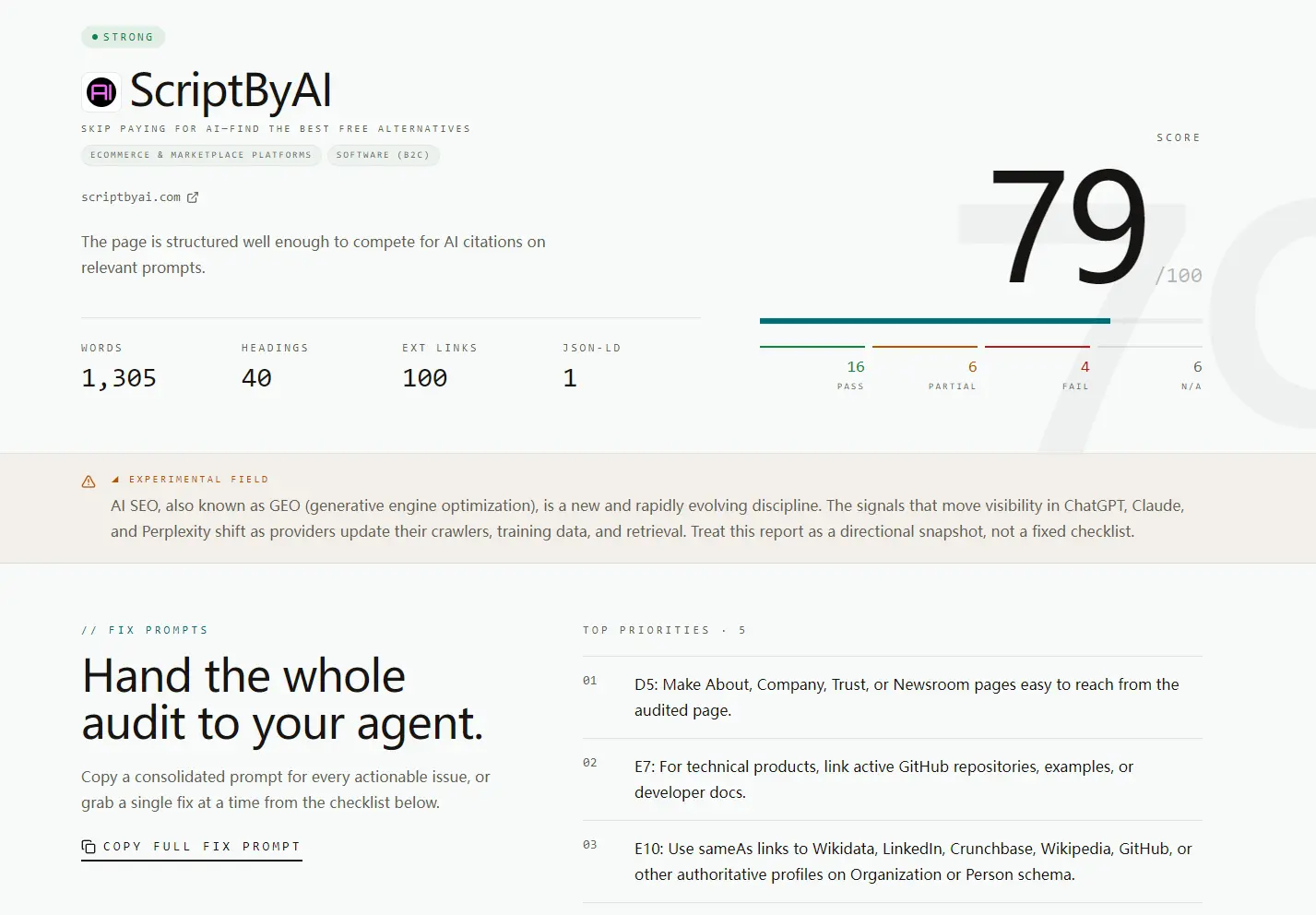
Free AI SEO Auditor is an open-source SEO/GEO tool that scores any website from 0 to 100 based on how visible it is to Generative AI and AI search engines like ChatGPT, Claude, Google, and Perplexity.
Paste a URL and get a structured visibility report (schema coverage, content structure, E-E-A-T signals, crawlability without JavaScript rendering, citation surface presence, and more) in about 30 seconds. No account required.
Features
- Scores the submitted URL from 0 to 100 for AI search visibility.
- Breaks down the score across six audit categories: Technical AI Crawlability, Content Structure, Structured Data, E-E-A-T and Entity Authority, Off-site Citation Surface, and Measurement and Governance.
- Reports pass, partial, fail, and not-applicable status for each individual check.
- Lists the top five priority actions ranked by impact on the score.
- Generates a consolidated fix prompt you can paste directly into Codex, Claude Code, or any other coding agent.
- Generates individual fix prompts per failed or partial check for targeted fixes.
- Checks whether critical content exists in raw HTML.
- Audits structured data for JSON-LD presence, Organization schema fields, and sameAs links.
- Detects heading hierarchy, paragraph length, FAQ patterns, definitional sentences, and internal link count.
Use Cases
- Audit a landing page before a product launch.
- Check whether a blog post has extractable answer-style content.
- Find missing schema, trust links, FAQ content, and internal links.
- Generate a coding-agent prompt that can fix page-level AI SEO issues.
- Compare several competitor pages with the same scoring system.
Example Results
I ran ScriptByAI.com through Free AI SEO Auditor to see how a real content site would score.
My homepage received a 79/100 AI visibility score, with 16 checks passed, 6 partial checks, 4 failed checks, and 6 items marked as not applicable. The result showed that the page had a strong technical base, but still needed clearer answer-style content, stronger entity signals, and more visible trust links.
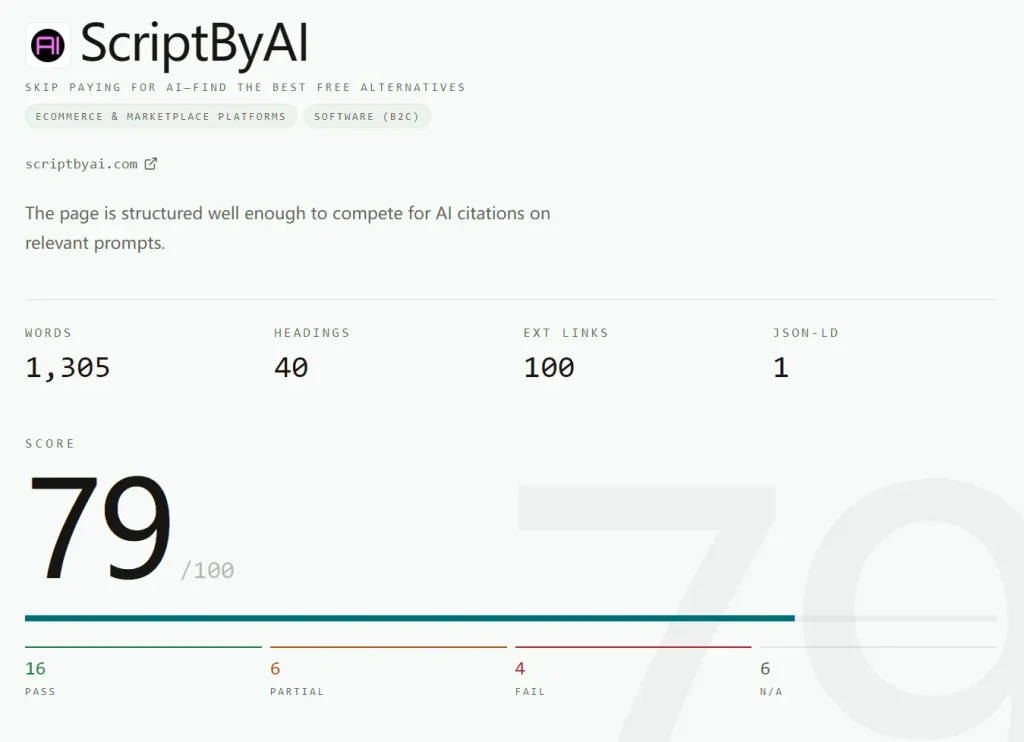
The strongest results came from the technical crawlability and schema checks. The page used HTTPS, included a valid canonical URL, had no noindex directive, exposed readable content in the raw HTML, and included JSON-LD structured data in the initial HTML response.
The weaker results were more useful than the score itself. The audit flagged several issues that are common on content-heavy WordPress sites:
- The homepage needed a clearer 2 to 3 sentence opening answer that names ScriptByAI and explains what the site does.
- The page needed a concise FAQ section for prompt-style questions.
- The page needed clearer definitional wording for core concepts.
- The homepage needed more internal links to related pages.
- The Organization schema needed stronger sameAs links to external authority profiles.
- The audited page needed easier access to About, Trust, Company, or Newsroom-style information.
The tool then converted those issues into five priority fixes.
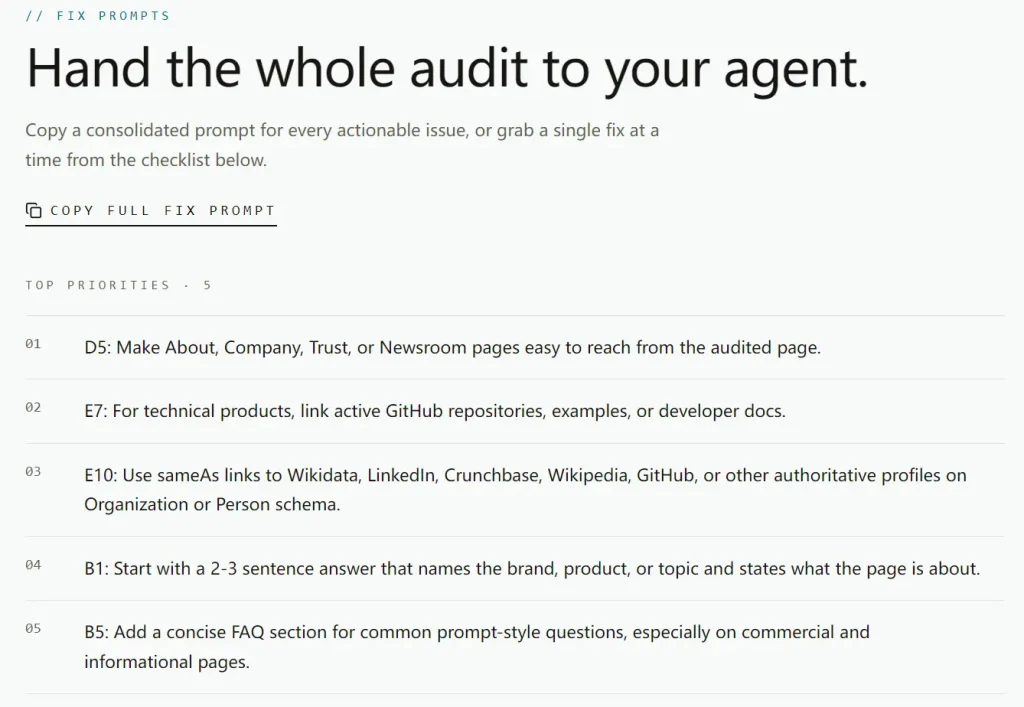
The highest-priority recommendation was to make About, Company, Trust, or Newsroom pages easier to reach from the audited page. The second recommendation was to link active GitHub repositories, examples, or developer docs when the page presents a technical product. The other top fixes focused on sameAs links, a direct opening answer, and a short FAQ section.
This example shows where Free AI SEO Auditor works best. The score gives a fast overview, but the checklist gives the real value. It turns a vague question like “Can AI answer engines understand this page?” into specific page edits that a site owner, SEO editor, or coding agent can act on.
How to Use It
1. Visit the Free AI SEO Audit website and enter the URL you want to audit.
2. Click the “Run Audit” button, and the tool processes the URL and returns results in about 30 seconds.
3. Review the overall 0 to 100 visibility score.
4. Read the top-priority checklist before changing page content or code.
5. Open each category result to see pass, partial, fail, and N/A items.
6. Copy the consolidated fix prompt for every actionable issue.
7. Paste the fix prompt into Claude Code, Codex, Cursor, or another coding agent.
8. Apply the fixes to headings, schema, internal links, FAQ content, trust links, raw HTML content, and entity signals.
9. Run the same URL again after deployment to compare the new score.
Pros
- Free with no usage limits.
- Results return in about 30 seconds.
- Fully open source.
- Copy-paste fix prompts work directly with AI coding agents.
- 6 audit categories with per-check status.
- Free with no usage limits.
Cons
- No historical score tracking.
- No bulk URL auditing.
FAQs
Q: Is Free AI SEO Auditor free to use?
A: Yes. The hosted version at freeaiseoaudit.com is free with no signup required.
Q: Do I need to create an account?
A: No account is required. Paste a URL, run the audit, and get results without registration.
Q: What does the 0-to-100 score measure?
A: The score reflects how readable and citable a page is to AI-powered search engines like ChatGPT, Claude, and Perplexity.
Q: How is this different from a standard SEO audit tool?
A: Traditional SEO audit tools score for Google’s crawl and ranking signals. This tool scores for AI retrieval: whether an AI assistant can fetch, parse, and cite the page in a response. The checks target schema coverage, content chunking, raw HTML content availability, and entity disambiguation rather than backlinks, page speed, or keyword density.
Q: Can I use the fix prompts with any AI coding agent?
A: The fix prompts are plain text and work with any coding agent that accepts natural language instructions, including Cursor and Claude Code.
Q: Does the tool audit dynamic or JavaScript-rendered pages accurately?
A: The tool checks whether critical content exists in the raw HTML response before JavaScript execution. Pages that rely on client-side rendering to load their main content may show lower crawlability scores because AI retrieval crawlers often do not execute JavaScript.
Alternatives and Related Tools
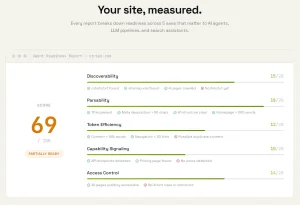
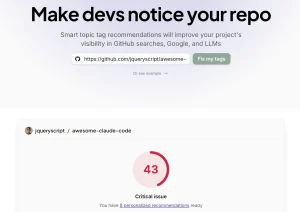
- Free AI SEO Auditor GitHub Repository
- Is Your Site Agent-Ready? Free Tool to Audit AI Agent Compatibility
- Free AI Tool to Check How AI-Ready Your Website Is
- Free AI-Powered SEO Analysis & Audit Tool