Stop context-switching between your IDE and ChatGPT. In 2026, the best AI coding agents are native to your terminal.
We are witnessing the shift from simple ‘code completion’ to fully agentic workflows. These CLI AI coding agents can plan, write, debug code, and even deploy apps with minimal oversight. They turn a vague natural language prompt into a working feature across multiple files.
However, not all coding agents are created equal. We filtered through the noise, analyzing GitHub activity and real-world performance, to identify the 10 CLIs worth trying today. Here are the best CLI AI coding agents to supercharge your workflow in 2026.
Last Updated: Aug 10, 2026
Quick Comparison
| Agent | Product | Model | Pricing |
|---|---|---|---|
| Claude Code | Commercial | Claude | Pro $20/mo; Max $100 or $200/mo |
| OpenAI Codex CLI | Open source | OpenAI + custom | Free; Go $8; Plus $20; Pro $100, $200, $500/mo |
| OpenCode | Open source | Multi-provider + local | CLI free; Go $5 first month, then $10/mo; Zen pay-as-you-go |
| Grok Build | Open source | Grok + custom | Free to try; Grok 4.5 API $2 input / $6 output per 1M tokens |
| GitHub Copilot CLI | Commercial | Copilot model catalog | Free; Pro $10; Pro+ $39; Max $100/mo |
| Cursor CLI | Commercial | Cursor + custom | Hobby free; Pro $20; Pro+ $60; Ultra $200/mo |
| Google Antigravity CLI | Commercial | Gemini | Free; Pro ~$20; Ultra $100 or $200/mo |
| Pi Coding Agent | Open source | Multi-provider + local | CLI free; model/provider charges apply |
| Cline CLI | Open source | Multi-provider + local | CLI free; AI inference billed by usage |
| Qwen Code | Open source | Qwen + custom | CLI free; ModelStudio plan or API/provider charges apply |
What Is a CLI AI Coding Agent?
A CLI AI coding agent connects a language model to repository tools. It can read source files, search symbols, change code, run commands, inspect test output, and use the result of one action to decide the next step.
Shell access creates real development leverage and real risk. An agent can touch the same files, credentials, package managers, build tools, and infrastructure commands available to your user account. Permission prompts, sandboxes, worktrees, Git checkpoints, network controls, and secret management deserve the same attention as model quality.
How to Compare CLI AI Coding Agents
- Model access: first-party model stack, multi-provider support, local models, or custom endpoints.
- Repository work: file editing, code search, command execution, testing, Git operations, and long-running tasks.
- Permissions: approval modes, shell rules, network controls, sandboxing, worktree isolation, and rollback options.
- Automation: headless output, CI support, SDKs, hooks, schedules, subagents, and machine-readable responses.
- Extensibility: MCP servers, skills, plugins, project instructions, custom agents, and external tools.
- Cost: subscription price, included usage, API billing, model charges, and team licensing.
10 Best CLI AI Coding Agents in 2026
1. Claude Code — Complex Repository Work

Claude Code is Anthropic’s terminal coding agent. It reads project files, edits code, runs commands, works with Git, and handles tasks that span multiple files. Project instructions, skills, hooks, MCP servers, and saved sessions let teams encode recurring development rules around the agent.
Claude Code can trace existing code before editing, run project tests and linters, inspect failures, revise the patch, and show the resulting diff. Claude Code also runs in IDEs, desktop, web, and automated workflows.
Key features
- Reads and edits repository files from the terminal.
- Runs tests, linters, build commands, Git operations, and shell tools.
- Uses project instructions, skills, hooks, MCP servers, and custom workflows.
- Supports interactive sessions and non-interactive automation.
- Provides permission controls for tools and shell actions.
Limitations
- Claude Code uses Claude models; developers who want frequent provider switching need a model-neutral agent.
- Heavy daily use can exceed the practical capacity of the Pro tier and push regular users toward Max or API billing.
Pricing
Claude Pro costs $20 per month, or $200 per year. Claude Max costs $100 per month for the 5x tier and $200 per month for the 20x tier. Claude Code is included in Pro and Max. API-based use is billed at Claude API rates.
Install
curl -fsSL https://claude.ai/install.sh | bash

cd your-project
claude
Claude Code Resource List collects skills, plugins, agents, commands, and developer resources.
2. OpenAI Codex CLI — OpenAI and ChatGPT Workflows
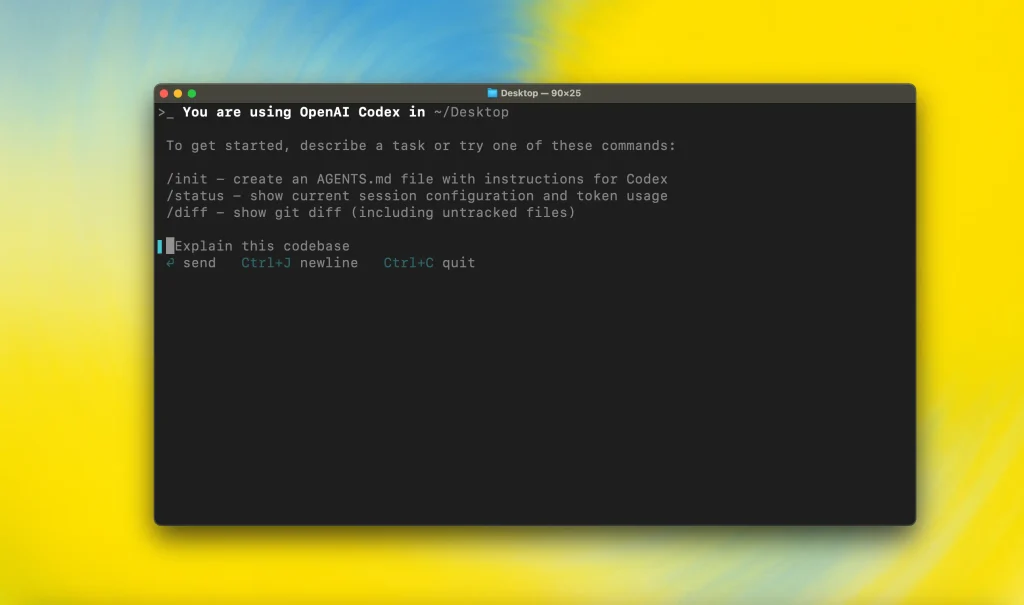
OpenAI Codex CLI runs inside a local project and uses Codex to inspect files, edit code, execute commands, and work through development tasks. AGENTS.md files store project instructions, MCP servers add external tools, and configurable approval policies control shell and file access.
The CLI fits developers who already use ChatGPT and OpenAI’s coding stack. It also works with API-key authentication for automated environments such as CI. Sandboxing and network controls define which parts of the local machine a Codex session can reach.
Key features
- Reads, edits, and reviews code inside the local repository.
- Runs commands inside an OS-enforced sandbox.
- Uses AGENTS.md for repository-specific instructions.
- Connects to MCP servers.
- Supports interactive sessions, scripting, and CI use.
Limitations
- ChatGPT-plan usage and API-key usage follow different billing paths.
- Codex cloud features such as hosted integrations do not map one-for-one to local CLI sessions.
Pricing
Codex is available on ChatGPT Free, Go, Plus, and Pro. Go costs $8 per month, Plus costs $20, and Pro offers $100/$200/$500 monthly tiers with higher Codex usage. API-key sessions are billed by token usage.
Install
npm install -g @openai/codex

cd your-project
codex
OpenAI Codex Commands Cheat Sheet lists CLI commands, flags, config keys, sandbox settings, and MCP workflows.
3. OpenCode — Open-Source Multi-Model CLI
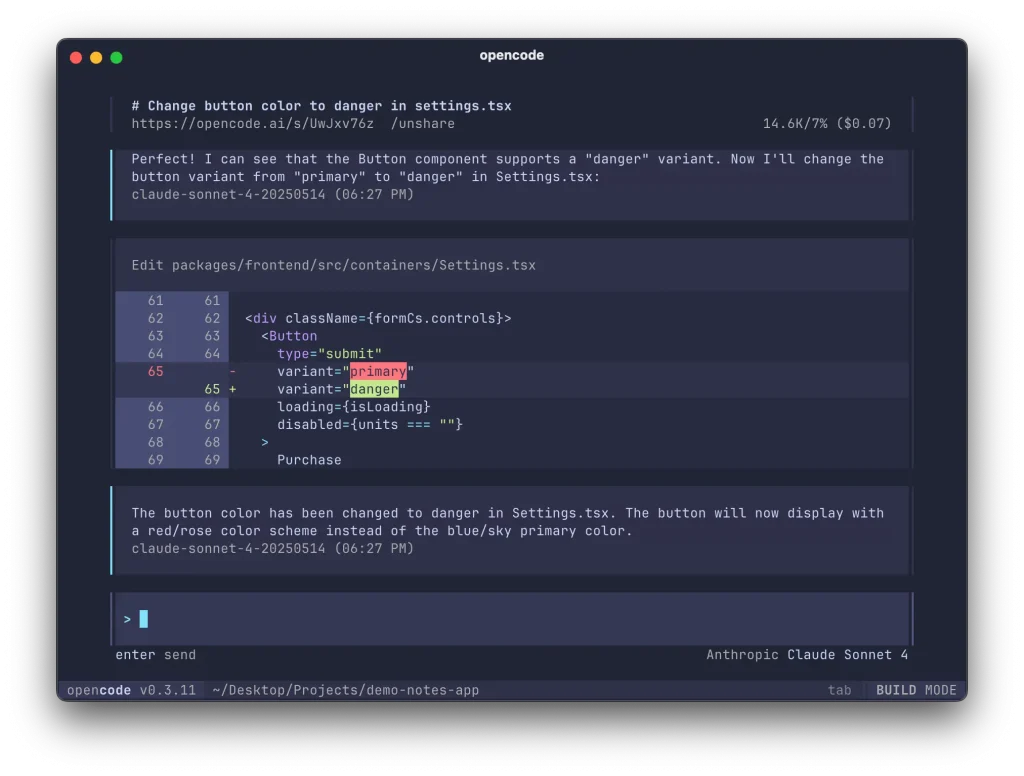
OpenCode is an open-source coding agent built for developers who want model choice. It works with cloud providers, OpenCode services, and local model setups through one terminal interface.
Build and Plan agents support different working styles. Tool permissions can allow, deny, or request approval for file edits, shell commands, web access, and external tools. AGENTS.md rules, plugins, SDK access, a headless server, LSP integration, and session sharing support custom development setups.
Key features
- Connects to many cloud model providers and local models.
- Offers Build and Plan agents.
- Controls editing, shell, web, and tool permissions.
- Supports AGENTS.md, plugins, SDK integrations, and LSPs.
- Runs as a terminal UI or headless service.
Limitations
- Provider choice adds setup work for authentication, model selection, rate limits, and cost control.
- Shared session URLs require care when a session contains private code or credentials.
Pricing
The OpenCode CLI is free. OpenCode Go costs $5 for the first month and $10 per month after that. OpenCode Zen uses pay-as-you-go model pricing. BYOK setups use the selected provider’s rates.
Install
curl -fsSL https://opencode.ai/install | bash

cd your-project
opencode
4. Grok Build — Grok 4.5 and Parallel Agent Work
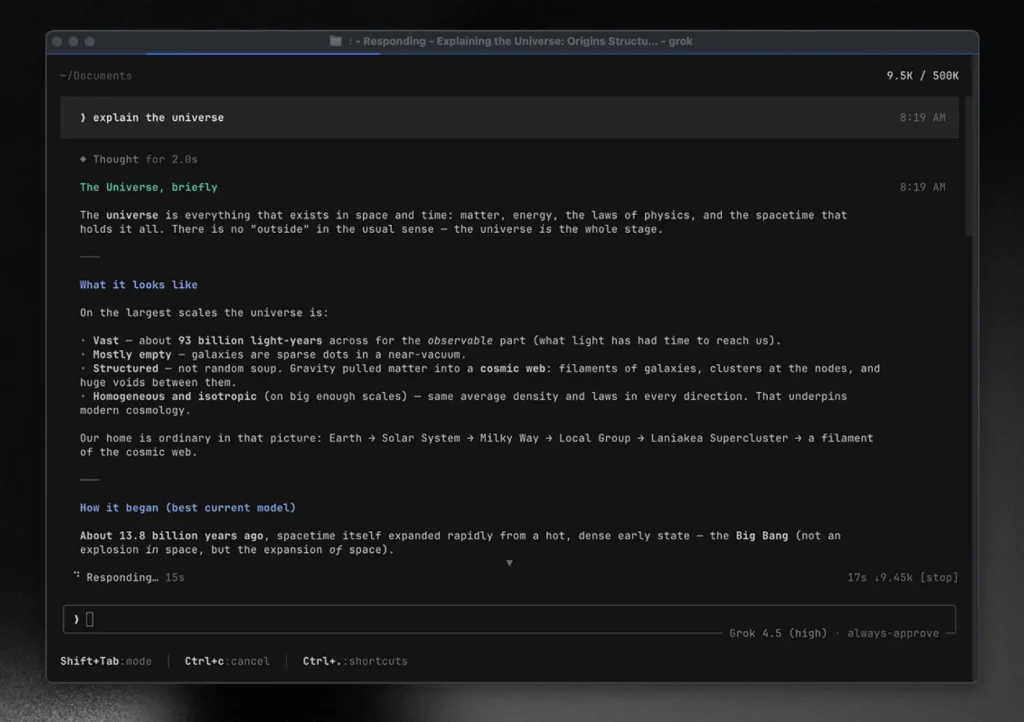
Grok Build is xAI’s open-source terminal coding agent. The fullscreen TUI reads and edits repositories, runs commands, manages sessions, and uses Grok 4.5 for coding work. Headless mode supports scripts and CI, and ACP exposes the agent to compatible editors and host applications.
Plan Mode keeps file changes behind an approval step. Subagents can handle research, implementation, testing, and review in parallel. Git worktrees isolate concurrent tasks. Skills, plugins, hooks, MCP servers, AGENTS.md rules, and custom model endpoints extend the runtime.
Key features
- Runs as a fullscreen TUI, headless command, or ACP agent.
- Supports Plan Mode with approval before file changes.
- Runs subagents in parallel with optional Git worktrees.
- Uses skills, plugins, hooks, MCP servers, and project rules.
- Provides sandbox profiles and tool permission controls.
Limitations
- Grok Build launched in 2026, and the product changes faster than older terminal agents.
- Cloud-backed model use sends task context through the configured model service unless you point the runtime at another supported endpoint.
Pricing
Grok Build is available to try for free. Grok 4.5 API usage costs $2 per 1 million input tokens and $6 per 1 million output tokens for standard-context requests. API billing applies when you use an xAI API key.
Install
curl -fsSL https://x.ai/cli/install.sh | bash

cd your-project
grok
Grok Build guide explains Plan Mode, worktrees, extensions, automation, and permission controls.
5. GitHub Copilot CLI — GitHub-Centric Development
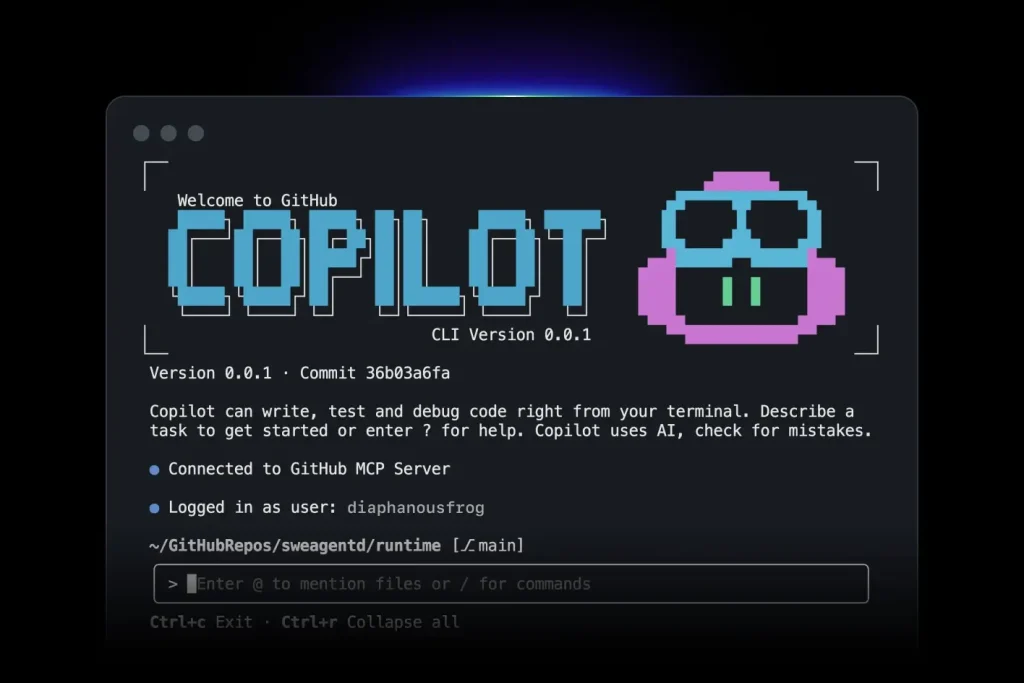
GitHub Copilot CLI is an agentic terminal interface for Copilot. It can inspect project files, edit code, run commands, debug failures, and interact with GitHub repositories without opening an editor.
Copilot CLI works with repository tasks, pull requests, custom agents, skills, MCP servers, hooks, and plugins. The /fleet command delegates suitable work to multiple subagents. Organization policies can control CLI access for managed accounts.
Key features
- Works with local files and GitHub repositories.
- Uses custom agents, skills, hooks, plugins, and MCP servers.
- Delegates parallel work with /fleet.
- Supports trusted-directory and tool-access controls.
- Fits individual accounts and managed GitHub organizations.
Limitations
- Agent and CLI usage consumes GitHub AI Credits.
- Managed users can lose access to features that an organization administrator disables.
Pricing
Copilot CLI is included in Copilot Free, Pro, Pro+, and Max. Free costs $0, Pro costs $10 per month, Pro+ costs $39, and Max costs $100. Paid tiers include larger monthly AI Credit allowances.
Install
npm install -g @github/copilot

cd your-project
copilot
GitHub Copilot Cheat Sheet lists CLI commands, shortcuts, variables, permissions, and customization files.
6. Cursor CLI — Cursor and CI Automation
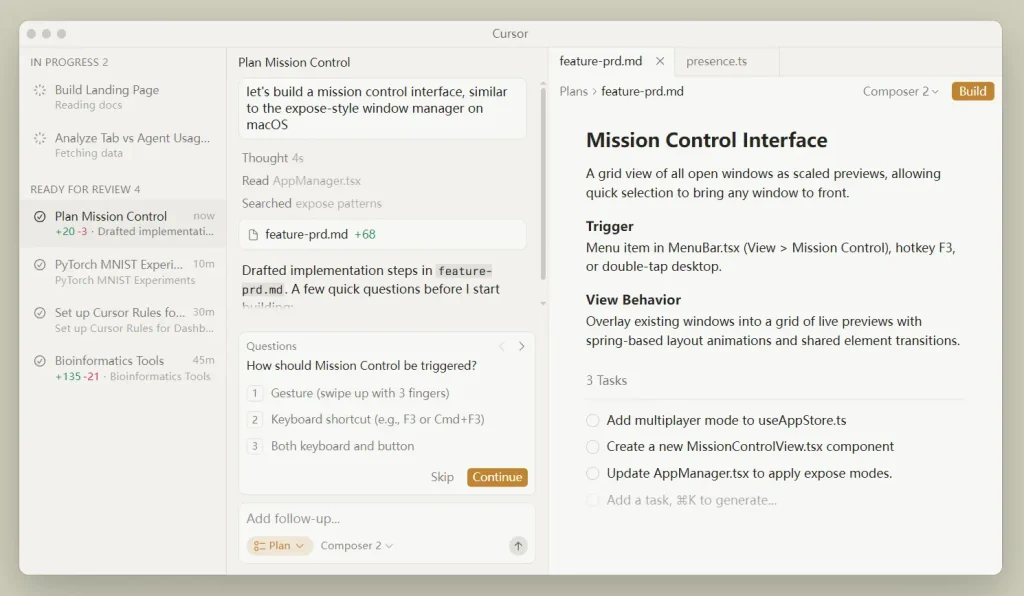
Cursor CLI runs Cursor’s coding agent from the shell. The agent command can inspect a repository, edit code, review changes, run shell commands, and resume previous work. Interactive sessions fit terminal development; print mode produces non-interactive output for scripts and CI.
Cursor rules and MCP configuration carry into the CLI. ACP supports custom clients, and worktree mode isolates an agent’s changes in another Git checkout. Developers who already use Cursor can reuse the same account and project conventions in terminal automation.
Key features
- Runs interactively or in headless print mode.
- Uses Cursor rules and MCP configuration.
- Supports ACP for compatible clients.
- Can create isolated Git worktrees for agent tasks.
- Prompts for approval before shell execution.
Limitations
- The CLI has the highest practical value for developers already paying for Cursor.
- Third-party model usage can consume the plan’s included model allowance and add usage-based charges.
Pricing
Cursor Hobby is free. Individual plans cost $20 per month for Pro, $60 for Pro+, and $200 for Ultra. Teams Standard costs $40 per user per month, and Teams Premium costs $120 per user per month.
Install
curl https://cursor.com/install -fsS | bash

cd your-project
agent
7. Google Antigravity CLI — Google’s Agentic CLI

Google Antigravity CLI is the terminal interface for Google’s Antigravity agent platform. It supports repository editing, terminal tools, conversation history, permissions, skills, plugins, MCP servers, hooks, and subagent workflows.
Individual users can choose Gemini models and several third-party reasoning models based on plan availability. Google AI Pro raises usage limits, and Google AI Ultra adds larger quotas. Antigravity CLI also imports compatible Gemini CLI settings, skills, extensions, and MCP configuration.
Key features
- Uses the Antigravity agent platform from a keyboard-focused terminal UI.
- Supports Gemini models and plan-dependent third-party models.
- Provides permissions, sandbox settings, skills, plugins, hooks, and MCP.
- Supports subagents and project-level agent workflows.
- Imports compatible Gemini CLI configuration during migration.
Limitations
- Model availability and usage quotas change by plan.
- Third-party models are available on selected plans, and advanced multi-agent teamwork is tied to higher tiers.
Pricing
Antigravity has a $0 individual tier. Google AI Pro costs about $20 per month. Google AI Ultra offers $100 and $200 monthly tiers with larger Antigravity quotas; the higher tier targets heavier daily agent use.
Install
curl -fsSL https://antigravity.google/cli/install.sh | bash

cd your-project
agy
Gemini CLI migration
Google moved Google AI Pro, Google AI Ultra, and free-tier individual Gemini CLI users to Antigravity CLI on June 18, 2026. Gemini CLI continues under supported enterprise licensing and API-key authentication.
Antigravity CLI guide explains setup, Gemini CLI migration, subagents, MCP, plugins, and permissions.
8. Pi Coding Agent — Minimal, Extensible Coding Harness
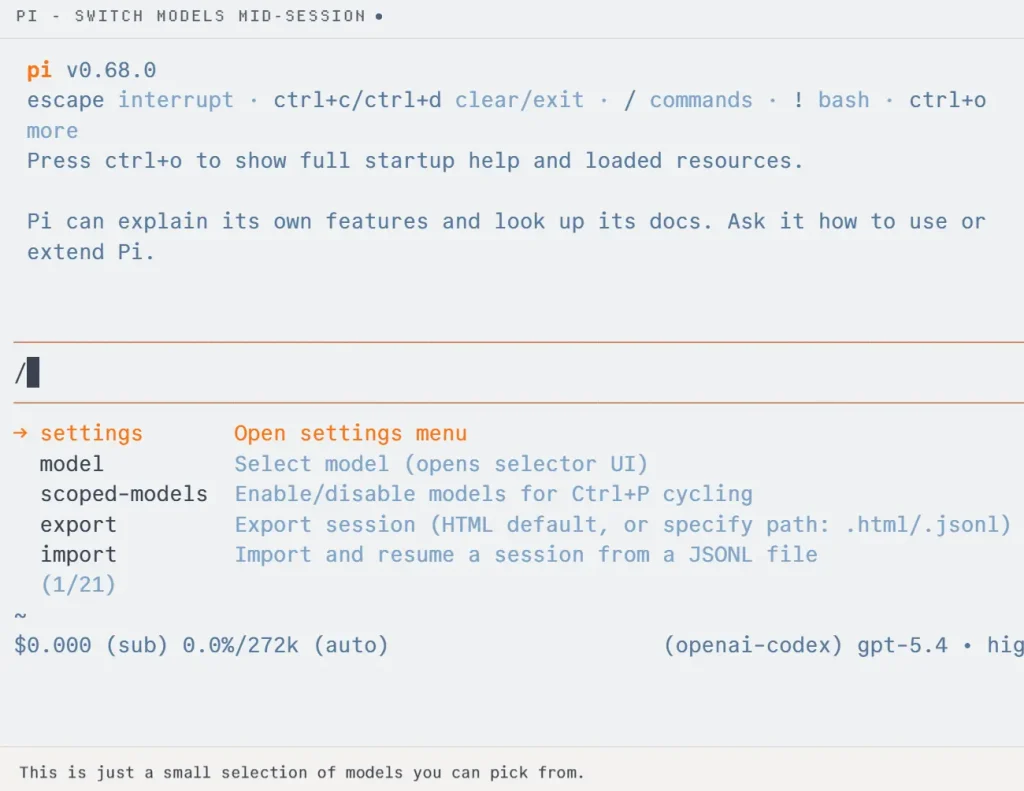
Pi is an open-source terminal coding harness built around four core tools: read, write, edit, and bash. It can inspect a project, change files, run commands, save sessions, and switch models without loading the base package with a large feature set.
Extensions, Skills, Prompt Templates, Themes, and Pi Packages add custom behavior. Interactive sessions, one-shot output, JSON events, RPC, and programmatic interfaces give developers several ways to use the same agent in personal workflows or tooling.
Key features
- Uses a small core tool set for repository work.
- Supports multiple providers and local model routes.
- Extends through TypeScript extensions, Skills, prompts, themes, and packages.
- Saves sessions with branching, resume, and cloning workflows.
- Offers print, JSON, and RPC modes for automation.
Limitations
- Pi does not ship a built-in filesystem, process, network, or credential sandbox. Use containers, VMs, OS sandboxing, or another isolation layer when the task needs a hard boundary.
- Advanced orchestration features often come from extensions or external tooling.
Pricing
Pi is free and open source. Model costs depend on the provider, subscription login, API key, or local model used with the agent.
Install
npm install -g --ignore-scripts @earendil-works/pi-coding-agent

cd your-project
pi
Pi Coding Agent guide explains providers, extensions, sessions, and automation modes.
9. Cline CLI — Terminal, IDE, and Parallel Workflows
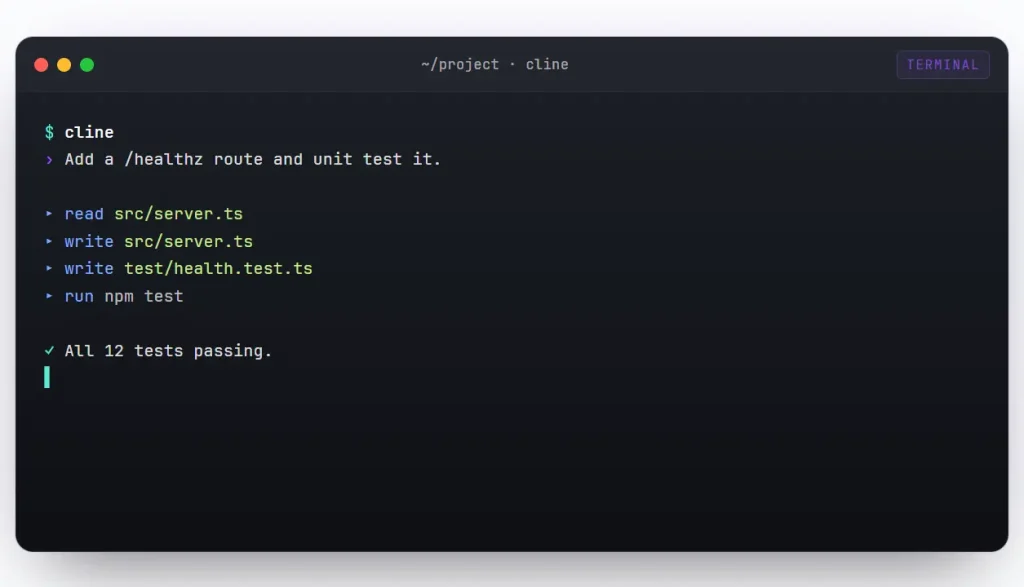
Cline CLI runs the Cline agent from a standalone terminal. It reads and writes files, executes commands, supports interactive sessions, and runs one-shot or headless tasks. Developers can use Cline’s model service, their own provider keys, or compatible local endpoints.
Kanban workflows assign multiple tasks to isolated Git worktrees. Plugins, approval hooks, schedules, connectors, agent teams, background jobs, and CI output extend Cline beyond an interactive shell session. The same agent runtime is also available in Cline’s IDE and SDK products.
Key features
- Runs interactive sessions, one-shot tasks, and headless CI jobs.
- Connects to cloud providers and local model endpoints.
- Uses Git worktrees for parallel Kanban tasks.
- Supports plugins, hooks, schedules, connectors, and agent teams.
- Shares one agent runtime across CLI, IDE, and SDK use.
Limitations
- The number of workflow features creates more configuration choices than a minimal terminal agent.
- Model cost depends on the provider or Cline credits used for inference.
Pricing
Cline is free for individual developers. There is no subscription fee for the open-source agent. AI inference is billed by usage through Cline credits or the model provider connected with your own API key.
Install
npm install -g cline

cd your-project
cline
10. Qwen Code — Qwen and Configurable Model Workflows
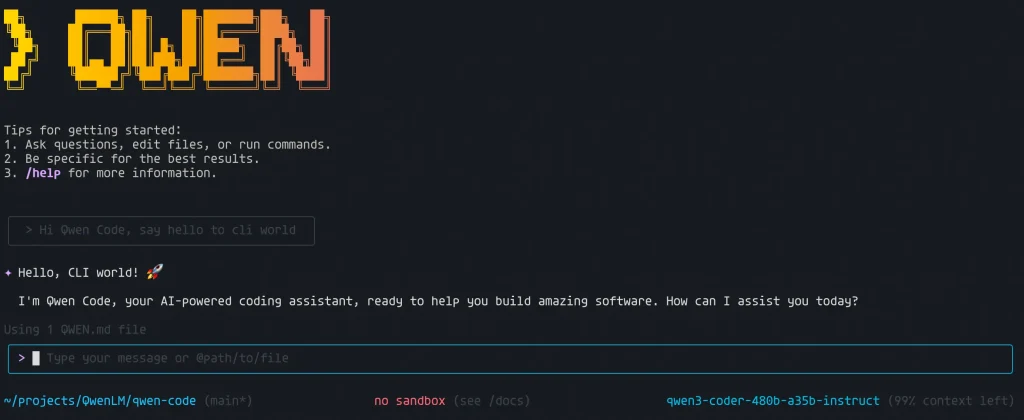
Qwen Code is an Apache-2.0 terminal coding agent optimized for the Qwen model family. It can inspect projects, edit code with approval, run commands, work with Git, and handle refactoring, testing, documentation, and code-review tasks.
Provider configuration supports Alibaba Cloud ModelStudio, built-in third-party providers, and custom endpoints. Developers can switch models from the CLI without replacing the agent itself. Custom providers can point to local servers or compatible proxies.
Key features
- Optimized for Qwen coding models.
- Supports Alibaba Cloud, third-party providers, and custom endpoints.
- Requests approval for file edits under the default workflow.
- Handles Git, tests, refactoring, documentation, and review tasks.
- Supports model switching from the CLI.
Limitations
- The old Qwen OAuth free tier ended on April 15, 2026.
- Model quality, context limits, rate limits, and cost depend on the provider route.
Pricing
Qwen Code itself is free and open source. Model access can use an Alibaba Cloud Coding Plan, Token Plan, pay-as-you-go API billing, a third-party provider, or a custom endpoint. Each route has its own quota and pricing.
Install
curl -fsSL https://qwen-code-assets.oss-cn-hangzhou.aliyuncs.com/installation/install-qwen-standalone.sh | bash

cd your-project
qwen
Qwen Code CLI guide explains setup and Qwen-focused terminal workflows.
Other CLI Coding Agents Worth Considering
DeepSeek Harness
DeepSeek’s official open-source agent harness where models, tools, skills, sessions, storage, scheduling, and the UI all work as plugins.
Plandex
Plandex plans and executes multi-file software tasks from the terminal. It focuses on large context management, reviewable changes, command execution, and local or self-hosted workflows.
Crush
Crush is an open-source terminal agent with a polished TUI, multi-model support, LSP integration, MCP connections, and configurable command execution.
Aider
Aider is a Git-focused terminal pair-programming tool for code changes, repository mapping, commits, and multi-model work.
Kilo CLI
Kilo CLI is a model-flexible terminal coding agent with BYOK and open-agent workflows.
Kimi Code CLI
Kimi Code CLI is an open-source terminal agent with file editing, shell commands, MCP, skills, plugins, subagents, and browser access.
Mistral Vibe Code
Mistral Vibe Code is an open-source terminal coding agent built around Mistral’s developer models and tool-use stack.
Which CLI AI Coding Agent Fits Your Workflow?
| Your Workflow | Agent |
|---|---|
| Claude-centered development and complex repository work | Claude Code |
| ChatGPT and OpenAI coding workflows | OpenAI Codex CLI |
| Frequent model switching or local models | OpenCode |
| Grok 4.5 with subagents and worktrees | Grok Build |
| GitHub issues, pull requests, and managed Copilot accounts | GitHub Copilot CLI |
| Cursor editor plus terminal and CI work | Cursor CLI |
| Google Antigravity and Gemini-centered development | Google Antigravity CLI |
| Small core with custom extensions | Pi Coding Agent |
| One open-source runtime across CLI and IDE | Cline CLI |
| Qwen models and configurable providers | Qwen Code |
Before Giving an AI Coding Agent Shell Access
- Start with read-only or approval-based permissions.
- Keep production credentials and secrets outside files the agent can read.
- Review filesystem and network access for the agent, model provider, MCP servers, plugins, and hooks.
- Use Git checkpoints, worktrees, containers, VMs, or OS-level sandboxing for risky changes.
- Review the final diff and run relevant tests before merging.
- Audit extensions and plugins before granting them shell or network permissions.
Further Reading
- AI Coding Agents: More CLI, local, and open-source coding agents.
- Free AI Programming & Coding Tools: Developer tools beyond terminal agents.
- Claude Code Resource List: Skills, plugins, agents, GUIs, trackers, and related resources.
- OpenAI Codex Commands Cheat Sheet: Commands, flags, sandbox settings, MCP, and automation references.
- GitHub Copilot Cheat Sheet: CLI commands, variables, permissions, and customization.
- Grok Build Guide: Plan Mode, worktrees, extensions, automation, and permissions.
- Antigravity CLI Guide: Setup, Gemini CLI migration, subagents, MCP, and permissions.
- Pi Coding Agent Guide: Providers, extensions, sessions, and automation.
- AI Coding Plan Comparison: Prices, Limits, and Features
FAQs
Which CLI coding agents can use local models?
OpenCode, Pi, and Cline can connect to local or self-hosted model endpoints. Qwen Code can use custom providers that point to local servers or proxies. Hardware requirements depend on the model you run.
Which agents work well in CI?
Codex CLI, Grok Build, Cursor CLI, Pi, Cline CLI, and other agents with headless or machine-readable output can run inside automation. CI jobs need narrow permissions, explicit credentials, predictable exit behavior, and limited network access.
Can I use a CLI coding agent on a private repository?
Yes. Check the path your code and prompts take to the model provider before granting access. Local execution does not guarantee local inference. A cloud model can receive repository context from an agent running on your machine.
Do subscription prices include unlimited coding-agent use?
Usually no. Paid plans include quotas, credits, or model allowances. Heavy agent sessions consume more usage than short chat requests. API-key workflows use token billing or provider-specific usage charges.
Do I need to review agent-generated code?
Yes. Run tests, inspect the diff, verify dependency changes, and review security-sensitive code before merging or deploying.