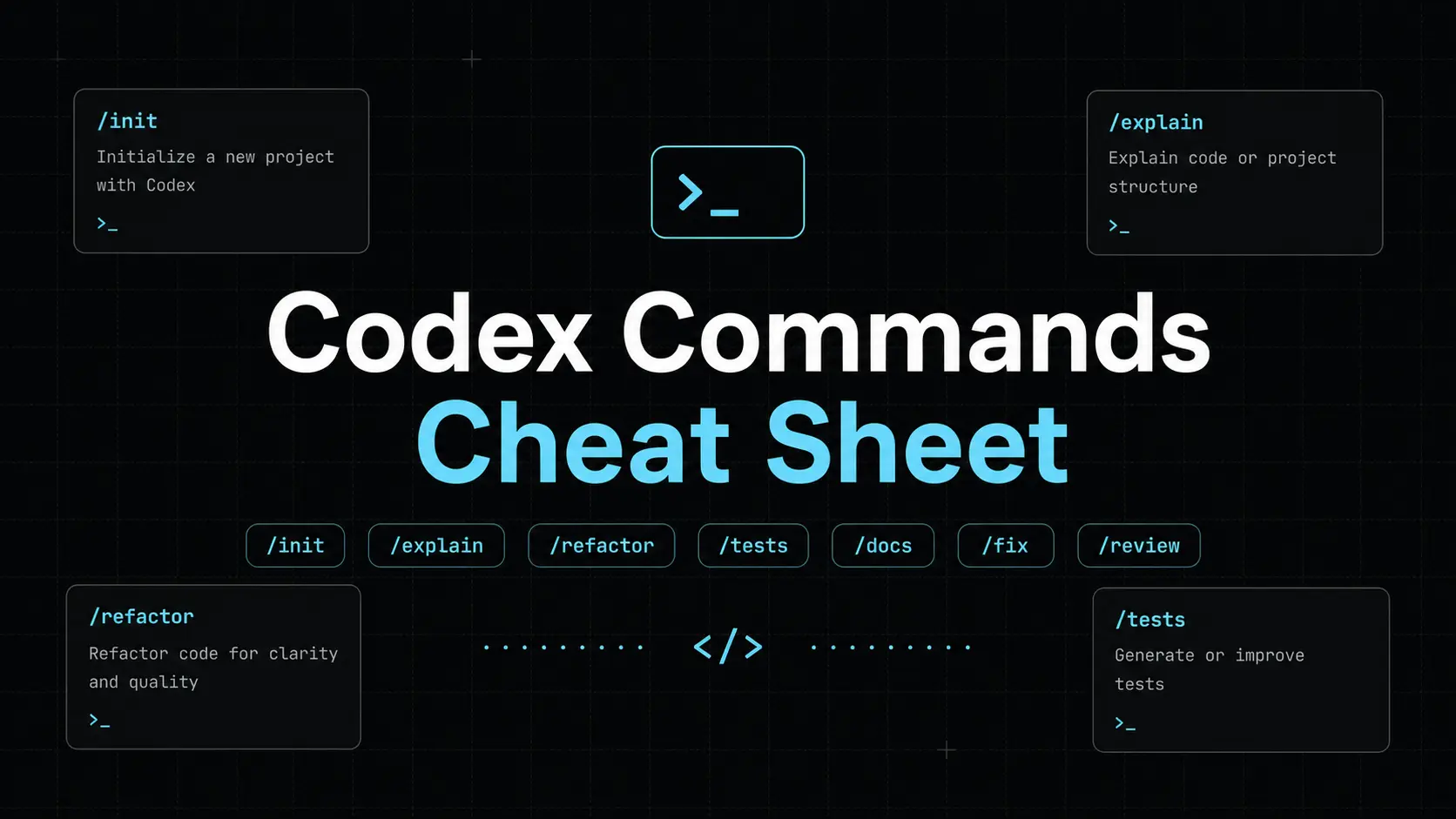
Codex CLI is OpenAI’s local coding agent for the terminal. It can inspect a repository, edit files, run commands, review changes, and continue previous work through saved sessions.
This cheat sheet is for developers who use Codex from a shell, a terminal UI, or automation scripts. It separates shell commands, interactive slash commands, CLI flags, configuration keys, environment variables, and experimental features so each command is used in the right place.
Use the tables as a working reference. Start with the stable commands, then add flags, sandbox settings, MCP servers, and non-interactive workflows as your usage gets more advanced.
Last audited: September 4, 2026
New to Codex CLI?
Install Codex with one of the commands below, open a project directory, and run codex. The first launch opens the sign-in flow.
| Platform or method | Command |
|---|---|
| macOS or Linux installer | curl -fsSL https://chatgpt.com/codex/install.sh | sh |
| Windows PowerShell | powershell -ExecutionPolicy ByPass -c "irm https://chatgpt.com/codex/install.ps1 | iex" |
| npm | npm install -g @openai/codex |
| Homebrew on macOS | brew install --cask codex |
| Check the installed version | codex --version |
| Update Codex | codex update |
cd /path/to/your-project
codex
Quick Classification
| Type | Where to use it | Example |
|---|---|---|
| CLI command | Type in a shell or terminal. | codex exec "Fix the failing tests" |
| Slash command | Type inside the interactive Codex TUI. | /status |
| TUI shortcut | Press or type inside the TUI composer. | @ or Tab |
| Global flag | Add to codex or supported subcommands. | --sandbox workspace-write |
| Subcommand flag | Add only to the documented subcommand. | codex exec --json |
| Config key | Save in $CODEX_HOME/config.toml. | approval_policy = "on-request" |
| Environment variable | Set for one shell, installer, or automation run. | CODEX_HOME |
Codex CLI Commands
Use these commands from the shell.
| Command | Use |
|---|---|
codex [PROMPT] | Open the terminal UI, optionally with an initial prompt. |
codex app [PATH] | Launch the ChatGPT desktop app on macOS or Windows. On macOS, Codex can open a workspace path; on Windows, it prints the path to open. |
codex apply <TASK_ID> | Apply the latest diff from a Codex cloud chat to the local working tree. Alias: codex a. |
codex archive <SESSION> | Archive a saved interactive session by ID or name. |
codex remote-control pair | Print a short-lived manual pairing code for a running remote-control daemon. |
codex completion <shell> | Generate completion scripts for Bash, Zsh, Fish, PowerShell, or Elvish. |
codex delete <SESSION> | Permanently delete a saved interactive session by ID or name. |
codex doctor | Generate a diagnostic report for installation, config, auth, runtime, Git, terminal, and session issues. |
codex exec "TASK" | Run Codex non-interactively. Alias: codex e. |
codex exec fork | Fork a saved non-interactive session into a new session while preserving the original. |
codex exec resume --last "TASK" | Resume the latest non-interactive session and add a follow-up task. |
codex features list | List feature flags and their effective states. |
codex features enable <FEATURE> | Persistently enable a feature in config.toml. |
codex features disable <FEATURE> | Persistently disable a feature in config.toml. |
codex fork <SESSION> | Fork a saved interactive session into a new chat. |
codex login | Authenticate through the default ChatGPT login flow. |
codex login --device-auth | Use device-code authentication for remote or headless environments. |
printenv OPENAI_API_KEY | codex login --with-api-key | Read an API key from stdin and persist the login. |
printenv CODEX_ACCESS_TOKEN | codex login --with-access-token | Read an access token from stdin for trusted automation. |
codex login status | Print the active authentication mode and return success when logged in. |
codex logout | Remove stored authentication credentials. |
codex mcp ... | List, add, inspect, authenticate, and remove MCP servers. |
codex mcp-server | Deprecated. Older command for exposing Codex over MCP. |
codex plugin ... | Install, list, or remove plugins. |
codex plugin marketplace ... | Manage plugin marketplace sources. |
codex resume [SESSION] | Resume a saved interactive session. Add --last for the latest session. |
codex review | Run a non-interactive review of uncommitted changes, a branch diff, a commit, or custom instructions. |
codex sandbox <platform> -- <COMMAND> | Run a command under a Codex-provided macOS, Linux, or Windows sandbox helper. |
codex unarchive <SESSION> | Restore an archived interactive session by ID or name. |
codex update | Install the latest available Codex CLI update. |
Cloud and Plugin Command Syntax
| Command | Use |
|---|---|
codex cloud or codex cloud-tasks | Open the interactive cloud task picker. |
codex cloud exec --env <ENV_ID> [--attempts <1-4>] "TASK" | Submit a cloud task directly with an optional retry limit. |
codex cloud list [--limit <N>] [--cursor <CURSOR>] [--env <ENV_ID>] --json | List recent cloud chats with JSON output and optional pagination or environment filtering. |
codex plugin list [--available] --json | List installed plugins or include available plugin metadata from configured or remote marketplaces. |
codex plugin add <PLUGIN[@MARKETPLACE]> --json | Install a plugin from a configured or remote marketplace. |
codex plugin remove <PLUGIN[@MARKETPLACE]> --json | Remove an installed plugin. |
codex plugin marketplace list --json | List marketplace sources. |
codex plugin marketplace add <SOURCE> [--ref <REF>] [--sparse] --json | Add a Git or local marketplace source and optionally return JSON. |
codex plugin marketplace upgrade [NAME] --json | Refresh one Git marketplace or all configured Git marketplaces. |
codex plugin marketplace remove <NAME> --json | Remove a configured marketplace. |
Codex CLI Slash Commands
Slash commands work inside the interactive terminal UI after codex starts. Type / to open the current command list for the installed version.
| Slash command | Use |
|---|---|
/permissions | Change what Codex can do without asking first. |
/ide | Attach IDE files, selections, and editor context to the current chat. |
/keymap | Inspect, remap, and persist TUI keyboard shortcuts. |
/vim | Toggle Vim editing mode for the composer, including draft search, undo, and redo. |
/setup-default-sandbox | Set up the Windows agent sandbox. |
/sandbox-add-read-dir <PATH> | Grant sandbox read access to another absolute Windows directory. |
/agent or /subagents | Switch to an active delegated-agent thread. |
/apps | Browse apps and insert a connector into the prompt. |
/plugins | Browse categorized plugins, recommendations, and installed plugin state. |
/hooks | Inspect, trust, or disable lifecycle hooks. |
/clear [NAME] | Clear the terminal and start a fresh, optionally named chat. |
/rename | Rename the current saved chat; recent versions can suggest an editable title. |
/archive | Archive the current session and exit Codex. |
/delete | Permanently delete the current session and exit Codex. |
/compact | Summarize the visible chat to free context tokens. |
/recap | Show a manual recap of the current chat. |
/copy | Copy the latest completed output or choose a full response, code block, or blockquote. |
/export | Export the complete TUI conversation to Markdown, copy it, or save it to a file. |
/diff | Show the current Git diff, including untracked files. |
/exit or /quit | Exit the terminal UI. |
/experimental | View and toggle experimental features. |
/approve | Retry one action denied by automatic review. |
/memories | Configure memory use and generation. |
/skills | Browse and attach local skills. |
/import | Import supported setup, project files, recent chats, and other supported artifacts from Claude Code or Cursor. |
/feedback | Open the feedback flow and optionally include logs. |
/init | Create an AGENTS.md scaffold. |
/logout | Sign out from inside the TUI. |
/mcp | View connected MCP servers and tools. Add verbose for details. |
/mention <PATH> | Attach a file or folder to the chat. |
/model | Choose the active model and reasoning effort. |
/fast | Toggle Fast mode. |
/plan | Toggle plan mode and optionally send a planning prompt. |
/goal | Set, edit, pause, resume, view, or clear a task goal. |
/personality | Choose the response personality. |
/ps | Show background terminals and recent output. |
/stop | Stop background terminal work. |
/fork | Fork the current chat into a new chat. |
/app | Continue the current session in the desktop app on macOS or Windows. |
/side or /btw | Start a temporary side chat and return to the parent without closing it. |
/raw | Toggle copy-friendly raw scrollback mode. |
/resume | Resume a saved chat from the session list. |
/new [NAME] | Start a new chat inside the same CLI session; an optional name helps find it later. |
/review | Review the working tree or compare against a base branch. |
/status | Show model, permissions, writable roots, token use, cost estimate, and session details. |
/usage | View token activity, rate limits, and available usage-reset credits. |
/debug-config | Print config layering and requirements diagnostics. |
/statusline | Choose and order TUI footer fields. |
/title | Configure terminal title fields. |
/theme | Choose a syntax-highlighting theme. |
/pets or /pet | Choose or hide a terminal pet. |
Useful TUI Shortcuts
| Shortcut | Use |
|---|---|
@ | Open the mentions menu for files, plugins, skills, and other Codex tasks. |
Tab while Codex is working | Queue a prompt, slash command, or shell command for the next turn. |
Enter while Codex is working | Inject a new instruction into the active turn. |
Esc twice with an empty composer | Edit the previous user message and fork from that point. |
. in Vim mode | Repeat the last edit. |
u in Vim mode | Undo the last edit. |
/ or ? in Vim mode | Search within the current draft; use n or N to move between matches. |
Ctrl+C | Stop or exit according to the current TUI state. |
Ctrl+R | Search prompt history; in Vim mode, redo the last change. |
Ctrl+O | Copy the latest completed output. |
Global Codex CLI Flags
Global flags apply to the base codex command and supported runtime subcommands. Check codex <subcommand> --help before assuming that every global flag propagates.
| Flag | Use |
|---|---|
--add-dir <PATH> | Grant write access to another directory. Repeat for multiple paths. |
--ask-for-approval, -a <POLICY> | Set approval behavior: untrusted, on-request, or never. |
--cd, -C <PATH> | Set the working directory before Codex starts. |
--config, -c key=value | Override one config value for the current invocation. |
--dangerously-bypass-approvals-and-sandbox or --yolo | Disable approvals and sandboxing. Use only inside an externally isolated environment. |
--dangerously-bypass-hook-trust | Run enabled hooks without persisted hook trust for the current invocation. |
--disable <FEATURE> | Disable a feature flag for one run. |
--enable <FEATURE> | Enable a feature flag for one run. |
--image, -i <PATH[,PATH...]> | Attach one or more images to the initial prompt. |
--local-provider <lmstudio|ollama> | Choose the local provider used with --oss. |
--model, -m <MODEL_ID> | Override the configured model for one run. |
--no-alt-screen | Disable alternate-screen TUI mode. |
--oss | Use a configured local open-source model provider. |
--profile, -p <NAME> | Layer $CODEX_HOME/NAME.config.toml over the base user config. |
--remote <ENDPOINT> | Connect the CLI to a remote app-server endpoint. |
--remote-auth-token-env <ENV_VAR> | Read the bearer token used for a secure remote app-server connection. |
--sandbox, -s <MODE> | Select read-only, workspace-write, or danger-full-access. |
--search | Enable live web search for the run. |
--strict-config | Fail when the installed version does not recognize fields in config.toml. |
PROMPT | Optional initial instruction for the TUI. |
codex exec Flags
Use codex exec for scripts, CI jobs, and tasks that should finish without an interactive TUI.
| Option | Use |
|---|---|
--cd, -C <PATH> | Set the workspace root. |
--color <always|never|auto> | Control ANSI color in output. |
--ephemeral | Run without saving session rollout files. |
--ignore-rules | Skip user and project execpolicy rule files. |
--ignore-user-config | Ignore $CODEX_HOME/config.toml while retaining authentication state. |
--image, -i <PATH> | Attach one or more images to the first message. |
--json | Emit newline-delimited JSON events. |
--model, -m <MODEL_ID> | Override the model for the run. |
--output-last-message, -o <PATH> | Write the final assistant message to a file. |
--output-schema <PATH> | Validate the final response against a JSON Schema. |
--profile, -p <NAME> | Load a named profile file. |
--sandbox, -s <MODE> | Set the sandbox for generated commands. |
--skip-git-repo-check | Allow a run outside a Git repository. |
codex exec resume [SESSION_ID] --last --all | Resume a previous exec session by ID or choose the latest eligible session. |
PROMPT or - | Pass the task as text or read it from stdin. |
--full-auto | Deprecated compatibility flag. Prefer explicit sandbox and approval settings. |
Config Keys
Codex stores user settings in $CODEX_HOME/config.toml. The default path is ~/.codex/config.toml.
| Config key | Use |
|---|---|
model = "<MODEL_ID>" | Set the default model. |
model_reasoning_effort = "medium" | Set the default reasoning effort. |
model_reasoning_summary = "auto" | Control reasoning-summary behavior. |
model_verbosity = "medium" | Set response verbosity. |
model_provider = "openai" | Select the configured model provider. |
oss_provider = "ollama" | Choose the provider used by --oss. |
sandbox_mode = "workspace-write" | Persist the default sandbox mode. |
sandbox_workspace_write.writable_roots = ["/path"] | Add writable roots in workspace-write mode. |
sandbox_workspace_write.network_access = true | Allow outbound network access in workspace-write mode. |
approval_policy = "on-request" | Persist approval behavior with untrusted, on-request, or never. |
approvals_reviewer = "user" | Choose whether eligible approvals go to the user or automatic review. |
web_search = "live" | Use live web search instead of the default cached mode. |
history.persistence = "none" | Disable transcript persistence in history.jsonl. |
history.max_bytes = 10485760 | Cap saved history size and discard the oldest entries when the cap is exceeded. |
hide_agent_reasoning = true | Suppress reasoning events in TUI and exec output. |
check_for_update_on_startup = false | Disable startup update checks when updates are centrally managed. |
cli_auth_credentials_store = "auto" | Choose file, OS keyring, or automatic credential storage. |
tui.alternate_screen = "auto" | Control alternate-screen mode. |
tui.status_line = ["model", "context"] | Choose and order footer fields. |
tui.keymap.<context>.<action> = "ctrl-a" | Bind a TUI action in a specific keymap context. |
tui.auto_recap = false | Disable automatic recaps while keeping manual /recap. |
tui.disable_paste_burst = true | Disable burst-paste detection in the TUI; the top-level key remains a fallback. |
tools.update_plan.enabled = true | Enable the planning tool when it is disabled by default. |
features.context_management.experimental_mode = true | Enable experimental token-budget context management and history notes for eligible ChatGPT sessions. |
mcp_servers.<id>.command = "node" | Define a stdio MCP launcher command. |
mcp_servers.<id>.args = ["server.js"] | Define arguments for a stdio MCP server. |
mcp_servers.<id>.url = "https://example.com/mcp" | Define a streamable HTTP MCP endpoint. |
mcp_servers.<id>.bearer_token_env_var = "MCP_TOKEN" | Read an HTTP bearer token from an environment variable. |
mcp_servers.<id>.enabled = false | Disable an MCP server without deleting its config. |
mcp_servers.<id>.tools.<tool>.output_token_limit = <N> | Set an output-token budget for one MCP tool. |
hooks and hooks.<Event> | Configure lifecycle hooks, including the Interrupt event. |
Sandbox Modes and Approval Policies
Sandboxing limits what generated shell commands can access. Approval policy controls when Codex pauses and asks before an action. Set both controls explicitly in automation.
| Sandbox mode | File access | Network | Recommended use |
|---|---|---|---|
read-only | Read project files; block writes. | Restricted by policy | Repository explanation, audits, and reviews that should not edit files. |
workspace-write | Write inside the workspace and configured writable roots. | Off unless enabled in config | Normal coding, fixes, refactors, and test-driven edits. |
danger-full-access | No Codex filesystem sandbox. | Host environment controls access | Externally isolated containers or runners only. |
| Approval policy | Behavior | Recommended use |
|---|---|---|
untrusted | Prompts for commands that do not match trusted rules. | High-control interactive work. |
on-request | Lets Codex request approval when work requires broader access. | Normal interactive coding. |
never | Never opens an approval prompt; blocked actions fail instead. | Deterministic non-interactive automation with a suitable sandbox. |
| Granular approval table | Controls categories such as sandbox escalation, rules, MCP elicitations, permission requests, and skill approvals. | Managed or advanced environments. |
Do not treat --yolo as a faster form of workspace-write. It disables both sandboxing and approvals. Use --add-dir, writable roots, or a narrower approval policy before removing isolation.
MCP Commands
MCP server definitions are stored in ~/.codex/config.toml unless CODEX_HOME changes the config location. Package-style server names may include :, @, /, and ..
| Command | Use |
|---|---|
codex mcp list | List configured MCP servers. Add --json for machine-readable output. |
codex mcp get <NAME> | Show one server definition. Add --json for raw config output. |
codex mcp add <NAME> -- <COMMAND...> | Register a stdio MCP server. |
codex mcp add <NAME> --env KEY=VALUE -- <COMMAND...> | Pass environment variables to a stdio server. |
codex mcp add <NAME> --url https://example.com/mcp | Register a streamable HTTP MCP server. |
codex mcp add <NAME> --url https://example.com/mcp --bearer-token-env-var MCP_TOKEN | Read an HTTP bearer token from an environment variable. |
codex mcp add <NAME> --url ... --oauth-client-id <ID> --oauth-resource <RESOURCE> | Register OAuth client metadata for an HTTP server. |
codex mcp login <NAME> --scopes scope1,scope2 | Start OAuth login with optional scopes. |
codex mcp logout <NAME> | Remove stored OAuth credentials. |
codex mcp remove <NAME> | Delete a server definition. |
codex mcp-server | Deprecated. Older command for exposing Codex over MCP. |
/mcp or /mcp verbose | Inspect connected MCP servers and tools inside the TUI. |
Environment Variables
Use environment variables for shell-scoped state, installer behavior, authentication secrets, network certificates, and diagnostics. Use config.toml for durable preferences.
| Variable | Use |
|---|---|
CODEX_HOME | Set the root directory for config, auth, logs, sessions, skills, and package metadata. |
CODEX_SQLITE_HOME | Set the location for SQLite-backed state. The sqlite_home config key takes precedence. |
CODEX_NON_INTERACTIVE | Skip prompts in the standalone installer when set to 1, true, or yes. |
CODEX_INSTALL_DIR | Change where the standalone installer places the visible codex command. |
CODEX_API_KEY | Provide an API key for a single codex exec run. |
CODEX_ACCESS_TOKEN | Provide an access token for trusted automation or pipe it to codex login --with-access-token. |
CODEX_CA_CERTIFICATE | Point HTTPS, login, and WebSocket clients at a custom PEM CA bundle. |
SSL_CERT_FILE | Fallback custom CA bundle when CODEX_CA_CERTIFICATE is unset. |
RUST_LOG | Control Rust log filtering and verbosity for CLI and app-server diagnostics. |
Provider-specific env_key | Name the environment variable that stores a custom provider API key. |
Pipe OPENAI_API_KEY into codex login --with-api-key to store API-key authentication. The standard codex login command opens the ChatGPT sign-in flow.
Experimental, Deprecated, and Changed Commands
| Command or syntax | Notes |
|---|---|
codex app-server [--stdio|--listen <URL>] | Start the experimental app-server. Stdio JSONL is the default; use --listen ws://... or --listen unix://... for other transports. |
codex cloud | Experimental cloud interface with picker, cloud exec, and cloud list commands. |
codex debug ... | Experimental commands for model catalog, prompt input, and app-server debugging. |
codex execpolicy | Experimental command for testing execpolicy rules. |
codex sandbox ... --permission-profile <NAME> | Run sandbox commands with a named permissions profile on supported platforms. |
codex remote-control | Experimental app-server remote control. Use codex remote-control pair for a short-lived manual pairing code or add --json for machine-readable output. |
--full-auto | Deprecated compatibility flag. Use explicit --sandbox and approval settings. |
--experimental-json | Legacy alias. Use --json. |
codex --upgrade | Outdated syntax. Use codex update. |
codex cloud status, cloud diff, cloud apply | Outdated cloud syntax. Use codex cloud, codex cloud exec, codex cloud list, and codex apply <TASK_ID>. |
/approvals and /clean | Older aliases. Use /permissions and /stop. |
Developer Workflows
These workflows address repository onboarding, implementation planning, feature development, debugging, testing, refactoring, dependency maintenance, code review, session recovery, and terminal automation.
Start Codex in an Existing Repository
Open the repository root before starting Codex. The session can then read project files, Git state, and local instructions.
cd /path/to/project
codex
Create Repository Instructions
Generate an AGENTS.md scaffold, then add the project’s build commands, test commands, code conventions, directory rules, and review requirements.
codex
/init
Understand an Unfamiliar Codebase
Use read-only mode to map the application before making changes. Ask for entry points, major modules, data flow, build commands, tests, and areas tied to the task.
codex --sandbox read-only "Map this codebase. Explain the entry points, major modules, data flow, build commands, test setup, and files related to authentication."Plan a Change Before Editing Files
Switch to plan mode for migrations, cross-file features, architectural changes, and tasks that need an agreed implementation sequence before code changes begin.
codex
/plan Add rate limiting to the public API without changing existing client behavior. Identify affected files, tests, migration risks, and the implementation order.
Implement a Feature and Run Its Tests
Give Codex a bounded feature request, name the expected behavior, require existing project patterns, and ask it to run the relevant tests before reporting completion.
codex --sandbox workspace-write --ask-for-approval on-request "Implement user profile editing. Follow existing patterns, validate input, update affected tests, run the relevant checks, and summarize the changed files."Diagnose and Fix a Failing Test
Ask Codex to reproduce the failure first, identify the root cause, make the smallest safe correction, and rerun the affected test set.
codex --sandbox workspace-write --ask-for-approval on-request "Run the failing test, identify the root cause, make the smallest safe fix, rerun the affected tests, and explain why the failure occurred."Fix a Bug From an Error Message or Stack Trace
Include the observed error, reproduction path, and expected behavior. Ask Codex to trace the relevant code path, reproduce the defect, patch it, and add a regression test.
codex --sandbox workspace-write "Reproduce the null-reference error shown below, trace its source, fix it without changing the public API, add a regression test, and run the affected test suite.
PASTE_ERROR_OR_STACK_TRACE_HERE"
Refactor Code Without Changing Behavior
State the boundary of the refactor and require tests before and after the change. This keeps Codex focused on structure rather than new behavior.
codex --sandbox workspace-write --ask-for-approval on-request "Refactor src/auth to remove duplication and clarify responsibilities. Preserve the public API and runtime behavior. Run the existing auth tests before and after the change."Add Tests for Existing Code
Point Codex at a module or changed behavior. Request tests for successful paths, failures, boundary cases, and regressions instead of a target percentage.
codex --sandbox workspace-write "Review src/parser and its current tests. Add focused tests for boundary inputs, malformed data, and the recent regression. Run only the parser test suite."Upgrade a Dependency and Resolve Breakages
Use a narrow upgrade request that names the package, target version, affected APIs, lockfile expectations, and verification commands.
codex --sandbox workspace-write --ask-for-approval on-request "Upgrade PACKAGE_NAME to TARGET_VERSION. Update changed APIs, preserve existing behavior, refresh the lockfile, run lint and tests, and list any unresolved migration issues."Review Uncommitted Changes Inside the TUI
Inspect the exact working-tree diff, then run Codex review mode to find behavior changes, regressions, missing tests, and implementation risks before committing.
/diff
/review
Review a Branch Against Main
Run a non-interactive branch review from the shell when you want Codex to inspect the full diff against the base branch without opening the TUI.
codex review --base mainDraft a Commit Summary From the Current Diff
Use read-only mode to summarize the actual diff and produce a concise commit title and body without changing the working tree.
codex --sandbox read-only "Inspect the current git diff. Draft a concise conventional commit title and a short body that explains the behavior change and tests."Resume Work From the Previous Session
Resume the most recent session in the current repository when the earlier chat already contains the plan, decisions, and implementation context.
codex resume --lastRun a One-Off Task Without Opening the TUI
Use codex exec for a bounded task that should finish in the shell, such as updating generated files, applying a repetitive edit, or checking a package.
codex exec --sandbox workspace-write "Update the generated API client, run its tests, and summarize the changed files and any remaining errors."Capture Machine-Readable Output for Automation
Use JSONL output for scripts or CI jobs, and save the final response separately for later steps or build artifacts.
codex exec --sandbox workspace-write --json --output-last-message codex-report.md "Run lint and tests without editing files. Report each failure, its likely cause, and the command that failed."Debug a Frontend Issue From a Screenshot
Attach a screenshot when a visual defect is easier to identify from the rendered result than from a written description.
codex --image screenshot.png --sandbox workspace-write "Find the layout issue shown in this screenshot, inspect the relevant components and styles, fix the defect, and run the frontend checks."FAQs
What is the difference between a Codex CLI command and a slash command?
A CLI command runs from the shell before or instead of the TUI. A slash command runs inside an active Codex TUI session. For example, codex review is a shell command, while /review starts review mode inside the TUI.
How do I check which commands my installed Codex version supports?
Run codex --version, codex --help, and codex <subcommand> --help. Inside the TUI, type / to open the slash-command list. Use codex features list to inspect feature maturity and state.
How do I run Codex non-interactively?
Use codex exec "TASK" or codex e "TASK". Add --json for JSONL events, --output-last-message to save the final response, and an explicit sandbox for commands that read or edit files.
Where is the Codex CLI config file?
Codex uses $CODEX_HOME/config.toml. The default location is ~/.codex/config.toml. Named profiles live beside it as $CODEX_HOME/profile-name.config.toml.
Which Codex sandbox mode should I use?
Use read-only for explanation and audit tasks. Use workspace-write for normal coding. Reserve danger-full-access for an externally isolated environment that already provides its own containment.
How do I add an MCP server to Codex CLI?
Use codex mcp add NAME -- COMMAND... for a stdio server or codex mcp add NAME --url URL for a streamable HTTP server. Run codex mcp list to confirm the saved definition and /mcp verbose inside the TUI to inspect active tools.
Related Resources
- Claude Code Slash Commands Cheatsheet: Compare the command structure of Anthropic’s terminal coding agent.
- Codex Timeline: Codex CLI & Codex App Release Dates and Major Updates.
- Best CLI AI Coding Agents: Compare terminal-based coding agents for different developer workflows.
- Best Agent Skills: Find reusable skills for coding-agent workflows.
- Codex CLI Command Reference: The official command and flag documentation.
- Codex CLI Releases: Read the official stable and pre-release notes.
- OpenAI Codex GitHub Repository: Source code, releases, issues, and installation files.
- How to use DeepSeek v4 Flash in Codex and Cut API costs