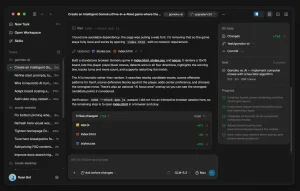
OpenDuet is CopilotKit’s open-source alternative to Anthropic’s Claude Duet, built to check connected work accounts, prepare daily briefs, and carry out tasks using an agent computer with its own browser, files, and shell.
It can identify emails that need a response, keep working after you leave the chat, and return with a result or an approval request.
You can host the agent, customize the model, and decide which connected tools it can use. The task list tracks work in progress and actions waiting for your approval.
See It in Action
Key Features
- Prepares a daily brief using connected email, calendar events, and outstanding decisions.
- Sorts new emails by whether they need attention and explains each classification.
- Suggests tasks and tracks progress, review requests, missing input, and completed work.
- Runs browser and file tasks in an agent computer with Chromium, a workspace, and shell tools.
- Shows proposed sensitive actions for approval and records actions through a policy-controlled gateway.
- Connects Gmail, Google Calendar, and authorized MCP tools, including Google Drive and Notion.
- Creates web pages, dashboards, presentations, documents, and designs in the Make workspace.
- Organizes tasks into channels and runs scheduled routines with reusable skills.
- Retains conversation threads and memory through CopilotKit Intelligence.
- Access via web and mobile browser, with Slack and Microsoft Teams connections.
OpenDuet vs. Claude Duet
| Feature | OpenDuet | Claude Duet |
|---|---|---|
| Hosting | Self-hosted | Anthropic cloud |
| AI models | Configurable providers and models | Claude |
| Availability | GitHub source code | US Pro/Max waitlist |
| Agent computer | Browser, files, and shell | Cloud browser and workspace |
| Browser control | Live view and takeover | No live view or takeover |
| Cost | Model API + CopilotKit service | Included in Pro/Max limits |
How OpenDuet Works
Morning briefs and inbox triage
With Gmail and Google Calendar connected, OpenDuet examines recent messages and scheduled events to prepare a short daily briefing.

On your first day, it uses that context to introduce what it understands about your work and invites you to correct it.
On subsequent days, your first visit to Chat displays the day’s brief, including emails that need attention, messages that can wait, calendar events, and any sources it could not check. You can request a fresh brief later.
The briefing is actionable. For example, an email that needs attention includes a reason and a Start control that hands the message to OpenDuet as a task.
Its suggested tasks also appear in Tasks, and the newest suggestion can appear above the Chat composer with Start and Hide controls.
Tasks that run on an agent computer
OpenDuet’s agent computer contains a Chromium browser, a file workspace, a shell, and a persistent browser profile. It can visit websites and work with files using the tools you grant.

The work runs on your host and allows an active task to continue after you close the web app.
The Tasks tab follows a job from Working to Ready for review or Needs input. Open the task card to inspect the result or answer its question in Chat. Tasks that fail can display a reason and a Try again option.
You can mark finished tasks as Resolved. This gives work started from a morning brief a visible destination and a way to resume when the agent needs help.
Approvals, passwords, and outgoing information
OpenBot routes agent actions through a policy gateway that checks permissions and records activity.
When an action needs review, OpenDuet shows the proposed operation with Allow once, Always allow, and Refuse choices. Messages sent to other people require approval that shows the recipient and message content.

An outbound check also screens messages for sensitive information, including payment-card numbers and health details.
For example, OpenDuet can examine a meeting request, prepare an email reply, and ask you to approve the send. Payment, document-signing, and deletion actions follow the applicable policy when you grant the agent tools capable of performing them.
Configure these decisions in Settings → Approvals.
When a website asks for a password, OpenDuet presents a masked secret-entry control and sends the credential directly to the destination site.
Make, Channels, and Scheduled Work
OpenDuet can create web pages, design systems, dashboards, slides, and documents from a request in Chat or the Make tab.

Chat displays a card that opens the generated item. The Make workspace also keeps thumbnails of created items, with filters for finding a particular type of work product later.
Create a Channel for a project or recurring area of work, giving it a name, icon, and purpose. OpenDuet suggests tasks relevant to that channel, and tasks started there carry its color.
The channels help organize work in the app, with archived channels available from the menu and conversation history continuing in the underlying thread.
For work that repeats, ask OpenDuet to create a Routine and specify its schedule. The routine worker launches that request using your account’s authorized tools and permissions.
Skills are reusable instructions invoked with / during a conversation. CopilotKit Intelligence can also turn patterns from prior interactions into learned skills.
Gmail and Calendar connections are set up per person. Administrators can also enable governed MCP connectors for Google Drive, Notion, and additional services available through Composio, granting their tools to the agent.
OpenBot provides Slack and Microsoft Teams channels, and OpenDuet’s web UI supports voice requests when a server-side transcription provider is configured.
OpenDuet Use Cases
- Respond to an important email. Select a flagged message in the morning brief, ask the agent to prepare a reply using the available context, and approve the outgoing text.
- Prepare for a meeting. Use the calendar brief to identify an upcoming appointment, ask the agent to gather related information from authorized apps, and review the result in Tasks.
- Create a project deliverable. Request a dashboard, document, or presentation, open its card in Make, and return to the generated item as work continues.
- Monitor a recurring responsibility. Set a routine to inspect a permitted source on a schedule and return a task or update when the run finishes or needs a decision.
How to Install and Run OpenDuet
You need Docker, Bur, Node.js for
npx, an AI model API key, and a CopilotKit Intelligence project.
1. Clone the repository and install dependencies
Copy the sample environment file into .env and install the project’s dependencies.
git clone https://github.com/CopilotKit/OpenDuet.git
cd OpenDuet
cp .env.example .env
bun install
2. Connect CopilotKit Intelligence
Sign in using the CopilotKit CLI, select an Intelligence project, and run the Learning setup script. The CLI writes CPK_INTELLIGENCE_API_KEY into .env. The setup script copies that key to INTELLIGENCE_API_KEY for the server and prepares the Learning container.
npx --yes copilotkit@latest login
npx --yes copilotkit@latest project select
bun openbot/scripts/setup-learning.ts
3. Supply the model API key
The included openbot/examples/openduet/model.yaml currently configures OpenAI’s gpt-5.6-terra. Add an OpenAI API key to .env for the supplied configuration. Other provider settings are described below.
OPENAI_API_KEY=your_openai_api_key4. Launch OpenDuet
The start script brings up PostgreSQL, the agent computers, the API server, the routine worker, and the web app. It also checks that the services respond before printing the next steps.
bash scripts/start.sh5. Complete onboarding and run a first task
Open http://localhost:3010. The onboarding checklist shows the status of your Intelligence project, model credentials, Gmail and Calendar connections, notifications, and optional integrations. Items are marked Ready, Not checked, or Needs setup. You can return to this checklist through Settings -> Setup.
6. Connect Gmail and Calendar
To use real inbox and calendar data, you must configure a Google OAuth client, enable the Google Workspace plugin, and grant the relevant tools to the OpenDuet agent. Each person can then authorize their account under Connections.
Models, Agents, and Customization
OpenDuet’s bundled configuration uses an OpenAI model. To select another OpenAI model, change default_model in openbot/examples/openduet/model.yaml.
For Anthropic, set BOT_PROVIDER=anthropic, provide ANTHROPIC_API_KEY, and optionally set a model identifier with BOT_MODEL.
For an OpenAI-compatible endpoint, configure OPENAI_BASE_URL and BOT_MODEL together.
To make your own assistant, copy openbot/examples/openduet, edit its configuration, and point TENANT_PACKAGE_DIR at your copy.
Available Settings:
| File | Purpose |
|---|---|
brand.yaml | Assistant name and branding |
agents.yaml | Agent instructions and assigned skills |
channels.yaml | Channels and participating agents |
model.yaml | Model provider and default model |
skills.yaml | Reusable skills and required tools |
Is OpenDuet Free? Pricing and Privacy
OpenDuet is released under the MIT License, allowing you to download, modify, and self-host its code. Running it requires an AI model provider and a CopilotKit Intelligence for conversations and memory.
Your OpenDuet web app, database, and agent-computer files can run on infrastructure you control. OpenBot encrypts saved credentials at rest, keeps secret values out of normal API responses, and redacts secrets from audit records.
Note that the CopilotKit runtime sends usage events to telemetry.copilotkit.ai, tagged as OpenDuet. Its default sampling rate for this project is 100%.
Set COPILOTKIT_TELEMETRY_DISABLED=true or DO_NOT_TRACK=1 in the environment and restart the server to stop runtime telemetry.
Pros
- Daily inbox triage leads directly to reviewable agent tasks.
- Agent computers run browser and file work beyond the active chat session.
- Approval controls are integrated into outgoing messages and sensitive actions.
- MIT-licensed code supports custom models, agents, channels, and skills.
Cons
- Self-hosting requires Docker, development tools, model credentials, and an Intelligence project.
- Model API usage and production Intelligence charges are additional costs.
Alternatives & Related Resources
- OpenBot: Self-Hosted AI Coworkers with Governed Computer Access
- OpenDots: Open-sourceSelf-Hosted OpenAI Dots Alternative
- OpenMuse: Open-Source Meta Muse Alternative for Personal AI Agents
- OpenClaw: Self-Hosted Personal AI Assistant for Chat & Automation
- Nanobot: Lightweight Open-source AI Assistant Inspired by OpenClaw
- 7 Best OpenClaw Alternatives for Safe & Local AI Agents
- IronClaw: A Free Open-Source Rust Alternative to OpenClaw