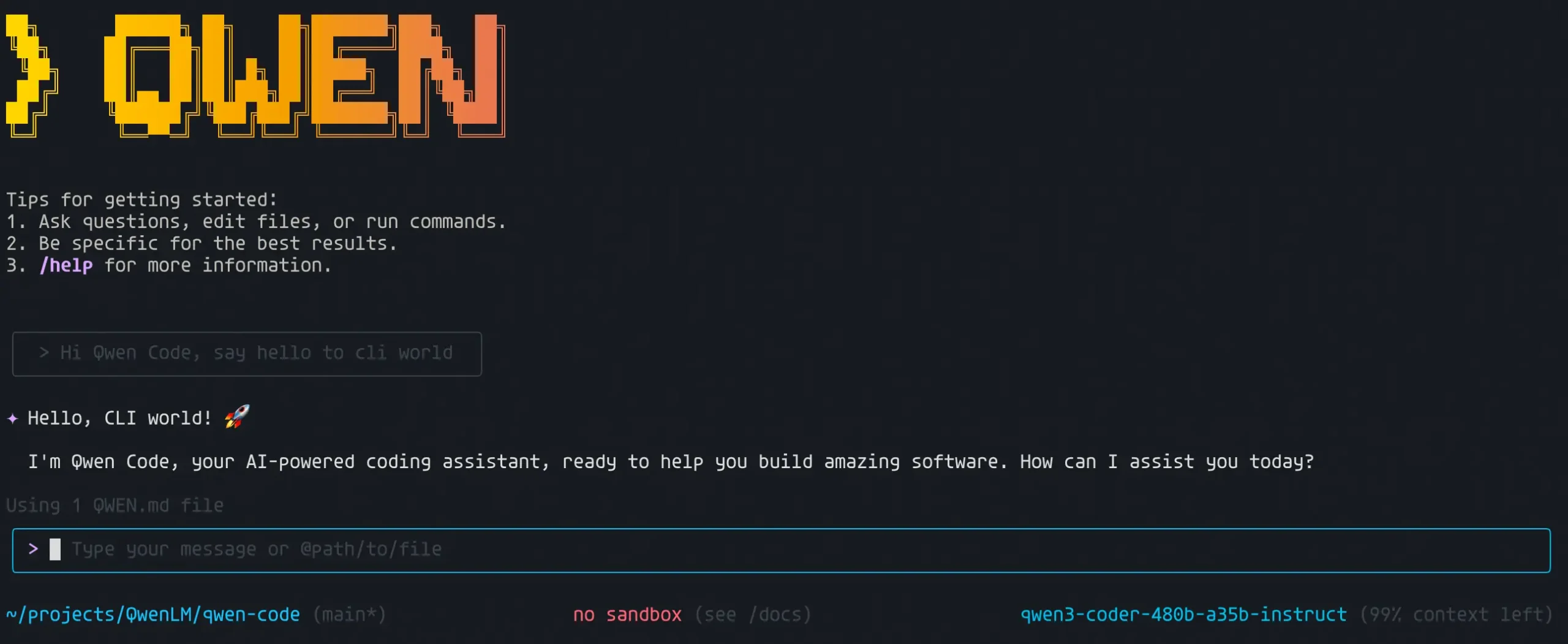
Qwen Code is an open-source AI coding agent for working with repositories, files, shell commands, and multi-step software tasks.
It can inspect a codebase, plan changes, edit files, run commands, review code, and automate repeatable development work from the terminal.
The coding agent supports multiple hosted AI providers and local models. QWEN.md and Auto-Memory preserve project context across sessions. Skills, Subagents, and MCP support reusable and delegated tasks.
You can also run Qwen Code headlessly, from supported IDEs, through its desktop app, or from the browser-based Web UI.
Key Features
- Read, edit, and trace code across multiple files in a repository.
- Prepare read-only implementation plans before making code changes.
- Preserve project instructions and learned context across sessions.
- Load reusable Skills with instructions, scripts, templates, and resources.
- Delegate focused work to Subagents and coordinate multi-agent tasks with reusable workflows.
- Connect repositories, APIs, databases, and external tools through MCP.
- Switch among AI providers and compatible local model endpoints.
- Run prompts headlessly with text, JSON, or streaming JSON output.
- Control file edits and shell commands through 5 approval modes.
- Run Qwen Code from the terminal, IDEs, desktop app, or Web UI.
Use Cases
- Inspect an unfamiliar repository and identify its modules, dependencies, commands, and conventions.
- Investigate failing tests, trace related code, and work through a fix.
- Plan a multi-file change with read-only analysis before editing code.
- Refactor related files and check tests against repository rules.
- Review code changes and identify risky or inconsistent implementation details.
- Review security-sensitive code paths and flag suspicious patterns for manual investigation.
- Generate API documentation and code comments from existing repository context.
- Summarize Git history and group recent changes by feature or contributor.
- Run repository tasks headlessly from scripts and CI jobs.
How to Install Qwen Code
Linux and macOS
curl -fsSL https://qwen-code-assets.oss-cn-hangzhou.aliyuncs.com/installation/install-qwen-standalone.sh | bashWindows
irm https://qwen-code-assets.oss-cn-hangzhou.aliyuncs.com/installation/install-qwen-standalone.ps1 | iexNPM
The npm package requires Node.js 22 or later.
npm install -g @qwen-code/qwen-code@latestHomebrew
brew install qwen-codeAfter installation, open a new terminal and verify that the command is available.
qwen --versionHow to Update Qwen Code
Run the built-in updater from the terminal:
qwen updateInside an interactive session, /update uses the same update mechanism. For an npm installation, install the newest package with:
npm install -g @qwen-code/qwen-code@latestModel Providers and Authentication
Start the CLI and run /auth to choose a model provider. Qwen Code currently supports Qwen, OpenAI-compatible, Anthropic, Gemini, third-party, and compatible local endpoints.
| Authentication option | What you can connect |
|---|---|
| Alibaba ModelStudio | Coding Plan, Token Plan, or a standard ModelStudio API key |
| Third-party Providers | Built-in choices including DeepSeek, Grok, MiniMax, Z.AI, Kimi, Idealab, ModelScope, OpenRouter, and Requesty |
| Custom Provider | OpenAI-compatible, Anthropic, Gemini, proxy, local, or other compatible endpoints |
You can define multiple models in
~/.qwen/settings.jsonand switch between them with/model. Provider credentials can come from environment variables, project environment files, or provider-specific configuration.
Getting Started with a Project
Open your project directory and start an interactive session.
cd your-project/
qwen
Run /auth if model access has not been configured. You can then ask Qwen Code to inspect files, explain architecture, search for a bug, plan a refactor, edit code, or run project commands. For example:
- “Explain how authentication works in this repository.”
- “Find the cause of the failing tests and propose a fix.”
- “Plan a refactor of the API client before changing any files.”
- “Update this module and run the relevant tests.”
Project Context and Memory
Every Qwen Code session begins with a fresh model context. QWEN.md and Auto-Memory provide persistent information that can be reused in later sessions.
QWEN.md
QWEN.md stores instructions you want Qwen Code to read when a session begins. Typical entries include build commands, test commands, coding conventions, architecture decisions, and repository rules.
You can create the file manually or let Qwen Code inspect the repository and generate a starter file.
/initAuto-Memory
Auto-Memory saves useful information learned during your work, including preferences, feedback, project decisions, and recurring context. Personal memory is stored under your Qwen Code project memory directory. Team Memory can be enabled for durable project knowledge that should be shared through Git.
/memoryopens memory controls and loaded context files./remember <text>saves an item immediately./forget <text>removes matching memory entries./dreamruns memory cleanup.
Plan and Approval Modes
| Mode | File editing | Shell commands | Useful for |
|---|---|---|---|
| Plan | Read-only | Not executed | Exploration, code review, and implementation planning |
| Ask Permissions | Approval required | Approval required | Unfamiliar repositories and closely supervised work |
| Auto-Edit | Automatically approved | Approval required | Refactoring and normal coding work |
| Auto | Policy evaluation | Policy evaluation | Longer autonomous sessions with risk checks |
| YOLO | Automatically approved | Automatically approved | Trusted automation in controlled environments |
Use
/planfor read-only planning or/approval-modeto choose another permission level. During an interactive session, you can cycle through modes with Shift+Tab, or Tab on Windows.
Agent Skills and Extensions
Agent Skills package reusable instructions into folders that Qwen Code can discover when a task matches. Each Skill uses a SKILL.md file and can include scripts, templates, examples, and other supporting files.
Skills can live in personal or project directories. Project Skills can be committed to Git for team use. The model can invoke a Skill when its description matches the task, and you can launch a user-invocable Skill directly with /<skill-name>.
~/.qwen/skills/stores personal Skills..qwen/skills/stores project Skills./skillsopens the Skills panel./learncan create a reusable project Skill from supported input.
Read More: Agent Skills Specification: SKILL.md Format, Fields, and Directory Structure
Extensions
Qwen Code Extensions can package prompts, MCP servers, Subagents, Skills, and custom commands as one installable unit. Qwen Code can also install compatible packages from Gemini CLI Extensions, Claude Code Marketplace, Qoder, and the Agent Plugins v1 format.
Hooks
Hooks run configured commands, HTTP requests, functions, or prompts at specific points in a Qwen Code session. They can run around tool calls, session events, and prompt submission. Use /hooks to inspect the hooks loaded for the current session.
MCP and External Tools
MCP support enables Qwen Code to call external tools and work with repositories, databases, APIs, and internal services. Use /mcp inside Qwen Code to inspect configured servers. User-level MCP settings apply across projects, and project-level settings live in .qwen/settings.json.
For example, to register an HTTP MCP server:
qwen mcp add --transport http my-server http://localhost:3000/mcpSubagents and Agent Workflows
Subagents are specialized AI agents for focused work inside a larger Qwen Code session. A Subagent can have its own system prompt, context history, model choice, approval mode, and tool access.
A testing Subagent can investigate failures, an exploration Subagent can inspect repository structure, and a review Subagent can analyze changes with read-only tools. Named Subagents keep their own context. Fork Subagents can inherit conversation context from the parent session.
Dynamic Workflows coordinate multiple Subagents for larger tasks. A workflow can be saved for reuse, resumed after interruption, or supplied through an extension. Common uses include repository analysis, testing, review, and coordinated code changes.
Headless Mode and CI Automation
Headless mode runs Qwen Code from scripts, automation jobs, CI pipelines, SSH sessions, or other non-interactive environments. Pass a prompt with -p or --prompt.
qwen -p "Review this change and list potential regressions."Structured Output
For scripts that need machine-readable results, Qwen Code supports JSON and streaming JSON output in addition to plain text.
qwen -p "Review this change" --output-format jsonExecution Budgets
Headless runs can use execution budgets to cap wall time and other limits for unattended tasks.
Sandboxing and Checkpoints
An agent that can edit files and execute shell commands needs clear safety controls. Qwen Code provides sandboxing for process isolation and optional checkpointing for restoring project state after AI-driven file changes.
Sandbox
Sandboxing isolates shell commands and file changes from the host system. macOS can use the built-in Seatbelt mechanism. Linux and Windows use Docker or Podman. Start Qwen Code with -s to enable it for the session.
qwen -sCheckpointing
Checkpointing creates a project snapshot before Qwen Code changes files. It is disabled by default. Start a session with --checkpointing, then use /restore inside Qwen Code to list saved checkpoints and recover a previous state.
qwen --checkpointingWays to Run Qwen Code
| Mode | Useful for |
|---|---|
| Interactive CLI | Repository work through the terminal |
| Headless | Scripts, CI, batch jobs, and automation |
| IDE | Using Qwen Code from supported editors such as VS Code, JetBrains, and Zed |
| Desktop | A graphical Qwen Code application on supported desktop platforms |
| Web UI | Running Qwen Code from a browser through qwen serve --open |
| Daemon | Serving agent sessions for external clients and integrations |
| SDK | Calling Qwen Code from TypeScript, Python, or Java applications |
| Messaging Channels | Running agent interactions through supported messaging services |
Configuration
Use ~/.qwen/settings.json for preferences that apply across projects. Put repository-specific settings in .qwen/settings.json. Environment variables and CLI flags can override persistent settings for a session or automated command.
| Scope | Location or method | Typical use |
|---|---|---|
| User | ~/.qwen/settings.json | Model providers, personal preferences, MCP servers, Skills, and defaults |
| Project | .qwen/settings.json | Repository permissions, MCP configuration, Skills, agents, and project behavior |
| Session | Environment variables | Credentials, CI values, containers, and temporary configuration |
| Invocation | CLI flags | One command or one Qwen Code session |
Pros
- Free and open-source
- Multiple model provider support
- Compatible local model endpoints
- Persistent project memory
- Flexible approval and sandbox controls
- Headless automation and SDK access
Cons
- Provider usage can cost money
- Advanced workflows require configuration
- High-permission automation needs careful controls
Related Resources
FAQs
Q: Does Qwen Code require an API key?
A: Yes. Hosted model providers use API credentials or a subscription plan. Local models can use their own authentication rules.
Q: Can Qwen Code run with local models?
A: Yes. You can connect compatible local model services such as Ollama or vLLM through the custom provider configuration.
Q: Do Subagents share the main Qwen Code conversation?
A: Named Subagents keep their own context. Fork Subagents can inherit the parent conversation context for delegated background work.
Q: What is the difference between QWEN.md and Auto-Memory?
A: QWEN.md contains instructions you write for the project. Auto-Memory records useful preferences, feedback, decisions, and project context learned during sessions.
Q: How do I update Qwen Code?
A: Run qwen update from the terminal or /update inside an interactive session. NPM installations can also update with npm install -g @qwen-code/qwen-code@latest.
Q: Is Qwen Code free?
A: Qwen Code itself is free and open-source. Model access can have costs depending on the hosted provider, subscription, API, or local model you use.
Last Updated: Sep 19, 2026