Deep Review is a free AI document reviewer from Google Research that examines research papers and other technical writing for mathematical errors, weak arguments, inconsistent claims, and gaps in supporting evidence.
The review examines how a paper’s claims connect to its methods, experiments, and cited research. It can question whether a result justifies a conclusion, identify a calculation that needs another check, or suggest an experiment that would strengthen the evidence.
Upload a PDF or paste text, and you receive an overall assessment and specific comments to investigate during revision.
Key Features
- Checks mathematical reasoning, logical consistency, technical claims, and experimental evidence.
- Examines connections between different sections of a long document.
- Searches related research to assess claims, citations, and missing context.
- Devotes additional reasoning effort to dense technical sections.
- Overall feedback and detailed comments on individual issues.
- Accepts custom review instructions, including sections of concern or a conference submission track.
- Copy the completed review as a Markdown report.
- 2 complimentary document reviews each week, with Gemini API key access for further reviews.
Case Study: Deep Review’s feedback on a DeepSeek research paper
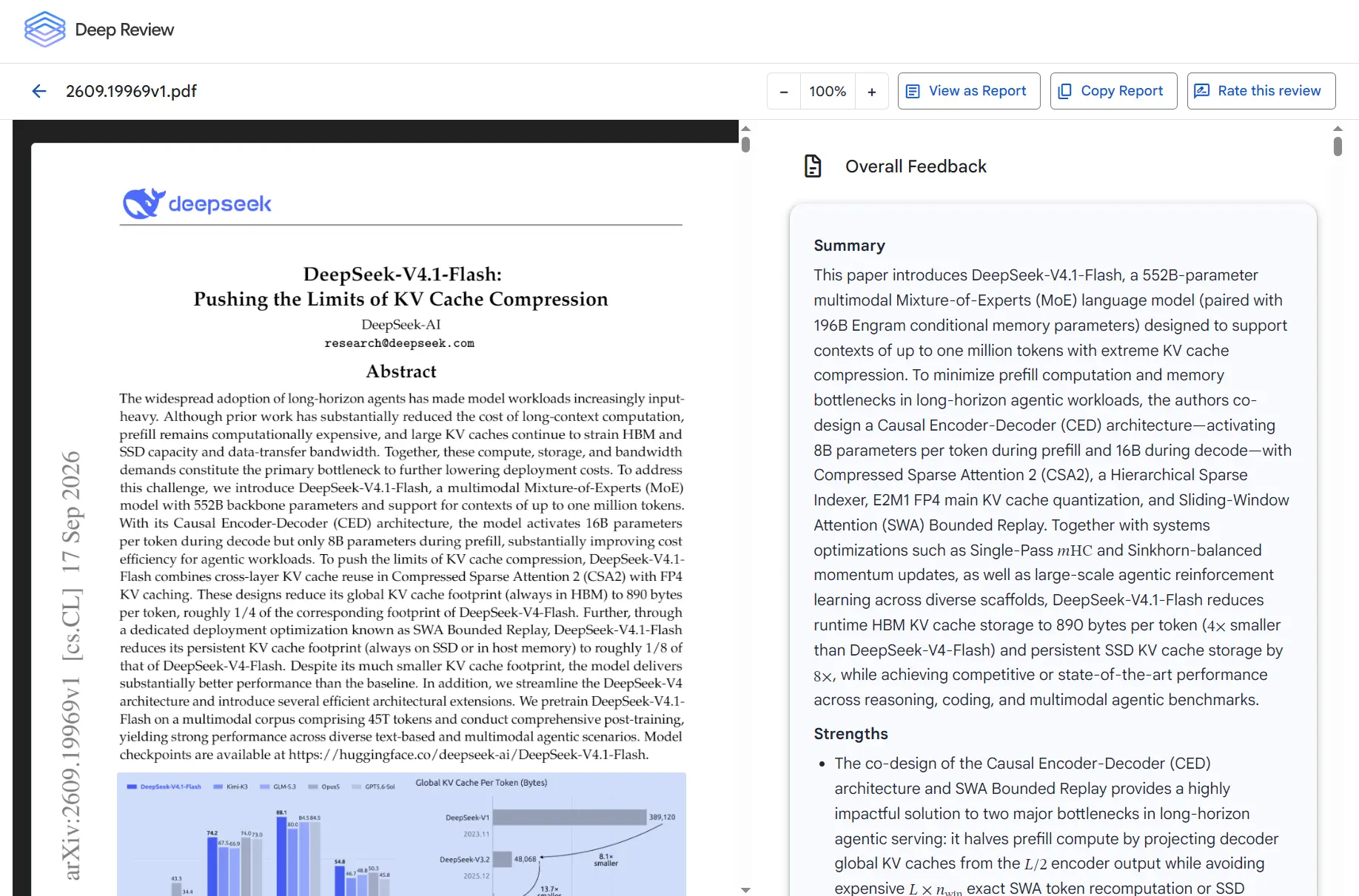
I used Deep Review to examine DeepSeek-V4.1-Flash: Pushing the Limits of KV Cache Compression.
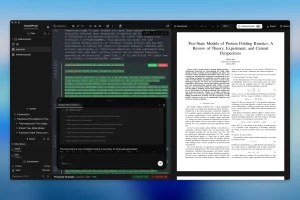
The paper describes a large language model architecture and methods for reducing KV-cache costs. Deep Review returned an overall assessment alongside detailed technical comments on the architecture, benchmarks, equations, and references.
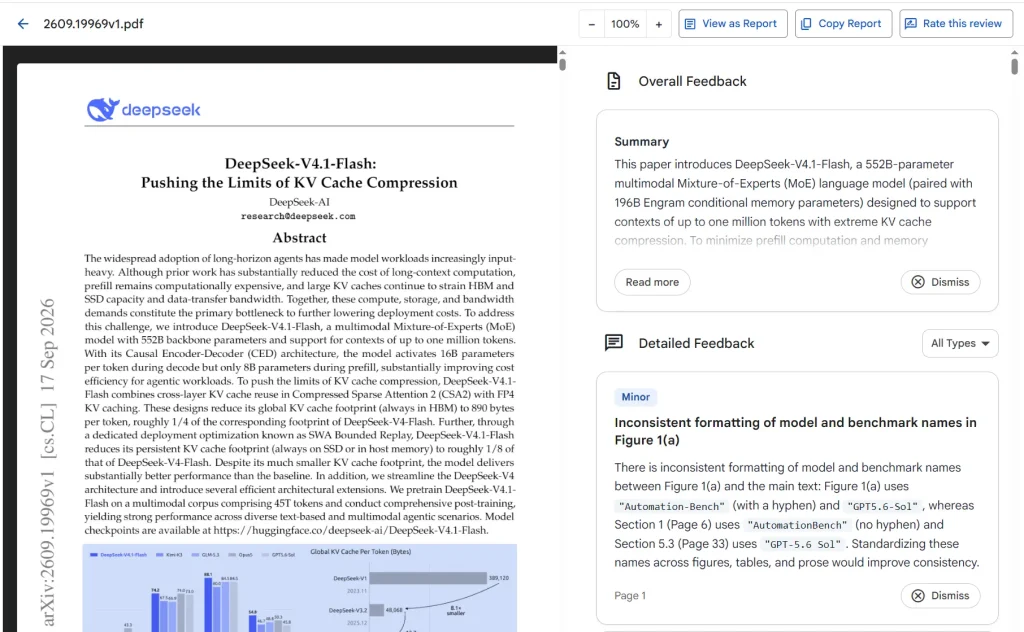
The following are issues raised by the AI review:
- A claim about real-world task completion. The reviewer questioned a statement that the model could complete more than 95% of real-world tasks. The reported benchmark results did not establish that general percentage.
- An ambiguous parameter comparison. It asked the authors to distinguish the 552-billion-parameter backbone from 196 billion additional Engram parameters when comparing model sizes.
- A possible inconsistency in the training description. It noted that the introduction described FP4 global KV caches during training, whereas a later section discussed quantization-aware training for the main KV cache during post-training.
- Missing evaluation detail. It suggested controlled ablation studies and more long-context retrieval tests to substantiate the model’s compression and performance claims.
- Technical presentation and references. It identified unclear mathematical specifications, citation inconsistencies, and possible duplicate entries in the author list.
How Deep Review Works
Deep Review reads a technical document as a connected argument. It divides the material into logical sections and assigns review effort according to their complexity. A mathematical proof or a detailed model design can receive deeper analysis than a short introductory passage.
Specialized reasoning agents examine sections in parallel. Each agent can consult the full manuscript to check statements that depend on information elsewhere, even when it concentrates on a particular section. A final synthesis stage reviews the findings together, examines cross-section inconsistencies, and performs external research checks where relevant. The result is one report organized around the problems found in the submitted document.
Deep Review builds on Google’s earlier Paper Assistant Tool. The predecessor provided optional pre-submission feedback on more than 16,000 manuscripts through pilot programs associated with STOC 2026, ICML 2026, NeurIPS 2026, and ICLR 2027. The methodology is discussed in Towards Automating Scientific Review with Google’s Paper Assistant Tool.
What a Deep Review Report Looks Like
A completed report starts with a summary of the document’s contribution and an assessment of its strengths and weaknesses. Detailed feedback examines individual claims, equations, experiments, tables, references, and passages. The reviewer can identify an unclear assumption, request evidence for a technical statement, or explain why the available results do not establish a broader conclusion.
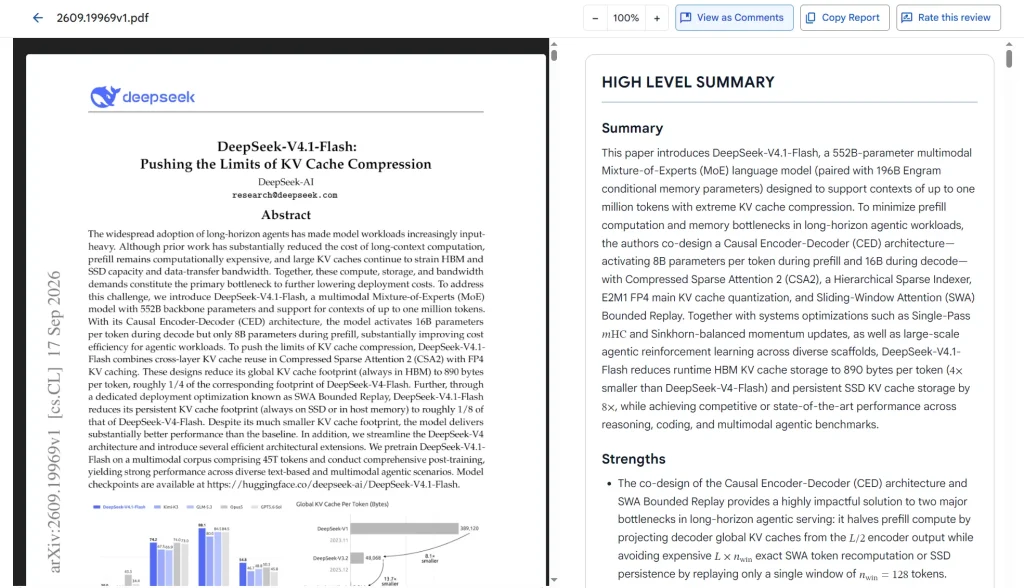
The tool organizes findings under Overall Feedback and Detailed Feedback. The detailed view includes filters for major concerns, minor corrections, and suggestions. Comments identify relevant sections or pages when appropriate. The Copy Report button copies the review in Markdown format for revision notes or collaboration.
How to Use Deep Review
1. Open the Deep Review tool and upload a PDF or paste your document text.
2. Select Add custom context if you want to specify areas for scrutiny. You can request closer examination of experimental methods, mathematical arguments, or requirements for a particular conference or submission track.
3. Submit the document. A review typically takes about 10–30 minutes, depending on the document and review complexity.
4. Choose View Review to read the overall findings and inspect detailed comments.
5. Use Copy Report to copy the feedback as Markdown.
Free Reviews, Gemini API Costs, and Access
Deep Review includes two free document reviews per week. These complimentary reviews do not require your personal Gemini API key. Deep Review uses Google’s Gemini models, including Gemini 4 Argon, for its review process.
For additional reviews, connect your own Gemini API key. Google charges for the underlying model calls at its standard API rates. The amount depends on document size, the model, and the reasoning effort selected.
Pros
- Specific feedback on mathematical claims, evidence, and references.
- Document-wide checks that connect findings across sections.
- Two reviews each week.
- Markdown reports that can accompany manuscript revisions.
- API access for repeated document-review tasks.
Cons
- Complex reviews can take 10–30 minutes.
- Additional reviews incur Gemini API usage charges.
- AI-generated findings need checking before changing consequential technical claims.
Alternatives & Related Resources
- 10 Best Free AI Tools for Academic Research
- Free Self-Hosted AI Research Assistant – Dr. Claw
- Prismer.AI: Open-Source Alternative to OpenAI Prism
- Open Notebook: Private, Self-Hosted Gemini Notebook (NotebookLM) Alternative
More Free AI Tools from Google
- Code Wiki: Google’s AI-Powered Solution for Code Understanding.
- NotebookLM: AI Research Assistant for Students and Professionals.
- Antigravity: Agent-First Dev Platform with multi-agent teams, scheduled tasks, native voice input, and more.
- Pomelli: Google’s Free AI Tool for SMB Marketing Campaigns.
- Producer.ai: Free AI Studio-Quality Music Generator by Google.
- Dreambeans: Google Apps Turned Into Daily AI Stories.
- Google Stitch: Free AI Vibe Design Tool with Agent and Web Export