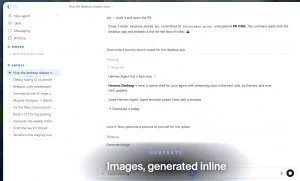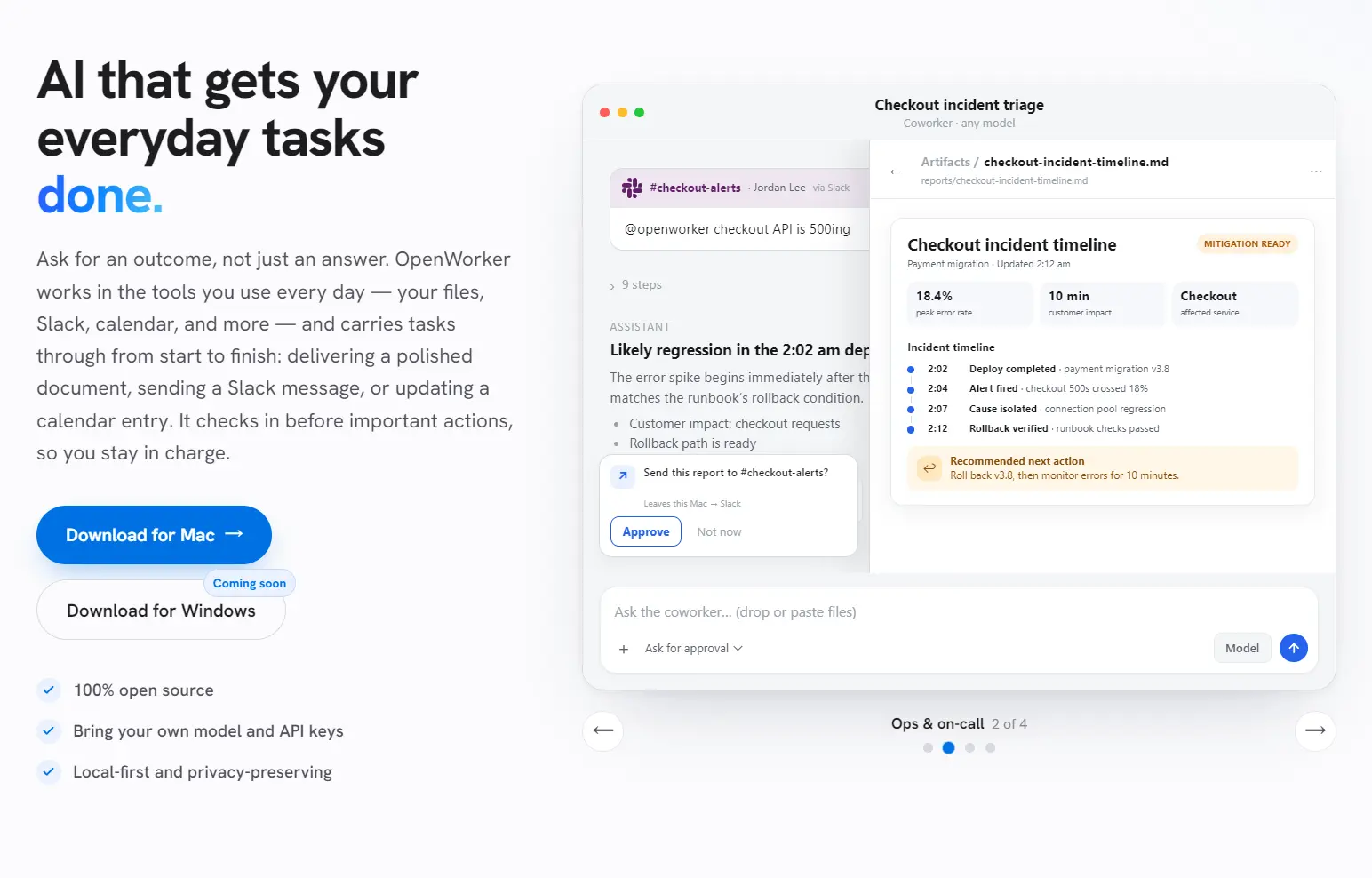
OpenWorker is a free, open-source desktop AI coworker from Andrew Ng and Rohit Prasad, built under the MIT license.
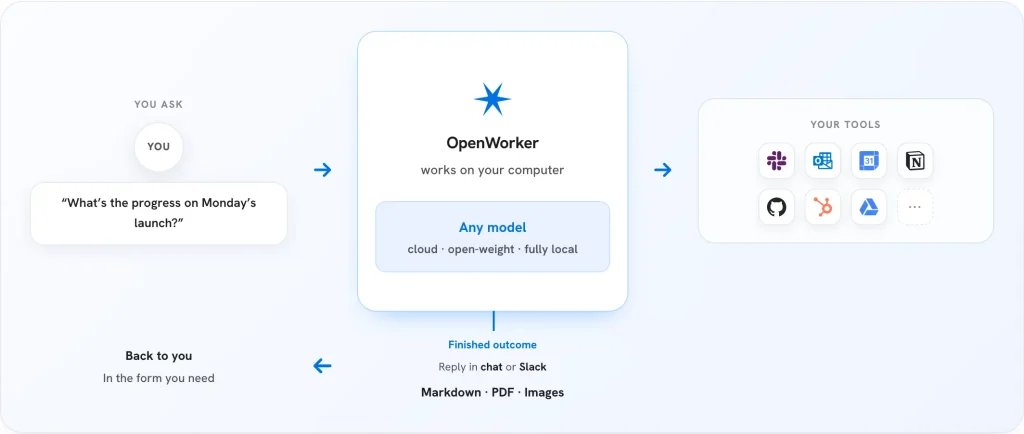
The app completes multi-step work across local files, connected apps, and the terminal, then returns a finished document, spreadsheet, report, web page, message, or calendar change.
It runs on macOS 12 or later on Apple Silicon and Windows 10/11 on x64 systems.
Ask OpenWorker to prepare a customer brief, and it opens the relevant files, drafts the document, and pauses for approval before it sends anything.
The app accepts API keys from several AI model providers and connects to local models through Ollama.
The agent loop, conversations, connector credentials, and model keys stay on the computer, while selected cloud models and integrations receive the data required for each task.
OpenWorker vs. Claude Cowork
OpenWorker and Claude Cowork both turn a request into multi-step work, use connected tools, create files, and ask for approval around sensitive actions.
The main differences concern model choice, runtime, account requirements, remote execution, and product maturity.
| OpenWorker | Claude Cowork | |
|---|---|---|
| Access | Free, MIT-licensed desktop app | Included with paid Claude plans |
| Models | OpenAI, Anthropic, Gemini, several open-weight providers, and Ollama | Claude models |
| Runtime | Local agent server | Remote sessions on Anthropic servers |
| Accounts | Local use works with manually supplied keys and credentials | A paid Claude account is required |
| Files | Reads and writes approved local files | Desktop app connects remote tasks to approved local files |
| Integrations | 25+ connectors, terminal access, local files, and MCP | Claude connectors, plugins, MCP, browser actions, and Microsoft 365 features |
| Scheduled work | Managed through the local OpenWorker runtime | Runs remotely with no device online |
| Platforms | Mac and Windows | Web, mobile, macOS, and Windows |
OpenWorker is good for people who want model choice, local execution, source access, and direct control over credentials. It also suits local-model workflows where Ollama handles inference on the same machine.
Claude Cowork works best for people who want a managed service, cross-device task continuity, remote scheduled work, and Anthropic’s integrated file, browser, project, plugin, and office-document experience. It removes model configuration but ties the workflow to Claude and a paid plan.
Key Features
- Produces documents, spreadsheets, reports, web pages, images, and message drafts as finished artifacts.
- Reads approved local files and works with the terminal on the same computer.
- Connects workplace services such as Slack, Gmail, Outlook, Google Calendar, GitHub, Jira, Notion, Linear, HubSpot, Asana, Dropbox, and Box.
- Opens a desktop work session from a Slack mention and returns the result to the original thread.
- Pauses before sends, writes, calendar changes, and shell commands.
- Runs recurring jobs for briefs, reports, inbox checks, and channel monitoring.
- Supports cloud models, open-weight providers, and fully local Ollama models.
- Adds external tools through MCP with per-tool access control.
- Stores conversations, model keys, and connector credentials on the local machine.
Use Cases
A release status check across Jira and GitHub turns into one Slack mention. OpenWorker pulls open tickets, matching pull requests, and recent comments, then posts a summary back into the channel that asked for it.
Monday morning starts with a scheduled automation, not an empty inbox. OpenWorker reads overnight email, drafts replies for the routine ones, and leaves anything ambiguous sitting in the approval inbox.
A calendar with three overlapping holds gets untangled without a back-and-forth chat thread. OpenWorker proposes a resolution, waits for one click, then updates the calendar directly.
Local files and a terminal session sit next to a customer brief that needs numbers pulled from a spreadsheet and formatted into a document. OpenWorker opens both, cross-references the figures, and produces the finished file.
A recurring weekly report used to mean repeating the same five manual steps. Saved as a schedule, it runs unattended and lands in the app with a full transcript to review.
Cost, Requirements, and Availability
The OpenWorker application costs nothing and uses the MIT license. Cloud models create charges on the provider account attached to the API key. Ollama removes external model charges but shifts inference to local hardware.
| Platform | Requirement | Current Installation Note |
|---|---|---|
| macOS | macOS 12+ on Apple Silicon | Signed and notarized DMG |
| Windows | Windows 10/11 on x64 | Installer is not code-signed |
| Linux | – | – |
Privacy and Security
OpenWorker runs the agent server locally and stores conversations, connector tokens, and model keys on the device. Cloud-model prompts leave the computer for the selected provider.
Connected services receive the requests required to read or change their data. One-click OAuth connections use a small cloud service for the authorization handshake; manual credentials keep that step under you’r control.
Local-first does not mean fully offline. A fully local Ollama task that uses only local files avoids cloud-model traffic. Gmail, Slack, web search, hosted MCP servers, and cloud models introduce their own network and data privacy.
How to Use OpenWorker
1. Download the macOS or Windows installer from the OpenWorker website or GitHub releases.
2. Install and open the app.
3. Add one model provider API key, or connect OpenWorker to an Ollama instance.
4. Connect only the files and services required for your first task.
5. Enter a concrete outcome with the expected format and the systems OpenWorker should inspect.
6. Review the plan, watch the work, and approve or reject consequential actions.
7. Open the resulting artifact or return the approved response to the connected app.
Run OpenWorker From Source
Source installation requires Python 3.10 or later, Node.js 20 or later, and Rust for the Tauri desktop shell.
git clone https://github.com/andrewyng/openworker
cd openworker
bash packaging/setup_dev_env.sh
.venv/bin/openworker-server --cwd ~/some/project --port 8765
Start the browser interface in a second terminal:
cd surfaces/gui
npm install
npm run dev
Run the Tauri desktop shell with:
npm run tauri devAlternatives & Related Resources
- 7 Best & Open-source Claude Cowork Alternatives
- AionUi: Free Open-source Cowork App (Claude Cowork Alternative)
- Free Open-source Claude Cowork Alternative – OpenWork
- Open Source Desktop AI Agent for Local Task Automation – WorkAny
- Hermes Agent: Free, Open-source, Self-Improving AI Agent
- Automate Anything: 10 Best & Open-source AI Agents
- OpenMinis: Free Local-first AI Agent for iPhone and Android
FAQs
Q: Does OpenWorker require an account?
A: No OpenWorker account is required for local use with API keys and manually created connector credentials. One-click connections use the project’s OAuth service for services that require a managed authorization flow.
Q: Does OpenWorker ask for approval before every action, including reads?
A: No. Reading a file or checking a connected app does not trigger a check-in. Writes, sends, and shell commands do, since those are the actions that change something outside the conversation.
Q: What happens if I add a model string that is not on the curated list?
A: OpenWorker accepts any model string you enter. Only the curated, verified models carry a confirmation that they work reliably for tool-calling tasks; anything outside that list runs at your own risk.
Q: Will OpenWorker do things without asking me?
A: No. Anything consequential—sending an email, posting to Slack, running a command—requires your approval in the app or from Slack. You choose how independently it acts.
Q: Why does Windows SmartScreen warn about OpenWorker?
A: The Windows beta installer is not code-signed. SmartScreen therefore treats the publisher as unverified.