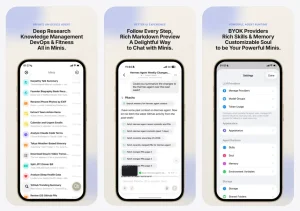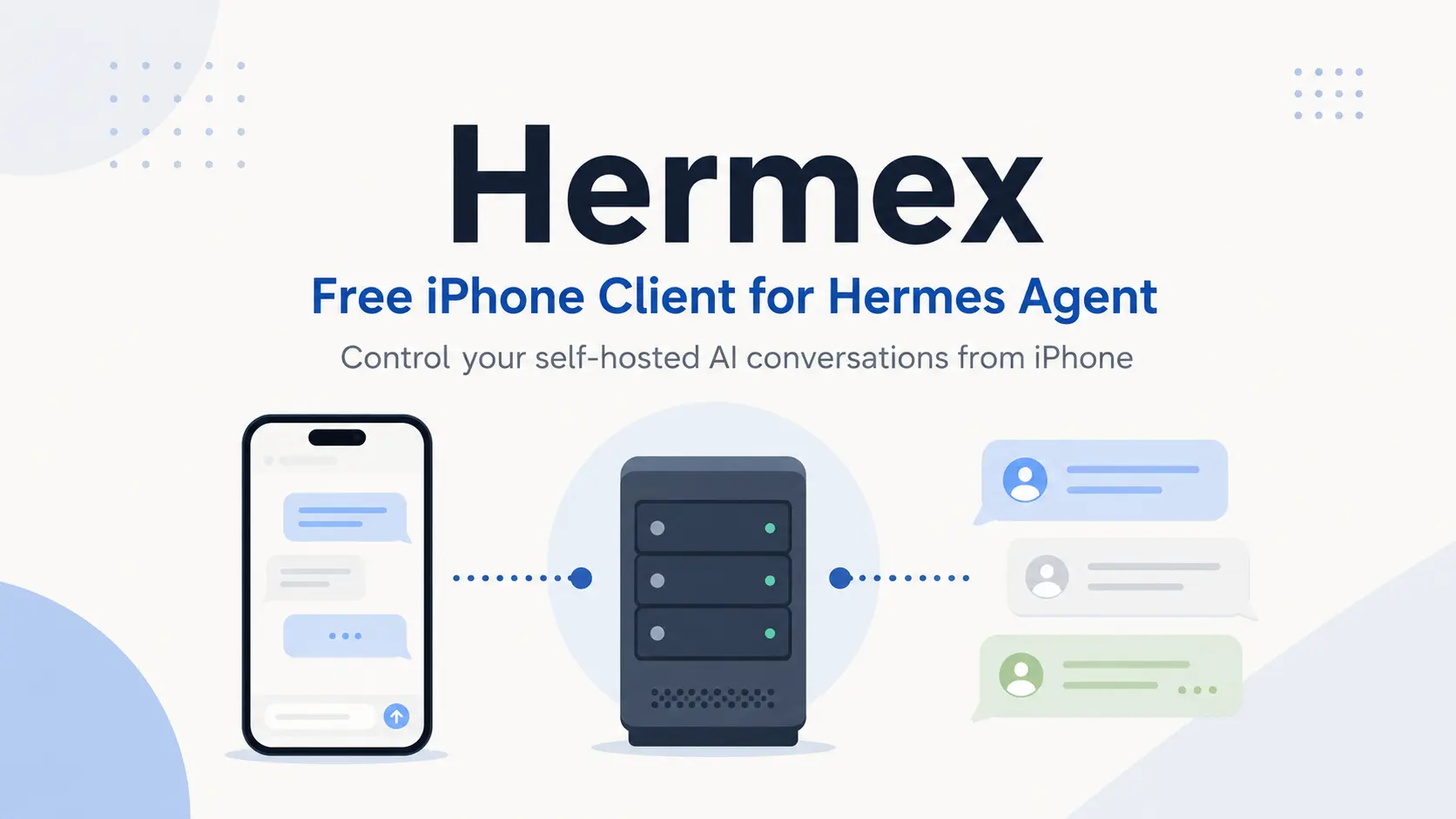
Hermex is a native iPhone client that connects to a self-hosted Hermes Agent and turns your phone into a control plane for AI conversations you own.
You already have Hermes Agent running on a workstation, home server, or VPS, but its job continues after you leave your desk.
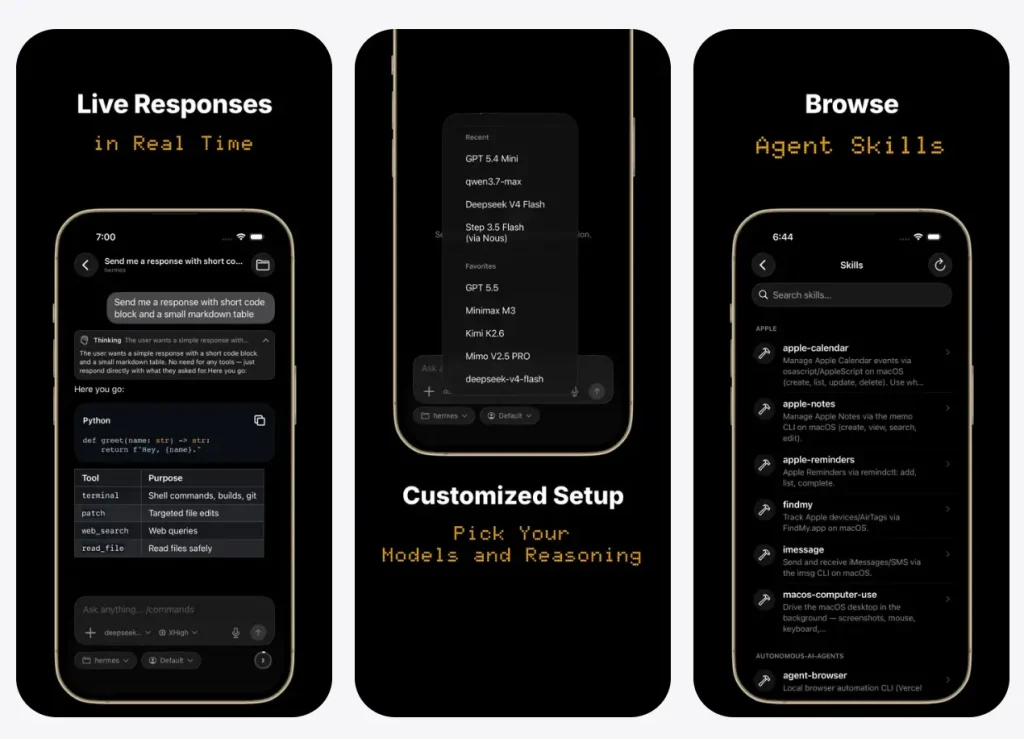
Hermex opens the same sessions on your phone, streams responses and tool calls, and puts model, profile, workspace, and reasoning controls beside the message composer.
It’s free, open-source, and requires iOS 18+ with a running hermes-webui server you install yourself.
Features
- Streams responses with thinking summaries, tool-call details, Markdown tables, LaTeX, and soft-wrapped code blocks.
- Opens, searches, resumes, pins, archives, duplicates, and organizes sessions stored on the connected server.
- Switches among server-configured models with recent and favorite lists for quicker selection.
- Sets the active profile, project, workspace, and reasoning effort from the chat composer.
- Attaches files and photos, while the iOS share extension stages content from other apps.
- Steers or stops an active run before the agent finishes its current response.
- Displays scheduled tasks, installed skills, agent memory, and session-based usage insights.
- Browses the server workspace from its root and searches for files from the iPhone.
- Switches among multiple configured servers and displays the interface in 17 languages.
- Keeps recent sessions readable from a seven-day offline cache capped at 5,000 messages.
How to Use Hermex
1. Start Hermes WebUI
Hermex connects to the separate hermes-webui server. Run the server on macOS, Linux, or Windows through WSL2 with Python 3.11 or later and Git installed. The bootstrap detects an existing Hermes Agent setup and presents an installation option when it cannot find one.
git clone https://github.com/nesquena/hermes-webui.git
cd hermes-webui
python3 bootstrap.py
The server listens on 127.0.0.1:8787 by default. Confirm that its health endpoint responds:
curl http://127.0.0.1:8787/healthSet a strong server password before any tunnel or network route exposes the service:
HERMES_WEBUI_PASSWORD=your-secret ./start.shFor daemon use, save HERMES_WEBUI_PASSWORD=your-secret in the repository’s .env file, then use the bundled controls:
./ctl.sh start
./ctl.sh status
./ctl.sh logs --lines 100
2. Create a Route From the iPhone
Cloudflare Tunnel creates a public HTTPS hostname while the server stays bound to localhost. A quick tunnel works for an initial connection test, but its trycloudflare.com address changes after each restart.
cloudflared tunnel --url http://localhost:8787A named tunnel keeps a stable hostname:
cloudflared tunnel login
cloudflared tunnel create hermes
cloudflared tunnel route dns hermes hermes.yourdomain.com
cloudflared tunnel run --url http://localhost:8787 hermes
Tailscale keeps the server inside a private WireGuard network. Install Tailscale on both devices, sign in to the same tailnet, then bind Hermes WebUI to all interfaces and retrieve the tailnet address:
HERMES_WEBUI_HOST=0.0.0.0 HERMES_WEBUI_PASSWORD=your-secret ./start.sh
tailscale ip -4
Enter http://<tailscale-ip>:8787 in Hermex. Binding to 0.0.0.0 also exposes the service to the local network, so the password must remain active.
3. Test the Server and Sign In
Install Hermex from the App Store and enter the Cloudflare hostname or Tailscale address. Tap Test Connection to ping /health, enter the HERMES_WEBUI_PASSWORD value, and sign in.
iOS Keychain keeps the server URL on the phone. Hermex uses the password to create the server session and does not retain the password after login.
4. Open a Session and Set Its Runtime Controls
Resume an existing server session or create a new one. Select the model, profile, project, workspace, and reasoning effort before sending the prompt. Files and photos can travel with the message.
The response streams into the session with tool calls and formatted output. Use the active-run controls to steer the agent toward revised instructions or stop the run. The Tasks, Skills, Memory, Insights, and workspace views remain accessible from the session home screen.
5. Diagnose a Failed Connection
Check the server process and local health endpoint before testing the tunnel or tailnet route. This sequence separates a stopped WebUI process from a network failure:
./ctl.sh status
curl http://127.0.0.1:8787/health
curl https://hermes.yourdomain.com/health
A Tailscale server must start with HERMES_WEBUI_HOST=0.0.0.0. A password set only in the launch command disappears after a later restart, so store it in the server’s .env file for persistent authentication.
Server Commands and Configuration
| Command or value | Purpose |
|---|---|
python3 bootstrap.py | Detect or install Hermes Agent, prepare Python, start WebUI, and open onboarding |
./start.sh | Relaunch Hermes WebUI from the repository |
./ctl.sh start | Start the background daemon |
./ctl.sh status | Show PID, uptime, host, port, log path, and health |
./ctl.sh logs --lines 100 | Read the latest 100 daemon log lines |
./ctl.sh restart | Restart the daemon-managed server |
./ctl.sh stop | Stop the daemon-managed server |
HERMES_WEBUI_PASSWORD | Set password authentication |
HERMES_WEBUI_HOST=0.0.0.0 | Accept connections beyond localhost and across Tailscale |
HERMES_WEBUI_PORT=9000 | Move WebUI from port 8787 to port 9000 |
curl http://127.0.0.1:8787/health | Test the server locally |
curl https://<server>/health | Test the remote route |
~/.hermes/webui.pid | Store the daemon PID |
~/.hermes/webui.log | Store daemon logs |
.env | Persist host, port, password, and other server values across launches |
Alternatives & Related Resources
- Hermes Agent covers the agent runtime, memory, skills, messaging, and desktop interfaces that Hermex connects to.
- Omnara monitors and guides several coding-agent products from mobile, while Hermex concentrates on deep Hermes WebUI controls.
- Locally AI runs open models directly on an iPhone, iPad, or Mac; Hermex sends work to a separate Hermes server.
- OpenClaw runs a self-hosted personal agent through messaging services such as WhatsApp, Telegram, Discord, and Slack.
Pros
- Native SwiftUI iPhone interface
- Direct phone-to-server connection
- No subscriptions or tracking
- Offline transcript cache
- Multiple server configurations
Cons
- Requires self-hosted Hermes WebUI
- iOS 18 minimum requirement
- No Android or iPad app
- Read-only workspace access
FAQs
Q: Is Hermex part of Nous Research or Hermes WebUI?
A: No. Hermex is an independent MIT-licensed client from Uzair Ansar and has no affiliation with Nous Research or the separate hermes-webui project. It connects to Hermes WebUI through that project’s server API.
Q: Does Hermex replace Telegram access to Hermes Agent?
A: Hermex covers deeper session control, model and profile selection, attachments, workspace browsing, tasks, skills, memory, and usage data. Telegram remains useful for short messages and channel-based delivery. Hermex sends prompts directly to the server URL you configure, while Telegram traffic follows the bot and platform route.
Q: Can I connect to multiple servers from the same iPhone?
A: Not currently. The app stores one server URL and password at a time. Switching requires re‑entering credentials and overwrites the offline cache for the previous server, so you’d lose cached sessions for it.