When you revisit a meeting, you usually want something specific: what a client requested, why a decision changed, or who agreed to handle the next step.
AI meeting assistants can help you find those details in searchable transcripts, summaries, action items, or short clips of the original conversation.
In this post, we’ve selected ten best free AI meeting assistants for video calls, interviews, and in-person conversations.
You’ll find services that join Zoom, Google Meet, and Teams calls, bot-free note-taking apps, and two open-source desktop apps for local transcription and summaries.
Free AI Meeting Assistants at a Glance
| Assistant | Free access | Meeting capture |
|---|---|---|
| Fathom | Unlimited standard summaries | Bot / limited bot-free rollout |
| Circleback | Unlimited notes, 30-day history | Bot, desktop, or mobile |
| Granola | Unlimited notes, 30-day history | Bot-free device audio |
| tl;dv | First 10 full AI notes (lifetime) | Meeting bot or desktop |
| Fireflies.ai | Limited AI summaries, 400-min team storage | Bot, desktop, or extension |
| MeetGeek | 3 transcription hours/month | Meeting bot or device |
| Tactiq | 10 transcripts + 5 AI credits/month | Browser extension |
| Otter.ai | 300 min/mo, 30 min/call | Meeting bot or app |
| Meetily Community | Local transcripts + summaries (no vendor quota) | Desktop audio |
| Note67 | Local summaries + tasks (no vendor quota) | Desktop audio |
1. Fathom
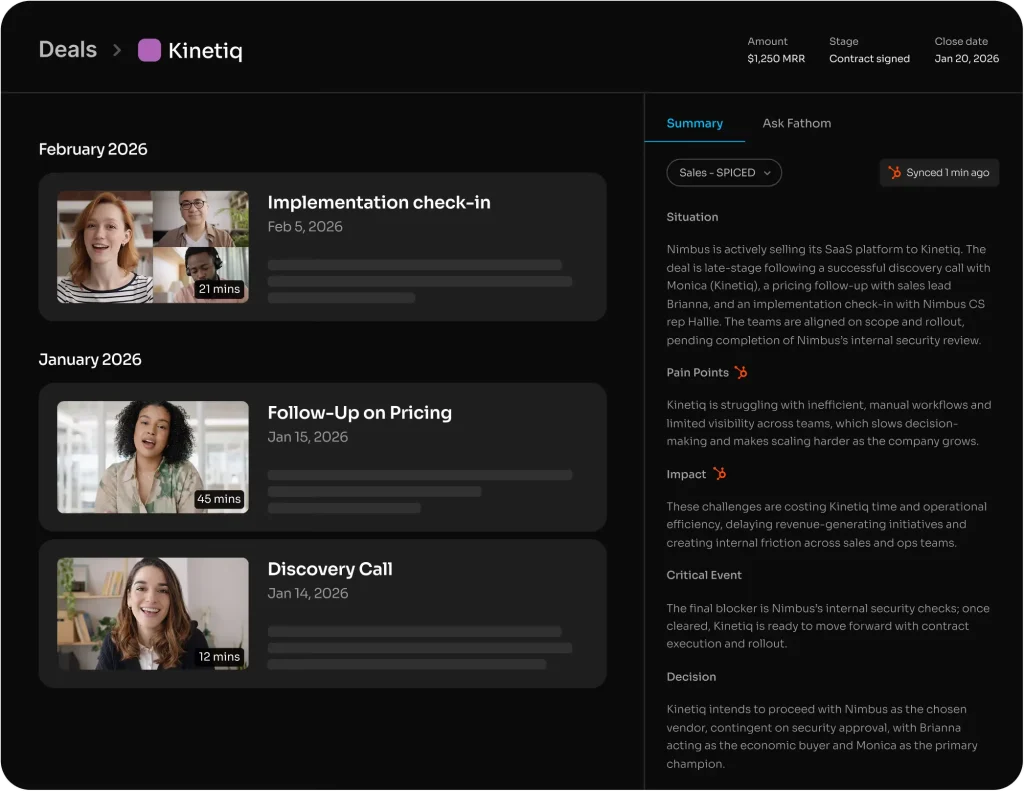
Fathom saves Zoom, Google Meet, and Microsoft Teams calls as recordings with searchable transcripts. Open a call, jump to the passage you need, or share a clip of the moment a client approved a change.
Features:
- Record and transcribe meetings with searchable, speaker-linked playback.
- Generate an AI recap automatically after each call.
- Create clips and playlists of meeting highlights for sharing.
- Search past calls by attendee or keyword.
- Download call recordings and copy transcripts into other documents.
- Connect meeting context to supported Claude and ChatGPT integrations.
Free plan: Unlimited recordings, transcripts, storage, clips, and standard AI summaries for individual accounts. Advanced summary templates are available for the first five calls each month.
2. Circleback
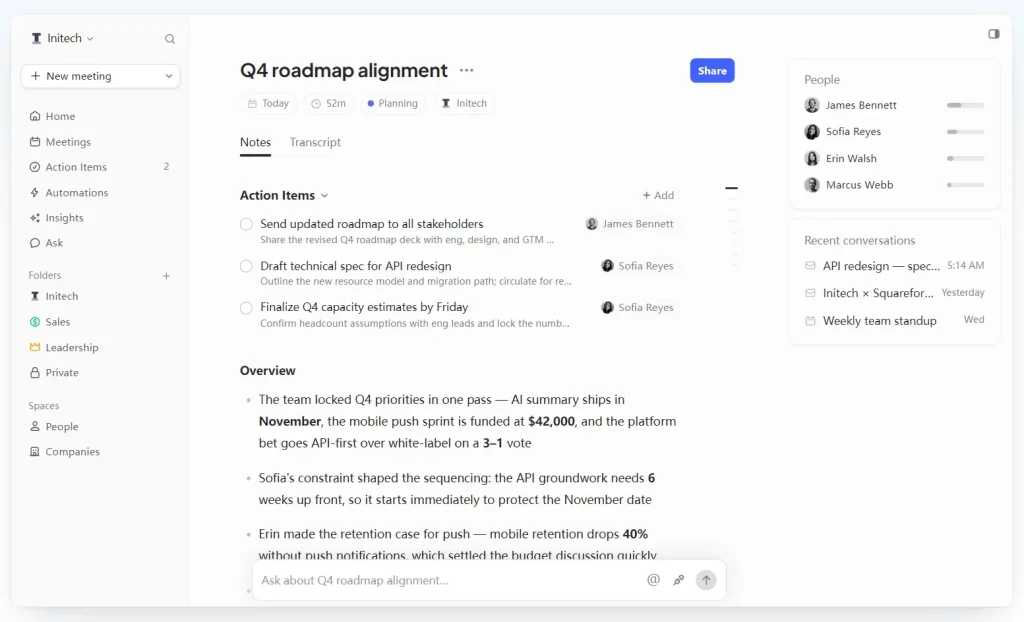
In Circleback, an action item stays connected to the meeting where it came up. Someone assigned a follow-up can open the notes or return to the original discussion. Ask Circleback searches past decisions and commitments across online and in-person meetings.
- Record online meetings with a bot or a bot-free desktop app.
- Capture in-person conversations from mobile and Apple Watch apps.
- Generate speaker-labeled transcripts, meeting notes, and action items.
- Search meetings with Ask Circleback and organize records with tags.
- Share notes with teammates and assign follow-up tasks.
- Use email viewing and drafting, limited automations, and API, MCP, and CLI access on Free.
Free plan: Unlimited AI meeting notes and action items, with access to meeting and recording history from the most recent 30 days. The Free workspace supports two teams. Pro adds unlimited meeting history and an expanded selection of automations and integrations.
3. Granola
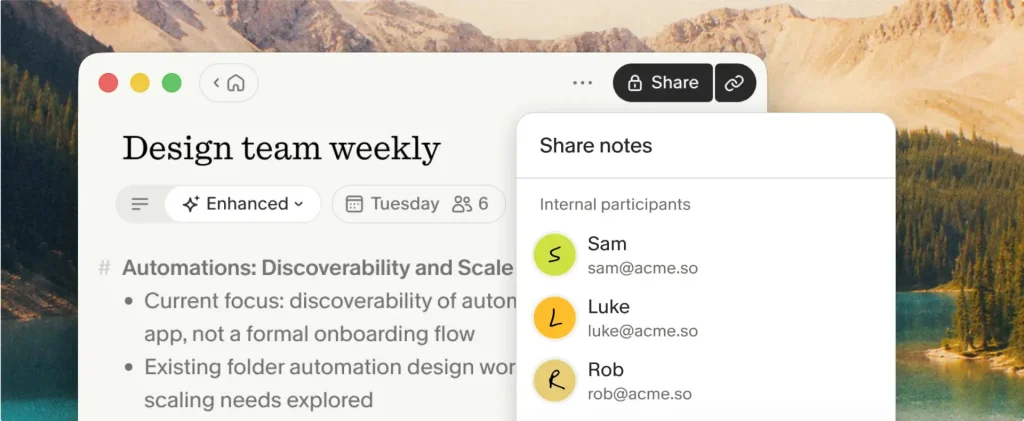
Granola turns the notes you jot during a call into a detailed meeting write-up. A quick observation from a customer interview can become part of a structured summary alongside information from the transcript. Edit the write-up to keep your own observations alongside what participants said.
Features
- Capture microphone and computer audio through a bot-free desktop app.
- Enhance rough notes with details from the transcript and calendar event.
- Apply custom note templates to interviews, project reviews, and other meetings.
- Ask Granola Chat about one meeting or a folder of notes.
- Organize shared notes in folders and use saved Recipes for post-meeting tasks.
- Record in-person conversations on supported mobile devices.
Free plan: Basic includes unlimited AI notes and meetings, AI chat, shared folders, and templates. Meeting notes older than 30 days are locked in the app.
4. tl;dv
tl;dv pairs a meeting transcript with its video. Click a timestamp to replay a customer question or product-demo moment, then share a clip with someone who needs that exact exchange. Recordings come from a meeting bot or the desktop recorder.
Features
- Record and transcribe Google Meet, Zoom, and Microsoft Teams meetings.
- Review speaker-labeled transcripts alongside meeting video.
- Add manual timestamped notes and create shareable video clips.
- Use automatic AI notes and meeting highlights.
- Ask AI questions about recordings or generate cross-meeting reports within the free allowance.
Free plan: Meeting transcripts and recordings are included. Full automatic AI notes apply to the first 10 meetings on the account. Later meetings receive automatic notes for their first 10 minutes. The account also receives 10 AI prompts, 10 AI reports, and four shareable clips. These allowances are lifetime totals, and free recordings are retained for three months.
5. Fireflies.ai
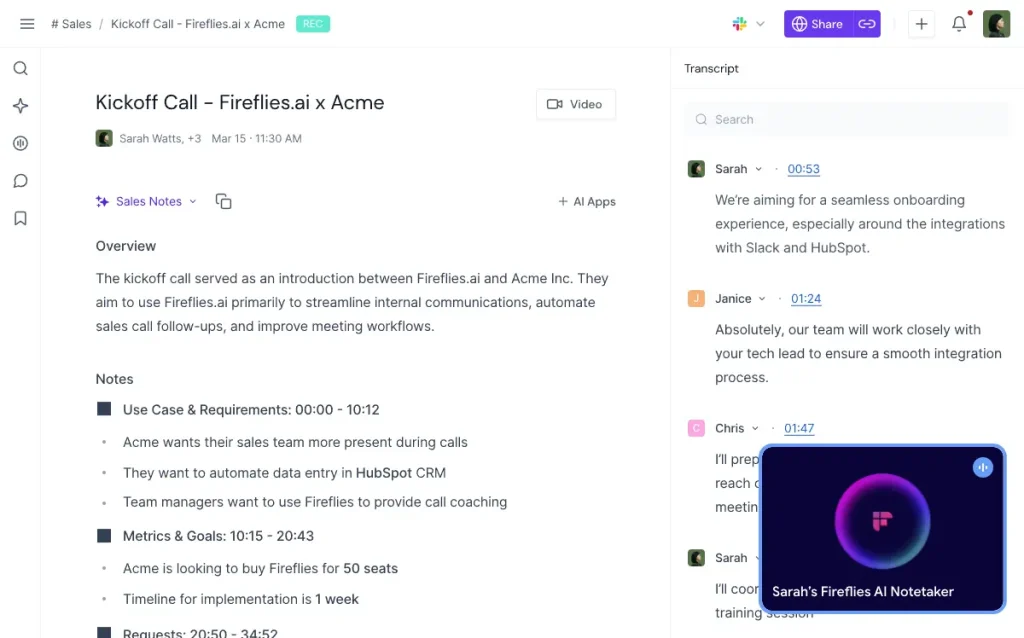
Fireflies.ai makes recurring team meetings searchable. After a call, open its transcript, find what a colleague said about a project, and attach a timestamped comment to the discussion. Teams can share these records inside a common workspace.
Features
- Capture Zoom, Google Meet, and Teams calls through its Notetaker and other recording apps.
- Transcribe speech in more than 100 languages and label speakers.
- Generate AI recaps and follow-up items using the account’s available credits.
- Find meetings by title, date, participant, or transcript keywords.
- Add comments, bookmarks, and clips for team review.
- Connect meeting records to supported CRM and productivity tools.
- Ask questions about a transcript with AskFred using AI credits.
Free plan: 400 minutes of recording storage per seat and 20 AI credits per month. For accounts created on or after September 1, 2026, switching on Auto-join calendar meetings gives unlimited transcription of supported meetings. The invite-only Auto-join filter uses transcription credits. With Auto-join switched off, the starting allowance is three transcriptions for web signups, five for Chrome signups, or ten for new mobile signups.
6. MeetGeek
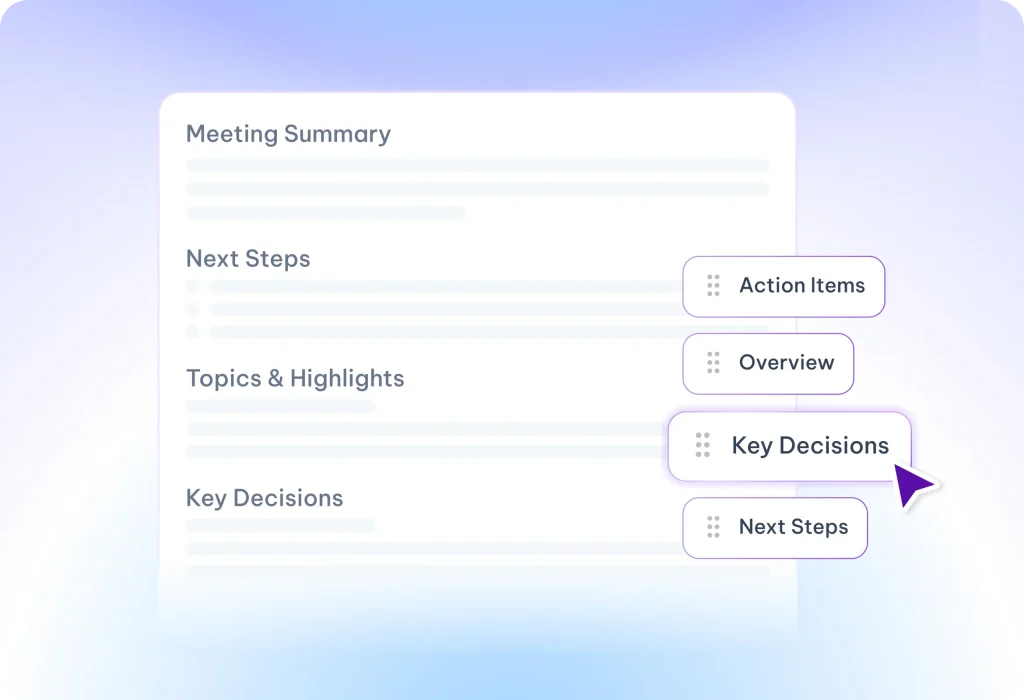
MeetGeek sends a post-call recap with the topics discussed and the follow-up tasks assigned. Open a highlight on the meeting page to return to the passage where it came up.
Features
- Transcribe meetings and generate AI summaries and action items.
- Review highlights and replay the discussion behind each highlight.
- Ask questions and search across stored meetings.
- Automatically join calendar meetings through its Notetaker.
- Record directly from macOS, Windows, browser, or mobile capture options.
- Upload existing audio or video files for processing.
Free plan: Three transcription hours per month, with a maximum of two hours per meeting. Transcripts are stored for three months and audio for one month.
7. Tactiq
Tactiq displays a live transcript during browser-based Google Meet, Zoom, and Teams meetings. A spoken question or decision is already in the transcript when you need to return to it, and AI prompts can turn the text into a summary or follow-up draft.
Features
- Transcribe calls directly in the browser through an extension.
- Generate summaries, decisions, action items, and follow-up drafts with AI prompts.
- Ask questions during a live meeting and revisit AI chats later.
- Upload recorded calls or existing transcript files for analysis.
- Share, edit, search, and export saved transcripts.
- Use AI meeting kits and supported workflows to process meeting notes.
Free plan: Ten meeting credits and five AI credits renew each month. For most AI actions, one meeting consumes one AI credit, which also includes subsequent prompts for that meeting. Uploading a file consumes a meeting credit. Calls shorter than five minutes use no meeting credit.
8. Otter.ai
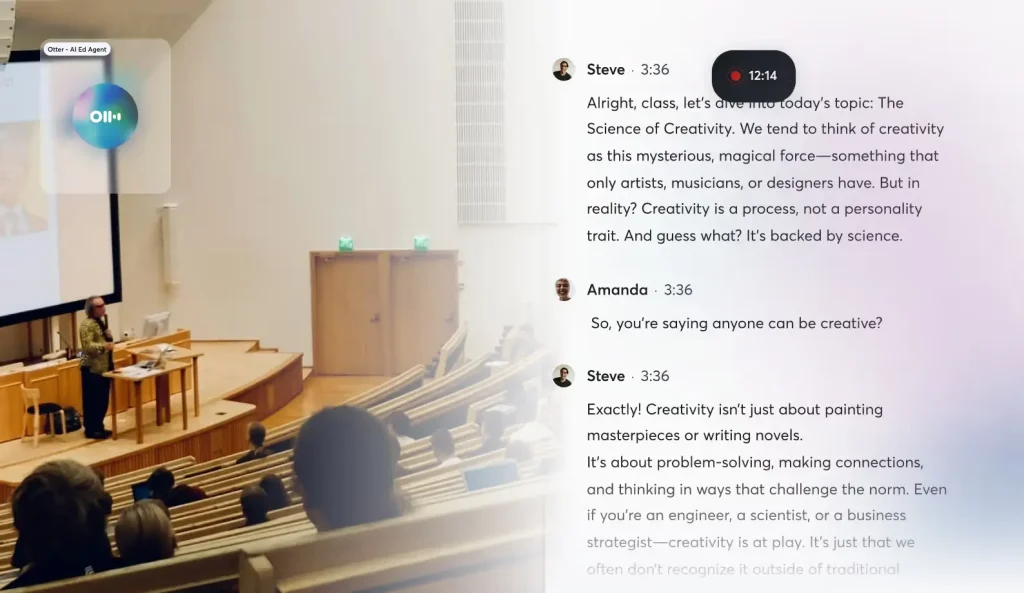
Otter.ai displays live transcription as a conversation unfolds. You can highlight a statement, return to the speaker-labeled transcript, or ask its AI chat about a decision. The mobile recorder also works for lectures and in-person interviews.
Features
- Transcribe Zoom, Google Meet, and Teams calls through a meeting assistant.
- Follow live transcripts and speaker labels during conversations.
- Generate meeting summaries and search with AI chat.
- Highlight important transcript passages.
- Record and replay audio from in-person meetings on mobile.
- Import audio or video recordings and export transcript text.
Free plan: 300 transcription minutes per month, capped at 30 minutes per conversation. A one-hour call therefore yields only 30 minutes of accessible transcription on Basic. The account displays its 25 most recent conversations, permits three file imports in total, and exports transcripts as TXT.
9. Meetily Community
Meetily Community runs the meeting recorder and transcription engine on your computer. With a local summarization model installed, it also turns a call into written minutes. It can capture audio played by desktop conferencing apps, including Zoom, Meet, and Teams.
Features
- Capture microphone and system audio on a desktop computer.
- Transcribe live speech with downloaded Whisper or Parakeet models and distinguish speakers.
- Generate meeting summaries using a local Ollama model.
- Store recordings, transcripts, and notes on the computer.
- Import an existing audio recording for re-transcription with the beta Import & Enhance feature.
- Switch to an optional cloud summarization provider when configured.
Free local setup: Meetily Community is MIT-licensed and has no vendor meeting quota. Prebuilt apps are available for 64-bit Windows computers and Apple Silicon Macs. Windows requires an x64 processor with AVX2; Linux users build from source.
10. Note67
Note67 turns meeting discussions into both notes and trackable tasks. A follow-up item can carry a due date, subtasks, and a reference to the section of the transcript where the task came up. It runs transcription and AI processing on a desktop computer.
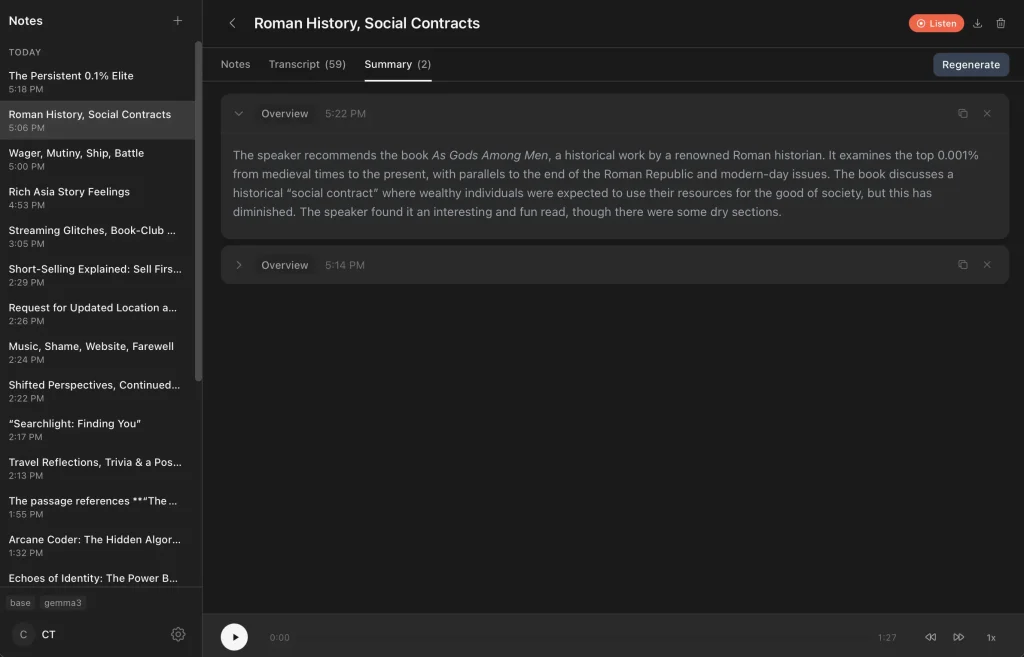
Features
- Transcribe microphone and system audio locally using Whisper.
- Generate AI summaries and extract follow-up tasks with Ollama.
- Add descriptions, due dates, and subtasks to meeting tasks.
- Search recorded transcripts and export notes as Markdown.
- Pause and resume recording, including computer-audio-only capture.
- Add typed observations that inform the final meeting summary.
- Reduce duplicate transcript text using voice-activity and echo handling.
Free local setup: Note67 is open source under AGPL-3.0 and runs on 64-bit Windows 10/11 or macOS 13 and later on Intel and Apple Silicon Macs. Download a Whisper model for transcription and configure Ollama for AI summaries and automatic tasks.
Which Free Meeting Assistant Should You Use?
For shareable video moments from client calls, look at Fathom and tl;dv. Circleback links meeting notes to team follow-ups, and Granola builds structured notes around your own observations. Fireflies.ai makes repeated team conversations searchable; MeetGeek offers a smaller monthly transcription allowance with summaries and highlights.
Tactiq gives browser-meeting users live transcription with separate AI credits. Otter.ai provides a live transcript and mobile audio playback. Meetily Community and Note67 are the local choices for desktop recording and AI summaries, with Note67 adding task tracking.
Frequently Asked Questions
Does bot-free meeting recording mean the audio stays on my device?
Bot-free describes how an assistant records a meeting. Granola, MeetGeek, and tl;dv capture meetings directly through your device and send the audio to cloud services for processing. Meetily Community and Note67 can transcribe and summarize meetings on the computer itself with downloaded models and Ollama.
Do I need everyone’s permission to record a meeting with an AI assistant?
Recording and transcription rules depend on the location of the participants and your organization’s policies. Tell participants when an AI assistant is recording or transcribing, obtain any consent required for that meeting, and check the app’s notification and access settings. Recording-consent requirements apply to bot-free capture as well.
Which free AI meeting assistants can record in-person meetings?
Circleback, Granola, and Otter.ai have mobile apps for conversations away from a laptop. Fathom also has an iOS app for in-person recording. Fireflies has mobile capture options. Meetily Community and Note67 can record a room discussion through a computer microphone. Tactiq is intended for browser-based online calls.
Can I keep meeting notes after a free history or storage limit expires?
Export the records you need before the service’s free history or storage window ends. Circleback and Granola limit access to older meetings after 30 days. Otter Basic displays a limited conversation history, and MeetGeek retains transcripts longer than audio. Check whether the free export saves the summary, full transcript, or original recording.
What is the difference between a free transcription allowance and free AI notes?
A transcription allowance controls how much speech becomes text. AI notes use the transcript to produce summaries, decisions, or follow-up tasks. Tactiq includes ten meeting transcription credits and five AI credits each month. tl;dv includes recording and transcription, with full automatic AI notes for the first ten meetings on the account. Fathom provides standard summaries for every meeting after you exhaust the monthly allowance for advanced templates.
Alternatives & Related Resources
- 10 Best Free AI Audio Transcription Tools
- 7 Best Open-Source NotebookLM (Gemini Notebook) Alternatives
- 10 Best Free AI Writing Tools (Tested & Compared)
- 10 Best AI Lecture Note Takers for Students
- Free, Private AI Meeting Transcription & Summary – Meetily
- Open-Source AI Meeting Notes for Privacy-Conscious Teams – Note67