A product photo, character drawing, or prop sketch can become a 3D mesh for a Blender scene, a game asset, or the starting geometry for a printable model. AI image-to-3D generators estimate the object’s shape from the picture, including details on sides the camera never captured. You can inspect and edit the exported mesh before using it in your project.
We’ve selected seven free AI image-to-3D generators that produce downloadable models. The list includes web apps for quick exports and open-weight models for generating geometry and textures on your own computer.
You’ll find options for simple reference meshes and detailed 3D assets, along with the free download limits, hardware requirements, and licensing terms that affect how you can use the results.
Last updated: October 13, 2026.
Free image-to-3D generators at a glance
| Generator | Free export and main use |
|---|---|
| Meshy | Browser · 10 Meshy 6 Lite downloads/month |
| Tripo AI | Browser · 15 H2.5 exports/month (non-commercial) |
| Pixal3D | Local GLB · Image-guided PBR textures |
| TRELLIS.2 | Local GLB · PBR materials |
| Hunyuan3D-2.1 | Local OBJ/GLB · Separate shape and texture stages |
| Stable Fast 3D | Local GLB · UV-unwrapped textured meshes |
| TripoSR | Local OBJ/GLB · Basic mesh reconstruction |
1. Meshy
Meshy turns photos, drawings, and character concepts into 3D meshes in your browser. Eligible files can be downloaded for editing in Blender or another 3D editor.
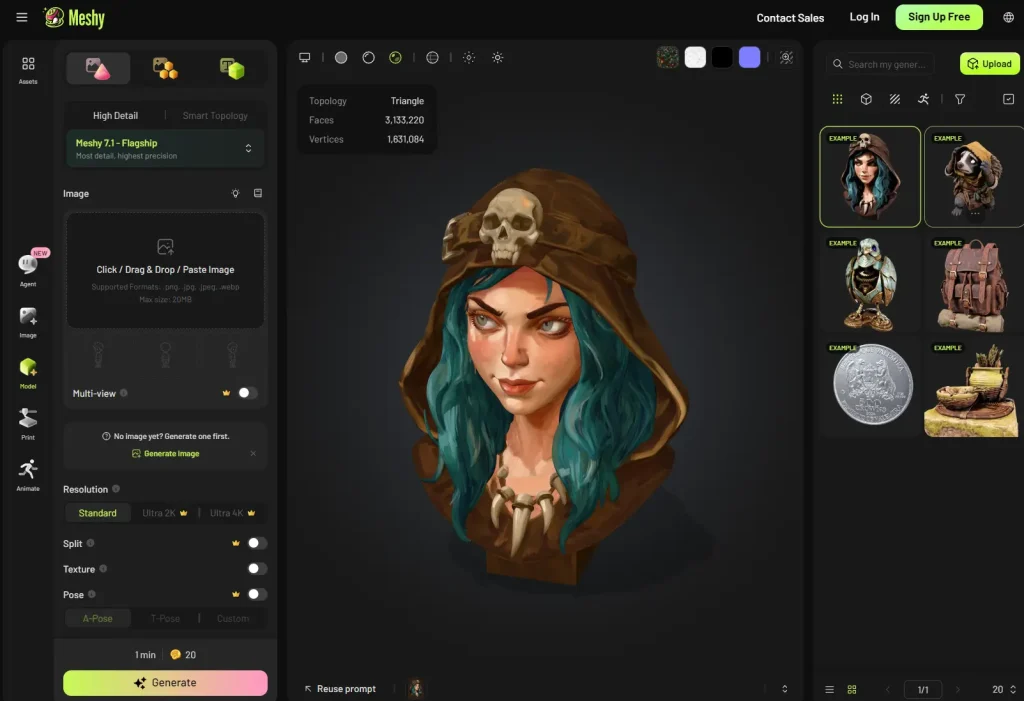
Free credits: 100/month
Free downloads: 10/month, Meshy 6 Lite
Commercial use: CC BY 4.0, attribution required
Key Features
- Inspect the generated geometry from different angles in a browser viewer.
- Generate textures for an existing mesh.
- Export eligible models as GLB, OBJ, FBX, USDZ, or STL.
Meshy 6 and Meshy 7 models require a paid subscription to download, even when free credits were used to generate them. Credits reset on the first day of each month at 00:00 UTC and do not roll over. Texture generation consumes credits, the Free plan does not include API access, and private licensing requires a paid plan.
2. Tripo AI
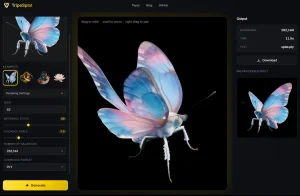
Tripo AI generates 3D objects from uploaded images in a browser workspace. Rotate the preview to examine the result and save eligible meshes for personal modeling projects.
Free credits: 200/month
Free downloads: 15/month, H2.5 models only
Free-plan rights: Public models, non-commercial use
Key Features
- Inspect the generated model in a rotatable browser preview.
- Download eligible H2.5 results in the available free export formats.
- Edit the saved mesh locally in Blender or another mesh editor.
Choose H2.5 before generating an asset that you plan to download for free. A result generated with a newer model version does not qualify for the H2.5 download allowance. The wider Tripo export system includes GLB, FBX, OBJ, and STL, but free-account format availability depends on the export options for that result.
Free accounts can store up to 10 models, and edit history lasts one day. Save eligible files locally when a project is finished. The credit balance and download allowance are independent limits, and the number of generations depends on the tasks you run. Paid game assets and client deliverables are excluded by the free plan’s non-commercial terms.
3. Pixal3D
Pixal3D generates textured 3D meshes locally from reference images. Its image conditioning projects pixel features into 3D space to guide geometry and appearance, producing GLB files with physically based rendering (PBR) materials.

Output: GLB with PBR materials
Peak VRAM: About 18 GB (standard), 10–12 GB (low-VRAM)
License: MIT code and weights
Key Features
- Generate geometry and PBR appearance from a single image.
- Use multi-view inference with multiple reference images and camera information.
- Run a low-VRAM mode that loads models on demand at a lower default resolution.
- Save meshes locally with no subscription credits or monthly export quota.
Pixal3D builds on the TRELLIS.2 environment and requires additional CUDA-related dependencies. Low-VRAM inference runs more slowly. A public web demo provides another way to try the model, subject to availability and queue limits.
Multi-view inference uses separate weights and correctly prepared camera views. A single product photo or drawing needs only the standard single-image workflow.
4. TRELLIS.2
Microsoft’s TRELLIS.2 generates 3D geometry and PBR materials from an image and exports them in a GLB mesh. The local Gradio UI can also create image-guided textures for an existing shape.
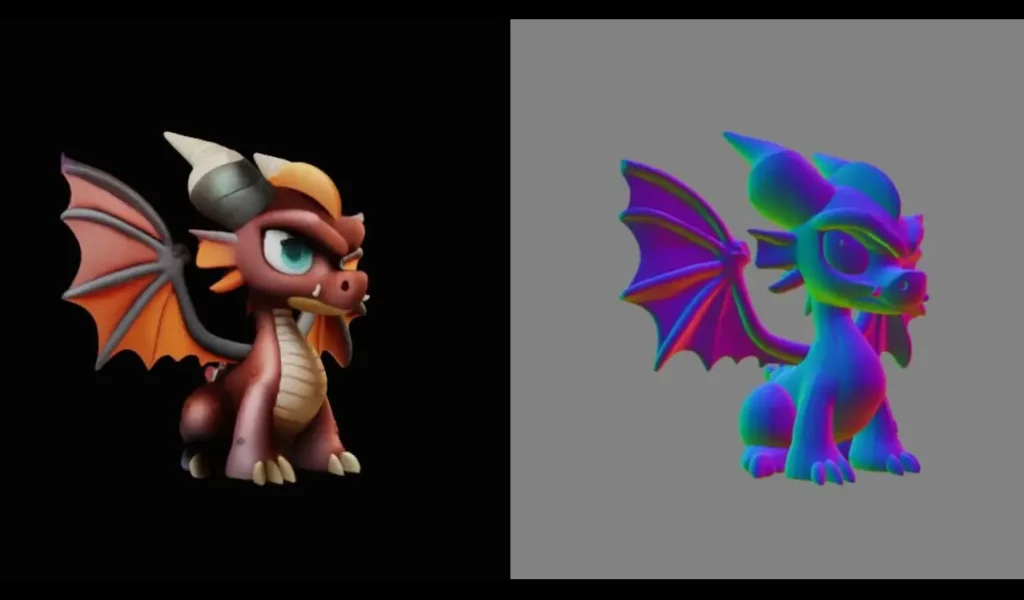
Local environment: Linux-tested, NVIDIA GPU with at least 24 GB VRAM
Output: GLB with PBR materials
License: MIT code and model
Key Features
- Generate object geometry and materials from a reference image.
- Texture an existing shape using a reference image.
- Create material attributes that can include opacity information.
- Run repeated local generations without subscription credits or export quotas.
The standard setup requires compiling GPU-dependent packages. A rented GPU incurs computing costs even though the model and local exports are free.
GLB export starts in opaque mode. To use transparency, adjust the material settings after import. Generated geometry can contain small holes that need repair before a printing workflow requiring a closed mesh.
5. Hunyuan3D-2.1
Hunyuan3D-2.1 generates a base mesh from a reference image and handles PBR textures in a separate stage. Inspect or refine the geometry before running texture synthesis, which is useful when shape accuracy needs attention first.
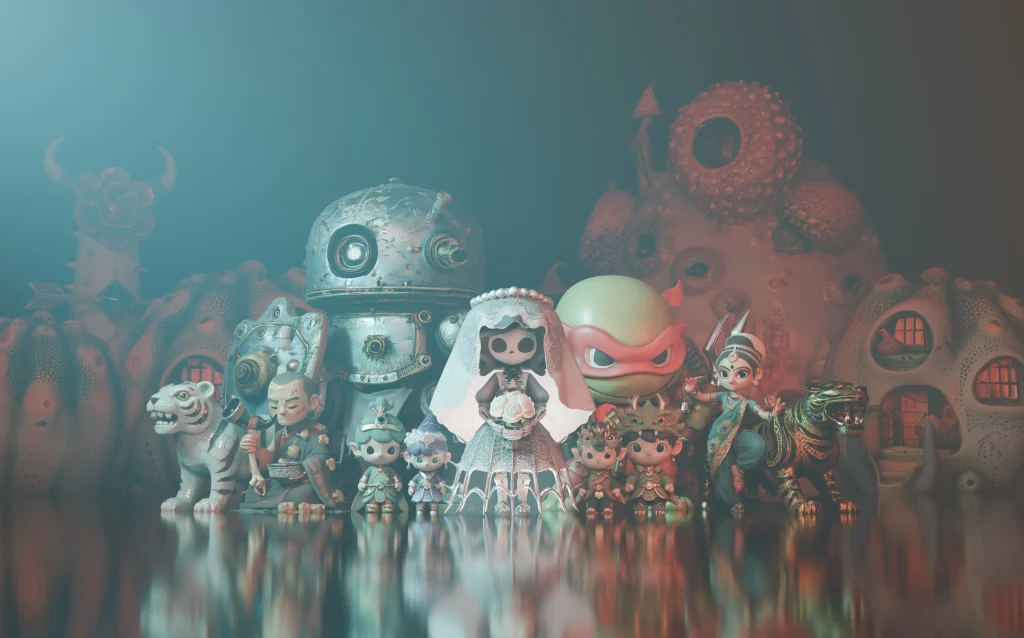
VRAM: 10 GB shape / 21 GB texture / 29 GB combined
Exports: OBJ and GLB
License: Tencent Hunyuan 3D 2.1 Community License
Key Features
- Generate an untextured base mesh from a reference image.
- Run PBR texture synthesis as a distinct stage.
- Export local OBJ or GLB files for a 3D editor.
Note that the community license does not authorize using the model or its outputs in the EU, UK, or South Korea. It also restricts using outputs to improve other AI models. Organizations exceeding the license’s one-million-monthly-active-user threshold at release need separate permission.
6. Stable Fast 3D
Stable Fast 3D reconstructs a textured mesh from one image and exports a GLB with UV coordinates and material information. It reduces lighting baked into the reference image, which helps when you relight an asset in a 3D scene.

Local VRAM: About 6 GB
Model access: Hugging Face sign-in and approval
License: Stability AI Community License
Key Features
- Generate a textured GLB with UV coordinates and material data.
- Reduce baked lighting from the reference image.
- Adjust texture resolution and select triangle or quad remeshing.
CPU inference is available. Apple Silicon and Windows support are experimental. Generated topology can need cleanup before animation or use as a production game asset.
The model weights on Hugging Face require approval. Commercial use under the free Stability AI Community License requires registration and is limited to individuals or organizations with annual revenue below $1 million. Higher-revenue businesses need an enterprise license.
7. TripoSR
TripoSR is a lightweight single-image 3D reconstruction model developed by Tripo AI and Stability AI. It produces a basic mesh for shape experiments and editing in Blender, with an MIT-licensed local workflow.

Output: OBJ by default, optional GLB
Local VRAM: About 6 GB for default single-image inference
License: MIT code and model
Key Features
- Generate mesh geometry from one image, with vertex colors.
- Optionally bake a texture atlas for OBJ-based workflows.
- Run the command-line interface or a local Gradio app.
- Use CPU inference when CUDA is unavailable.
Local use requires Python, PyTorch, and the reconstruction dependencies. There are no subscription credits or service-based export fees.
Stable Fast 3D builds on TripoSR with more developed UV and material output. TripoSR is useful when basic geometry is enough. The reconstructed back and underside can differ from the photographed object.
Prepare your image and choose an export format
Start with a clear image of one object. Keep its full silhouette visible, leave space around thin parts, and remove distracting background objects. A three-quarter view shows more of the shape than a flat front view. Transparent backgrounds help where the generator supports them. For multi-view generation, use consistent views of the same object and follow that tool’s camera requirements.
Preview the first result before spending credits or GPU time on textures. Inspect the back, underside, and narrow connections. Reject a distorted base shape early, since a detailed texture cannot correct missing geometry.
- Choose GLB for a portable asset that can keep supported textures and materials in one file.
- Choose OBJ for mesh exchange with a 3D editor. Keep its MTL file and texture images together when the export includes them.
- Choose STL for geometry you will prepare in a slicer. A valid STL file still needs checks for scale, wall thickness, and mesh integrity.
If a generator exports only GLB or OBJ, open the mesh in a 3D editor, repair it, set the dimensions, and export an STL for your slicer.
Frequently asked questions
Can an AI generator reconstruct the exact object in a photograph?
A single photograph does not show the complete object. The generator infers unseen surfaces, and the result can contain invented details or incorrect proportions. Use measured references or a scanning workflow when exact dimensions matter. A generated mesh is a starting point for visual work, not a measurement of the photographed object.
Can I send an AI-generated mesh straight to a 3D printer?
Inspect and prepare it first. Check for holes, disconnected shells, self-intersections, and parts that are too thin to print. Set the physical size, repair the mesh, and review the sliced layers before printing. Texture details such as painted grooves do not necessarily exist in the geometry that the printer receives.
Is image-to-3D the same as generating CAD or a Gaussian splat?
A mesh stores vertices and faces that describe an object’s surface. Parametric CAD stores geometry with dimensions or modeling rules that support engineering revisions. Gaussian splats and NeRFs represent appearance for rendering and require a different workflow to obtain an editable mesh. A flat image with a 3D appearance, including an image with an edited camera angle, contains no downloadable mesh by itself.
Can I use any photo I find online as a reference?
Use photographs and artwork you own or have permission to use. A generator’s output license does not grant rights to someone else’s source image, character design, or trademark. Check those rights separately before distributing or selling an asset, even when the tool permits commercial use.
Related resources
- Modly: Free Local AI Image-to-3D Mesh Generation
- Transforms Images into 3D Assets with MicroSoft’s TRELLIS Model
- CADAM AI: Free AI Text-to-3D & Image-to-3D Model Generator