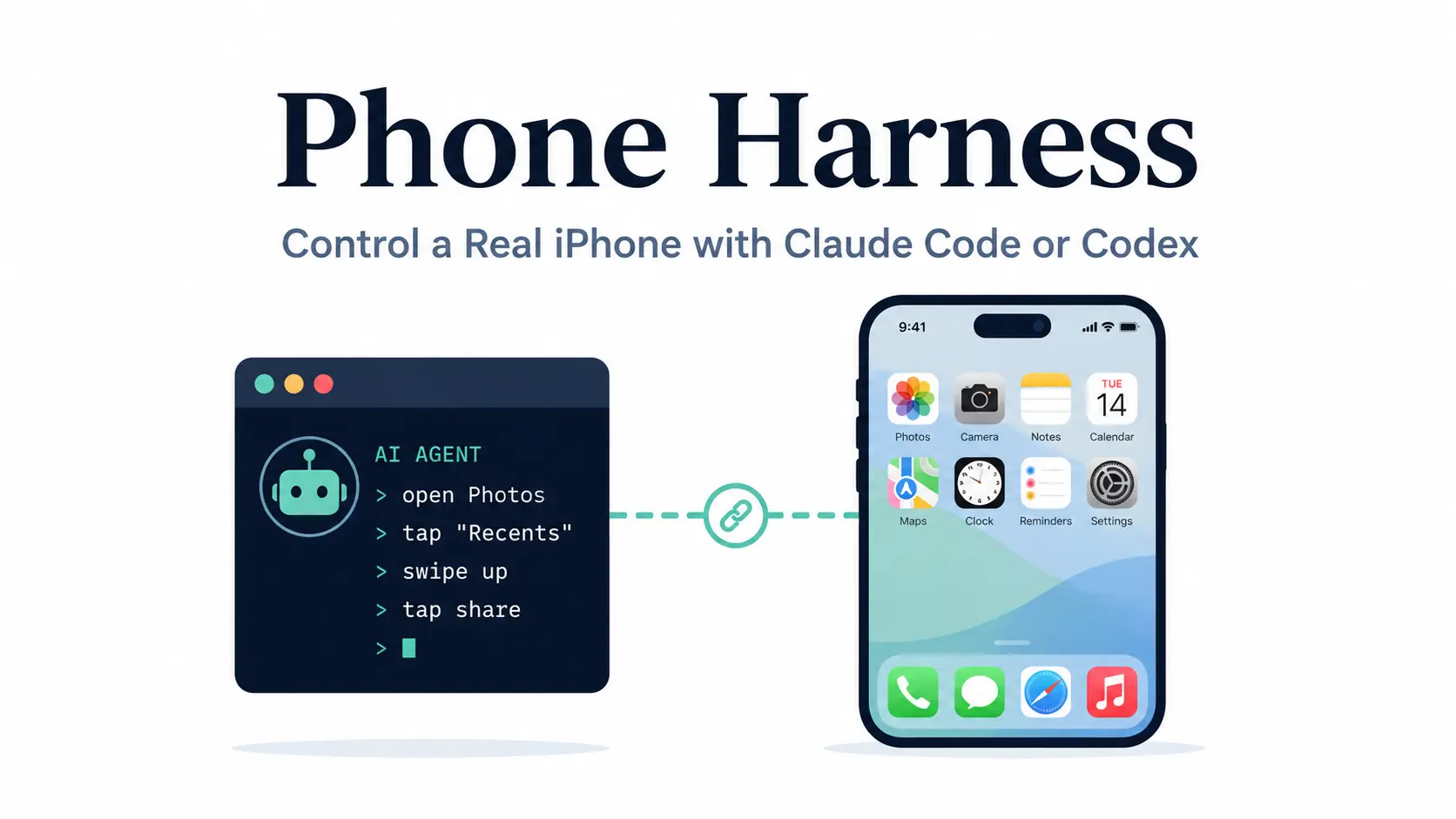
Phone Harness is an open-source macOS tool that connects Claude Code, Codex, or another shell-capable AI agent to a real iPhone through Apple’s iPhone Mirroring.
It reads the mirrored screen with Apple Vision OCR and sends taps, swipes, scrolling, and keyboard input back to the phone. The setup requires a compatible Mac, iPhone Mirroring, and macOS permissions for screen capture and input control.
The project uses the visible iPhone screen as its state model. OCR returns text with screen coordinates, the agent chooses an action, and Phone Harness captures the screen again to verify the result.
This design is great for iOS-only tasks that an AI coding agent cannot complete through a website or desktop API. It is also useful for developers experimenting with agent-driven mobile workflows, app interaction, visual checks, and repeated navigation on your personal iPhone.
How Phone Harness Controls an iPhone
Phone Harness uses Apple’s iPhone Mirroring window as the transport between the Mac and iPhone.
Its interaction loop has three parts:
- Read the screen. A window capture goes through Apple’s Vision framework for OCR. Recognized text includes coordinates that the agent can use as tap targets.
- Perform an action. The CLI sends taps, long presses, drags, scrolling, keyboard events, and iPhone Mirroring shortcuts.
- Verify the new state. Another capture checks what changed before the agent chooses its next action.
The current implementation also includes a background backend. It captures the iPhone Mirroring window by window ID and delivers input through macOS event APIs while another Mac app stays in front. If the background backend fails to load, Phone Harness falls back to its classic foreground implementation.
This screen-first approach works well when the interface exposes readable labels. Icon-only controls and visually ambiguous elements require a screenshot plus visual interpretation.
Key Features
- Reads the mirrored screen with Vision-framework OCR and returns every visible string with a tap-ready coordinate.
- Sends taps, long presses, drags, flicks, and typed text as HID-level CGEvents posted through the mirroring window.
- Ships
open_app(),tap_text(),swipe(),scroll(),home(), andapp_switcher()helpers for app navigation. - Runs
scroll_collect()andscroll_until()to walk a list to its actual end or to a stated condition; both remove duplicate rows as they scroll. - Registers itself as a Claude Code and Codex agent skill on install.
- Runs a
--doctordiagnostic that checks pyobjc, Accessibility, Screen Recording, the mirroring app, the window, capture, and OCR in order. - Provides an editable
agent-workspace/agent_helpers.pyfile that the agent extends with task-specific functions during a session. - Re-queries window bounds and re-captures the screen on every call.
Install Phone Harness
Pair iPhone Mirroring
Open iPhone Mirroring on the Mac and complete Apple’s initial pairing process with the physical iPhone.
Phone Harness does not perform this connection step for the agent. If the session becomes disconnected or the phone reports that it is in use, reconnect or lock the phone manually before continuing.
Clone Phone Harness from GitHub
git clone https://github.com/ShawnPana/phone-harness ~/.phone-harness
cd ~/.phone-harness
Install the Python dependencies
pip install pyobjc-framework-Quartz pyobjc-framework-Vision pyobjc-framework-AppKit
pip install -e . --no-deps
Register Phone Harness as an Agent Skill
For Claude Code:
mkdir -p ~/.claude/skills/phone-harness
phone-harness skill > ~/.claude/skills/phone-harness/SKILL.md
For Codex:
mkdir -p "${CODEX_HOME:-$HOME/.codex}/skills/phone-harness"
phone-harness skill > "${CODEX_HOME:-$HOME/.codex}/skills/phone-harness/SKILL.md"
Grant macOS permissions
The terminal needs:
- Accessibility for input control.
- Screen Recording for reading the mirrored screen.
Screen Recording requires a terminal restart after permission is granted. Accessibility takes effect immediately.
Run the diagnostic check
The diagnostic sequence checks PyObjC, Accessibility, Screen Recording, iPhone Mirroring, window discovery, capture, and OCR.
phone-harness --doctorThen verify that the CLI sees the mirrored phone:
phone-harness <<'PY'
print(screen_info())
PY
Using Phone Harness
phone-harness <<'PY'
open_app("Notes")
tap_text("New Note")
type_text("hello from the harness")
print([o["text"] for o in ocr()][:10])
PY
Available Helpers:
| Helper | Purpose |
|---|---|
ocr() | Read visible text and coordinates |
tap_text() | Find visible text and tap its center |
screenshot() | Save the current mirrored screen |
open_app() | Open an app through Spotlight |
type_text() | Type into the active iOS text field |
swipe() | Perform a directional touch swipe |
scroll() | Move through scrollable content |
scroll_collect() | Traverse and collect long lists |
home() | Return to the iPhone Home Screen |
app_switcher() | Open the App Switcher |
wait_stable() | Wait until screen changes settle |
A reliable agent loop looks like this:
open_app("Weather")
wait_stable()
items = ocr()
print([item["text"] for item in items])
# Perform the next action after inspecting current state.
Current Limitations
- Only one phone and one Mirroring session are handled at a time.
- Unlocking the physical iPhone pauses iPhone Mirroring.
- Multi-touch gestures such as pinch are unavailable.
- Camera and Face ID flows are outside the supported interaction model.
- DRM-protected video produces black captures.
- OCR recognizes visible text rather than interface semantics.
- Icon-only controls require screenshot-based visual interpretation.
- Initial pairing and connection recovery require the user.
- Background control depends partly on private macOS APIs.
- The entire workflow depends on Apple’s iPhone Mirroring platform and regional availability.
- Unlocking the iPhone will end the active Mirroring session.
Pros
- MIT-licensed source code.
- Real iPhone interaction.
- Vision OCR with coordinates.
- Agent skill support.
- Editable task helpers.
- Built-in diagnostic command.
- Background input implementation.
Cons
- macOS and iPhone only.
- iPhone Mirroring dependency.
- No multi-touch gestures.
- OCR lacks UI semantics.
- One phone per session.
- Physical reconnection required.
Alternatives & Related Resources
- The Ultimate Claude Code Resource List: Agents, Skills, Plugins & More
- Most Popular Agent Skills on GitHub for Coding Agents
- 10 Best Agent Skills for Claude Code & AI Workflows
- OpenAI Codex Commands Cheat Sheet
- Claude Code Commands Cheat Shee
- 7 Best CLI AI Coding Agents