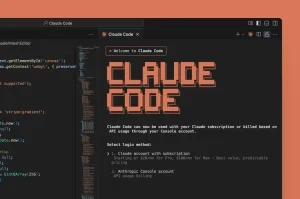
Claude Code can be billed through a Claude subscription or an API account, and that choice determines how you track usage, what happens when you reach a limit, and where the bill appears. Subscriptions draw from a usage allowance that resets over time, while API billing charges for the tokens in each request.
Pro, Max, Ultra, and Team plans include Claude Code, and Claude chat and coding sessions draw from the same account allowance. Pro and Max have five-hour and weekly limits. Ultra has a weekly limit, with no five-hour limit for verified accounts. Anthropic increased the five-hour allowances for eligible plans when Claude Opus 5.5 launched on September 22, 2026. Opus 5.5 is available in Claude Code, while Fable 5.1 follows separate plan-specific usage rules. API accounts use token billing and have no subscription allowance.
Pro handles occasional repository work, Max adds capacity for regular coding, and Ultra provides a larger weekly allowance for sustained work. Team and Enterprise provide organization administration, while API billing gives scripts, CI jobs, and other automated workloads a separate usage budget.
Last Updated: Nov 1, 2026
Claude Code plans and prices
All prices are in US dollars before tax, and annual plans are billed upfront.
| Plan | Price | Usage |
|---|---|---|
| Free | $0 | Claude chat only |
| Pro | $20/month or $200/year | Included Claude Code limits; Fable 5.1 uses usage credits |
| Max | $100/month | 5x Pro usage every five hours and every week; Fable up to 50% of the weekly limit |
| Ultra | $200/month | 10x Pro weekly usage; no five-hour limit for verified accounts; Fable up to 50% of the weekly limit |
| Team Standard | $25/seat/month or $20/seat/month with annual billing | More usage than Pro; Fable 5.1 uses usage credits |
| Team Premium | $125/seat/month or $100/seat/month with annual billing | 5x Standard usage; Fable models use up to 50% of the weekly limit |
| Enterprise | $20/seat/month plus API usage | Organization-managed billing; access depends on seat and contract |
| API or Console | Pay by token | No included subscription usage |
Can Claude Free use Claude Code?
Claude Free does not include Claude Code in the terminal, IDE extensions, or on the web, although Claude chat can generate and analyze code, create files, and run code inside the app. Those chat sessions cannot operate on a local repository.
Claude Code works inside a repository, where it can inspect files, edit code, run commands and tests, use Git, and carry the task history across multiple turns. The terminal and supported IDEs require a paid Claude subscription or a Claude Console account, and Claude Code on the web is available to Pro, Max, Ultra, Team, and Enterprise accounts with Claude Code access.
A free account handles code questions inside Claude chat, whereas local repository work requires Pro or another paid plan. A Console account supports that local workflow and bills each request at API rates.
Claude Pro pricing and limits
Claude Pro costs $20 per month, or $200 for an annual subscription paid upfront, which works out to $16.67 per month, and the subscription puts Claude chat and Claude Code under one account.
Pro does not promise a fixed number of prompts because a short request that reads one file can use much less capacity than a debugging session that searches a repository, reruns tests, and carries a long history. The model and effort level also affect how quickly the allowance is used.
The allowance is shared across Claude, so messages in the web, desktop, and mobile apps leave less capacity for Claude Code during that window.
Claude Max and Ultra pricing and limits
Max and Ultra are individual subscriptions for frequent Claude and Claude Code use. Anthropic renamed the former Max 5x plan to Max and the former Max 20x plan to Ultra; existing Max 20x subscribers moved to Ultra at the same price.
- Max costs $100 per month and includes five times Pro’s usage every five hours and every week.
- Ultra costs $200 per month and includes ten times Pro’s weekly usage. Verified accounts have no five-hour limit; a temporary session limit applies until verification.
Max has a five-hour limit and an all-model weekly limit. Ultra uses its all-model weekly allowance without a five-hour limit once the account is verified. Both plans also have a separate weekly limit for Fable, which can use up to half of the weekly allowance. Open Settings > Usage to see your reset times and active limits.
Max supports regular feature work and repeated debugging. Ultra offers more weekly capacity for longer tasks and parallel repository work. Fable sessions, multiple agents, and simultaneous Claude Code processes all draw down the applicable weekly allowance.
Team Standard and Premium seats
Team is for organizations with 2 to 150 members, whose owners can mix Standard and Premium seats and assign each member the capacity that fits their work.
A Standard seat costs $25 per month, or $20 with annual billing, and suits occasional or moderate coding work that needs more usage than Pro.
A Premium seat costs $125 per month, or $100 with annual billing, and includes five times the usage of a Standard seat. Premium seats suit people who spend much of the day in Claude Code, and lighter users can stay on Standard.
Team puts billing, seats, connectors, and Claude Code settings under one organization, with central administration, single sign-on, usage analytics, and a default policy that excludes customer content from model training.
Before a session starts, check which account Claude Code is using: a personal login charges the personal subscription, and an API key in the environment sends usage to the Console bill.
Enterprise pricing and usage
Enterprise costs $20 per seat per month plus usage at API rates, with annual billing. The seat covers product access and administrative controls, and model charges depend on the work the organization runs.
Pro, Max, Ultra, and Team include a usage allowance, whereas usage-based Enterprise bills tokens from the first request and has no included five-hour pool.
Seat-based Enterprise plans can include usage with Standard and Premium seats, and an owner can enable usage credits after a member reaches the seat limit. The contract and organization settings determine which billing model applies.
Enterprise includes role-based permissions, user and organization spending limits, audit logs, the Compliance API, custom retention settings, network controls, and usage reporting.
Claude Code in the terminal, IDE, and web
| Runs on | Access and billing | |
|---|---|---|
| Terminal | Local machine | Paid plan or API account |
| VS Code and Cursor | Local IDE | Paid plan or API account |
| JetBrains | Local IDE | Paid plan or API account |
| Claude Code web | Anthropic cloud | Pro, Max, Ultra, Team, or Enterprise |
In the terminal, Claude Code can reach a local repository, read and edit files, run shell commands, and use local development tools. IDE integrations put those actions beside the editor and add inline diffs, file references, plan review, and conversation history.
Claude Code on the web runs in an isolated cloud environment, connects to a repository after you sign in, continues after you close the browser, and prepares a branch or pull request. Those tasks draw from the account’s Claude Code capacity.
Related: Claude Code Commands Cheat Sheet
How the five-hour limit works
Pro, Max, and eligible Team and Enterprise seats have a five-hour usage window. It measures account usage across Claude products, not reserved coding time, so a demanding task can consume the allowance much faster than a short request. Verified Ultra accounts have no five-hour window; accounts awaiting verification have a temporary limit.
Anthropic increased the five-hour usage limits for Pro, Max, Team, and seat-based Enterprise on September 22, 2026. For plans with a five-hour window, the allowance is usage-based, and Settings > Usage shows the capacity assigned to your account.
For plans with a session limit, capacity returns when the five-hour window resets. The reset is tied to the session window, not midnight, and unused capacity does not carry into the next window. On Ultra, the Current session bar disappears from Settings > Usage once verification removes the five-hour limit.
Claude chat on the web, desktop, and mobile apps draws from the subscription capacity alongside terminal, IDE, and web coding sessions.
Anthropic does not publish a reliable prompt count for each plan because a short request and a repository-wide debugging session can consume very different amounts of capacity depending on the task, model, and context. The Usage page shows the allowance assigned to your account.
How weekly limits work
Pro and Max have both weekly and five-hour limits, so a five-hour reset restores session capacity but does not refill the weekly allowance. Ultra has a weekly limit even after the five-hour limit is removed for a verified account.
Max receives five times Pro’s weekly usage, and Ultra receives ten times Pro’s weekly usage. Both have an all-model weekly limit and a separate weekly limit for Fable. Weekly reset days and times are assigned to the account, and Settings > Usage lists the applicable model and feature limits.
Several demanding days can exhaust the weekly pool on any paid plan. Ultra subscribers can reach their weekly limit even when their verified account has no five-hour limit.
What consumes Claude Code usage
Claude Code usage comes from the tokens sent to and returned by the model, including conversation history, project instructions, file contents, tool definitions, command output, error logs, and summaries from other agents.
Your allowance falls faster when:
- A long conversation carries more history into each later turn.
- A large repository requires more file reads and search results.
- Fable and Opus consume more capacity than lighter models.
- Higher effort settings spend more tokens on reasoning.
- Large test logs, generated files, and pasted stack traces add context.
- MCP servers add tool definitions before a tool call runs.
- Subagents and agent teams create separate model conversations.
- Parallel Claude Code sessions draw from one account simultaneously.
- Repeated corrections leave failed approaches in the conversation history.
The context window determines how much information fits in one conversation, whereas usage limits track how much model work an account can perform over time. On plans with a five-hour limit, you can have context space left even after the session allowance is exhausted.
Use /clear when the next task does not need the old conversation, and use /compact when the current task needs a shorter version of earlier work. Both reduce future token use, but neither refunds capacity spent during the current window.
Choosing a model in Claude Code
Run /model inside Claude Code to select from the models available to the account. Claude Haiku 5.5 is available in Claude Code with the model ID claude-haiku-5-5. Changing models does not restart a conversation or restore used capacity.
| Model | Best fit and plan access |
|---|---|
| Fable 5.1 | Most demanding reasoning and long-horizon agentic work; use when Opus 5.5 at higher effort is not enough |
| Opus 5.5 | Default starting point for most complex coding and knowledge work; 1M context and adaptive thinking |
| Opus 5 | Previous Opus generation; higher API token prices than Opus 5.5 |
| Sonnet 5.5 | Default for most coding: feature work, debugging, tests, and reviews |
| Haiku 5.5 | Fast small edits, summaries, compaction, and subagent tasks; 1M context, adaptive thinking |
| Haiku 4.5 | Previous Haiku generation for existing configurations |
Related: Claude Code Timeline: Release Date and Major Updates
Usage credits after the included allowance
Anthropic calls paid overage “usage credits,” although older account screens may use the label “Extra Usage.” Both labels refer to paid use after the included allowance runs out.
These subscription usage credits are different from the monthly Claude Platform API credits for Max, Ultra, and Team plans. For models covered by your plan, Claude draws from included capacity first. Fable follows a separate billing rule: Pro, Team Standard, and standard seat-based Enterprise use credits from the first request, while Max, Ultra, Team Premium, and premium seat-based Enterprise include up to 50% of weekly Fable usage. Claude warns you before paid use begins, and a funded credit balance lets the session continue at standard API rates.
Under Settings > Usage, you can add prepaid funds, set a monthly spending limit, enable alerts, and turn on auto-reload, which buys more credit when the balance reaches the chosen threshold. These charges are separate from the subscription.
Team owners buy organization credits, set spending limits for the organization or individual users, and enable the feature. Seat-based Enterprise plans can apply controls by organization, seat type, group, or user, and the Usage page shows the controls available to that organization.
Usage credits do not change the normal reset times. They pay for requests after the included five-hour or weekly limit is reached; verified Ultra accounts have weekly limits but no five-hour limit.
Monthly API credits for Claude Max, Ultra, and Team
Max includes $100 per month in Claude Platform API credits, and Ultra includes $200 per month. Team plans receive $20 per Standard seat and $100 per Premium seat, pooled into a single organization balance capped at $500 per month. Free, Pro, and Enterprise subscriptions do not receive these monthly API credits.
To claim the credit, a Max or Ultra subscriber or a Team owner links an eligible Claude Console organization under Billing. New subscribers become eligible after seven days. The credits pay for Claude API requests, Claude Managed Agents, and Agent SDK runs that use an API key from the linked organization. They cannot pay for interactive Claude Code sessions, subscription overage, or cloud-provider API calls. Unused monthly credits expire at the next billing cycle.
Claude Code API pricing
| Model | Input per MTok | Output per MTok |
|---|---|---|
| Claude Fable 5.1 | $10.00 | $50.00 |
| Claude Opus 5.5 | $4.00 | $20.00 |
| Claude Opus 5 | $5.00 | $25.00 |
| Claude Sonnet 5.5 | $2.00 | $10.00 |
| Claude Haiku 5.5 (prompt ≤100K tokens) | $0.10 | $0.50 |
| Claude Haiku 5.5 (prompt >100K tokens) | $0.50 | $2.50 |
| Claude Haiku 4.5 | $1.00 | $5.00 |
Prompt caching prices
| Model | 5-minute cache write per MTok | 1-hour cache write per MTok | Cache read per MTok |
|---|---|---|---|
| Claude Fable 5.1 | $12.50 | $20.00 | $0.25 |
| Claude Opus 5.5 | $5.00 | $8.00 | $0.20 |
| Claude Opus 5 | $6.25 | $10.00 | $0.50 |
| Claude Sonnet 5.5 | $2.50 | $4.00 | $0.10 |
| Claude Haiku 5.5 (prompt ≤100K tokens) | $0.125 | $0.20 | $0.01 |
| Claude Haiku 5.5 (prompt >100K tokens) | $0.625 | $1.00 | $0.05 |
| Claude Haiku 4.5 | $1.25 | $2.00 | $0.10 |
Compare model rates: AI LLM API Pricing
Prompt caching helps when successive requests reuse context because Claude Code can reuse project instructions and other recurring prompt content. Cache writes have their own price, while cache reads cost less than sending those tokens as new input. Fable 5.1 cache reads cost 2.5% of base input, Opus 5.5 and Sonnet 5.5 use 5%, and Haiku 5.5 and Haiku 4.5 use 10%. Haiku 5.5 pricing changes when a prompt exceeds 100,000 tokens.
Claude Opus 5.5 also has Fast mode in Claude Code and on the Claude Platform. API Fast mode costs $8 per million input tokens and $40 per million output tokens and can run up to 2.5 times faster than standard Opus 5.5.
API rate limits govern requests or tokens over short periods and operate separately from the five-hour and weekly subscription windows. A traffic spike can trigger a rate-limit error even when the API account has credit.
Claude subscription login versus an API key
Claude Code uses the authentication method in the current session to decide where usage is billed.
With subscription authentication, /login connects Claude Code to a Pro, Max, Ultra, Team, or Enterprise account, so interactive use draws from that plan or seat. Paying for the subscription does not create a Claude API credit balance.
With API authentication, Claude Code sends requests through a Console account, Amazon Bedrock, Google Cloud, Microsoft Foundry, or another supported provider, each of which applies its own token prices, rate limits, and spending controls.
If ANTHROPIC_API_KEY is set, Claude Code uses that key and ignores the subscription login for the session, so the session incurs API charges even when the user also pays for Pro, Max, or Ultra.
After changing login methods or development environments, check the active account because keys can come from shell profiles, IDE settings, containers, or CI secrets even when the current command does not print them.
Subscription and API balances do not overlap: Claude plan capacity stays within the subscription, Claude Console credit pays API charges, and usage credits extend a subscription after its included capacity runs out.
What happens when a limit is reached
| Limit | Result and next step |
|---|---|
| Five-hour subscription | Pro, Max, eligible Team/Enterprise seats, and unverified Ultra: wait for reset, use credits, or switch to API billing. Verified Ultra accounts have no such limit |
| Weekly subscription | Included use stops until the assigned weekly reset. Wait, use credits, or change plans |
| Model-specific | Select another listed model or wait for its reset |
| Usage-credit balance | Add prepaid funds or enable auto-reload |
| Monthly spend | The owner raises the limit or paid use waits for the next billing period |
| API rate | Reduce concurrency and retry with backoff, or request a higher tier |
| API credit or billing | Add credit, correct billing, or raise the approved spending limit |
| Context window | Run /compact, start a new session, or load less material |
How to check current usage
Individual subscribers can open Settings > Usage in Claude to see active five-hour and weekly limits, reset times, usage credits, and month-to-date credit spending across Claude products. Verified Ultra accounts have no Current session bar because their five-hour limit has been removed.
Inside Claude Code, /usage shows plan usage bars, recent activity, and local consumption, with a breakdown showing whether models, skills, subagents, plugins, or MCP servers account for a large share of recent use. It does not include work from another machine or the Claude web app.
Use /status to confirm the active account, model, and configuration, then check the Claude Usage page or Console for billing totals after switching between subscription and Console authentication.
The /usage-credits command opens credit controls for a subscription login, but it is unavailable when Claude Code uses only an API key.
For API billing, the Claude Console Usage page is the final billing record. Claude Code estimates session cost from local token counts, while the Console includes server-side calculations, adjustments, and usage from every client that shares the account.
Related tool: Claude Code Usage Monitor
Team and Enterprise owners also have organization analytics for adoption, activity, and spend, while member-level views depend on the organization’s settings and the viewer’s role.
Which plan fits each workload?
Start with the least expensive plan that handles a normal week, then check the Usage page after several real projects. One unusually large repository or debugging session can be an exception, whereas repeated interruptions usually indicate that the plan is too small.
| Workload | Recommended option |
|---|---|
| Code explanations and generated snippets in Claude chat | Free |
| A few focused repository tasks each week | Pro |
| Regular feature work and debugging | Max |
| Heavy daily coding across several repositories | Ultra |
| A team with mixed usage levels | Team with Standard and Premium seats |
| A development team with frequent Claude Code use | Team Premium |
| Security, identity, audit, and policy requirements | Enterprise |
| CI jobs, scripts, Agent SDK work, or unattended automation | API or separate Agent SDK credits |
| A short period of unusually heavy coding | Pro, Max, or Ultra with usage credits |
| Project budgets and machine-driven workloads | API with workspace limits |
Use less Claude Code capacity without giving up useful work
- Start a new session when you move to an unrelated task.
- Ask Claude to inspect named files or functions before searching the whole repository.
- Exclude generated files, build output, and large logs from the context unless they contain the error.
- Use Sonnet for routine implementation and reserve costlier models for decisions that need them.
- Run
/compactbefore a long conversation becomes difficult to manage. - Disable MCP servers you do not use because their tool definitions enter every request.
- Reserve parallel agents for independent tasks.
- Write the first prompt with a specific target, constraints, and acceptance test.
FAQs
Do weekly limits reset when a new billing month starts?
No. The weekly reset follows the day and time assigned to the account, so it is separate from the subscription renewal date.
Can usage credits be turned off?
Yes. Individual subscribers can disable usage credits under Settings > Usage, after which Claude stops paid overage when the included allowance runs out, while Team and Enterprise settings belong to organization owners.
Does switching models reset a usage limit?
No. Switching models changes future consumption but does not restore capacity used in the current session or weekly pool.
Does upgrading from Claude Pro to Max take effect immediately?
Yes. Max starts as soon as the upgrade takes effect. Anthropic applies the remaining value of the current plan to the upgrade according to the subscription and billing method.
Does canceling Pro, Max, or Ultra remove Claude Code immediately?
No. The paid plan stays active until the current billing period ends, after which the account moves to Free without Claude Code access.
Does claude -p use subscription limits or monthly API credits?
With a Claude subscription login, claude -p and Claude Agent SDK requests use the normal plan allowance. The separate Agent SDK credit proposed in June is no longer available. Max, Ultra, and Team subscribers can use their monthly API credits for claude -p or Agent SDK calls made with an API key from the linked Claude Console organization.
Does Claude Code on the web charge for the cloud virtual machine?
No. Claude Code on the web draws from the signed-in account’s Claude Code allowance, and Anthropic does not add a separate virtual-machine charge.
Does Anthropic train models on Claude Code sessions?
Free, Pro, Max, and Ultra accounts follow the user’s privacy setting for model training, while Team, Enterprise, and API data is not used for model training by default.
Related resources
- The Ultimate Claude Code Resource List: Agents, Skills, Plugins & More
- 10 Best CLI AI Coding Agents (Open Source)
- Claude Code Local: Run Claude Code With Local AI on Apple Silicon
- OpenAI API Rate Limits: RPM, TPM, Tiers, and 429 Errors
- AI Coding Plan Comparison: Prices, Limits, and Features
- Gemini API Free Tier Limits: Requests Per Day & Setup