LUCI Desktop is a free Mac and Windows app that records screen activity and meetings, turns them into searchable memory, and stores that history on your computer.
You can use it to recover a page you forgot to bookmark, find an error you saw earlier, revisit a decision from a call, or search what you were working on at a particular time.
Your coding agent, like Claude Code or Codex, can query the memory through LUCI’s official agent skills.
Screen activity and meeting conversations become context an agent can retrieve during a task.
You no longer have to find and paste information into every new session.
Features
- Records screen activity and turns captured moments into searchable memory.
- Captures your microphone and computer audio for Zoom, Google Meet, Microsoft Teams, and other calls.
- Searches exact text when you remember a filename, URL, error message, or other literal detail.
- Uses semantic search when you remember the meaning of something.
- Lets Claude Code, Cursor, Codex, and other AI coding agents search previous screen and meeting context through official skills.
- Distills completed days into local Markdown records through the Life folder.
- Runs chat, summaries, transcription, screen understanding, and search with local models.
- Excludes selected apps from capture and can redact supported categories of sensitive information before a captured frame is stored.
How LUCI Builds Searchable Memory
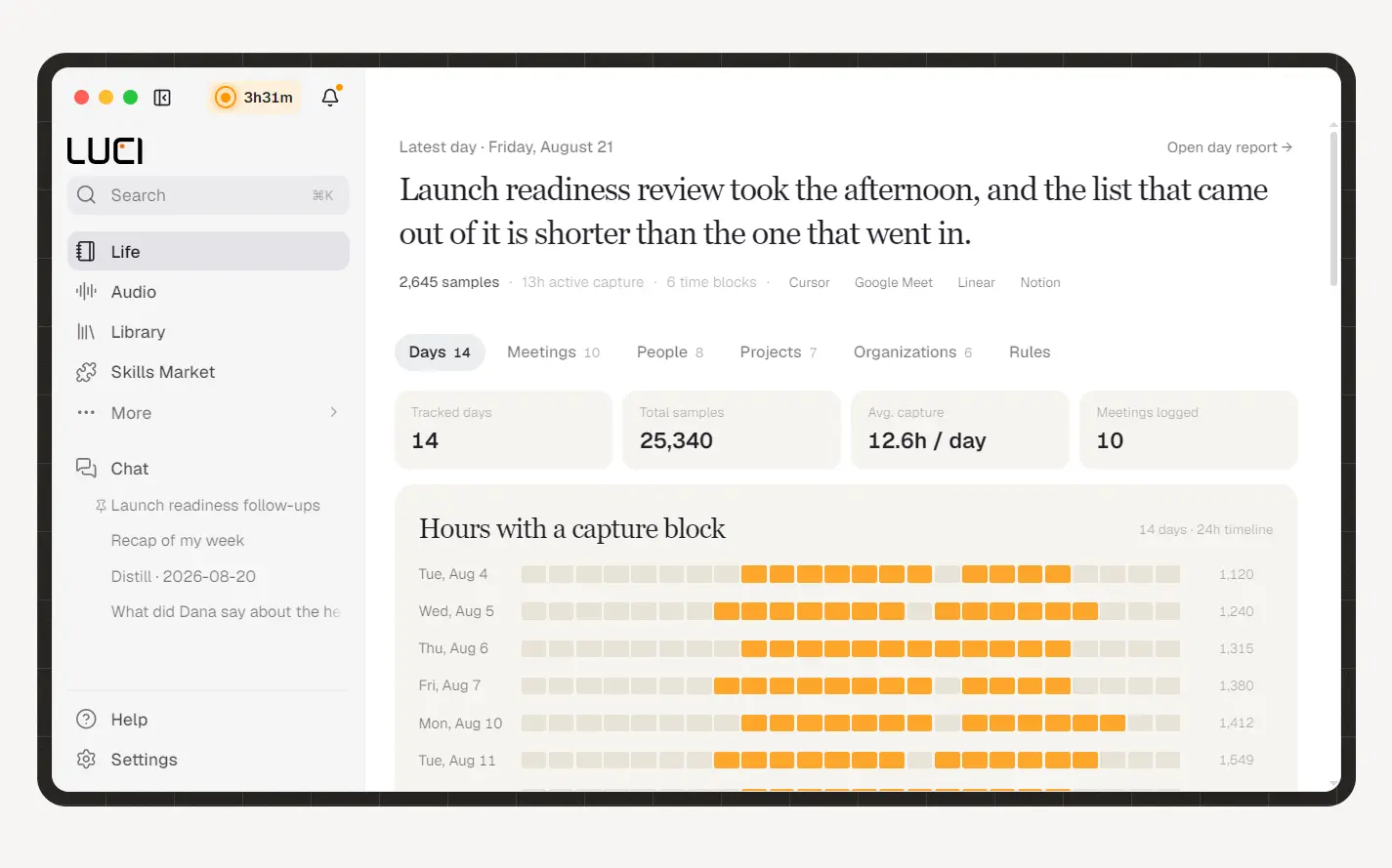
Screen Memory records activity as you work and associates captured moments with information including time, app, window, visible text, and screen context. Meeting capture contributes spoken conversations to that history, which lets one search include both what appeared on the display and what people said during a call.
LUCI supports two search methods. Keyword search works well when you know the literal text you need, including an error code, filename, person’s name, or URL. Semantic search handles descriptions such as “the pricing table I looked at yesterday” when the original wording is no longer clear.
Search results lead back to individual moments. A result can include the relevant frame, app context, and timestamp, which removes the need to scrub through hours of screen recordings to locate one detail.
LUCI also provides Enhanced Search for deeper meaning-based retrieval. This mode creates additional vector data for captured text and can process existing history after you enable it.
Give Claude Code, Cursor, and Codex Context From Previous Work
LUCI’s Agent Bridge installs official skills that teach compatible agents how to search screen history, meeting conversations, and activity from a particular time or app. Claude Code, Cursor, and Codex can receive these skills directly from LUCI. Gemini, GitHub Copilot, Windsurf, and other compatible agents can install them from the official skills repository.
An agent can ask LUCI for context related to its current task. A coding agent could retrieve a browser error from earlier in the day, find the section of a meeting where an API decision was made, or recover a configuration value that appeared on screen.
The main luci skill handles memory retrieval. The distill-my-life skill can process completed days and create Markdown records under the local Life folder. Those records can include daily reflections plus files related to people, organizations, projects, and tools that appeared during the day’s activity.
MCP is also available for agents that cannot load LUCI’s skills.
An external agent receives only the context it retrieves through a query. The complete LUCI memory stays on your computer.
Retrieved information becomes part of the agent conversation. This means a cloud-based agent can send that retrieved context to its own provider.
Screen Memory and Meeting Notes in One History
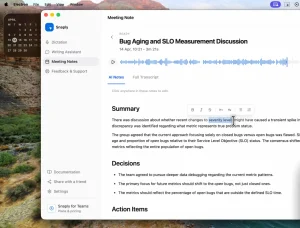
LUCI records meetings directly from the computer running the app. It captures your microphone plus computer audio, which includes the other participants in calls played through the machine.
Zoom, Google Meet, and Microsoft Teams can therefore be recorded with no LUCI participant entering the meeting.
Meeting transcripts become part of the searchable history alongside screen activity. A search can locate something a participant said, the document that was open during the discussion, or other captured activity from that period.
This shared history is also available to LUCI Chat. You can ask questions about previous work and meetings through a conversational view, then return to the underlying captured moment when you need the original context.
LUCI Desktop Requirement
LUCI currently supports Apple Silicon Macs running macOS 13 or later and x64 PCs running Windows 10 or later. The minimum published memory requirement is 8 GB of RAM. The application needs roughly 500 MB of disk space, with additional storage required for recordings, indexes, and downloaded models.
The macOS version uses a signed disk image. The Windows version installs through the Microsoft Store. Intel Macs and Linux are not currently supported.
Screen recording permission is required for Screen Memory. Microphone permission captures your side of a meeting or call. Computer audio supplies the other participants when audio is playing through the machine.
After LUCI has captured some activity, you can search it directly or open Settings > Agent access to connect a coding agent. Claude Code, Cursor, and Codex can receive the official skills from this screen.
How to Use It
1. Install LUCI on your computer.
2. Grant Screen Recording and Microphone access on the first launch.
3. Enable Screen Memory and leave LUCI running during your workday. After LUCI has captured some activity, search for an exact detail such as an error code or URL, or describe what you remember in plain language. Search results return the relevant moment with its app, time, screen context, and nearby meeting content when available.
4. Connect an AI agent if you want it to use that history. Open Settings → Agent access, select a detected Claude Code, Cursor, or Codex installation, and click Install. You can then ask the agent to find an error you saw earlier, recall a meeting decision, or look up what was on your screen during a specific period.
Local Models and Offline Use
LUCI uses local models for chat, daily summaries, screen understanding, and speech transcription. Windows model execution uses Microsoft Foundry Local.
Speech transcription uses local Whisper models. Hardware with greater available memory can run larger transcription and chat models.
Downloading a model requires an internet connection. After the required models are installed, LUCI can continue running chat, summaries, transcription, capture, and search with the network disconnected.
The chat model is separate from the text encoder used to index screen memory. Changing or deleting a chat model does not require LUCI to rebuild the existing search index.
Privacy and Data Handling
LUCI stores screen captures, meeting recordings, transcripts, and searchable memory on the computer running the app. Captured memory is encrypted at rest and the core capture, transcription, search, and AI processing pipeline runs on the device.
You can exclude selected applications from screen capture. LUCI also provides optional sensitive-information redaction. When enabled, it can detect patterns for payment-card numbers, email addresses, U.S. Social Security numbers, JWTs, AWS access keys, GitHub tokens, and sk- style API keys before a captured frame is written.
The redaction system uses pattern matching and checksums. It does not identify every form of private information. Names, addresses, phone numbers, and arbitrary passwords can fall outside its detection rules. Sensitive applications can be placed on the privacy list when their contents should not enter Screen Memory.
Anonymous product analytics are enabled by default. They do not contain recordings or notes and can be disabled during onboarding or under Local Settings > Privacy. Updates and optional cloud features can also contact the network.
Agent access creates another data boundary. LUCI keeps its memory database on the computer. Information retrieved by Claude Code, Codex, Cursor, or another external agent becomes part of that agent’s conversation and follows the privacy rules of the connected service.
Pros
- Screen activity and meeting conversations live in one searchable work history.
- Claude Code, Cursor, Codex, and other compatible agents can retrieve previous context through official skills.
- Core capture, search, transcription, and AI processing run locally.
- Search supports both exact text and meaning-based queries.
- The current plan costs $0 and has no paid tier.
- Mac and Windows installers provide a direct desktop setup.
Cons
- Intel Macs and Linux are not currently supported.
- Screen history only grows when LUCI is running and capture is enabled.
- Sensitive-information redaction is optional and only recognizes defined patterns.
- Context retrieved by a cloud-based external agent can leave the computer as part of that agent conversation.
Alternatives & Related Resources
- Memory Service MCP Server: Persistent Memory for AI Assistants
- MemPalace: Free Local AI Memory System With 96.6% Recall
- OpenHuman: Open-Source Private AI Agent App with Local Memory
- The Ultimate Claude Code Resource List: Agents, Skills, Plugins & More
- The Ultimate Codex Resource List: Skills, Plugins, MCP, SDKs & More