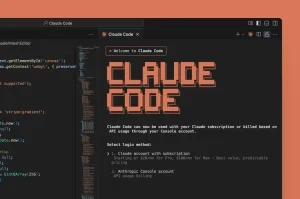
Claude Code entered research preview on February 24, 2025, as Anthropic’s terminal-based coding agent. It reached general availability on May 22 and later expanded into IDEs, the web, and Desktop, with remote sessions and automated coding tasks.
This Claude Code timeline traces those changes through dated milestones, from the first public preview to the latest releases. Find when major features arrived, how model defaults changed, and where each capability became available.
For more Anthropic model history, see the Claude Timeline.
Last updated: October 7, 2026.
Claude Code timeline at a glance
| Date | Event | What changed |
|---|---|---|
| Oct. 7, 2026 | Claude Haiku 5.5 | Haiku 5.5 became the default Haiku on the Anthropic API with 1M context. |
| Oct. 6, 2026 | Subagent effort and plugin installation | The Agent tool gained effort selection; plugin installs can add a marketplace in one step. |
| Oct. 5, 2026 | Replenishing web search | Interactive search allowances refill hourly, replacing the fixed 200-call budget. |
| Oct. 2, 2026 | Background command limits narrowed | Only unattended sessions retain time limits; terminal, Desktop, and VS Code sessions have none. |
| Oct. 1, 2026 | Claude Mods | Plugins gained deeper behavior customization; a built-in side agent can flag overlooked issues. |
| Sep. 30, 2026 | Bare automation sessions | --bare loads only explicit MCP servers and starts no background tasks. |
| Sep. 29, 2026 | Provider policies and plugin configuration | Managed settings restrict API providers; plugin configuration and headless Auto Mode defaults expanded. |
| Sep. 28, 2026 | Sonnet 5.5 and Auto Mode defaults | Sonnet 5.5 became the default Sonnet on the Anthropic API; unconfigured interactive sessions start in Auto Mode. |
| Sep. 25, 2026 | Managed model access rules | Managed settings can require exact model versions and block named models. |
| Sep. 23, 2026 | MCP browser flows | URL-mode elicitation lets MCP servers ask Claude Code to open a browser-based flow. |
| Sep. 22, 2026 | Claude Opus 5.5 and plan defaults | Opus 5.5 became the default Opus model; Pro and Team Standard plans switched from Sonnet to Opus. |
| Sep. 19, 2026 | Server-side Auto Mode | The default classifier moved server-side for API, Enterprise, and supported provider users, removing classifier overhead. |
| Sep. 18, 2026 | AGENTS.md fallback | Claude Code reads AGENTS.md when no CLAUDE.md exists. |
| Sep. 18, 2026 | Shared cloud environments | Team and Enterprise admins can share a member’s personal environment with their organization. |
| Sep. 17, 2026 | Account extension sync | Signed-in terminals can sync account-enabled Skills and Plugins. |
| Sep. 17, 2026 | Projects beta | A coordinator delegates goals to parallel cloud sessions and assembles the results. |
| Sep. 15, 2026 | Remote Control forks | The Claude app can fork a Remote Control session into a background local session. |
| Sep. 14, 2026 | Fast Mode for remote sessions | Cloud and self-hosted remote sessions can use Fast Mode. |
| Sep. 11, 2026 | Plugin evaluation and VS Code agent map | Plugin evals gained reproducible reports; VS Code added controls and transcripts for subagents. |
| Sep. 3, 2026 | Fullscreen diff panel | /diff opens uncommitted changes beside the conversation. |
| Sep. 1, 2026 | Claude Fable 5.1 | Fable 5.1 became the default Fable model; Auto Mode gained tighter safety boundaries. |
| Aug. 27, 2026 | Restricted mode | Evaluation harnesses gained a fixed tool and configuration boundary. |
| Aug. 20, 2026 | Plugin and runner controls | Plugin sources gained authentication; self-hosted runners gained shutdown and proxy controls. |
| Aug. 13, 2026 | Default subagent forking | Forked subagents inherited the conversation by default. |
| Aug. 7, 2026 | Self-hosted environments | Team and Enterprise users could run remote sessions on their own infrastructure. |
| Aug. 4, 2026 | Focus view and isolation | VS Code gained Focus view; session isolation and credential masking expanded. |
| Jul. 24, 2026 | Claude Opus 5 | Opus 5 became the default Opus model; workflow and sandbox controls expanded. |
| Jul. 21, 2026 | Claude Code Desktop | Desktop added iOS simulator support. |
| Jul. 10, 2026 | Auto Mode GA | Classifier-backed permission automation reached general availability. |
| Jun. 30, 2026 | Claude Sonnet 5 | A new Sonnet model arrived for coding and agent work. |
| Jun. 9, 2026 | Fable 5 and Mythos 5 | New higher-tier Claude model lines appeared. |
| Jun. 2, 2026 | Dynamic workflows | Claude Code could compose task-specific multi-agent workflows. |
| May 28, 2026 | Claude Opus 4.8 | An Opus update targeted longer coding and agent tasks. |
| May 13, 2026 | VS Code Remote Control | VS Code sessions could connect to a browser or phone. |
| May 11, 2026 | Agent View and /goal | Claude Code added multi-session status and persistent completion conditions. |
| Apr. 14, 2026 | Desktop redesign | Desktop gained a multi-session workspace, terminal, and file editor. |
| Apr. 14, 2026 | Routines | Scheduled and event-triggered automations entered preview. |
| Mar. 24, 2026 | Auto Mode preview | A permission mode for longer-running work entered preview. |
| Mar. 19, 2026 | Channels preview | Selected MCP servers could push messages into a session. |
| Mar. 5, 2026 | Remote Control naming | Remote sessions gained shareable names. |
| Feb. 26, 2026 | Auto memory | Claude Code began saving useful session context. |
| Feb. 25, 2026 | Remote Control expansion | More users gained remote local-session control. |
| Feb. 20, 2026 | Desktop review and merge | Desktop added app previews, PR review, auto-fix, and handoff. |
| Feb. 20, 2026 | Claude Code Security | Security review entered limited research preview. |
| Feb. 5, 2026 | Opus 4.6 and agent teams | Opus 4.6 launched; agent teams entered preview. |
| Dec. 8, 2025 | Claude Code in Slack | Slack mentions could start Claude Code web sessions. |
| Nov. 24, 2025 | Claude Opus 4.5 | A new Opus model expanded Claude Code’s model options. |
| Oct. 31, 2025 | Plugins | Plugins and marketplaces became a formal distribution system. |
| Oct. 27, 2025 | Plan subagent | Plan Mode gained a dedicated planning agent. |
| Oct. 20, 2025 | Claude Code on the web | Cloud coding sessions entered research preview. |
| Sep. 29, 2025 | Claude Sonnet 4.5 | A new Sonnet model focused on coding and agents. |
| Aug. 20, 2025 | Business-plan controls | Team and Enterprise plans gained Claude Code seats and controls. |
| Aug. 5, 2025 | Claude Opus 4.1 | An Opus update improved coding and agent tasks. |
| Jul. 24, 2025 | Custom Subagents | Users could define specialized agents with /agents. |
| Jun. 30, 2025 | Hooks | Lifecycle-triggered automation arrived in the CLI. |
| Jun. 18, 2025 | Remote MCP servers | Claude Code gained OAuth connections to hosted MCP servers. |
| May 22, 2025 | General availability | Claude Code launched with IDE and GitHub Actions support. |
| Feb. 24, 2025 | Research preview | Anthropic introduced Claude Code with Claude 3.7 Sonnet. |
| Nov. 25, 2024 | Model Context Protocol | Anthropic announced the open integration standard later adopted by Claude Code. |
2024: MCP creates the integration foundation
November 25, 2024: Anthropic announces MCP
Anthropic announced Model Context Protocol (MCP) as an open standard for connecting AI applications to tools and data. Claude Code later adopted it for access to issues, logs, databases, designs, and private services.
Explore Model Context Protocol servers for development and agent workflows.
2025: from terminal preview to a broader coding product
February 24, 2025: Claude Code enters research preview
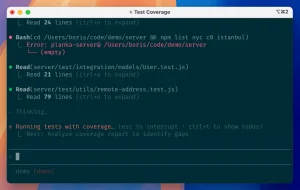
Anthropic introduced Claude Code as a command-line tool for agentic coding on the same day it released Claude 3.7 Sonnet. The preview could inspect a codebase, edit files, run commands and tests, use Git, and complete tasks through a terminal session.
May 22, 2025: general availability and Claude 4
Claude Code reached general availability on May 22 alongside Claude Opus 4 and Claude Sonnet 4. Anthropic also announced native Visual Studio Code and JetBrains integrations, plus GitHub Actions support for background tasks.
June 18, 2025: remote MCP servers arrive
Remote MCP support let Claude Code connect to hosted servers through a URL and OAuth authentication. You no longer had to run every integration locally.
June 30, 2025: Hooks become available
Hooks added checks at session startup, before and after tool calls, and when Claude stops. Projects could automate formatting, check commands against policy, record session summaries, or block unsafe operations.
July 24 to July 30, 2025: custom Subagents and agent controls
The July releases opened a more explicit delegation model. You could define Custom Subagents through /agents, then call one for a focused task such as code review, investigation, testing, or documentation. Subsequent releases added SessionStart Hooks, direct mentions for custom agents, and model selection for agents.
August 5 and August 20, 2025: Opus 4.1 and business controls
Claude Opus 4.1 arrived on August 5 for coding and agent tasks. On August 20, Team and Enterprise plans gained Claude Code access and administration. Workspace administrators could assign premium seats with Claude Code and apply organization controls.
September 29, 2025: Claude Sonnet 4.5
Claude Sonnet 4.5 became a new model option for coding, agents, and computer use. Developers could select it within Claude Code while retaining their project instructions, tools, and permissions.
October 20, 2025: Claude Code on the web
Claude Code on the web entered research preview for Pro and Max users, with a later expansion to eligible Team and Enterprise users. After you connect a GitHub repository, it runs tasks on Anthropic-managed cloud infrastructure. Each task receives an isolated environment, can continue after you close the browser, and can create a pull request for review.
October 27 and October 31, 2025: Plan Mode and Plugins
The October 27 release gave Plan Mode a dedicated Plan subagent. In Plan Mode, you can inspect a repository and ask for an approach without editing source files or running commands that change the project. Four days later, Anthropic announced Plugins and plugin marketplaces. A plugin can package commands, agents, Skills, Hooks, MCP servers, and related configuration so you can share a tested setup across projects or with colleagues.
November and December 2025: cloud handoff, Opus 4.5, and Slack
November releases expanded the handoff between local and cloud work. You could send background work to the web, and custom agents gained more configuration options. Claude Opus 4.5 followed on November 24 for demanding coding and agent tasks. On December 8, Claude Code in Slack entered research preview. Mention @Claude in a Slack channel to send the surrounding discussion into a Claude Code web session, then receive progress updates and a pull request link in the same thread.
2026: multi-agent work, remote sessions, and automation
February 5, 2026: Claude Opus 4.6 and agent teams
Claude Opus 4.6 added a new high-capability model for planning, code review, debugging, and longer tasks. The release also introduced agent teams in research preview. Agent teams coordinate independent sessions on related work.
February 20, 2026: desktop review tools and Claude Code Security
Claude Code Desktop gained tools for previewing a running app, reviewing pull requests, responding to CI failures, and moving a session between Desktop, web, mobile, and CLI. That same day, Anthropic announced Claude Code Security as a limited research preview for Team and Enterprise customers. It scans codebases for vulnerabilities and proposes patches for your review.
February 25 to March 19, 2026: Remote Control, memory, and Channels
Remote Control expanded to more users in late February. It connects your local Claude Code session to claude.ai/code or the Claude mobile app while execution and filesystem access remain on your machine. Claude Code also added auto memory for useful session context and later added names for Remote Control sessions. On March 19, the --channels preview opened a different path: selected MCP servers could push events into an active session.
March 24 and July 10, 2026: Auto Mode moves from preview to general availability
Auto Mode began as a Team-plan research preview on March 24. It uses a classifier to examine tool calls before they run. Routine actions can proceed without a separate approval, while risky actions are blocked or returned to you for a decision. Anthropic later updated the announcement to say Auto Mode was generally available on July 10. Access still depends on plan, provider, and administrator policy.
April 14, 2026: a redesigned Desktop app and Routines
Anthropic released a new Desktop workspace with a sidebar for sessions, a flexible layout, an integrated terminal, and a file editor. It arrived on the same day as Routines, a research-preview feature for repeatable cloud automations. A Routine can run on a schedule, after an API call, or in response to a GitHub event. It keeps its own prompt, repository, and connected tools.
May 11 to June 2, 2026: Agent View, Remote Control in VS Code, and dynamic workflows
Agent View entered research preview on May 11. It lists Claude Code sessions that are running, blocked, or finished, and /goal lets you define a completion condition for persistent work. On May 13, the VS Code extension gained /remote-control. Dynamic workflows arrived in research preview on June 2. Claude Code can create a task-specific harness that splits work among agents, checks results, and combines the output.
May 28 to July 24, 2026: new models for Claude Code
Claude Opus 4.8 arrived on May 28 for coding and longer agent tasks. Anthropic announced Claude Fable 5 and Claude Mythos 5 on June 9 with different availability and safety policies. Claude Sonnet 5 followed on June 30 for coding, tool use, agents, and professional work. On July 24, Claude Code 2.1.219 made Claude Opus 5 the default Opus model, with a one-million-token context window.
August 4, 2026: Focus view and stronger session isolation
Claude Code 2.1.221 added Focus view to VS Code. It puts tool activity behind an expandable turn summary while keeping the ordinary transcript available. Forked sessions also received separate Git worktrees to reduce conflicts with the original checkout.
Background sessions gained clearer Git handoff rules: preserve completed work, follow the repository’s CLAUDE.md instructions, and create a draft pull request only when the task requires one. Review the branch, commit, and remote before merging.
Linux and WSL sandboxes gained credential-file masking. A command sees a placeholder while the proxy supplies the real value only to approved destinations. macOS denies access to the protected file because masking is unavailable there.
August 7, 2026: self-hosted environments and cross-session messaging
Claude Code 2.1.224 added self-hosted environments for Team and Enterprise plans as a public beta. The claude self-hosted-runner command lets web, mobile, and Desktop sessions execute on a machine or container your organization controls. Administrators remain responsible for repository access, network destinations, credentials, isolation, updates, and host lifecycle.
The same release added cross-session SendMessage and ListAgents on macOS and Linux, with approval settings for inbound messages. An archive plugin source could also install a SHA-256-pinned ZIP over HTTPS.
August 13 and 14, 2026: default subagent forking and deeper GitLab support
Claude Code 2.1.232 made subagent forking the default. A forked subagent inherits the conversation and prompt cache, while non-teammate agents launched from an interactive session run in the background by default. Forks suit work that depends on the current conversation.
You could also message a named live session with @ and control whether inbound messages were accepted, held, or refused. GitLab support expanded to plugin marketplaces, common token formats, and merge request URLs in --worktree and claude agents.
August 20, 2026: authenticated plugin sources and self-hosted runner controls
Claude Code 2.1.238 added authenticated plugin sources. A URL marketplace or catalog entry can use a headersHelper command to mint HTTP headers, such as a short-lived token, for catalog and same-origin archive fetches. Claude Code shows the command before a catalog plugin install or update and asks for confirmation unless you pass -y.
Self-hosted runners gained --defer-shutdown-max-min to keep attached sessions alive, park remaining work after a grace period, and then exit. --proxy-authorization-command and --proxy-authorization-file can supply fresh Proxy-Authorization headers for each outbound connection. These options give Team and Enterprise operators more control over runner shutdown and proxy-based egress.
August 27, 2026: restricted mode for controlled evaluation
Claude Code 2.1.248 added --restricted for evaluation harnesses on shared machines. It removes built-in command and code execution tools plus WebFetch unless you name them explicitly with --tools. It confines file tools to the working directories, ignores user, project, and local settings, and refuses bypassPermissions. Managed settings and values passed through --settings still apply. Evaluation operators get a repeatable boundary independent of personal host configuration.
The same release extended same-machine SendMessage and ListAgents support to Bedrock, Vertex AI, Foundry, and sessions with telemetry disabled. Those environments can now use the cross-session coordination introduced earlier in August.
September 1, 2026: Claude Fable 5.1 and tighter Auto Mode boundaries
Claude Code 2.1.257 added Claude Fable 5.1 as the default Fable model with a one-million-token context window. Auto Mode no longer automatically approves requests for cloud metadata credentials, attempts to evade network controls, or cross-tenant access unless the environment expects them. Before its first read outside the working directories, it asks once and can block later external reads through permissions.blockReadsOutsideWorkingDirectories.
September 3 and 11, 2026: fullscreen diff and VS Code agent tools
Claude Code 2.1.260 added /diff in fullscreen mode, which opens a panel beside the conversation for inspecting uncommitted changes as Claude edits. Version 2.1.269 added claude plugin eval for reproducible plugin scores and JSON or HTML reports. VS Code gained an agent map with per-agent cards, Stop controls, read-only transcripts, and dialogs for Hooks and permission rules.
September 14, 2026: Fast Mode for remote sessions
Claude Code 2.1.271 brought Fast Mode to cloud and self-hosted remote sessions. The host setting or /fast command applies when an organization allows the feature.
September 15, 2026: Remote Control session forks
Claude Code 2.1.273 let the Claude app fork a session started through claude --remote-control or /remote-control. The fork continues as a background session on the user’s computer.
September 17, 2026: Projects beta
Anthropic began a beta rollout of redesigned Projects to selected Pro and Max subscribers using Claude Code cloud sessions. A project has a goal, connected repositories or context, parallel work threads, and a coordinator that scopes work, delegates tasks, reviews outputs, and assembles the result. Users can steer the work from desktop, web, or phone while cloud sessions continue.
September 17, 2026: account extension sync
Claude Code 2.1.275 synced Skills and Plugins enabled on a claude.ai account into terminal sessions signed in with that account. Separate settings let users disable either type of sync.
September 18, 2026: project instructions and shared cloud environments
Claude Code 2.1.277 added AGENTS.md as the project-instruction fallback when no CLAUDE.md exists; Bedrock, Vertex, and Foundry were excluded from the initial release. The web environment picker also gained Personal and Organization sections for Team and Enterprise plans, with an admin option to share a member’s personal environment with the organization.
September 19, 2026: server-side Auto Mode
Claude Code 2.1.278 made the no-overhead server-side Auto Mode classifier the default for Claude API and Enterprise users and supported providers. /status shows whether the server classifier is active, and Claude Code warns before using a billed fallback.
September 22, 2026: Opus 5.5 and plan defaults
Claude Code 2.1.280 made Opus 5.5, with a one-million-token context window, the default Opus model. Pro and Team Standard plan defaults changed from Sonnet to Opus.
September 23, 2026: MCP URL-mode browser flows
Claude Code 2.1.281 added URL-mode elicitation for MCP servers using protocol version 2026-07-28. A server can ask Claude Code to open a browser-based flow; no waiting dialog remains if the server cannot confirm completion.
September 25, 2026: managed model access rules
Claude Code 2.1.283 added managed model controls. The availableModelsMatch: "exact" setting limits an allowlist to model versions administrators name; deniedModels blocks specific models even when the allowlist includes them.
September 28, 2026: Sonnet 5.5 and Auto Mode defaults
Claude Code 2.1.284 added Claude Sonnet 5.5 (claude-sonnet-5-5) as the default Sonnet model on the Anthropic API, with a one-million-token context window. Interactive terminal and VS Code sessions also began starting in Auto Mode when no permission mode was configured, across all plans and providers. An explicit permissions.defaultMode setting still overrides that starting mode.
September 29, 2026: provider policies and plugin configuration
Claude Code 2.1.285 introduced the managed allowedProviders setting to restrict which API providers a machine can use. Administrators could control provider access alongside the model rules introduced on September 25. Plugin configuration also expanded: claude plugin configure can inspect or save options, and bundled MCP server settings can be supplied at installation. VS Code gained a plugin options form and an on-demand tool for reading current Problems-panel diagnostics.
The same release extended the unconfigured Auto Mode default to claude -p and Python Agent SDK sessions on third-party providers or with telemetry disabled. An explicit --permission-mode still overrides it. Background Bash and PowerShell commands initially received a 30-minute default limit, up to two hours; October 2 narrowed it to unattended sessions.
September 30, 2026: tighter bare automation sessions
Claude Code 2.1.286 narrowed --bare sessions to MCP servers named on the command line, removed system reminders sent to the model, and disabled background tasks. A shell command that reaches its timeout stops instead of moving to the background. These changes affect scripts that depend on a minimal execution environment.
October 1, 2026: Claude Mods
Claude Code 2.1.287 introduced Claude Mods so plugins could modify deeper behavior. Its built-in You should know mod uses a side agent to flag things the user or Claude may miss; it requires a first-party session with telemetry enabled. MCP URL prompts also expanded to servers on protocol version 2025-11-25. In VS Code, running commands and subagents gained a Run in background control.
October 2, 2026: background command limits narrowed
Claude Code 2.1.288 limited background command timeouts to unattended sessions: -p, Agent SDK, CI, and cloud. Terminal, Desktop, and VS Code sessions have no background command time limit.
October 5, 2026: replenishing web search
Claude Code 2.1.290 replaced the interactive session’s fixed 200-call WebSearch budget with an allowance that refills at 100 calls per hour. CLAUDE_CODE_WEB_SEARCH_REFILLS_PER_HOUR sets the refill rate; 0 disables refills.
October 6, 2026: subagent effort and plugin installation
Claude Code 2.1.292 added an effort parameter to the Agent tool for subagent runs. Plugin installation gained --marketplace <source>, which adds a marketplace if needed under existing policy checks, then installs the plugin.
October 7, 2026: Claude Haiku 5.5
Claude Code 2.1.293 added Claude Haiku 5.5 (claude-haiku-5-5) as the default Haiku model on the Anthropic API, with a one-million-token context window. This changed the Haiku model choice for API-backed Claude Code sessions.
How Claude Code customization fits together
CLAUDE.md holds project guidance such as architecture, commands, conventions, and review rules. Claude Code can use AGENTS.md when no CLAUDE.md exists on supported providers.
Hooks run checks at defined events, such as before a tool call or after an edit. They can enforce formatting and command policies without relying on Claude to remember project guidance.
MCP servers connect Claude Code to external tools and data, including issues, logs, designs, and private services. Local servers run on your machine; remote servers connect through hosted URLs and can use OAuth.
Skills package reusable workflows for code review, release preparation, and deployment. You can invoke one directly, or Claude can load it when its description matches the task. Keep general project guidance in the instruction file.
See the Best Agent Skills guide for examples beyond Claude Code.
Plugins distribute Skills, Subagents, Hooks, MCP configuration, and commands as a package. Marketplaces help teams discover and manage shared setups. Claude Mods later extended plugins into deeper behavior customization.
Subagents and agent teams divide work across agents. Subagents return results to the main session; agent teams coordinate independent sessions. Separate responsibilities and file ownership help prevent duplicated work and conflicting edits.
Model changes that affected Claude Code
Claude Opus 4 and Sonnet 4 arrived with general availability in May 2025. Opus 4.1, Sonnet 4.5, and Opus 4.5 followed that year.
The 2026 releases added Opus 4.6, Opus 4.8, Fable 5, Mythos 5, Sonnet 5, Opus 5, and Opus 5.5. September brought default Fable 5.1 and Sonnet 5.5 models; Haiku 5.5 followed on October 7 for the Anthropic API. On October 1, Opus 4.7 and later, plus Fable, began using 1M context by default on Bedrock, Vertex, Foundry, and the Claude apps gateway; CLAUDE_CODE_DISABLE_1M_CONTEXT=1 retains 200K.
If you need the complete model sequence, use the Claude Timeline.
Model access depends on your subscription, API account, provider, gateway, and managed settings. Administrators can restrict model versions or block specific models. Check the model selector and current account documentation before choosing one for a task.
Commands and configuration changes that shaped the workflow
Claude Code starts in a project directory with claude. Use /init for CLAUDE.md, /agents for Custom Subagents, /mcp for connections, and /plugin for plugin management.
Plan Mode provides read-only investigation. Accept Edits reduces file-edit prompts; Auto Mode screens tool calls through a classifier. The --dangerously-skip-permissions option bypasses those safeguards.
Sandbox rules constrain commands and network access. Credential masking keeps selected secret files out of command context on Linux and WSL while a proxy supplies the real value to approved destinations. Restricted mode removes command execution and WebFetch by default, confines file tools to working directories, and excludes personal project configuration.
Remote work added more commands. /remote-control connects a local session to a browser or mobile device, /schedule maps repeatable work to Routines, and /goal defines a completion condition. Agent View shows work that is running or waiting for input. Review diffs, tests, and pull requests as these features run.
For syntax and a command-by-command reference, use the Claude Code Commands Cheat Sheet.
FAQs
When was Claude Code released?
Anthropic introduced Claude Code on February 24, 2025, as a limited research preview. General availability followed on May 22, 2025.
Is Claude Code free?
No. The free Claude.ai plan does not include Claude Code. To use it regularly, you need a paid Claude plan, such as Pro, Max, Team, or Enterprise, or a billed developer account through Anthropic Console, Amazon Bedrock, Google Vertex AI, or Microsoft Foundry. Subscription use counts toward your plan’s usage limits. API and cloud-provider use is billed by tokens.
Which Claude model should I use with Claude Code?
Run /model to choose an available model. The default option follows Anthropic’s recommendation for your account; opusplan uses Opus for planning and Sonnet for execution. Consider task difficulty, response speed, and cost before choosing.
What is the difference between Claude Code on the web and Remote Control?
Web sessions run in Anthropic’s cloud or a configured self-hosted environment. Remote Control lets a browser or phone steer a session on your machine with its local files, tools, and MCP servers.
What should go in CLAUDE.md?
Put stable project guidance in CLAUDE.md: how to run tests, coding conventions, architecture decisions, preferred libraries, repository rules, and review requirements. Keep reusable task workflows in Skills, automatic checks in Hooks, and external-service access in MCP configuration.
Are Claude Code Plugins the same as Skills?
A Skill provides reusable instructions. A Plugin packages Skills and other components, such as commands, Subagents, Hooks, and MCP servers, for distribution.
What is Plan Mode in Claude Code?
Plan Mode investigates a codebase and proposes a change without editing files or running commands that modify the project.
More Related Resources
- Claude Code Plugins vs Skills vs MCP Servers
- Claude Code Commands Cheat Sheet
- The Ultimate Claude Code Resource List
- The Ultimate Codex Resource List
- The Ultimate Jev Resource List
- Most Popular Agent Skills on GitHub for Coding Agents
- Claude Code MCP Setup
- Claude Code Pricing and Usage Limits
- More Claude Code Guides and Tools