Studying for an exam often means revisiting lecture slides, textbook chapters, recordings, and notes from earlier in the semester. You need to understand difficult ideas, work through problems, and remember what you learned.
These ten free AI study tools include source-based notebooks, guided tutors, flashcard apps, math solvers, diagram makers, lecture transcription, and research tools.
Explore the options to find a useful tool for your next chapter, problem set, or exam review session.
Last Updated: Nov 11, 2026
10 Best Free AI Study Tools for Students
| Tool | Study task |
|---|---|
| Gemini Notebook | Study directly from your course materials |
| ChatGPT Study Mode | Work through a concept with guided questions |
| Gemini Guided Learning | Learn with guided explanations and diagrams |
| Adobe Student Spaces | Turn course files into a shareable exam packet |
| Knowt | Practice with flashcards and free study modes |
| RemNote | Review notes with spaced repetition over time |
| Photomath | Check worked steps in math problems |
| Napkin AI | Create editable diagrams from written notes |
| Otter.ai | Transcribe short lectures and discussions |
| Perplexity | Find cited sources beyond assigned reading |
Gemini Notebook: Study from your course materials
Gemini Notebook, formerly NotebookLM, brings assigned readings, lecture slides, and class recordings into one source-based notebook. Add the material for a course, ask how two readings define the same idea, and open the cited passages to examine their wording. You can also select which sources a question should use.
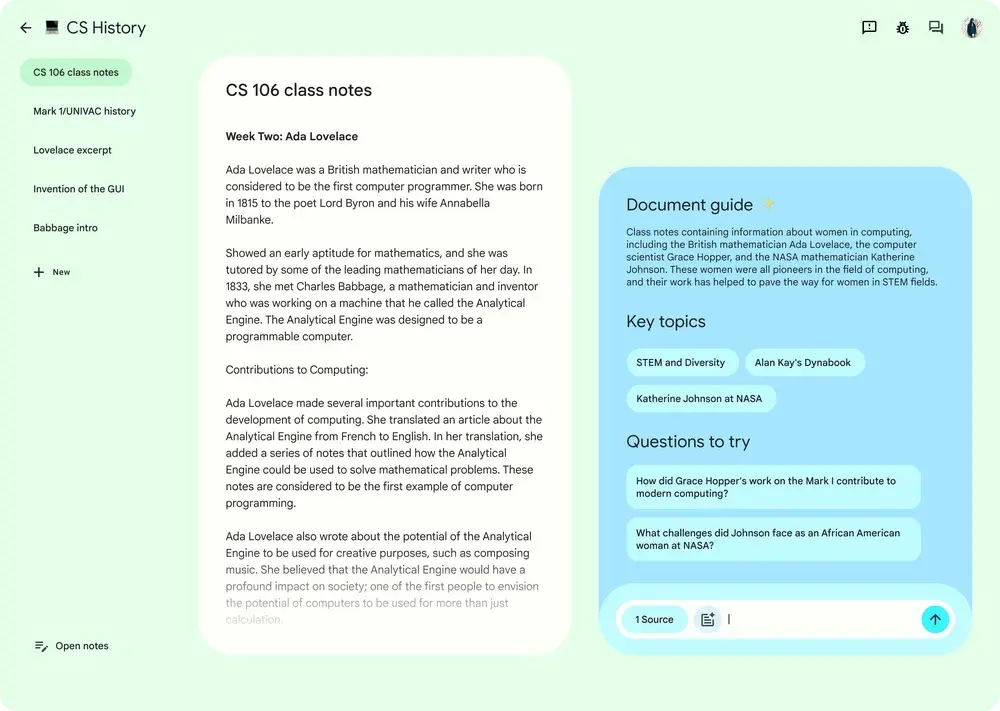
Open Studio to turn a set of biology lecture PDFs into flashcards, a quiz, an Audio Overview, or a mind map of related concepts. You can export generated study guides and reports to Google Docs and data tables to Google Sheets.
Features
- Import PDFs, Word and PowerPoint files, Google Docs and Slides, audio, images, webpages, and public YouTube links.
- Ask questions across selected sources and follow citations to the supporting material.
- Create flashcards and quizzes for self-testing from notebook sources.
- Generate Audio and Video Overviews for listening or visual review.
- Build mind maps, study guides, reports, and source-based data tables.
- Export reports to Google Docs and data tables to Google Sheets.
Free access. With a free Google account, you can add up to 50 sources to each notebook and create quizzes, flashcards, and other Studio materials. Chat and Studio generations have recurring usage allowances.
ChatGPT Study Mode: Work through a difficult concept
ChatGPT Study Mode turns a regular ChatGPT conversation into a guided study session. Tell it which step in a problem you cannot explain. It can ask you to reason through that step, give a hint, and follow up with a similar question to check whether the explanation made sense.

For a statistics class, paste a question about confidence intervals and explain your attempted calculation. You can ask Study Mode to quiz you on the underlying assumptions before showing you another worked example.
Features
- Ask interactive questions and give hints as you work toward an answer.
- Break a complex topic into shorter explanations matched to your current understanding.
- Create practice questions, flashcard-style prompts, and feedback on your responses.
- Discuss pages from uploaded PDFs or images when file uploads are available in your chat.
- Adjust the level of explanation and ask for another example of a missed concept.
Free access. You can use Study Mode in a regular ChatGPT Free conversation on the web or mobile app. Study sessions use the account’s regular message and file-upload allowances.
Gemini Guided Learning: Explore concepts visually
Gemini Guided Learning is a learning mode inside the Gemini app. Ask it to explain a process, then use follow-up questions and visuals to inspect the parts you have not understood.

For mitosis, you could ask for the stages in order, study a diagram, and answer questions about what happens to chromosomes at each stage.
On the web, choose Guided Learning from More tools and enter your question. You can attach a file or an image to give the conversation context.
Features
- Work through a topic in guided conversational steps.
- Request diagrams and images that explain processes or structures.
- Attach relevant files or images alongside a study question.
- Ask for practice questions and feedback on an explanation.
- Receive relevant YouTube video suggestions when Gemini Apps Activity is enabled.
Free access. Open Guided Learning in the Gemini app with a free Google account. Guided sessions use the regular Gemini free allowance.
Adobe Student Spaces: Build an exam review packet
Adobe Student Spaces organizes PDFs, lecture slides, links, and pasted notes in an Acrobat workspace. Put the material for an upcoming exam in a Space and generate a study packet that draws on those files. The generated packet links its answers to relevant passages in those documents.

The same Space can hold a study guide, flashcards, a quiz, and notes you add during revision. Share it with classmates when you are preparing together. Adobe also offers podcast and presentation tools inside Student Spaces for people using a free personal Adobe account.
Features
- Organize documents, links, and pasted text in a course or exam workspace.
- Generate study packets, study guides, cheat sheets, and citation-backed answers.
- Build flashcards and quizzes from the uploaded material.
- Create mind maps to connect topics across readings.
- Save notes and share a Space with classmates for collaborative study.
- Access podcast and presentation generation with a free personal Adobe account.
Free access. Students aged 18 and older can use the core study tools in Acrobat Student Spaces for free in a web browser. Creating a free personal Adobe account also gives you access to podcast and presentation tools within Adobe’s usage allowances.
Knowt: Practice with flashcards and study modes
Knowt works well when you already have a deck of terms or questions to review. Import a Quizlet set, paste terms and definitions, or create cards manually. Learn mode takes you through recall rounds, and Practice Test mode lets you concentrate on questions you missed.
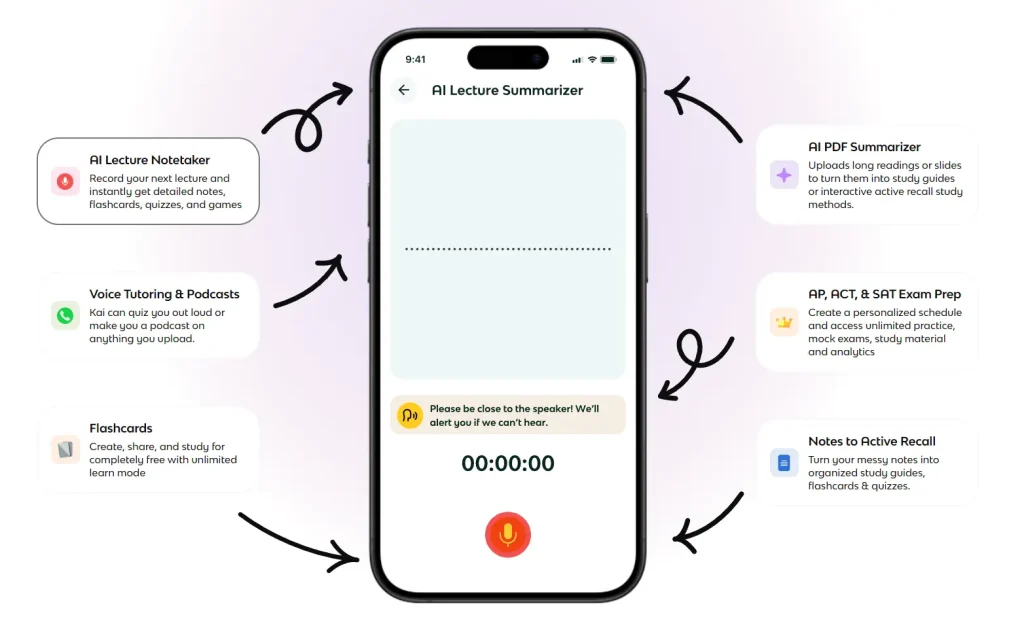
For new material, Knowt can summarize a PDF, slide deck, video, or recording into notes or flashcards. You can edit a generated set, add hints or images to cards, and export a deck as a PDF.
Features
- Create unlimited notes and flashcard sets, or import existing Quizlet sets.
- Use Learn, Practice Test, Spaced Repetition, Match, and basic Flashcards modes on your own sets.
- Choose written, multiple-choice, or other review question formats and repeat missed questions.
- Generate notes or flashcards from uploaded material through the AI Summarizer.
- Browse public sets and collaborate on notes or decks.
- Export flashcard sets to PDF for saving or printing.
Free access. Make as many notes and flashcard decks as you like and use Learn, Practice Test, or Spaced Repetition for free. Knowt also includes one AI-generated summary each month.
For a deeper look at deck creation, review controls, and exports, see the AI flashcard generators roundup.
RemNote: Review class notes over the semester
RemNote connects note-taking with spaced-repetition flashcards. A definition can become a card inside the document where you wrote it, giving you access to the surrounding explanation when you miss the answer. Review the cards through the spaced-repetition queue as the course progresses.
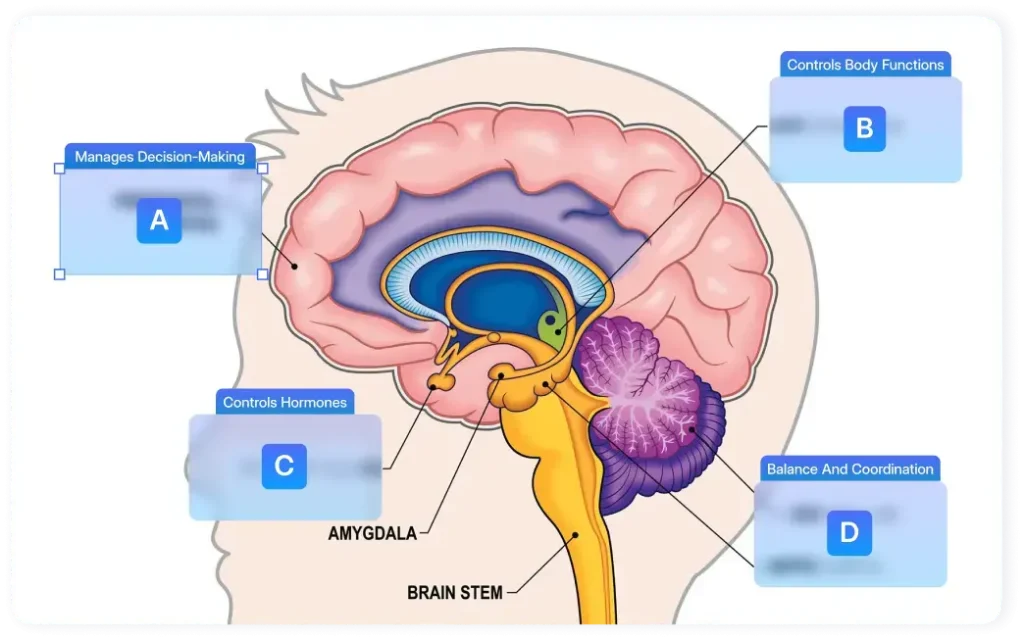
For a difficult chapter, generate cards from text, a PDF, or slides with RemNote AI and edit the questions before reviewing them. Export notes as Markdown or flashcards as an Anki package if you want to use them elsewhere.
Features
- Create notes and flashcards together in linked, structured documents.
- Review cards on a spaced-repetition schedule and revisit their original context.
- Use a monthly AI credit allowance for supported card generation from text, PDFs, or slides.
- Annotate a small set of PDFs and work across synchronized devices.
- Export documents as Markdown or PDF and flashcards as Anki packages.
Free access. RemNote Free includes unlimited notes and flashcards with spaced-repetition review. You also get 250 AI credits each month for supported AI features and can annotate up to three PDFs.
Photomath: Check each step of a math problem
Photomath is a mobile math solver for individual problems. Scan an equation or supported word problem with your phone camera, or type it into the calculator. Open the worked solution and look for the first step that differs from your own attempt.

For an algebra question, you might find a sign error or the point where you applied an operation incorrectly. Photomath also handles supported topics in geometry, trigonometry, statistics, and calculus.
Features
- Scan printed or handwritten math problems with the phone camera.
- Enter expressions and equations through the in-app calculator.
- Read step-by-step solutions for supported problems.
- Compare alternative solution methods where available.
- Work across math topics from school algebra through selected college material.
Free access. With Photomath Basic, you can scan supported math problems and read their worked steps for free. Photomath Plus adds visual aids and more detailed explanations.
Napkin AI: Turn notes into editable study diagrams
Napkin AI turns selected text into visual diagrams. Paste an explanation of a lab procedure, select the relevant passage, and generate a flowchart you can change by editing its text and elements. A history outline could become a sequence diagram, while a set of related concepts could become a mind map.
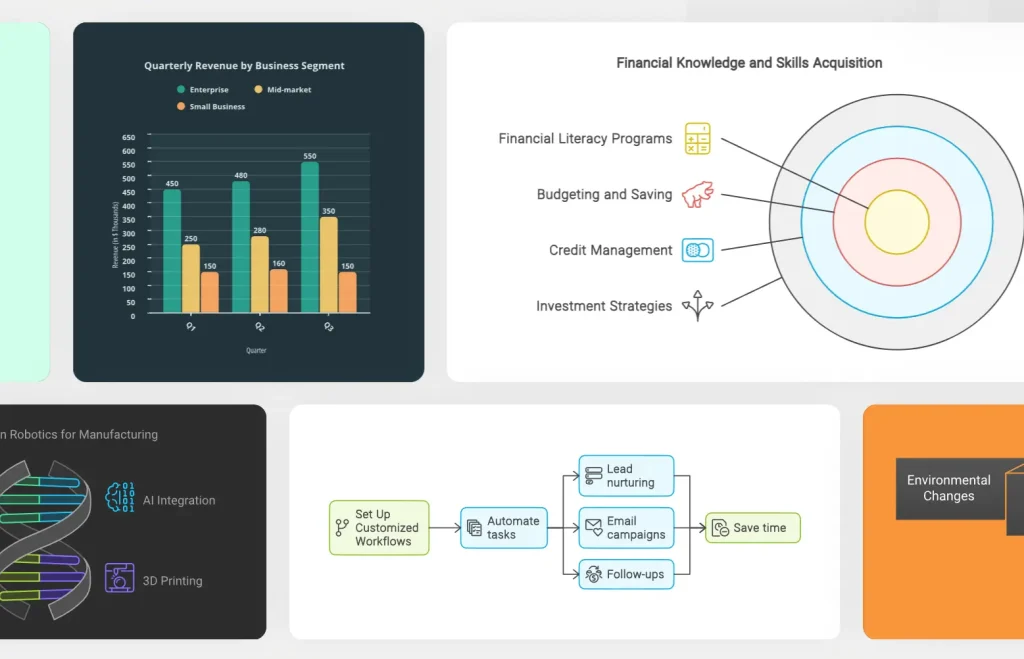
Use Napkin Visuals in a desktop browser, where you can import PDFs and PowerPoint files alongside pasted text. Export a finished graphic for your study guide or presentation.
Features
- Generate flowcharts, mind maps, and other text-based diagrams from selected passages.
- Import PDF, PowerPoint, Word, Markdown, and other supported document formats.
- Adjust diagram text, elements, styles, colors, and layout in the editor.
- Generate editable data-chart visuals when the material calls for them.
- Export diagrams as PNG or PDF, with limited PPT and SVG exports on Free.
Free access. The free plan gives you 500 AI credits per week, charged at about one credit per selected word. You can keep editing a diagram and export it as a PNG or PDF at no additional credit cost.
Otter.ai: Capture short lectures and review sessions
With permission to record, use Otter.ai to capture a short lecture, discussion section, or study-group meeting. The transcript follows the recording, with speaker information and timestamps that help you return to a point you missed.
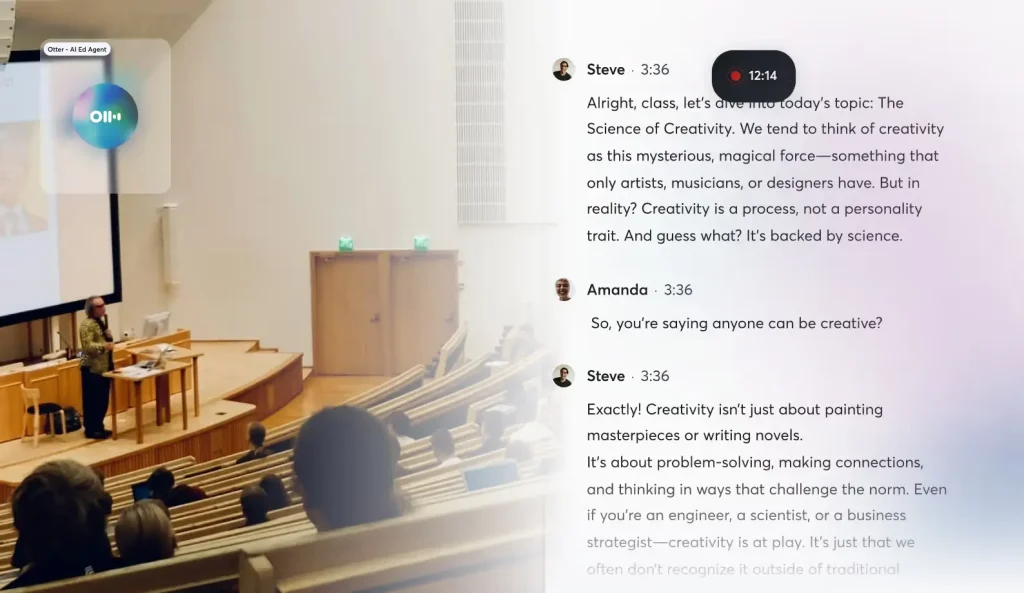
Search for a term from the class, replay the relevant passage, and save the text for your notes. The tool also accepts imported audio or video recordings.
Features
- Record and transcribe live discussions through supported web and mobile apps.
- Identify speakers and follow timestamped text during audio playback.
- Search transcripts for terms discussed in class.
- Import a limited number of prerecorded audio or video files.
- Export transcripts as TXT files on the Basic plan.
Free access. Otter Basic lets you record, transcribe, and search shorter class sessions for free. It includes 300 transcription minutes each month, up to 30 minutes per conversation, and three imports of existing audio or video files over the lifetime of the account.
For apps aimed at recording longer classes, see AI lecture note takers for students.
Perplexity: Find sources beyond your assigned readings
Perplexity is useful when an assignment sends you beyond the textbook. Ask a focused research question and open the source links alongside the answer. For a paper on air quality, for example, ask which public agencies publish historical data, then visit those agencies to find the original datasets and publication dates.
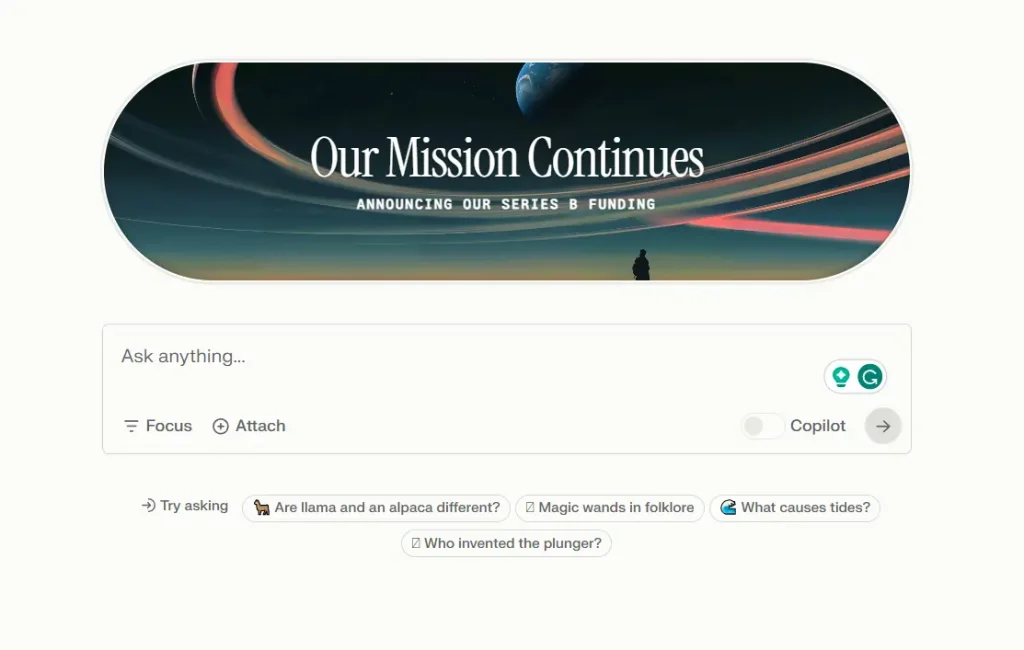
You can ask follow-up questions that narrow the search by region, time period, or topic. Keep the details of the original publications for your bibliography.
Features
- Ask natural-language questions and receive web-based answers with source links.
- Follow citations to original articles, organizations, or datasets.
- Refine a search with follow-up questions in the same conversation.
- Use basic search repeatedly under the free Standard plan.
- Access a small daily Pro Search allowance and occasional Research queries.
Free access. Standard lets you run basic web searches with citations for free. For more involved questions, the plan includes three Pro Searches per day and one Research query each month.
For literature searches and peer-reviewed sources, see the free AI tools for academic research.
Putting the tools together for an exam
You can use several of these tools in one exam review session. Add the assigned slides and readings to Gemini Notebook and make a study guide based on your course. Take questions you cannot explain to ChatGPT Study Mode or Gemini Guided Learning, where you can work through an example and answer follow-up questions.
Turn the details you keep missing into a Knowt or RemNote flashcard deck and review them over several days. For a problem-based course, use Photomath to find an error in a worked solution, then attempt a similar question from scratch.
FAQs
Is using AI to study considered cheating?
Using AI to explain a concept, generate practice questions, or help you review your own notes is a common way to study. Rules for graded homework, essays, and take-home exams vary by course. Follow your instructor’s policy on AI assistance and disclosure before submitting work.
How can I check whether an AI study answer is correct?
For class readings, follow the citations in Gemini Notebook or Adobe Student Spaces and compare the answer with the original passage. For web research, open the articles or datasets linked by Perplexity. For math, check the steps against your own solution and identify where the two calculations differ.
How can I use AI for active recall?
Ask ChatGPT Study Mode or Gemini Guided Learning to quiz you one question at a time. Keep your notes closed, answer from memory, and request feedback before the next question. When you miss a concept, ask for another question that tests the same idea in a different way, and try it again the next day.
Can I use AI study tools without uploading class notes?
Yes. Start ChatGPT Study Mode or Gemini Guided Learning with a question you type. Photomath accepts an equation entered in its calculator, Perplexity searches published web sources, and Knowt lets you build flashcards manually or study an existing public deck.
Can I move my notes and flashcards to another app?
Some study materials have portable exports. RemNote exports notes as Markdown and flashcards as Anki packages, and Knowt can save flashcard sets as PDFs. Gemini Notebook exports reports to Google Docs and tables to Google Sheets. Napkin AI exports diagrams as PNGs or PDFs, and Otter Basic can save transcripts as TXT files.
Which free AI study tools work on a phone?
ChatGPT, Gemini, Knowt, RemNote, Otter, Photomath, and Gemini Notebook have mobile access. Adobe Student Spaces works in a mobile browser. Some Gemini Notebook features have fewer controls on mobile, and creating Napkin AI diagrams requires a computer.
Can high school students use these AI study tools?
Knowt generally allows users ages 13 and older, with verified parent or guardian consent for AI features used by anyone under 18. Adobe Student Spaces is designed for students ages 18 and older. Access through a school-managed Google account is set by the school.
Related Resources
- 10 Best Free AI Tools to Chat With PDFs
- 10 Best Free AI YouTube Summarizers
- 10 Best Free AI Diagram Generators
- Teachoo AI: Free Homework Tutor With Step-by-Step Video Explanations
- DeepTutor: Open-Source, Multi-agent AI Learning Assistant
- Free AI Education Tools for Students and Teachers