An academic literature search can leave you with dozens of papers that look relevant. Reading them all in depth takes time, and abstracts often leave important questions about methods and results unanswered. You need to decide which studies belong in your research, understand what they found, and keep track of the evidence you plan to cite.
We’ve selected ten free AI tools for academic research, including options for finding and screening studies, following citations, understanding complex papers, extracting findings, managing research sources, and editing manuscripts. They address tasks throughout a research project, with useful features available for free.
Last updated: October 09, 2026.
The 10 best free AI tools for academic research
1. Semantic Scholar: discover academic papers
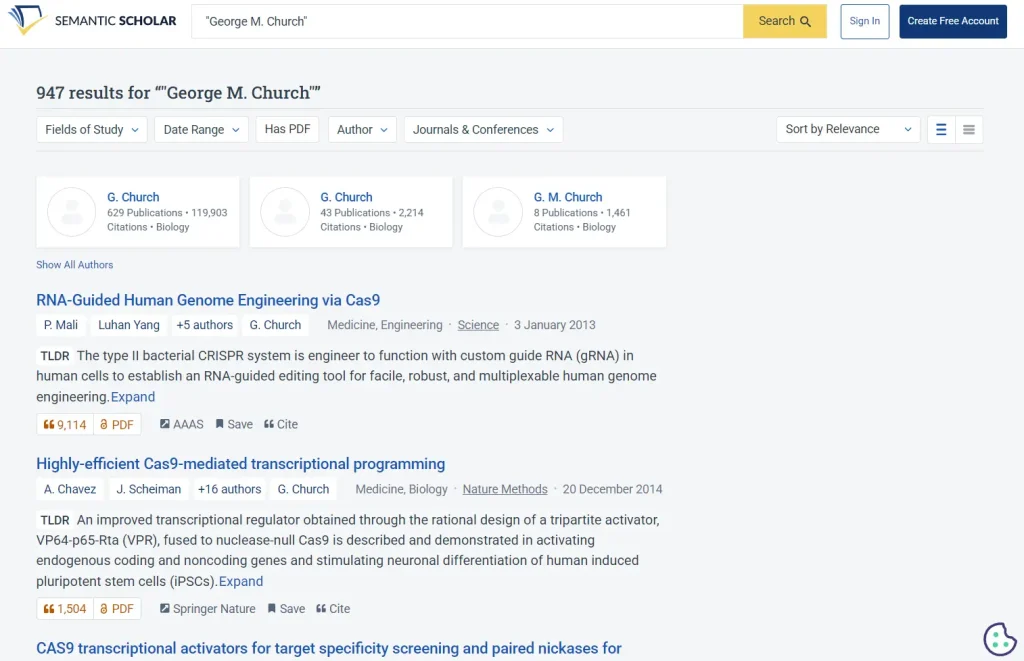
Semantic Scholar, from Ai2, is a free search engine for academic papers. Before opening a study, check its TLDR for a short account of the research question and results. The service identifies influential citations and recommends papers related to those saved in your library.
For a project on urban heat, try a focused search and use the publication-date filter to find recent studies. Skim abstracts and available TLDRs, save promising papers in a folder, and use the research feed to find related work. Organizing your library by method or study population can help improve those recommendations.
You can search papers for free. An account lets you organize a library into folders, receive alerts, and follow personalized research feeds. Citation exports are available in BibTeX, APA, MLA, and Chicago formats.
TLDRs are available for selected papers, and Ask This Paper works with a limited selection of English-language publications. Use Influential Citations to identify papers worth examining. Judge the methods and results before using a study as evidence.
Search academic papers with Semantic Scholar.
2. Elicit: explore a research question
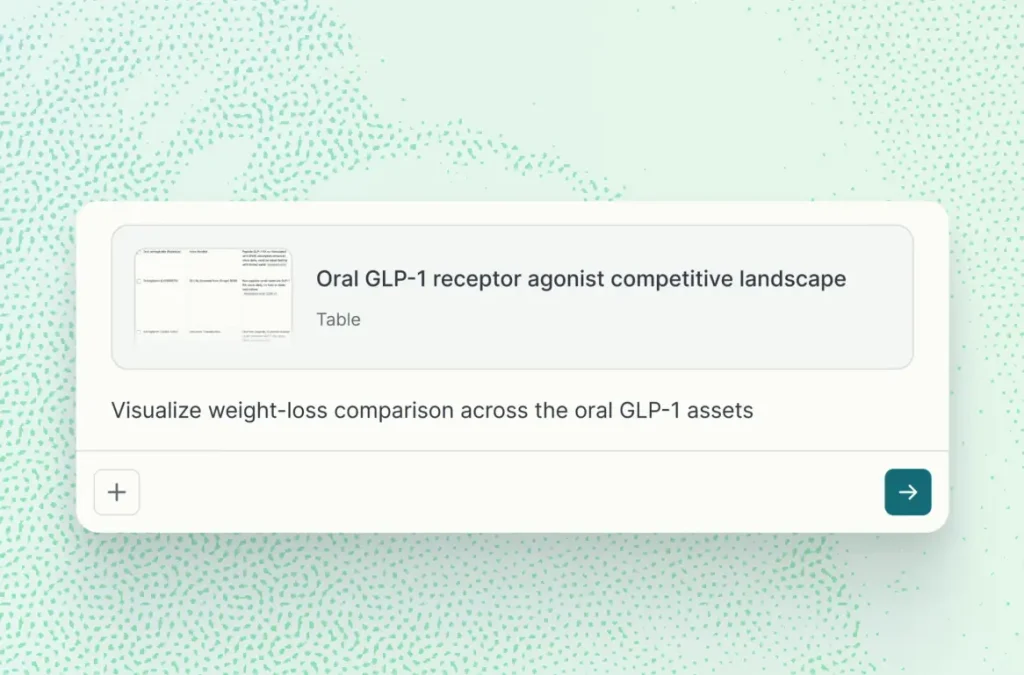
Enter a research question in Elicit to find relevant academic papers, even when the studies use terminology you haven’t tried in a keyword search. Its summaries help you identify useful papers and recurring methods during the early stages of a project.
If you’re researching ways to improve sleep among university students, ask about that population and the interventions you’re interested in. Check the participants and methods in the returned studies, open promising papers, and refine the question if the results drift toward another age group or setting. Note useful search terms for your discipline’s databases.
On the Basic plan, paper searches and summaries are unlimited. You can view sources, import papers from Zotero, and chat with papers when Elicit has access to the full text.
Basic has limited access to Research Agent and Research Reports. Exporting results as RIS, CSV, or BibTeX requires a paid plan. If you’re conducting a systematic review, document your database searches, inclusion criteria, and screening decisions alongside any exploratory work in Elicit.
Explore research questions with Elicit.
3. Consensus: examine published evidence
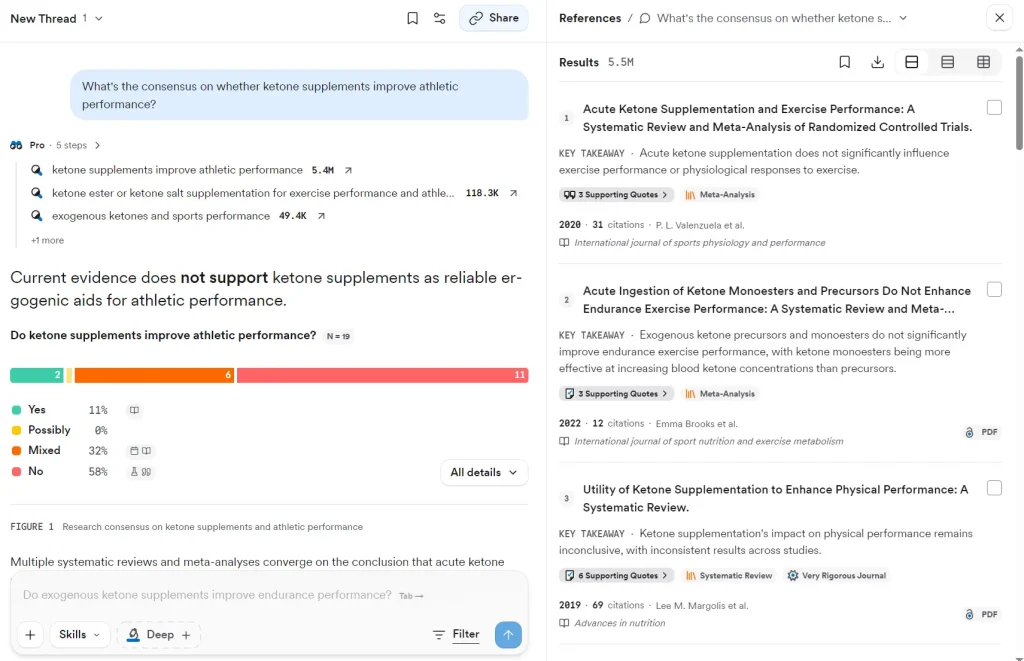
Consensus helps investigate what published studies have found about a research question. Enter a question to receive an AI-generated synthesis with links to the papers behind it. Study Snapshots highlight details from individual studies, and Deep reviews offer extended analysis.
For example, ask whether retrieval practice improves long-term retention among university students. Read the cited studies to see who took part, how retention was measured, and how long after learning the participants were tested.
A free account includes unlimited Papers searches. AI-assisted analysis has monthly allowances: a limited number of Pro messages, three Deep reviews, and 10 Study Snapshots.
When a Consensus answer draws on studies with different populations or outcome measures, check the underlying results before describing what the evidence shows. The papers retrieved for an AI response may not include every study relevant to your question.
Search published evidence with Consensus.
4. ResearchRabbit: follow citation relationships
ResearchRabbit works from papers you’ve already identified. Save a few key studies and explore their references, newer papers that cite them, and recommendations for related work. Its citation maps can reveal research that uses terminology you missed in your original search.
ResearchRabbit’s Free Forever plan includes unlimited article searches, library storage, and collections. Citation maps can use up to 50 seed articles. You can import from Zotero, exchange BibTeX files, and share collections with collaborators.
ResearchRabbit+ has advanced search controls, multiple projects, and higher seed limits. For a review, build your initial collection from several research groups or search methods. A citation map helps locate candidate studies, and you can screen those papers against your inclusion criteria.
Explore related literature with ResearchRabbit.
5. ASReview LAB: prioritize literature screening
ASReview LAB prioritizes titles and abstracts during a systematic review. Import records from a database search and label examples as relevant or irrelevant. Its active-learning model uses those decisions to prioritize the next records for screening. Your inclusion decisions are recorded and can be exported.
ASReview LAB is free, open-source software licensed under Apache 2.0. After installation, it runs locally through your browser. The Python installation requires Python 3.10 or later. The core screening process has no monthly usage quota.
ASReview expects records from your database searches. Before screening, establish your inclusion criteria and a defensible stopping rule. Keep a record of decisions throughout the review and assess the risk of missed studies when you stop.
Get ASReview LAB and its installation instructions.
6. SciSpace: ask questions about a paper

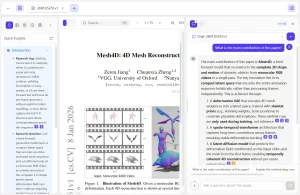
Upload a research paper to SciSpace Chat with PDF and ask about its methods, participants, results, or limitations. You can open the document passages cited in the response. For a closer reading, ask how the authors defined an outcome or handled missing data.
A free SciSpace account gives you access to Chat with PDF. The Free plan also includes 100 Agent credits per month for Agent tasks. PDF chat and Agent tasks have their own usage allowances.
A PDF answer can draw only on information available in the uploaded study. If the paper omits a methodological detail, look for supplementary material or another reliable source before using the explanation. Other SciSpace features and multi-step analyses have additional access conditions.
Read and question PDFs with SciSpace.
7. Explainpaper: understand difficult passages

When a passage in a research paper is hard to understand, upload the PDF to Explainpaper and highlight the text. Ask it to explain a statistical result, a technical term, or a difficult part of a formula. You can follow up on the explanation and return to the original argument as you read.
Explainpaper’s free plan includes unlimited explanations of highlighted passages, follow-up questions, and Zotero library import. These features use basic AI models.
The Pro plan has advanced models, whole-paper summaries, saved highlights and explanations, full-paper questions, and a Math Explain feature for formulas and figures. When using an explanation in your notes, revisit the original passage to catch technical qualifications that a simpler description can lose.
Explain research passages with Explainpaper.
8. Paperguide: build a small evidence table

Paperguide builds an evidence table from the research papers you select. Specify the fields you want to extract, then examine the resulting rows to check how each study reports its methods and findings.
For a review of one intervention, create columns for population, sample size, study design, outcome measure, and main finding. Specify the units and measurement time points you need. Flag missing information and check the entries carefully when a paper reports several study arms or outcomes.
The free plan includes 2,000 AI credits per month. Extraction tables can hold up to 10 papers and five columns. You also get limited AI searches, a reference manager, and Zotero and Mendeley import. The monthly credits are used across eligible AI tasks.
Larger tables and expanded reference management require a paid plan. Before using an extracted figure in a review, verify the study arm, measurement time point, and original result. A plausible-looking table can contain mistakes that affect your conclusions.
Build research evidence tables with Paperguide.
9. Gemini Notebook: organize source-based research
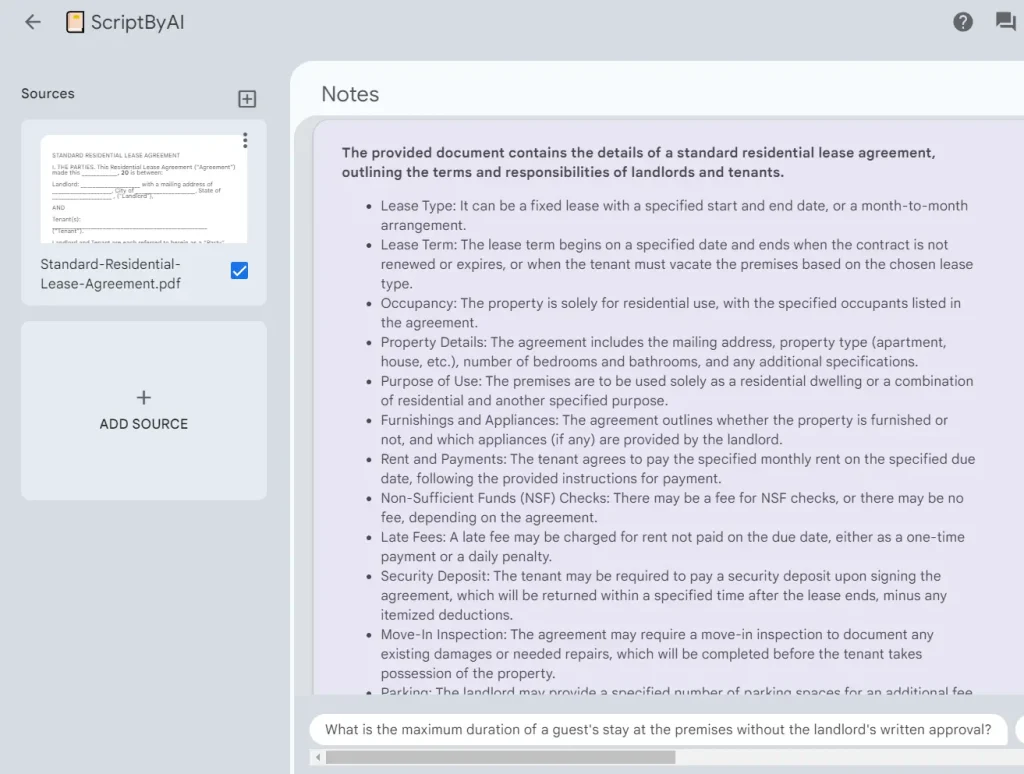
Gemini Notebook lets you work with papers, documents, and notes collected for a research project. Ask questions about selected sources and follow the citations in its answers back to the relevant passages. The Studio area can create reports, Audio Overviews, flashcards, quizzes, and other study materials from your sources.
For one project, upload the papers you’ve identified and ask about a specific method or finding across them. Open the cited passages and save useful answers as notes after checking them. Selecting the papers relevant to your question helps you keep the discussion focused.
Standard access is free with a Google account and includes up to 100 notebooks, with 50 sources per notebook. AI usage varies with request complexity, the features you use, and conversation length. Generation capacity refreshes every five hours within a weekly limit.
Paid plans increase the usage allowances. Before relying on a notebook answer, check that you’ve imported the relevant text and selected the necessary sources. The answer reflects the material available in the notebook, and an omitted study can change the interpretation.
Organize research sources with Gemini Notebook.
Related tool: Gemini Notebook (NotebookLM): Free Google AI Research Assistant
10. Paperpal: edit academic language

Paperpal is useful for revising an abstract, discussion section, or other academic text you’ve drafted. Paste a paragraph to review grammar and phrasing or trim it to meet a word limit. Check every revision for technical terminology, numerical findings, and wording that could overstate a causal claim.
The free account includes 200 language-correction suggestions per month and up to five AI uses per day for rewriting and trimming. Citation generation is also available for free.
Editing a full manuscript repeatedly can exhaust the free allowance. Focus your free uses on the sections you’re preparing to submit and review the changes yourself. Language editing cannot validate a study design or confirm that citations support your claims.
Edit academic writing with Paperpal.
FAQs
Can a free AI research tool retrieve a paywalled paper?
Finding a paper in search results doesn’t guarantee access to its full text. Check the publisher, your institution’s library, or a lawful repository copy. Upload only documents you’re authorized to use. Answers based on an abstract can miss methodological details, supplementary analyses, and important qualifications.
Does a cited AI answer establish that a study supports a claim?
No. Open the cited paper and check that its population, methods, outcomes, and results support the claim. Verify that any reported figure refers to the correct study arm and time point. AI can misread genuine sources and attach accurate citations to an inaccurate summary.
Should researchers upload unpublished work or participant data?
Check institutional requirements, participant consent, and the provider’s data-use settings before uploading unpublished work or participant information. Use services approved for that material. Removing names can leave other identifying details. If you choose a local tool, confirm where its AI model runs. A local app connected to a cloud model sends the selected information to that provider.
Related tool: Open Notebook: Private, Self-Hosted Gemini Notebook (NotebookLM) Alternative
Do researchers need to disclose AI assistance?
Follow your institution’s, funder’s, and target journal’s current policies on AI assistance. Record which tools you used and what they did, including language editing, literature screening, or analysis. Disclose assistance where required and review AI-generated content before submission. The authors are responsible for the final work.
Related resources
- Paper Search MCP Server: Free Academic Paper Search for AI Agents
- 7 Best Free AI Tools for CSV Data Analysis
- 10 Best Free AI Tools to Chat With PDFs
- 10 Best AI Lecture Note Takers for Students