Manual diagram work eats time fast.
A small change in a process map, study outline, or system flow can turn into another round of boxes, arrows, and cleanup.
Free AI diagram generators can cut that work, yet many “free” tools run out of AI credits after a few prompts, lock exports, or hide real diagram generation behind paid plans.
This list focuses on free AI tools that can generate or reshape diagrams from prompts, notes, documents, code, or chat.
The ranking favors tools that a light user can revisit without hitting a wall after one short session.
Quick Comparison
| Tool | Best For | Free Plan Type |
|---|---|---|
| MindPal Free Mindmap | Quick study and content maps | 100% free |
| Quinnsy | Research and document mapping | 100% free |
| Next AI Draw.io | Developer and architecture diagrams | Free (own API key) |
| Napkin AI | Presentations and reports | 500 credits/week |
| ChatGPT Images 2 | Prompt-based diagram visuals | Freemium |
| ProcessOn | UML and software documentation | Freemium |
| MindMap AI | Research summarization | 50 credits/month |
| MyMap.ai | Interactive brainstorming | 20 credits/month |
| Boardmix | Team brainstorming sessions | One-time 500 credits |
| Miro | Team workshops | 10 AI credits/month |
Best Free AI Diagram Generators
MindPal Free Mindmap Generator: Best Fully Free Tool for Instant Mind Maps
Best for: Students, researchers, and content creators who need fast mind maps.
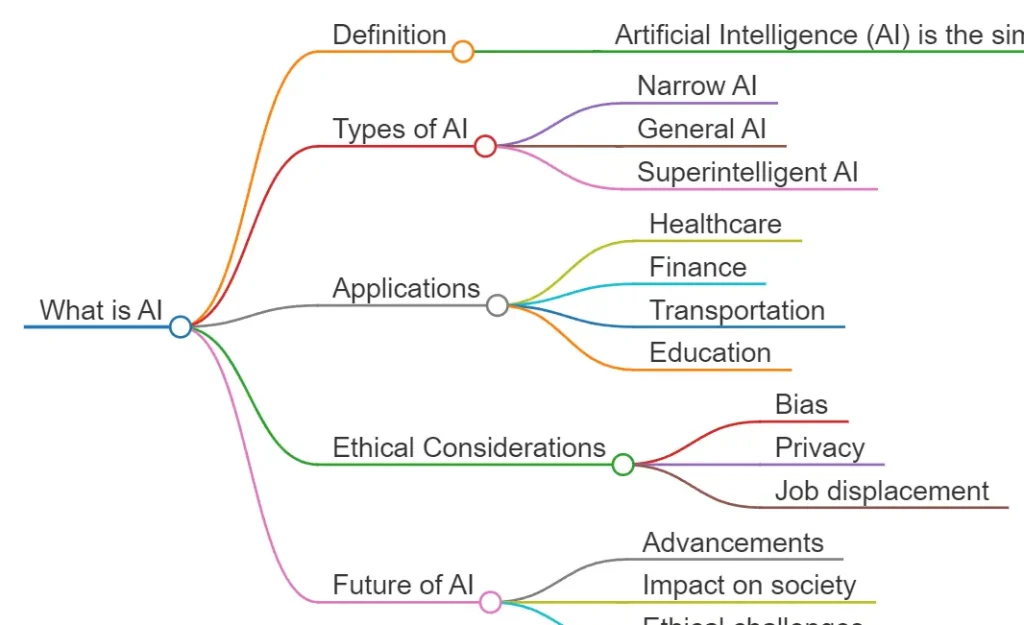
MindPal starts working immediately. No account, no email, and no visible credit system stand between the prompt and the result.
Type a topic or paste a short prompt, and the tool returns a hierarchical mind map in seconds.
It works for reference and outline-stage thinking, not for documentation workflows that need revision later.
Free plan:
- Unlimited mind map generation.
- No registration required.
- No editable export format.
Pros:
- Zero setup.
- No credit limits.
- Fast output.
Cons:
- No editable export.
- No customization.
Website: https://mindpal.space/tool/ai-mindmap-generator
Quinnsy Free AI Mindmap Generator: Best Fully Free Tool for Document-to-Mind-Map Input
Best for: Users who want to turn documents, audio, or video into mind maps.
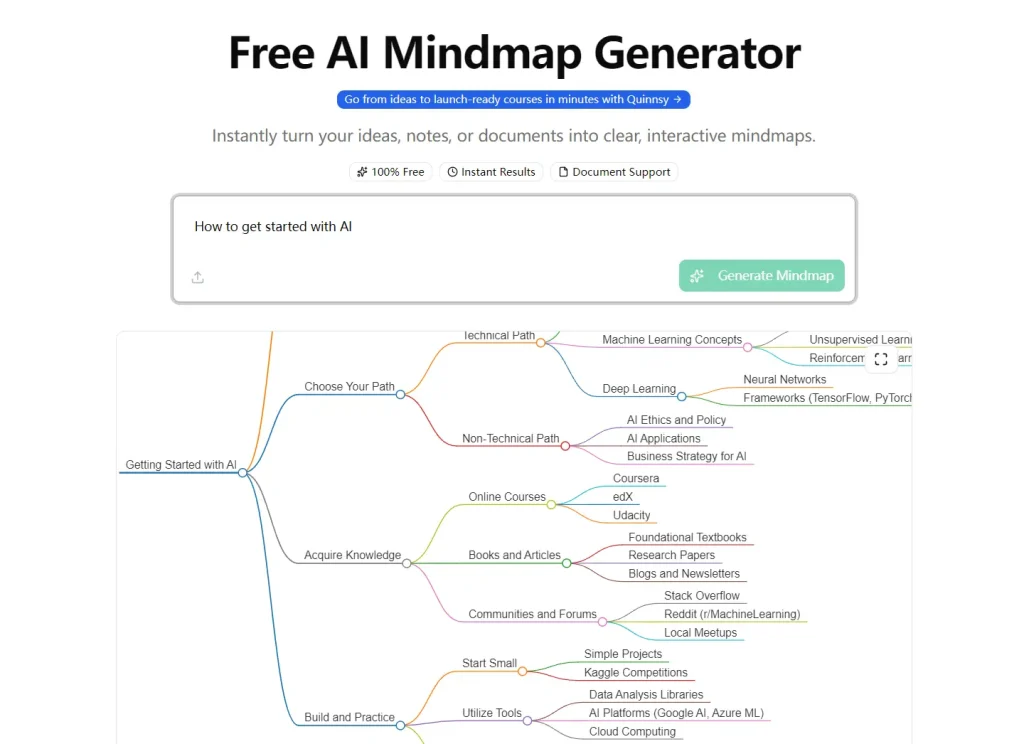
Quinnsy supports more input types than most fully free tools in this category.
Text prompts and PDFs are standard. Quinnsy also accepts Word files, images, audio files, and video files with no registration. This is a practical option for turning research papers, meeting recordings, or long notes into a quick visual summary.
Free plan:
- Unlimited generation.
- No signup required.
- PNG export included.
Pros:
- Supports many input types.
- No account friction.
- Fast processing.
Cons:
- PNG-only export.
- Limited customization.
- Output drops on vague input.
Website: https://www.quinnsy.com/tools/mindmap-generator
Next AI Draw.io: Best Free AI Diagram Generator for Developers
Best for: Developers and technical teams that need editable diagrams from natural language or sketches.
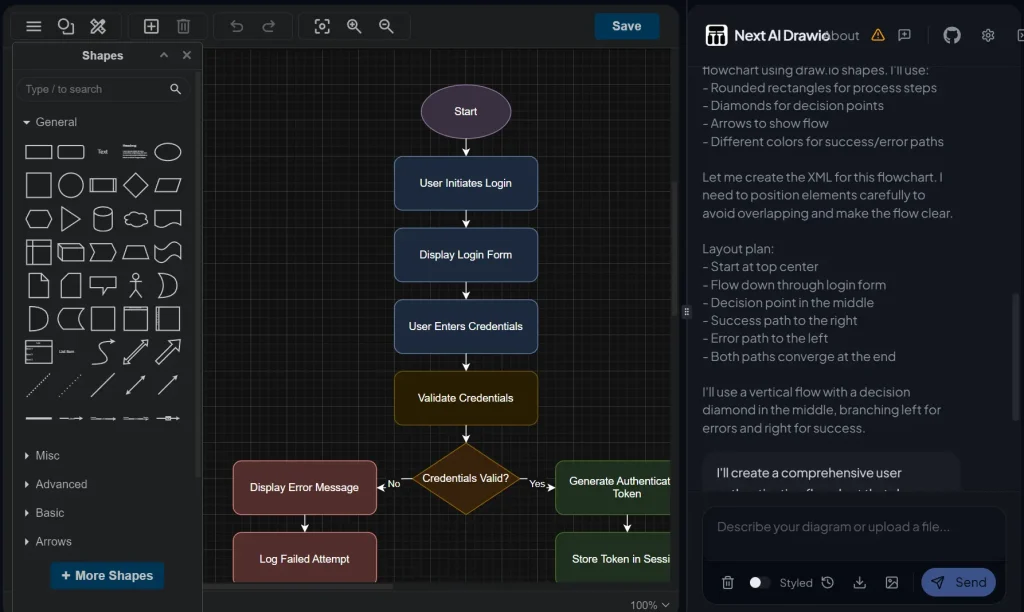
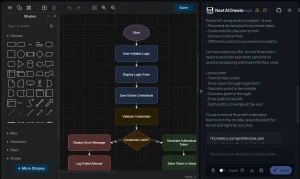
Next AI Draw.io is open source and runs locally through Docker.
Describe a diagram in plain text, and the tool generates editable XML that opens directly in draw.io. You can also recreate diagrams from uploaded sketches or images.
It is useful for architecture diagrams, sequence flows, database schemas, and other technical visuals that need revision after generation.
Setup is the real barrier. You need Docker, command-line comfort, and an API key from OpenAI, Anthropic, Google, or another supported provider.
Free plan:
- Free and open source.
- You pay only for model usage.
- Supports local deployment.
Pros:
- Editable draw.io files.
- Self-hosted option.
Cons:
- Requires setup.
- Needs API access.
Website: https://github.com/DayuanJiang/next-ai-draw-io
Napkin AI: Best Free AI Diagram Generator for Presentation-Ready Visuals
Best for: Writers, consultants, and product teams that turn long-form text into presentation-ready visuals.
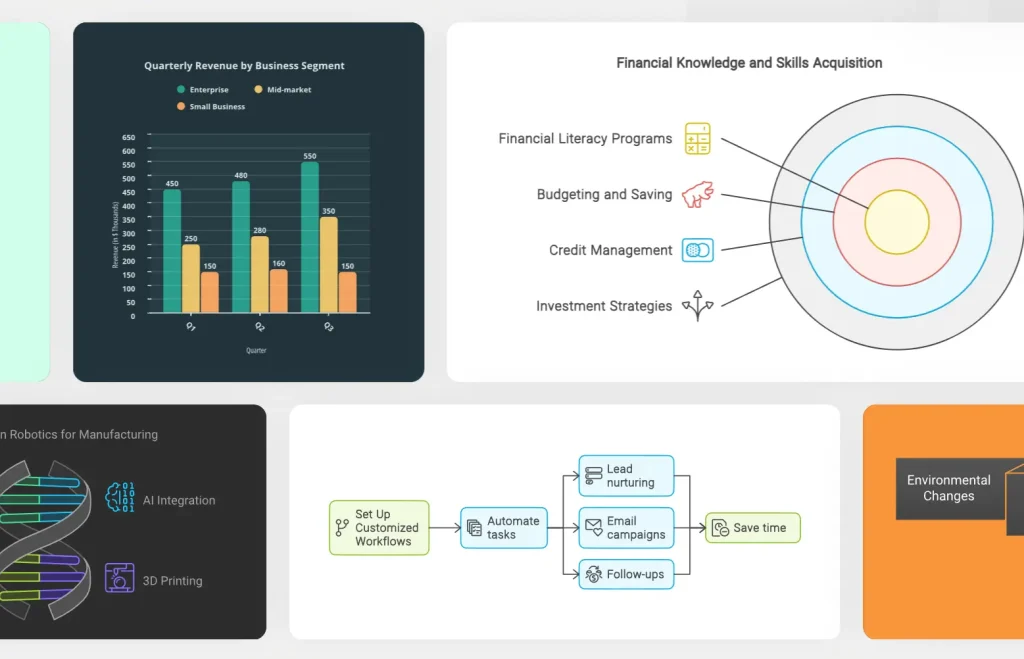
Napkin AI turns pasted text into visuals such as flowcharts, cycle diagrams, funnel charts, and relationship maps.
Napkin AI works best when the input already has a sequence or narrative. It is weaker for UML, sequence diagrams, and free-form canvas editing, and team collaboration features sit behind the paid tier.
For business visuals and slide-ready diagrams, the free plan is one of the strongest in this list.
Free plan:
- 500 AI credits per week.
- PNG, PDF, and SVG export.
- No watermarks.
Pros:
- Recurring weekly credits.
- Clean exports.
- Fast text-to-visual flow.
Cons:
- Weak for UML.
- Limited canvas control.
- Team features are paid.
Website: https://www.napkin.ai/
ChatGPT Images 2.0: Best for polished prompt-based diagram visuals
Best for: Users who want fast, polished diagram-style visuals from prompts without learning a dedicated diagram editor.
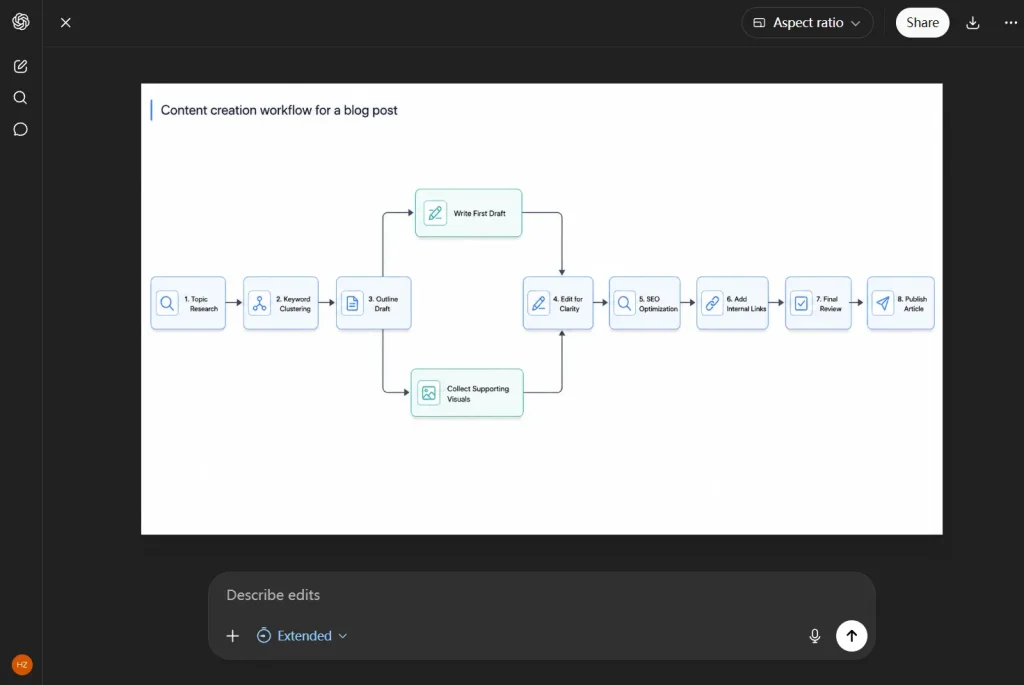
ChatGPT Images 2 works well for flowchart-style visuals, concept maps, presentation graphics, labeled process diagrams, and explanatory illustrations.
You can describe the layout in plain English, ask for revisions, upload an existing image, and edit it in the same workflow.
Note that ChatGPT Images 2 produces image output, not a structured diagram file. You cannot treat the result like an editable UML, ERD, or Mermaid diagram inside a dedicated canvas.
It is much better for slide-ready visuals, blog illustrations, and simple process graphics than for technical documentation that needs ongoing structural editing.
Free plan:
- Available on ChatGPT Free.
- Supports image generation and image editing.
- No separate paid-only diagram mode required.
Pros:
- Easy to use.
- Accurate text rendering.
- Good for slide and blog visuals.
Cons:
- Static images only.
- Weak fit for UML, ERD, and formal technical diagrams.
Website: https://chatgpt.com/images
ProcessOn: Best Free AI Diagram Generator for Technical Diagrams
Best for: Engineers, software architects, and business analysts who need UML, ERD, BPMN, or Mermaid-based diagrams.
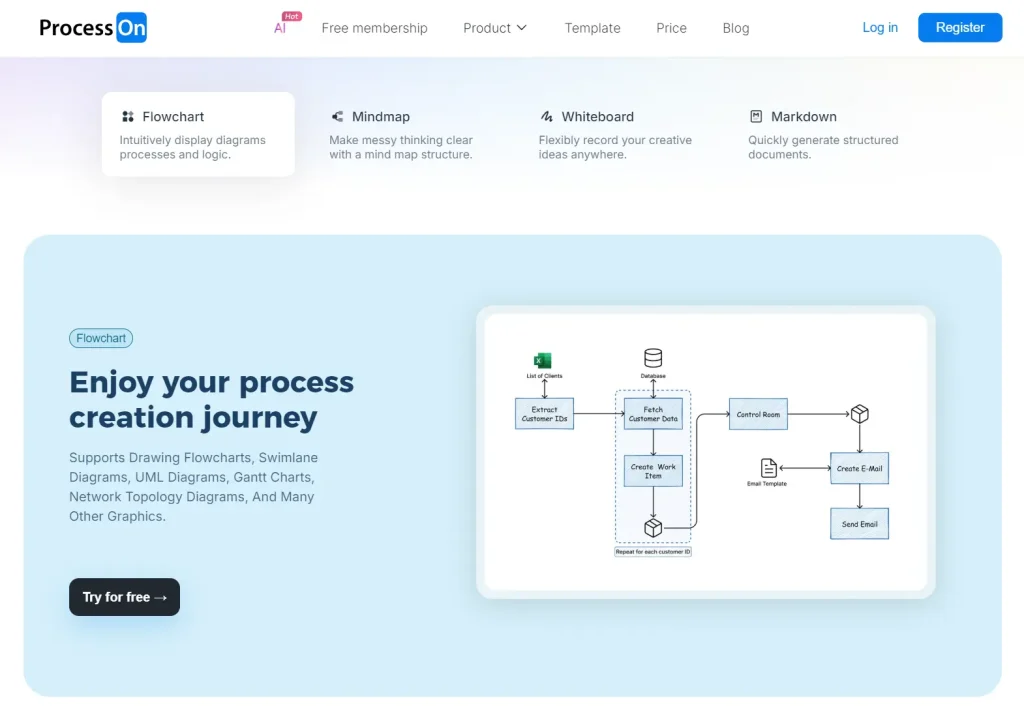
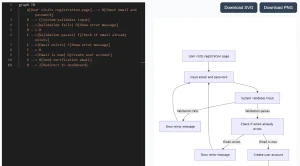
ProcessOn supports Mermaid input, prompt-based diagram generation, and LaTeX rendering on the free plan.
Free users get 9 personal files, recurring AI points, and standard PNG or PDF exports without watermarks.
It is one of the few free tools here that can handle BPMN, UML, ERD, and other technical formats in one workspace.
Free plan:
- 9 personal files.
- Recurring AI points.
- PNG and PDF export.
Pros:
- Mermaid support.
- Supports formal diagram types.
- No watermark on standard exports.
Cons:
- 9-file limit.
- Advanced libraries are paid.
Website: https://www.processon.io/
MindMap AI: Best for Turning Research Documents Into Mind Maps
Best for: Students and researchers who need to turn PDFs, URLs, and academic documents into mind maps.
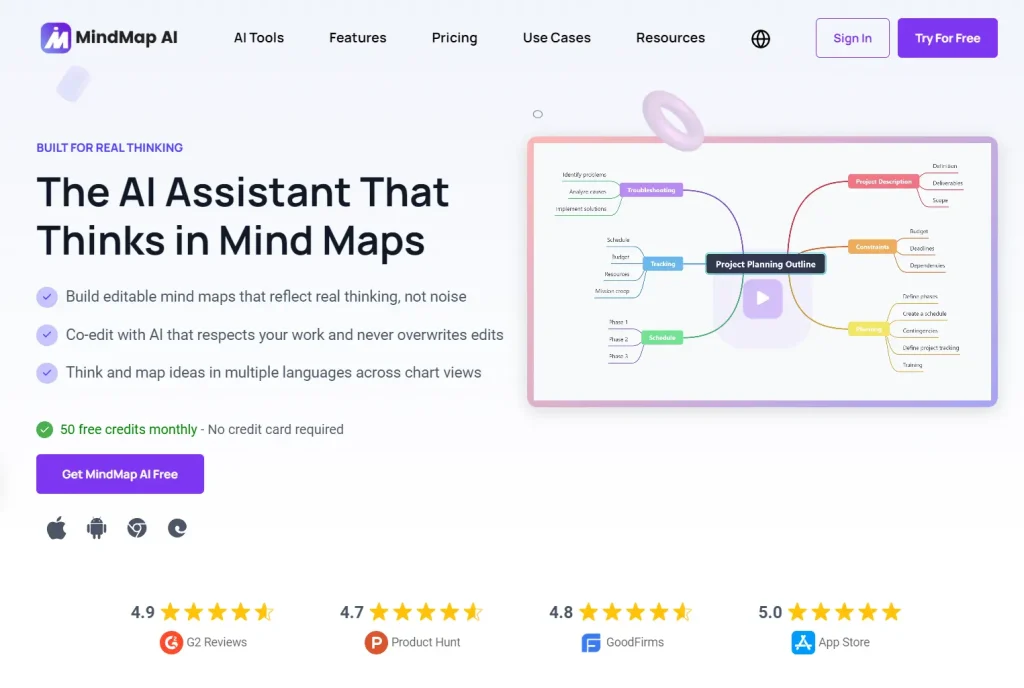
MindMap AI handles one workflow well. Drop in a PDF, URL, or block of text, and the tool returns a hierarchical mind map that captures the main ideas and subtopics.
The 50 monthly free credits are enough for occasional research summarization, reading notes, or content outlining.
Free plan:
- 50 AI credits per month.
- 3 to 5 saved maps.
- Basic export only.
Pros:
- PDF and URL input.
- Good for research summaries.
- Simple interface.
Cons:
- Mind maps only.
- Low saved-map cap.
Website: https://mindmapai.app/
MyMap.ai: Best for Chat-to-Diagram Brainstorming
Best for: Users who prefer building diagrams through a conversational interface.
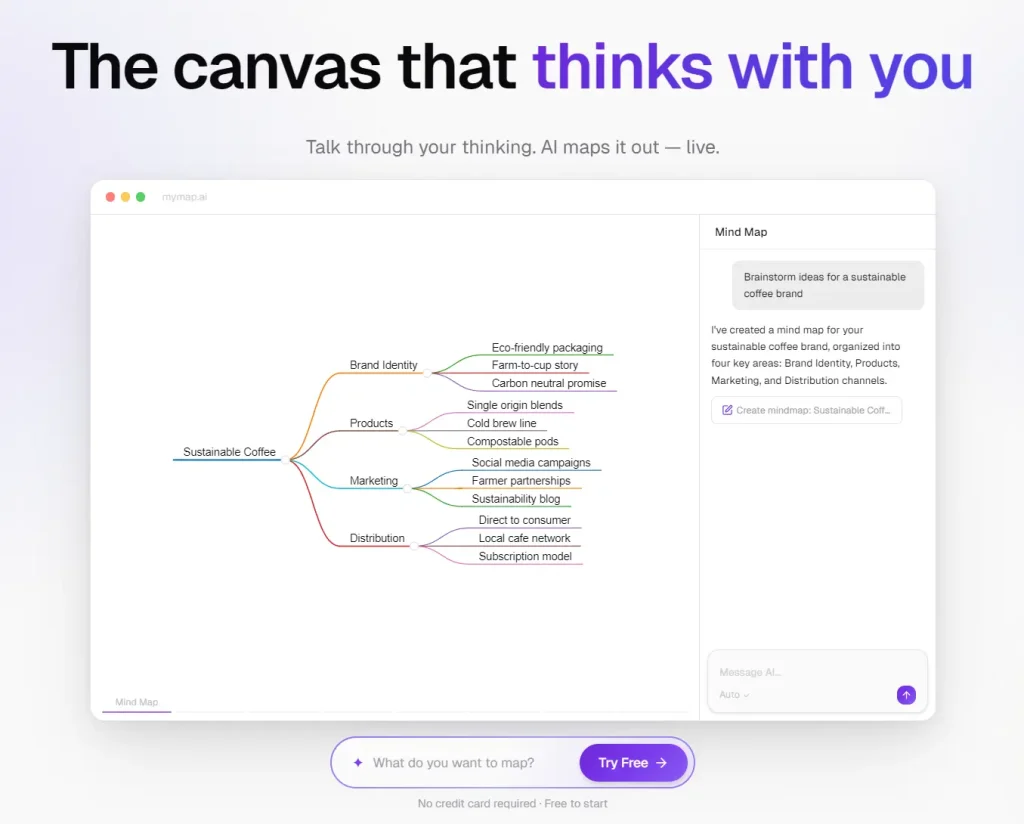
MyMap.ai pairs a chat panel with a visual canvas. You describe what you need, the AI builds it, and the conversation can keep expanding or narrowing the structure. That workflow fits brainstorming, topic exploration, and idea cleanup better than formal documentation work.
The free plan is real, but tight. It includes 20 monthly credits and 3 saved maps, which is enough for one or two serious sessions per month, not regular high-volume diagramming.
Free plan:
- 20 AI credits per month
- 3 saved maps
- PNG export included
Pros:
- Chat-based editing
- Good for ideation
- No watermark on PNG export
Cons:
- Credits run out fast
- Low saved-map cap
- Weak for frequent use
Website: https://www.mymap.ai/
Boardmix: Best AI Whiteboard for Light Team Use
Best for: Teams that care more about the whiteboard experience than about heavy recurring AI use.
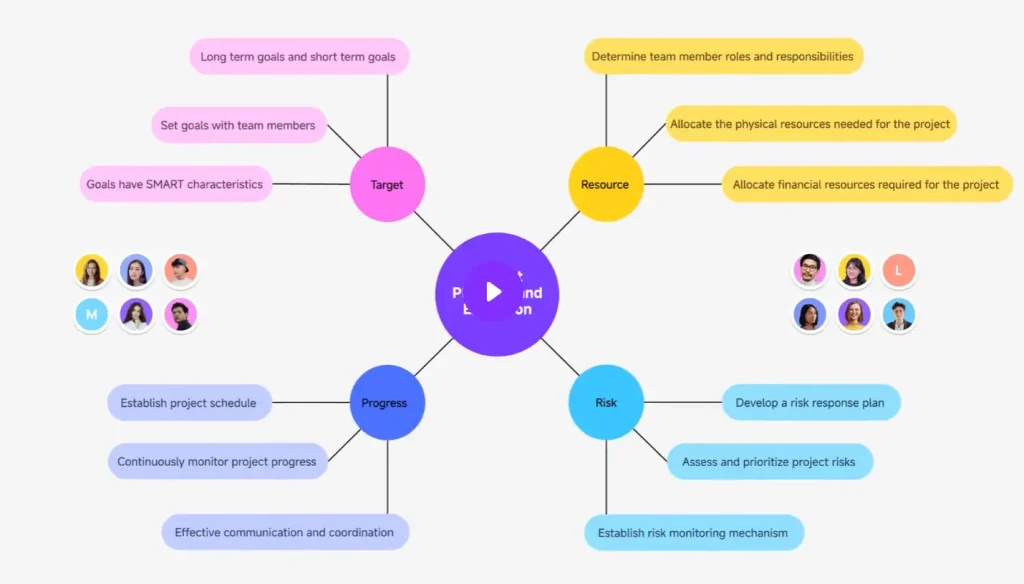
Boardmix combines a full whiteboard canvas with AI generation for mind maps, flowcharts, SWOT diagrams, and user journey maps.
The free plan includes 500 AI credits, one-time, with no monthly reset. That can last a while for occasional use, but frequent generation quickly makes the free tier feel closer to a trial than to a long-term AI workflow.
Free plan:
- 500 one-time AI credits.
- 3 editable boards.
- Basic image export.
Pros:
- Good whiteboard experience.
- Good starting credit pool.
- Useful for team ideation.
Cons:
- No recurring credits.
- 3-board limit.
- Advanced exports are paid.
Website: https://boardmix.com/
Miro: Best for Teams That Need Whiteboarding First and AI Second
Best for: Teams already using Miro for collaboration that want occasional AI help on top of a strong whiteboard.
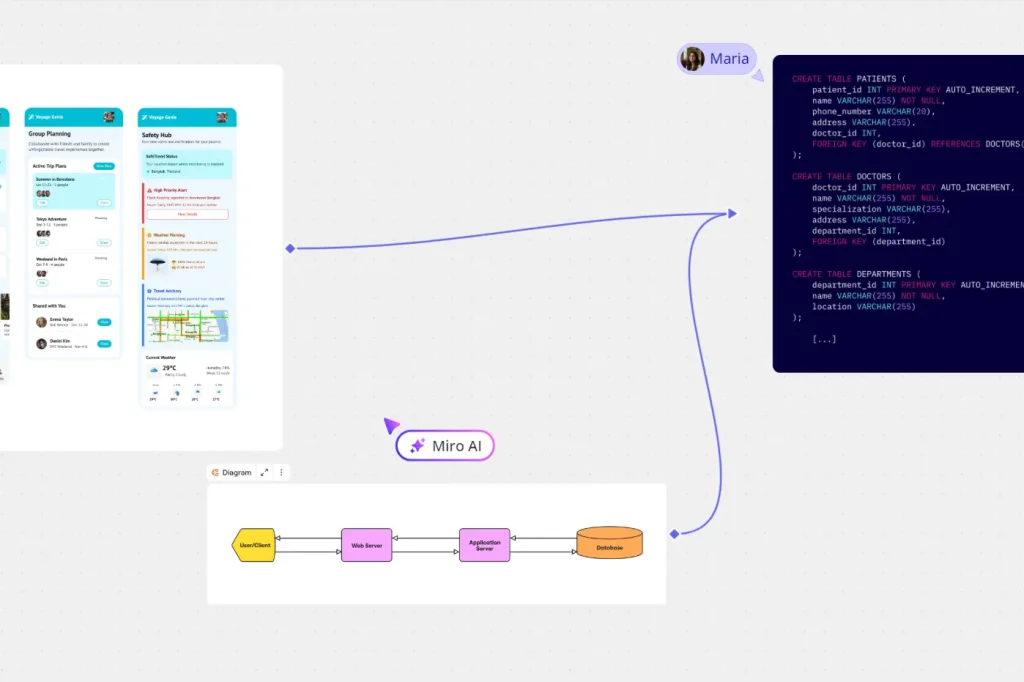
Miro remains one of the strongest collaborative whiteboards in this space. Miro Assist can cluster sticky notes, generate flowcharts from board content, and create mind maps from prompts.
Miro’s free value comes from manual whiteboarding, templates, and collaboration. But 10 credits per month is too low for anyone who wants AI to drive the workflow.
Free plan:
- 10 AI credits per month per team.
- 3 editable boards.
- Low-resolution exports only.
Pros:
- Whiteboard collaboration.
- Large template library.
- Good manual workflow.
Cons:
- AI limit is too low.
- Export quality is limited.
Website: https://miro.com/
Best Free AI Diagram Generators by Use Case
Best for users who need the strongest free plan: Napkin AI
Best for flowcharts: ProcessOn
Best for fast diagram generation with low setup: Napkin AI
Best for mind maps and brainstorming: MindMap AI
Best for software diagrams: ProcessOn
Best for developers or API workflows: Next AI Draw.io
Best for polished diagram-style visuals: ChatGPT Images 2
FAQs
Q: What is the best free AI diagram generator?
A: Napkin AI is the strongest all-around pick for most readers. It combines recurring weekly credits, clean exports, and fast text-to-visual output. ProcessOn is the better choice if you need more formal diagram types.
Q: Are free AI diagram generators good enough for real documentation and planning?
A: Yes, for light to moderate work. Free AI diagram generators can cover study maps, process drafts, workshop boards, and many first-pass diagrams. The limit usually appears in file caps, export restrictions, or low monthly AI credits.
Q: What is the difference between an AI diagram generator and a manual diagramming tool?
A: A manual diagramming tool starts with a blank canvas or template. An AI diagram generator starts with a prompt, document, file, or chat input and builds the first structure for you. The better tools still let you edit the result after generation.
Q: Which free AI diagram generator is best for developers?
A: Next AI Draw.io is the strongest niche pick for developers. It creates editable draw.io files and supports self-hosted or model-based workflows. ProcessOn is easier to start with if you want Mermaid-style work and less setup.
Q: Can ChatGPT Images 2.0 replace a dedicated AI diagram generator?
A: Not fully. ChatGPT Images 2.0 is useful for fast diagram-style visuals, labeled process graphics, and presentation-ready illustrations. It does not replace a dedicated diagram editor when you need editable nodes, formal technical diagrams, or long-term documentation workflows.
Q: Which free AI diagram generator is best for flowcharts?
A: ProcessOn is the best free fit for flowcharts if you want a more formal editor and recurring AI access. Napkin AI works better for quick visual flow drafts, and Taskade fits planning workflows better than strict process mapping.
Q: Do free AI diagram generators give enough credits for regular use?
A: Some do, and many do not. Napkin AI is one of the stronger options for recurring free use, while tools like Miro and MyMap.ai are better treated as occasional helpers on the free tier. One-time credit packs usually feel restrictive much faster.
Final Thoughts
The best free AI diagram generators do not solve the same problem.
Napkin AI provides the strongest mix of recurring free use and clean output. ProcessOn is the better fit for formal diagrams.
MindMap AI, Quinnsy, and MindPal make more sense for map-heavy study or research workflows. Miro and Boardmix matter more for collaboration than for high-volume free AI generation.
Start with one tool that matches your main job. Add a second tool only if your workflow truly needs it. That keeps the process simple and makes free-plan limits easier to manage.
Related Resources
- 10 Best Free AI Tools to Chat With PDFs
- 10 Best Free AI Writing Tools
- 10 Best Free AI Audio Transcription Tools
- 10 Best AI Image Editors to Edit Photos Fast