Teachoo is a free AI homework tutor that follows a student’s reasoning through a problem. After you enter a question or upload a photo, the tutor asks you to try the next step and responds to your answer. A mistake can lead to a more focused follow-up on that part of the solution.
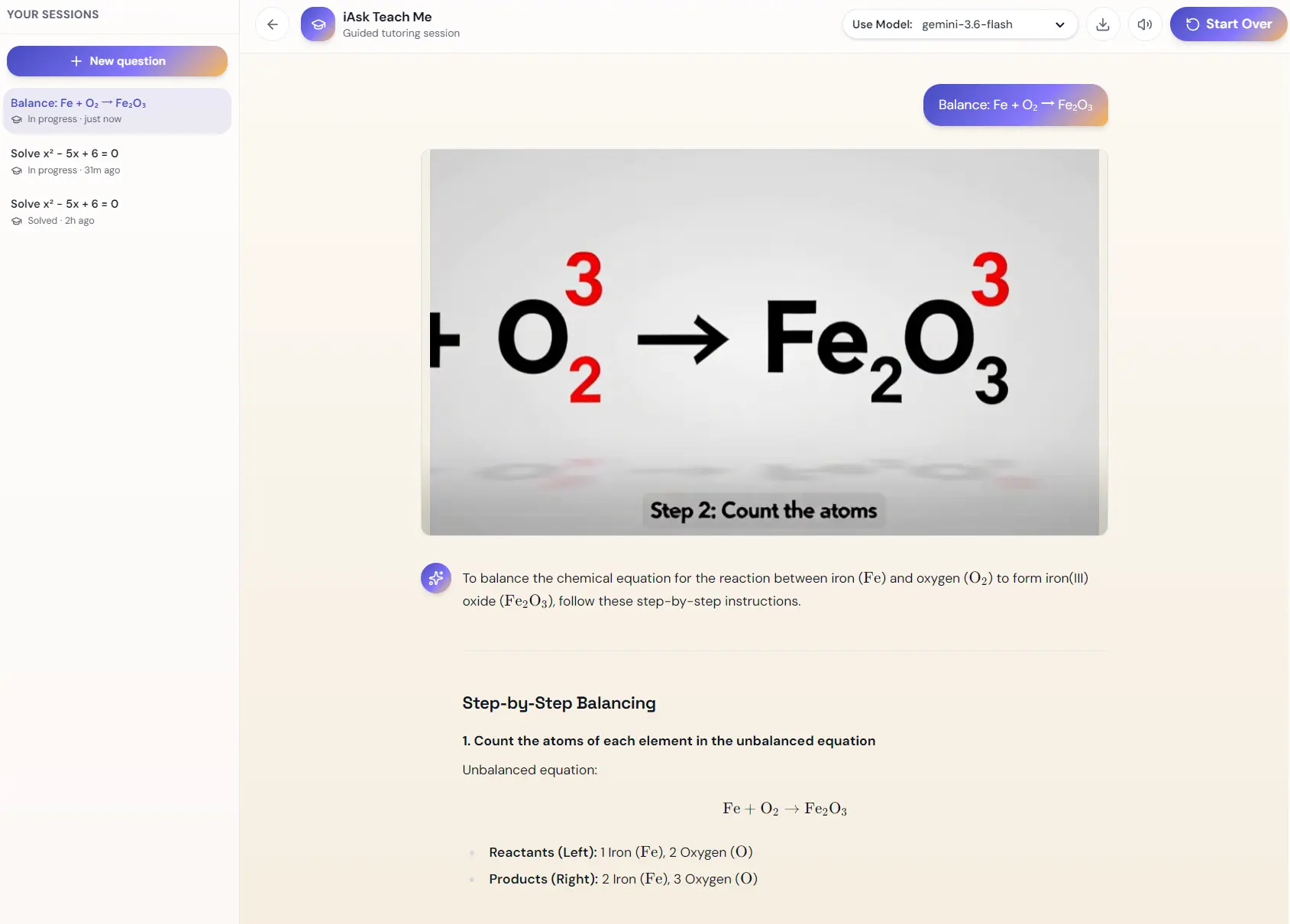
Teachoo offers two ways to study a submitted problem. In Guide Me, you respond to questions and request hints as needed. With Explain via a video, you request an AI-generated walkthrough that presents the worked solution.
Key Features
- Work through homework questions with feedback on each step you attempt.
- Request an AI-generated video explanation of a submitted problem.
- Upload a photo of a worksheet, notebook page, or whiteboard question.
- Ask for a Bigger hint or use I’m Stuck to get an explanation.
- View function graphs and labeled diagrams generated during a lesson.
- Study math, science, writing, history, logic, and coding in different languages.
- Create flashcards and review them through graded recall and spaced repetition.
- Track completed tutoring sessions, answer accuracy, and study streaks.
How to Use Teachoo
1. Open Teachoo AI and type a homework question. To work from an image, select Upload photo or Take photo and submit a picture of a worksheet, handwritten notes, or a problem on a whiteboard.
2. Select Guide Me for interactive tutoring. Teachoo asks you to attempt the next step and responds to your answer. In my demonstration for x² − 5x + 6 = 0, it begins by asking which two numbers multiply to 6 and add up to −5. Use Bigger hint for a stronger clue, or I’m Stuck to get an explanation of the current step.

3. For a worked explanation in video format, choose Explain via a video for your submitted question. Teachoo offers an AI-generated video walkthrough of the solution, showing how the steps are worked out in sequence.
4. Use the tutor for other subjects and visual explanations. It handles questions about science, writing, history, logic, and coding as well as math. During a lesson, it can draw function graphs and labeled diagrams.

5. Open Flashcards to practice recalling what you’ve learned. Write your own question-and-answer cards, answer the tutor’s review questions, and receive feedback on your responses.

6. Open Progress to review completed tutoring sessions, the accuracy of your attempted steps, and your consecutive-day learning streak.

Pros
- Guided feedback responds to the student’s attempted steps and specific errors.
- The video option offers a worked explanation alongside interactive tutoring.
- Spaced-repetition flashcards provide recall practice between tutoring sessions.
Cons
- The guided question format takes several exchanges to complete a multistep solution.
- Flashcards require manual question-and-answer entry.
Alternatives & Related Resources
- Free AI-powered Homework Helper and Study Companion – Questionai
- Free AI Homework Helper For All Subjects – Edubrain
- Free AI Tutor and Study Tools in Acrobat – Adobe Student Spaces
- 7 Best AI Flashcard Generators for Students