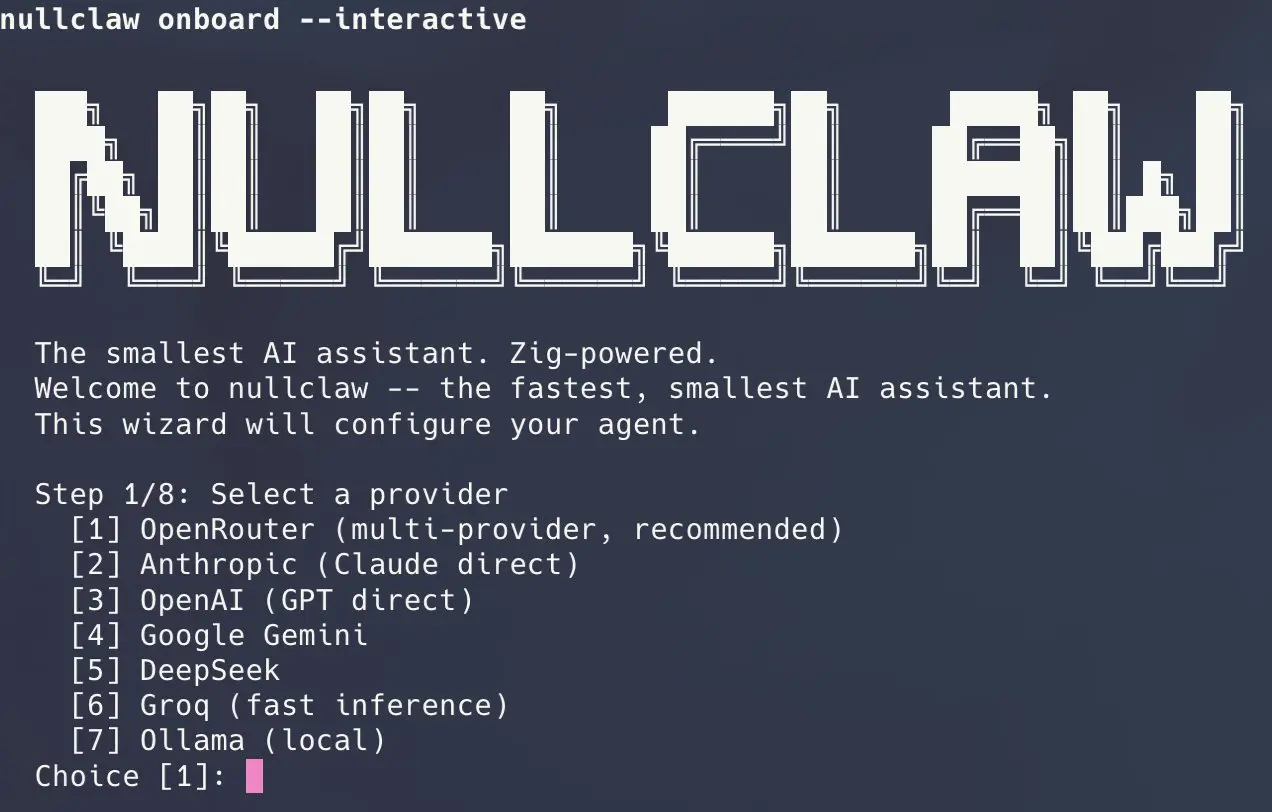
NullClaw is a free, open-source alternative to OpenClaw that runs AI agents from a terminal, a browser client, or a headless gateway.
It is written in Zig and packages model access, tools, memory, and messaging connections into one small native program.
You can connect NullClaw to a hosted model provider or a local Ollama model, then let an agent read and edit files, run approved commands, remember earlier work, and reply through channels such as Telegram or Discord.
NullClaw keeps an agent running on an inexpensive VPS, Raspberry Pi, or other constrained system. Its 678 KB binary uses roughly 1 MB of peak memory and starts in milliseconds on tested hardware.
What NullClaw Can Do
- Run an interactive agent in the terminal for coding, file work, tests, and other multi-step tasks that need human oversight.
- Keep a headless agent online through the gateway, then send it jobs from an external service or a NullHub component.
- Connect an agent to Telegram, Discord, Signal, Slack, WhatsApp, Matrix, Email, and other supported communication channels.
- Use hosted models from providers such as OpenRouter, OpenAI, Anthropic, Gemini, and DeepSeek, or keep inference local through Ollama and compatible endpoints.
- Store conversation history and working memory in SQLite, with keyword and vector retrieval available for later agent turns.
- Add MCP servers, reusable skills, scheduled jobs, named agents, and delegated tasks as the deployment grows.
NullClaw vs OpenClaw
NullClaw and OpenClaw both run AI assistants on hardware you control and connect them to models, tools, and messaging apps. Their size and setup differ. NullClaw is a compact Zig runtime made for small servers and low-power devices. OpenClaw is a larger Node.js application with a built-in Control UI, WebChat, and more integrations.
| NullClaw | OpenClaw | |
|---|---|---|
| What it is | Compact AI agent runtime | Full personal AI assistant |
| Technology | Native Zig binary | TypeScript application on Node.js |
| Installation | Homebrew, source build, or Docker | Node.js and openclaw onboard, or Docker |
| Typical hardware | Low-cost VPS, Raspberry Pi, ARM boards, and other constrained devices | Desktops and servers that can support a larger application |
| Browser interface | WebChannel configuration or the beta NullHub interface | Built-in Control UI and WebChat |
| Models | Hosted providers, Ollama, and OpenAI-compatible endpoints | Hosted providers, Ollama, LM Studio, and compatible endpoints |
| Messaging | 19+ communication channels | More channels and a larger plugin catalog |
| Migration | Can preview and import an OpenClaw workspace | OpenClaw workspaces can be imported into NullClaw |
| Best suited to | Small servers, low memory budgets, and edge hardware | Desktop use, browser access, and existing integrations |
NullClaw earns its place on small servers and edge hardware, where memory use and startup time affect what the machine can run. OpenClaw is easier to recommend for desktop use because its browser interface and existing integrations require less assembly.
How to Install NullClaw Runtime
| Method | Best for | Requirement |
|---|---|---|
| Homebrew | Fast native installation | Homebrew |
| Source build | Current code, custom builds, Windows | Git and the matching Zig version |
| Docker Compose | Containerized servers and isolated testing | Docker, Compose, and Make |
Install with Homebrew
Homebrew installs a ready-to-run binary and avoids the Zig compiler requirement:
brew install nullclaw
nullclaw --help
Build from Source
git clone https://github.com/nullclaw/nullclaw.git
cd nullclaw
zig version
zig build -Doptimize=ReleaseSmall
zig build test --summary all
Install the binary under ~/.local/bin when you want to call nullclaw outside the repository:
zig build -Doptimize=ReleaseSmall -p "$HOME/.local"Add ~/.local/bin to your shell’s PATH if the command is not found. Windows source builds can use the same -p "$HOME\.local" destination and add %USERPROFILE%\.local\bin to the user PATH.
Run with Docker Compose
make config runs the interactive onboarding wizard inside the container. The Compose setup publishes its gateway to localhost on port 3210 by default. Use make logs to inspect the service and make down to stop it.
make build
make config
make up
Connect a Model and Start an Agent
Run the onboarding wizard to choose a provider and create ~/.nullclaw/config.json:
nullclaw onboard --interactiveYou can also provide a supported provider and API key directly:
nullclaw onboard --provider openrouter --api-key <YOUR_API_KEY>Verify the installation before connecting channels or enabling more tools:
nullclaw status
nullclaw doctor
nullclaw capabilities --json
nullclaw agent -m "Hello from NullClaw"
A successful response from the final command confirms that the runtime can reach the selected model. Resolve errors from doctor before you add messaging channels, scheduled tasks, or access to more directories.
Ways to Run NullClaw
nullclaw agentopens an interactive terminal session.nullclaw gatewaystarts the gateway, configured channels, heartbeat, and scheduler. The native gateway binds to127.0.0.1:3000by default.nullclaw service installregisters the gateway as a background service;nullclaw service statuschecks it.- A browser client needs a
channels.webaccount in~/.nullclaw/config.json. The gateway does not create a web chat page by itself.
Keep the gateway on localhost during initial setup. Configure pairing, channel allowlists, tool permissions, and a firewall or trusted tunnel before accepting traffic from another machine.
Quick Command Reference
| Command | What it does |
|---|---|
nullclaw onboard --interactive | Creates the initial provider and channel configuration |
nullclaw agent | Opens an interactive terminal session |
nullclaw agent -m "..." | Runs one agent request |
nullclaw gateway | Starts the gateway and configured channels |
nullclaw service install | Installs the background service |
nullclaw channel status | Checks configured channel health |
nullclaw doctor | Checks the runtime and configuration |
nullclaw update --check | Checks for an available update |
nullclaw migrate openclaw --dry-run | Previews an OpenClaw import |
Alternatives & Related Resources
- 7 Best OpenClaw Alternatives for Safe & Local AI Agents
- Openclaw: Your 24/7 Personal AI Employee
- Ultra-light Rust-based Alternative to OpenClaw – ZeroClaw
- NanoClaw: Lightweight OpenClaw Alternative for Safer Local AI Agents
- Nanobot: Lightweight Open-source AI Assistant Inspired by OpenClaw
- IronClaw: A Free Open-Source Rust Alternative to OpenClaw
- NullClaw Runtime
- NullClaw Quick Start
- NullClaw GitHub Repository
Pros
- Runs on very limited hardware.
- Starts in milliseconds.
- Supports local and hosted models.
- Connects to 19 messaging channels.
- Imports existing OpenClaw data.
Cons
- Source builds require a matching Zig version.
- Browser access needs extra setup.
- Security and updates are your responsibility.
FAQs
Q: Can I use NullClaw without paying for an AI API?
A: Yes. Connect NullClaw to Ollama or another compatible local model endpoint. You still need a computer with enough memory and processing power for the selected model, and any online channels or web tools still require network access.
Q: Can NullClaw run on Windows?
A: Yes. The project includes Windows source-build instructions and PATH setup. Match the required Zig version to the branch or release you download, then place the compiled binary in a directory included in your user PATH.
Q: How do I keep NullClaw running after I close the terminal?
A: Run nullclaw service install to register the gateway as a background service, then check it with nullclaw service status. Finish provider and channel configuration before installing the service.
Q: Why does the NullClaw browser interface fail to connect?
A: The gateway does not create a browser chat page automatically. Add and enable a channels.web account, start the gateway, and connect the browser client to the configured WebSocket address. A channel disabled at build time must be enabled in a new build.
Q: What should I secure before exposing the gateway to another machine?
A: Keep the gateway on localhost until pairing, sender allowlists, tool permissions, secrets, and host firewall rules are configured. Use a trusted private network or supported tunnel for remote access, and avoid a public bind during initial setup.
Q: Can I move from OpenClaw without changing my original workspace first?
A: Yes. Point nullclaw migrate openclaw --dry-run at the source workspace to preview the import. Review the result before running the full migration, and keep a backup of the original workspace.
Q: Can different Telegram topics use different NullClaw agents?
A: Yes. Define named agents, then use channel bindings to route a Telegram group or forum topic to a specific agent. Topic-specific bindings can override the group-level rule.
Q: Is NullClaw ready for a production deployment?
A: NullClaw remains pre-1.0 and does not promise stable CLI or configuration compatibility. Pin the version, test upgrades in a separate environment, restrict permissions, and monitor the gateway before relying on it for unattended work.
Last Updated: July 15, 2026