ZeroClaw is a free, open-source Rust runtime for running AI agents on your own hardware. You can connect it to Claude, OpenAI, local Ollama models, and other supported providers, then use your agents from the terminal, chat apps, or developer tools. Files, shell commands, browsers, and external services stay behind the permissions you choose.
The most useful part of ZeroClaw is its multi-agent design. One daemon can run several named agents, and each one can keep its own workspace, memory, model, skills, channels, and permissions. You can give a coding agent access to one repository while a Telegram assistant uses a narrower tool set and a different model.
ZeroClaw is designed for technical users who are comfortable with command-line setup and security configuration. It works well when you want a self-hosted agent that can grow beyond a single chat window without forcing every agent to share the same files, memory, tools, or access rules.
Features
- Runs on your own machine: Use a desktop, server, Raspberry Pi, or other supported hardware.
- Supports multiple agents: Give each agent its own workspace, memory, model, tools, and permissions.
- Works with hosted and local models: Connect Anthropic, OpenAI, Ollama, OpenRouter, GitHub Models, llama.cpp, and other supported providers or compatible endpoints.
- Connects to chat and developer tools: Use the CLI, web dashboard, Discord, Telegram, email, webhooks, ACP-compatible editors, and additional channel integrations.
- Extends beyond built-in tools: Add reusable skills, MCP servers, and optional WebAssembly plugins.
- Includes security controls: Limit file access, shell commands, network access, tool permissions, and the amount of autonomy each agent receives.
- Supports repeatable jobs: Standard Operating Procedures can save run state, pause for approvals, and continue multi-step work.
- Can import OpenClaw memory: A dedicated migration command can preview and import an existing OpenClaw workspace.
One Runtime, Multiple AI Agents
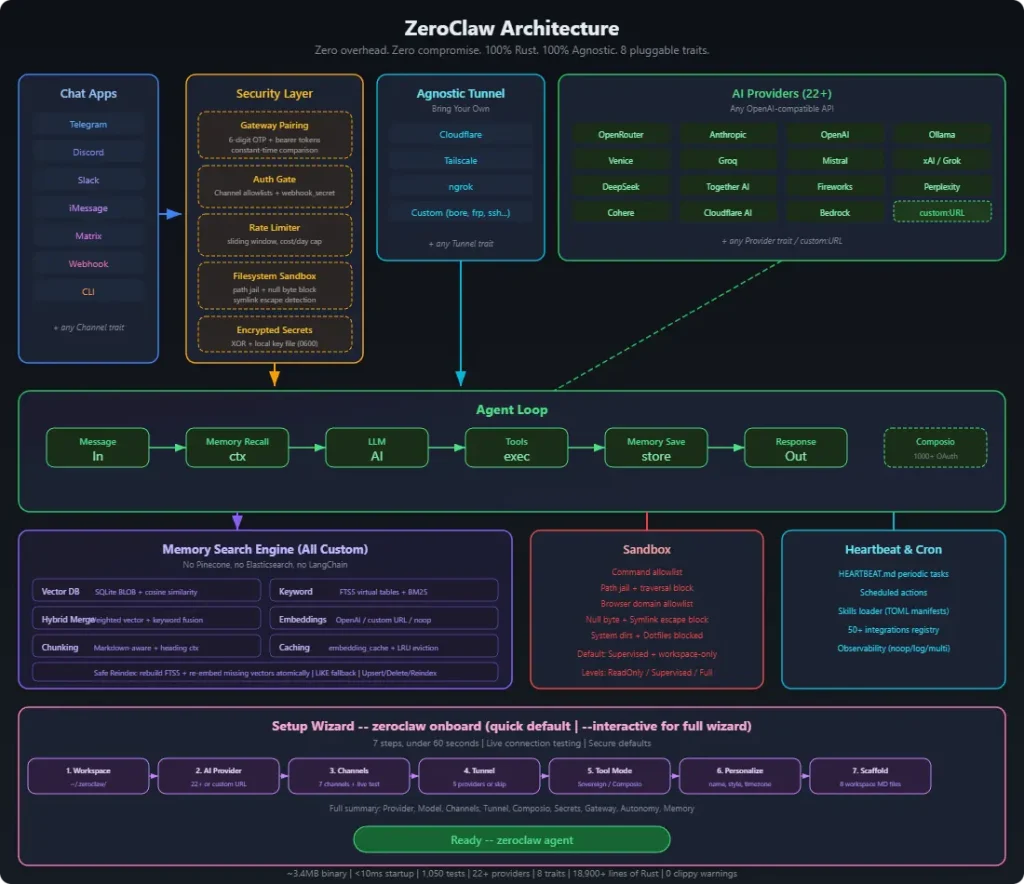
A basic ZeroClaw setup can start with one agent in the terminal. The same installation can later host other agents for coding, research, messaging, automation, or hardware projects. Each agent has an alias and can point to a different workspace, model provider, memory store, and permission profile.
That lets you give each job only the access it needs. A coding agent can work inside a repository and use shell commands. A support agent can answer messages with no shell access at all. You can expand the same installation without turning one assistant into a grab bag of unrelated files, tools, and permissions.
ZeroClaw also keeps memory scoped to the agent that owns it. You can use SQLite for a simple local setup or choose other supported backends such as PostgreSQL, Qdrant, Markdown, or Lucid. Cross-agent memory sharing has limits, including a restriction when the agents use different memory backend types.
Models and Providers
ZeroClaw can connect agents to Anthropic, OpenAI, Ollama, OpenRouter, GitHub Models, llama.cpp, and other supported providers. OpenAI-compatible endpoints extend that list further for services that use the same API format.
Different agents can use different providers or accounts. For example, a coding agent can use a hosted model while a private note-taking agent stays on a local Ollama model. ZeroClaw can also track model usage and cost when the provider returns the required usage data.
How You Can Talk to a ZeroClaw Agent
The terminal is the simplest place to start. ZeroClaw can also keep an agent available through Discord, Telegram, email, webhooks, ACP-compatible editors, and a web dashboard. Slack, Matrix, WhatsApp, and additional integrations are available through feature-gated builds.
The web dashboard is useful when you want to manage agents without living entirely in the terminal. It brings chat, configuration, skills, memory, logs, and runtime status into one place. Zerocode offers a terminal UI for similar day-to-day administration.
Some channels support more than plain text. Discord can expose skill commands and interactive controls, Slack can send attachments, and WhatsApp can restrict access to approved groups. These channel features inherit the permissions of the agent connected to them.
Skills, MCP Servers, and Plugins
ZeroClaw has three main ways to extend an agent beyond its built-in tools. Agent Skills package reusable instructions for a job. MCP servers connect external tools and data through the Model Context Protocol. WebAssembly plugins add code-level extensions inside ZeroClaw.
Skills can come from built-in or extra registries, and supported chat channels can expose them as slash commands. ZeroClaw audits skill packages and applies stricter rules when a package contains executable scripts.
MCP access can be assigned per agent. A coding agent can connect to a development MCP server without exposing the same tools to every other agent on the daemon. Dropped MCP sessions can reconnect, and the same permission rules continue to apply upon reconnection.
For larger installations, selected agents can also be published to compatible agent systems through A2A.
Repeatable Jobs with SOPs
Standard Operating Procedures, or SOPs, define repeatable multi-step jobs. An SOP can keep its run state in SQLite, pause at approval points, and continue after an interruption. They are useful for jobs that need several steps to happen in a predictable order.
An agent can start an SOP directly, and MQTT can trigger one from an external event. Webhook, cron, and peripheral trigger definitions can be configured and validated, but those event sources do not dispatch into the SOP engine.
Security and Permissions
A self-hosted agent can reach sensitive files, commands, browsers, and network services, so permission design matters as soon as you give it real tools. ZeroClaw lets you apply those controls to each agent.
- Risk profiles control how much an agent can do without approval.
- Workspace boundaries restrict where an agent can read and write files.
- Command policies can block shell operations or send them for approval.
- Channel access rules filter who can send work to an agent.
- Supported OS sandboxing adds another barrier around tool execution.
- Tool calls can produce signed receipts for auditing.
Inbound messages are filtered before they reach the model, and plugin HTTP requests receive SSRF protection. Delegated work follows the parent’s security policy. These controls deserve extra attention when a gateway is reachable from other machines or an agent can execute shell commands.
Hardware and Edge Projects
ZeroClaw can work with GPIO, I2C, SPI, USB, and supported boards such as Raspberry Pi, Arduino, ESP32, and STM32 devices. You can use that connection for sensors, peripherals, or small systems that need an agent close to the hardware it manages.
A small device can use a hosted model and keep only the agent runtime local. Running the model locally needs enough RAM and compute for the model you choose. Linux hardware access can also depend on GPIO, SPI, I2C, or USB permissions at the operating-system level.
ZeroClaw vs OpenClaw
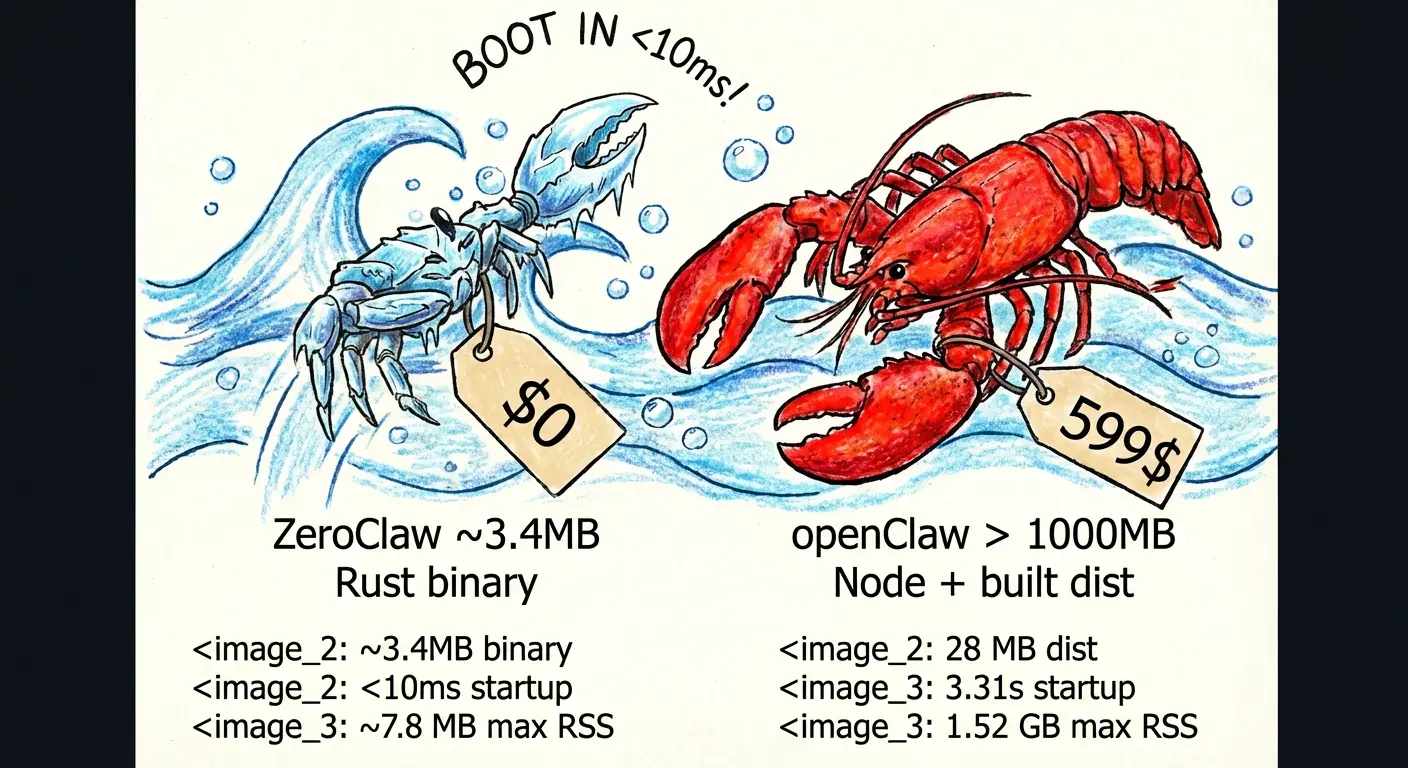
ZeroClaw and OpenClaw serve a similar audience: people who want self-hosted agents that can connect models, tools, memory, and messaging channels. ZeroClaw uses Rust, can host multiple named agents in one daemon, and puts a large amount of configuration around per-agent permissions. It also includes a command for importing memory from an OpenClaw workspace.
| ZeroClaw | OpenClaw |
|---|---|
| Written in Rust | Built on Node.js |
| MIT or Apache 2.0 license | MIT license |
| One daemon can host multiple named agents | Uses OpenClaw’s own agent and runtime model |
| Prebuilt binaries plus feature-gated source builds | Uses OpenClaw’s own installation and deployment paths |
| Can import OpenClaw workspace memory | Uses its native workspace and memory format |
How to Install ZeroClaw
On Linux or macOS, the installer can download a prebuilt binary for supported platforms:
curl -fsSL https://raw.githubusercontent.com/zeroclaw-labs/zeroclaw/master/install.sh | bashYou can also clone the repository and inspect the installer before running it:
git clone https://github.com/zeroclaw-labs/zeroclaw.git
cd zeroclaw
./install.sh
The installer can add the ZeroClaw binary directory to your shell PATH. Use --no-modify-path when you want to manage that yourself. Windows users can use the prebuilt Windows release archive, while source builds need a Rust toolchain.
Create Your First Agent
Run the interactive setup to choose a provider, memory backend, security profile, and agent alias:
zeroclaw quickstartThen start a chat with the agent you created:
zeroclaw agent -a <alias>The agent command expects an alias, so choose the agent you want to run explicitly.
Run It as a Background Service
After the agent works correctly in an interactive session, install the background service:
zeroclaw service install
zeroclaw service start
zeroclaw service status
Check Channel Connections
Use the channel doctor when a configured chat or messaging integration fails or stops responding:
zeroclaw channel doctorMigrate Memory from OpenClaw
ZeroClaw includes a migration command for OpenClaw workspace memory. Start with a dry run so you can see what will be imported:
zeroclaw migrate openclaw --dry-runRun the import after reviewing the preview:
zeroclaw migrate openclawThe default source is ~/.openclaw/workspace. Use --source for another location. If the imported memory needs vector indexes, rebuild them with:
zeroclaw memory reindexUseful ZeroClaw Commands
| Command | What It Does |
|---|---|
zeroclaw quickstart | Creates the first provider, memory, security, and agent configuration |
zeroclaw agent -a <alias> | Starts an interactive session with a named agent |
zeroclaw status | Shows runtime status |
zeroclaw doctor | Checks configuration and runtime health |
zeroclaw models list --check | Lists configured models and checks live provider catalogs when supported |
zeroclaw channel doctor | Checks configured channels |
zeroclaw skills audit <source> | Audits a skill package or local skill source |
zeroclaw sop validate | Validates loaded SOP definitions |
zeroclaw service install | Registers the background service |
zeroclaw gateway start | Starts the HTTP and WebSocket gateway |
zeroclaw config schema | Prints the configuration schema |
zeroclaw migrate openclaw --dry-run | Previews an OpenClaw memory import |
zeroclaw memory reindex | Rebuilds missing memory indexes after a bulk import |
Pros
- Free and open-source
- Runs on hardware you control
- Supports hosted and local models
- Runs multiple agents with different permissions
- Extends through skills, MCP servers, and plugins
- OpenClaw memory migration
- Detailed controls for files, commands, tools, and channels
Cons
- Designed for technical users
- Some channel integrations need a custom source build
- SOP trigger support is incomplete outside MQTT and direct agent execution
- Cross-agent memory sharing has backend restrictions
Alternatives & Related Resources
- 7 Best OpenClaw Alternatives for Safe & Local AI Agents
- Openclaw: Your 24/7 Personal AI Employee
- NanoClaw: Lightweight OpenClaw Alternative for Safer Local AI Agents
- IronClaw: A Free Open-Source Rust Alternative to OpenClaw
FAQs
Is ZeroClaw an OpenClaw fork?
No. ZeroClaw has its own Rust codebase and agent runtime. Its connection to OpenClaw is mainly the similar use case and the built-in command for importing OpenClaw workspace memory.
Which ZeroClaw GitHub repository should I use?
Use github.com/zeroclaw-labs/zeroclaw for the ZeroClaw project covered here. Repositories under other owners can refer to different projects or older experiments with the same name.
Can ZeroClaw use local AI models?
Yes. Ollama, llama.cpp, and compatible local endpoints can supply models to an agent. The hardware requirements come from the model you choose.
Can different ZeroClaw agents use different models and tools?
Yes. Each named agent can have its own provider, model, workspace, memory scope, skills, channels, and security policy. This is one of the main reasons to use the multi-agent runtime.
Do all ZeroClaw channel integrations come in the prebuilt binary?
No. The project uses feature-gated builds for many channel adapters. Common integrations are available in the standard build, while others such as Slack, Matrix, WhatsApp, and additional channels can require a source build with the relevant feature enabled.
What should I lock down before exposing ZeroClaw to a network?
Start with agent permissions, workspace boundaries, channel allowlists, shell rules, gateway authentication, and the tools available to each agent. Public-facing agents deserve a narrower permission set than an agent used only from your local terminal.
Last Updated: August 13, 2026