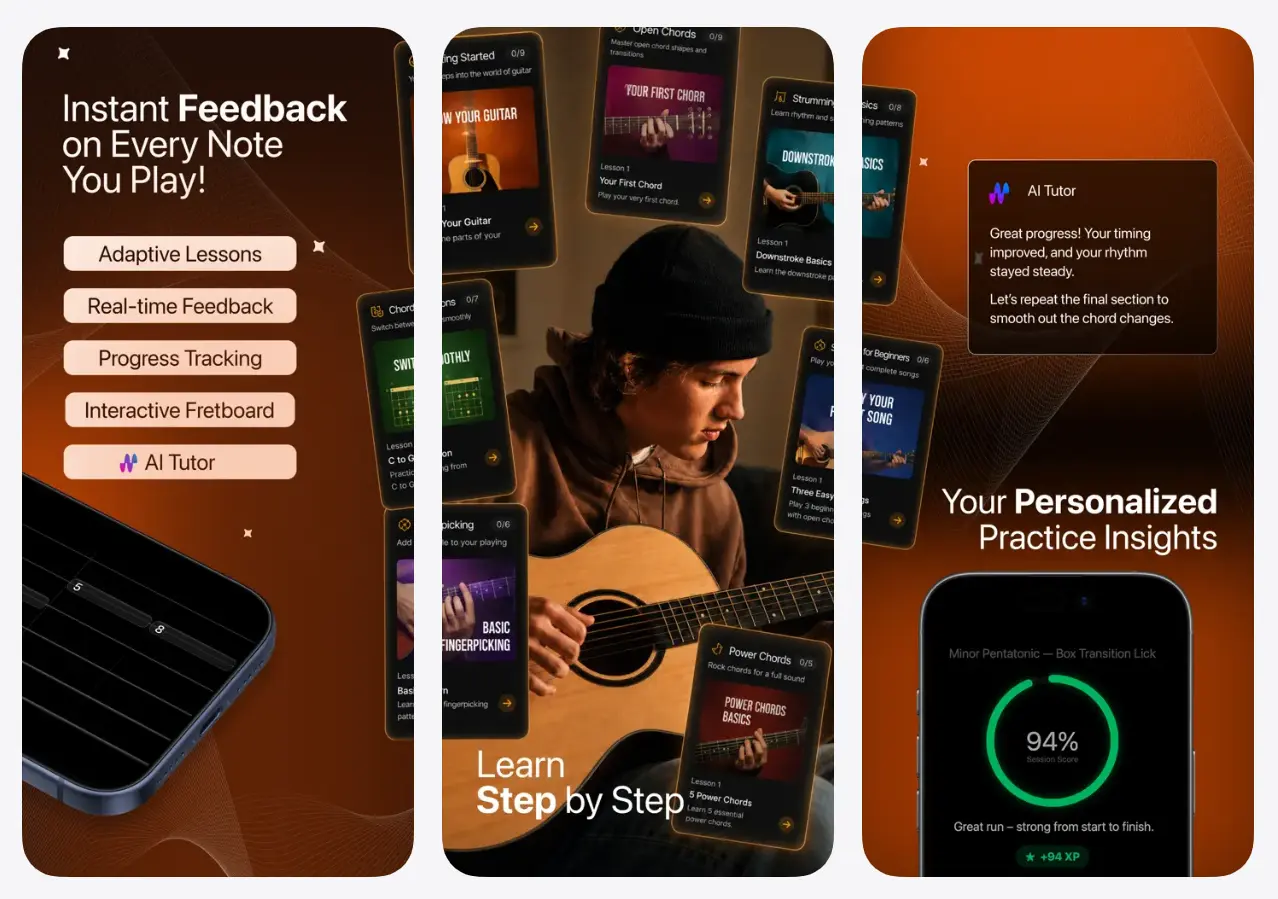
SoundGate Guitar is a free AI guitar practice app that listens through a device microphone or connected electric guitar, detects notes during play, and displays them on an interactive fretboard.
The app combines interactive lessons, scored exercises, progress tracking, a tuner, a metronome, and an AI tutor. A practice session moves from playing to performance feedback within the same interface. The tutor then answers guitar questions or builds a routine around the areas that need more work.
How SoundGate Guitar Works
SoundGate separates live audio analysis from its cloud-based coaching features.
The live practice system listens to notes and chords through the microphone or a direct guitar connection. Detected notes appear on the virtual fretboard as the player performs an exercise. The app tracks pitch, timing, accuracy, and exercise scores.
After the exercise, the AI tutor reviews the recorded performance data and returns targeted guidance. The player can ask about a missed chord, a difficult fingering pattern, a scale choice, or the next practice topic.
Practice history, scores, completed lessons, streaks, and skill progress sync across your Apple devices.
Key Features
- Detects guitar notes and chords during live practice.
- Displays detected notes on an interactive fretboard.
- Scores exercises from the notes and timing it detects.
- Covers chords, scales, tabs, strumming, and fingerpicking.
- Creates practice routines around current skill gaps and goals.
- Answers guitar technique and music theory questions through an AI tutor.
- Tracks practice time, streaks, lesson progress, and performance scores.
- Includes an integrated guitar tuner and adjustable metronome.
- Adds interactive ear-training exercises.
- Syncs account progress across iPhone, iPad, and Mac.
Use Cases
Learning Open Chords
A beginner selects an open-chord lesson and plays each shape into the microphone. The fretboard shows the notes detected in the chord, while the exercise score identifies missed or muted strings.
Improving Strumming Timing
A strumming exercise pairs the metronome with timing analysis. The final score shows where attacks landed early or late, and the AI tutor recommends a slower tempo or shorter pattern for the next attempt.
Building a Scale Routine
Scale practice starts with a chosen pattern and tempo. SoundGate tracks each note across the fretboard, records accuracy, and keeps the exercise in the player’s practice history.
Reviewing Difficult Passages
Tabs and exercise loops support focused repetition of a short passage. The player lowers the tempo, repeats the difficult section, and compares scores across attempts.
How to Use SoundGate Guitar
1. Download the SoundGate Guitar app from the Apple App Store.
2. Create an account through Sign in with Apple, Google Sign-In, or email registration.
3. Grant microphone access when the app requests it. Connect an audio interface when using direct electric-guitar input on a Mac.
4. Choose a lesson, chord drill, scale, tab, or technique exercise from the practice library.
5. Set the tempo and start playing. Watch the interactive fretboard for live note detection.
6. Finish the exercise and review the score, accuracy data, timing results, and tutor feedback.
7. Ask the AI tutor about a specific mistake or request a practice routine for the next session.
8. Review progress, streaks, and previous scores from the practice dashboard.
Headphones reduce backing-track or metronome sound entering the microphone. A quiet room also produces a cleaner input for acoustic-guitar detection.
Pros
- Free early-access download
- Live note and chord detection
- Interactive performance scoring
- Local guitar-audio processing
- Integrated tuner and metronome
- Cross-device progress sync
- Personalized practice routines
Cons
- No Android or Windows app
- AI tutor uses cloud processing
- Future pricing is unpublished
- Tutor usage limits are permitted
Alternatives & Related Resources
- Free AI Piano Transcription in Your Browser – Pianolyze
- Free AI Studio-Quality Music Generator by Google – Producer.ai
- Free AI Audio & Voice Tools