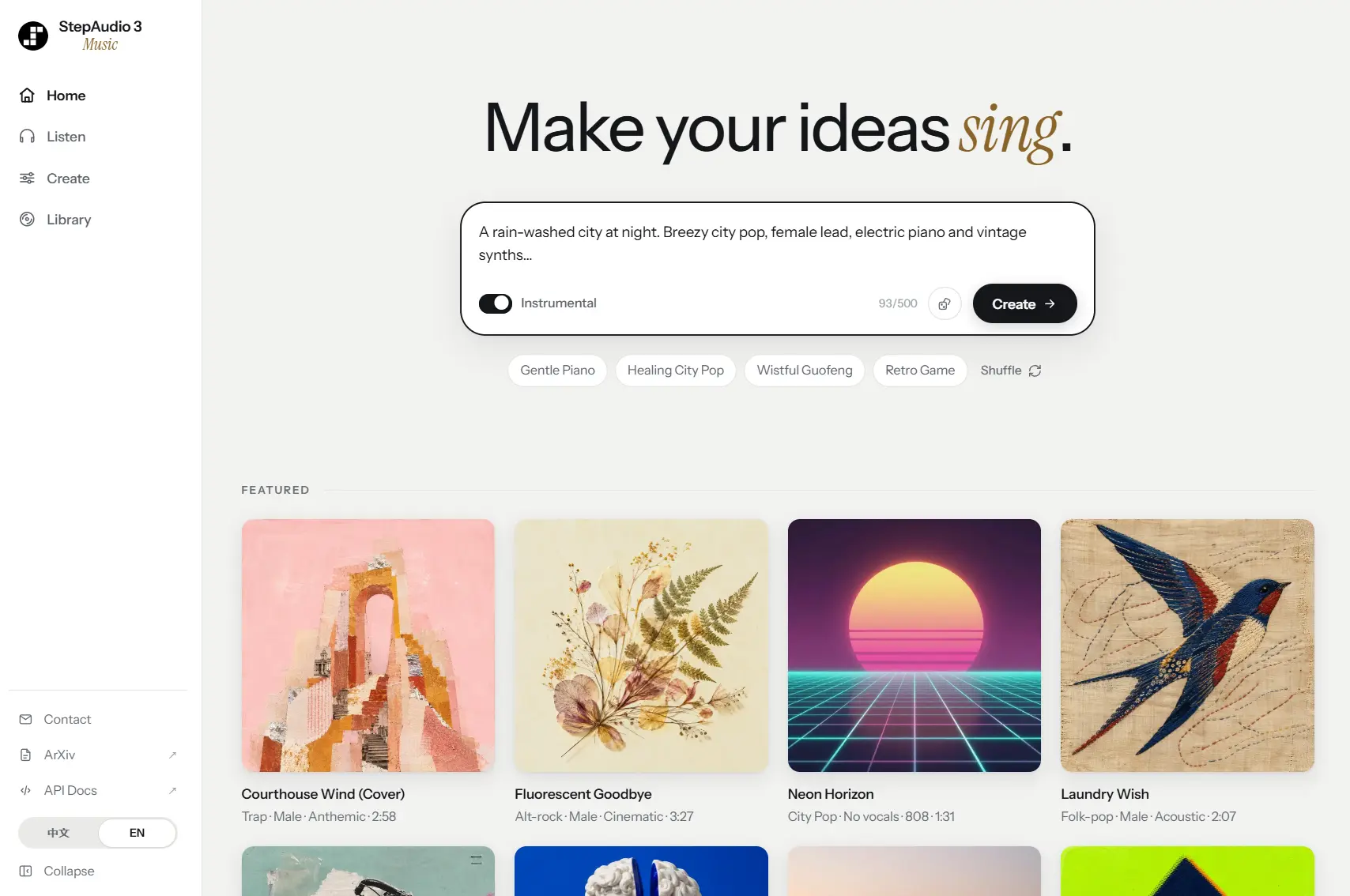
StepAudio Music Studio is a free AI music generator for creating complete songs from text prompts, lyrics, vocals, or reference audio.
It can generate songs with vocals, instrumental tracks, arrangements built around a dry vocal, and new versions of an uploaded song.
The Studio runs on StepAudio 3 Music, StepFun’s long-form music generation model, which plans song structure and arrangement before generating the final audio, with support for tracks up to 5 minutes and 30 seconds.
Example Output
Key Features
- Generate complete songs from natural-language music descriptions.
- Turn your own lyrics into songs with vocals and accompaniment.
- Create instrumental tracks without vocals.
- Build accompaniment and arrangement around a dry vocal or a cappella recording.
- Create a new version of a song from reference audio in Song Cover mode.
- Control genre, mood, vocals, instruments, tempo, key, and production style through text.
- Use section tags such as
[Verse],[Chorus], and[Bridge]to define lyric structure. - Set a song title, output format, and bit rate in the advanced controls.
How to Make Your First Song
Open StepAudio 3 Music Studio and describe the song you want to create. A working prompt can specify the genre, mood, vocal style, instruments, tempo, key, and production direction.
For example:
A rain-washed city at night. Breezy city pop, female lead, electric piano and vintage synths.
Enable Instrumental for a track without vocals. If you already have lyrics, enter them and use section tags when you want a defined song structure. The advanced controls include the song title, output format, and bit rate.
Click Create to submit the generation. The completed track appears in the Library, where you can play or download it.
Turn Dry Vocals Into a Full Song
Vocal to Song mode starts with a dry vocal or a cappella recording. Upload the vocal, enter the lyrics and music description, then generate the track.
StepAudio 3 Music analyzes musical information in the vocal performance and creates accompaniment and arrangement around it.
Create a Song Cover
Song Cover mode starts with an existing song. Upload the reference track, describe the new musical direction, and provide replacement lyrics when needed.
The reference audio becomes one of the conditions used for the new generation. Use material you have permission to submit when the source includes copyrighted recordings, compositions, lyrics, or identifiable voices.
How StepAudio 3 Music Plans a Song
StepAudio 3 Music uses an intermediate planning process called ABC-CoT before the audio generation stage. The plan can represent song sections, arrangement, harmony, rhythm, instruments, key, tempo, vocals, and other musical conditions.
A Mixture-of-Experts autoregressive model produces the musical plan before a diffusion Transformer generates the audio. The system uses a 50 Hz StepAudio Music Tokenizer and a StepAudio VAE decoder that outputs 48 kHz audio.
This lets structural information such as verses, choruses, transitions, and instrumentation participate in the generation context across a long-form track.
Access and API Availability
StepFun also exposes StepAudio 3 Music through an asynchronous HTTP API. The current API model ID is stepaudio-3-music-preview, and billing is free for a limited preview period.
StepFun plans to retire the preview model when that period ends and replace it with a paid production version.
Pros
- Full songs up to 5 minutes and 30 seconds
- Text, lyrics, vocals, and reference-audio inputs
- Instrumental, Vocal to Song, and Song Cover modes
- Detailed musical control through natural language
Cons
- Music generation depends on StepFun’s hosted API
- Direct ABC notation input is not available
Alternatives & Related Resources
- 10 Best AI Music Generators
- Google Flow Music
- Udio AI Music Generator
- Discover More Free AI Music Tools