FreeFlow is a free, open-source macOS app that provides AI-powered voice transcription directly into any text field. No subscription required.
Press and hold the Fn key, speak, and your words get transcribed and pasted directly into whatever app is active. It works across every text input on your Mac: email clients, terminal windows, Slack, notes, browsers, and more.
The app was built by Zach Latta, founder of Hack Club, as a direct response to the subscription pricing of apps like Wispr Flow, Superwhisper, and Monologue, all of which charge around $10/month despite relying on AI models that are either free or cost fractions of a cent per use. FreeFlow replaces all of them at zero cost.
Features
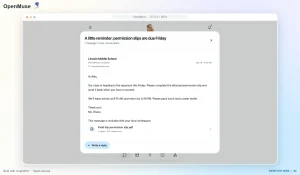
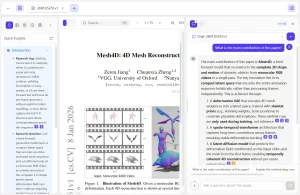
- Context-Aware Transcription: FreeFlow reads the current application’s context before finalizing output. Reply to an email, and it pulls the sender’s name to spell it correctly. Dictate into a terminal and it formats accordingly. This mirrors Monologue’s “Deep Context” feature.
- Sub-Second Latency: Groq’s inference API keeps transcription time under one second per dictation. This is fast enough not to disrupt your flow.
- Fn Key Activation: Press and hold
Fnanywhere on macOS to start recording. Release to stop. The transcribed text pastes automatically into the active field. - Automatic Text Paste: FreeFlow injects the transcribed text directly into the focused input. No manual copy-paste step needed.
- Zero Server Storage: FreeFlow has no backend server. The only data that leaves your machine are the API calls to Groq. Nothing is logged or retained by FreeFlow itself.
- Universal Mac Support: The app runs on both Apple Silicon and Intel Macs without separate builds.
Use Cases
- Email Dictation with Correct Names: FreeFlow reads the recipient names from your open email thread and spells them correctly in the transcription.
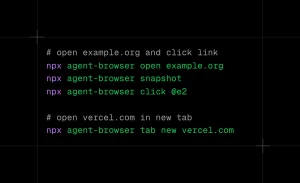
- Hands-Free Terminal Commands: FreeFlow works in terminal windows, so developers who want to voice-dictate shell commands or notes into the terminal can do so. The context-awareness helps format output appropriately rather than inserting raw conversational text.
- Long-Form Writing and Notes: Writers who think faster than they type can dictate drafts into any text editor. FreeFlow’s speed keeps pace with natural speech and doesn’t require pausing between sentences.
- Accessibility Use Cases: Users with repetitive strain injuries or conditions affecting typing can use FreeFlow as a full keyboard replacement for text input across the entire Mac OS.
How to Use FreeFlow
1. Go to the GitHub releases page and download the latest .dmg file:
https://github.com/zachlatta/freeflow/releases/latest/download/FreeFlow.dmg2. Open the .dmg, drag FreeFlow to your Applications folder, and launch it.
3. FreeFlow requires a Groq API key for transcription and post-processing. Visit groq.com and create a free account. Navigate to the API Keys section in the Groq console and generate a new key.
4. On first launch, FreeFlow prompts for your Groq API key. Paste it in. The app stores it locally on your machine. It never sends the key anywhere except Groq’s own API endpoint.
5. Click into any text field on your Mac and then press and hold Fn. Speak your text. Release Fn when done. FreeFlow transcribes and pastes the result.
Pros
- Zero Subscription Cost: You pay nothing for the app itself.
- Extreme Speed: The transcription returns almost instantly due to Groq’s hardware acceleration.
- High Accuracy: The “Deep Context” feature fixes proper nouns and technical jargon that standard dictation misses.
- Open Source: You can audit the code on GitHub to verify exactly how your data is handled.
Cons
- Groq API Dependency: The app stops working if Groq experiences downtime, and it requires an internet connection at all times.
- No Offline Mode: You can’t use this on a plane or in areas with spotty connectivity.
- Fixed Activation Key: You’re locked into using the
Fnkey. - macOS Only: There’s no Windows or Linux version.
Related Resources
- Groq Console: Where you generate the API key FreeFlow needs. The free tier covers substantial personal usage.
- Meetily: Free, Private AI Meeting Transcription & Summary
- 10 Best Free AI Audio Transcription Tools
FAQs
Q: How private is FreeFlow compared to Wispr Flow or Superwhisper?
A: FreeFlow has no backend server of its own. The only data that leaves your machine goes directly to Groq’s API, the audio for transcription and the screen context for post-processing. Wispr Flow and similar SaaS tools route data through their own servers.
Q: Why does FreeFlow use Groq instead of a local model like Whisper?
A: The developer tested local models but found that running both a local transcription model and a local LLM for post-processing pushed total latency to 5–10 seconds per dictation. Groq’s inference infrastructure keeps that under one second. Battery life was also a concern with local model inference running on every dictation. Groq is the practical tradeoff for now, with local model support listed as a future possibility.
Q: What happens to my Groq API key?
A: FreeFlow stores the key locally on your Mac. It’s only transmitted to Groq’s API endpoint during transcription calls. FreeFlow’s open-source code is auditable if you want to verify this.
Q: Does FreeFlow work in every app?
A: It works in any app with an active text input field. The Fn key activation is system-wide, so focus any text box and dictate. The context detection layer reads whatever is visible in the current app to improve transcription accuracy.
Last Updated: June 23, 2026