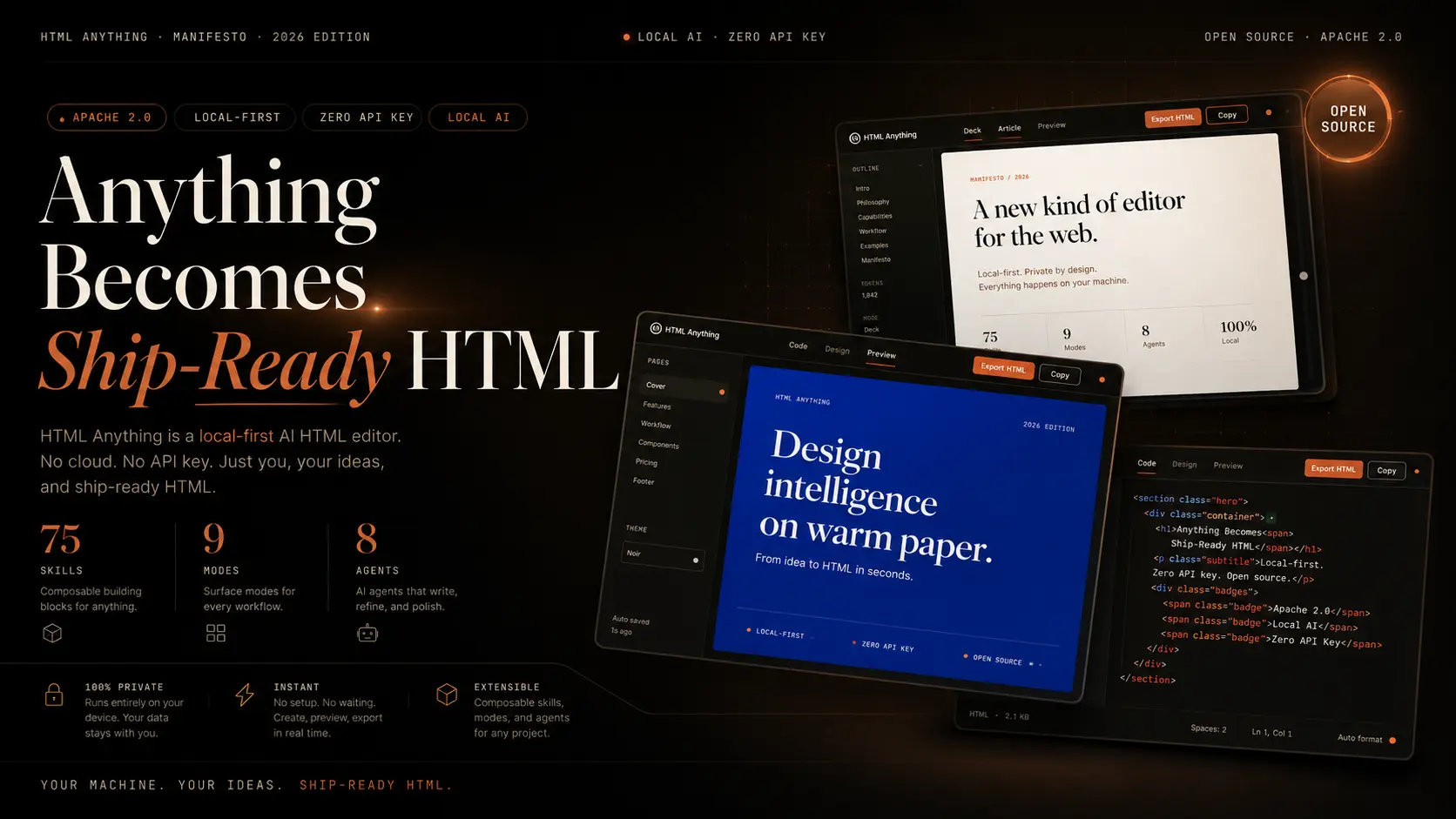
HTML Anything is a free, open-source, local-first HTML editor that uses your existing AI coding agent to turn raw content into publish-ready, single-file HTML pages.
The app runs on your machine, detects supported coding-agent CLIs, reuses your existing logged-in session, and generates HTML artifacts, including articles, decks, posters, prototypes, social cards, data reports, and video frames.
What is HTML Anything?
Most AI writing tools stop at text generation. HTML Anything goes one step further: your local AI agent writes the final presentation layer.
The core idea is that Markdown is an intermediate format for writers. HTML is what readers actually see.
The editor treats HTML as the correct final output, so after generation finishes, you get a file you can paste directly into WeChat, screenshot for X, or hand off to a video renderer.
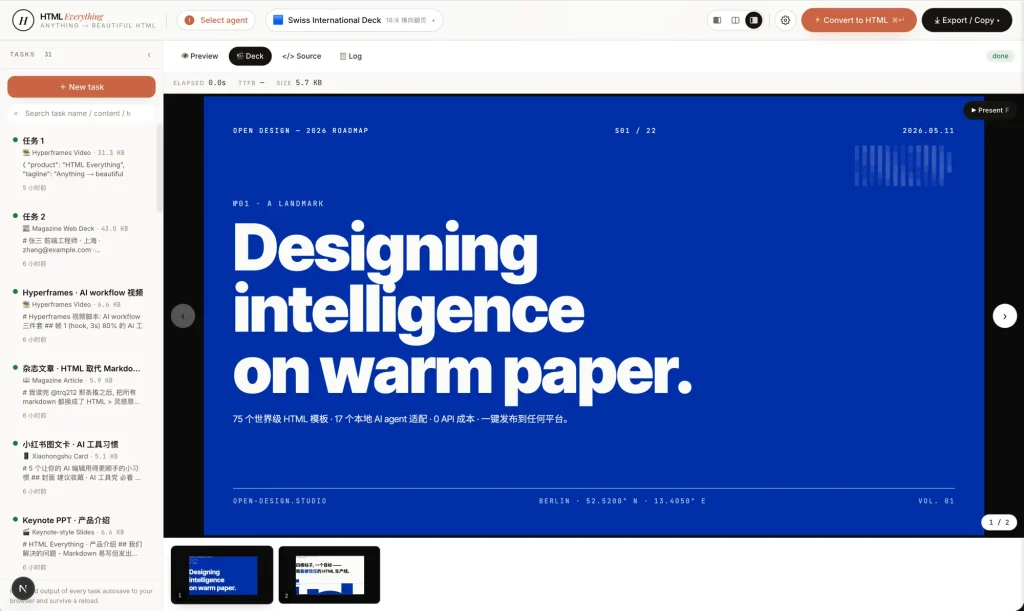
HTML Anything does not ship its own AI model. It scans your terminal PATH on startup and surfaces whichever of the eight supported coding agent CLIs it finds already logged in.
Claude Code, Cursor Agent, Gemini CLI, OpenAI Codex, GitHub Copilot CLI, OpenCode, Qwen Coder, and Aider all work out of the box.
The 75 built-in skill templates enforce specific design rules: an 8 px baseline grid, a CJK-first font stack, color contrast at or above 4.5, and a hard prohibition on placeholder text. Every template must use real input data.
Features
- Detects eight coding agent CLIs at startup across common install paths, including directories that GUI-launched processes typically miss.
- Accepts Markdown, CSV, TSV, JSON, SQL, and plain text as input and parses tabular formats in the browser.
- Includes 75 skill templates across 9 output surfaces: magazine articles, keynote decks, résumés, posters, Xiaohongshu cards, X/Twitter cards, web prototypes, data reports, and Hyperframes video frames.
- Streams the agent’s HTML output live into a sandboxed iframe preview so you can interrupt and re-prompt mid-generation.
- Exports to WeChat with CSS inlined for zero re-formatting, to X and Xiaohongshu as high-DPI PNG via clipboard, to Zhihu with LaTeX image placeholders, and as standalone HTML or PNG downloads.
- Generates Hyperframes-compatible frame scripts that hand off directly to Remotion for MP4 rendering.
- Runs the HTML preview inside a sandboxed iframe that isolates third-party scripts, Tailwind CDN, and Google Fonts from the host page.
- Deploys locally with
pnpm devin under 30 seconds and requires no cloud account for the core workflow.
Best For
- Developers who already use local AI coding agents and want better HTML outputs.
- Technical writers who want articles, docs, reports, or e-guides in a finished web format.
- Creators who publish to WeChat, Zhihu, X, Xiaohongshu, or image-based social platforms.
- Designers who want structured HTML prototypes without building every layout from scratch.
- Product teams that need fast internal decks, specs, reports, dashboards, or launch pages.
- Data users who want CSV, Excel, JSON, or SQL content converted into readable visual reports.
- Open-source users who prefer local workflows over closed browser-only generation tools.
HTML Anything vs. Gamma
Gamma is the most widely used AI-powered presentation and document tool all over the world. Both tools turn text input into polished visual output. They serve different users.
| HTML Anything | Gamma | |
|---|---|---|
| Best fit | Local agent users, WeChat/Xiaohongshu publishers, developers | General audiences, cloud-first teams, non-technical users |
| Free access | Fully open-source, no account required | Free tier with Gamma branding and usage limits |
| Setup | Terminal install, requires a coding agent CLI | Sign up and use in a browser immediately |
| Core workflow | Paste content, pick a template, agent generates HTML | Type or import content, AI suggests slides or doc layout |
| Export | WeChat-inlined HTML, PNG, Zhihu, Hyperframes | PDF, PPT, shareable link, limited HTML |
| Template control | 75 fixed skill templates with enforced design rules | Flexible themes, drag-and-drop editing |
| Main limit | Depends on an external AI agent subscription | Free tier adds Gamma watermark; AI credits are capped |
Choose HTML Anything if you already use a coding agent CLI and need WeChat, Xiaohongshu, or X-ready output with no cloud dependency.
Choose Gamma if you want a finished visual tool that works from a browser account with no installation.
Set up HTML Anything
Install the project from Github, start the development server, and then open the local web UI.
git clone https://github.com/nexu-io/html-anything
cd html-anything
pnpm install
pnpm dev
Open the local app in your browser after the server starts.
http://localhost:3000Sign in to at least one supported coding-agent CLI before using the generator. The app can reuse that existing local session.
Paste Markdown, CSV, JSON, SQL, or raw notes into the editor. Pick a skill template, choose the detected agent, and run the conversion.
The preview updates in a sandboxed iframe, and the export menu can produce HTML, PNG, or platform-specific formats.
Related Resources
- Open Design: The upstream project that provides the agent-detection layer and design-system model.
- Claude Code documentation: Learn how to set up the Claude Code CLI if you plan to use it as your agent.
- Remotion: Make videos programmatically.
Pros
- Fully open-source under Apache-2.0.
- No API key or account required.
- 75 design-enforced templates included.
- Local-first. Content never leaves your machine.
- 8 coding agent CLIs supported out of the box.
- One-click WeChat, Zhihu, and social export.
- 30-second setup.
- Active contributor community and fast issue response.
Cons
- Requires an existing coding agent CLI installation.
- No cloud-based option for non-terminal users.
- Token cost depends on external agent subscription.
FAQs
Q: Is HTML Anything free?
A: HTML Anything is free and open-source under the Apache-2.0 license. The app itself does not charge for local use, templates, preview, HTML export, or PNG export.
Q: Does HTML Anything require an API key?
A: HTML Anything does not require a separate app API key. It reuses the login session from a supported local coding-agent CLI.
Q: Can HTML Anything still cost money?
A: Yes. The selected coding-agent CLI may require a paid account, subscription, API credits, or another provider-specific plan.
Q: Does HTML Anything run locally?
A: Yes. The web app and agent workflow run from your local machine. The chosen coding agent handles generation through its own local CLI session.
Q: Can I add my own templates?
A: Yes. Drop a folder with a SKILL.md file and an example.html into src/lib/templates/skills/, restart pnpm dev, and the template appears in the picker automatically.