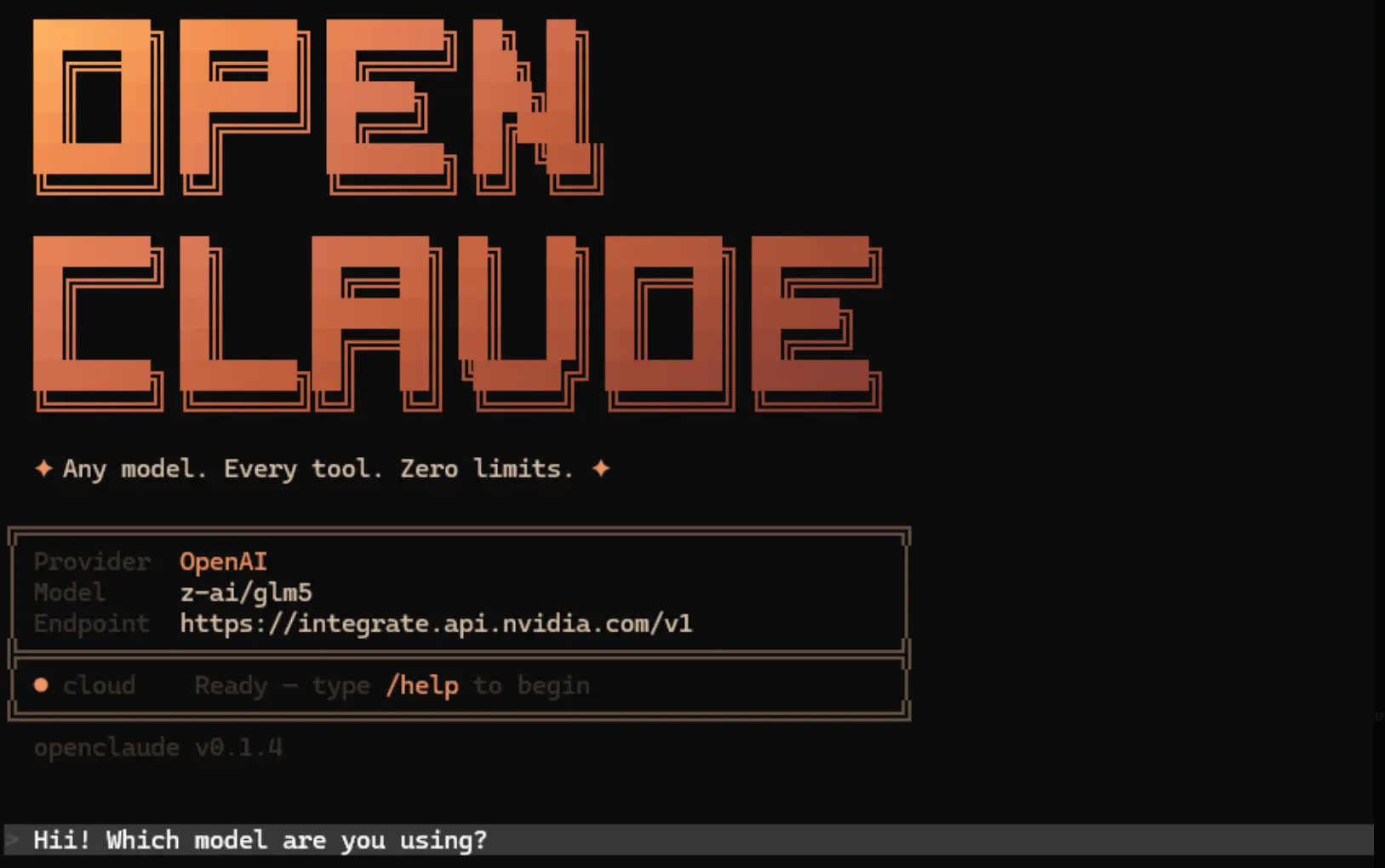
OpenClaude is an open-source coding-agent CLI for working with repositories through cloud AI models and local model servers. It reads and edits files, runs shell commands, investigates code, and executes multi-step tasks from a terminal session.
You can configure OpenAI-compatible APIs, Gemini, Codex, GitHub Models, or Ollama, and change models through one CLI. OpenClaude also supports subagents, MCP servers, Agent Skills, reusable sessions, and non-interactive automation.
Features
- Search and edit repository files, run shell commands, and stream tool progress during coding tasks.
- Use cloud APIs, OpenAI-compatible gateways, and local Ollama models through provider profiles.
- Switch models and assign different models to subagents with
agentRoutingandmaxSteps. - Install reusable Agent Skills and check registry-installed skills for revocations.
- Connect MCP servers, use slash commands, and supply images to vision-capable models.
- Resume, fork, and inspect conversations or run a background task.
- Use an optional Repo Map to help the model locate important code structures.
- Select a Web Search backend through
/search, including Exa and Ollama search. - Run the CLI headlessly, work with the bundled VS Code extension, or use its gRPC server.
Quick Command Reference
| Task | Command |
|---|---|
| Launch interactive coding session | openclaude |
| Select provider / model | /provider / /model |
| Configure Web Search | /search |
| Review repository map | /repomap |
| Continue last session | openclaude --continue |
| Resume session | openclaude --resume <session-id> |
| Fork conversation | openclaude --resume <session-id> --fork-session |
| Launch background task | openclaude --bg "fix failing tests" |
| List / inspect background tasks | openclaude ps / openclaude logs <id> -f |
| Stop background task | openclaude kill <id> |
| Inspect installed Agent Skills | openclaude skills list |
| Check Skill revocations | openclaude skills verify |
How to Use It
Install OpenClaude
OpenClaude requires Node.js 22 or newer. Install the CLI globally with npm, and confirm the installed version.
node --version
npm install -g @twigpine/openclaude@latest
openclaude --version
If you previously installed @gitlawb/openclaude, remove that package before installing the current @twigpine/openclaude package. Both use the openclaude command, and overlapping global installations can conflict.
npm uninstall -g @gitlawb/openclaude
npm install -g @twigpine/openclaude@latest
The package change preserves settings and session files under ~/.openclaude and ~/.openclaude.json. Avoid the npm --force option for migration. Bun is needed for source builds, and repository searches require ripgrep on the system path.
Configure a Model Provider
Open a terminal in your repository and launch OpenClaude. In the interactive session, run /provider to configure a cloud API, an OpenAI-compatible endpoint, or a local model. Use /model to change the selected model.
cd your-project
openclaude
/provider
/modelFor GitHub Models, run /onboard-github to connect your account. OpenClaude saves provider profiles for subsequent sessions. The CLI does not load project .env files automatically. Pass one explicitly when needed.
openclaude --provider-env-file .envModel Providers and Local AI Models
| Model access | Setup |
|---|---|
| OpenAI, OpenRouter, DeepSeek, Mistral, LM Studio | Select an OpenAI-compatible endpoint using /provider or environment variables. |
| Gemini and GitHub Models | Configure Gemini through /provider or GitHub Models through /onboard-github. |
| Codex and Codex OAuth | Use /provider with the corresponding Codex authentication method. |
| Ollama | Run a local model server and configure Ollama through /provider. |
| Other gateways | Includes Z.AI, AI/ML API, LLMTR, Command Code, Concentrate AI, and additional compatible providers. |
| Enterprise cloud models | Anthropic-family routes through Amazon Bedrock, Google Vertex AI, or Microsoft Foundry with provider-specific environment settings. |
OpenAI-Compatible API Example
For a provider that uses an OpenAI-compatible endpoint, set the API key and exact model identifier issued by that provider. This example uses macOS/Linux shell syntax.
export CLAUDE_CODE_USE_OPENAI=1
export OPENAI_API_KEY=your-api-key
export OPENAI_MODEL=your-model-id
openclaude
In Windows PowerShell, use the equivalent $env: syntax. For third-party APIs, configure OPENAI_BASE_URL to the provider endpoint.
$env:CLAUDE_CODE_USE_OPENAI="1"
$env:OPENAI_API_KEY="your-api-key"
$env:OPENAI_MODEL="your-model-id"
openclaude
Local Ollama Example
For local inference, install Ollama and pull a coding model. Launch OpenClaude and select Ollama in /provider. Local inference does not require a cloud model API key.
ollama pull qwen2.5-coder:7bOpenClaude requests a 32,768-token Ollama context by default. To change the request, set OPENCLAUDE_OLLAMA_NUM_CTX or OLLAMA_CONTEXT_LENGTH.
Environment Variables
| Variable | Purpose |
|---|---|
CLAUDE_CODE_USE_OPENAI | Enables the OpenAI-compatible API connection. |
OPENAI_API_KEY / OPENAI_API_KEYS | Credentials for compatible cloud endpoints. The key pool takes priority. |
OPENAI_BASE_URL / OPENAI_MODEL | Selects an endpoint and its model identifier. |
GEMINI_API_KEY | Gemini provider credential. |
WEB_SEARCH_PROVIDER | Selects a search backend, including exa, ollama, or ddg. |
FIRECRAWL_API_KEY | Optional Firecrawl search and HTML fetching. |
OPENCLAUDE_OLLAMA_NUM_CTX | Changes the Ollama context length request. |
GRPC_PORT | Configures the gRPC service port, which defaults to 50051. |
Subagents, Agent Skills, and Repo Map
Assign Different Models to Subagents
OpenClaude supports per-agent model selection through agentModels and agentRouting. Configure models for roles such as Explore and Plan in ~/.openclaude/settings.json. Model-only entries use the currently selected provider credentials.
{
  "agentModels": {
    "mini": { "model": "gpt-5-mini" },
    "main": { "model": "gpt-5" }
  },
  "agentRouting": {
    "Explore": "mini",
    "Plan": "main"
  }
}
Install and Verify Agent Skills
Agent Skills are reusable instruction folders containing a SKILL.md file. OpenClaude loads project Skills from .openclaude/skills and user-level Skills from the user Skills directory.
openclaude skills list
openclaude skills install gitlawb/ci-fix
openclaude skills show ci-fix
openclaude skills verify
Repository Map and Smart Routing
For large codebases, enable the optional Repo Map through REPO_MAP=1 and view the generated structural summary with /repomap. OpenClaude also has experimental smart routing that selects one of two configured models for each turn. It is disabled by default and can be managed with /smartroute.
/repomap
/smartroute
/smartroute on
Sessions, Web Search, and Automation
Sessions and Background Tasks
You can resume past conversations and fork a session history for another line of investigation. A fork creates a new conversation history, not an isolated Git worktree. Background runs are local child processes, and you can review their logs or stop them from the terminal.
openclaude --continue
openclaude --resume <session-id> --fork-session
openclaude --bg --name test-fix "fix failing tests"
openclaude logs test-fix -f
Choose a Web Search Backend
Exa is the default Web Search service for non-Anthropic model sessions and has a keyless free tier with usage limits. You can configure AnySearch, Tavily, Brave, Firecrawl, or other backends through /search. DuckDuckGo is a last-resort fallback. For local Ollama sessions, OpenClaude can use Ollama Web Search when you are signed in.
/search
/search anysearch
/search status
/search test
Headless gRPC and Development Builds
For automation, OpenClaude supports non-interactive prompts and a bidirectional gRPC server for custom integrations. The gRPC server commands require a source checkout and development dependencies.
openclaude --print "Summarize the changes in this repository"npm run dev:grpc
npm run dev:grpc:cliTo build OpenClaude from source, install Node.js 22 or later and Bun 1.3.13 or later.
git clone https://github.com/Twigpine/openclaude.git
cd openclaude
bun install
bun run build
node dist/cli.mjs
Pros
- Cloud and local model access from one terminal CLI.
- Provider profiles, per-agent model routing, and optional smart routing.
- Agent Skills, MCP integration, and structural repository mapping.
- Conversation resume, background runs, CLI automation, and VS Code integration.
Cons
- Model quality and tool compatibility vary across providers.
- Local coding models require adequate hardware and reliable tool calling.
- Some integrations and development features need additional configuration.
FAQ
Why does OpenClaude ask for an OpenAI API key?
An OpenAI-compatible cloud connection needs a valid provider key. If you intended to run a local model, select Ollama or your local provider in /provider and confirm the endpoint. Local Ollama and LM Studio servers do not require a cloud API key.
Do I need Claude Code or an Anthropic account?
No. OpenClaude runs independently of a Claude Code installation and stores its configuration under ~/.openclaude. You can authenticate through a configured provider, including OpenAI-compatible APIs, Gemini, Codex, or local Ollama.
What if my terminal cannot find the openclaude command?
Open a new terminal after installation and run openclaude --version. On Windows, confirm the npm global binary directory is on your user Path. If you recently changed npm package scopes, uninstall conflicting global OpenClaude packages and reinstall the current one.
Alternatives & Related Resources
- 10 Best CLI AI Coding Agents in 2026: Open-Source & Commercial
- Qwen Code: Open-Source AI Coding Agent for CLI, IDE & Desktop
- CodeWhale (DeepSeek TUI): Free, Open-source Claude Code Alternative
- Aperant (Auto Claude): Open-Source AI Coding Agent Harness
- The Ultimate Claude Code Resource List 2026: Agents, Skills, Plugins & More
Last Updated: Oct 11, 2026