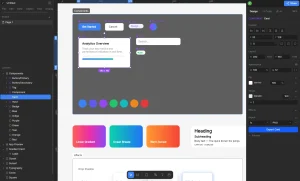
fx0 is an open-source AI design agent from Vercel that creates a web page as a single HTML file from a simple prompt.
Describe the layout, content, and styling you want, and fx0 writes the page while a browser preview updates.
You can refine the design through follow-up messages and download the HTML for your own project.
Key Features
- Generates a complete HTML page from natural language.
- Streams the page into a live preview during generation.
- Revises a page when you request changes in the chat.
- Saves each turn’s design for reopening, copying, or downloading.
- Accepts reference images and custom
design.mdstyle guides. - Includes ten ready-to-use design styles.
- Searches the web and fetches public pages for reference material.
- Lets signed-in chats select a model, reasoning effort, and fast mode.
- Resumes interrupted generation through durable libfx sessions.
What Can You Create with fx0?
Product landing pages. Describe the product, headline, navigation, feature sections, and calls to action. You can refine the spacing and hierarchy of one section while keeping the rest of the page intact.
Pricing page prototypes. Generate plan cards, comparison rows, and signup buttons with sample content. The HTML can communicate the proposed design before your project connects real billing, accounts, and checkout services.
Dashboard concepts. Ask for metric cards, tables, charts, filters, or representative data. fx0 can write inline scripts for frontend interactions.
How to Use fx0 Online
1. Open fx0.vercel.dev and describe the page type, content, sections, and styling you want in the chat.
2. Select a built-in design style or attach an image or design.md file. OPTIONAL.
3. Send the prompt, using an available guest trial or your Vercel sign-in, and watch the page develop in the preview.
4. Request a revision in the chat. Open a previous turn if you want to revisit another design version.
5. Copy or download the HTML from the design version you want to keep.
Run fx0 on Your Own Deployment
Requirements
- Vercel OAuth app: Request the
openid profile email offline_accessscopes and the AI Gateway: Use and Team: Read Only permissions. Registerhttp://localhost:3000/api/auth/callbackas the callback URL. Theoffline_accessscope is required for sign-in to work. - Neon Postgres: Create a database, preferably with a dedicated branch for development.
- Upstash Redis: Create a database for chat state and active designs.
Install fx0
Clone the repository, install dependencies, and create a local environment file:
git clone https://github.com/vercel-labs/fx0.git
cd fx0
npm ci
cp .env.example .env.local
Configure and Run
Fill in .env.local with your OAuth credentials, DATABASE_URL, KV_REST_API_URL, KV_REST_API_TOKEN, and a random SESSION_SECRET of at least 32 characters. Set FX0_REDIS_PREFIX=fx0:local if you share Redis with another instance. Database migrations must run before fx0 can save chats.
Run the commands below, then open http://localhost:3000, sign in, and submit your first page-design prompt.
npm run db:migrate
npm run dev
Deploy to Vercel
- Configure the OAuth, Neon, and Upstash environment variables in your Vercel project.
- Set
APP_URLto your production origin and register its/api/auth/callbackaddress in the OAuth app. - Run
npm run db:migrateagainst your production database before serving chats. - For an optional five-prompt guest trial, set
FX0_FREE_PROMPTS=1and a server-onlyAI_GATEWAY_API_KEY, then rebuild and deploy. Guest model calls are billed to that key.
How fx0 Creates and Revises HTML Pages
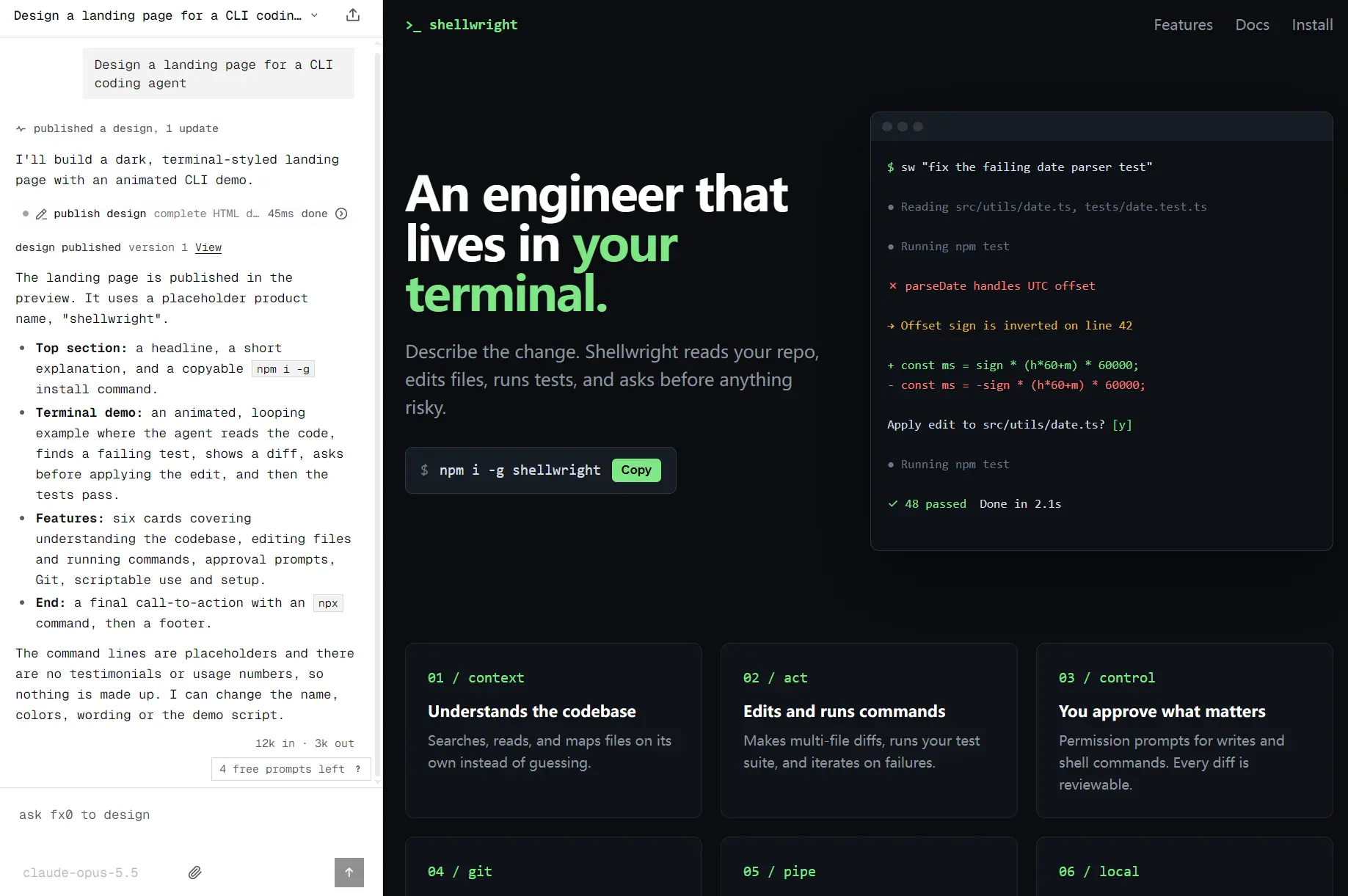
Ask fx0 to “Design a landing page for a CLI coding agent with a dark hero, product screenshots, a feature grid, and a download button.” The agent writes a complete HTML document with the page structure and CSS. The generated file can also contain inline JavaScript for interactions, animations, and canvas graphics.
You can watch the page form in the preview as fx0 generates it. The provisional streaming preview disables scripts and active markup. Once the design is published into the finished preview, permitted inline JavaScript can run inside its sandboxed iframe. You can inspect the finished layout, request a smaller pricing section or a different hero, and review the updated version in the chat.
For a focused change, fx0 edits the existing HTML. It can also rewrite the complete page when the design direction changes substantially. Each turn preserves its version, so you can return to a previous layout and copy or download that HTML.
The agent can also ask clarification questions and delegate parts of a larger request to subagents that work with its design tools.
Use Images and design.md to Guide the Design
fx0 comes with ten selectable design.md styles sourced from VoltAgent’s awesome-design-md collection. Choose a preset when you want to establish a design direction before generating a page. You can also upload your own design.md containing typography, color, spacing, and component guidance for a project.
Reference images work as another input. For example, attach a dashboard screenshot and request a page that follows its typography and general layout. The agent uses the image as design context while it writes a new HTML document.
If your brief depends on public information, fx0 can search the web and fetch a page’s text for reference. This is useful for understanding product copy or context before building a design. fx0 uses those references while generating a new HTML design in your chat.
Pros
- Generates an inspectable HTML document that you can download.
- Keeps a live preview and a version for each design turn.
- Accepts images, custom
design.mdfiles, and built-in styles. - Supports model selection and mid-turn text steering in paid chats.
- Released under Apache-2.0 for customization and self-hosting.
Cons
- Generates individual HTML pages only.
- Continued model generation relies on Vercel AI Gateway billing or a sponsored trial.
- Self-hosting requires Vercel OAuth, Neon, Redis, and configuration work.
- Unregistered users have a trial quota of only 5 prompts.
Alternatives & Related Resources
- Vercel fx: Open-Source Native AI Coding Agent in Zig
- Google Stitch: Free AI Vibe Design Tool with Agent and Web Export
- Open Design: A Free Open-Source Claude Design Alternative
- Doop: Open-Source Paper.design Alternative for AI Agents
- Self-Hosted AI Web Design Agent – WebCraft
- Free AI Tool Extracts Design System (Design.md) from Any Website
FAQs
Is fx0 the same product as Vercel v0?
No. fx0 is Vercel Labs’ open-source agent for generating and editing an individual HTML page. v0 is Vercel’s separate app-building product for full-stack projects, repository development, and deployment. The products have different output scopes and development experiences.
Is fx0 the same as Vercel fx?
No. Vercel fx is an open-source coding agent written in Zig. It runs in the terminal to inspect repositories, edit code, execute commands, and automate development tasks.
Does fx0 publish a finished page to a live website?
fx0 lets you copy or download the completed HTML. Saving a design inside fx0 updates the chat preview and version history. To put that HTML on a public domain or connect it to a database or backend, use your own development and hosting setup.