DesignMD is a free AI tool that analyzes any website and outputs its complete design system as a structured Markdown (design.md), HTML, or JSON file.
Enter the website URL and the tool pulls typography scales, color tokens, spacing values, motion settings, responsive breakpoints, component CSS, and AI-ready prompts in about 20 seconds.
You can use it to reverse-engineer the visual logic of any site you want to learn from or replicate.
The output file, called design.md, drops directly into AI coding agents such as Claude, Codex, or Github Copilot CLI so the agent has precise design context to generate accurate components.
Features
- Extracts typography systems from live website pages.
- Extracts primary, neutral, and semantic color tokens.
- Detects spacing scales and layout patterns.
- Captures responsive breakpoints from the analyzed page.
- Identifies component styles such as buttons, cards, inputs, and containers.
- Generates a structured DESIGN.md file for AI coding workflows.
- Produces Markdown, HTML, and JSON-style design outputs.
- Includes screenshots and preview panels for visual reference.
- Supports a daily free analysis quota (5 free analyses per day).
- Provides AI-ready prompts and design notes for interface recreation.
Use Cases
- Recreate the visual style of a competitor’s UI without manual inspection.
- Generate a design system document for a client project you did not build.
- Feed a structured
design.mdinto an AI coding agent to prototype a similar UI. - Audit your own site to confirm that the actual CSS matches the intended design tokens.
Case Study: I Used DesignMD to Analyze ScriptByAI
I used DesignMD to analyze ScriptByAI.com because I wanted to see whether it could turn my site’s visual style into something an AI coding agent could actually follow. I pasted the homepage URL into DesignMD, clicked the Generate button, and waited for the analysis to finish.
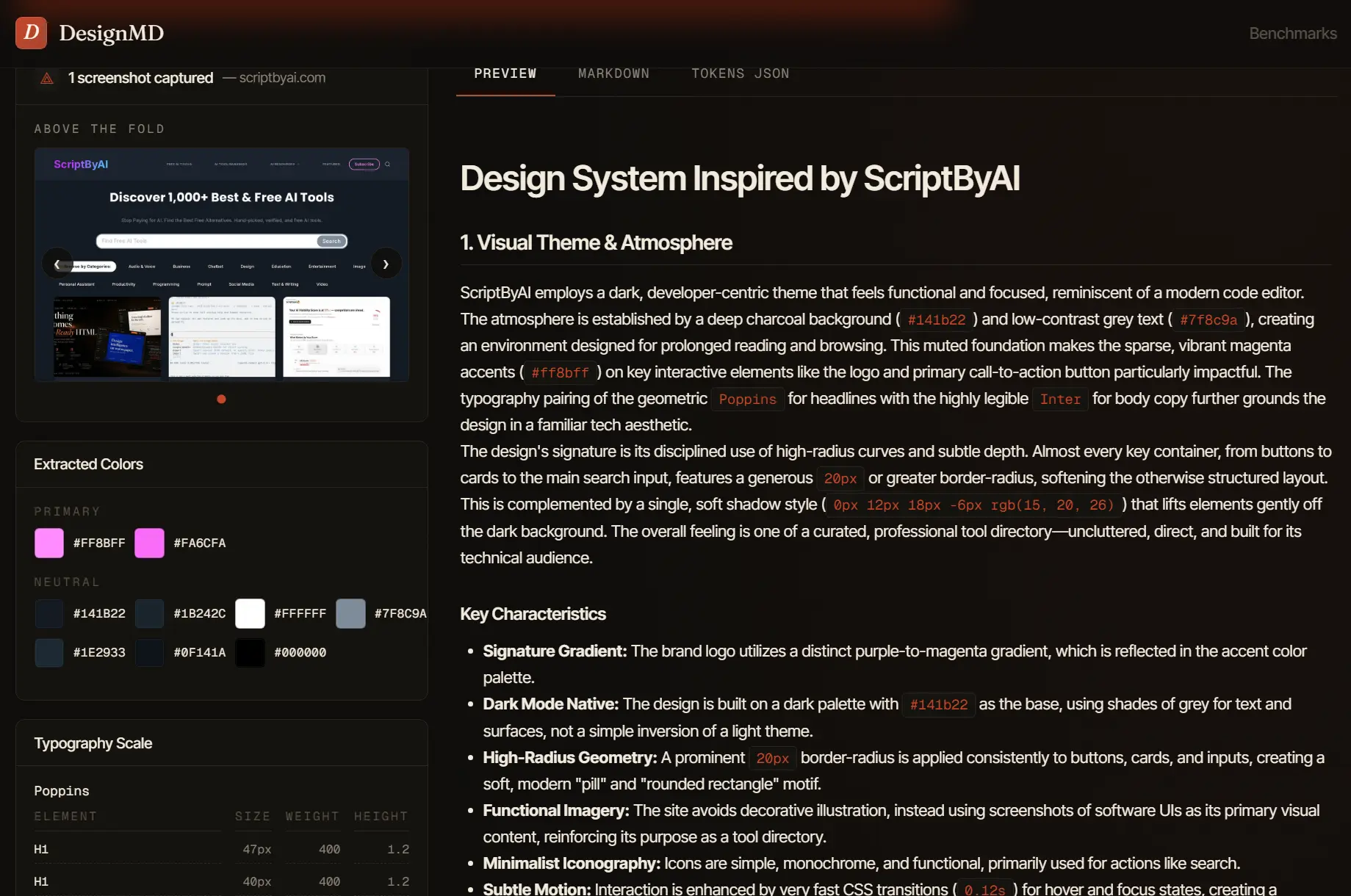
The result was much more detailed than a normal color picker or screenshot tool. DesignMD identified ScriptByAI as a dark, developer-focused site with a deep charcoal background, soft card surfaces, gray body text, and a bright magenta accent. It also picked up the site’s rounded UI style, including the 20px card radius, pill-shaped buttons, and subtle card shadows.
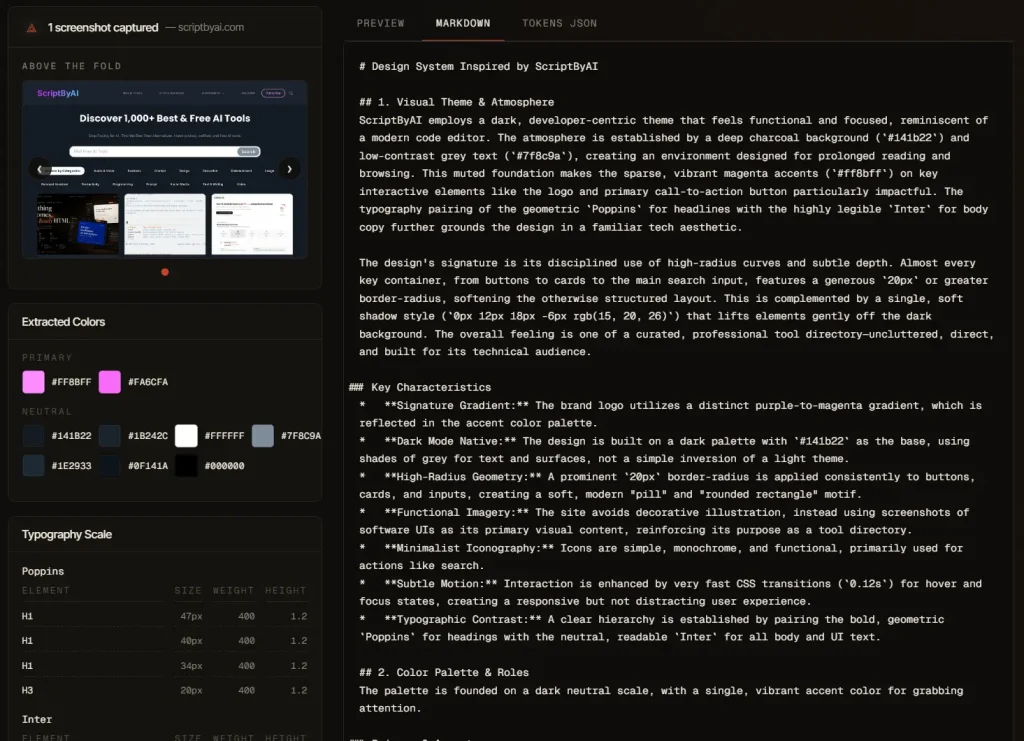
The typography section was useful because it separated the site’s visual hierarchy into clear roles. It identified Poppins for headings, Inter for body text, and a monospace stack for code-style content. It also listed sizes for display headings, H1, H2, H3, body text, captions, and micro text. That makes the output easier to reuse in an AI coding prompt because the agent gets actual type rules instead of vague style words.
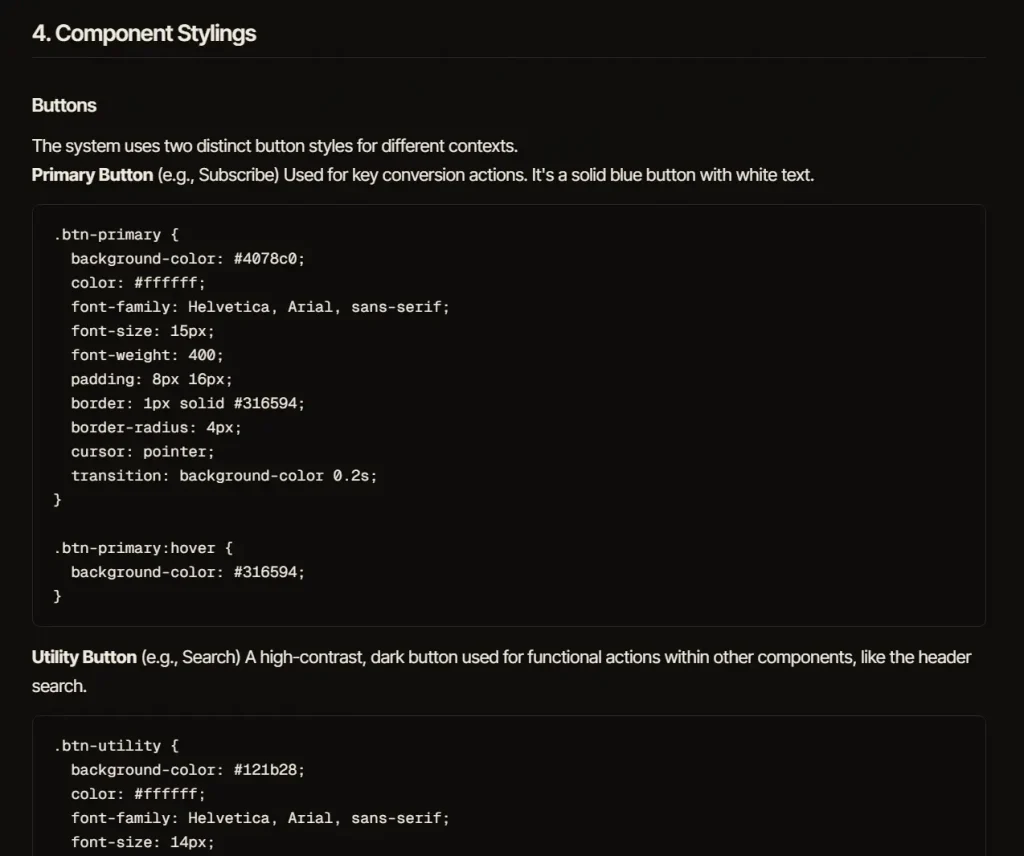
The component section gave me the most practical value. DesignMD broke down the button styles, card styles, image radius, search input, hover states, and spacing rules. The output even included CSS-style blocks for primary buttons, secondary buttons, pill buttons, cards, and form inputs. This is the kind of detail I would normally have to write manually before asking an AI coding agent to recreate a page.
The responsive section also matched the kind of information developers need. It described mobile, tablet, and desktop breakpoints, then explained how cards, navigation, typography, section padding, and forms should change across screen sizes. This makes the generated DESIGN.md file more useful than a simple visual mood board.
For my workflow, the best use case is clear: DesignMD works well as a bridge between a real website and an AI coding agent. I would use it before asking Claude Code, Cursor, or another coding assistant to build a page that should follow an existing visual style.
How to Use It
1. Visit the website and paste the full URL of the website you want to analyze.
2. Click the Generate button, and the tool will fetch and inspect the live site, then run AI analysis on the extracted CSS and layout data.
3. Wait approximately 20s. The tool may fail on sites with strict security headers or bot-blocking policies. If that happens, try the same URL two or three more times before concluding the site is not supported.
3. Review the analysis output. The results include a screenshot of the analyzed page, extracted color swatches grouped by role, and a typography scale summary.
4. Download the design system in your preferred format. The Markdown file is the design.md intended for AI agent use. The HTML file renders the design system as a visual reference page. The JSON file contains raw design tokens for programmatic use.
5. Open your AI coding agent and insert the contents of design.md into the system prompt or context window. The file includes a Quick Color Reference, an Iteration Guide with numbered rules, and full component CSS the agent can follow directly.
What is DESIGN.md
A DESIGN.md file is a Markdown design system document that AI coding agents can read before generating UI. It usually contains visual rules such as colors, typography, spacing, component behavior, elevation, motion, and responsive layout patterns.
A DESIGN.md file works best when it sits near the project context. Developers can place it in a project folder, paste it into a coding agent session, or reference it inside a prompt before asking the agent to build UI.
A good DESIGN.md file should contain exact values. Hex colors, font families, spacing scales, border radius values, shadow values, breakpoints, and component rules give the agent stronger constraints than visual adjectives.
Alternatives and Related Tools
- Google Stitch: Generate mobile and web UI prototypes from prompts, sketches, and screenshots.
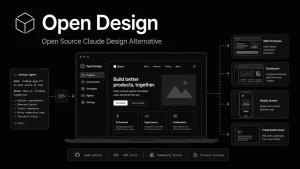
- Open Design: Use a free open-source design workspace with local coding agents and Markdown design systems.
- Best AI Coding Agents: Compare AI coding agents for UI generation, coding, debugging, and frontend workflows.
- Design.md: A format specification for describing a visual identity to coding agents.
Pros
- Daily free quota.
- URL-based workflow.
- Markdown export.
- HTML and JSON outputs.
- AI agent friendly.
- Useful component notes.
- Responsive rules included.
Cons
- Daily quota.
- Public URLs required.
- Website analysis can fail.
FAQs
Q: Is DesignMD free to use?
A: The tool offers 5 website analyses per day at no cost.
Q: Can I use the output to clone a website?
A: The output provides the design system, not the content or layout files. You get the colors, fonts, spacing, and component CSS. You still need to build the HTML structure and populate it with content.
Q: Why does the analysis sometimes fail?
A: The tool fetches and inspects a live site. Sites that block crawlers through Cloudflare, CSP headers, or login walls will fail to load properly.
Q: Does the tool support batch URL analysis?
A: No. The current version requires entering one URL at a time.
Q: Is DesignMD a replacement for Figma?
A: No. DesignMD extracts a design system from a live site, while Figma supports manual interface design, collaboration, prototyping, and design system management.