Preparing a sales workbook for a monthly report involves matching product IDs across tabs, cleaning imported dates, and calculating revenue. AI spreadsheet assistants can handle those tasks through plain-English requests and help build charts and summaries from the results.
In this post, we’ve selected seven AI spreadsheet assistants with ongoing free access, including Excel and Google Sheets add-ins, desktop and browser spreadsheet editors, and tools for formulas and reports. See which ones can clean up a workbook, prepare a report, or write the formula you need.
Last Updated: Nov 09, 2026
Quick Comparison
| Assistant | What it does | Free AI access |
|---|---|---|
| ChatGPT for Excel and Google Sheets | Build and edit workbooks inside Excel or Sheets | ChatGPT Free |
| Shortcut | Edit workbooks in Excel, Sheets, or its browser editor | 20 credits/week |
| XcelAI | Create formulas and clean selected Excel data | 200 calls/month (50-row limit) |
| Tesseract | Edit workbooks in a desktop spreadsheet application | Free editor with replenishing AI credits |
| Sourcetable | Analyze, clean, and visualize data in a browser spreadsheet | 50 AI credits/month |
| Quadratic | Analyze spreadsheet data with formulas, Python, SQL, and JavaScript | Personal Free |
| GPTExcel | Generate formulas, charts, scripts, reports, and spreadsheet templates | Up to 90 credits/month earned through daily check-ins |
The 7 Best Free AI Spreadsheet Tools
1. ChatGPT for Excel and Google Sheets
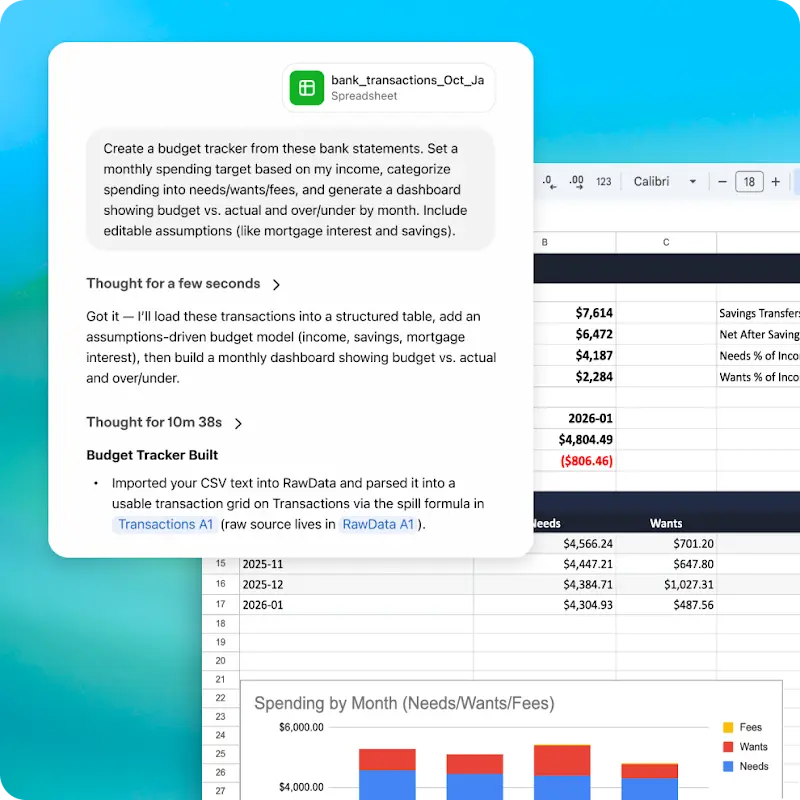
ChatGPT works in a sidebar inside Microsoft Excel and Google Sheets. It reads the open spreadsheet, follows formulas across tabs, and makes changes to the cells and worksheets you specify. You could ask it to turn an order log into a monthly revenue report, explain the formulas behind a total, or update a budget after its assumptions change.
Features:
- Creates worksheets, budgets, trackers, and tables from natural-language instructions.
- Writes, edits, and explains formulas, including references between worksheets.
- Cleans duplicate rows, inconsistent labels, formats, and broken formulas.
- Summarizes multiple tabs and answers questions about the workbook’s calculations.
- Updates assumptions and builds comparison scenarios or sensitivity tables.
- Generates reporting summaries, KPIs, and charts from spreadsheet data.
- Searches the web for information that can be added to a worksheet.
- Supports reusable Skills and connected apps for spreadsheet tasks.
Free access: Available on ChatGPT Free.
Access: Install ChatGPT from Excel’s Add-ins menu or the Google Workspace Marketplace, then sign in with a ChatGPT account.
ChatGPT for Excel and Google Sheets
2. Shortcut
Shortcut is a spreadsheet agent available in Excel, Google Sheets, a desktop application, and a browser editor. It can take a workbook with mixed date formats and duplicate orders, correct the data, create a revenue summary, and add a chart. In its web editor, you can upload an XLSX or CSV file and download the edited workbook as XLSX.
Features:
- Makes multi-step edits to existing cells, formulas, formatting, and worksheets.
- Cleans imported data, removes duplicates, and standardizes dates or labels.
- Creates summary tables, analyses, and charts from workbook data.
- Works on the open Excel file through an add-in or on spreadsheets through its Google Sheets integration.
- Opens and creates spreadsheets in a browser and exports completed XLSX files.
- Uses attached PDFs, workbooks, and other reference files as task context.
- Performs web research and works with supported cloud and MCP connections.
- Supports reusable Skills and desktop workflows involving local files.
Free access: 20 credits per week. Shortcut estimates 2–15 credits per message. The free tier includes its web, desktop, Excel, and Google Sheets applications.
3. XcelAI
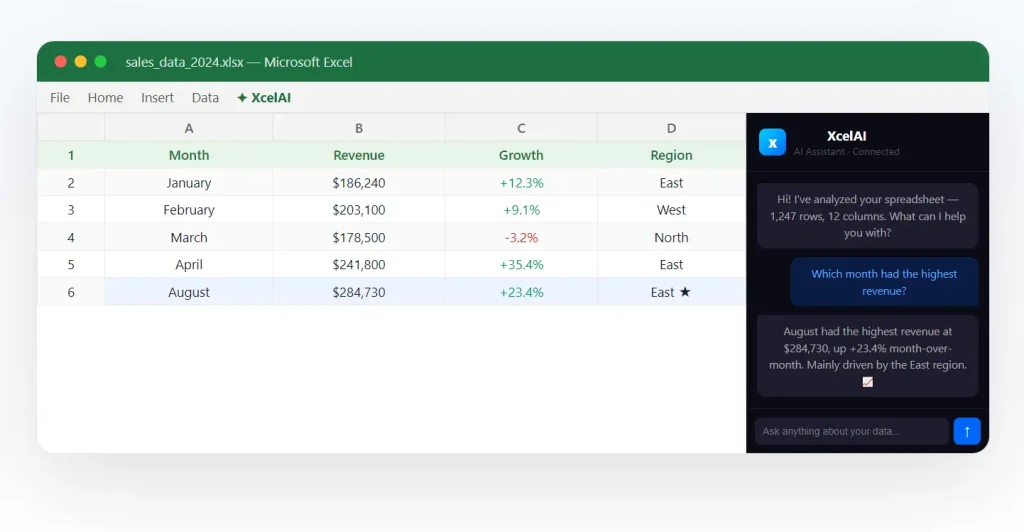
XcelAI adds a Formula Assistant and an Analyze & Clean tool to Excel. Select the rows in a sales or expense sheet and ask XcelAI to create a formula, identify inconsistent values, or inspect the data for patterns. Changes and generated formulas stay in the Excel workbook.
Features:
- Generates Excel formulas from written instructions and inserts them into selected cells.
- Answers questions about data in a selected Excel range.
- Identifies duplicate entries, inconsistent values, and formatting issues.
- Highlights patterns and produces summaries from the selected data.
Free access: 200 requests per month with a 50-row limit. Formula Assistant and Analyze & Clean are the recurring free features. Smart Charts, One-Click Reports, and Forecasting are paid features after limited trials.
Access: Install XcelAI as an Excel add-in.
4. Tesseract
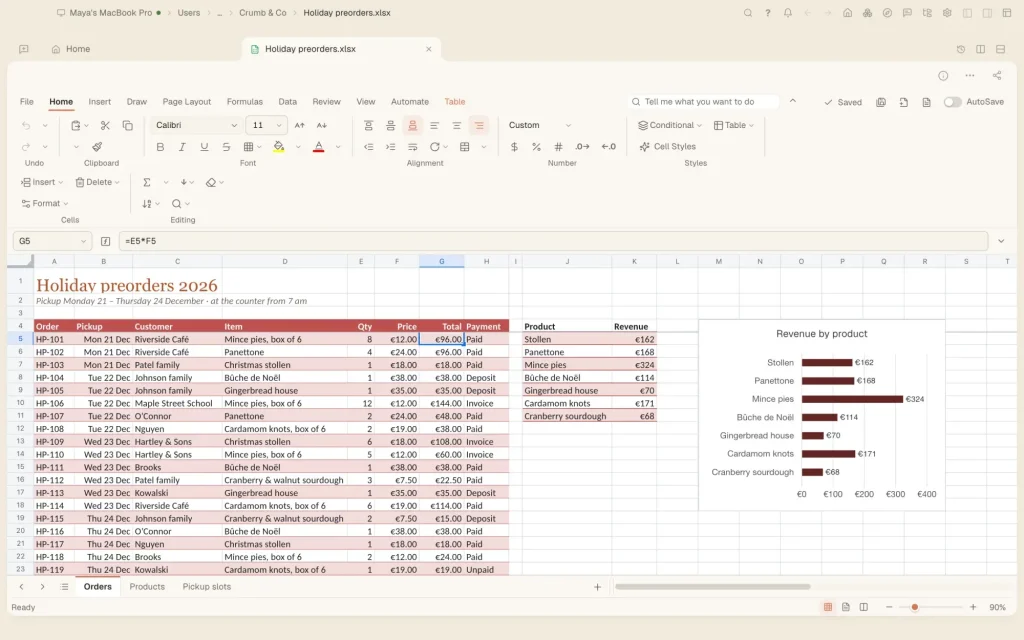
Tesseract includes a full spreadsheet editor for Windows, macOS, and Linux. It opens Excel and other spreadsheet formats, and its AI agent can modify the workbook in the same editor. Alongside AI instructions, you can use familiar spreadsheet controls for formulas, data cleanup, charts, and reporting.
Features:
- Writes and edits spreadsheet formulas, including XLOOKUP, FILTER, LET, and LAMBDA.
- Creates and modifies pivot tables, pivot charts, and slicers.
- Builds charts, sparklines, and visual summaries of data.
- Sorts and filters records, removes duplicates, and splits text into columns.
- Applies number formats, conditional formatting, dropdown lists, and cell validation.
- Performs goal seek, what-if analysis, and forecasting in the spreadsheet editor.
- Supports large multi-tab workbooks, frozen panes, grouped rows, and merged cells.
- Records and runs spreadsheet scripts and provides an undo history for edits.
- Opens Excel, Numbers, OpenDocument, CSV, and other formats and saves editable XLSX files.
Free access: The desktop editor is free and includes AI credits that replenish automatically. Signing in increases the free AI allowance.
5. Sourcetable
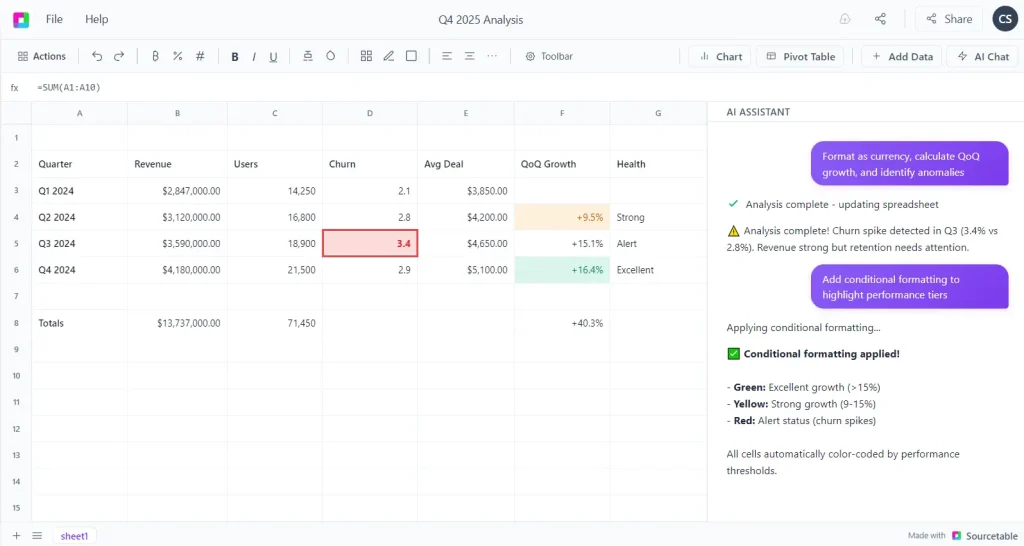
Sourcetable is a browser spreadsheet with an AI assistant for cleaning, summarizing, and visualizing data. Import an Excel or CSV file, ask questions about its contents, and create a working report with formulas, pivot tables, and charts. The edited spreadsheet lives in Sourcetable and can be exported to Excel.
Features:
- Analyzes spreadsheet data and returns summaries and insights from plain-language requests.
- Generates formulas and fills cells using AI-assisted autofill.
- Cleans inconsistent values, restructures columns, and transforms imported tables.
- Creates pivot tables, charts, and other visualizations.
- Generates spreadsheet templates and sample data for new workbooks.
- Supports AI research and data enrichment in spreadsheet tasks.
- Connects spreadsheets to supported external data sources.
- Answers questions involving data across multiple worksheets.
Free access: The Regular plan includes 50 AI credits each month.
6. Quadratic
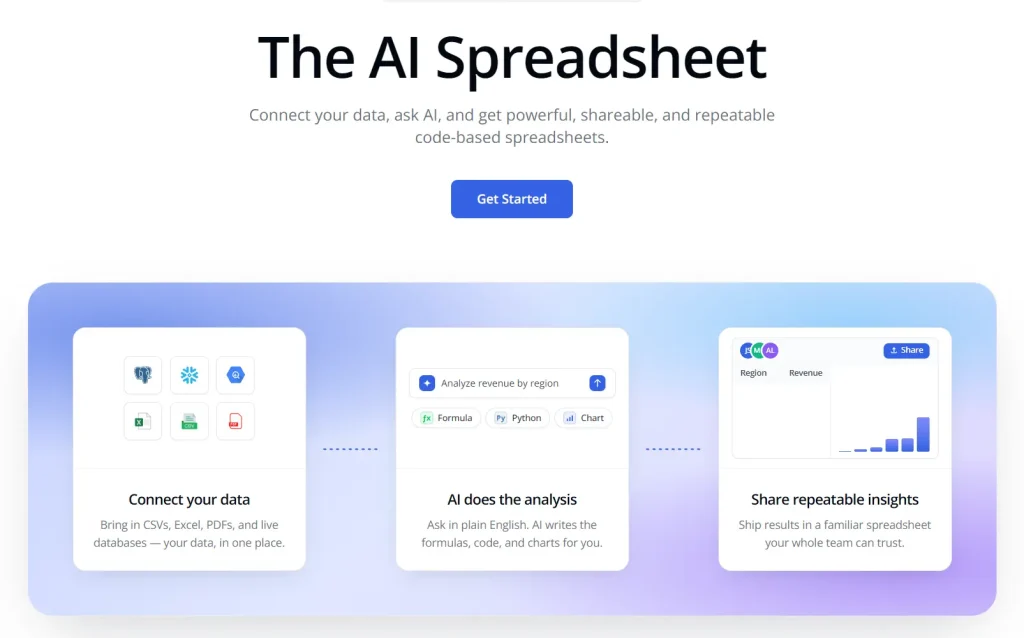
Quadratic combines a spreadsheet grid with executable Python, SQL, JavaScript, and formulas. Import business data and ask its AI to generate code for the analysis. You can join two tables and recalculate category totals after updating the source data.
Features:
- Generates formulas, Python, SQL, and JavaScript for spreadsheet analysis.
- Runs code in spreadsheet cells and displays the results alongside ordinary data.
- Imports Excel and CSV files, with additional options for PDF and Google Sheets data.
- Creates charts and data visualizations from tables and calculated results.
- Joins, transforms, and analyzes datasets using AI-generated code.
- Connects to supported databases and business data sources.
- Keeps code and analysis steps in the workbook for repeated calculations.
- Supports sharing analysis files and exporting spreadsheet results to Excel through its editor.
Free access: The Personal Free plan includes AI-assisted spreadsheet analysis.
7. GPTExcel
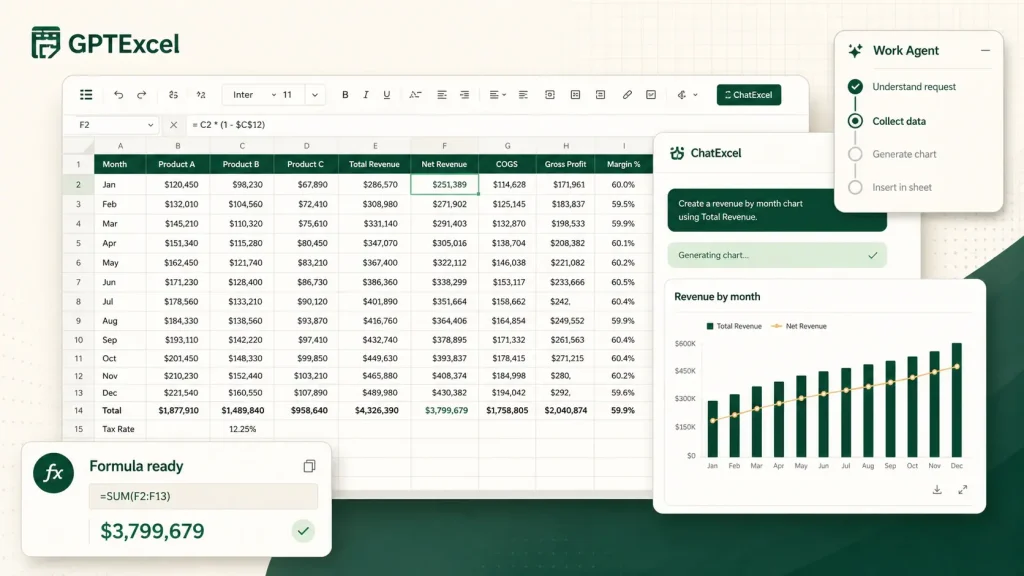
GPTExcel is a browser-based collection of AI spreadsheet tools. It can generate a formula for an Excel sheet, explain why an existing formula works, build a chart from uploaded data, or prepare code for Excel and Google Sheets automation.
Features:
- Generates Excel and Google Sheets formulas from plain-English descriptions.
- Explains, fixes, and optimizes existing spreadsheet formulas.
- Generates VBA macros, Google Apps Script, SQL queries, and regular expressions.
- Creates pivot tables, charts, dashboards, and spreadsheet reports.
- Cleans, merges, and transforms imported spreadsheet data.
- Produces spreadsheet templates and starter financial models.
- Extracts tables from PDF files and images into editable spreadsheet data.
- Offers ChatExcel for questions about spreadsheets and Work Agent for multi-step analysis.
- Connects to spreadsheet files and supported data sources through its web tools.
Free access: The Free plan offers up to 90 credits per month through daily check-ins.
Try a Spreadsheet Task with a Known Answer
A small workbook is enough to check formula writing, data cleaning, and whether calculations survive editing. Create two tabs called Orders and Products. Add the following rows to Orders:
OrderID,Date,SKU,Region,Qty
O-01,2026-01-03,P01," North ",2
O-02,Jan 4 2026,P02,South,3
O-02,Jan 4 2026,P02,South,3
O-03,2026/01/05,P01,North,1
Add this data to Products:
SKU,UnitPrice
P01,10
P02,25
For an assistant that edits workbooks, use this prompt:
In Orders, remove duplicate OrderID values, trim the Region names, and make the dates consistent. Look up each SKU’s UnitPrice from Products. Add a Revenue column that multiplies Qty by the looked-up price. Create a Summary tab with total revenue by region. Keep the price lookups and revenue calculations as formulas.
The cleaned workbook has three orders. Revenue is 30 for North, 75 for South, and 105 overall. Change the price for P01 from 10 to 12. The total should recalculate to 111.
For a formula generator, request an Excel or Google Sheets formula that looks up the SKU in Orders!C2 against Products!A:B and returns the matching price. Paste the formula into your workbook and test it against P01 and P02.
FAQs
Can a free AI assistant create an Excel spreadsheet from scratch?
Yes. ChatGPT can generate worksheets within Excel or Google Sheets, and Shortcut can create a new workbook in its web editor. Tesseract can build a spreadsheet in its desktop editor. GPTExcel also offers template generation, with credit-based access to its web tools.
Do I need Microsoft Excel to use these assistants?
No. Shortcut, Sourcetable, and Quadratic have browser spreadsheet editors, and Tesseract provides a desktop editor. GPTExcel runs in a web browser. ChatGPT’s Excel add-in and XcelAI work inside Microsoft Excel.
Which free AI spreadsheet assistants work with Google Sheets?
ChatGPT and Shortcut offer Google Sheets integrations. GPTExcel can generate formulas and Apps Script for Google Sheets. Sourcetable and Quadratic accept data imported from spreadsheet files, and their workspaces provide their own editing environments.
Can the free tools create charts, pivot tables, and dashboards?
Sourcetable’s Regular plan includes AI-assisted pivots, charts, and visualizations. Tesseract includes charts and pivot tables in its free desktop editor. Quadratic provides charts and AI-assisted analysis on a free plan with AI limits. GPTExcel offers chart, pivot, and dashboard tools using credits. XcelAI’s Smart Charts are paid after their trial uses.
Which tools generate an editable Excel workbook?
ChatGPT edits the workbook open in Excel. Shortcut’s web editor can export XLSX, and Tesseract saves XLSX files. Sourcetable exports its spreadsheet to Excel. Quadratic provides an in-editor Excel export, although the vendor distinguishes this from paid dashboard downloads. GPTExcel’s formula generator returns text that you paste into your spreadsheet.
Are Microsoft Copilot and Gemini in Google Sheets free?
Microsoft Copilot in Excel requires a qualifying Microsoft 365 or business license. Gemini’s AI function in Google Sheets requires an eligible Google Workspace or Google AI plan. See Microsoft’s Copilot in Excel requirements and Google’s Sheets AI function requirements.
Can I work with spreadsheet files stored on my computer?
Tesseract opens and edits files stored on your computer. Shortcut works with local files through a desktop app and edits open Excel workbooks through its add-in. The browser editor accepts uploaded files.
Alternatives & Related Resources
- 7 Best Free AI Tools for CSV Data Analysis
- OfficeCLI: Create & Edit Word, Excel, and PowerPoint Files with AI Agents
- Hob: Free Open-Source Local AI Assistant for Documents