OfficeCLI is an open-source CLI tool that enables your AI coding agents to create, read, and modify Word, Excel, and PowerPoint documents.
No Office installation. No dependencies. One install command, and any AI coding agent that can run shell commands gains full control over .docx, .xlsx, and .pptx files.
The 50-line Python script that used to need python-docx, openpyxl, and python-pptx collapses into a single officecli add command.
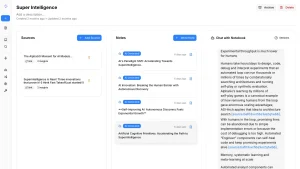
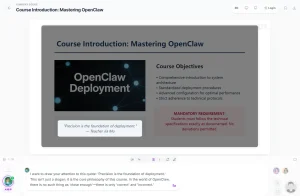
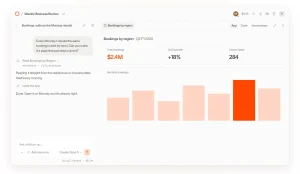
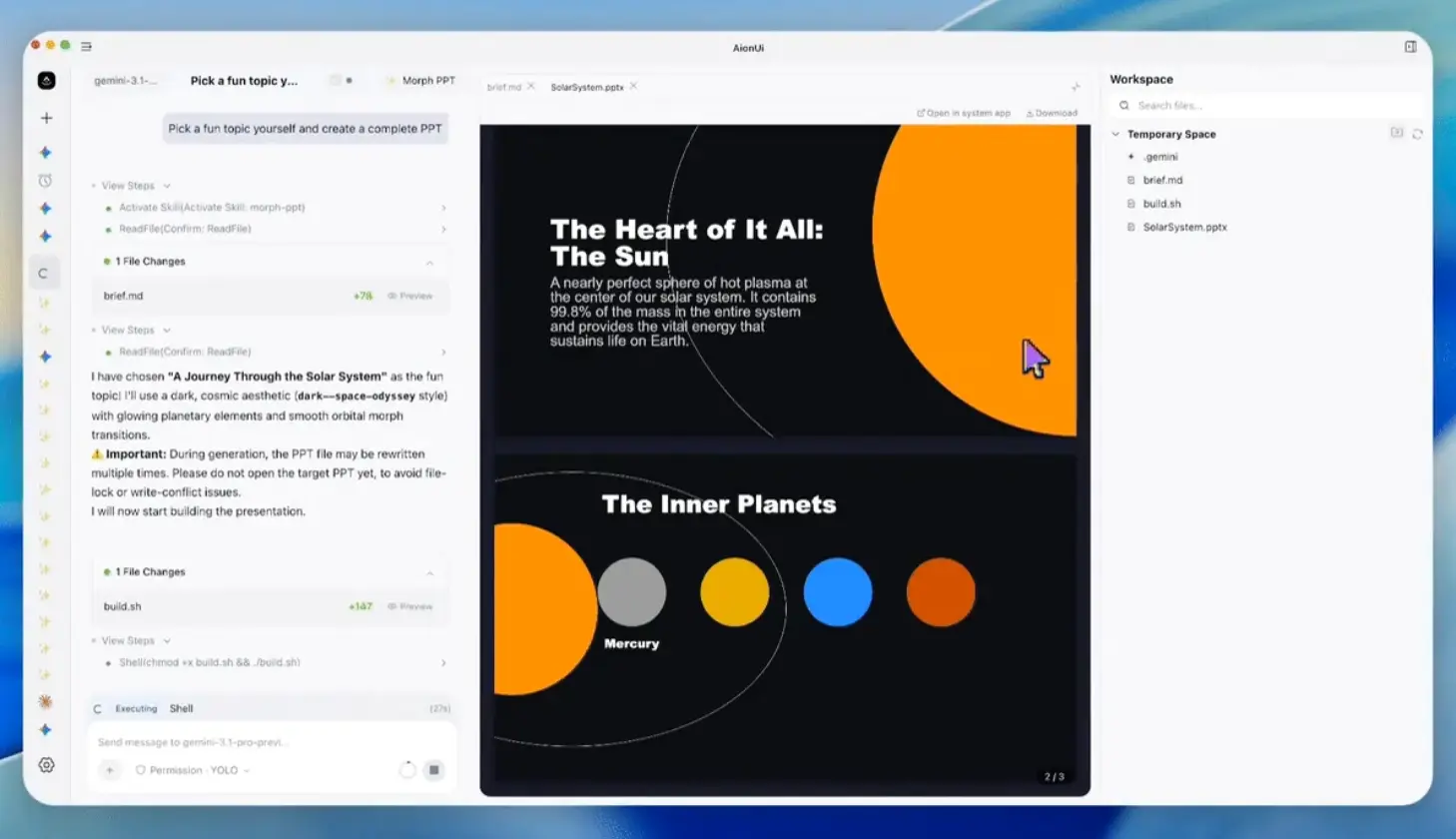
An AI agent can generate a slide deck from a prompt, render it to HTML or PNG to check the layout, fix overflow issues, and export the final file.
The built-in rendering engine closes the feedback loop that has kept agents blind during document generation.
Self-hosting costs nothing beyond the binary download. The MCP server registers with Claude Code, Cursor, VS Code, or LM Studio in one command.
Features
- Creates Word, Excel, and PowerPoint files from scratch.
- Reads document text, structure, styles, formulas, and layout data.
- Modifies text, fonts, colors, formulas, charts, images, shapes, and layouts.
- Renders Office files to HTML, SVG, screenshots, and live browser previews.
- Returns structured JSON from commands such as
get,query, andview. - Uses stable path-based addressing such as
/slide[1]/shape[2]. - Runs Office automation inside headless, CI, Docker, and server workflows.
- Evaluates 150+ Excel functions and creates native OOXML pivot tables.
- Replaces
{{key}}placeholders across Word, Excel, and PowerPoint files. - Dumps existing
.docxand.pptxfiles into replayable batch JSON. - Registers an MCP server for Claude Code, Cursor, VS Code, Copilot, and LM Studio.
- Installs agent skill instructions for supported AI coding tools.
OfficeCLI vs Microsoft Office, LibreOffice, and Python Libraries
| OfficeCLI | Microsoft Office | LibreOffice | python-docx / openpyxl | |
|---|---|---|---|---|
| Free and open-source | Yes | No | Yes | Yes |
| AI-native CLI and JSON | Yes | No | No | No |
| Single binary path | Yes | No | No | No |
| Office installation required | No | Yes | No Microsoft Office required | No |
| Word, Excel, and PowerPoint | Yes | Yes | Yes | Separate libraries |
| Headless or CI usage | Yes | Poor match | Partial | Yes |
| Built-in rendering loop | Yes | No | Partial | No |
| Path-based document access | Yes | No | No | No |
| Raw XML fallback | Yes | No | No | Partial |
| Template merge across formats | Yes | No | No | No |
| Live preview | Yes | No | No | No |
Use Cases
- Generate PowerPoint presentations from agent prompts and inspect the rendered slides before delivery.
- Build Word reports from structured data, templates, or existing document samples.
- Create Excel dashboards, formulas, pivot tables, charts, slicers, and validation rules.
- Batch-update Office documents during migrations, audits, style cleanup, or report generation.
- Run document quality checks for missing alt text, formula errors, overflow, and structural issues.
- Convert existing Office templates into repeatable agent workflows via dump and batch replay.
- Connect Office document tasks to Claude Code, Cursor, GitHub Copilot, Codex, or MCP clients.
How to Use OfficeCLI
Install OfficeCLI on macOS or Linux
curl -fsSL https://raw.githubusercontent.com/iOfficeAI/OfficeCLI/main/install.sh | bashVerify the installation.
officecli --versionInstall OfficeCLI on Windows
irm https://raw.githubusercontent.com/iOfficeAI/OfficeCLI/main/install.ps1 | iexVerify the installation.
officecli --versionInstall from a downloaded binary
Download the matching binary for your platform, then run the installer command.
officecli installA bare officecli invocation also triggers self-install behavior.
officecliLet an AI agent read the skill file
Paste the skill file command into an agent chat when the agent can read and follow external skill instructions.
curl -fsSL https://officecli.ai/SKILL.mdClaude Code users can save the skill file locally.
curl -fsSL https://officecli.ai/SKILL.md -o ~/.claude/skills/officecli.mdCreate and preview a PowerPoint deck
Create a blank deck.
officecli create deck.pptxStart a live preview.
officecli watch deck.pptxAdd a slide from another terminal.
officecli add deck.pptx / --type slide --prop title="Hello, World!"Create a slide with text and styling
Add a slide and a text shape.
officecli create deck.pptx
officecli add deck.pptx / --type slide --prop title="Q4 Report" --prop background=1A1A2E
officecli add deck.pptx '/slide[1]' --type shape \
  --prop text="Revenue grew 25%" --prop x=2cm --prop y=5cm \
  --prop font=Arial --prop size=24 --prop color=FFFFFF
View the document as an outline.
officecli view deck.pptx outlineRender the file as HTML.
officecli view deck.pptx htmlInspect one element as JSON.
officecli get deck.pptx '/slide[1]/shape[1]' --jsonClose the document session and flush changes to disk.
officecli close deck.pptxRegister OfficeCLI as an MCP server
Register the MCP server for your client.
officecli mcp claude
officecli mcp cursor
officecli mcp vscode
officecli mcp lmstudio
officecli mcp list
MCP registration matters when an agent can use tools through JSON-RPC but should not run arbitrary shell commands.
Rendering modes
| Mode | Output |
|---|---|
view html | Standalone HTML file with inlined assets. |
view screenshot | Per-page PNG output for multimodal review. |
watch | Local browser preview with auto-refresh. |
view svg | SVG view where supported. |
Example rendering commands:
officecli view deck.pptx html -o /tmp/deck.html
officecli view deck.pptx screenshot -o /tmp/deck.png
officecli watch deck.pptxCommand reference
| Command | What it does |
|---|---|
create | Creates a blank .docx, .xlsx, or .pptx file from the extension. |
view | Views content as text, outline, annotated output, stats, issues, HTML, SVG, screenshot, PDF through plugin, or forms through plugin. |
load_skill | Prints embedded skill content for specialized OfficeCLI skills. |
get | Gets an element and children, with --depth N and --json. |
query | Searches elements with CSS-like selectors, boolean and or or, row-by-column selectors, and --find. |
set | Modifies element properties and supports selectors, Excel-native paths, --find, and --replace. |
add | Adds an element or clones from another path with --from <path>. |
remove | Removes an element. |
move | Moves an element with --to <parent>, --index N, --after <path>, or --before <path>. |
swap | Swaps two elements. |
validate | Validates a document against OpenXML schema. |
view <file> issues | Lists issues such as text overflow, missing alt text, and formula errors. |
batch | Runs multiple operations in one open/save cycle from stdin, --input, or --commands. |
dump | Serializes .docx or .pptx into replayable batch JSON. |
refresh | Recalculates TOC page numbers, PAGE, and cross-references for .docx. |
plugins | Lists, inspects, or lints plugins for extra format and export handling. |
merge | Replaces {{key}} placeholders with JSON data. |
watch | Starts a live HTML preview with auto-refresh. |
mcp | Starts or registers MCP integration. |
raw | Views raw XML from a document part. |
raw-set | Modifies raw XML via XPath. |
add-part | Adds a new document part. |
open | Starts resident mode. |
close | Saves and closes resident mode. |
install | Installs the binary, skills, and MCP configuration. |
config | Gets or sets configuration values. |
<format> <command> | Opens built-in help for format-specific commands. |
The command list includes the primary operations documented in the repository command reference.
Batch and resident mode
Resident mode keeps a document in memory during multi-step edits.
officecli open report.docx
officecli set report.docx /body/p[1]/r[1] --prop bold=true
officecli set report.docx /body/p[2]/r[1] --prop color=FF0000
officecli close report.docx
Batch mode runs several operations in one pass.
echo '[{"command":"set","path":"/slide[1]/shape[1]","props":{"text":"Hello"}},
      {"command":"set","path":"/slide[1]/shape[2]","props":{"fill":"FF0000"}}]' \
  | officecli batch deck.pptx --json
Inline batch input also works.
officecli batch deck.pptx --commands '[{"op":"set","path":"/slide[1]/shape[1]","props":{"text":"Hi"}}]'Use --force to continue past errors.
officecli batch deck.pptx --input updates.json --force --jsonTemplate merge
Template merge fills placeholders in Office files with JSON data.
officecli merge invoice-template.docx out-001.docx '{"client":"Acme","total":"$5,200"}'
officecli merge q4-template.pptx q4-acme.pptx data.json
This pattern is useful when an agent designs the layout once and production code fills many files with different data.
Round-trip dump
dump serializes a document or subtree into batch JSON. batch can replay that JSON into a new file.
officecli dump existing.docx -o blueprint.json
officecli dump existing.docx /body/tbl[1] -o table.json
officecli batch new.docx --input blueprint.json
JSON and error handling
Single-element output can return a structured object.
{
  "tag": "shape",
  "path": "/slide[1]/shape[1]",
  "attributes": {
    "name": "TextBox 1",
    "text": "Hello"
  }
}
Mutation commands can return a confirmation object.
{"success": true, "path": "/slide[1]/shape[1]"}Error objects can include codes, suggestions, and valid ranges. OfficeCLI lists error codes such as not_found, invalid_value, unsupported_property, invalid_path, unsupported_type, missing_property, file_not_found, file_locked, and invalid_selector.
Python usage
The thin Python SDK wraps the resident pipe.
from officecli import Doc
with Doc("deck.pptx") as d:
    d.add("/", type="slide", title="Q4 Report")
    print(d.get("/slide[1]"))
A subprocess wrapper can call the CLI directly.
import json
import subprocess
def cli(*args):
    return json.loads(subprocess.check_output(["officecli", *args, "--json"], text=True))
cli("create", "deck.pptx")
Alternatives and Related Tools
- Wayland: Local-First AI Agent Command Center: Run Claude Code, Codex, Gemini, Qwen, MCP servers, and local models from one desktop command center.
- 160+ Most Popular Agent Skills on GitHub: Browse free and open-source Agent Skills for Claude Code, Codex, OpenClaw, Hermes Agent, and more.
- Best CLI AI Coding Agents: Compare terminal-based AI coding agents before choosing the agent that will call OfficeCLI.
- Best Open-Source MCP Servers: Find MCP servers that connect AI agents to external tools and data sources.
- OfficeCLI Wiki: Read command, format, workflow, and troubleshooting documentation.
Pros
- Free and open source.
- Single binary with no dependencies.
- Built-in rendering engine for visual feedback.
- MCP server for AI agent integration.
- Deterministic JSON output on every command.
- Self-healing error codes with suggestions.
Cons
- CLI-only with no built-in GUI.
- No legacy
.docor.xlsformat support. - Large binary from embedded .NET runtime.
- Single-user tool with no collaboration features.
FAQs
Q: Does OfficeCLI require Microsoft Office?
A: No. OfficeCLI runs as a self-contained binary and does not require a Microsoft Office installation for its core Word, Excel, and PowerPoint automation workflow.
Q: Can OfficeCLI run in CI or Docker?
A: Yes. OfficeCLI is built for headless workflows and does not require Microsoft Office. The rendering loop can produce HTML and PNG output in environments where a normal Office desktop app is not available.
Q: Is OfficeCLI a replacement for Microsoft Office?
A: OfficeCLI is not a full manual office suite replacement. It is better viewed as an automation and agent-control layer for Office files.
Q: What are the limitations compared to Microsoft Office?
A: OfficeCLI handles the OOXML formats (.docx, .xlsx, .pptx) directly. It does not support legacy binary formats (.doc, .xls, .ppt) without plugins. Some advanced OOXML features are still under development. Real-time collaboration, macros, and ActiveX controls are not supported.
Q: Can OfficeCLI handle large Excel files?
A: The tool filters empty cells on open and supports row-by-column-name query selectors for efficient data access. Performance depends on file complexity, but the resident mode keeps documents in memory to avoid repeated parse overhead during multi-step workflows.