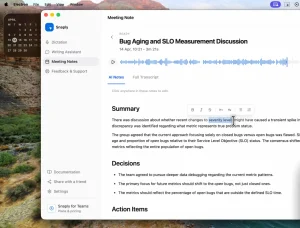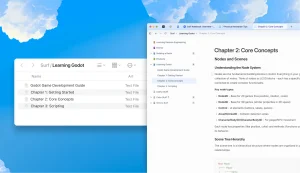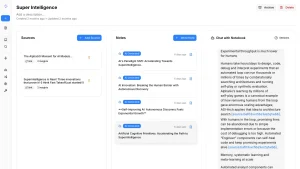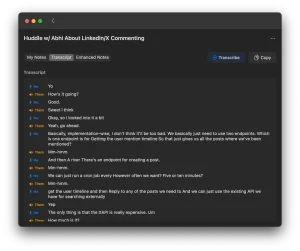
Meetily is a free, open-source AI meeting assistant that transcribes and summarizes meetings entirely on your local machine. It runs as a self-contained desktop app on macOS and Windows, with Linux available through a source build.
Most AI meeting assistants route your recordings through cloud infrastructure that you cannot audit or control. Meetily skips that entirely.
It runs OpenAI’s Whisper or NVIDIA’s Parakeet speech recognition models locally, generates summaries through Ollama or any OpenAI-compatible API you configure, and writes everything to your own disk.
Features
- Runs all transcription and summary processing on your local hardware.
- Delivers real-time speech-to-text during live meetings using either the Whisper or Parakeet model.
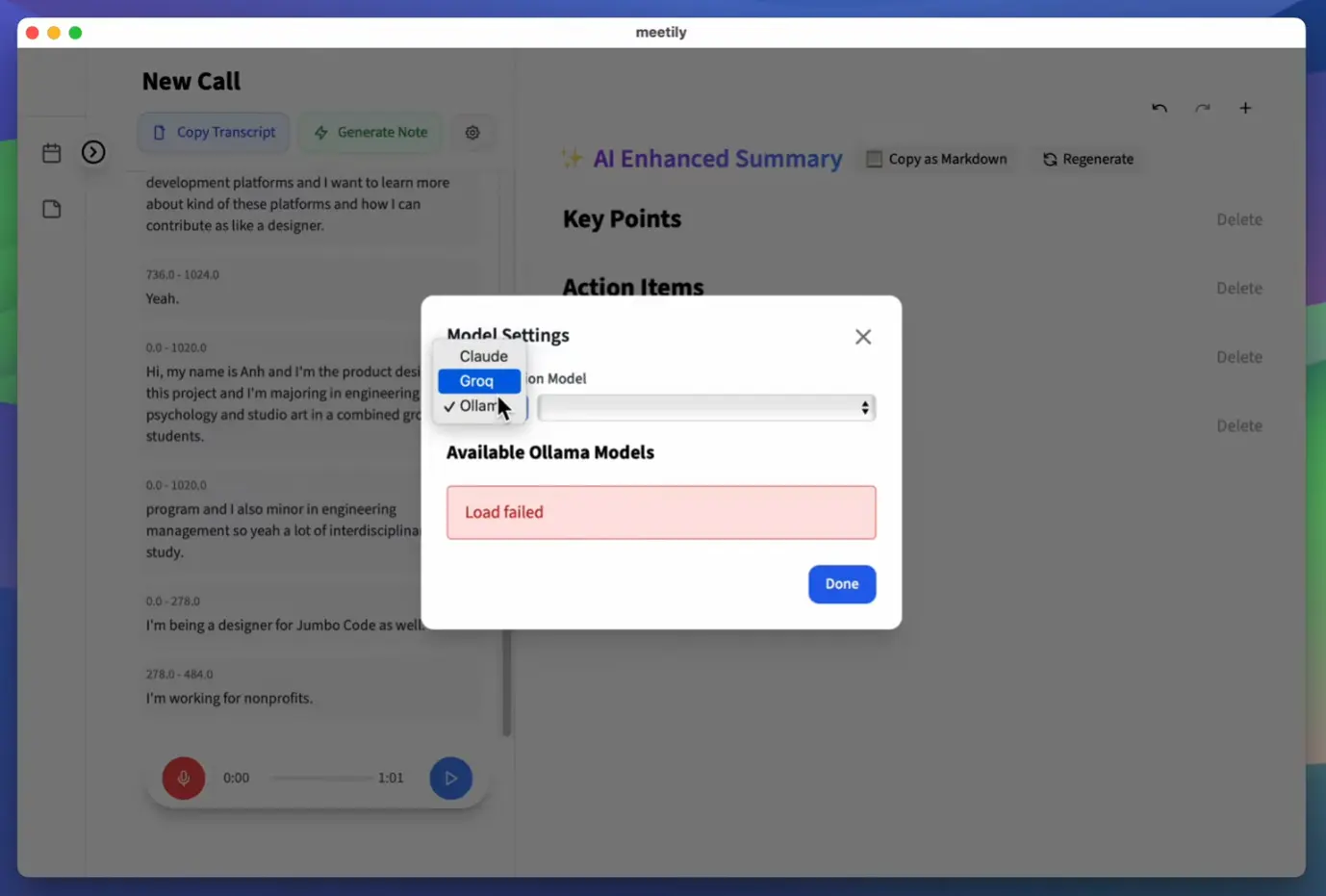
- Generates meeting summaries through your choice of AI provider: Ollama (local), Claude, Groq, OpenRouter, or any custom OpenAI-compatible endpoint.
- Captures microphone and system audio simultaneously with intelligent ducking and clipping prevention for clean mixed recordings.
- Accelerates inference through GPU hardware automatically: Apple Silicon with Metal and CoreML on macOS, NVIDIA CUDA or AMD/Intel Vulkan on Windows and Linux.
- Re-transcribes existing audio files through the Import and Enhance feature (currently in beta), with support for switching models or languages during reprocessing.
- Accepts a custom OpenAI-compatible endpoint URL for organizations running their own AI infrastructure.
Use Cases
- Record confidential client consultations locally to maintain strict privacy compliance.
- Generate automated summaries of daily engineering standups using custom OpenAI endpoints.
- Import existing audio files to create accurate transcripts with Whisper or Parakeet models.
- Capture dual channel audio during remote interviews to separate speaker voices clearly.
See It In Action
How To Use Meetily
Installation
Windows
Download the latest x64-setup.exe from the Meetily releases page and run the installer. No additional configuration is required after installation.
macOS
Download meetily_VERSION_aarch64.dmg from the releases page. Open the .dmg file, drag Meetily into your Applications folder, and launch it from there.
Linux
Linux requires a source build. Clone the repository first:
git clone https://github.com/Zackriya-Solutions/meeting-minutesThen move into the frontend directory, install dependencies, and run the GPU build script:
cd meeting-minutes/frontend
pnpm install
./build-gpu.sh
Recording and Summarizing a Meeting
Select audio inputs
Open Meetily’s audio settings and choose your microphone and the system audio output to capture. The app mixes both channels simultaneously with ducking logic to prevent clipping when both sources are active.
Choose a transcription model
In Settings, select Whisper or Parakeet. Parakeet is the faster option at roughly four times the throughput of standard Whisper, and it runs fully locally via an ONNX-converted model from NVIDIA.
Configure your summary provider
Open the AI provider settings and select from the following options:
| Provider | Type | Notes |
|---|---|---|
| Ollama | Local | Recommended for fully offline operation |
| Claude | Cloud API | Requires an Anthropic API key |
| Groq | Cloud API | Fast inference; requires a Groq API key |
| OpenRouter | Cloud API | Routes to multiple model providers |
| Custom OpenAI endpoint | Local or cloud | Points to any OpenAI-compatible server URL |
Start the meeting
Click the record button. Meetily begins capturing audio and displays a live transcript in the main window as speech is detected.
Generate a summary
After the meeting ends, click the summary button. Meetily sends the completed transcript to your configured provider and returns a structured summary. The result is editable directly in the built-in editor.
Import and re-process existing audio files (Beta)
Drop an existing audio file into the Import and Enhance interface, select the target model and language, and Meetily re-transcribes it locally. This is useful for reprocessing older recordings with a more accurate model or for transcribing audio captured outside Meetily.
Pros
- Zero data leaves your machine in the default configuration.
- Parakeet model delivers transcription speeds that make real-time use practical on consumer hardware.
- GPU acceleration works across Apple Silicon, NVIDIA, and AMD/Intel.
- The community edition is permanently free.
Cons
- The local AI models require powerful computer hardware.
- The Linux version requires manual compilation from source code.
- The community edition lacks automatic meeting detection.
Related Resources
- Meetily Website: Official site with product documentation and PRO/Enterprise tier details.
- Meetily Discord: Community server for support, bug reports, and feature discussion.
- Ollama: The recommended local LLM runner for fully offline meeting summarization.
- Whisper.cpp: The C++ port of OpenAI Whisper that Meetily’s transcription layer is built on.
- NVIDIA Parakeet ONNX Model: The ONNX-converted Parakeet model that powers Meetily’s faster local transcription option.
FAQs
Q: What kind of computer do I need to run Meetily?
A: It depends heavily on the Whisper model size you use for transcription and if you run LLMs locally via Ollama. For smaller Whisper models (like base or small) and cloud LLMs, a modern laptop might suffice. For larger Whisper models (medium, large) and local LLMs, you’ll want a machine with a good amount of RAM (16GB+, ideally 32GB+ for large models) and preferably a dedicated GPU (especially NVIDIA for best performance with Whisper.cpp and local LLMs).
Q: Is Meetily completely free to use?
A: The Meetily software itself is open-source and free. Running Whisper.cpp locally is free. Using Ollama with open-source LLMs locally is free. However, if you configure it to use cloud-based LLM providers like Anthropic (Claude) or Groq, you will be subject to their API pricing based on your usage. Using the core local transcription features is entirely free.
Q: How private is my data with Meetily?
A: By default, the audio capture and transcription using Whisper.cpp happen entirely on your local machine. Your audio data isn’t sent anywhere for these core functions. If you enable summarization using cloud LLM providers (Anthropic, Groq), the transcribed text chunks will be sent to those services. If you use Ollama for summarization, the process remains local. So, for maximum privacy, stick to local transcription and local LLM summarization via Ollama.
Q: Does Meetily work with Zoom, Google Meet, Microsoft Teams, etc.?
A: Yes. It captures system audio output alongside microphone input. This means it can record and transcribe whatever audio is playing through your computer’s speakers/headphones during a meeting, regardless of the meeting platform used.
Q: What separates the Community Edition from Meetily PRO?
A: The Community Edition covers local transcription, AI summaries, simultaneous audio capture, GPU acceleration, and the beta import feature. It is free and open-source permanently. Meetily PRO is a separate paid product built on a different codebase. It adds higher-accuracy transcription models, PDF and DOCX export, custom summary templates, auto-meeting detection, built-in GDPR compliance with audit trails, and self-hosted team deployment for two to 100 users.
Q: Does Meetily work offline?
A: Yes, fully. If you run Ollama locally and use Whisper or Parakeet for transcription, the entire pipeline operates offline.
Changelog
v0.3.0 (03/25/2026)
- Rewrite the post