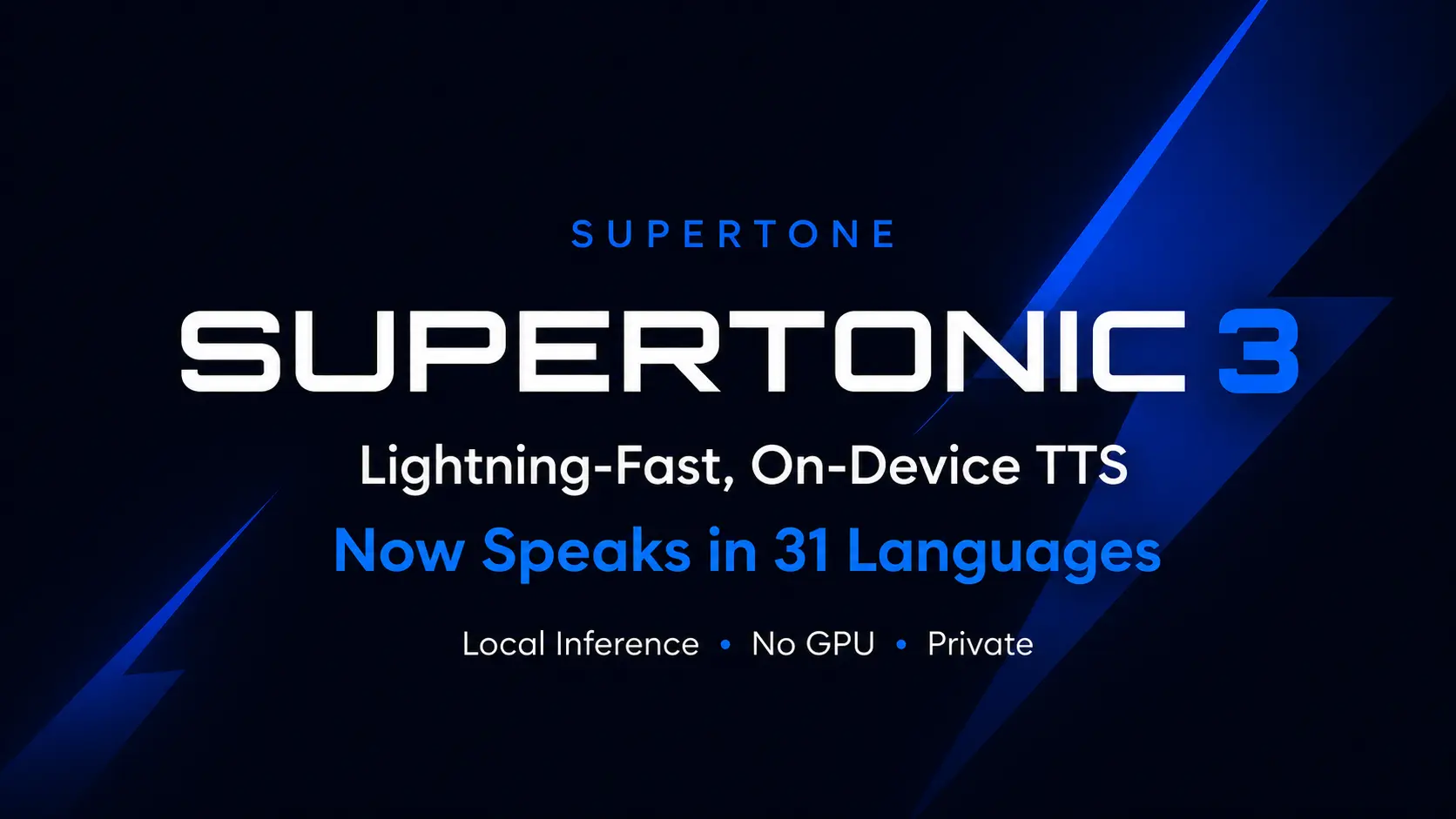
Supertonic is a free, open-source, on-device text-to-speech model from Supertone Inc. that runs entirely on local hardware through ONNX Runtime.
The latest Supertonic v3 supports 31 languages, public ONNX assets, Python installation, browser inference, mobile examples, and native runtime examples (Python, Node.js, browser, Java, C++, C#, Go, Swift, iOS, Rust, and Flutter).
It’s ideal for developers who need private, low-latency TTS for desktop tools, mobile apps, edge devices, and offline reading workflows.
Features
- Runs entirely on-device with no network connection required after the initial model download.
- Supports 31 languages as of Supertonic 3.
- Ships ONNX Runtime assets at approximately 99 million parameters.
- Provides WebGPU and WASM support for browser-side inference.
- Includes 10+ preset voices: Alex, James, Robert, Sam, Daniel, Sarah, Lily, Jessica, Olivia, and Emily.
- Handles financial expressions, phone numbers, and technical unit abbreviations.
- Supports expression tags, including
<laugh>,<breath>, and<sigh>. - Outputs 16-bit WAV audio files.
- Supports batch inference.
- Runs on Raspberry Pi and e-reader hardware in airplane mode.
- Includes a Voice Builder tool for creating a custom edge-native TTS voice from personal recordings.
- Comes with a Chrome extension that reads webpages through on-device TTS.
Use Cases
- Build a private text-to-speech feature inside a local desktop app.
- Add offline narration to an e-reader, note app, or accessibility tool.
- Generate multilingual speech from text inside a Python workflow.
- Test browser-based TTS with WebGPU or WASM inference.
- Add low-latency speech output to Raspberry Pi or edge-device projects.
Example Results and Deployment Scenarios
Supertonic 3 adds 31-language support, improved reading accuracy, fewer repeat and skip failures, and v2-compatible public ONNX assets.
| Example Area | What It Shows |
|---|---|
| Reading accuracy | Supertonic 3 stays within a competitive WER/CER range against larger open TTS systems across measured languages. |
| Supertonic 2 to Supertonic 3 | Supertonic 3 expands language support from 5 languages to 31 languages. |
| Repeat and skip failures | Supertonic 3 reduces repeat and skip failures compared with Supertonic 2. |
| Runtime footprint | Supertonic 3 targets fast CPU inference and lower memory use than larger GPU-based baselines. |
| Model size | Supertonic 3 uses about 99M parameters across the public ONNX assets. |
| Raspberry Pi demo | Supertonic runs on Raspberry Pi for on-device real-time speech synthesis. |
| E-reader demo | Supertonic runs on an Onyx Boox Go 6 e-reader in airplane mode with zero network dependency. |
| Chrome extension demo | TLDRL turns webpages into audio through local text-to-speech. |
Reading Accuracy Results
Supertonic 3 handles three text normalization categories that cause failures in several major commercial TTS systems. The comparison below uses real text inputs with no phonetic pre-processing on any system.
| Category | Input Challenge | Supertonic 3 | ElevenLabs Flash v2.5 | OpenAI TTS-1 | Gemini 2.5 Flash TTS | Microsoft |
|---|---|---|---|---|---|---|
| Financial Expression | “$5.2M” and “$450K” with decimal magnitude abbreviations | ✅ Pass | ❌ Fail | ❌ Fail | ❌ Fail | ❌ Fail |
| Phone Number | “(212) 555-0142 ext. 402” with area code and extension | ✅ Pass | ❌ Fail | ❌ Fail | ❌ Fail | ❌ Fail |
| Technical Unit | “2.3h” and “30kph” with decimal abbreviated units | ✅ Pass | ❌ Fail | ❌ Fail | ❌ Fail | ❌ Fail |
The financial expression “$5.2M” must read as “five point two million dollars,” and “$450K” as “four hundred fifty thousand dollars.” All four competing systems failed this. The technical unit “2.3h” must read as “two point three hours” and “30kph” as “thirty kilometers per hour.” All four competitors also failed this category.
Supertonic 3 keeps a competitive word error rate and character error rate range against much larger open TTS systems such as VoxCPM2 across its supported languages. It runs on CPU with substantially less memory.
How to Use It
Install the Python package
pip install supertonicThe SDK downloads ONNX model assets from Hugging Face automatically on the first run.
Generate speech with Python
from supertonic import TTS
tts = TTS(auto_download=True)
style = tts.get_voice_style(voice_name="M1")
text = "A gentle breeze moved through the open window while everyone listened to the story."
wav, duration = tts.synthesize(text, voice_style=style, lang="en")
tts.save_audio(wav, "output.wav")
print(f"Generated {duration:.2f}s of audio")
This outputs a 16-bit WAV file. The lang parameter accepts a two-letter language code such as "en", "fr", "ja", or "ar".
Try the live demo
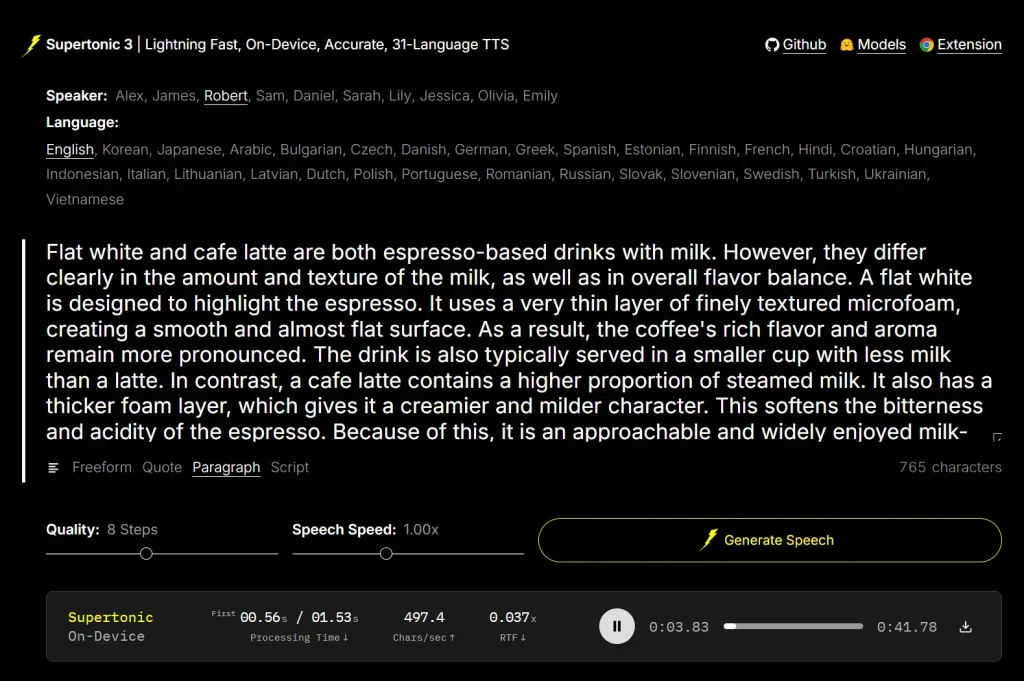
The live demo on Hugging Face runs entirely in a browser. Select a speaker, choose a language, enter text, set quality steps (default: 8) and speech speed (default: 1.00x), then click Generate Speech. No installation is required.
Install from GitHub for other runtimes
Install Git LFS. macOS users can run:
brew install git-lfs && git lfs installClone the repository and model assets:
git clone https://github.com/supertone-inc/supertonic.git
cd supertonic
git clone https://huggingface.co/Supertone/supertonic-3 assets
Run the Python ONNX example
cd py
uv sync
uv run example_onnx.py
This generates outputs/output.wav using the default preset voice.
Run the Node.js example
cd nodejs
npm install
npm start
Run the browser example
cd web
npm install
npm run dev
Run the Java example
Java requires a JDK. macOS users can install one with brew install openjdk@17.
cd java
mvn clean install
mvn exec:java
Run the C# example
C# requires .NET 9 or newer.
cd csharp
dotnet restore
dotnet run
Run the Go example
Go requires the ONNX Runtime C library. macOS users can install it with brew install onnxruntime.
cd go
go mod download
go run example_onnx.go helper.go
Run the Rust example
cd rust
cargo build --release
./target/release/example_onnx
Run the iOS example
cd ios/ExampleiOSApp
xcodegen generate
open ExampleiOSApp.xcodeproj
In Xcode, go to Targets → ExampleiOSApp → Signing, select your Team, choose your iPhone as the run destination, then build.
Install the Chrome extension
The TLDRL extension is available on the Chrome Web Store. It converts any webpage to audio in under one second using on-device inference.
Use Voice Builder
The Voice Builder lets you convert your own recorded voice into a deployable, edge-native TTS voice with permanent ownership.
Supported Runtimes
| Runtime | Path | Notes |
|---|---|---|
| Python | py/ | ONNX Runtime inference; pip install supertonic |
| Node.js | nodejs/ | Server-side JavaScript |
| Browser | web/ | WebGPU/WASM inference |
| Java | java/ | JDK required; JRE alone is not sufficient |
| C++ | cpp/ | High-performance native inference |
| C# | csharp/ | .NET 9 or newer |
| Go | go/ | Requires ONNX Runtime C library |
| Swift | swift/ | macOS applications |
| iOS | ios/ | Native iOS via Xcode |
| Rust | rust/ | Memory-safe systems |
| Flutter | flutter/ | Cross-platform with macOS support |
Model Specifications
| Property | Value |
|---|---|
| Parameter count | ~99M (public ONNX assets) |
| Runtime | ONNX Runtime |
| GPU requirement | None for fixed-voice open-weight setting |
| Code license | MIT |
| Model license | OpenRAIL-M |
Supported Languages (31)
| Code | Language | Code | Language | Code | Language |
|---|---|---|---|---|---|
en | English | ko | Korean | ja | Japanese |
ar | Arabic | bg | Bulgarian | cs | Czech |
da | Danish | de | German | el | Greek |
es | Spanish | et | Estonian | fi | Finnish |
fr | French | hi | Hindi | hr | Croatian |
hu | Hungarian | id | Indonesian | it | Italian |
lt | Lithuanian | lv | Latvian | nl | Dutch |
pl | Polish | pt | Portuguese | ro | Romanian |
ru | Russian | sk | Slovak | sl | Slovenian |
sv | Swedish | tr | Turkish | uk | Ukrainian |
vi | Vietnamese |
Alternatives
- Free AI Audio & Voice Tools: Browse related free tools for TTS, transcription, music, and voice workflows.
- Free AI Tools For Text To Speech: Find more text-to-speech tools on ScriptByAI.
- Free CPU-Based Text-to-Speech Tool with Voice Cloning – Pocket TTS: Compare another local CPU-based TTS tool.
- Free, Private, Fast, On-Device Voice Cloning – NeuTTS Air: Compare another private on-device voice model.
- 7 Best Free AI Voice Cloning Tools: Compare free voice cloning tools for narration, dubbing, and multilingual output.
Pros
- No signup or API key required.
- Free and open-source.
- Runs on CPU with no GPU required.
- 31 languages in one model.
- Eleven runtime environments supported.
- Works on edge hardware like Raspberry Pi.
- Browser inference via WebGPU/WASM.
- Outperforms major paid TTS APIs on financial and technical text.
Cons
- Setup requires Git LFS and a Hugging Face model download.
- Model is licensed under OpenRAIL-M, not a fully permissive license.
- Audio output is 16-bit WAV only.
- No GUI desktop app for non-developers.
FAQs
Q: Does Supertonic require an internet connection?
A: Only for the initial model download from Hugging Face. All inference runs on-device after that.
Q: Can Supertonic run in a browser?
A: Yes. Supertonic supports WebGPU and WASM inference for browser-side TTS with no server required. The TLDRL Chrome extension uses this path to read webpages aloud in under one second.
Q: What hardware does Supertonic run on?
A: Supertonic runs on desktop computers, laptops, Raspberry Pi, e-readers, and mobile devices. The open-weight fixed-voice setting runs on CPU with no GPU required.
Q: Does Supertonic send text to the cloud?
A: Supertonic runs text-to-speech inference locally through ONNX Runtime, so local deployments can process text on the device.
Q: How does Supertonic compare to ElevenLabs or OpenAI TTS in voice quality?
A: The preset voices are clean and stable but lack the prosody range of large commercial models. Supertonic’s main advantage is local execution, privacy, and correct reading of tricky text formats.