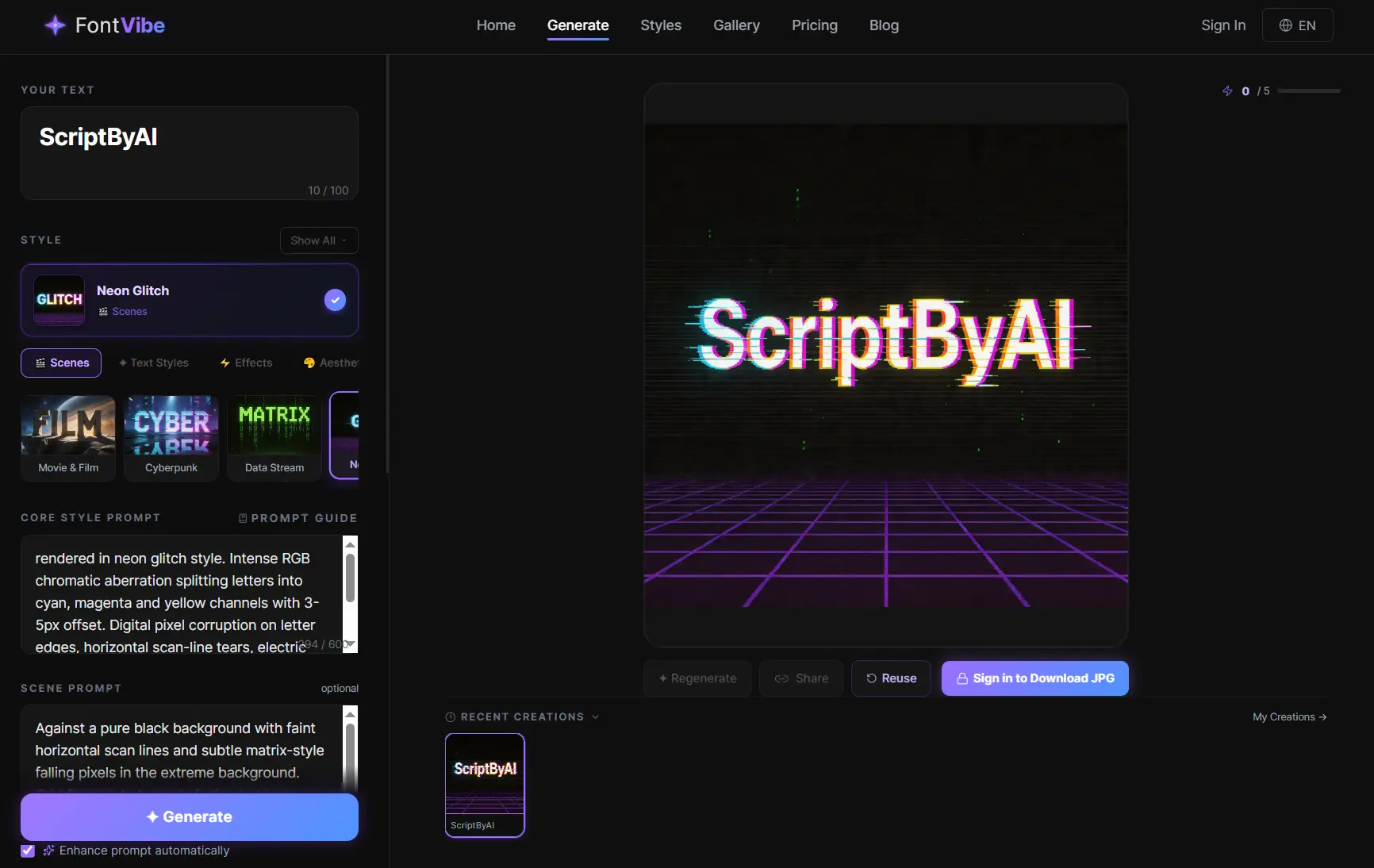
Font Vibe is a free AI text effect generator that transforms plain text into stylized visual art.
Type your text, select from over 100 preset styles, and receive a styled visual text art for thumbnails, posters, logos, social graphics, event cards, and other image-based headline work.
Guest users receive five generations with no account required. A free registered account raises the monthly limit to 20 generations at up to 3K resolution.
Features
- Generates AI-rendered text images across 100+ preset style categories, from Neon Glow and Fire & Smoke to Art Deco and Watercolor.
- Outputs files in PNG and JPG at up to 3K resolution on free accounts and up to 4K on paid plans.
- Accepts custom prompt on every style to specify mood, color palette, background atmosphere, or visual detail.
- Supports reference image to steer the AI toward a target aesthetic.
- 10 selectable aspect ratios, including 1:1, 16:9, and 9:16, plus custom dimensions.
- Includes a post-generation “Refine in Editor” option for adjustments inside a built-in AI image editor.
Use Cases
- Create YouTube thumbnail title text at 16:9 in 3D Bold or Cinematic to produce high-contrast assets readable at small sizes.
- Generate event-specific text art for birthday cards, wedding invitations, and holiday greetings using the Occasions style category.
- Produce brand logo concepts and text treatments in Luxury Gold, Art Deco, or Handwritten Script and export at print resolution.
- Design gaming and streaming graphics, including stream overlays and tournament banners, using Glitch, Cyberpunk, or Pixel Art styles.
- Build merchandise artwork such as t-shirt graphics and promotional posters at resolutions suitable for physical print production.
- Generate blog or newsletter header images matched to article tone, such as Vintage for editorial pieces or Neon for tech content.
- Create platform-specific social media visuals in the correct aspect ratio for Instagram stories, TikTok covers, or Twitter headers.
How to Use It
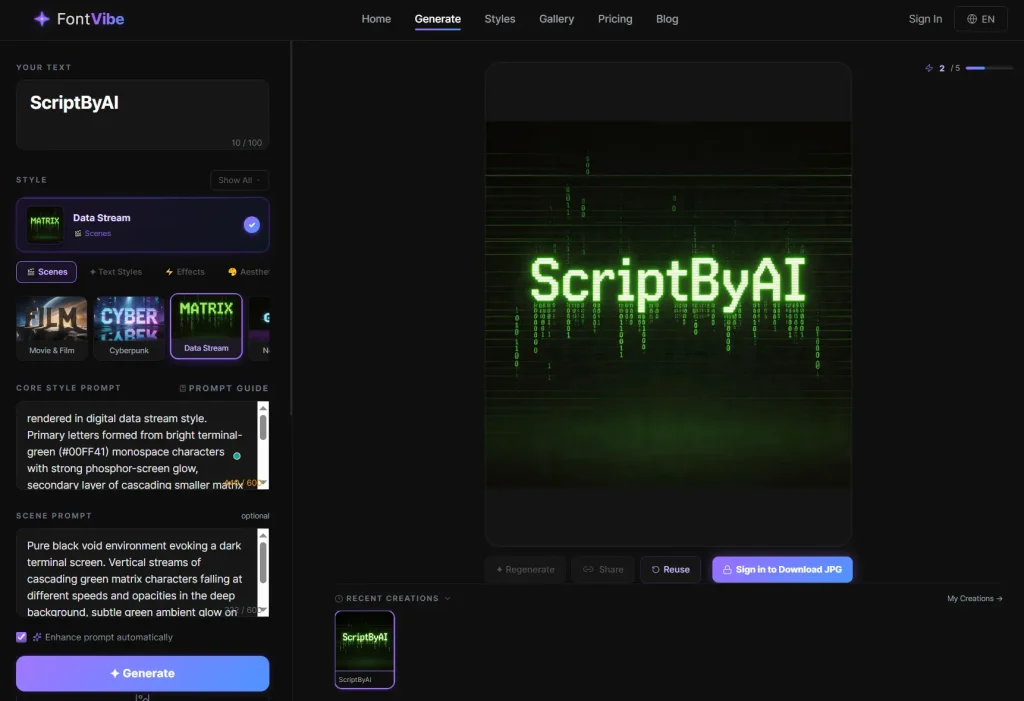
1. Open FontVibe and enter the word, phrase, title, or short message you want to turn into visual text art. The character limit is 100. Short phrases, single words, and proper names work best. Longer sentences reduce legibility in effect-heavy styles.
2. Pick a preset style that matches the job. Cinematic and 3D styles fit thumbnails. Luxury Gold, Art Deco, and Minimal fit cleaner branding work. Graffiti, Neon, and Glitch fit louder campaign graphics.
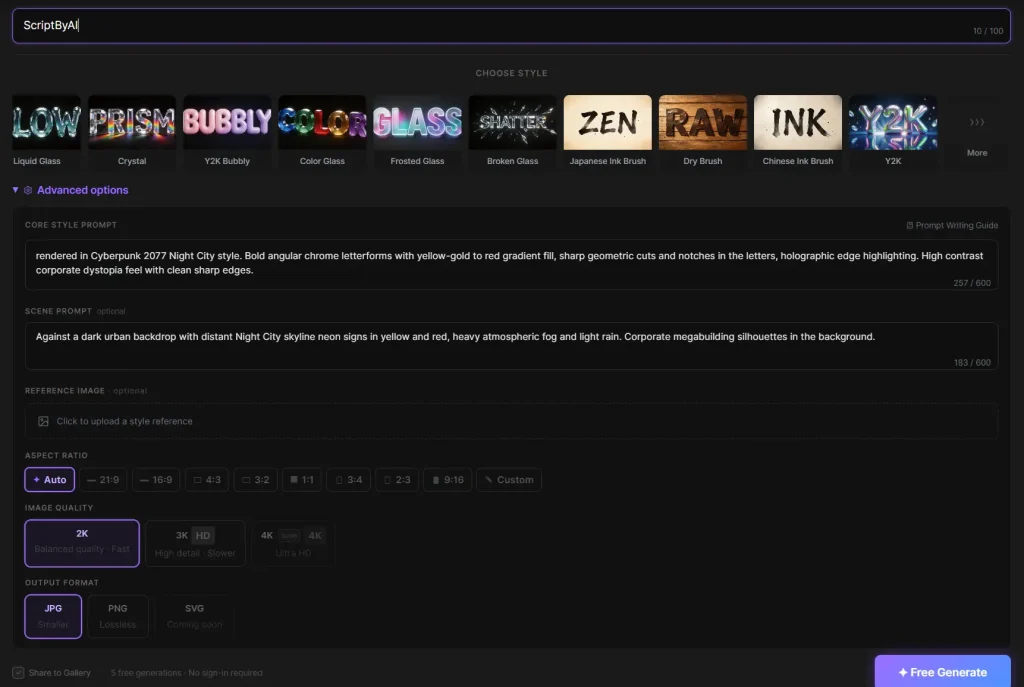
3. Open the Advanced options panel to access additional controls before generating:
| Setting | Details |
|---|---|
| Custom prompt | Free-text field to specify mood, colors, background scene, or visual detail |
| Reference image | Upload an image to guide the AI toward a specific visual reference |
| Aspect ratio | 10 presets including 1:1, 16:9, 9:16, 4:3, and custom dimensions |
| Image quality | Up to 3K on free accounts; up to 4K on paid plans |
| Output format | JPG or PNG |
4. Click the “Free Generate” button, and the image renders in approximately 20 to 30 seconds.
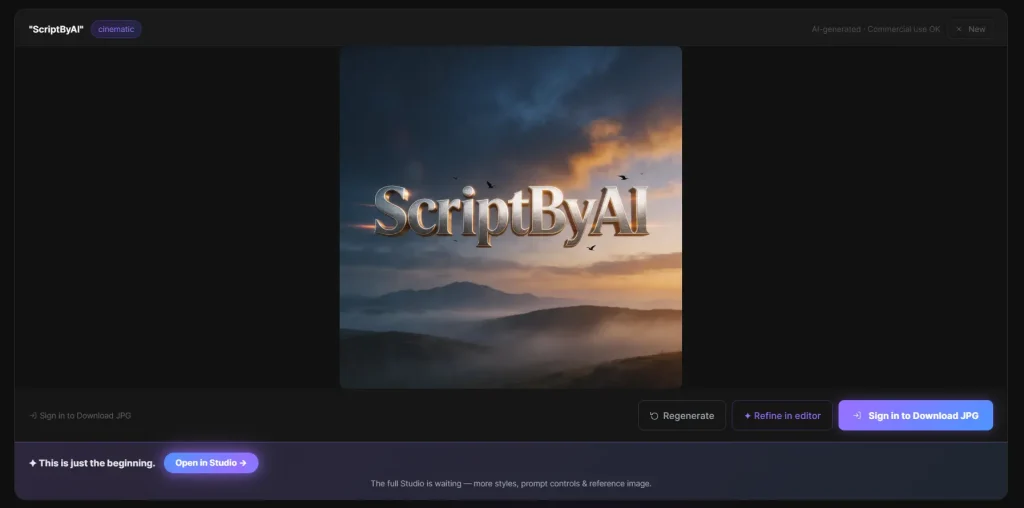
5. Download the final asset and place it in your thumbnail, social post, mockup, poster, or event graphic.
6. Click “Refine in Editor” to open the image in the built-in AI editor for post-generation adjustments.
Pros
- Five free generations without account creation.
- Commercial-use rights on all plans.
- No attribution required on any generated image.
- Output resolution up to 3K on the free tier.
- New styles are added on a rolling basis.
Cons
- Text changes require a full regeneration.
- The free plan limits users to three generations per day and 20 per month.
- The 100-character text input cap prevents longer quotes or multi-line compositions.
Related Resources
- Canva Text Effects: Browser-based design tool with template-driven text styling for social media and print projects.
- Free AI Image Background Removers: Background removal tools for isolating FontVibe-generated text art before placement on a custom background.
- Squoosh: Browser-based image compression tool for reducing FontVibe PNG export file sizes before web use.
FAQs
Q: Which styles work best for logo and brand identity work?
A: Luxury Gold suits premium and fashion brands. Art Deco produces elegant geometric letterforms. 3D Bold fits tech-forward identities, and Handwritten Script works for boutique or personal brands. All outputs carry commercial rights with no attribution required.
Q: Is SVG export available?
A: SVG export is not currently available. FontVibe outputs PNG and JPG files. SVG support is planned for a future release.
Q: How does the custom prompt field change the output?
A: The custom prompt lets you layer specific instructions onto the base style. Selecting Neon Glow and adding “purple and teal, rainy night city” shifts the color palette and atmosphere while preserving the neon effect structure. This helps match brand colors or replicate a specific reference mood.
Q: What happens to images saved in my account if I downgrade or stop using the service?
A: Free accounts can save up to 50 creations. Starter accounts increase this to 200 saved items. Growth accounts support up to 1,000 saved creations. Expert accounts offer unlimited saved creations.