Recording voiceovers from scratch slows down video production, course updates, dubbing, and app testing.
A small script change can force a new recording session, and multilingual narration often adds more cost.
Many tools claim to offer free AI voice cloning, but a large share only provide stock text-to-speech voices, tiny trial credits, or free plans that do not support repeat use.
This article compares 7 free AI voice cloning tools with practical value for YouTube narration, podcast voice generation, indie game dialogue, multilingual dubbing, short-form clips, and developer prototypes.
Each pick explains what the free plan actually supports, where the tool fits best, and which limitations matter before you start.
Quick Comparison Table
| Tool | Best For | Free Plan Type | Highlights |
|---|---|---|---|
| OpenVoice | Developers, self-hosters | MIT open-source | Commercial use |
| Voicebox | Mac/Windows creators | Free desktop app | Stories editor + total data privacy |
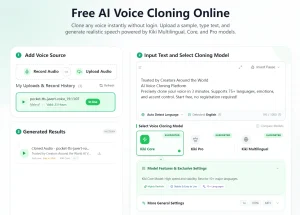
| KikiVoice | Multilingual creators | Fully free, weekly reset | 75+ languages at zero cost |
| Magic Hour | Fast drafts, short clips | Free daily clones | No signup required |
| Fish Audio | YouTubers, indie devs | Freemium (8k credits/month) | S1 model quality + API access on free |
| AnyVoice | Budget creators, testers | 900 seconds/month | 5 clone slots on free tier |
| Vocloner | Students, short-form creators | 1,000 chars/day | Daily reset, transparent limits |
The 7 best free AI voice cloning tools
OpenVoice: MIT-Licensed Instant Voice Cloning for Self-Hosted Pipelines
Best for: Developers and technical users who want full control over a cross-lingual voice cloning pipeline with no vendor-imposed limits.
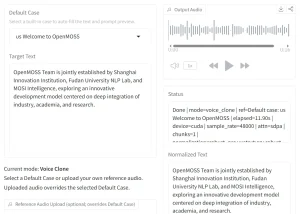
OpenVoice is an open-source voice cloning model from MyShell, released under the MIT license. It clones a voice from a short audio clip and generates speech across six languages in V2: English, Spanish, French, Chinese, Japanese, and Korean.
The tool is strongest when you need speaker identity, language transfer, and control over the full pipeline rather than a polished browser interface.
There are no vendor character caps or monthly credit limits. Output volume depends on local hardware, a self-hosted GPU server, or a cloud GPU instance.
Free plan:
- No subscription, no credits, no character limits from the vendor.
- MIT license; commercial use permitted.
- Hardware costs (GPU/hosting) are the only expense.
Pros:
- Strong cross-lingual control.
- Commercial-friendly MIT license.
- Works for custom pipelines.
Cons:
- No included studio UI.
- Requires GPU resources and technical setup.
Website: https://github.com/myshell-ai/OpenVoice
Voicebox: Free Desktop App for Local Voice Cloning
Best for: Mac and Windows creators who want local voice cloning without sending voice data to a cloud service.
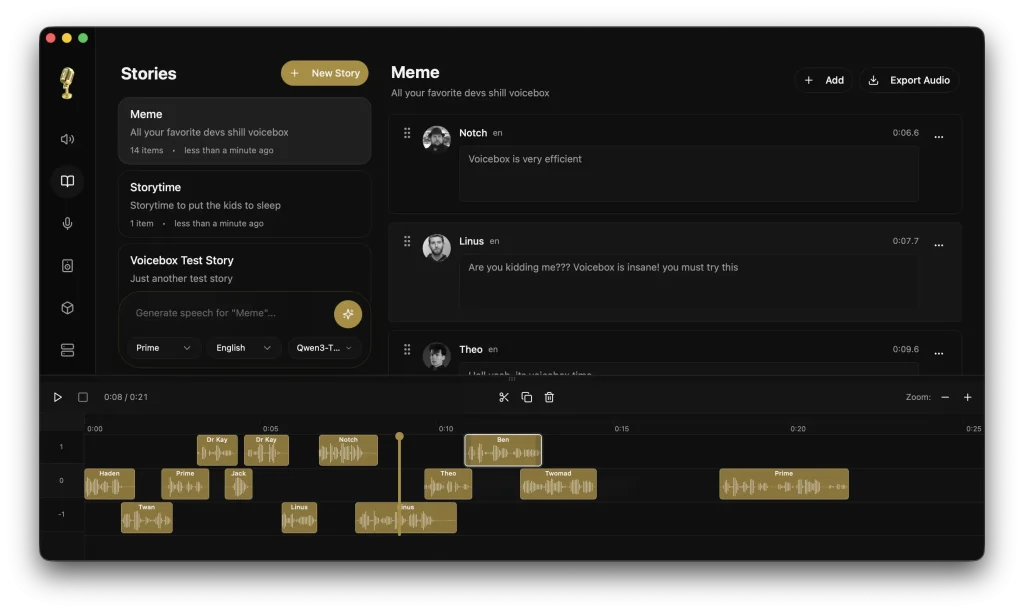
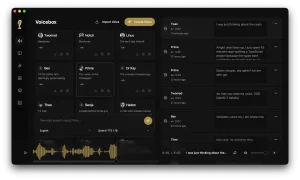
Voicebox runs on macOS and Windows as a free, open-source desktop app built on Alibaba’s Qwen TTS model. It clones a voice from a short audio sample and generates speech locally, so voice data stays on your device.
On Apple Silicon, the MLX backend uses Metal acceleration for faster inference than the CPU path. Windows and Intel Mac users should expect slower generation on CPU-only setups.
Voicebox is more than a basic cloning demo. It includes a multi-track editor, generation history, and a REST API, so it can support podcasts, multi-voice scenes, and local automation workflows.
Free plan:
- 100% free and open-source.
- No credits or usage limits.
- Runs locally on the user’s device.
Pros:
- Multi-track stories editor.
- Generation history with regeneration.
- REST API for automation.
Cons:
- No Linux build yet.
- CPU-only Windows setups are noticeably slow.
Website: https://voicebox.sh/#download
KikiVoice: Cross-Lingual Voice Cloning Across 75+ Languages
Best for: Multilingual creators, language educators, and testers who need a cloned voice to speak in multiple languages at no cost.
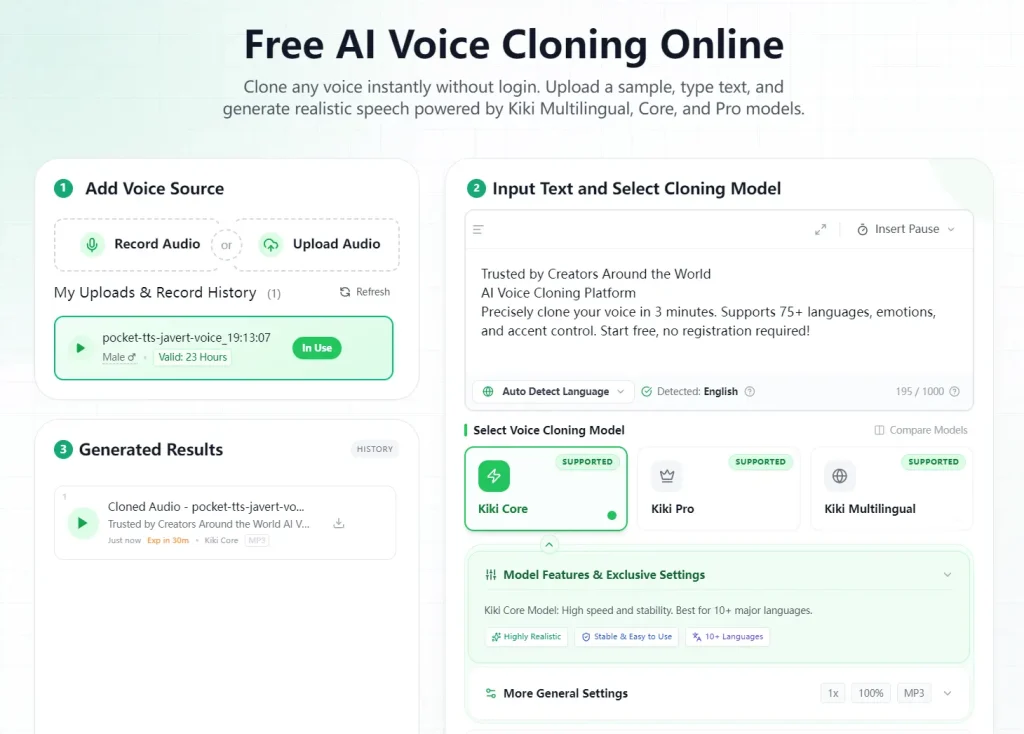
KikiVoice clones a voice from 3-10 seconds of audio and generates speech across 75+ languages from that clone. Three internal model types (Core, Pro, and Multilingual) give you options for speed, quality, or cross-lingual output.
The tool runs in a browser with MP3/WAV export. Credits reset weekly at roughly 20,000-40,000 characters per week, and you can request additional credits through a form for larger projects.
Free plan:
- Weekly free credits.
- MP3/WAV export included.
- No paid plan.
Pros:
- Browser-based workflow.
- Weekly credit reset.
- No paid upgrade required.
Cons:
- No paid path for users who need to scale.
- Less polished than commercial platforms.
Website: https://kikivoice.ai
Magic Hour: Instant Browser Cloning, No Account Required
Best for: Creators who need a fast cloned voice draft, placeholder narration, or a proof-of-concept clip.
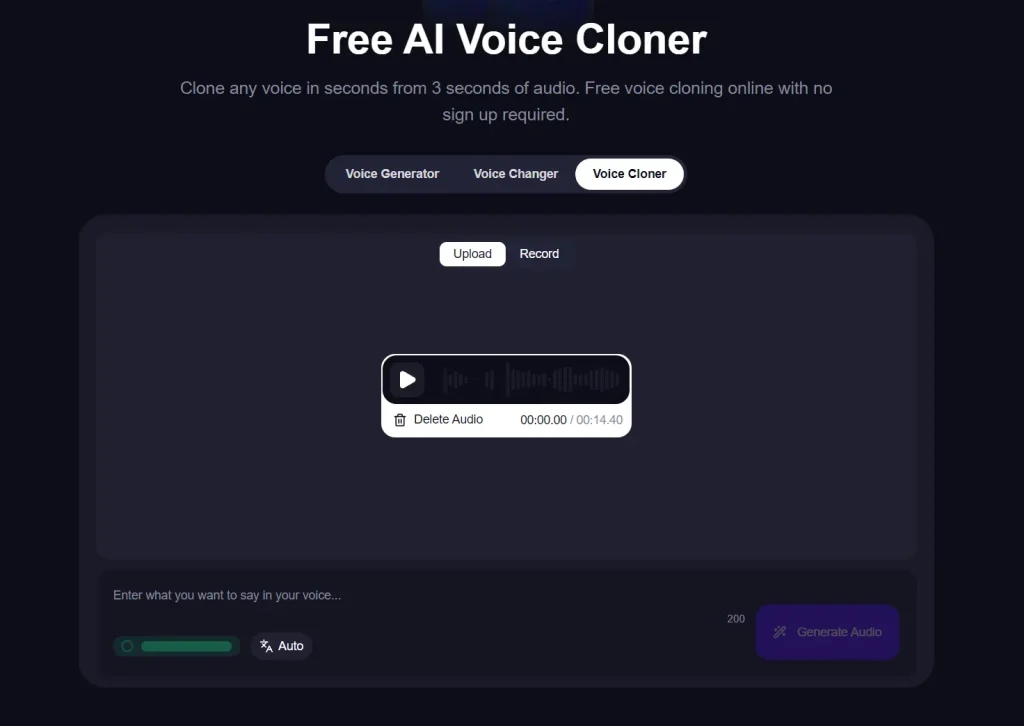
Magic Hour’s voice cloner runs entirely in a browser. Upload or record a 3-second sample, type text, and get a cloned voiceover. No account required. Three free voice clones per day reset daily, and signed-in users receive additional credits.
Its value is speed. It works well for placeholder narration, quick tone checks, and short line replacements.
Free plan:
- 3 voice clones per day.
- No signup required for first use.
- Downloads included on free.
Pros:
- Good for placeholder narration.
- Simple browser workflow.
- Useful for quick line tests.
Cons:
- Not practical for long-form or batch workflows.
- Commercial use is gated behind payment.
Website: https://magichour.ai/products/ai-voice-cloner
Fish Audio: Production-Ready Cloning With API Access on a Free Tier
Best for: YouTubers, podcasters, and indie developers who want high-quality cloned TTS and API access on a recurring free plan.
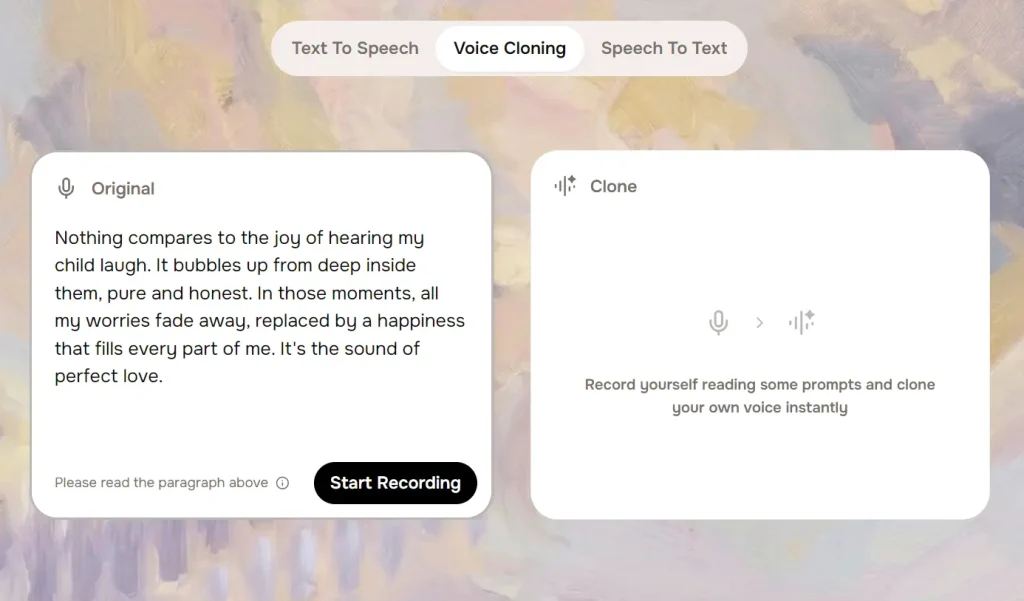
Fish Audio’s S1 model supports expressive cloned speech with emotion and tone controls. Instant voice cloning needs only a short audio sample.
The platform carries 200,000+ community voices alongside personal clones, and the REST API and SDK let developers integrate cloned voice generation into apps or narration pipelines.
The free tier gives 8,000 credits per month, roughly 7 minutes of S1 output, with three public clone slots and a monthly reset.
The free plan is personal, non-commercial use only. Anyone monetizing content from cloned speech must upgrade even at low output volume.
Free plan:
- 8,000 credits/month (~7 min S1 output), monthly reset.
- 3 public clone slots.
- Personal/non-commercial use only.
Pros:
- Emotion and tone controls.
- Large community voice library.
- Good hosted developer workflow.
Cons:
- Non-commercial restriction blocks monetized use on free.
- 7 minutes/month is insufficient for long-form content.
Website: https://fish.audio
AnyVoice: Five Clone Slots and 15 Minutes Per Month
Best for: Budget creators and developers who want to maintain several distinct voice personas and test them against a real monthly quota.
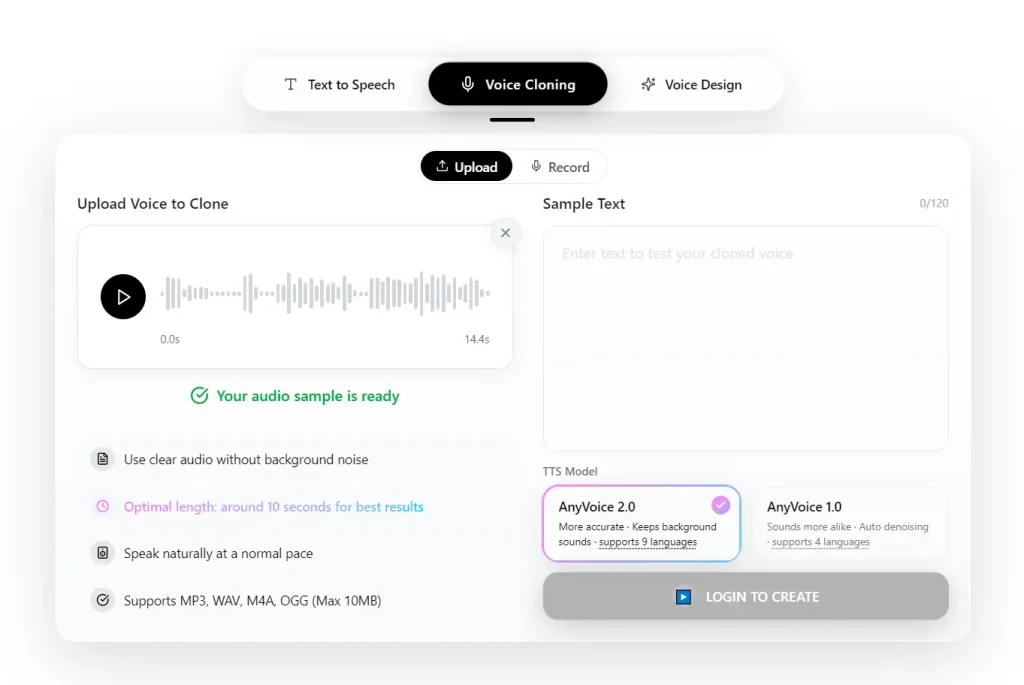
AnyVoice allows up to five voice clone models on its free tier, which makes it useful for testing several voice personas without paying upfront.
The monthly quota is 900 seconds (15 minutes) of generated audio, enough to narrate a few short videos or evaluate multiple voice personas for an app prototype. Free-tier generation runs slower than paid, but the output is functional for real workflow evaluation.
Its main advantage is simple voice persona testing without paying up front.
Free plan:
- 900 seconds/month.
- 5 voice clone models.
- 120 characters per generation call.
Pros:
- Useful for voice persona testing.
- More room than trial-only tools.
Cons:
- 120-char/call limit requires stitching for longer scripts.
- Paid tier pricing details not clearly published.
Website: https://anyvoice.net
Vocloner: Daily Character Reset for Short Recurring Output
Best for: Students, short-form video creators, and anyone producing small amounts of narration on a daily recurring basis.
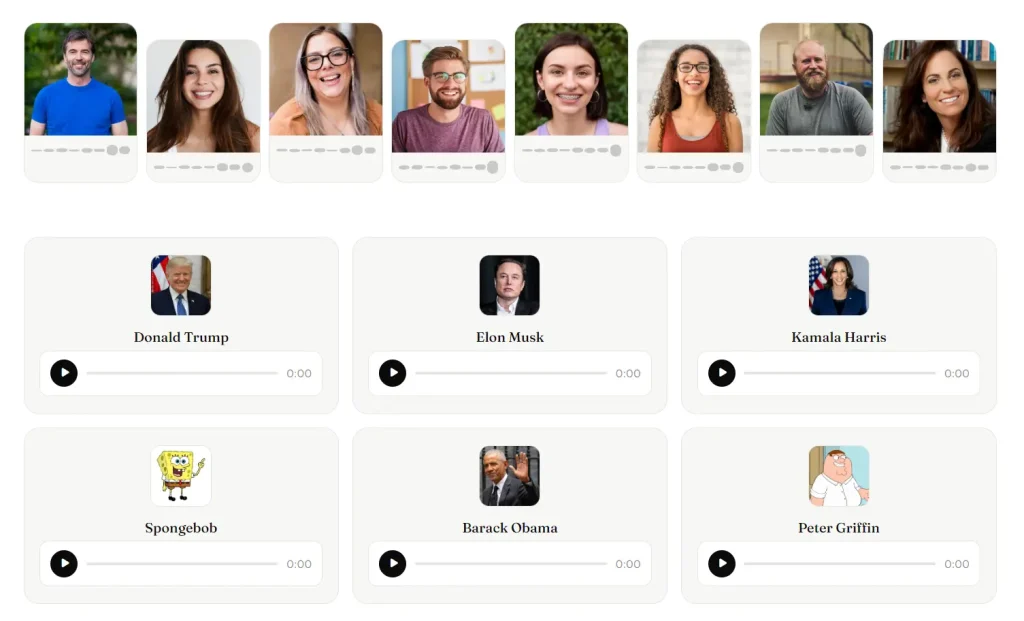
Vocloner clones a voice from uploaded audio and generates multilingual speech from text. The free plan allows 1,000 characters per day with a 200-character-per-request cap and three active clone slots.
The daily reset is more useful for consistent short-form work than a monthly credit pack. Podcast intros, social hooks, and recurring narration snippets stay practical across many days. Free output is for personal use only.
Free plan:
- 1,000 characters/day.
- 200 characters/request.
- 3 active voice clones.
Pros:
- Good for daily short snippets.
- Clear quota structure.
- Low-cost upgrade path.
Cons:
- 200 chars/request is too short for full paragraphs.
- Thin documentation on quality, languages, and formats.
Website: https://vocloner.com
Best Free AI Voice Cloning Tools by Use Case
| Use case | Best pick |
|---|---|
| Realistic narration | OpenVoice or Fish Audio |
| Fast browser cloning | Magic Hour |
| Character voices | Fish Audio |
| Multilingual dubbing | KikiVoice or OpenVoice |
| Developer/API workflows | OpenVoice or Fish Audio |
| Most generous free plan | OpenVoice or Voicebox |
FAQs
Q: What is the best free AI voice cloning tool?
A: OpenVoice is the best free AI voice cloning tool for users who can handle self-hosting. It has no vendor character caps and permits commercial use under the MIT license. Fish Audio is better for creators who want a hosted tool, while KikiVoice is easier for free multilingual browser testing.
Q: Are free AI voice cloning tools good enough for real content production?
A: Yes, at short-form volume. Fish Audio’s S1 model produces cloned speech at a quality level that holds up in actual video and podcast content. The constraint for SaaS tools is output volume, not quality; free plans cap monthly minutes or characters. Open-source tools remove that cap but require hardware setup. Sustained production work above a few clips per week typically requires either a local setup or a paid plan.
Q: What is the difference between AI voice cloning and text-to-speech?
A: Text-to-speech tools generate speech from a library of prebuilt synthetic voices. Voice cloning tools create a model from real audio of a specific speaker and generate new speech that preserves that speaker’s vocal identity. The core difference is that cloning outputs speech the original speaker never recorded, in their actual voice, not a generic preset voice that could belong to anyone.
Q: Which free AI voice cloning tool is best for narration?
A: OpenVoice works best for narration at volume; no vendor output cap and cross-lingual support across six languages. Fish Audio works best for narration that needs high perceptual quality with less technical setup, up to the 8,000-credit monthly limit.
Q: Which free AI voice cloning tool is best for developers?
OpenVoice covers unlimited cross-lingual cloning under an MIT commercial license. Voicebox adds a local desktop option for Mac and Windows users who prefer a built-in UI. Fish Audio is the strongest option for developers who want a managed API with a real free sandbox before committing to a paid plan.
Q: Can you use multiple AI voice tools together in one workflow?
Yes. A common setup pairs OpenVoice or Voicebox for bulk local generation with Fish Audio for high-quality final outputs or client-facing clips. Local and SaaS tools do not conflict; all output is audio files that any editor or pipeline can import.
Final Thoughts
The best free AI voice cloning tool depends on how much setup you can tolerate. OpenVoice and Voicebox offer the most freedom because they run locally or self-hosted, but they require more technical work. Fish Audio, KikiVoice, Magic Hour, AnyVoice, and Vocloner are easier to start with, though their free plans limit output, commercial use, or long-form production.
For most users, the practical choice is simple: choose OpenVoice or Voicebox for control and volume, Fish Audio for higher-quality hosted narration, KikiVoice for multilingual testing, and Magic Hour for quick drafts. Start with one primary tool and add a second only if your workflow needs it.
Related resources
- Free AI Audio & Voice Tools: Browse more free AI tools for voice cloning, text-to-speech, transcription, music generation, and speech workflows.