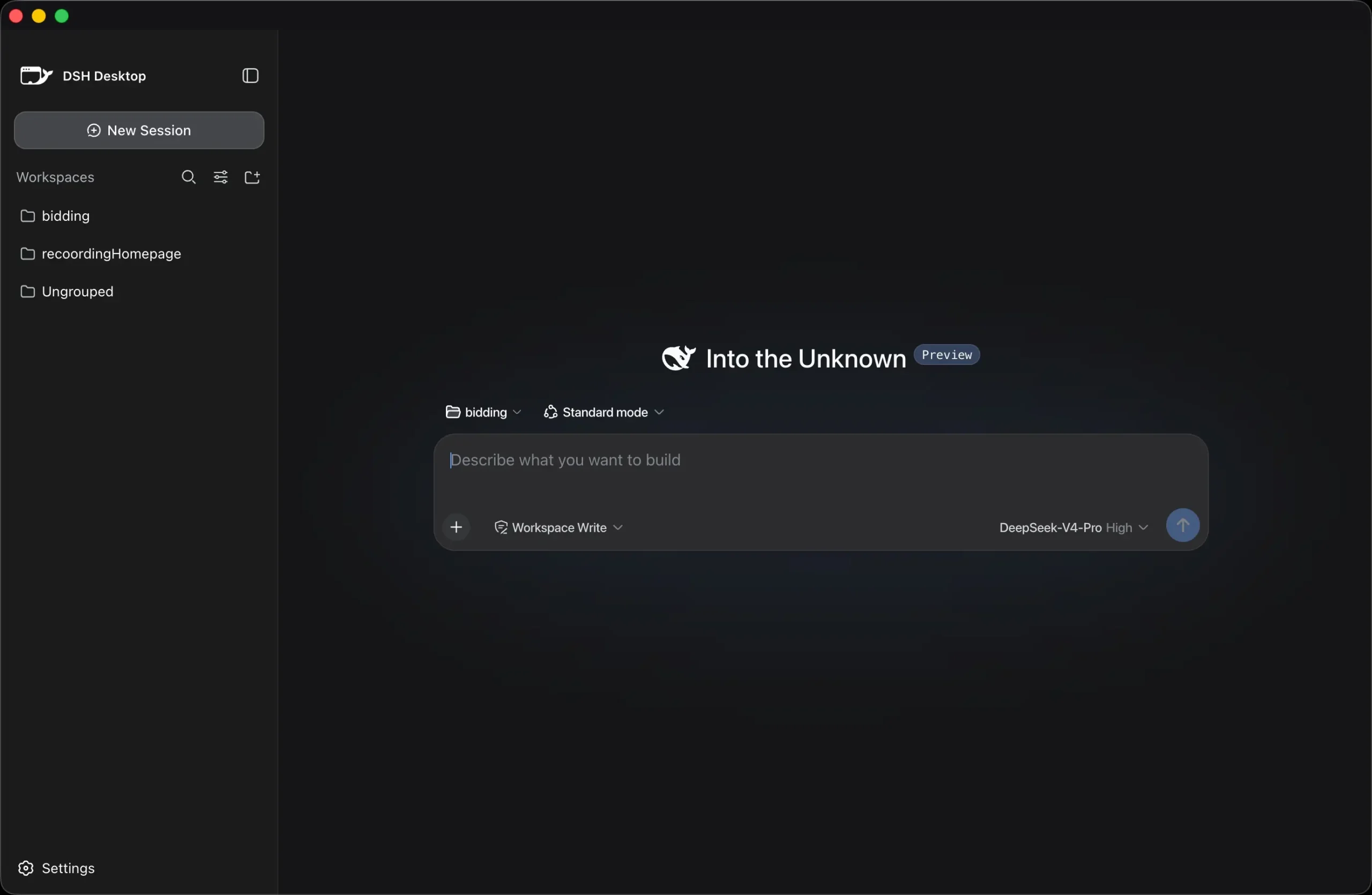
DSH Desktop is a free desktop app that packages DeepSeek Harness as an installable desktop application for macOS and Windows. It starts the local Harness process, selects a random loopback port, keeps app data on the computer, and closes the Harness process when you quit.
The app removes several command-line steps from everyday DeepSeek Harness use. You do not need to install Node.js or start dsh web manually. Project selection, agent sessions, plugins, and the rest of the DSH experience continue inside Harness itself.
What DSH Desktop Changes
DeepSeek Harness contains the agent runtime, Web UI, profiles, tools, skills, sessions, and plugin system. DSH Desktop handles the desktop process around that runtime.
At startup, the app creates its own Harness launch directory and starts Harness as a child process. It selects a random 127.0.0.1 port, waits until Harness responds, and opens the Harness UI in the desktop window.
App data such as profiles, sessions, plugins, and logs is stored under the desktop application’s user-data directory.
| DSH Desktop handles | |
|---|---|
| Startup | Launches the local Harness process |
| Networking | Selects a random loopback port |
| Projects | Uses the Harness directory picker |
| Sessions | Stores session data under the app data directory |
| Models | Configures supported providers and credentials |
| Failures | Offers retry, log viewing, restart, and reset controls |
| Updates | Checks installed builds for desktop releases |
| Presets | Imports and exports .dshpreset packages |
Install DSH Desktop and Connect a Model
On first launch, choose a provider and enter the API key for that service. DSH Desktop configures the provider entry and model list, then opens DeepSeek Harness for project work.
API usage follows the account, billing, quotas, and data policies of the provider you select. DSH Desktop does not include model credits.
| Provider | Services |
|---|---|
| Model vendors | DeepSeek, OpenAI, Anthropic, Google Gemini, xAI, Moonshot/Kimi, MiniMax, Zhipu GLM, Mistral AI |
| Aggregator | OpenRouter |
| Inference platforms | Groq, Together AI |
Install DSH Desktop and Connect a Model
On first launch, choose a provider and enter the API key for that service. DSH Desktop configures the provider entry and model list, then opens DeepSeek Harness for project work.
API usage follows the account, billing, quotas, and data policies of the provider you select. DSH Desktop does not include model credits.
| Provider group | Services |
|---|---|
| Model vendors | DeepSeek, OpenAI, Anthropic, Google Gemini, xAI, Moonshot/Kimi, MiniMax, Zhipu GLM, Mistral AI |
| Aggregator | OpenRouter |
| Inference platforms | Groq, Together AI |
Work With Projects and Sessions
DSH Desktop creates an internal launch directory when it starts. Your actual project folders are chosen from DeepSeek Harness, where you can switch the active workspace through its directory picker.
Profiles, sessions, plugins, logs, and related data stay outside the application installation directory.
The local Harness server listens on a random 127.0.0.1 port. The Electron renderer runs with context isolation, sandboxing, navigation restrictions, and no Node.js privileges.
Move Agent Presets Between Computers
Custom Agent presets can be exported as .dshpreset packages and imported into another DSH Desktop installation. A preset can carry the configuration needed to recreate a prepared Agent on another computer.
Use Community Plugins
DeepSeek Harness uses plugins for many parts of the agent system, and DSH Desktop works with that ecosystem.
Best DeepSeek Harness Plugins: Find community plugins for memory, terminals, visual tools, search, browser control, and agent extensions.
Connect From a Phone
DSH Desktop includes mobile access for a Harness session running on your computer. The pairing window supports local Wi-Fi and a public Cloudflare Quick Tunnel.
Local Wi-Fi keeps the connection on your network. The public option starts cloudflared, creates a temporary trycloudflare.com HTTPS address, and refreshes the pairing link and QR code. No Cloudflare account is required for the Quick Tunnel.
Use the local option when the phone and computer share a trusted network. The public tunnel exposes a temporary internet-accessible entry point to the desktop bridge and should be enabled only when remote access is needed.
Updates and Recovery
Installed macOS and Windows builds check for desktop updates after startup and every six hours. Updates download in the background and prompt for a restart when ready.
If DeepSeek Harness fails during startup, DSH Desktop can show its log, retry the launch, restart the DSH process, or exit.
Pros
- Multi-provider onboarding with model lists.
- Local storage for sessions, profiles, plugins, and logs.
- Portable Agent preset packages.
- Desktop updates and recovery controls.
- Optional phone access.
Cons
- No Windows ARM64 or Linux installer.
- Hosted models require provider credentials.
Who Should Use DSH Desktop?
DSH Desktop suits people who want DeepSeek Harness in a desktop application and do not want to start its Web UI from a terminal each time.
It works best if you use several model providers, keep ongoing DSH sessions, share Agent presets, or want desktop recovery controls around the local DSH process.
Alternatives & Related Resources
- DeepSeek Harness: Learn how the underlying agent runtime, profiles, tools, sessions, CLI, Web UI, and Python SDK work.
- DeepSeek Timeline: Follow DeepSeek model, API, and Harness release milestones.
- Reasonix: Explore a local coding agent that supports DeepSeek and other compatible model providers.
FAQs
Q: Is DSH Desktop an official DeepSeek application?
A: No. DSH Desktop is an independent community desktop wrapper built around DeepSeek Harness.
Q: Do I need Node.js to use DSH Desktop?
A: No. The downloadable desktop builds include what normal app use requires. Node.js 22 or later and npm are needed for source development.
Q: Is DSH Desktop free?
A: Yes. The app and its source code are MIT licensed, and downloads are free from the official site. You need your own API key for any provider besides DeepSeek.