Autonomous Company is an open-source AI agent framework that uses Claude Code or Codex CLI to research business ideas and develop applications over a series of work sessions. Give it a product idea, and its agents can research the opportunity, plan features, write code, test changes, and continue development from their earlier decisions.
The framework also lets the agents investigate ideas of their own. Each work cycle records the product’s progress and next task for the following session. From the local Product Center, you can launch projects, review the agents’ work, and follow several product builds at once.
Key Features
- Researches business ideas and develops applications through recurring AI agent cycles.
- Uses 14 specialist agent roles for product planning, engineering, design, QA, and business decisions.
- Runs with Claude Code by default or Codex CLI as the coding engine.
- Records decisions and unfinished tasks for later agent sessions.
- Manages multiple product builds from a local browser dashboard.
- Runs up to four projects concurrently by default, with an adjustable limit.
- Shows work journals, generated files, application previews, and model usage records.
- Lets you direct future work, set usage budgets, and authorize publication.
How Autonomous Company Builds a Product
You can begin with a specific application, a business problem, or an open-ended request to explore ideas. Autonomous Company uses its coding agent to investigate a direction, assess possible products, and move into implementation. An agent working on a client-approval app, for example, could research the required approval steps, create the web pages, implement the form interactions, and refine the application across later sessions.
Each cycle gives the coding agent the current product direction and the relevant work completed earlier. The agent selects a task, edits project files, runs available checks, and writes a record of its decisions and the next action. The next cycle reads that record and continues the product. You can inspect the accumulated code, reports, and work history as the application develops.
A Team of Specialist Agent Roles
Autonomous Company defines 14 roles across business strategy, research, finance, product development, design, engineering, testing, deployment, and marketing. For a new product idea, the agent can work with market research, finance, and product roles. During development, it can call on engineering, UI design, QA, and DevOps roles.
The roles are instruction sets used by the selected coding agent. Actual delegation and parallel subagent execution depend on the agent engine and its available capabilities.
| Agent Role | Primary Responsibility |
|---|---|
| CEO | Product strategy and business direction |
| CTO | Technical architecture and system design |
| Inversion | Risk analysis and failure prevention |
| Product Design | User needs and product usability |
| UI Design | Layouts, typography, and UI components |
| Interaction Design | User flows and interaction patterns |
| Full-Stack | Frontend and backend development |
| QA | Testing, debugging, and quality assurance |
| DevOps/SRE | Deployment, automation, and reliability |
| Marketing | Positioning, branding, and audience growth |
| Operations | Business processes and execution |
| Sales | Customer acquisition and sales workflows |
| CFO | Pricing, costs, and financial planning |
| Research Analyst | Market research and competitive analysis |
Work Memory Across Agent Sessions
Autonomous Company stores product decisions and the next action in memories/consensus.md. Project repositories, working documents, logs, and run records preserve the code and progress associated with each product. Subsequent model calls read the recorded work and pick up the next task. Each cycle starts a fresh agent invocation.
You can change the product’s direction by updating Next Action after stopping the active run. Place continuing instructions in Human Overrides. Autonomous Company preserves those instructions as the agent updates its work record. You can direct the team to refine an existing app, implement a new feature, or change development priorities.
Run Multiple Projects in the Product Center
The Product Center is a local browser dashboard for creating and managing product work. Open New work, enter a project direction, and select the AI engine, model, reasoning effort, and product language. You can submit several products together, including groups with different model settings. Saved configuration templates help when you regularly use particular engine and model combinations.
Select Start work to authorize a request for execution when capacity is available. The Enqueue option saves it in the work queue for later dispatch. The center can run four independent projects concurrently by default, and you can change that number in the queue settings. Each project has its own work history and execution context.
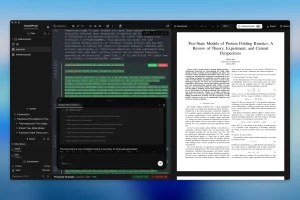
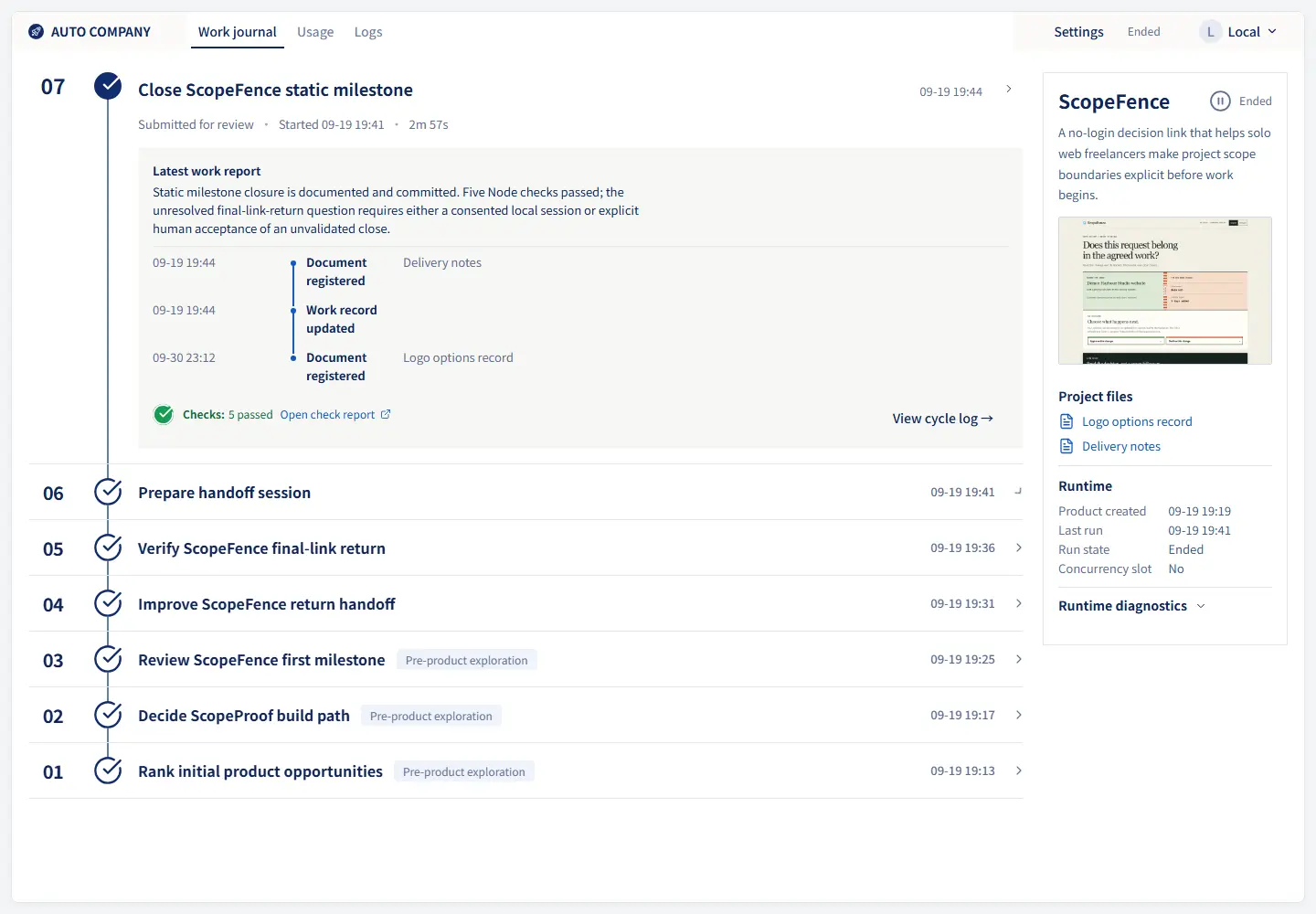
When you open a project, you can inspect its recent agent cycles, work summaries, generated files, and recorded usage. For applications with a working preview, the Product Center can open the app and display captured screenshots. You can return to an earlier cycle to review how the product changed, or use the controls to pause the queue and stop a particular run.
Import an earlier Autonomous Company run to review its project history. To resume that product, register its original execution records and explicitly take control of the run. The dashboard is available in English and Simplified Chinese, and new projects can have their own language setting.
Example Applications
- ScopeFence: A client approval page for recording decisions about project scope, pricing, and delivery dates.
- Image Checklist: A local utility that checks image dimensions, file sizes, formats, and filenames and exports a checklist.
- COI Chase Desk: A document follow-up app for tracking requests, received records, and follow-up history.
How to Install and Start Your First Project
Autonomous Company runs locally on Linux or Windows with WSL2. You need Python 3.10 or later, Git, make, an authenticated Claude Code or Codex CLI installation, and available model access.
1. Download Autonomous Company
Open a Linux terminal or WSL2 shell and clone the repository from GitHub. Run the isolation check from the project directory.
git clone https://github.com/MaxMiksa/Autonomous-Company.git
cd Autonomous-Company
python3 scripts/core/project_isolation.py --check
2. Open the Product Center
Launch the local dashboard and open http://127.0.0.1:8810/center in your browser.
make center
3. Create and Run an App
Select New work and enter a task, such as building a small client-approval web app. Choose your authenticated Claude Code or Codex CLI agent, select Start work, and submit. The Product Center creates the project and starts its work when an execution slot becomes available.
Open the new project to view its recorded work cycles, current tasks, and generated files. As the agent generates a runnable web app, you can inspect the available preview and follow its subsequent revisions from the project journal.
Run the Agent Loop From the Terminal
You can also run one product loop directly in the terminal. In this example, the first command starts the default Claude Code engine with its interactive permission setting, and the second starts Codex CLI.
CLAUDE_PERMISSION_MODE=default make start
# Or use Codex CLI
ENGINE=codex make start
Useful Commands
| Task | Command |
|---|---|
| Open the Product Center | make center |
| Start a Claude Code loop | CLAUDE_PERMISSION_MODE=default make start |
| Start a Codex CLI loop | ENGINE=codex make start |
| View loop status | make status |
| Follow execution logs | make monitor |
| View the last cycle | make last |
| Review cycle history | make cycles |
| Stop the active foreground loop | make stop |
| Pause a background service | make pause |
| Resume a background service | make resume |
| Review daily usage | make usage-day |
AI Engines and Running Costs
Autonomous Company uses your existing AI coding agent like Claude Code and Codex. Your model subscription or API account determines the available models and the cost of agent execution.
Each additional research, coding, or revision cycle consumes model usage from the selected provider. The Product Center displays reported token usage and USD costs where those figures are available from the engine. You can configure daily or weekly budget warnings and hard limits in .auto-loop.env.
Autonomous Company also has an optional OpenAI-compatible engine adapter for a configured model endpoint.
Pros
- Can progress from a product idea to application code across multiple work cycles.
- Uses specialist roles for both business evaluation and product development.
- Manages several independent projects and their results in one local dashboard.
- Records project history, execution usage, and subsequent work priorities.
Cons
- Requires a configured Linux or WSL2 environment and access to a coding-agent engine.
- Repeated agent calls can consume substantial model quota or API credits.
Alternatives & Related Resources
- Open-Source AI Agent Orchestration for AI Companies – Paperclip
- OpenOPC: Run a Self-Organizing AI Company That Recruits & Executes
- The Ultimate Claude Code Resource List: Agents, Skills, Plugins & More
- The Ultimate Codex Resource List: Skills, Plugins, MCP, SDKs & More