Cloudflare OS is an open-source AI agent workspace that Cloudflare built for its own workforce and now publishes on GitHub under an Apache-2.0 license. Runs on Cloudflare Workers.
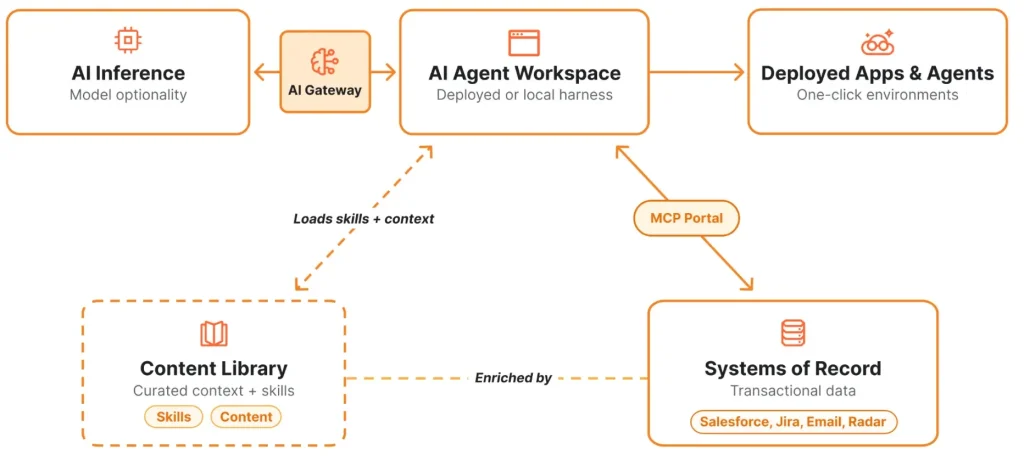
It combines agent workspaces, company-specific context, sandboxed personal apps called Gadgets, and controlled access to internal services.
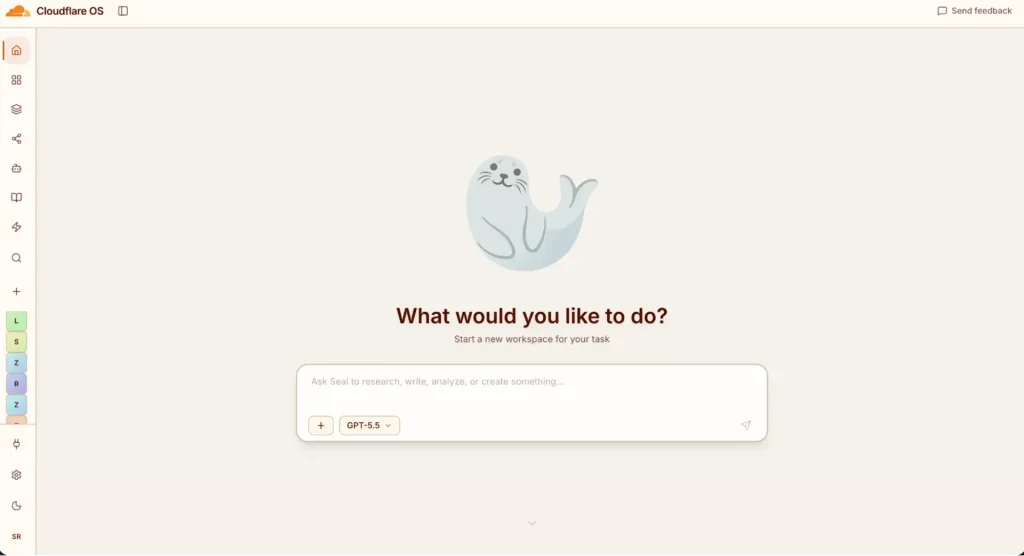
A workspace starts with a conversation and keeps the files, state, connected resources, and outputs associated with the task.
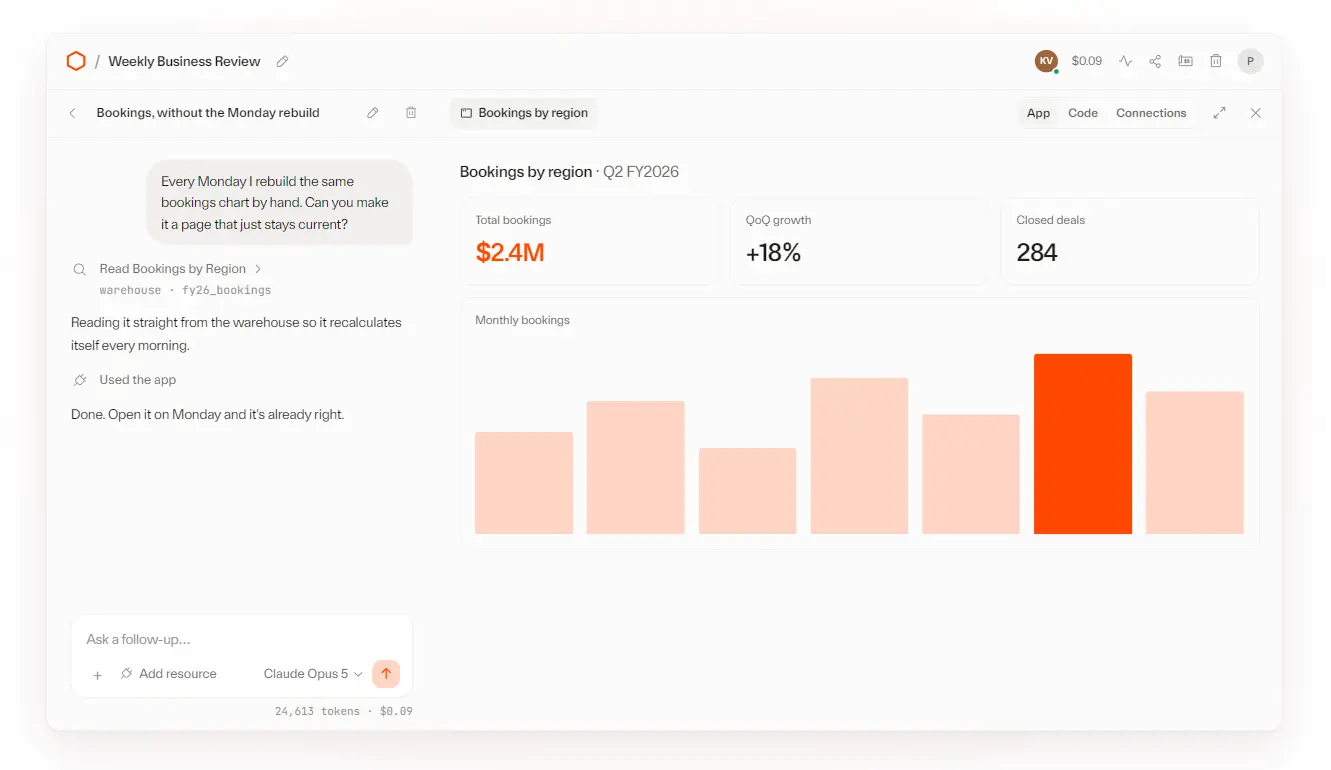
Repeated work moves into a Gadget with its own code, database, interface, and agent-friendly API.
Your teams share the working app for collaboration or publish a Blueprint that creates independent copies.
What Cloudflare OS Does
Cloudflare OS organizes AI work around a persistent workspace. The workspace contains agent sessions, files, outputs, resource connections, and an isolated runtime where the agent writes and executes code.
Company context enters the workspace as curated instructions, terminology, procedures, and reusable skills. A sales team loads proposal rules and account terminology. An engineering team adds architecture standards and review procedures. Each agent session starts with the context selected by the organization.
The platform also turns one-off conversations into reusable software. A generated report becomes a live dashboard. A recurring document task becomes an app that reads current data. Deterministic steps run as application logic, while model calls handle the parts that require interpretation or generation.
Key Features
- Runs a general-purpose coding agent, called Code Mode, that writes and executes code directly and completes tasks.
- Creates a private, sandboxed Gadget for each generated application, isolated in its own Dynamic Worker Facet and backed by a Durable Object.
- Only resources a user binds to it through Workers Bindings become reachable.
- Runs each Gadget’s client inside a sandboxed iframe that communicates with its own server over Cap’n Web RPC and cannot reach the internet directly.
- Connects agents and Gadgets to outside services through Gatekeepers, with packages available for GitHub, Google, Cloudflare, Supabase, Notion, Confluence, Slack, Spotify, ZoomInfo, Home Assistant, and email.
- Queues actions with side effects for human approval and simulates the result locally. The agent proceeds with follow-on steps immediately; approval happens later, in bulk or one by one.
- Grants zero standing access by default; a user or agent must explicitly introduce a resource before an agent or Gadget can use it.
- Runs agents on demand, on a schedule, or triggered by an event, in addition to one-off chat prompts.
- Shares work two ways: a live Gadget link for real-time multiplayer editing, or a Blueprint that gives each recipient an independent copy of the code.
- Works with multiple LLM providers and self-hosted models as the underlying model source for agents.
How to Try Cloudflare OS
Run Cloudflare OS Locally
Install pnpm, clone the repository, and run the local launcher:
git clone https://github.com/cloudflare/cloudflare-os.git
cd cloudflare-os
pnpm run-local
Open http://localhost:8787 after the build finishes. The launcher installs dependencies when needed, builds the required packages, and starts the frontend and backend through Wrangler and workerd. Local state is stored under the repository’s .wrangler directory.
Deploy It to a Cloudflare Account
The hosted Cloudflare OS deployment flow builds and deploys the upstream project into your Cloudflare account. It uses a workers.dev address and exposes the /admin area for branding, announcements, instructions, featured Blueprints, and connector controls.
Use the Cloudflare OS starter repository for a custom domain, pinned upstream releases, custom Gatekeepers, explicit storage resources, observability settings, and controlled upgrades.
AI is disabled by default in the starter. Add Workers AI or configure AI Gateway when the deployment needs model inference.
How the Gadget Workflow Works
1. Open a workspace and describe the result. Ask for a slide deck, issue dashboard, collaborative whiteboard, report, or small internal application.
2. Introduce the required resources. Attach a repository, document, dataset, or connected account. The workspace receives access to the selected resource through a Gatekeeper or configured MCP connection.
3. Review the generated work. The agent writes code, runs it inside the workspace, and returns an editable output or Gadget.
4. Keep the workflow as an app. The Gadget stores its own state and exposes server methods callable from the browser interface and the agent.
5. Share the result. Invite collaborators to the same Gadget or publish a Blueprint that creates a separate copy with fresh data, credentials, and connections.
Pricing and Deployment Costs
The Cloudflare OS source code is free under Apache 2.0. The project has no separate Cloudflare OS subscription.
The production architecture uses Dynamic Workers. Cloudflare currently limits Dynamic Workers to Workers Paid, which starts at $5 per month. Dynamic Worker creation, requests, CPU time, Durable Objects, KV, R2, Browser Rendering, and other Cloudflare services add charges beyond their included usage.
AI inference creates a separate cost layer. The starter deploys with AI disabled. Workers AI includes a daily free allocation, while higher usage requires Workers Paid and usage billing. Third-party model calls use provider billing or Cloudflare AI Gateway Unified Billing, based on the deployment configuration.
AI Gateway’s core analytics, caching, and rate-limiting features are available across Cloudflare plans.
Pros
- Apache-2.0 source code
- Shared company context
- Sandboxed personal applications
- Narrow resource permissions
- Deferred action approvals
- Reusable Blueprint packages
- Real-time team collaboration
- Central model cost controls
Cons
- Cloudflare-centered production stack
- Paid Dynamic Workers requirement
- OAuth setup per integration
Alternatives & Related Resources
- Odysseus: Free Self-Hosted AI Workspace with Chat, Agents, and Email
- Free AI Workspace for Teams and Agents – Kanwas AI
- Open-Source AI Agent Orchestration for AI Companies – Paperclip
- Self-Hosted Task Management with AI Agents – Weft
- Automate Anything: 10 Best & Open-source AI Agents