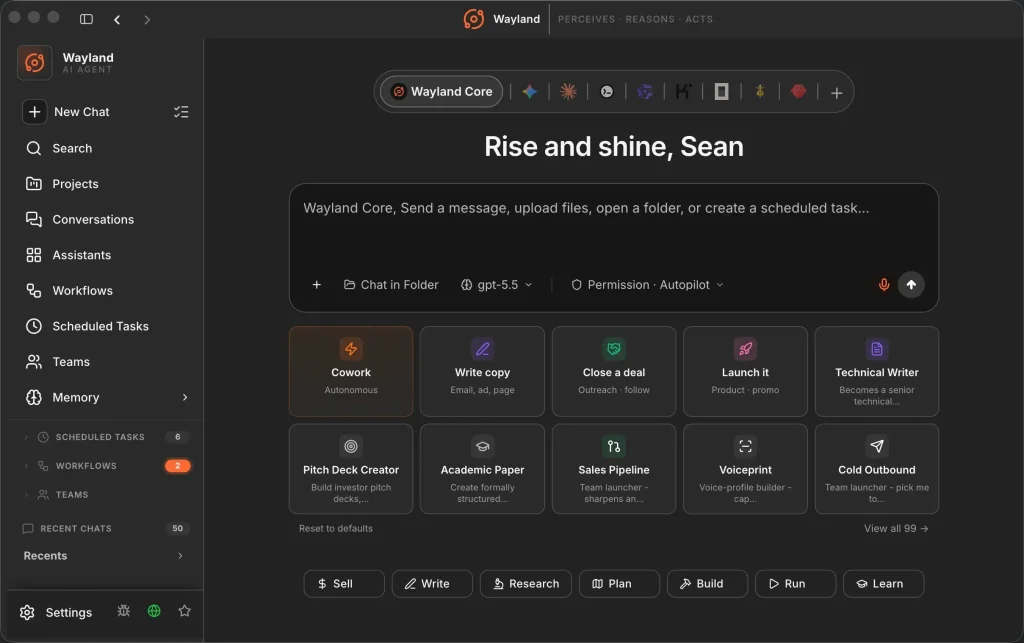
Wayland is a free, local-first desktop AI agent that runs on your device and drives Claude Code, Codex, Gemini, and a dozen more CLIs from a single command center.
The app bundles a Rust engine (Wayland-Core) and stores your keys, files, and shell commands locally. No subscription or account required.
Each AI coding CLI you already use has its own memory silo and no connection to the others. You paste keys into five different apps, restart context in each one, and manually copy outputs from one into the next.
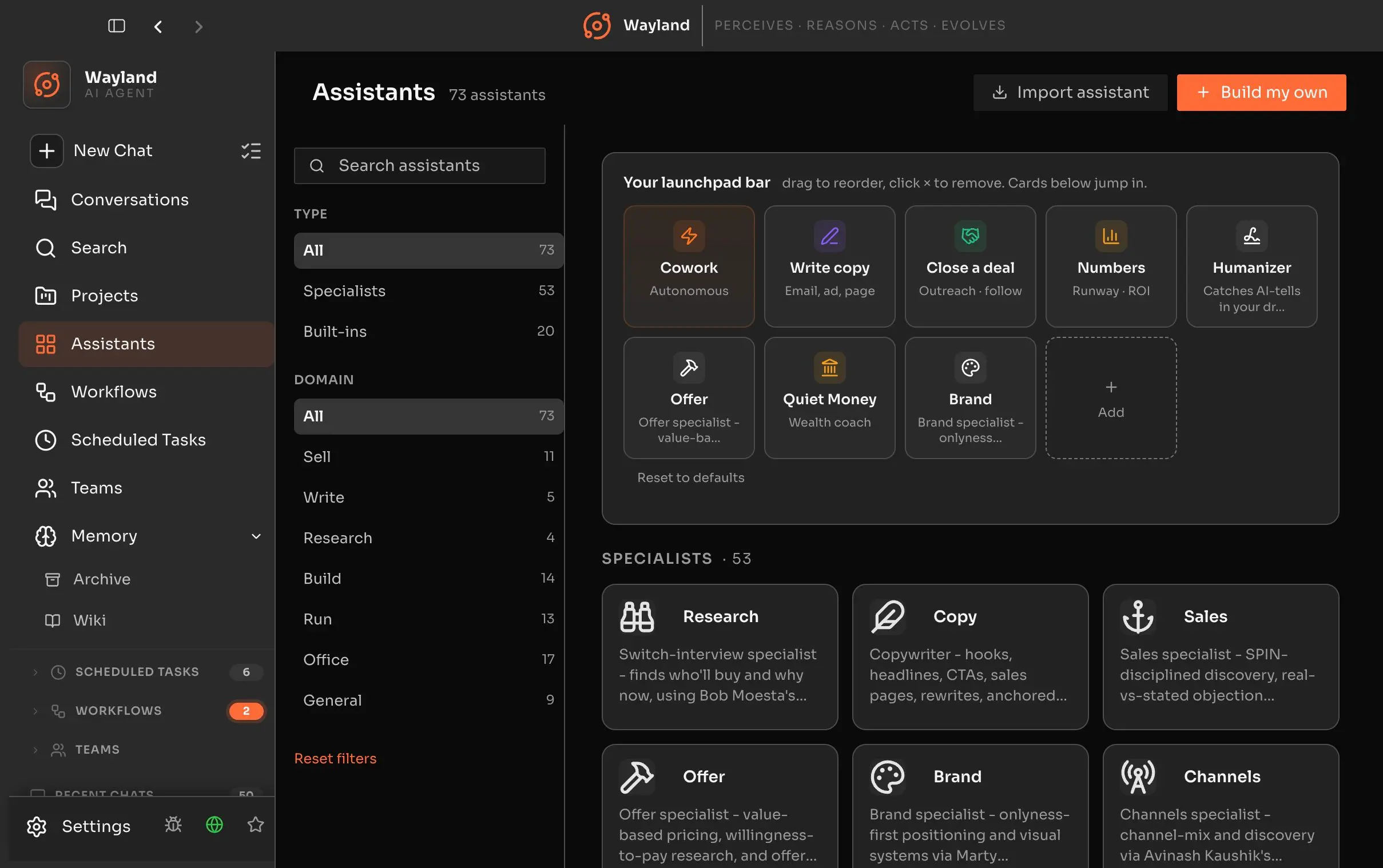
Wayland treats those CLIs as a coordinated team: shared memory across every agent, 176 ready-made workflows, 26 self-assembling specialist teams, 73 pre-trained assistants, and a task scheduler that runs jobs on cron as you work elsewhere.
The app connects to those external CLI agents through ACP (Agent Client Protocol), and each one runs under its own auth as Wayland orchestrates from above.
This is not a chat wrapper on one model. Wayland is a full agent in its own right, with its own Rust engine, file tools, a five-partition SQLite memory system, an 80-plus MCP connector library, and 25 messaging channels for remote control from a phone or browser.
Features
- Commands 13-plus ACP CLI agents, including Claude Code, Codex, Gemini, Goose, Qwen Code, Kimi Code, Cursor Agent, GitHub Copilot, OpenCode, Hermes, OpenClaw, and more.
- 5-partition SQLite-backed memory: working, episodic, semantic, procedural, and a model of the user, spanning session, project, and global tiers.
- 176 ready-made workflows covering business, content, software, and creative tasks.
- 73 pre-trained assistant specialists across research, writing, sales, operations, and strategy.
- 26 self-assembling AI teams, each led by a natural-language manager that coordinates specialists on a shared blackboard.
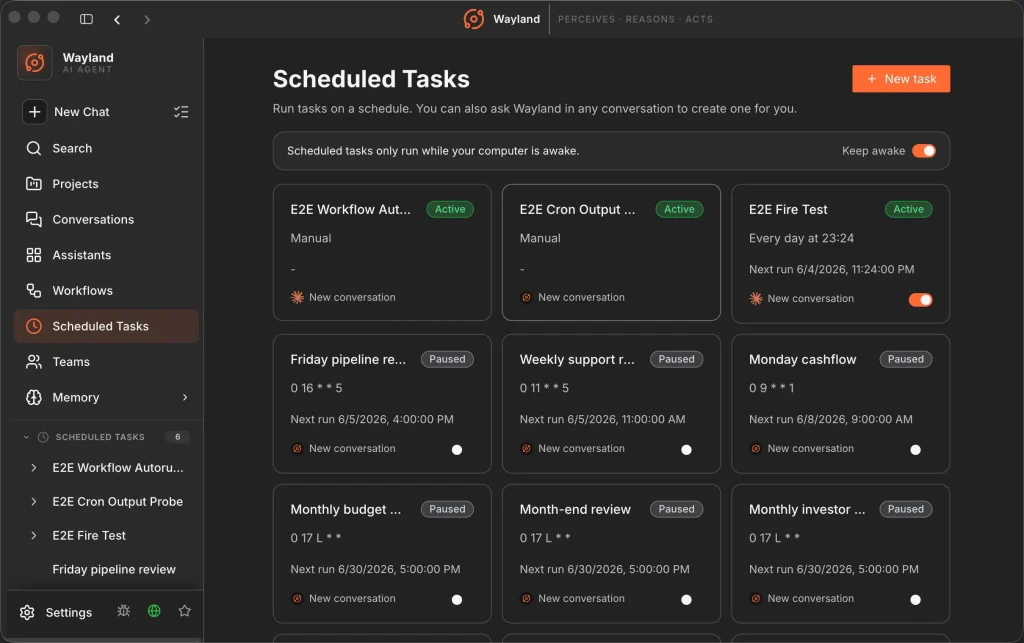
- Task scheduler runs any recurring job daily, weekly, monthly, or on a custom cron expression.
- Mission Control live view tracks every active team task and scheduled job with real-time status and owner data.
- 80-plus MCP integrations like Gmail, Google Workspace, Stripe, Slack, Asana, and Microsoft 365.
- 25 messaging channels for remote control: Telegram, WhatsApp, Slack, Discord, Signal, iMessage, SMS, Teams, email, Matrix, LINE, IRC, Twitch, and more.
- Remote web UI accessible by QR code scan from any phone or browser as the desktop keeps running in the background.
- Constitution file applies global rules to every agent turn, with per-specialist overrides.
- Built-in image generation wired to multiple providers on your own keys.
- Offline voice in and out via a bundled Whisper model.
- Fully local mode with Ollama for air-gapped or privacy-first setups.
- Flux Router integration for optional multi-AI cross-audit and best-fit model routing across same-class models.
- Skills library with 2,000-plus curated Agent Skills auto-loaded on demand without consuming extra context.
- Projects workspace keeps chats, files, reference material, instructions, and scoped memory for one piece of work in one place.
- Self-improvement loop rewrites and scores skill prompts against an eval harness and promotes winning versions back into the library.
Use Cases
- Run Claude Code, Codex, and Gemini against the same codebase from one interface, switching models mid-task or routing by task type.
- Schedule a daily standup digest or weekly pipeline review to run automatically and land in its own conversation thread before you open your laptop.
- Manage a multi-week writing or research project with shared context that does not reset between sessions.
- Control running agents from your phone via QR-linked remote web UI as your desktop keeps running.
- Set global coding standards, tone rules, or no-touch zones in the Constitution file and enforce them across every agent and every session.
- Run a self-assembling content team across multiple platforms: a manager coordinates X, LinkedIn, Facebook, and email specialists working from one shared blackboard.
- Point Wayland at a local Ollama model for fully offline, air-gapped work on sensitive projects.
How to Use It
Install the desktop app
1. Download and install the desktop app for your platform.
2. Connect a model. Open Settings, then Models. Flux Router is the guided path for one-key routing across multiple models. You can also connect a provider directly with OAuth where supported, paste an API key, or import a key from the environment when the app detects one.
| Key | Where |
|---|---|
| Anthropic | ANTHROPIC_API_KEY env var or in-app (or sign in with Anthropic OAuth to use a Claude subscription directly) |
| OpenAI | OPENAI_API_KEY env var or in-app (covers Ollama, DeepSeek, and any OpenAI-compatible endpoint) |
| AWS Bedrock | in-app |
| Google Vertex AI | in-app |
| Flux Router | FLUX_API_KEY (optional, for multi-AI routing) |
3. Pick a default model or choose one per conversation. Wayland can set a default model for a provider, and the dashboard model selector can change the model per conversation. Different assistants can use different models.
4. Start with a planning pass for risky tasks. Plan mode matters when the task may edit files, run commands, call APIs, or touch production data. Start with a read-only plan, review the approach, then approve actions only after the plan matches your intent.
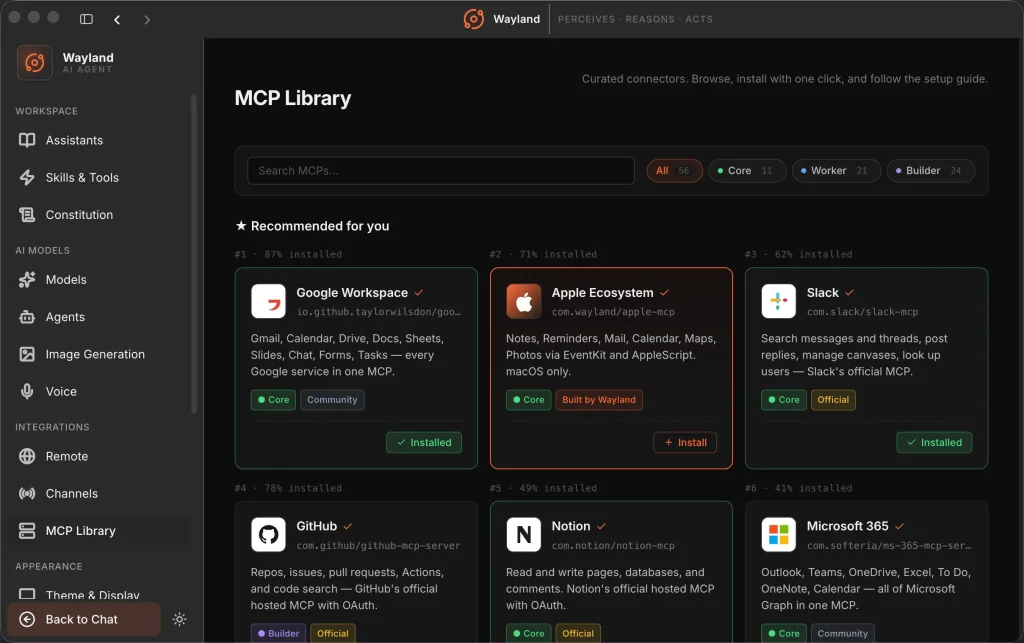
5. Add MCP servers when the built-in tools are not enough. Open Settings, then MCP Library. Install a listed server, or add a server manually with stdio, SSE, or streamable HTTP. Sync each MCP server only to the assistants that need those tools.
6. Use local models for sensitive work. Run Ollama or another OpenAI-compatible local server, set the base URL in Settings, and choose a local model id. For Ollama, the desktop setup uses a URL such as http://localhost:11434/v1.
7. Use remote access only behind a private network. Wayland’s WebUI can run on http://localhost:25808. LAN access and Tailscale access are available, but Tailscale is the safer cross-network option because it avoids a public IP and port forwarding.
Connect external CLI agents
Each CLI agent connects through ACP. You need the relevant CLI installed and authenticated separately.
| Agent | ACP command | Auth |
|---|---|---|
| Claude Code | claude | Claude login or ANTHROPIC_API_KEY |
| Codex (OpenAI) | codex | ChatGPT auth or OPENAI_API_KEY |
| Gemini | native | Google auth |
| Goose (Block) | goose acp | Provider key |
| Qwen Code | qwen | Qwen auth |
| OpenCode | opencode | Provider key |
| Kimi (Moonshot) | kimi | Kimi login |
| Cursor Agent | agent | Cursor subscription |
| GitHub Copilot | copilot | Copilot subscription |
| OpenClaw | gateway | OpenClaw account |
| Hermes (Nous Research) | hermes acp | Hermes login |
Use the Wayland-Core CLI alone (no desktop app required)
The engine ships separately on npm:
npm i -g @ferroxlabs/wayland-coreRun it without installing:
npx @ferroxlabs/wayland-core "Read Cargo.toml and explain the dependencies"Self-update independently of the desktop app:
npm update -g @ferroxlabs/wayland-coreSet global agent rules with the Constitution
Create or edit the file at ~/.wayland/CONSTITUTION.md.
Write your rules in plain English: coding standards, tone preferences, files the agent must never touch, or required response formats.
Wayland prepends this file to every agent turn. Each specialist assistant can carry its own Constitution override for cases where one agent needs different rules from the rest.
Schedule recurring tasks
You can create a scheduled task by typing a plain-language instruction in any chat, or through the task scheduler settings panel. Each run lands in its own conversation thread with the output ready. Enable Keep Awake so scheduled runs fire on time even with your screen locked.
Alternatives and Related Resources
- 7 Best CLI AI Coding Agents
- 10 Best Agent Skills for Claude Code & AI Workflows
- 7 Best OpenClaw Alternatives for Safe & Local AI Agents
- Manaflow: Run Coding Agents in Parallel
- Claude Code Resource List
- Wayland GitHub Repository
- Wayland Documentation
Pros
- Free and open source (AGPL-3.0).
- Runs fully offline with Ollama.
- Drives 16 different AI CLIs.
- Shared memory across sessions.
- No account or subscription.
- 177 pre-built workflows.
- Self-assembling teams.
- Scheduled recurring tasks.
Cons
- Setup requires API keys or OAuth.
- Local models need separate Ollama install.
- Steeper learning curve than single CLI.
FAQs
Q: Does Wayland require a Wayland account?
A: The desktop app can run with your own model credentials, provider login, Flux Router key, or local model endpoint.
Q: What platforms does Wayland support?
A: Wayland supports macOS, Windows, and Linux for the desktop app. The download page lists macOS 13+, Windows 10/11 64-bit, Debian and Ubuntu packages, Fedora and RHEL packages, AppImage builds, amd64, and arm64.
Q: Can Wayland run fully local?
A: Wayland can run inference through a local OpenAI-compatible endpoint such as Ollama or vLLM. Your task data stays on your machine for inference when the local model handles the request and no cloud provider receives the prompt.
Q: Does Wayland replace Claude Code or Codex?
A: Wayland does not need to replace them. It can drive Claude Code, Codex, Gemini, Qwen Code, Goose, OpenCode, and other ACP agents from one command center while also running its own bundled Wayland Core engine.
Q: Is Wayland safe for production systems?
A: Wayland can execute commands, run code, read files, write files, delete files, control connected apps, and send messages through connected channels. Use approvals, backups, limited scopes, and supervised runs before you let it touch production data.
Q: Why does macOS say Wayland cannot be opened?
A: The builds are not notarized by Apple yet. Go to System Settings > Privacy and Security, scroll down, and click “Open Anyway” next to the Wayland entry. Notarization is planned.
Q: Which models can I use without an API key?
A: The bundled Wayland-Core engine runs Gemini natively with Google auth. You can also sign in to Anthropic with OAuth to use a Claude subscription without an API key. All other providers require your own key.