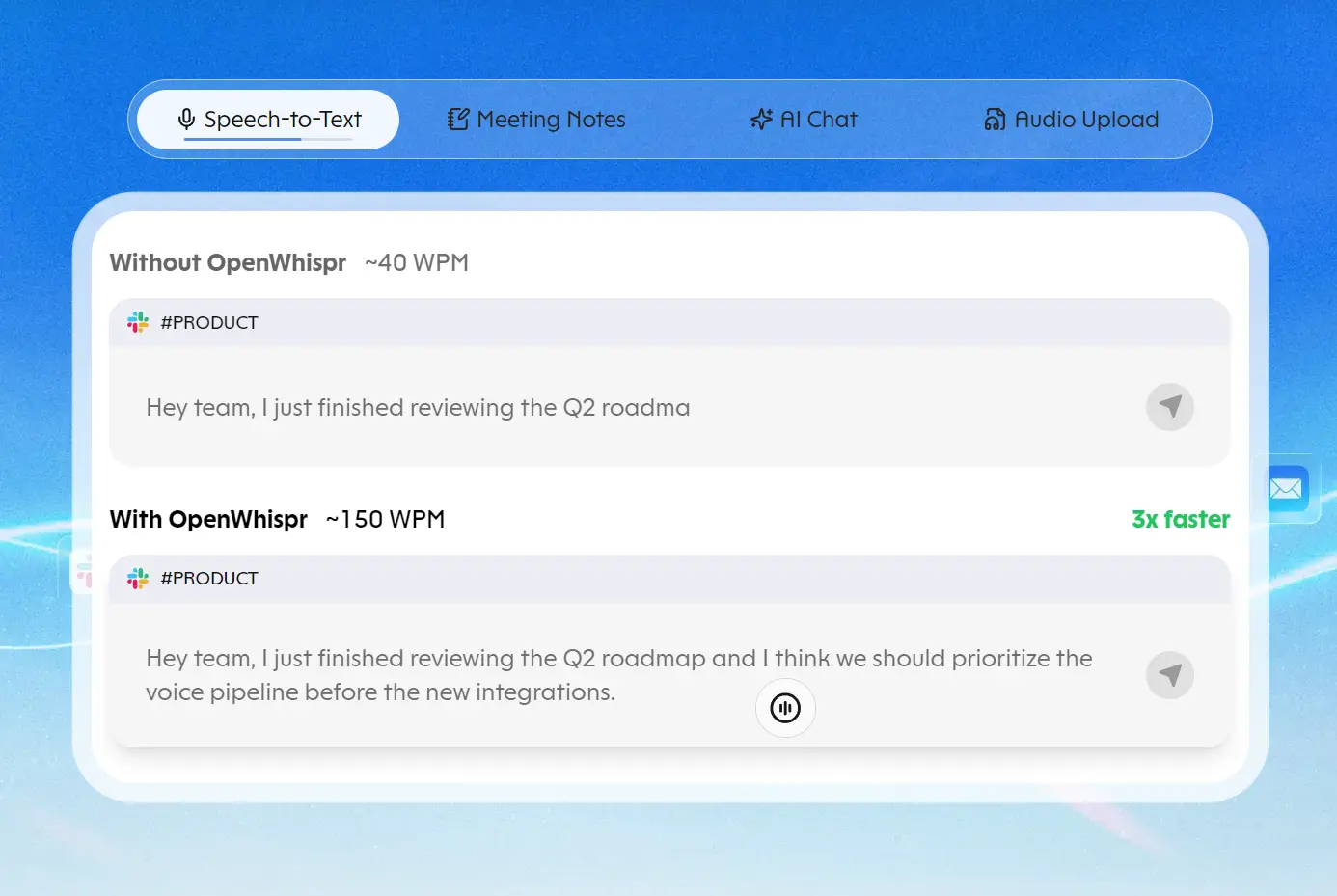
OpenWhispr is an open-source voice-to-text app for macOS, iPhone, iPad, Windows, and Linux.
Press a keyboard shortcut, speak into your microphone, and the transcript appears in the email, document, chat, or editor where you placed your cursor.
You can dictate ordinary text or give the AI assistant a spoken instruction to draft a reply or rewrite something you have selected.
OpenWhispr also records meetings, identifies speakers, and turns conversations into searchable notes.
Speech recognition can run on your own device with downloadable models, through OpenWhispr Cloud, or through a provider you configure.
Key Features
- Dictate into desktop text fields with a global hotkey and automatic text insertion.
- Clean up filler words, punctuation, and grammar after speech recognition.
- Translate spoken text before pasting it into another app.
- Save custom vocabulary and expand short spoken phrases into reusable snippets.
- Record meetings with speaker labels and AI-generated summaries.
- Transcribe existing audio files, videos, and media URLs into notes.
- Draft replies, edit selected text, and ask questions through voice and chat agents.
- Run local Whisper, Orukeet, Parakeet, Nemotron, or Cohere speech models.
- Search and share notes, with REST API and MCP access on paid plans.
How Voice Dictation Works
OpenWhispr runs in the background while you work in another desktop app. Place the cursor in a text field, use the dictation shortcut, and speak.
When you stop recording, the selected speech-to-text engine processes your audio and OpenWhispr inserts the result at the cursor.
The hotkey can operate in tap-to-record or hold-to-talk mode. Transcription history is available in the app when local history is enabled.
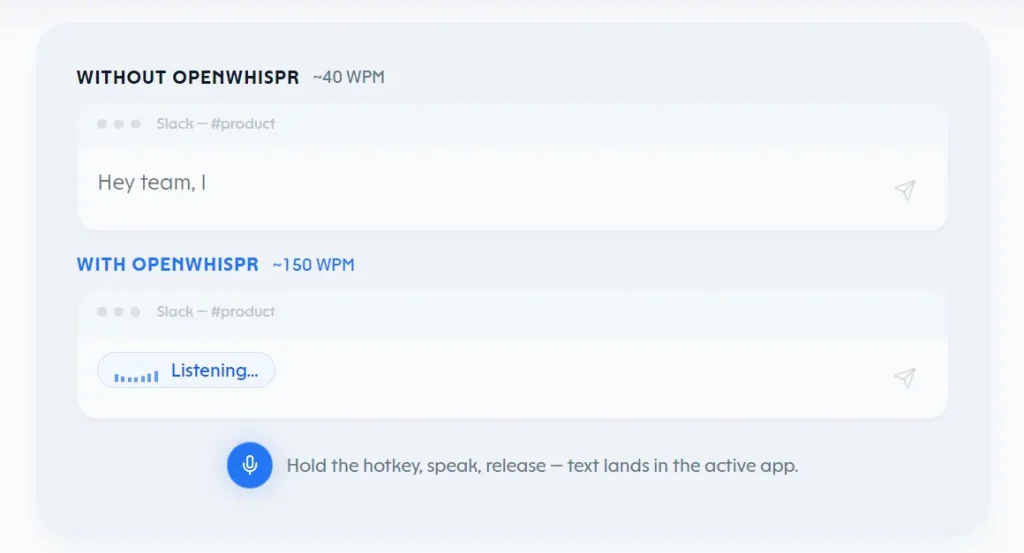
An optional AI cleanup pass can remove filler words and repair punctuation or grammar before the text is pasted.
Note that Speech recognition and cleanup are independent processes. For a close transcript of what you said, turn cleanup off.
For edited prose, configure a language model for cleanup. Both stages need local processing if you want the entire dictation operation to stay on your computer.
Translation, custom words, and snippets
A dedicated translation shortcut lets you dictate in one language and insert the result in another. The translation settings let you save up to five destination languages and select your preferred language. Your ordinary dictation shortcut continues to produce text in the selected transcription language.
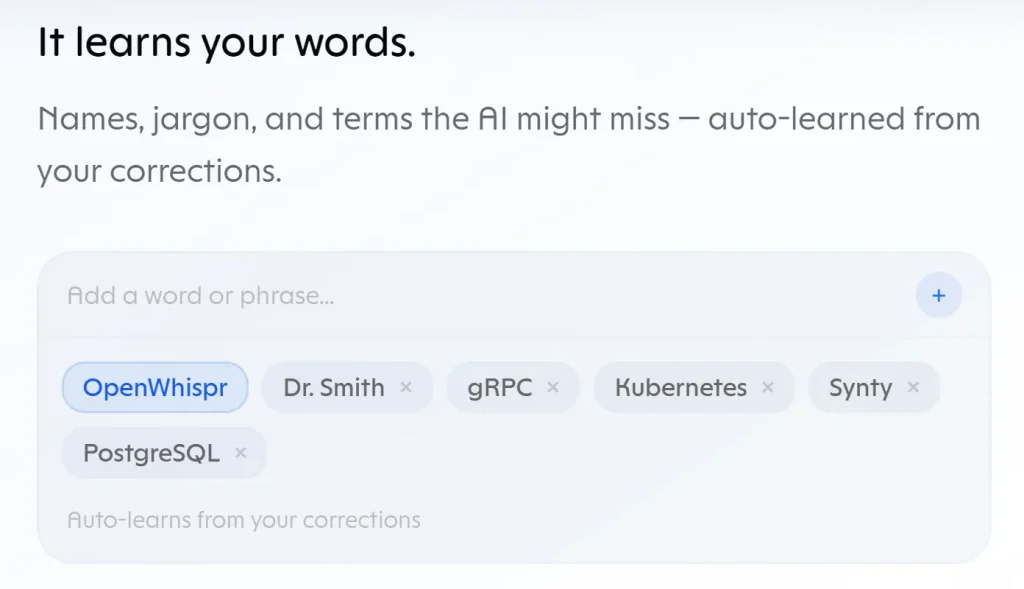
Custom vocabulary helps transcription engines recognize names, abbreviations, product names, and technical terms. Enter terms manually, import them, or enable learning from your corrections.
For fixed text, create a snippet with a spoken trigger. Saying “calendar link,” for example, can insert a saved meeting URL or a complete message template.
The dictionary guides recognition. Snippets replace recognized phrases with predefined text.
Meeting Transcription and Notes
OpenWhispr can recognize calls from Zoom, Microsoft Teams, and FaceTime and prompt you to record. You can also begin a recording manually.
It captures your microphone and available system audio directly from your desktop. A meeting bot does not need to join the call.
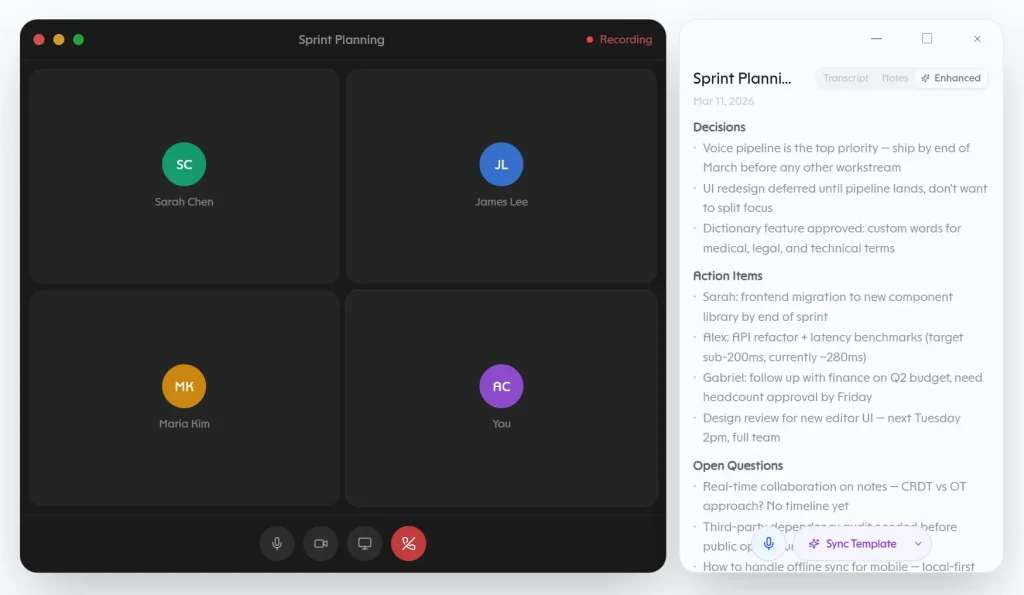
During recording, OpenWhispr generates a transcript and assigns provisional speaker labels. Local speaker diarization distinguishes voices on your computer.
After the meeting, you can review the labels, assign names, and correct passages. Voice fingerprints can recognize speakers across meetings on your device.
A recording supports up to eight speakers. Connected Google, Microsoft, or Apple calendars can associate a meeting with its scheduled event and help identify participants.
The transcript becomes part of a saved note. Generate an AI Summary to extract decisions, action items, and discussion points, or write notes alongside the transcription. Summary templates let you change the output format.
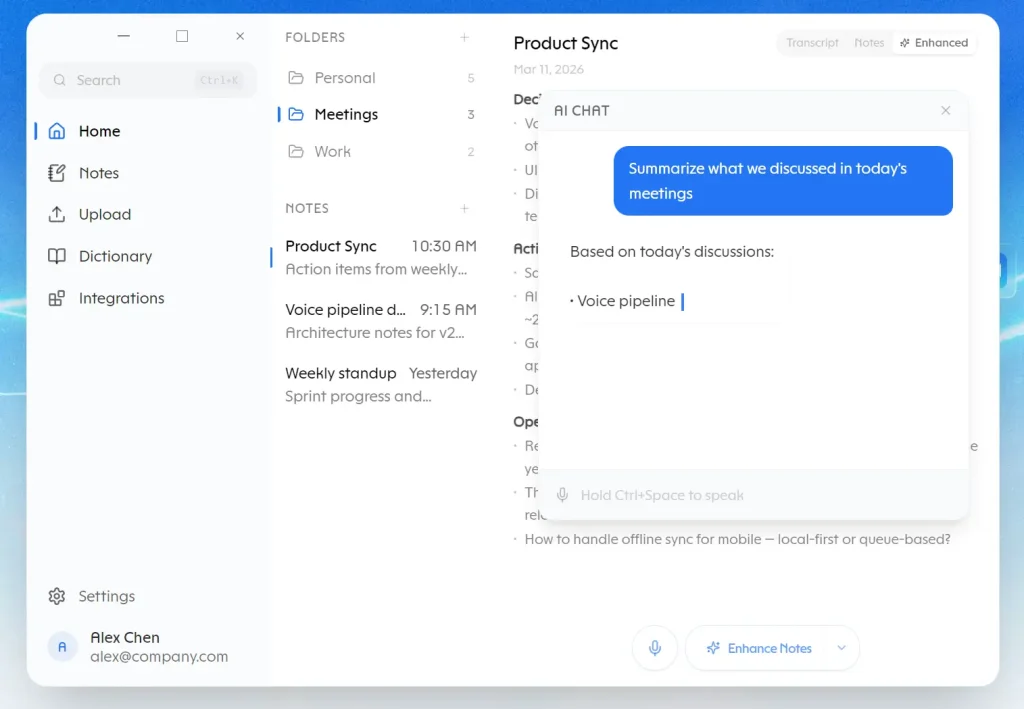
OpenWhispr also places the results of note-related AI actions, including follow-up email drafts, in a chat panel beside the note. You can edit tables and text directly in the note editor.
Import recordings and organize notes
The Upload view also accepts existing audio and video. Import an MP3, WAV, M4A, MP4, MOV, MKV, or another FFmpeg-readable file, upload recordings in batches, or paste a YouTube or direct-media URL.
OpenWhispr transcribes the audio track, creates a note, and can label speakers in an imported recording.
File limits depend on the engine: local and self-hosted processing have no app-level upload cap, BYOK uploads are limited to 25 MB, and OpenWhispr Cloud accepts 25 MB on Free or 500 MB on paid plans. Media downloaded from URLs has an additional 500 MB cap.
Search your notes by keyword or, on compatible systems with the required models, by semantic meaning. Folders keep interview transcripts, meeting records, and personal notes organized.
You can export a note or its transcript as Markdown, or enable automatic saving of notes as .md files in a folder on your computer.
Signed-in accounts can share individual notes through a link, email invitation, or domain restriction with viewer or editor permissions.
Team spaces organize folders and notes for collaborators, with membership and roles managed inside a workspace.
Sharing and team spaces are available on the Free plan. Shared content syncs through OpenWhispr’s service even when general personal cloud backup is turned off.
Spoken AI Commands and the Chat Assistant
OpenWhispr has two assistant experiences. The voice agent is designed for an immediate result in the app where you are writing. The chat agent opens a conversation window for questions and tasks that need several exchanges.
Voice agent: generate or rewrite text at the cursor
Assign a Voice Agent hotkey in settings and give it a spoken instruction. For example, say “draft a short reply accepting Thursday’s meeting.” The assistant writes the message in the focused text field.
Highlight a paragraph first and ask it to shorten, translate, or change the tone. The edited result replaces the selection. You can also begin ordinary dictation with the assistant’s configured name to issue a command.
If there is no writable text cursor, the response can appear in the floating panel and be copied to the clipboard. You can optionally share a screenshot as context when using the dedicated voice-agent hotkey.
This feature starts disabled and requires a model with image-input capability. It is not available under Linux Wayland. The screenshot is used for that request and is not saved in note history.
Chat agent: ask questions and work with notes
The chat agent opens an overlay with conversation history. Ask it to locate a decision from an earlier meeting, read the relevant note, draft a follow-up, or create and edit notes.
Paid-plan integrations extend assistant actions to Gmail, Slack, Linear, and GitHub. For instance, the assistant can prepare an email or issue update, then display a card with the exact proposed action.
Local Models, Cloud Speech Recognition, and API Keys
OpenWhispr configures speech recognition separately for Dictation, Note Recording, and Audio Upload. You can keep normal dictation local and use a cloud engine for imported audio, for example.
Cleanup, translation, and AI assistants use their own language-model settings. Processing choices for one activity do not automatically apply to the others.
Speech recognition on your computer
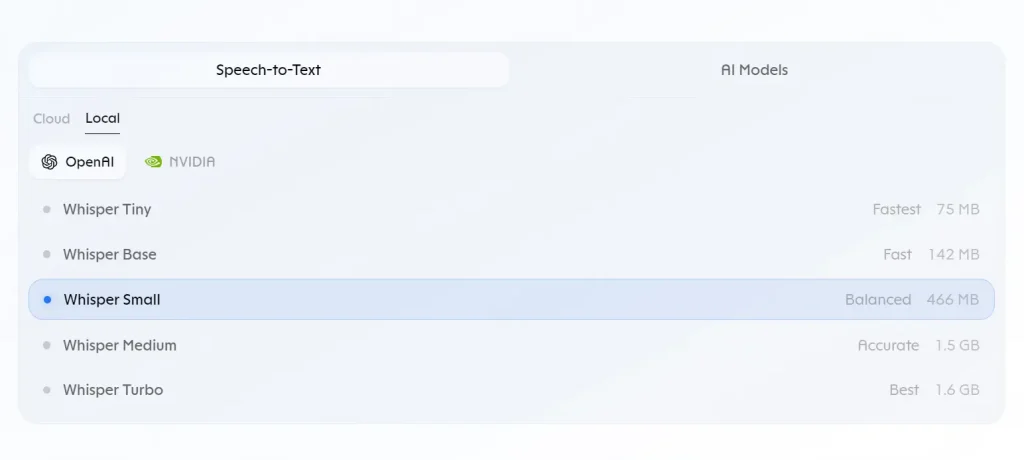
Download a local speech model once to process audio offline. Orukeet is the recommended multilingual model on a new local installation. Whisper has several sizes for different hardware capabilities, and Nemotron can display partial text during streaming recognition.
| Model family | Features |
|---|---|
| Orukeet | Recommended multilingual model, approximately 672 MB download |
| Whisper | Multiple sizes from tiny to large and turbo, with different resource requirements |
| NVIDIA Parakeet | English and multilingual speech recognition options |
| NVIDIA Nemotron | Streaming recognition with live partial transcripts |
| Cohere Transcribe | Larger 14-language model requiring manual language selection |
Cloud transcription and your own providers
OpenWhispr Cloud transcribes audio through a hosted service when you sign in. Its Free plan has a word allowance, and paid plans increase access.
Bring-your-own-key (BYOK) processing can connect to more 3-rd party speech providers including OpenAI, Groq, Deepgram, AssemblyAI, Mistral, and others.
AI text tasks have a distinct provider selection. Depending on the feature, you can connect services including OpenAI, Anthropic, Google Gemini, Groq, and OpenRouter, or run an appropriate local text model. Organizations can configure managed Amazon Bedrock and Azure OpenAI access for eligible AI tasks through centrally controlled credentials.
Whisper supports Metal acceleration on Apple Silicon. On Windows and Linux, OpenWhispr also supports CUDA for NVIDIA GPUs and Vulkan for AMD or Intel graphics. CPU processing is available when a local GPU runtime cannot be used.
How to Get Started
1. Download the current desktop release for macOS, Windows, or Linux and open the installed app.
2. During onboarding, select Local and download Orukeet for offline speech recognition. Alternatively, sign in to OpenWhispr Cloud or configure a provider key.
3. Grant microphone access. On macOS, grant Accessibility permission to paste text into other apps. Meeting recording has additional audio-capture permissions.
4. Click into a text field and press the dictation shortcut: Globe/Fn on macOS, Ctrl+Win on Windows, and Ctrl+Super or F8 on Linux. Say a sentence and stop the recording. Your words should appear in the focused app.
5. For meeting transcription or audio imports, visit Settings → Speech-to-Text and select an engine for the relevant activity. 6. Configure a text model separately if you want AI cleanup, summaries, or assistant commands.
Build from source
You can also run the desktop project locally with Node.js 24 or later.
git clone https://github.com/OpenWhispr/openwhispr.git
cd openwhispr
npm install
npm run dev
iPhone and iPad
The OpenWhispr iOS app works on iPhone and iPad with iOS or iPadOS 17 or later.
Install it, enable its keyboard in iOS settings, grant the required Allow Full Access permission, and allow microphone access.
Open a text field in another app and tap the OpenWhispr keyboard’s microphone button to dictate.
Mobile on-device transcription is free and unlimited. OpenWhispr Cloud requires an account, and personal API providers have their own charges.
The mobile app also has notes and meeting recording. Cross-device personal note sync requires Pro.
Pricing and Usage Limits
OpenWhispr’s desktop application is MIT-licensed, and unlimited local dictation is free. The Free plan also includes hosted transcription and a monthly meeting allowance.
| Plan | Price | Features and limits |
|---|---|---|
| Free | $0 | Unlimited local/BYOK transcription, 2,000 hosted words per rolling 7 days, 5 meeting hours/month, note sharing and team spaces |
| Pro | $8/month or $80/year | Unlimited hosted dictation, 20 meeting hours/month, cross-device sync, Agent Mode, personal API/MCP access |
| Business | $16/user/month or $160/user/year | Pro features, unlimited meeting hours, Chat over your data, priority support |
| Enterprise | Custom | Business features plus managed identity, SSO/SCIM, audit logs and retention controls |
Privacy, Storage, and Platform Requirements
Local transcription processes audio on your device. With a self-hosted endpoint, audio goes to the server you configured. BYOK requests go directly to the provider associated with your key.
OpenWhispr Cloud processes speech on its servers and retains transcript text and technical metadata, though the processed audio is discarded. If you select cloud transcription, custom dictionary terms can also be transmitted with the request.
On your computer, transcription history is saved by default. Locally stored audio recordings are deleted after 30 days by default. Saved transcripts are kept indefinitely until you change the retention setting. Under Settings → Privacy & Data, you can disable history or change retention periods.
API, MCP, and Developer Access
OpenWhispr’s REST API works with notes, folders, transcripts, dictionary entries, snippets, and usage data. Scoped personal API keys are part of paid plans.
The MCP server connects Claude and other coding agents to OpenWhispr notes and transcriptions.
Through MCP, those coding agents can search and update notes, read folders, and work with custom vocabulary and snippets.
Pros
- Free, unlimited on-device transcription.
- Desktop dictation, meeting recording, notes, and spoken AI commands in one app.
- macOS, Windows, Linux, iPhone, and iPad availability.
- Local, hosted, BYOK, and self-hosted speech-processing options.
- Markdown export, note sharing, API access, and MCP integration.
Cons
- Large local models consume storage, memory, and processing resources.
- Cloud words, meeting hours, synchronization, and agent features have plan-specific limits.
- No Android app is available.
- Fully offline cleanup, summaries, and assistant tasks also require a local text model.
FAQs
Is OpenWhispr completely free for offline dictation?
Yes. You can download the MIT-licensed desktop app and use local speech recognition with no transcription-word limit or subscription.
Can I export meeting notes to Word or PDF?
OpenWhispr exports notes and transcripts as Markdown. It can also save notes automatically as Markdown files in a local folder. There is no built-in DOCX or PDF export.
Why does the iPhone keyboard need Full Access?
The OpenWhispr keyboard uses Full Access to pass recorded audio and recognized text between the keyboard extension and the main OpenWhispr app. It also needs microphone permission for dictation.
Alternatives & Related Resources
- FreeFlow Dictation: Free Mac Voice-to-Text App with AI Context
- Free, Private AI Dictation Assistant – Tambourine
- Fast, Free, and Local Voice Transcription App – Maivi
- Free, Private, Local AI Meeting Notes for Mac – Snaply (Granola Alternative)
- Free Local-First AI Notepad for Private Meetings – Hyprnote
- Private Voice Dictation & Meeting Transcription for macOS – Ghost