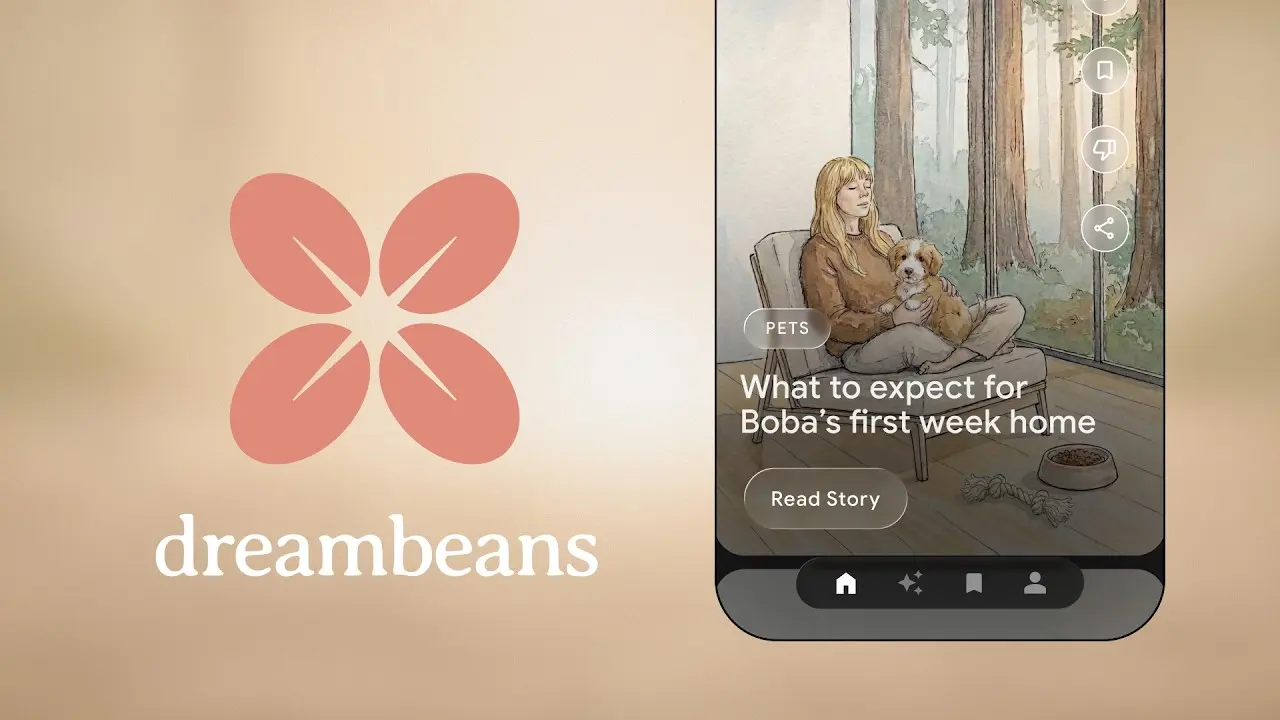
Dreambeans is an experimental mobile AI app from Google Labs that creates a small daily collection of personalized stories from the Google apps you choose to connect.
It uses Gmail, Calendar, Photos, YouTube, and Search history to generate story cards about plans, purchases, memories, interests, places, events, and topics already present in your Google account.
Your Google account can store useful personal context across several apps, but that context is rarely organized into a single daily view.
A flight receipt may stay buried in Gmail. A dinner plan may remain in the Calendar. A new hobby may appear across YouTube and Search before you save it anywhere.
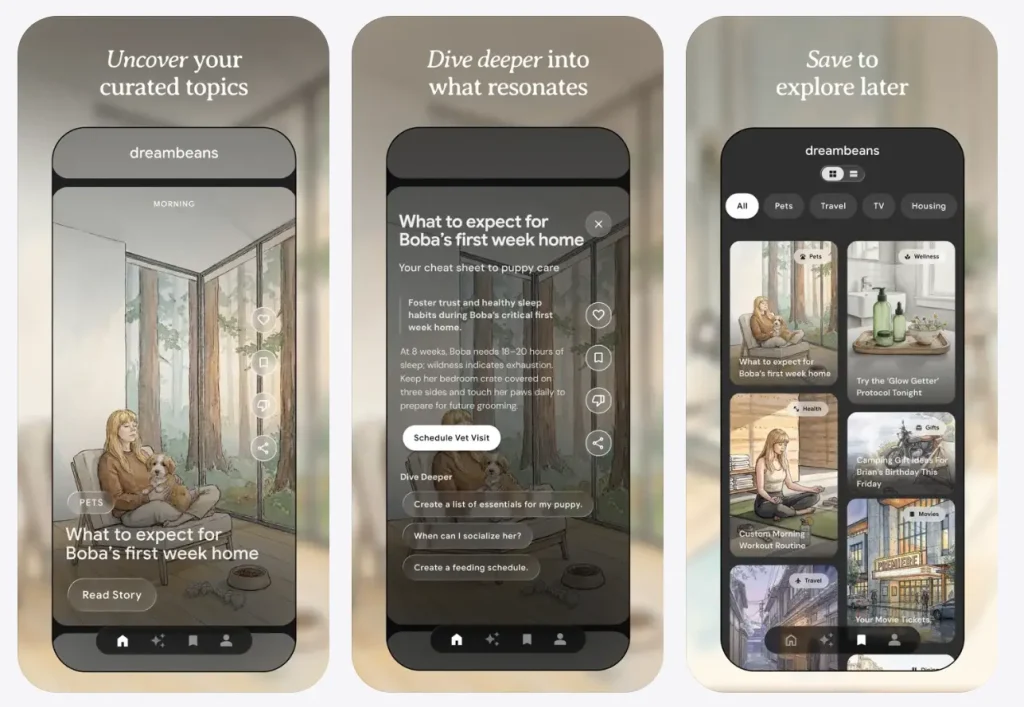
Dreambeans reads the approved sources overnight and turns those details into illustrated story cards the next day, with feedback controls, saved favorites, and one-tap actions for supported stories.
The app is currently available only to Google AI Ultra subscribers in the United States who are 18 or older. Anyone outside that subscriber base can join the free waitlist at labs.google/dreambeans.
Features
- One-tap actions such as See Ticket or Watch Trailer.
- Choose which Google apps Dreambeans can use.
- Supports Gmail, Calendar, Photos, YouTube, and Search history as optional context sources.
- Uses Gmail context for receipts, bookings, tickets, purchases, and travel details.
- Uses Calendar context for upcoming plans, events, and time-based suggestions.
- Uses Google Photos context for people, places, and visual memories.
- Requires Google Photos face grouping for stories about you or loved ones.
- Uses YouTube activity to identify active hobbies and media interests.
- Uses Search history to detect newer topics you have started exploring.
- Builds the first story collection after a setup delay of up to one day.
- Sends an in-app notification when the first stories are ready.
- Creates personalized AI-generated artwork for each story.
- Uses Nano Banana 2 for personalized scenes based on photo context.
- Suggestion chips for quick story tuning.
- Opens a quick feedback chat when you tap thumbs down.
- Applies tuning feedback to future daily story drops.
- Allows you to mark weak recommendations as not for me.
- Saves selected stories to a personal library.
Use Cases
- Surface travel reminders, bookings, events, and local ideas from Gmail and Calendar.
- Turn recent interests from Search and YouTube into topics to read, watch, or try.
- Revisit people, places, and memories from Google Photos through personalized illustrated stories.
- Find small personal actions connected to upcoming plans, hobbies, purchases, or reminders.
- Save useful daily stories to a personal library for later reference.
How to Use Dreambeans
Check access requirements
Dreambeans currently requires eligible Google AI Ultra access in the United States. You also need to be at least 18 and use a personal Google account.
Install the mobile app
Download Dreambeans from the App Store on iPhone or iPad, or from Google Play on Android.
Use the same personal Google account that contains the Gmail, Calendar, Photos, YouTube, or Search history you want Dreambeans to synthesize.
Set up your user profile
Open Dreambeans and sign in with your Google account.
Complete the profile setup before connecting apps. A clean profile helps Dreambeans understand the account context attached to your daily stories.
Choose connected apps carefully
Connect only the Google apps that match the type of stories you want.
Gmail works best for receipts, bookings, tickets, purchases, and trip confirmations. Calendar works best for upcoming events and time-sensitive plans. Photos works best for memory-based stories and personal visuals. YouTube works best for hobbies and active interests. Search history works best for newer topics you have started exploring.
Turn on face grouping for personal visuals
Enable Google Photos face grouping if you want Dreambeans to feature you or loved ones in personalized AI-generated story artwork.
Keep face grouping off if you prefer less personal visual synthesis.
Wait for the first daily collection
Dreambeans may need up to one day to build the first story collection.
The app sends an in-app notification when the first stories are ready. New story collections arrive daily after setup.
Tune the stories
Use suggestion chips when Dreambeans gives you relevant tuning options.
Tap thumbs down on weak, irrelevant, or inaccurate stories. The feedback opens a quick chat where you can fix a detail, confirm a recommendation, or mark a topic as not for you.
Use actions and save useful stories
Tap one-tap actions when a story includes options such as viewing a ticket or watching a trailer.
Save useful stories to your library if you want to return to them later. The library matters because the daily feed format can move past useful items quickly.
Review privacy settings regularly
Open your profile settings to change connected apps, review feedback history, or delete your Dreambeans data.
A monthly privacy check makes sense if you connect Gmail, Photos, and Search history because those sources can contain sensitive personal context.
Alternatives and Related Resources
- Dreambeans on Google Labs: Visit the official website, join the waitlist, and find the mobile app links.
- Google AI Timeline: Review major Google AI releases, model updates, and Labs experiments.
- Free AI Productivity Tools: Compare AI tools for tasks, planning, automation, and daily work.
- Free AI Personal Assistant Tools: Browse AI assistants for scheduling, planning, reminders, and daily organization.
More Free AI Tools from Google
- Code Wiki: Google’s AI-Powered Solution for Code Understanding.
- NotebookLM: AI Research Assistant for Students and Professionals.
- Pomelli: Google’s Free AI Tool for SMB Marketing Campaigns
- Mixboard: Free AI Moodboard Tool from Google Labs.
- Google Stitch: Free AI Vibe Design Tool with Agent and Web Export
- Producer.ai: Free AI Studio-Quality Music Generator by Google.
- Google Antigravity 2: Agent-First Dev Platform with Gemini 3.5.
Pros
- Google app context.
- Daily finite story format.
- iOS and Android support.
- Granular app connections.
- Story-specific AI artwork.
- Built-in tuning controls.
Cons
- U.S. only at launch.
- Requires personal Google data.
- Needs up to one day.
- Experimental accuracy limits.
FAQs
Q: Is Dreambeans free?
A: Dreambeans is free to download, but current access requires eligible Google AI Ultra access in the United States for users who are 18 or older.
Q: Does Dreambeans require all Google apps to work?
A: Dreambeans requires at least one connected app, but it has more personal context when you connect more supported Google apps.
Q: Can I control which data Dreambeans accesses?
A: Yes. Each connected source has an independent toggle inside Dreambeans settings. These choices stay separate from your settings in Gemini Apps or AI Mode and do not affect those products.
Q: What should I do when Dreambeans surfaces an inaccurate story?
A: Tap “thumbs down” on the story, then use the feedback chat to fix the specific error or mark the topic as “Not for me.” The correction applies to the next morning’s collection.