Mixboard is an experimental AI-powered concepting board from Google Labs for building a visual board from a rough idea. You start with a text prompt or a pre-populated board, then build the canvas with generated images, text blocks, and your own references.
Use natural-language edits, image doodles, and one-click variations to refine an early direction. A project holds multiple boards, and Nano Banana Pro creates a presentation from a board with its visual context.
Google will take Mixboard offline on September 28, 2026. You have access through that date; after the shutdown, boards, generated images, and prompts stored in Mixboard will no longer be accessible. Download every board you want to keep before the deadline.
Features
- Arrange generated and imported content on an open canvas.
- Generate visuals with Nano Banana and text blocks from board images.
- Describe image changes in plain language or refine an area with a doodle.
- Use “regenerate” and “more like this” to explore alternate directions.
- Keep brainstorming, reference, and final-vision boards in one project.
- Create presentations from boards with Nano Banana Pro; generation limits vary with server load and network traffic.
- Upload PDF, HEIC, TIFF, and selfie photos as board references.
- Doodle over an image or presentation, describe the change, and apply it.
- Move, copy, delete, or remove backgrounds from image blocks.
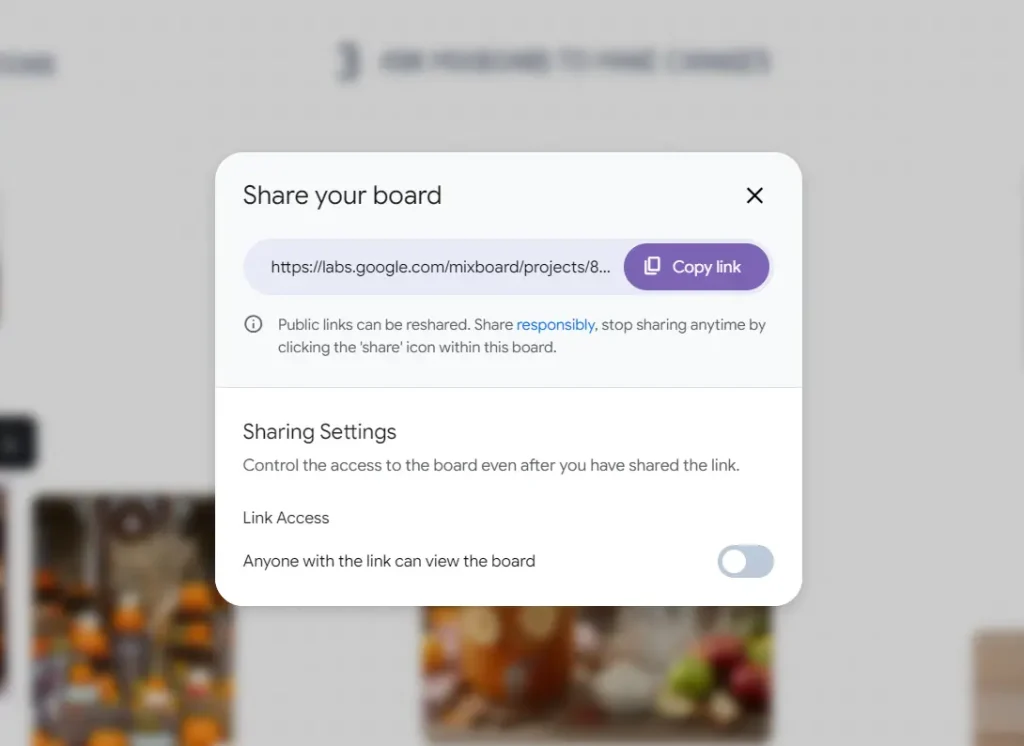
- Create a link to send a board to other people while Mixboard is available.
Use Cases
- Compare furniture layouts, materials, and color directions for a room.
- Build visual directions for weddings, parties, dinners, or corporate events.
- Develop product and packaging references from a written concept.
- Set an aesthetic for a shoot and share references with clients or stylists.
- Organize materials, colors, and project directions for a DIY plan.
- Develop a visual narrative for a storyboard or presentation.
How to Use It
Export your work before September 28, 2026. Open mixboard.google.com/projects and open the project you want to save. In the canvas, click the project name or expand icon in the top-left corner to view its boards. Hover over a board name, click the three-dot menu, and choose “Download as PNG.” Mixboard downloads a .zip file containing all images on that board.1. Open Mixboard and sign in. Access depends on your region.
2. Start a project from a text prompt or choose a pre-populated board. A blank canvas gives you space to build a direction from scratch.
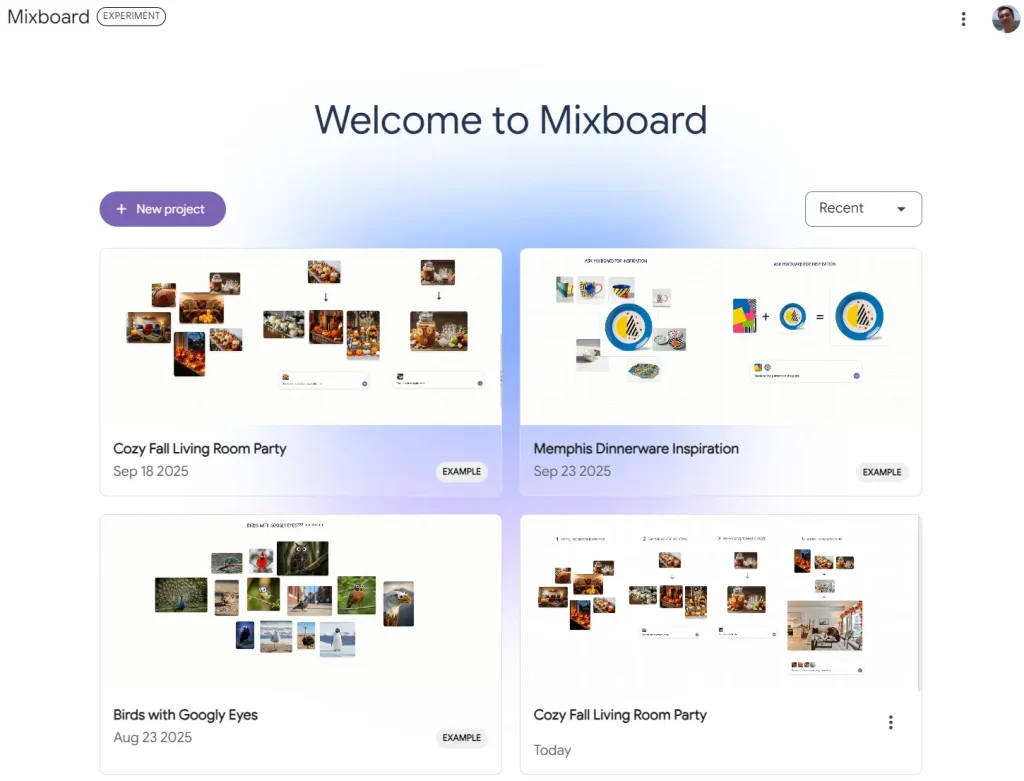
3. Describe your idea in the prompt field. Mixboard places generated images and text blocks on the canvas, where you can arrange them into a visual reference board.
4. Select a block to move, copy, delete, edit, remove its background, or create another version. Use a natural-language request for broad changes, or doodle over an area when the edit needs a precise location.
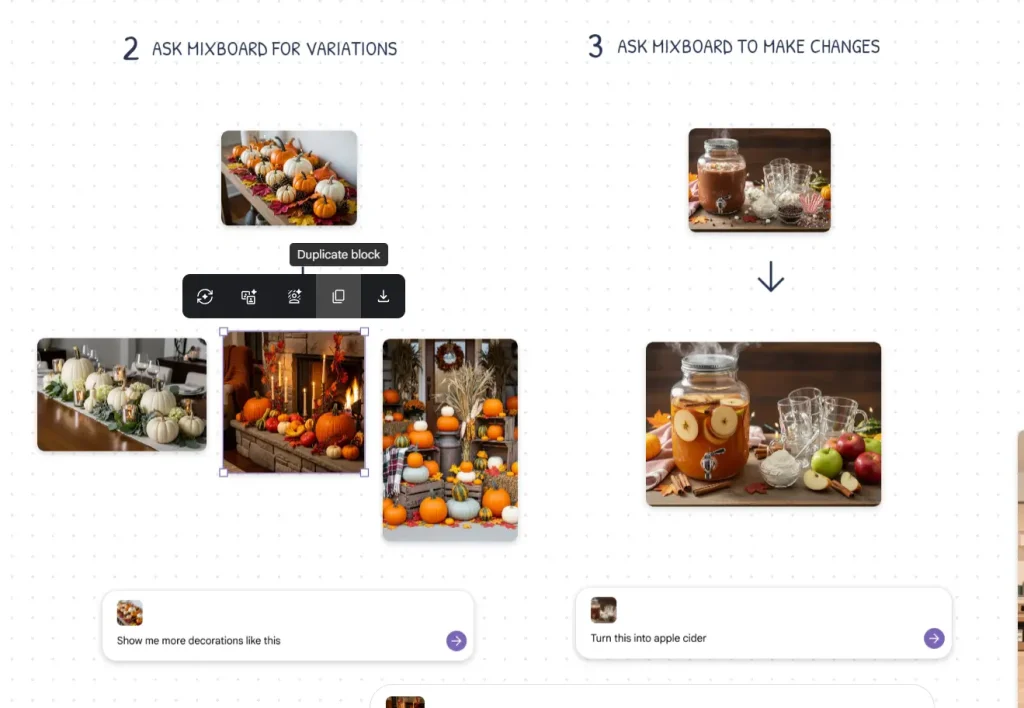
5. Add separate boards for different themes inside the same project. When a board is ready, create a presentation with Nano Banana Pro or create a share link for feedback.
Pros
- Prompt-based visual concepting
- Natural-language image edits
- Multiple boards per project
- Presentation creation from boards
- PNG archive export
Cons
- Service ends September 28, 2026
- Stored data becomes inaccessible afterward
- Region availability varies
- Generation limits fluctuate
Alternatives and Related Resources
More Google AI Tools
FAQs
Q: What happens to Mixboard data after September 28, 2026?
A: Google will take the website offline, and boards, generated images, and prompts stored in Mixboard will no longer be accessible. A ZIP saved to your device stays available. Keep exported files outside Mixboard.
Q: What does Nano Banana Pro do in Mixboard?
A: It uses a board’s context and your requested presentation format, focus, and visual style to produce a presentation.
Q: Why does Mixboard show a region error?
A: Mixboard access depends on regional availability. Google Labs Discord is the place to share feedback about regions that are not supported.
Changelog
August 18, 2026
- Google will take Mixboard offline on September 28, 2026, and stored boards, generated images, and prompts will no longer be accessible after that date.