VoiceStudio is a free, open-source desktop app for voice cloning, voice design, video dubbing, dictation, transcription, and audiobook creation.
Formerly known as OmniVoice Studio, it runs speech generation and transcription locally and lets you install different TTS and ASR engines.
You can use the app to create a cloned voice for a short speech clip, dub a multi-speaker video, record long-form narration, transcribe audio, or dictate text from the desktop.
You can also connect scripts, apps, Claude Code, Cursor, and Codex CLI through its OpenAI-compatible API or MCP server.
Key Features
- Clone a voice from reference audio and save it for later projects.
- Create synthetic voices from configurable traits and reusable seeds.
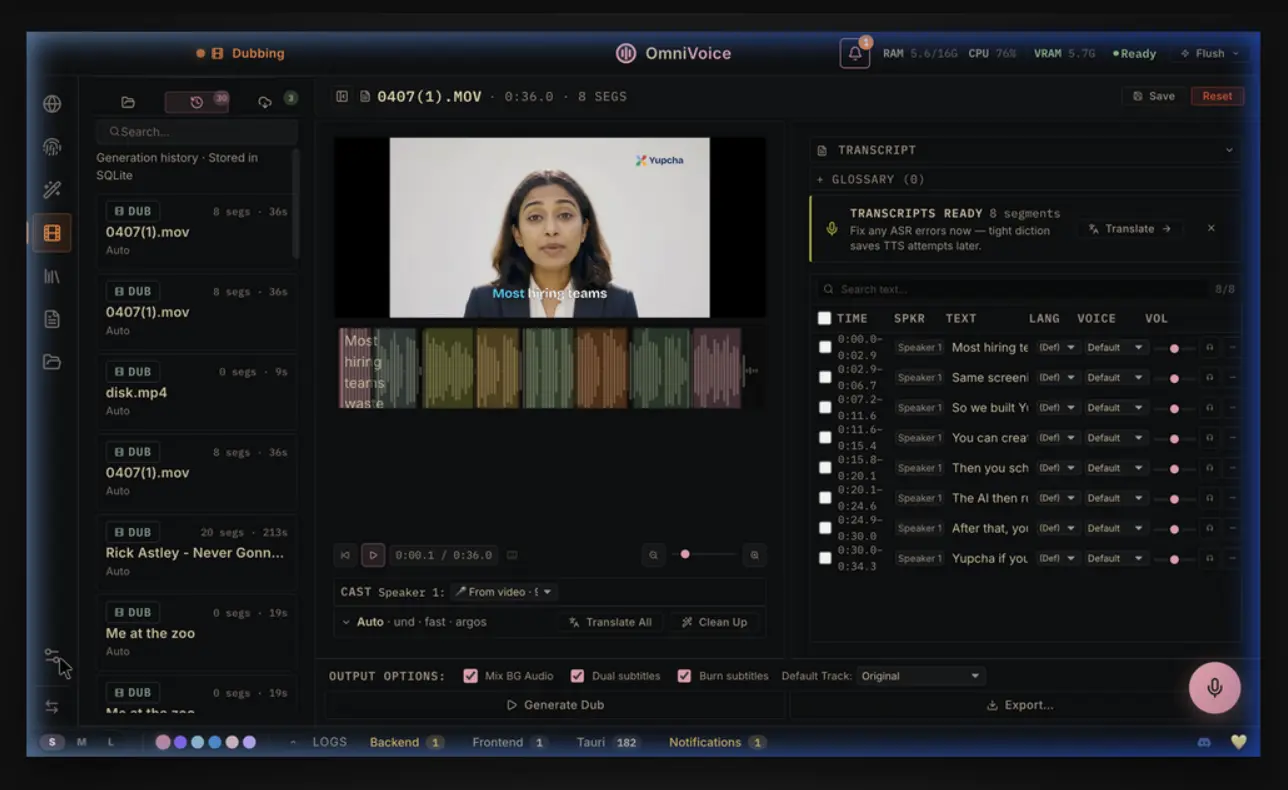
- Dub audio or video with transcription, translation, speaker assignment, timing control, and export.
- Build multi-voice Stories and chaptered audiobooks.
- Transcribe recorded audio and use desktop dictation.
- Install multiple TTS and ASR engines from the Model Catalogue.
- Connect scripts, OpenAI-compatible clients, and MCP clients to the local backend.
- Send jobs to an approved remote GPU worker.
How VoiceStudio Works
When you open VoiceStudio, the Electron app is where you manage projects, recordings, models, playback, and exports. Speech generation and transcription run through a local Python backend, and the Model Catalogue lets you install engines for different languages, hardware, and speech tasks.
The default VoiceStudio TTS engine uses k2-fsa/OmniVoice and supports 646 languages. Other engines, including CosyVoice, KittenTTS, MLX-Audio, VoxCPM2, MOSS-TTS, IndexTTS, Supertonic, Pocket TTS, and others, have their own language sets and model requirements. VoiceStudio will check the requested language against the active engine before synthesis.
Hardware acceleration also depends on the engine and operating system. Windows can use NVIDIA CUDA. Apple Silicon can use Apple GPU acceleration. Linux can use CUDA and selected AMD GPU configurations.
Voice Cloning, Voice Design, and Video Dubbing
To clone a voice, you record or load reference audio and save it as a reusable profile. A stored transcript can reduce repeated ASR work for later generations, and current OmniVoice builds can select a suitable segment from reference clips longer than 20 seconds. Clean speech from one speaker gives the model a more consistent reference.
Voice Design starts from configurable voice traits and a fixed seed. You can test a script, adjust the voice, and save the result as a reusable profile for speech generation, Stories, audiobooks, and other projects.
For dubbing, you can load local audio or video or import a video source. VoiceStudio creates a transcript, translates the dialogue, lets you assign speakers and voices, generates replacement speech, adjusts timing, assembles the track, and exports the finished result. Pyannote and WhisperX can provide speaker diarization after the required gated models are installed and approved through Hugging Face.
Stories, Audiobooks, Transcription, and Dictation
In Stories, you can assign a voice to each character and change the voice for individual lines when needed. The Audiobook editor works with long scripts plus TXT, EPUB, and PDF imports, sends chapters through the long-form backend, and exports MP3 or chaptered M4B audio. You can also export a cue sheet with chapter timestamps.
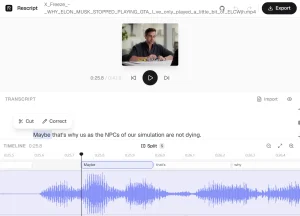
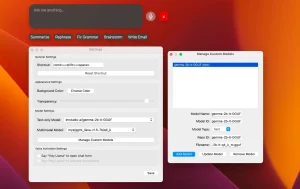
For transcription, you can record audio directly or load an existing file, search previous transcripts, and export the text. Desktop dictation uses a global shortcut to capture speech and insert the transcript into the active text field. On Wayland, stricter foreign-window controls can send the result to the clipboard when automatic insertion is unavailable.
Local API, MCP, and Agent Integrations
If you already have a script or client that expects OpenAI-style speech endpoints, you can point it at VoiceStudio’s local backend. The app also exposes MCP and streaming transcription, so Claude Code, Cursor, Codex CLI, and other compatible clients can call speech functions from their own workflows.
| Connection | What You Can Do |
|---|---|
| OpenAI-compatible API | Generate speech, transcribe audio, translate speech, and use existing SDK clients |
| MCP | Generate speech, clone voices, transcribe audio, list voices, and check backend health |
| Streaming WebSocket | Receive partial and final live transcripts |
| Native dictation control | Trigger desktop dictation from shortcuts, hooks, extensions, or local scripts |
VoiceStudio vs. ElevenLabs
Both VoiceStudio and ElevenLabs can generate speech, clone voices, dub content, transcribe audio, and expose developer APIs. VoiceStudio runs speech processing on hardware you control. ElevenLabs delivers these capabilities through hosted services with account plans and usage credits.
| VoiceStudio | ElevenLabs | |
|---|---|---|
| Deployment | Local desktop, Docker, optional remote backend | Hosted web services and APIs |
| Account | No VoiceStudio account for core local use | ElevenLabs account required |
| Usage | No VoiceStudio meter for local generation | Monthly plans and usage credits |
| Speech engines | Multiple installable local engines | ElevenLabs-hosted models |
| Developer access | Local OpenAI-compatible API, WebSocket, MCP | Hosted APIs and SDKs |
| Dubbing | Editable local project workflow | Hosted Dubbing v2 and API |
How to Get Started
On macOS and Linux, you can install the current release from the VoiceStudio website. Windows builds are available from GitHub Releases.
curl -fsSL https://voicestudio.sh/install | shFirst Voice Generation
Open Voice Cloning, choose a saved voice or record a clean reference, enter a short script, and generate a clip. Settings shows the active compute device and model status, which lets you confirm whether CUDA, Apple acceleration, or CPU inference is active.
Run From Source
Development builds use Bun for the Electron app and a prepared Python environment for the backend.
git clone https://github.com/debpalash/VoiceStudio.git
cd VoiceStudio
bun install
bun run setup:api
bun run dev
Platforms, Hardware, and Remote Compute
| Platform | Local Compute |
|---|---|
| Windows x64 | NVIDIA CUDA or CPU |
| macOS Apple Silicon | Apple GPU acceleration or CPU |
| macOS Intel | UI with remote speech processing |
| Linux x64 | CUDA, selected AMD GPU configurations, or CPU |
| Docker | Headless AMD64 deployment with browser UI |
Remote Workers and Remote Backend
If you have another machine with a better GPU, Remote Workers can send individual compatible jobs there and return the results to your main computer. Your project stays on the main machine.
Remote Backend runs the full VoiceStudio backend on another computer. Projects, voices, models, and processing live on that machine, and the desktop app connects to it over the network.
Privacy, Pricing, and Licensing
After the runtime and models are installed, core speech jobs can run locally. VoiceStudio connects to external services for model downloads, update checks, configured translation or LLM services, remote compute, network sharing, and third-party integrations.
Core local generation has no VoiceStudio usage meter. External services can charge their own fees, including Twilio calls, hosted model providers, or infrastructure used for remote deployments.
Pros
- Local voice cloning and dubbing
- Multiple TTS and ASR engines
- Stories and audiobook production
- OpenAI-compatible API and MCP
- Optional remote GPU workers
- Desktop and Docker deployments
Cons
- Large runtime and model downloads
- Heavy models need substantial compute
- Intel Macs require remote speech compute
FAQs
Is VoiceStudio the same project as OmniVoice Studio?
Yes. OmniVoice Studio was renamed VoiceStudio in the v0.5.0 line. The GitHub repository and project history continue under the VoiceStudio name.
Can existing OpenAI speech clients connect to VoiceStudio?
Yes, for the OpenAI-compatible speech endpoints implemented by VoiceStudio. The official OpenAI SDK and OpenAI Agents SDK can connect to its third-party speech, transcription, translation, and model-listing endpoints.
Can VoiceStudio use another computer’s GPU and keep the project on my main computer?
Yes. Remote Workers send jobs to approved worker machines and return the results to the computer that owns the project. Remote Backend works differently: the remote machine owns the VoiceStudio backend, projects, voices, and model state.
Alternatives & Related Resources
- 7 Best Free AI Voice Cloning Tools
- Voicebox: Free Local Voice Cloning, TTS, Dictation Studio
- Voice Clone Lab: Free Local Voice Cloning With Qwen3-TTS
- dots.tts: Free Open-Source Voice Cloning With 24-Language Support
- Free On-Device TTS With 31-Language Support – Supertonic v3